ChatGPT Sites for Small Business: What to Check
ChatGPT Sites for small business: what owners should plan, verify, and review before using it for a business website.
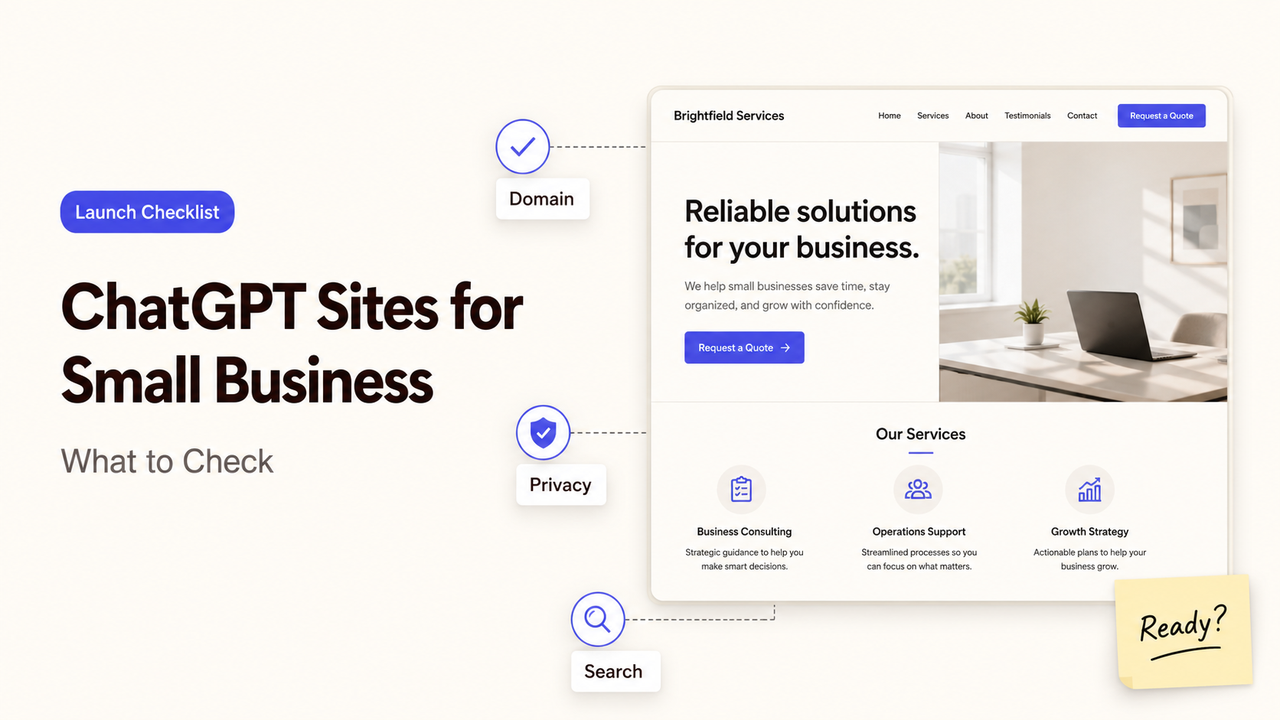
A site owner and the person who handles new inquiries can look at the same draft and disagree about whether it is finished. The owner sees complete pages and a working form; the person responsible for leads sees no notification rule, no response deadline, and no record of where the submission goes. This guide shows which business, mobile, privacy, and handoff checks can resolve that disagreement before launch.
That mismatch is the right starting point for ChatGPT Sites for small business. An AI small business website builder may generate and publish a site, but the business still has to define the handoff: what the visitor does, who receives it, what proves it worked, and what happens when it fails.
Before anyone calls the site ready, I’m Alex, and I’ll help you test it from the lead owner’s side—not just from the page editor.
First Confirm What the Tool Can Actually Do
ChatGPT Sites is in public beta, with availability tied to plan, region, and workspace settings. OpenAI says it can create, host, refine, and share websites and web apps; saved versions can be reviewed before deployment. For an owner, the current ChatGPT Sites capabilities and access conditions—not a tutorial screenshot—set the launch baseline.
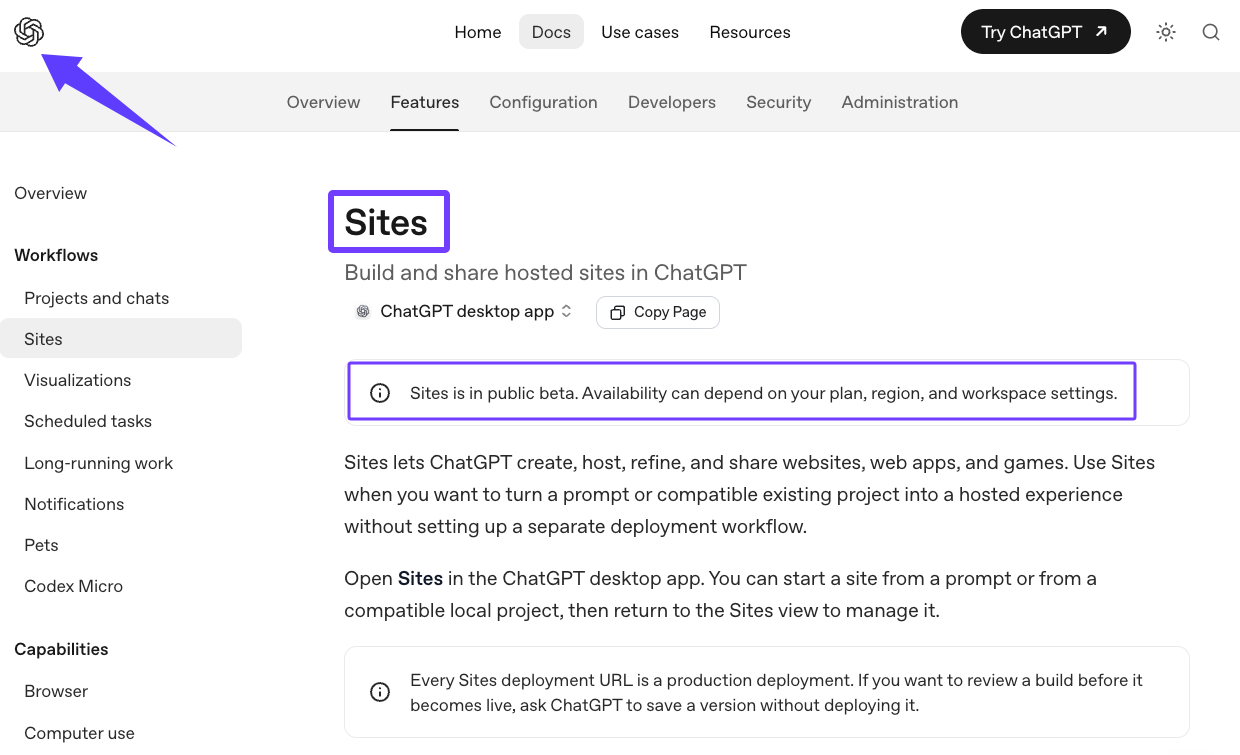
OpenAI’s July 2026 Sites update announced custom-domain connections. That matters when evaluating OpenAI Sites for business use: availability remains an account-level check, not a market-wide assumption.
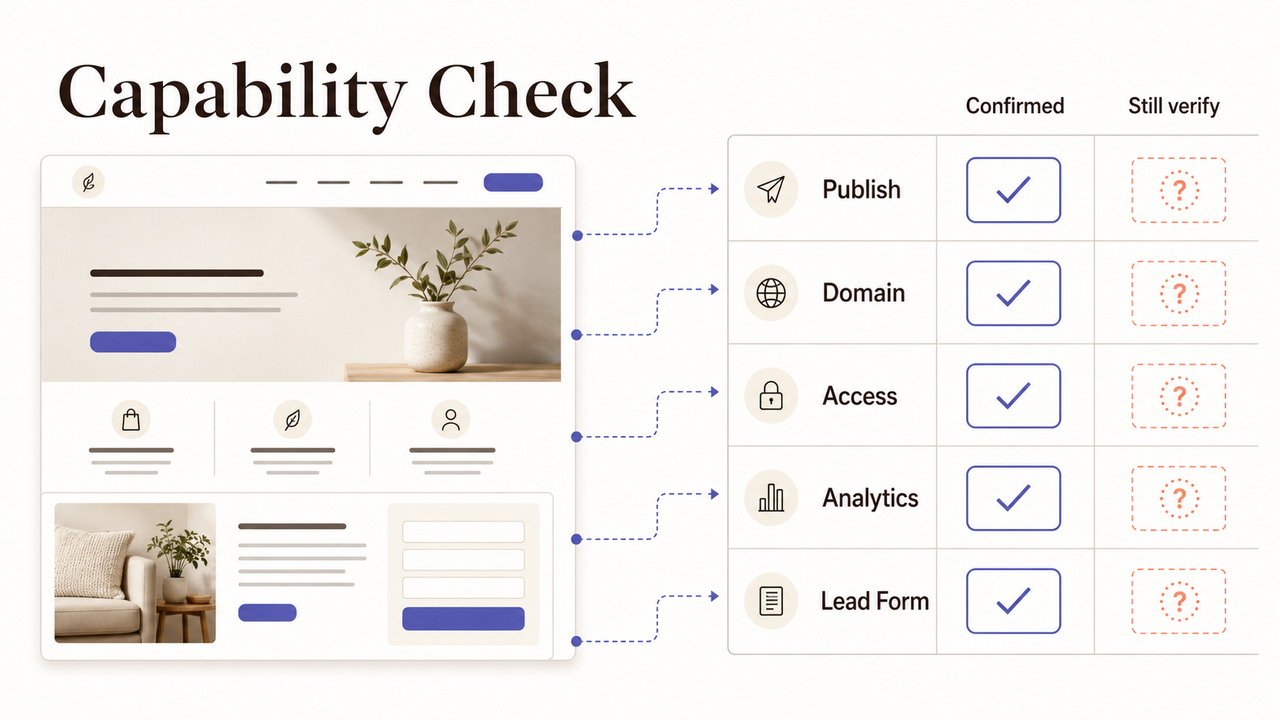
Business need | What is currently confirmed | What the owner still needs to verify |
Publish and revise a site | Sites supports saved versions and deployments | Who can create, review, deploy, and roll back changes |
Use a business domain | Custom-domain connections are available | Domain ownership, DNS access, certificate behavior, and the live redirect path |
Control access | Sharing options depend on settings | Whether the intended audience can enter with the right permissions |
Measure traffic | Built-in analytics can report visitors and page views for eligible Sites | Whether that data answers the business question |
Collect a lead | Interactive behavior does not prove the required handoff works | Submission, notification, storage, consent, spam handling, and CRM delivery |
That is the operating test for ChatGPT Sites for small business. I would call a form “supported” only after a real submission reaches the right system, triggers the notice, preserves the needed data, and confirms success to the visitor. Apply the same test to publishing, privacy, search visibility, and domain setup.
Define the Website Goal and Required Pages
A ChatGPT business website should have one primary job: requesting a quote, booking an introductory call, or registering for an event.
Write the goal as an observable action: “A qualified visitor can understand the service and send a complete inquiry.” “Establish an online presence” leaves too much unresolved: the content, customer action, tracking, and follow-up are still undefined.
Use a minimum executable brief before generating anything:
- Audience: Who is the primary buyer, and what situation brings that person to the site?
- Offer: What service, product, or event is being presented?
- Action: What is the one next step the visitor should take?
- Evidence: What facts reduce uncertainty—scope, process, location, availability, policies, or examples?
- Owner: Who reviews inquiries, content accuracy, and post-launch issues?
A practical first structure is Home, Services, Contact, and FAQ. Add About when identity affects trust; add an event page only for a distinct audience, deadline, and action.
Home routes the right visitor, while Services clarifies fit and boundaries. Contact explains what to provide and what happens next; FAQ resolves recurring objections without burying the primary action.
With ChatGPT Sites for small business, good business website planning tracks unresolved buyer decisions, not page count. Combine repeated pages; fix a missing trust signal or response path before adding decoration.
Draft the Site Structure Around the Customer Journey
Draft the pages in the order a customer makes decisions, not around the company’s internal departments. A typical service inquiry moves through four states:
- Discover: “Am I in the right place?” State the audience, problem, and offer.
- Evaluate: “Can this business handle my situation?” Explain fit, boundaries, process, and proof.
- Act: “What do I do now?” Present one primary action and request only necessary information.
- Confirm: “Did it work?” Show success and set a realistic response expectation.
Confirmation is where a polished draft often breaks. A button can look correct while its destination or notification fails. Send a realistic inquiry, then inspect the visitor’s confirmation and the business’s receipt separately.
Put the exception path next to the launch plan. If the form is unavailable, can the visitor call, email, or use a trusted booking page? If an event closes, does the page stop registrations and direct people to the next useful option?
Review the journey on a phone. The promise, contact method, labels, errors, and confirmation must remain usable on a small screen; a desktop preview cannot prove this.
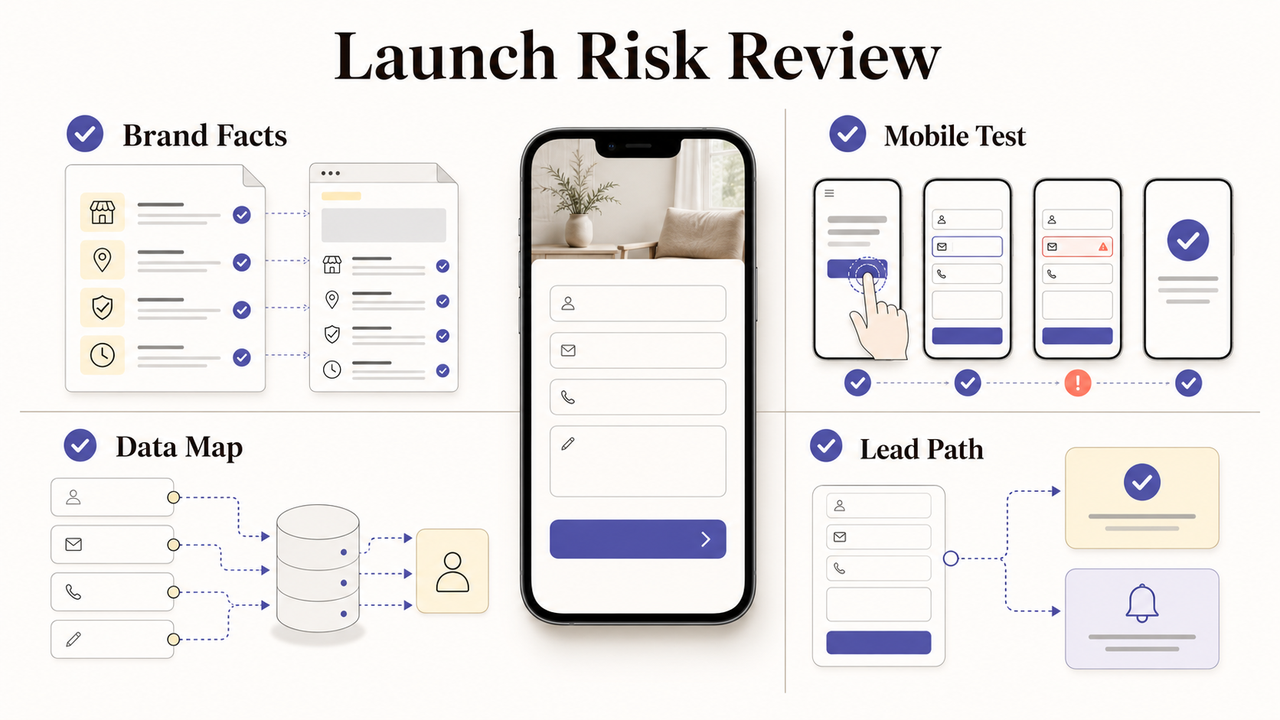
Review Brand, Mobile, Privacy, and Conversion Risks
A generated homepage can be visually consistent and operationally wrong. An incorrect service area, vague privacy copy, or a form that disappears on mobile can each break the site in a different way.
Start with the business facts: name, offer boundaries, locations, response expectations, and every public claim. Remove unsupported promises. Use one term for the service and one label for the next action.
Put the published pages on a real phone, not only in a resized browser. Check contrast, touch targets, menus, form fields, errors, and orientation. The W3C guidance on mobile accessibility explains why small screens, touch input, and changing environments create conditions a desktop review may miss.
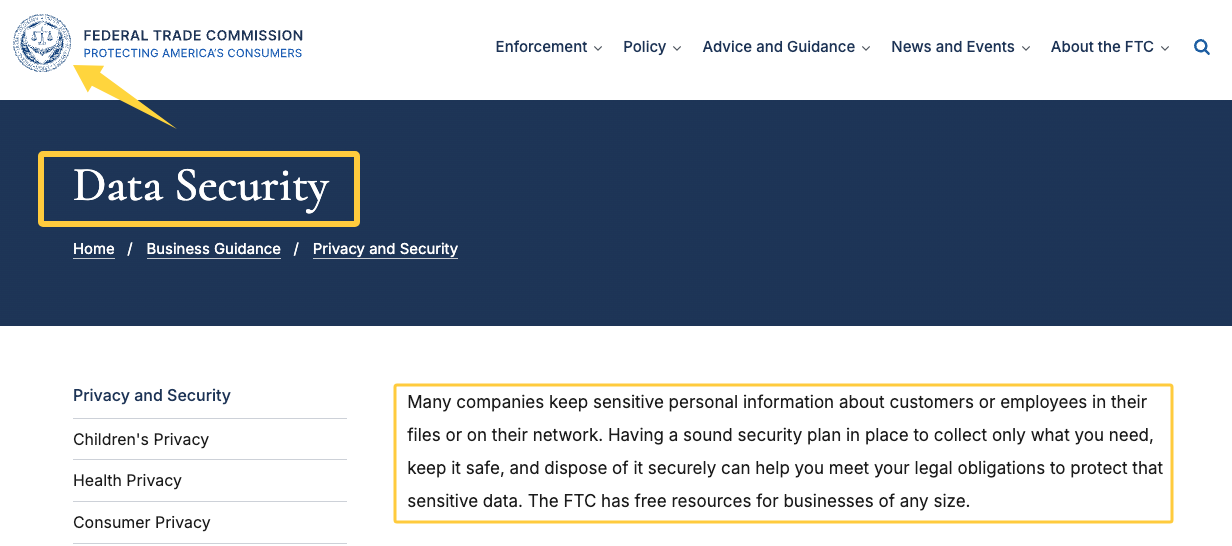
Any data collection needs its own map. Record why each field is needed, where it goes, who can access it, and what the visitor is told. The FTC’s practical data-security guidance supports a restrained approach: collect only what the business needs, protect it, and dispose of it securely.
Measurement comes after the action is clear. Choose one completion event—a confirmed inquiry, booking, qualified call, or registration—not a page view. Google’s explanation of key events in Analytics offers a useful model: mark the action important to the business, then assess performance.
Before launch, run this control check:
- A first-time visitor can identify the offer and next step within one screen.
- Every primary action reaches the correct destination.
- A test inquiry creates both visitor confirmation and internal evidence.
- Privacy language matches the data actually collected.
- Mobile navigation, inputs, errors, and confirmation are usable.
- The domain, page title, description, social preview, and contact details are correct.
- One person owns changes, issue triage, and the next review date.
A site should not pass because it looks complete. I would call it ready only when the customer action and the internal handoff are both inspectable.
When to Ask for Website or Growth Service Help
DIY is reasonable when the offer is simple, the content is settled, and the owner can test and maintain every critical path. It becomes risky with custom integrations, regulated data, advanced accessibility, multi-location search, CRM routing, migration, or multi-team approval.
Ask for help when the unanswered decisions outweigh the page-building work. A website specialist can own architecture, accessibility, technical SEO, and domain behavior. If the unresolved problem is the offer, measurement, or follow-up, the brief belongs with a growth specialist instead.
Scope the engagement around evidence. Instead of “a better website,” request a mobile-tested site, verified lead path, domain support, privacy inputs, analytics events, owner documentation, and an issue log. Start with the outcome. Structure the commitment.
To fill that brief, describe your website goal to SpringBrand and review matched services while keeping final approval.
FAQ
What if the tool cannot support my lead form?
Use a tested external form, booking tool, or a simple phone or email contact path. Keep the requested data to the minimum needed, disclose where it goes, and test submission, notification, confirmation, spam handling, and ownership. Do not launch a lead-generation page whose main action ends in an unmonitored inbox or an unclear error state.
Should I publish a temporary page before the full site?
Yes, when it has one defined purpose, accurate contact details, an owned destination, and a removal or migration date. A temporary page can validate messaging or capture time-sensitive demand, but it should not compete with the permanent site, promise unfinished capabilities, or leave customers unsure which address and offer are current.
How should I track issues found after launch?
Use one issue log with the page, device, reproduction steps, expected result, actual result, business impact, severity, owner, status, and proof of resolution. Review high-impact failures first, especially broken contact paths, wrong claims, privacy gaps, and mobile blockers. The handoff needs a named owner, not a shared assumption that someone else is watching.
Conclusion
A site can move from draft to launch once one person can answer three questions: What customer action are we accepting? What proves it reached the business? Who takes over when it does not? ChatGPT Sites for small business may shorten the build, but it does not assign that responsibility.
Name the launch owner before publishing. That person should approve the live domain, run the lead path on mobile, review the evidence, and own the first post-launch check. If nobody owns those decisions, the site is still a draft, regardless of how finished it looks.