Best Claude Code Recipes for Small Business
Claude Code recipes for small business: explore reusable workflows for research, content planning, feedback, sales materials, and weekly reporting.
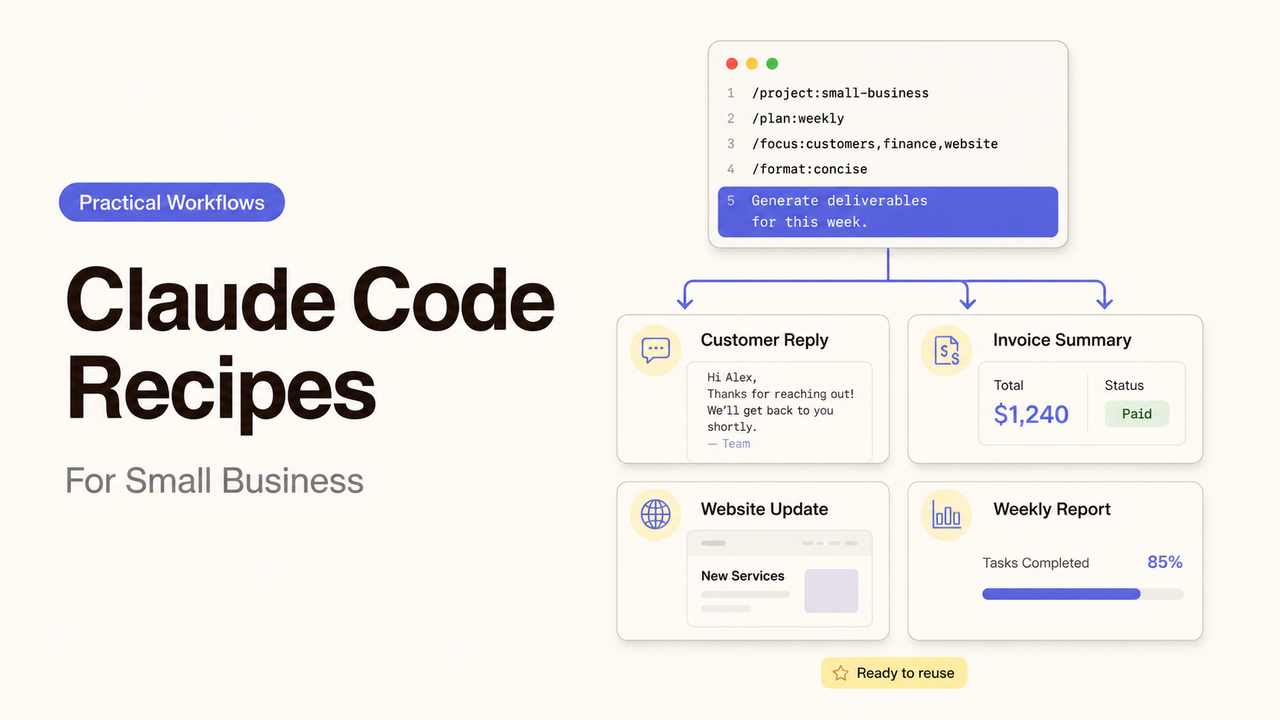
Imagine a founder saving a weekly-report workflow after it produces one useful Friday summary. The next week, it reads an old export, treats missing figures as zero, and drafts a confident update before the operations lead reviews it. This guide gives you five Claude Code recipes for small business—our plain-language label for repeatable workflows built with Skills, compatible commands, or documented prompt procedures—along with the inputs, outputs, reviewers, and stop conditions for each. Alex here; my promise here is to make every workflow easier to approve, stop, and hand to its next owner, not merely easier to rerun.
Quick List: Five Recipes and Their Business Outcomes
These business automation recipes cover recurring work and prepare reviewable deliverables for named owners; none replaces business judgment.
Recipe | Business outcome | Main input | Expected output | Human reviewer | Poor fit when |
Competitor Snapshot | See how selected competitors publicly position an offer | Approved companies, URLs, questions, research date | Sourced comparison with open questions | Founder or marketing lead | The decision requires private intelligence or formal due diligence |
Monthly Content Plan | Convert priorities into an owned publishing calendar | Audience, offers, dates, channels, prior results | Monthly plan with topics, goals, owners, and due dates | Marketing owner | The offer or content strategy is still unsettled |
Customer Feedback Themes | Organize recurring needs and objections | Approved, minimized feedback export and date range | Theme table with source references and exceptions | Customer success or product owner | Records contain sensitive data that should not enter the workspace |
Sales Material Draft | Prepare an evidence-bounded first draft | Approved facts, audience, sales stage, objections, proof | Email, one-pager, or deck outline with claim flags | Sales and product owner | Claims, prices, or approvals are changing |
Weekly Operations Report | Turn current records into an accountable review | Task export, KPI definitions, owner list, prior commitments | Completed work, blockers, decisions, and exceptions | Operations lead | Source records are incomplete or use inconsistent definitions |
Choose the recurring decision before choosing the workflow. A recipe that produces a polished file no one uses is still operational waste.
What a Claude Code Recipe Means in This Guide
As of July 21, 2026, “Claude Code Recipe” is not a product feature name confirmed in the official documentation I reviewed. Anthropic documents Claude Code Skills as reusable instructions stored in SKILL.md; Skills may be invoked directly or loaded when relevant. The same documentation says custom commands have been merged into Skills, while existing command files continue to work.
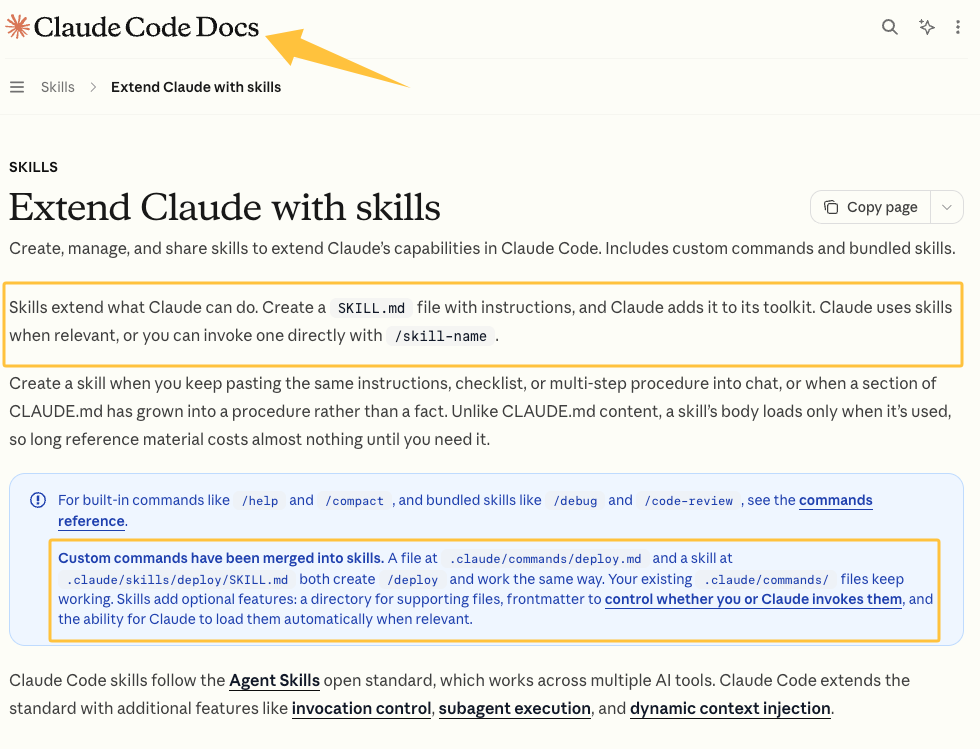
Here, a recipe may be a Skill with templates, a compatible command, or a documented prompt-and-review procedure. Its contract should define:
- the business outcome;
- the allowed input location and date range;
- the tools and actions permitted;
- the output format and destination;
- the reviewer and acceptance rule;
- the condition that stops or retires the workflow.
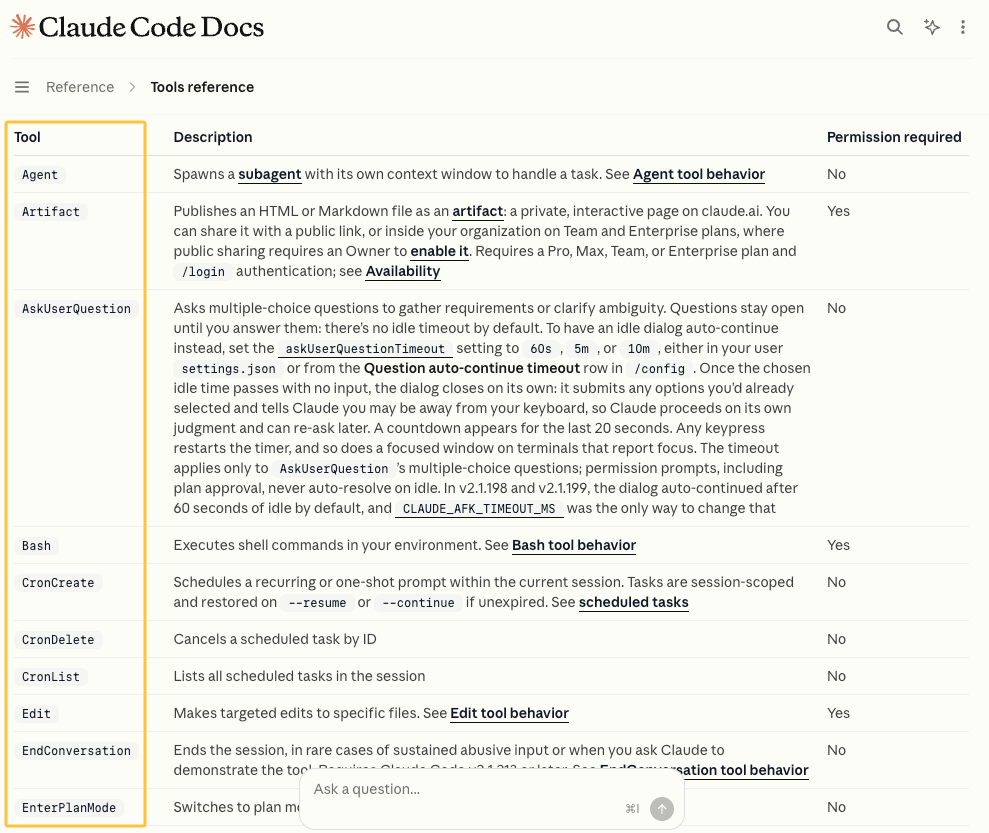
Capabilities depend on the environment. Claude Code’s tools reference lists built-in tools, while integrations can change what is available. Check the session before assuming it has web, system, or write access.
Recipe 1: Competitor Snapshot
This recipe prepares a dated view of public competitor positioning. Provide an approved company list, pages or local exports, comparison questions, the target customer, and a cutoff date. If web access is unavailable, supply source files rather than letting the workflow improvise.
The output should separate facts, sources, interpretation, and open questions. Ask for a comparison table and short decision memo, not an invented ranking. The founder or marketing lead checks that the competitors and criteria fit the decision.
Do not use it for private intelligence, legal conclusions, formal market sizing, or decisions that require interviews. An inaccessible page remains an open item, not a guessed claim.
Recipe 2: Monthly Content Plan
The goal is a calendar the team can own. Inputs include the current offer, audience, approved messages, channels, dates, existing content, performance data, and the people available to create and approve work.
The output lists each topic, audience question, goal, format, channel, owner, review date, and source. The marketing owner checks priorities and capacity. This is where Claude Code for entrepreneurs can reduce calendar assembly, not decide positioning.
Pause when the offer is changing, the audience is undefined, or the launch date is unapproved. An organized calendar can make unresolved strategy look final.
Recipe 3: Customer Feedback Themes
Use this workflow only for feedback the business may analyze. Prepare a minimized export, date range, source label, service area, and theme definition. Remove credentials and unnecessary personal details before the files enter the workspace.
Ask for themes, record IDs, contradictory examples, and uncategorized items. Counts may come from the supplied file, but a small sample cannot represent every customer. A customer success or product owner reviews the grouping and returns errors for another pass.
This is a poor fit for highly sensitive complaints, employment matters, privileged communications, or any dataset the business cannot safely share with the configured environment. At this point, ownership matters more than automation.
Recipe 4: Sales Material Draft
A sales-draft recipe starts with approved facts, prices, audience, sales stage, brand guidance, objections, and evidence. Name the asset—perhaps a follow-up email or one-page outline—and the next step it should support.
The draft should flag unsupported or time-sensitive statements. Sales checks relevance; a subject-matter owner confirms capabilities and claims. The workflow may draft and format, but it should not send material or approve a new promise.
Do not reuse it while pricing, terms, product availability, or proof points are changing. It is also unsuitable for regulated or contract-sensitive material without the appropriate specialist review.
Recipe 5: Weekly Operations Report
This recipe reports the current operating state, not a morale-boosting version of it. Provide the week’s task export, KPI definitions, owners, earlier commitments, blockers, and reporting period. Keep inputs in a dated folder.
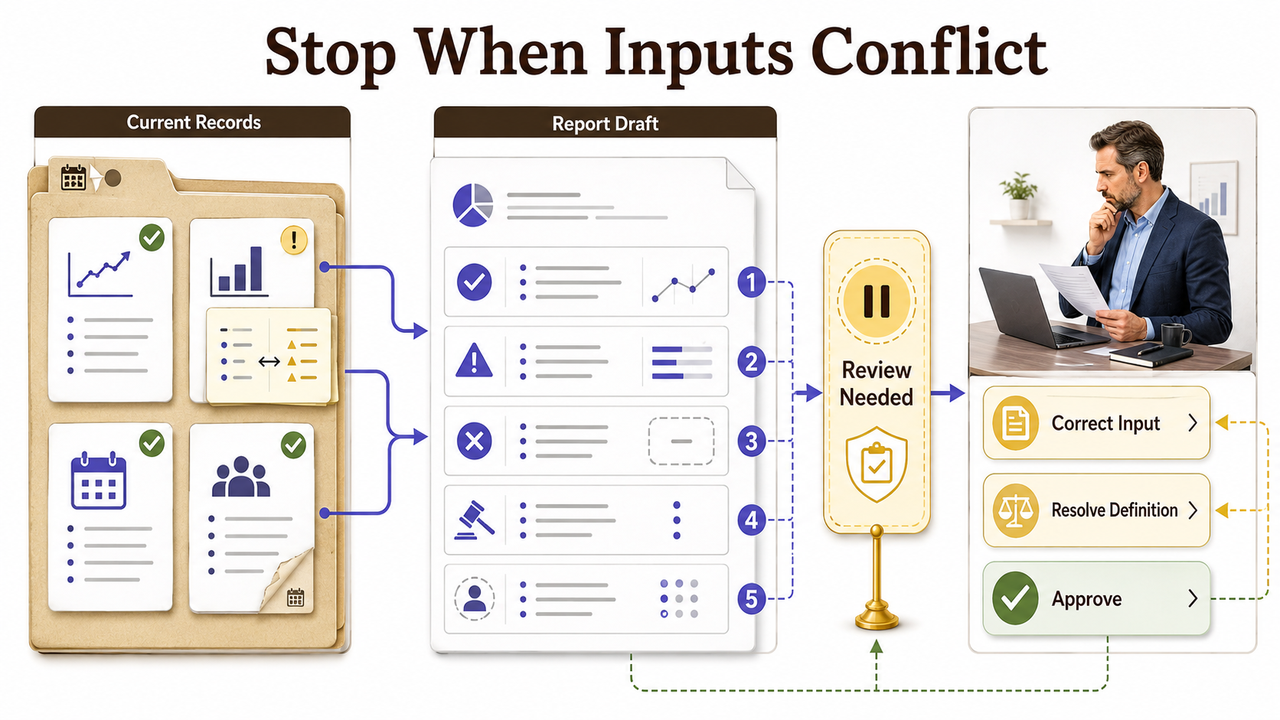
Ask for completed work, missed commitments, blockers, decisions, and ownerless exceptions. Each item should point to a source row, task, or note. The operations lead resolves conflicts before distribution.
Stop the run if required systems were not updated or two teams use different definitions for the same metric. The record has to become more precise than the conversation before the report can be approved.
Set Inputs, Review Rules, and Owners
Use the same short contract for AI marketing workflows so another operator can see each boundary without reconstructing the chat history.
Contract field | What to record |
Outcome | The recurring business decision or deliverable |
Allowed inputs | Exact folders, file types, systems, date range, and approved sources |
Excluded inputs | Credentials, private records, drafts, or unrelated directories |
Allowed actions | Read, analyze, draft, edit, run a named command, or request approval |
Output | File format, destination, naming convention, and required source references |
Human review | Named role, acceptance checks, and issues that require escalation |
Stop condition | Missing input, conflicting data, failed command, or unsupported claim |
Ownership | Maintainer, current version, review date, and retirement status |
Project-wide standards can live in CLAUDE.md, which Anthropic describes in its project instruction guidance. Keep procedures in Skills rather than allowing one general instruction file to grow into a collection of long workflows.
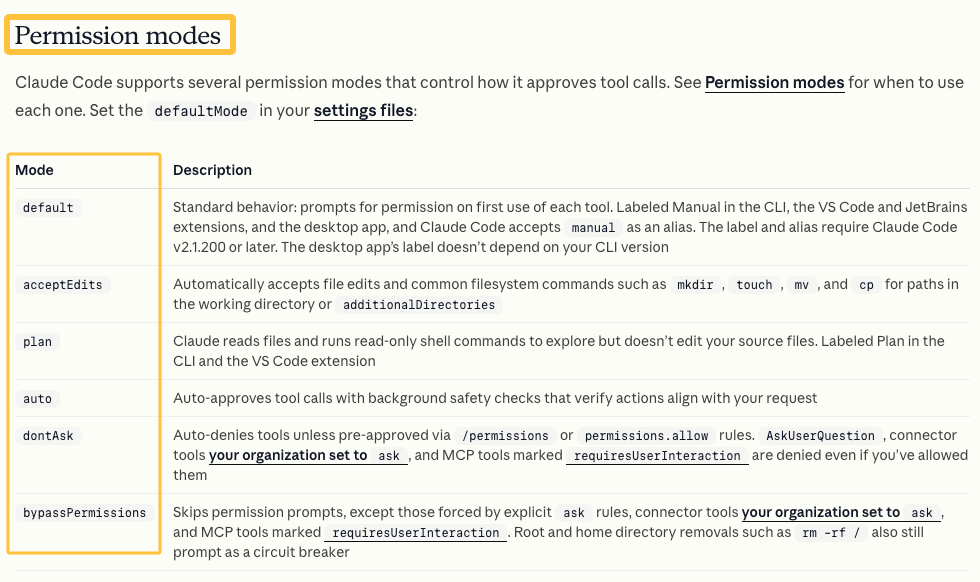
Then inspect the actual access boundary. Claude Code’s permission documentation describes allow, ask, and deny rules as well as permission modes. For business recipes, deny sensitive paths, grant only the tools the task requires, and keep approval with the owner for external sends, consequential edits, or unfamiliar commands.
When a Reusable Workflow Is Not Enough
A recipe works while inputs and acceptance criteria remain stable. Bring in a specialist for original research, positioning judgment, regulated review, sensitive data, or unconnected systems. A workflow should not disguise missing expertise.
The same applies when output quality depends on taste that has never been documented. In that case, gather examples, name an approver, and define what acceptable work looks like before automating another draft. Make the service legible before making it automatic.
If execution still needs specialist judgment, describe the business outcome and compare matched services through SpringBrand.
FAQ
Can a recipe be shared safely with contractors?
Yes, if the shared package contains only the instructions, templates, and sanitized examples the contractor needs. Do not embed credentials or customer data. Anthropic’s settings guidance shows how permission rules can deny sensitive files; review project settings, integrations, and output destinations before granting access.
How should different recipe versions be named?
Use a stable name plus a meaningful version and review date, such as weekly-operations-report-v2-2026-07-21. Change the major version when inputs, outputs, permissions, or approval rules change. Keep a brief changelog so users know which version is active and why an older one should not run.
When should an outdated recipe be retired?
Retire it when its owner leaves, required inputs change, connected tools or permissions no longer match, or the output no longer supports a live business decision. Mark it inactive, preserve the last approved version for audit purposes, and remove automatic triggers. Do not leave two apparently current versions available to different operators.
Conclusion
Claude Code recipes for small business are reusable only while their input boundary, allowed actions, reviewer, and stop condition remain current. Let the workflow draft and organize; keep its owner responsible for approval, exceptions, version changes, and the decision to retire it.
Recommended Reads
- What Is Agent Escrow — and Why Agent-to-Agent Trade Needs It
- The State of Agentic Commerce in 2026
- Agent-to-Agent Commerce: Two Paths, Three Layers
- The Agent Economy: From Listings to Executable Commitments
- ChatGPT Sites for Small Business: What to Check