How to Calculate Automation ROI Before You Build

Written by
Springbrand Editor Team
Editorial team
Springbrand Editor Team creates and maintains blog guides on AI tools, automation, marketing, and agent workflows.

Reviewed by
Springbrand Audit Team
Editorial review team
Springbrand Audit Team supports editorial quality through source checking, clarity, and consistency across the blog.
Updated
Published
Calculate automation ROI with realistic labor, error, software, setup, review, maintenance, adoption, and exception costs before investing.
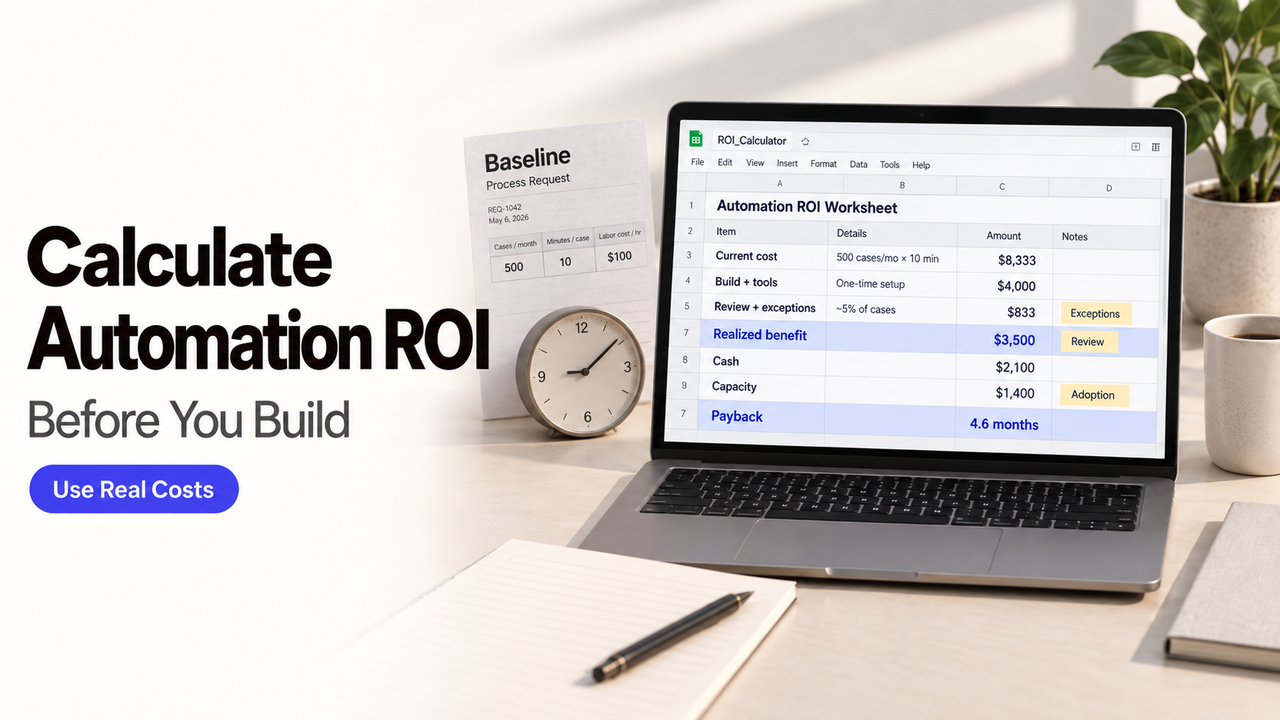
The fastest way to make an automation look profitable is to price every saved minute as cash. That is also how a capacity gain becomes fictional savings.
I’m Alex. A useful automation ROI estimate starts with the work that can actually disappear, then reduces that value for adoption, failed runs, review, and exceptions. The result may support a build, a smaller pilot, or a decision to leave the process alone.
This guide provides formulas and replaceable assumptions, not an industry benchmark. Use your organization’s data and have important accounting, tax, or investment decisions reviewed by the appropriate professionals.

Define the Workflow Before Calculating ROI
Name one trigger, one finished outcome, the annual volume, and the people involved. “Automate invoice work” is too broad. “Extract approved invoice fields and prepare a draft payable record” gives the calculation a boundary.
Mark each step as removed, shortened, unchanged, or newly added. Human review is usually a new or retained cost, not free time. List the exceptions that return work to a person and the percentage of cases eligible for automation.
The unit should match the business outcome: a case completed, request routed, record approved, or report delivered. A model call or workflow run is a technical event, not evidence of business value.
Build the Current Cost Baseline
Use a normal operating period and keep the underlying counts. A monthly average can hide a seasonal queue or a small group of unusually expensive cases.
Labor and Coordination Time
Calculate direct handling first:
Annual handling cost = annual cases × handling minutes ÷ 60 × loaded hourly cost
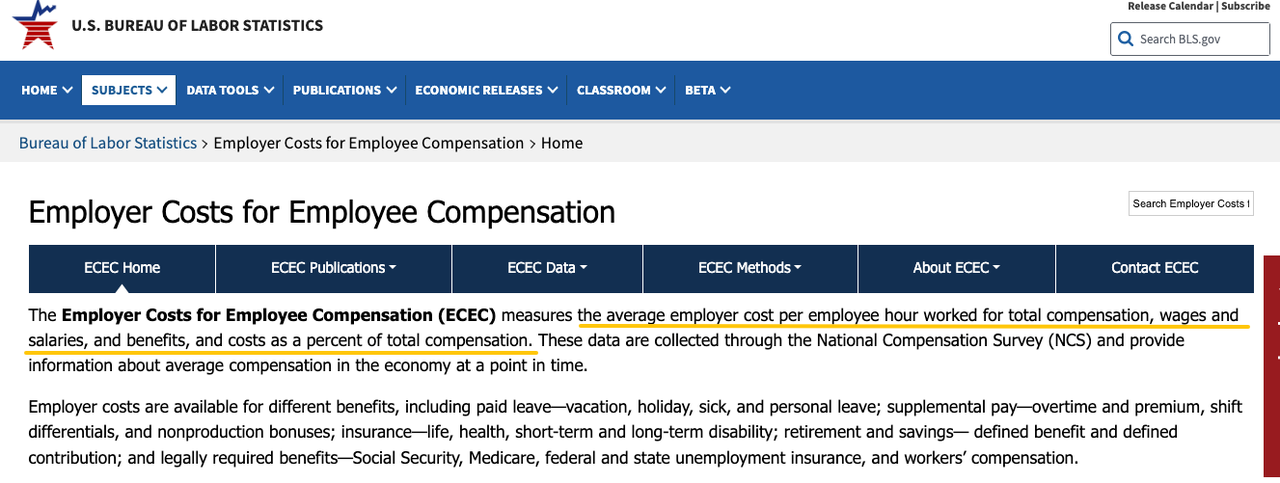
Loaded cost should reflect the organization’s real labor basis, not automatically the employee’s wage. The U.S. Bureau of Labor Statistics Employer Costs for Employee Compensation separates wages from benefits. Its averages are a reference point, not a substitute for your payroll and finance data.
Add coordination that occurs outside the main task: chasing missing inputs, assigning work, checking status, and explaining exceptions. Use observed time from recent cases instead of asking people to estimate a perfect week from memory.
Errors, Rework, and Delays
Calculate rework from actual incidents:
Annual rework cost = annual cases × error rate × average correction cost
Include investigation, correction, repeated approval, customer contact, and downstream cleanup when they are traceable. Do not attach a dramatic value to every delay. Count delay cost only when it caused a measurable expense, missed service level, refund, overtime payment, or other documented consequence.
The baseline should now show handling, coordination, rework, and verified delay costs separately. This makes later changes easier to explain.
Estimate the Total Cost of Automation
Count the whole operating period, not just the subscription or initial build. The FinOps Foundation defines total cost of ownership broadly enough to include acquisition, support, labor, downtime, training, and other productivity losses.
Software and Model Usage
Separate fixed and variable costs. Fixed costs can include platform subscriptions, environments, and minimum commitments. Variable costs may include model tokens, document pages, messages, executions, storage, or third-party API calls.
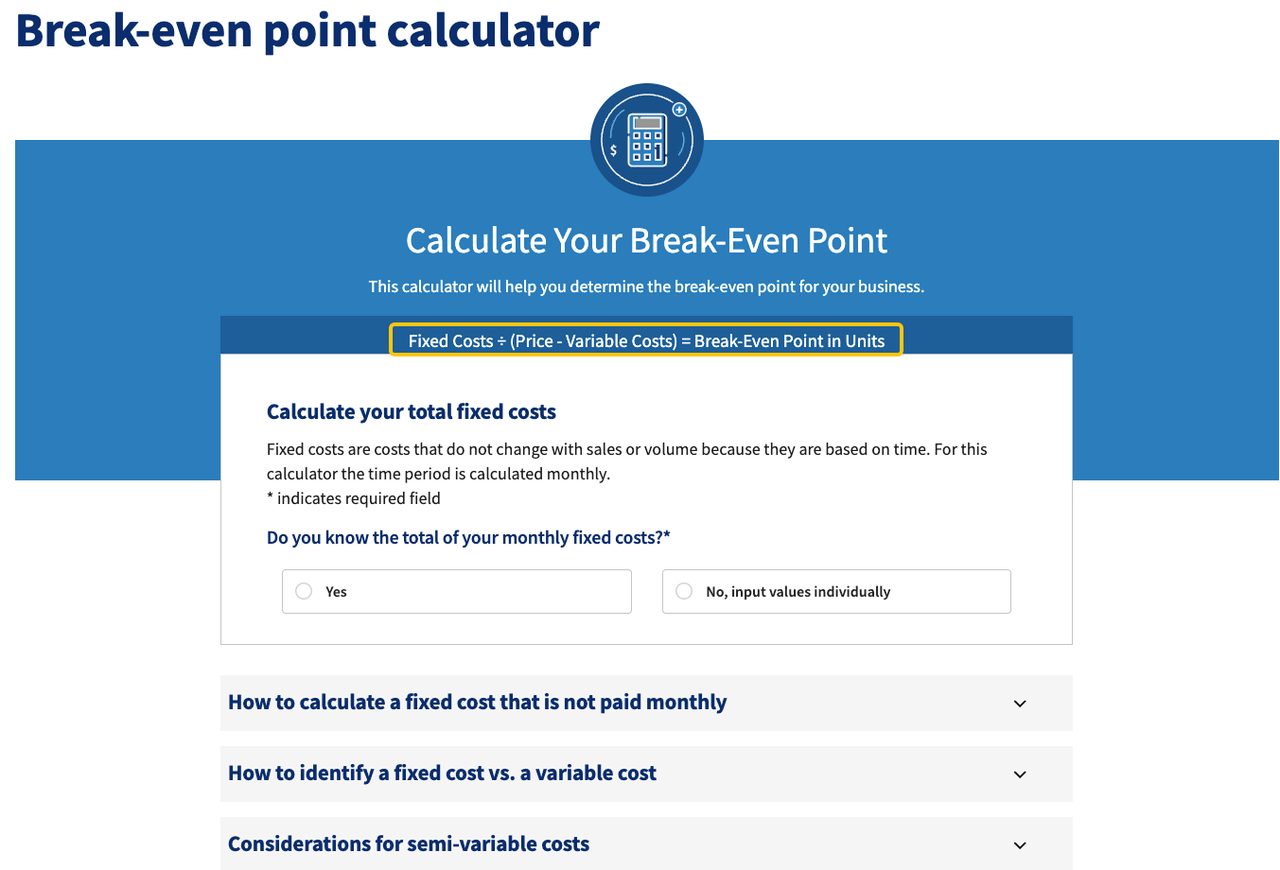
Use expected successful and failed runs. Retries and testing consume resources even when they do not produce a completed case. The SBA’s break-even guidance similarly recommends distinguishes fixed and variable costs and recommends splitting mixed costs into their fixed and variable components when building an estimate.
Setup, Review, and Maintenance
Year-one cost should include process mapping, configuration, integrations, data cleanup, testing, security review, training, and internal staff time. Add the human minutes needed to check outputs and resolve exceptions.
Ongoing cost includes monitoring, prompt or rule changes, connector repairs, model evaluation, access reviews, vendor changes, and incident recovery. Assign an owner and an estimated monthly allowance. An automation with no maintenance line has hidden maintenance, not zero maintenance.
Calculate Payback and Annual ROI
Use three linked calculations:
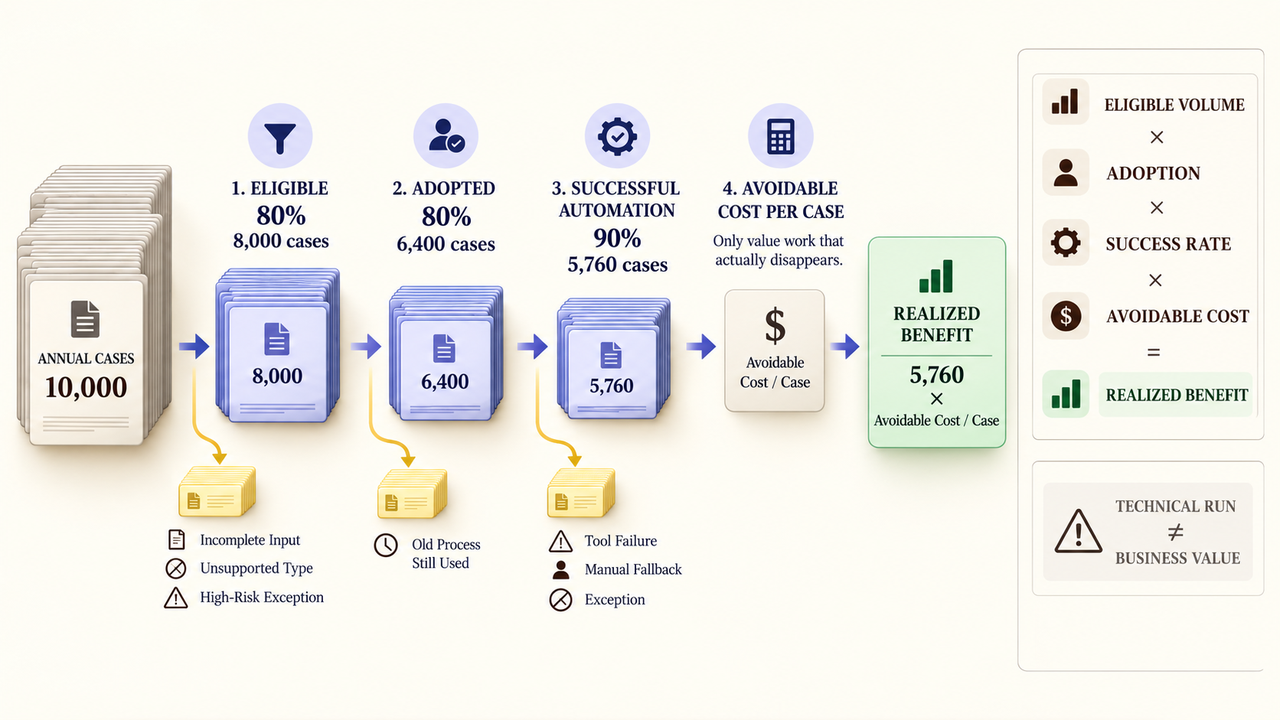
Realized annual benefit = eligible volume × adoption rate × successful automation rate × avoidable cost per case
Year-one ROI = (realized benefit − total year-one automation cost) ÷ total year-one automation cost × 100
Payback months = upfront cost ÷ positive monthly net operating benefit
Monthly net operating benefit equals realized monthly benefit minus recurring monthly cost. If that number is zero or negative, the project has no payback under the current assumptions. Do not force a positive answer by extending the time horizon.
Use Conservative Adoption Assumptions
Eligible work is not the same as adopted work. Some teams will keep using the old route, and some cases will arrive without the required inputs.
Create low, expected, and high scenarios for adoption, successful completion, review time, exception rate, and volume. These are sensitivity cases, not confidence intervals. The proposal should show which assumption changes the decision most.
Separate Cash Savings From Capacity Gains
Maintain three benefit columns:
Benefit type | When it counts |
Cash saving | Payroll, contractor, overtime, refund, or vendor spending actually falls |
Capacity gain | Paid time becomes available for other work |
Avoided loss | A documented cost or loss becomes less likely |
Capacity has value, but it is not cash unless the budget changes. State what the team will do with the released hours and how that output will be observed. Keep avoided loss outside the base case when probability and consequence cannot be supported.
Test the Estimate With a Pilot
Run a small pilot against the same unit and boundaries used in the estimate. Record eligible volume, completed cases, human review minutes, exceptions, errors, retries, downtime, and actual platform usage.
Compare forecast and realized results line by line. Do not report only time saved. A faster workflow may shift effort into review or cleanup. Update the estimate with the pilot’s observed adoption and exception rate before expanding it.
Decide Whether to Build, Buy, or Wait
Build when the workflow needs custom logic, the volume supports ongoing ownership, and the team can maintain it. Buy when a maintained product covers the task and its limits are acceptable. Wait when the process changes often, the baseline is unknown, or the likely value does not cover ownership.
Compare all three options over the same period. Include internal labor in the build case and implementation effort in the buy case. “Wait” still carries the current baseline cost, but it may be rational while the process stabilizes.
If a bounded case supports an Agent or Workflow investment, review SpringBrand’s current plugin marketplace only after confirming the required capability and operating costs. SpringBrand is not presented here as an ROI calculator or a guarantee of returns.
FAQ
Should avoided revenue loss count in automation ROI?
Only when the causal link, probability, and value are credible enough to audit. Keep it separate from cash savings and show the result with and without it. A missed lead is not automatically lost revenue; use observed conversion and margin data where available.
How should shared platform costs be allocated across workflows?
Choose one documented rule and apply it consistently. Options include equal allocation, usage, transaction volume, reserved capacity, or another causal driver. The FinOps Foundation’s allocation guidance recommends making shared-cost methods and ownership visible rather than reconstructing them later.
How should vendor outages be recorded in realized automation ROI?
Record lost runs, manual fallback time, backlog recovery, credits, and any verified business consequence in the period they occurred. Do not count the same outage as both downtime cost and lost productivity if those figures describe the same work.
When should an automation be retired even if its original ROI was positive?
Retire or redesign it when current maintenance, failure, review, or platform costs exceed current benefits. The original business case is historical evidence, not permission to keep paying for a workflow whose volume or process has changed.
How should benefits be divided when several teams share one workflow?
Assign benefits to the team that receives the measurable outcome, then reconcile shared results once. Use case volume, hours released, or verified cost avoided as the driver. Document the allocation so the same saving is not claimed by every participating team.
Conclusion
A credible workflow automation ROI case shows what work disappears, what new work appears, and how often the automation will finish successfully. It keeps cash savings, capacity, and avoided loss in separate columns.
Use conservative assumptions, test them in a pilot, and update the calculation with realized costs. If the result is weak, waiting is a valid decision—not a failure to automate.
Recommended Reads
Explore SpringBrand
Turn ideas into working workflows
Connect agents, APIs and tools in one workspace. Start with a task you want to get done.
Get started free
One account. 10,000+ APIs & capabilities
Give your agent APIs and plugins without separate keys or integrations for every provider.
Explore APIs
No tool expertise needed
Describe your GTM task. SpringBrand chooses the right APIs and plugins for your agent automatically.
Find tools for your task
Run tasks 24/7
Connect your agent to SpringBrand to keep tasks running automatically, day and night.
Connect your agent