Sales Automation: A Research-to-CRM Workflow

Written by
Springbrand Editor Team
Editorial team
Springbrand Editor Team creates and maintains blog guides on AI tools, automation, marketing, and agent workflows.

Reviewed by
Springbrand Audit Team
Editorial review team
Springbrand Audit Team supports editorial quality through source checking, clarity, and consistency across the blog.
Updated
Published
Sales automation connects research, qualification, CRM updates, and human review in one controlled workflow for a small sales team.
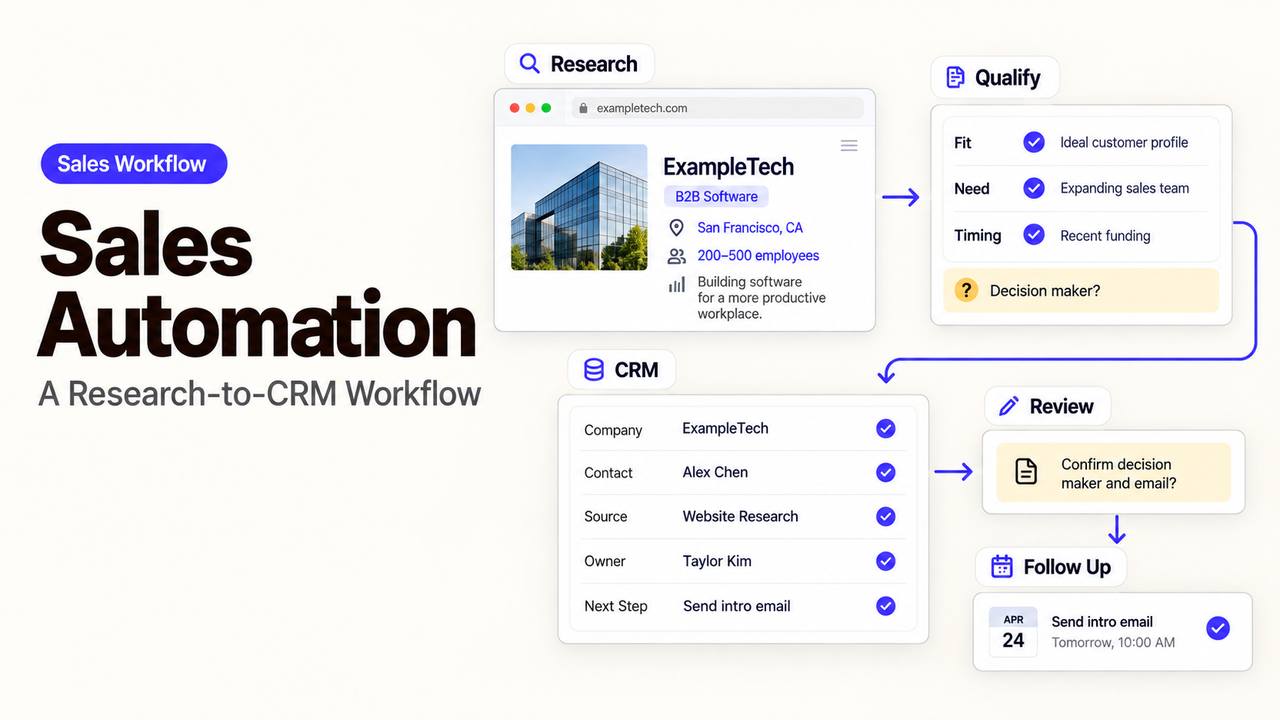
The most important field in a research-to-CRM workflow may be the one marked “needs review.” It stops a guessed territory, changed employer, or duplicate contact from entering the sales queue as settled fact.
I’m Alex. In this guide, I’ll show you how to use sales automation to prepare a traceable CRM handoff that a rep can check without repeating the research.
The workflow runs from lead research to a reviewed CRM update. It does not automate prospecting end to end or promise better conversion.
What Sales Automation Should Cover
In this workflow, sales automation should collect approved research, apply written qualification rules, prepare a CRM update, and send uncertain cases to a person. It should not turn incomplete data into a confident sales decision.
Connect Research, Qualification, and CRM Updates
Start with a defined sales motion. A regional business might research companies that submitted a partnership form. That is far clearer than “find more leads.”
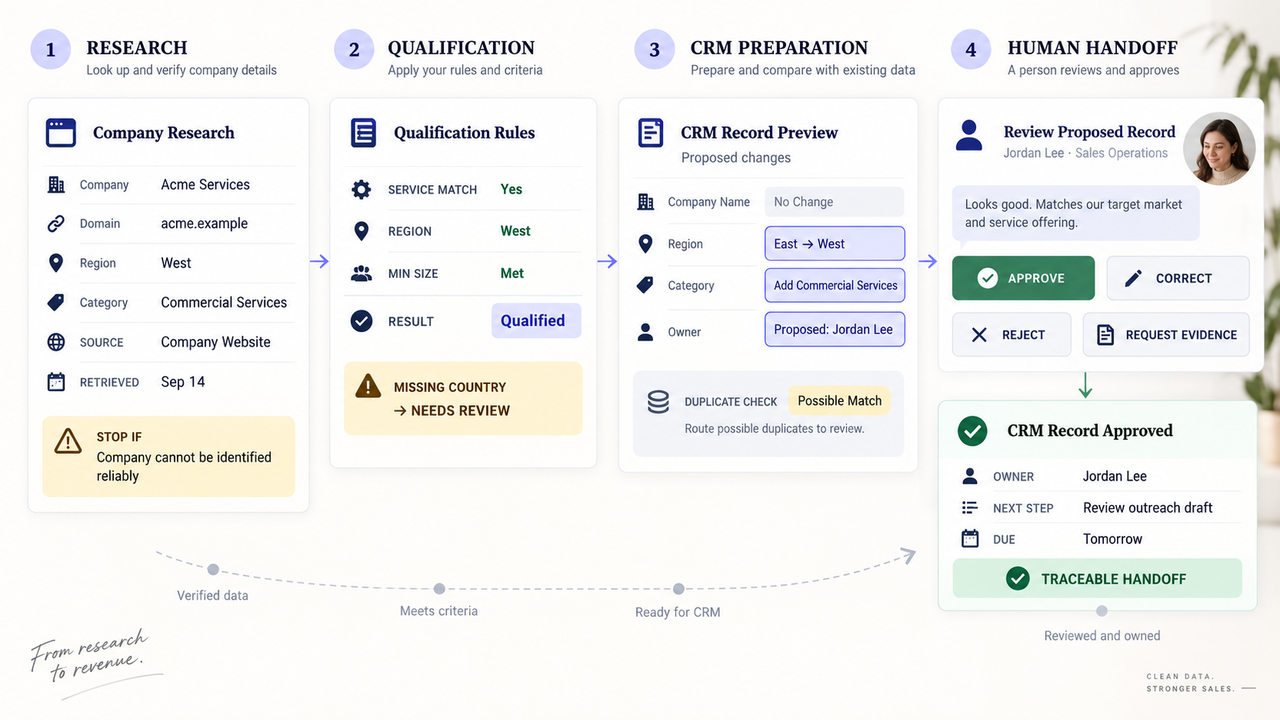
The workflow needs four connected stages:
Stage | Output the next person needs | Reason to stop |
Research | Verified company facts with source links and dates | The company cannot be identified reliably |
Qualification | A rule result plus the values used | A required value is missing or contradictory |
CRM preparation | A proposed record and field-level changes | A likely duplicate or protected field is found |
Human handoff | An approved update and next-step owner | The reviewer rejects or returns the record |
That last column matters. A useful lead research workflow knows when not to write.
Keep Outreach Decisions With a Human Owner
Research and routing can support a rep, but a person should decide whether to contact the prospect and whether recent context changes the approach.
Keep outbound messages in draft until an authorized owner reviews them. Show the sources, qualification result, and warnings beside the message. Data and outreach rules vary by market and channel; this is operational guidance, not legal or privacy advice.
Map a Research-to-CRM Workflow
Begin when a defined lead enters the queue. End when the approved CRM record has an owner and a documented next action.
A practical route looks like this:
- Check whether the person or company already exists in the CRM.
- Collect only the fields required for this sales motion.
- Save the source and retrieval date for consequential facts.
- Apply the written qualification and territory rules.
- Route conflicts, missing values, and possible duplicates to review.
- Let the reviewer approve, correct, or reject the proposed update.
- Create the task or draft outreach only after approval.
Define Trusted Inputs and Required Fields
Choose sources before fields. A company site may support its location and services; an approved data source may supply firmographic details. A rep’s note should not silently overwrite a verified fact.
Keep the first field set small: company domain, region, category, source URL, research date, qualification status, and owner. Define the accepted format and system of record.
Do not map an integration by a field label alone. In HubSpot, a label can change, but the internal name used by integrations and APIs cannot be edited after creation. Its property editor documentation explains the distinction. Store stable identifiers and test schema changes before resuming writes.
Route Exceptions Before Records Change
An exception queue is part of the workflow, not evidence that it failed. Send a record there when two sources disagree, the business matches several territories, a required field is blank, or the CRM finds a possible duplicate.
Give the queue an owner, deadline, and four outcomes: approve, correct, reject, or request evidence. Preserve the proposed change until review is complete.
Add Controls Before the Workflow Runs
Controls should limit what the workflow can change and what happens when it is uncertain. Test awkward records, not only clean examples.
Limit Write Access and Protect Data Quality
Use a connection that can reach only the required objects and actions. Reading accounts and preparing contact updates should not grant permission to delete records or manage users.
Separate research from the final write. Prepare the change in a staging table, draft record, or review queue, then require approval.
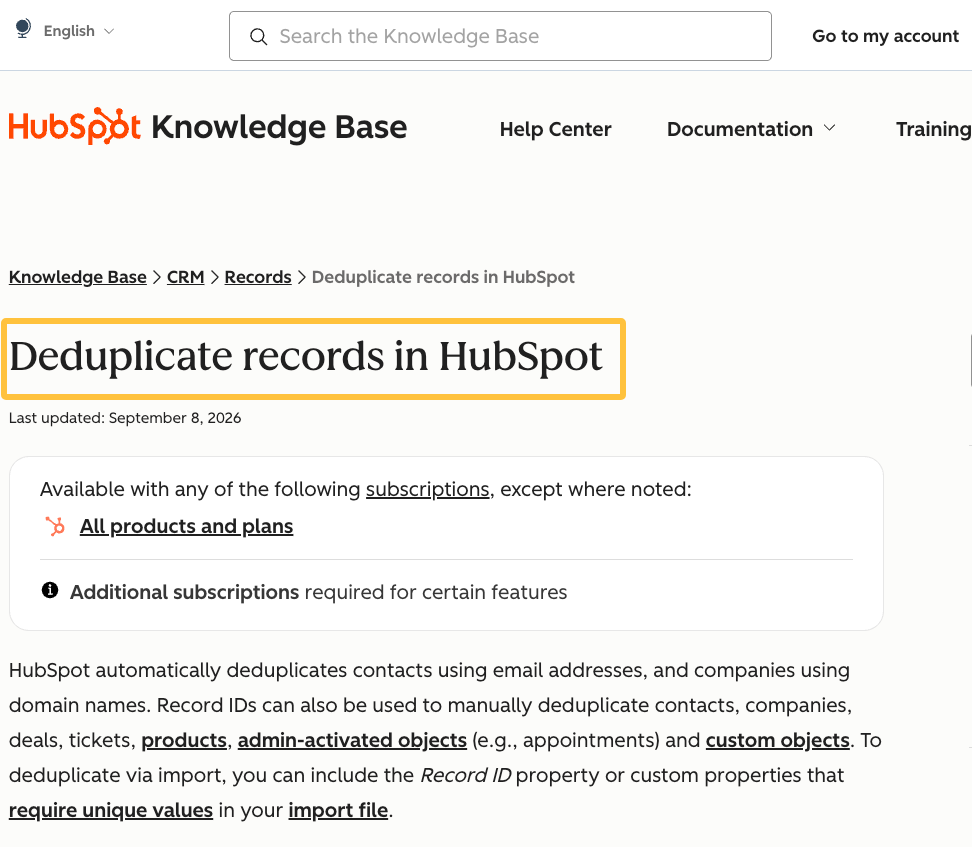
Check for duplicates before creation. HubSpot’s deduplication guidance uses email for contacts and company domains for companies in specified creation paths. Shared inboxes, subsidiaries, and changed domains still need review.
Record Sources, Decisions, and Handoffs
For each value, keep the source, retrieval date, and review status. For each decision, record the rule version and inputs. For each handoff, record the owners, time, and requested action.
A source link and a note about what it supports are more useful than a copied web page. Do not collect sensitive material merely because a tool can.
Logs should answer a practical question: why did this record change? A run status without field-level context cannot explain the business decision.
Pilot the Workflow With One Sales Motion
Choose one route with an existing owner, such as demo requests for one service line. Run sandbox records first, then a limited live batch with every write reviewed.
Include difficult cases: an existing contact, several regions, a missing country, a changed employer, and an unavailable source. Check whether the workflow pauses safely.
Measure Cycle Time, Error Rate, and Human Intervention
Measure from queue entry to approved CRM handoff. Record elapsed time, field errors, duplicate suggestions, rejected decisions, and repairs.
Human intervention is not automatically a defect. Review may be the intended control for a disputed territory or an ambiguous company. Separate expected reviews from avoidable corrections.
Compare the pilot with the manual route using the same boundaries. Keep it only if coordination improves without making records harder to trust. A short pilot cannot prove conversion lift.
Where Sales Automation Still Needs Expertise
Bring in sales operations or CRM expertise when the team cannot agree on qualification fields, ownership, territory precedence, or the system of record. Technical support may be needed for identity matching, migrations, and rollback design. Review applicable requirements before adding personal-data sources or outreach channels.
As checked on September 14, 2026, SpringBrand presents itself as an AI-native plugin marketplace with GTM capabilities for agents, including sales intelligence, people search, and local-business data. Those capabilities may support the research stage if the current Plugin or API fits the approved source policy.
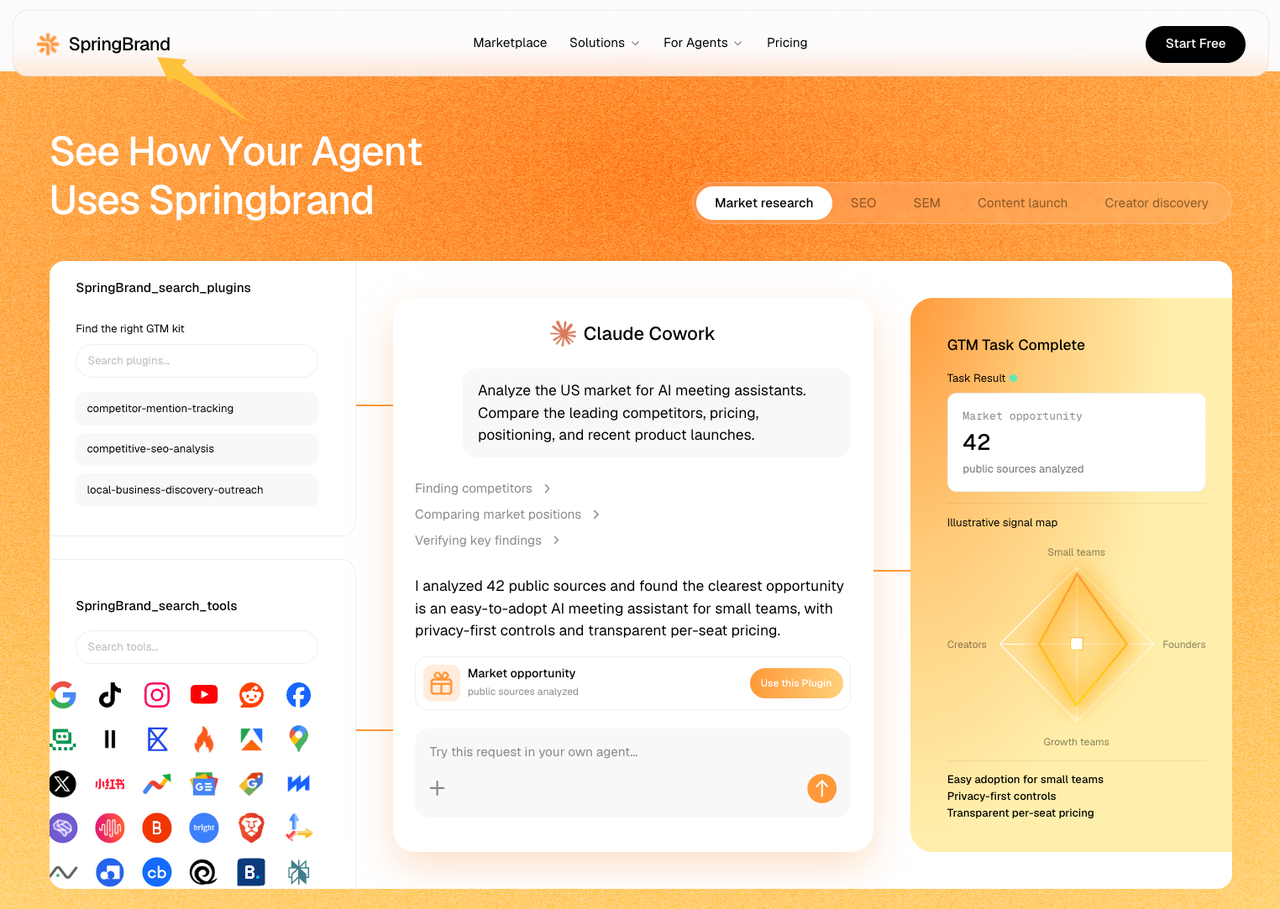
Do not infer a CRM write connection from a research Plugin. Verify its capability, credentials, data terms, and output. Use a separately verified CRM integration for the reviewed update, and state what a person must approve.
FAQ
The product behaviors below were checked against current HubSpot and Salesforce documentation on September 14, 2026. Confirm them again against your own CRM edition and configuration before changing a live workflow.
What happens when a required CRM field is renamed after the workflow is published?
Pause the affected write and test the field mapping. A display-label change may be harmless, while a changed identifier, field type, or allowed value can break the workflow or send data to the wrong place.
HubSpot says labels can change but internal names used by integrations and APIs cannot. Its property documentation also warns that some field-type changes can invalidate values. Check identifiers, dependencies, and a test write before restarting.
How do territory rules handle a company that operates in several regions?
They should send the company through an explicit precedence rule or manual review. Do not let whichever rule runs first become the sales policy.
Salesforce documents that accounts can match multiple territories. Its assignment-rule guidance explains how the lowest match can win on one hierarchy branch. Your workflow still needs rules for headquarters, service location, named accounts, and conflicts.
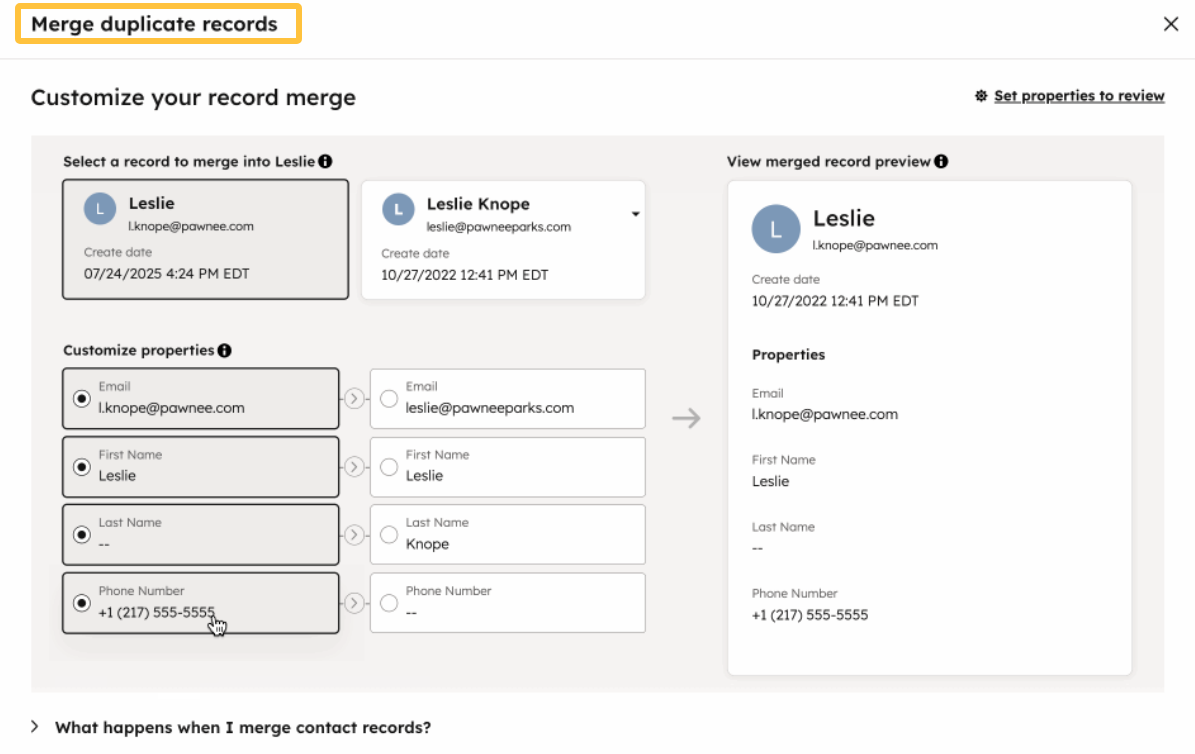
Can duplicate contact records be merged without losing activity history?
Sometimes, but a merge should be reviewed before it runs. Platform behavior differs, and the action may be irreversible.
HubSpot’s merge documentation says the result combines activities, associations, and most property values. The merge cannot be undone. Choose the primary record, inspect conflicts, and back up needed data first.
What happens to an automated sequence when a prospect changes companies?
Do not assume the active sequence will update itself. Pause or unenroll the prospect, review the new company association and message, and re-enroll only if the outreach remains appropriate.
In HubSpot, editing an active sequence does not change steps for contacts already enrolled, and contact-property tokens use values from enrollment time. A new employer in the CRM may therefore leave older company details in scheduled messages.
How should sandbox records be removed before a workflow connects to production?
First stop scheduled jobs and replace test credentials. Export needed evidence, remove synthetic records through the supported method, and check that no queued action points at production.
Treat deletion as a controlled task. Salesforce says sandbox deletion is permanent and recommends backing up needed data in its sandbox deletion guidance. Do not copy test contacts, owners, or URLs into the live configuration.
Conclusion
Sales automation is useful when it gives a rep a traceable record and a clear next step. Map the research, qualification, proposed CRM change, exception route, and human approval as one workflow.
Begin with one sales motion and a small field set. Keep write access narrow, make uncertainty visible, and test the awkward cases before production. The goal is not a CRM filled without human effort. It is a handoff the sales team can understand and trust.
Recommended Reads
Explore SpringBrand
Turn ideas into working workflows
Connect agents, APIs and tools in one workspace. Start with a task you want to get done.
Get started free
One account. 10,000+ APIs & capabilities
Give your agent APIs and plugins without separate keys or integrations for every provider.
Explore APIs
No tool expertise needed
Describe your GTM task. SpringBrand chooses the right APIs and plugins for your agent automatically.
Find tools for your task
Run tasks 24/7
Connect your agent to SpringBrand to keep tasks running automatically, day and night.
Connect your agent