What Is an AI Sales Assistant? A Guide for Small Teams
Learn what an AI sales assistant does, where it fits in a small sales team, its limits, and how to start with a low-risk use case.
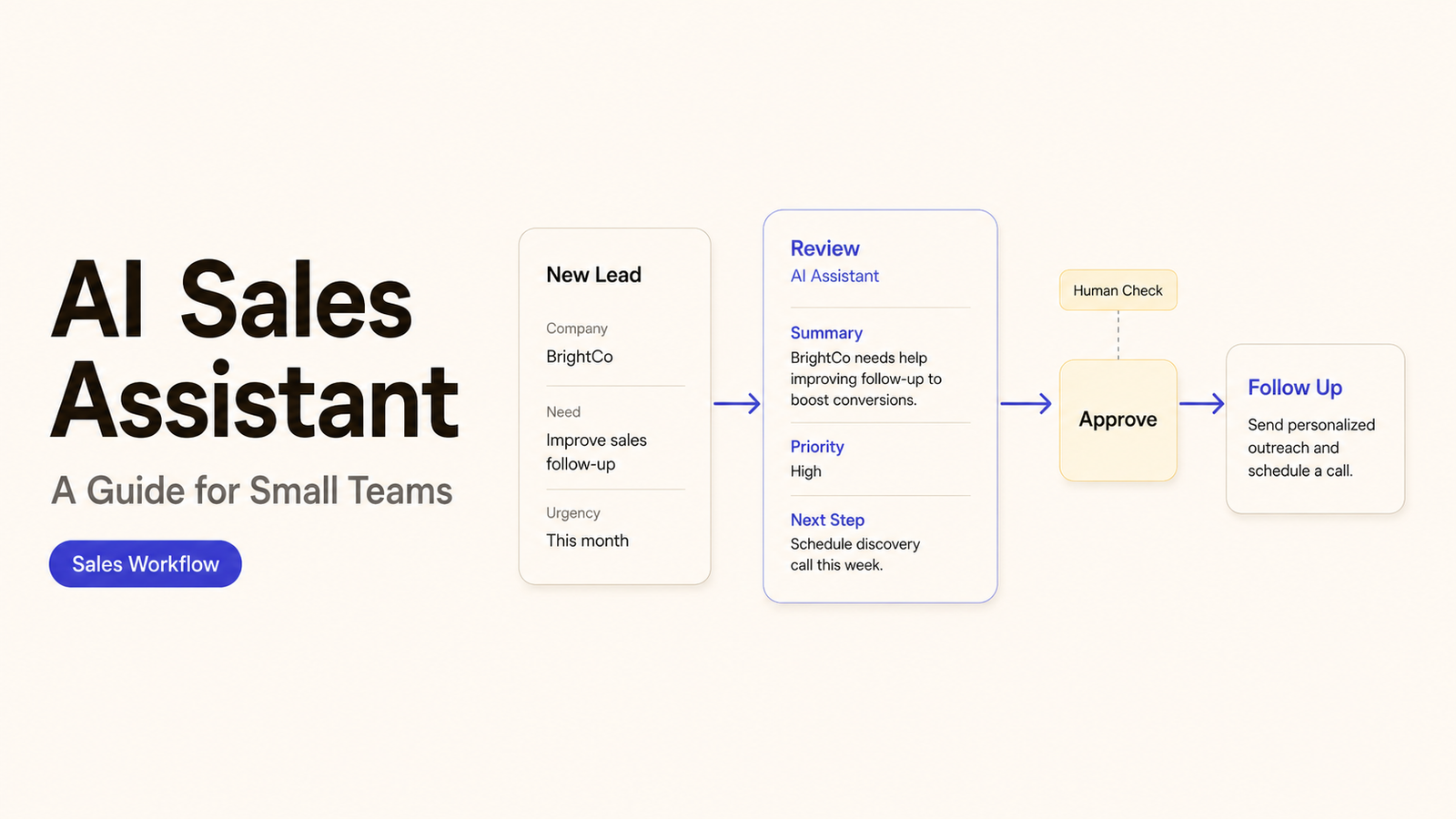
An assistant can draft a follow-up email in seconds. That does not mean it should decide the price, update the deal stage, and contact the buyer without review. Each action carries a different level of risk.
An AI sales assistant is most useful when a team separates suggestions from decisions. I’m Alex. This guide explains where the technology can help, where a person must remain responsible, and how to test one narrow use case first.
What an AI Sales Assistant Does
An AI sales assistant is software that helps salespeople research, summarize, draft, organize, or update work. It may use information from a CRM, email account, calendar, meeting transcript, company knowledge base, or approved public sources.
The exact capability depends on the product and its configuration. Some tools only produce text for a person to review. Others can create records, update fields, schedule tasks, or trigger a connected workflow.
That distinction matters when comparing AI sales assistant software. Similar-looking drafts can sit behind very different action permissions.
Current products show how wide that range can be. Microsoft lists CRM updates, email drafts, meeting recaps, and suggested tasks in its Sales agent functional overview. HubSpot documents CRM research and record work through Breeze Assistant. Neither list applies to every product.
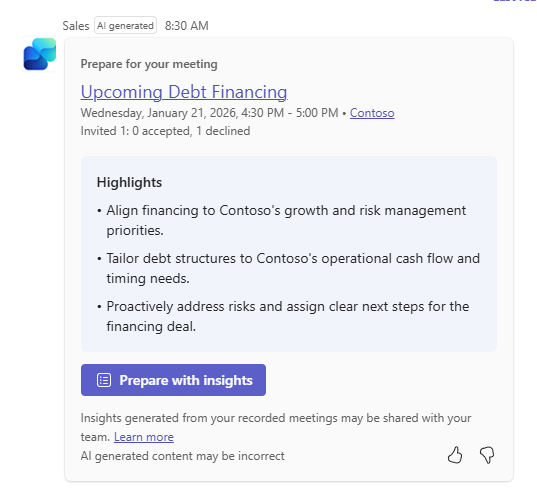
It helps to divide the work into four layers:
| Layer | Example | Safe starting position |
|---|---|---|
Find | Gather approved account or contact information | Verify the source and date |
Explain | Summarize a meeting, record, or email thread | Compare the summary with the original |
Suggest | Draft a reply or recommend a next step | Require a salesperson to approve it |
Act | Change a CRM record or send a message | Limit permissions and log the action |
The tool supports the sales process; it does not become the accountable salesperson. Customer support and post-sale experience need different controls.
Where It Fits in a Small Sales Team
A small team usually benefits most where routine preparation competes with customer conversations. The best use cases remove a defined administrative step while leaving commercial judgment with a named person.
Lead Research and Qualification Support
An assistant can assemble approved account facts before a call. It can also compare them with the team’s qualification criteria. The output should be a research brief or suggested status, not a silent rejection.
The model should not invent a budget or treat an empty field as proof that a lead is unsuitable. Keep the source behind important facts.
Meeting Notes and Follow-Up Drafts
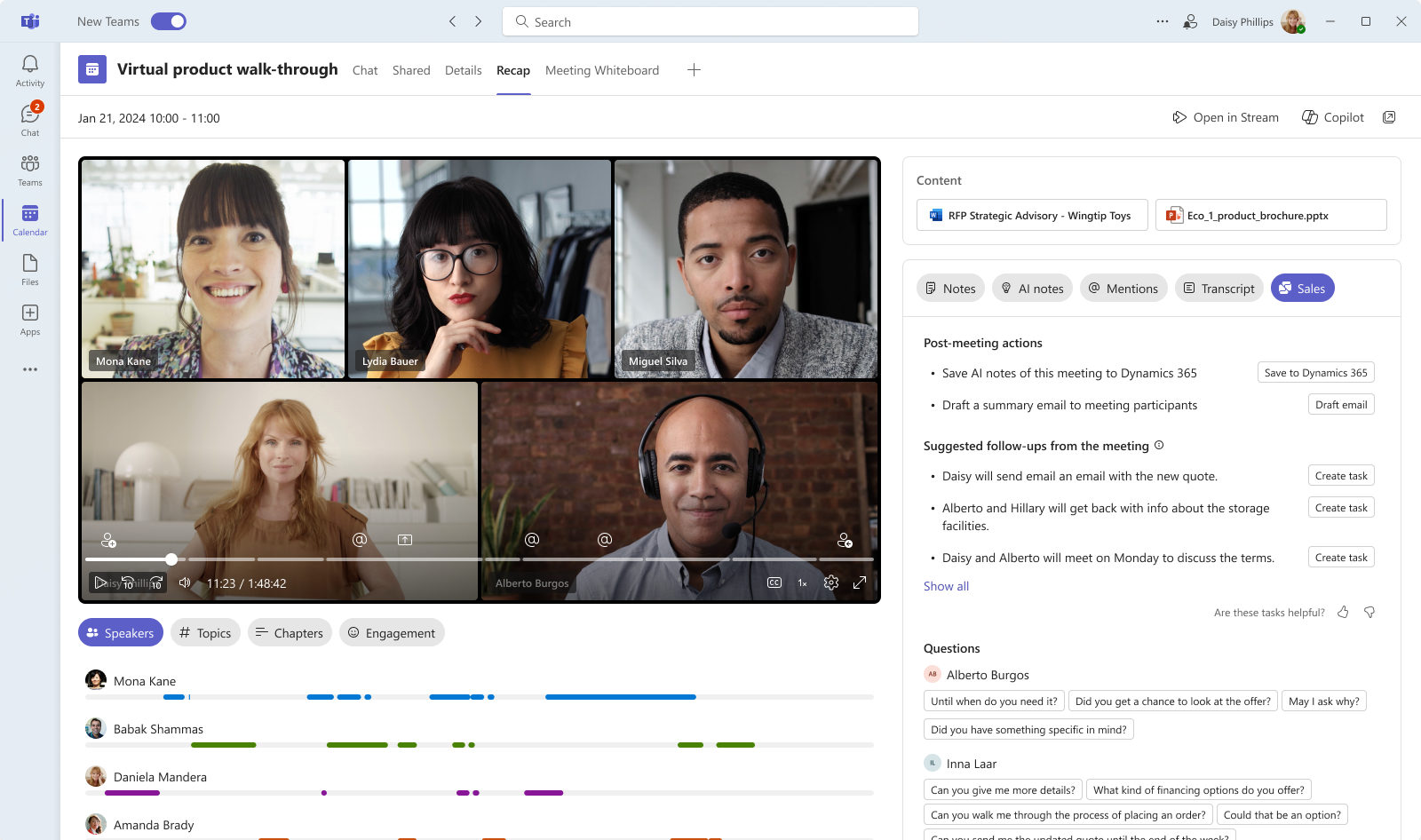
Meeting support is practical because the original conversation remains available for comparison. The assistant can summarize topics, extract actions, and prepare a follow-up draft.
The salesperson should still check names, dates, prices, commitments, and assigned owners. A polished summary can contain a confident error. Microsoft’s meeting recap documentation explicitly tells users to review AI-generated content before sending it.
Recording and transcription need an approved process. Check applicable consent, notice, retention, and platform requirements before capturing a conversation.
CRM Updates and Next-Step Reminders
A CRM sales assistant can propose notes, task dates, contact details, or next steps. It may also flag an opportunity with no recent activity.
Start with reversible updates. A draft note is easier to correct than an automatic change to deal value, forecast category, lead owner, or qualification status. Keep the original source close to the proposed update and show who approved the final record.
What It Cannot Safely Automate Alone
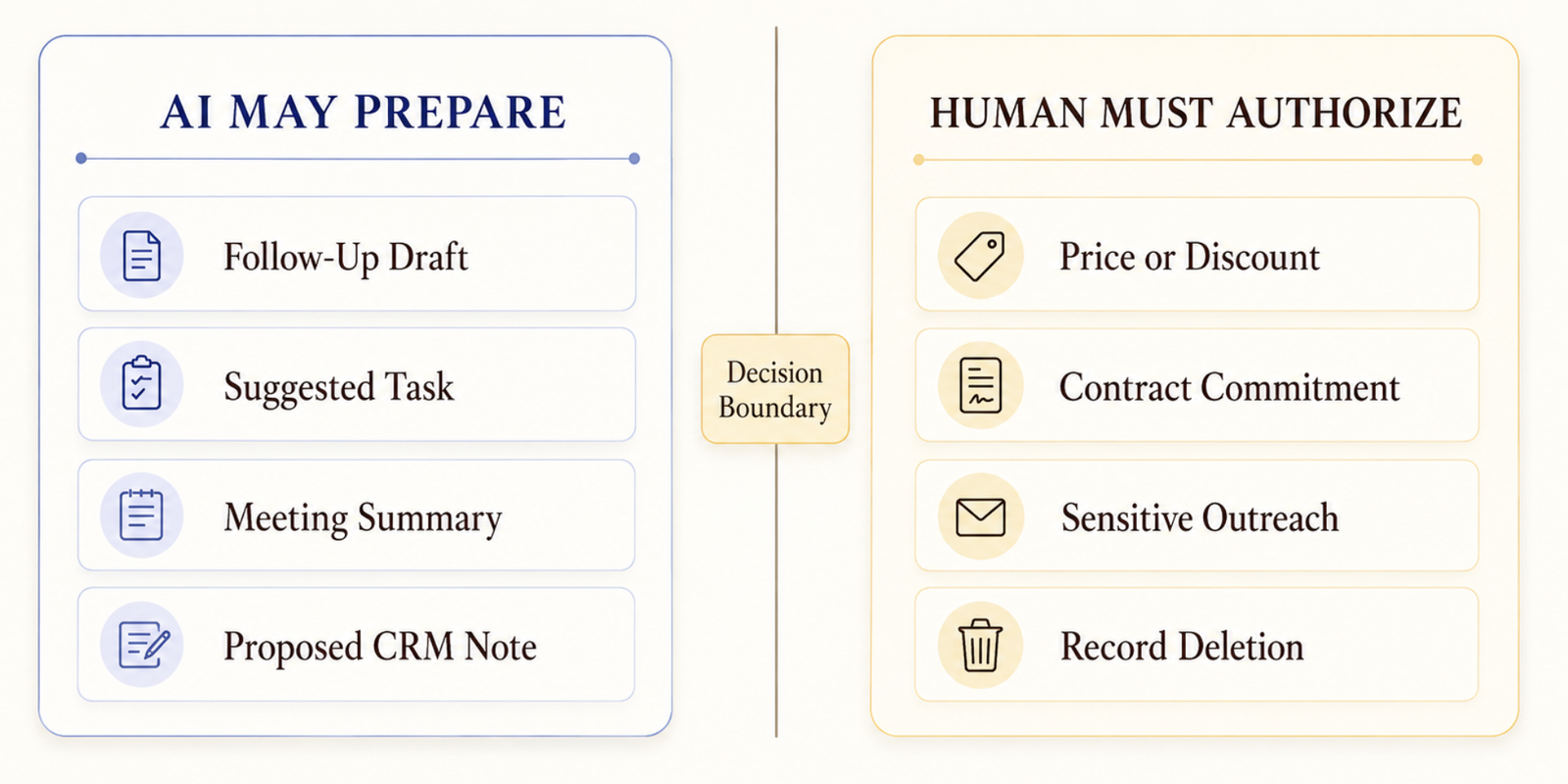
Fluent text is not a reason to grant broad authority. The team must identify actions that always require human approval.
AI sales automation becomes riskier when an output can change a customer record or reach a buyer without a checkpoint.
For most small businesses, that list should include:
- setting prices, discounts, or payment terms;
- making contractual, legal, technical, or regulatory commitments;
- sending sensitive or high-value outreach without review;
- deleting records or changing ownership across a pipeline;
- rejecting an unusual or strategically important opportunity;
- making claims that require evidence or specialist approval;
- resolving a complaint, conflict, or reputational issue;
- deciding whether personal or confidential data may be shared.
Human review should be meaningful. Clicking approve without seeing the source, proposed action, and affected record is not a real control. The reviewer needs enough context to catch an error and the authority to stop the workflow.
How Data, Integrations, and Human Review Work
An assistant only sees what its connections permit. Before setup, map each source, action, and owner.
For every connection, document:
- which system supplies the data;
- which records and fields the tool can read;
- what it can create, change, send, or delete;
- where prompts, outputs, and logs are stored;
- who reviews each type of action;
- how access is removed or reduced;
- what happens when the integration fails.
Data quality affects output quality. Duplicate contacts, stale stages, inconsistent labels, and incomplete notes can produce weak summaries or poor suggestions. Automation may spread those problems faster unless the team fixes the source or adds a validation step.
Testing should include ordinary, incomplete, sensitive, and unusual records. The NIST AI Resource Center treats evaluation and validation as continuing parts of AI risk management.
Place review before any external message or hard-to-reverse change. Lower-risk internal summaries may use spot checks after the pilot proves stable. Keep a person responsible for exceptions, access reviews, and changes to the CRM structure.
Choose a First Low-Risk Use Case
Choose a task with a clear input and an output that is easy to compare with its source. Internal summaries and reminders are easier to inspect than autonomous outreach.
Write a short pilot statement before connecting the tool:
After an eligible sales meeting, create an internal summary and proposed follow-up. The account owner checks both against the transcript before saving or sending anything.
Then define acceptance checks:
- Which meetings or records are eligible?
- Which sources may the assistant use?
- Which facts must match the source exactly?
- What errors make the output unacceptable?
- Who approves the note and the message?
- Where are corrections and failures recorded?
- What evidence will support a decision to continue, revise, or stop?
Do not begin with a promised conversion gain. First check whether the workflow produces usable drafts, respects permissions, and saves the correct record.
Know When Outside Setup Support Helps
A team may configure a simple built-in feature alone. Support becomes more useful when sales workflow automation crosses several systems or needs custom controls.
Before hiring, define the outcome and engagement limits. Ask which systems and fields the provider will access, how it tests failures, and who maintains the workflow. Discuss credentials, logs, subcontractors, and offboarding too.
CISA’s vendor and supplier assessment guidance for small and medium-sized businesses offers questions for evaluating services that connect to business systems. Use the answers to define responsibilities in the project documents rather than relying on a general claim that the integration is secure.
Outside support does not remove internal ownership. Someone inside the company still needs to approve sales rules, protect customer information, review results, and accept the handoff.
How SpringBrand Fits This Workflow
SpringBrand is not an AI sales assistant or an implementation team. It can help a small business describe its goal and compare third-party CRM or automation support against that scope.
If your first use case needs connected systems or tighter controls, describe the setup you need and compare third-party support through SpringBrand.
FAQ
Who owns sales prompts created by an external implementation partner?
Do not infer ownership from who typed the prompt. The contract should state who may use, modify, reuse, or transfer the workflow materials. Have a qualified professional review unclear terms.
How should teams archive rejected outreach sequences after a campaign?
Label the sequence as rejected and record the reason and date. Restrict reuse and follow the business’s retention rules. Store approved sequences separately from obsolete drafts.
What happens when a salesperson leaves with active automations?
Transfer records, review scheduled actions, disable personal credentials, and test shared integrations. Assign a new owner before automation continues. Record which workflows were transferred, stopped, or left pending.
Can regional teams reuse one outreach library across local campaigns?
They can share a controlled base library. Each region should review its language, offers, contact rules, and disclosures. Label local versions and record their approvers.
Who reviews old summaries after the CRM schema changes?
The CRM process owner and a sales representative should review them. Check whether changed fields altered the meaning of older summaries. Update the workflow before writing to the revised schema.
Conclusion
An AI sales assistant can help a small team prepare research, summarize meetings, draft follow-ups, and keep routine CRM work moving. Its value depends on the boundary between a suggestion and an authorized action.
Begin with one reversible task. Limit the data and permissions, compare every output with its source, and name the person who can approve or stop the workflow. Once that process is dependable, the team can decide whether a wider use case is justified.