Grok Bot for Sales Follow-Up Email Drafts
Written by
Alex
Springbrand Researcher

Reviewed by
Springbrand Audit Team
Editorial review team
Springbrand Audit Team supports editorial quality through source checking, clarity, and consistency across the blog.
Updated
Published
Grok Bot sales email: scope a follow-up drafting task from account context to a human-approved message, with a clear send boundary.
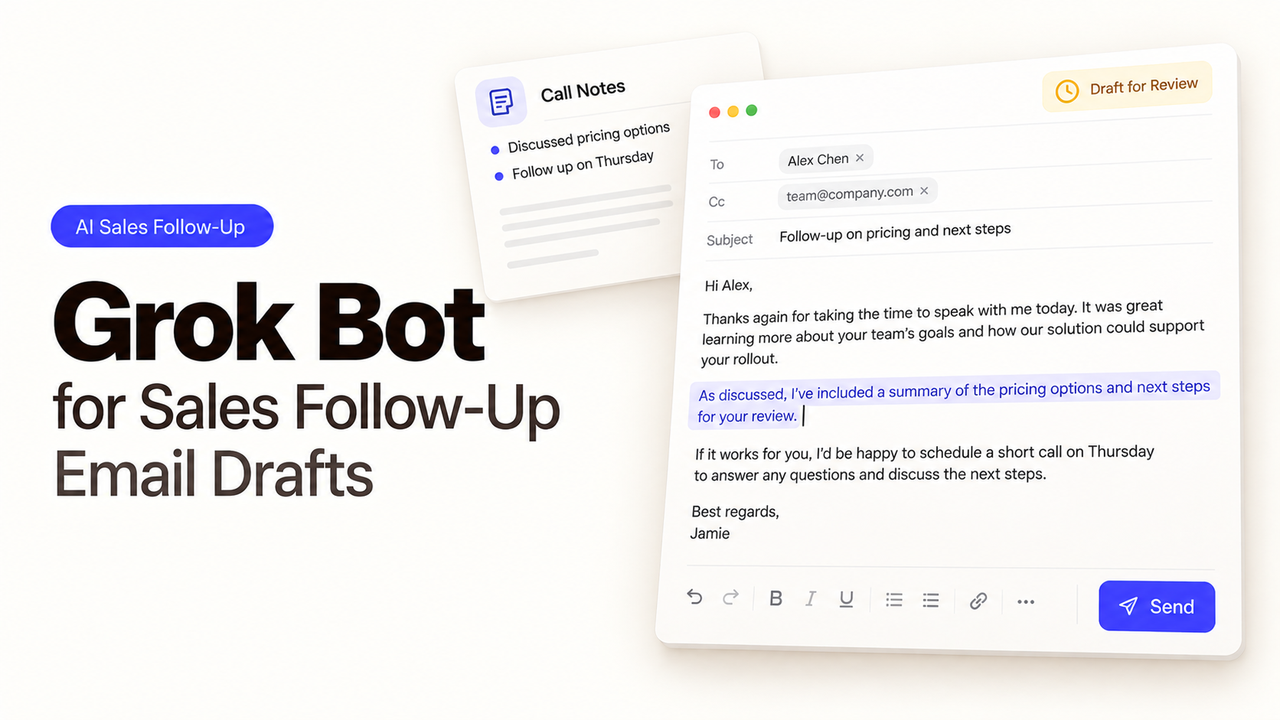
A buyer asks about rollout timing during a demo. Two days later, the seller needs to follow up, but the CRM note says only “discussed implementation.” An email could sound perfectly reasonable while promising a date nobody agreed to.
That gap gives the Grok Bot sales email task a clear purpose: gather what the seller can verify and prepare one reply to that buyer. The seller decides whether to send it. xAI's launch example describes a sales Bot preparing drafts for approval. One account is enough to start.
Which Follow-Up Trigger Should the Team Choose?
A demo with an unanswered buyer question gives the seller a concrete reason to follow up. The seller selects the account and asks for one draft. A changed CRM stage or quiet inbox tells you much less: the buyer may have replied to a colleague, or the product team may still be working on the answer.
The task should identify the call date, recipient, and unanswered question, along with the person responsible for answering it. If the question has already been answered, close the task. If the answer is still unknown, the draft should say the seller will confirm it. A vague note is no basis for a rollout estimate.
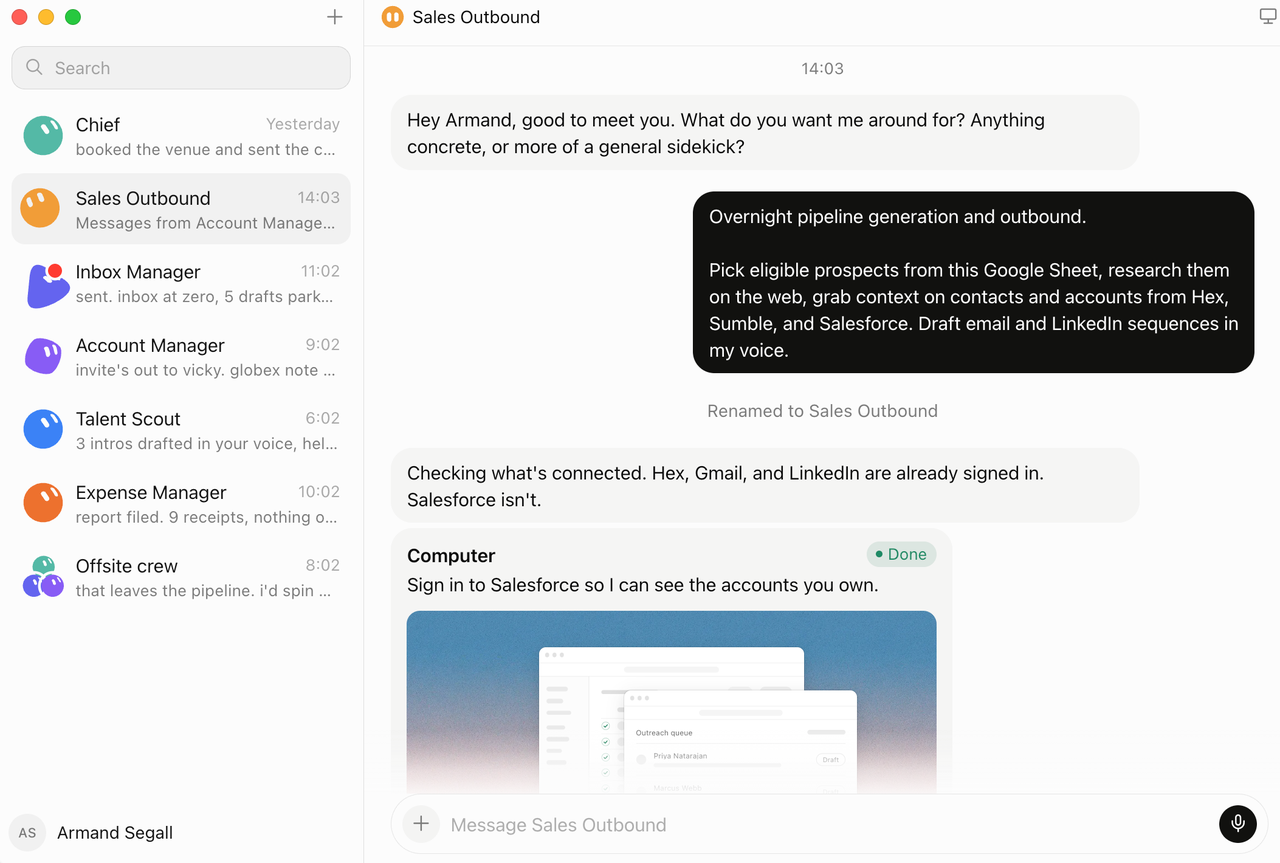
Keep the first task manual, with one seller initiating it. A recurring routine raises another question: what happens to a pending draft when new activity arrives? xAI documents routines, but the first job is to check the material the draft will use.
How Can Grok Bot Gather Account Context Without Guessing?
Give the Bot the buyer's question from the call notes, the relevant email thread, and a current product answer from an approved source. An account research bot can find useful background, but public company news should never appear in the draft as something the buyer said.
The seller needs to distinguish what came from the call, what came from the product source, and what is interpretation. Ask the Bot to leave out unsupported claims and put open questions beside the draft. xAI's files and results guidance distinguishes facts, assumptions, and pending actions. An unconfirmed implementation date should stay visible as a gap rather than become a promise in the email.
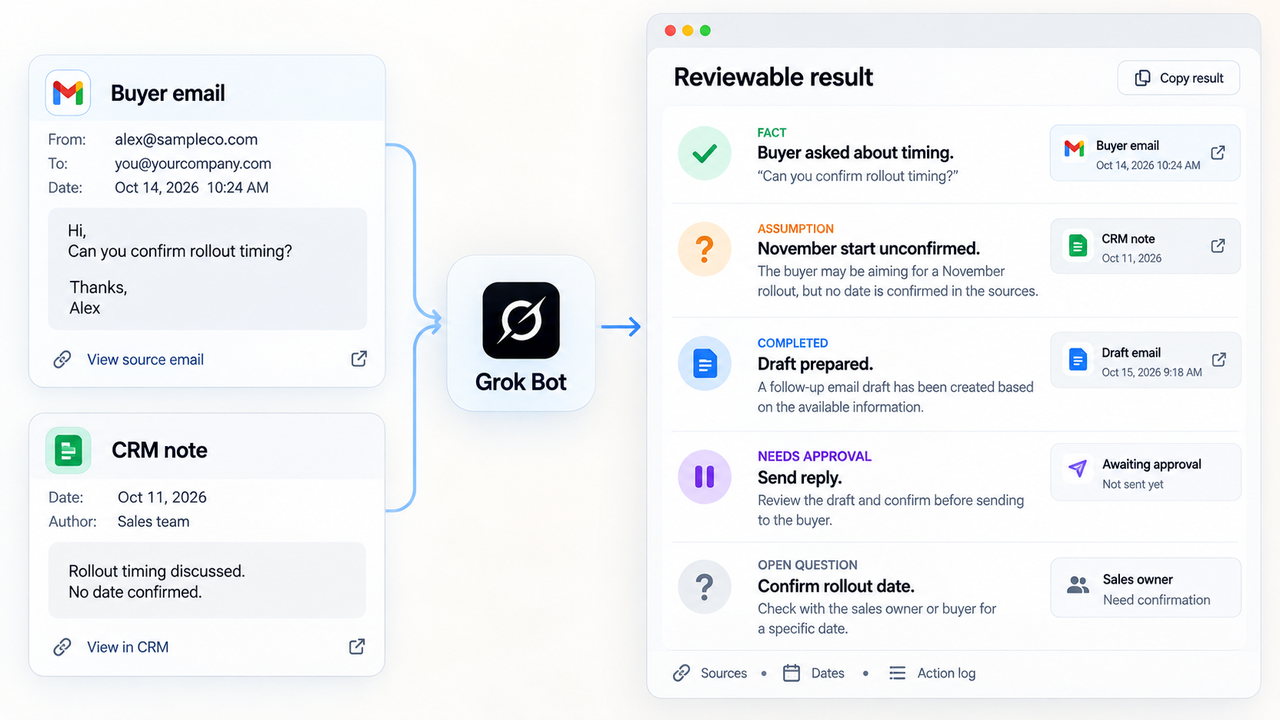
Broad mailbox or CRM access should serve a specific need, not be added simply because it is available. A user's Bots share one cloud computer, so a login there may be reachable by other Bots. Before adding customer data, check the connected account's permissions. xAI's team guidance explains that access boundary.
What Should the Bot Draft for Seller Review?
The output should be a short email with a subject, the buyer's question, a verified answer or promise to confirm, and one next step. The seller still has to decide whether the wording is accurate and appropriate for that buyer.
The seller might ask: “Draft a reply about rollout timing. Use only the call note and approved rollout page. If the page lacks an answer, say I will confirm with the product team. Show sources for product claims. Leave the message unsent.”
Recipient and subject come first in the review. Then compare each claim with its source and check that the proposed next step matches what the seller promised. Invented familiarity needs removing too. “Great talking yesterday” gets the conversation wrong if the demo was two days ago, however friendly it sounds.
When a draft falls short, give a correction the Bot can apply: “Do not quote an implementation window without an approved source.” A Bot description can hold that durable instruction; the conversation is for edits specific to the current task. Once the rule works on another safe example, save it as a skill. xAI's Bot guidance explains these settings.
How Should Approval Stay Separate From Sending?
Approval should cover the exact email and recipient before any send action. Finishing the draft does not authorize contact with the buyer. xAI's changelog describes email draft cards that a person can send or discard. It also describes an option to disable drafts for a Bot so it sends directly. Sales Ops should check that draft behavior remains enabled on the account used for this task.
Put “do not send external email without my approval” in both the Bot's durable instructions and an Ask first rule. xAI's approval guidance recommends explicit boundaries and review. At first, the seller could read the draft and send it from the normal mail client.
A rejected draft should be revised or dropped. If an approved email fails to send, check sent items before trying again. Keep the approved wording and final send status together so the team can see what was authorized and what happened.
FAQ
Can Grok Bot work from a seller's inbox?
Yes, with access granted by the seller or team. xAI describes Bots working across inboxes and provides email draft behavior. Check the particular mail connection and its permissions before exposing a live account. For a narrower task, the seller can supply a selected thread instead. xAI's launch post gives the product-level overview.
Which plans include Grok Bot access?
Current xAI team documentation lists paid individual Cursor plans and Cursor Teams, with individual SuperGrok linking. Enterprise enablement has its own rollout. The newer X Subscription documentation lists Premium, Super, and Ultra, but not Plus. Before budgeting, check which route applies to your actual account and the usage terms attached to it.
Can an admin restrict which email accounts a Bot uses?
Admins can govern connectors, but blocking a connector does not also block access to the same service through a browser. xAI says Enterprise Network Controls can close that website path; self-serve Teams do not have a destination allowlist. To check access to a particular email account, review the mail provider's permissions and which account the member signs in to. xAI's security FAQ explains the distinction.
How does a seller correct a Bot's tone for later drafts?
Give a concrete edit, then put the durable rule in the Bot description or a reviewed skill. “Keep follow-ups under 120 words and do not claim a delivery date without an approved source” gives the Bot more to work with than “sound more human.” Each recipient-specific message still needs the seller's review. xAI's Bot guidance describes persistent preferences and direct corrections.
What records should a team keep for outreach consent?
Keep the interaction and contact history required by the team's applicable policy: who contacted whom, why the follow-up was allowed, the approved message, and when it was sent. Requirements vary by market and outreach type. Before the team uses customer data or sends mail, the compliance owner should confirm the current rules and retention period for the target region.
Conclusion

Grok Bot is useful here when it saves the seller from piecing a conversation back together without taking over the relationship. One demo, one buyer question, and one sourced draft are enough to start. A missing answer should remain visible, and a finished draft should leave the seller with the final decision about sending.
For a broader process around call notes and follow-up drafts, explore SpringBrand's sales workflows.
Explore SpringBrand
Turn ideas into working workflows
Connect agents, APIs and tools in one workspace. Start with a task you want to get done.
Get started free
One account. 10,000+ APIs & capabilities
Give your agent APIs and plugins without separate keys or integrations for every provider.
Explore APIs
No tool expertise needed
Describe your GTM task. SpringBrand chooses the right APIs and plugins for your agent automatically.
Find tools for your task
Run tasks 24/7
Connect your agent to SpringBrand to keep tasks running automatically, day and night.
Connect your agent