Exa 3.0 for One Company Research Brief
Written by
Alex
Springbrand Researcher

Reviewed by
Springbrand Audit Team
Editorial review team
Springbrand Audit Team supports editorial quality through source checking, clarity, and consistency across the blog.
Updated
Published
Exa 3 company research: build a one-company brief with public sources, citation links and evidence gaps.
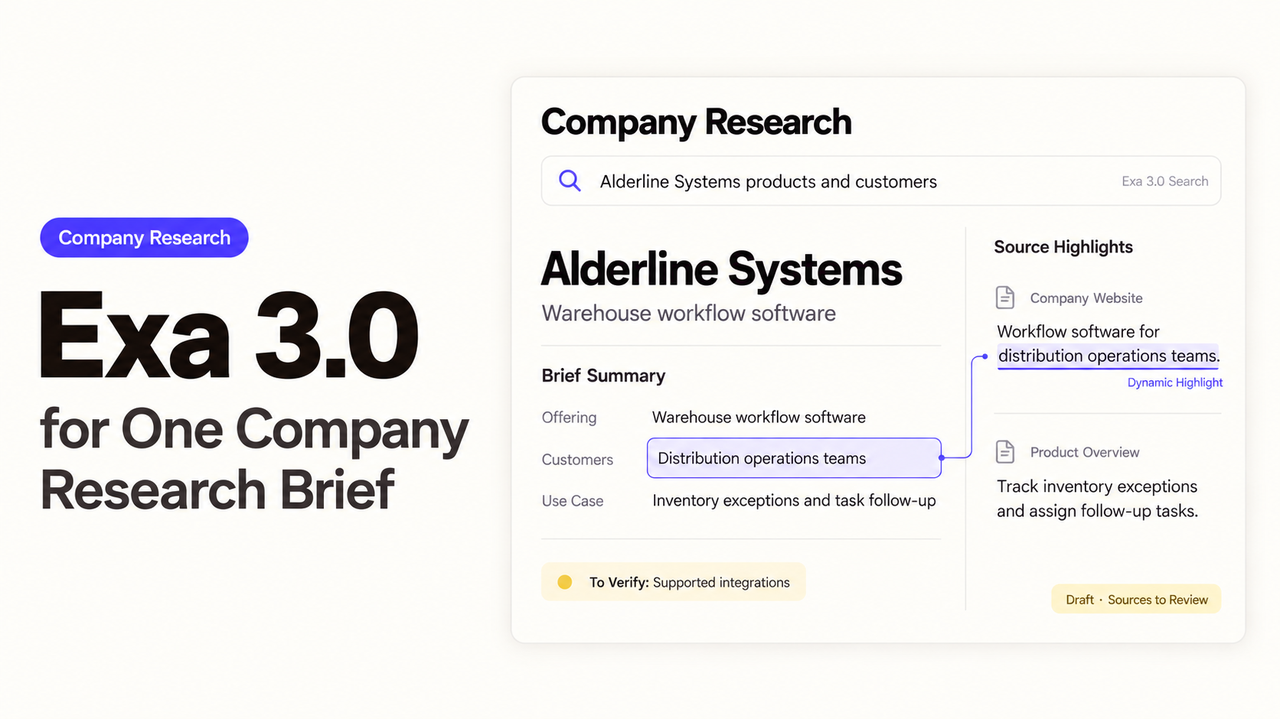
A rep finds an implementation job posting before a sales call. “I see you’re expanding your implementation team” might sound like a good opening, but one vacancy cannot tell the rep why the company is hiring. “How is your team handling customer onboarding?” gives the buyer room to explain.
That is a useful job for Exa 3 company research: find the posting, check what it says, and turn it into a question the rep can stand behind. Exa made 3.0 available through its API in its October 19 release. The release also describes upgraded retrieval and Dynamic Highlights. Neither decides what the rep should claim on a call.
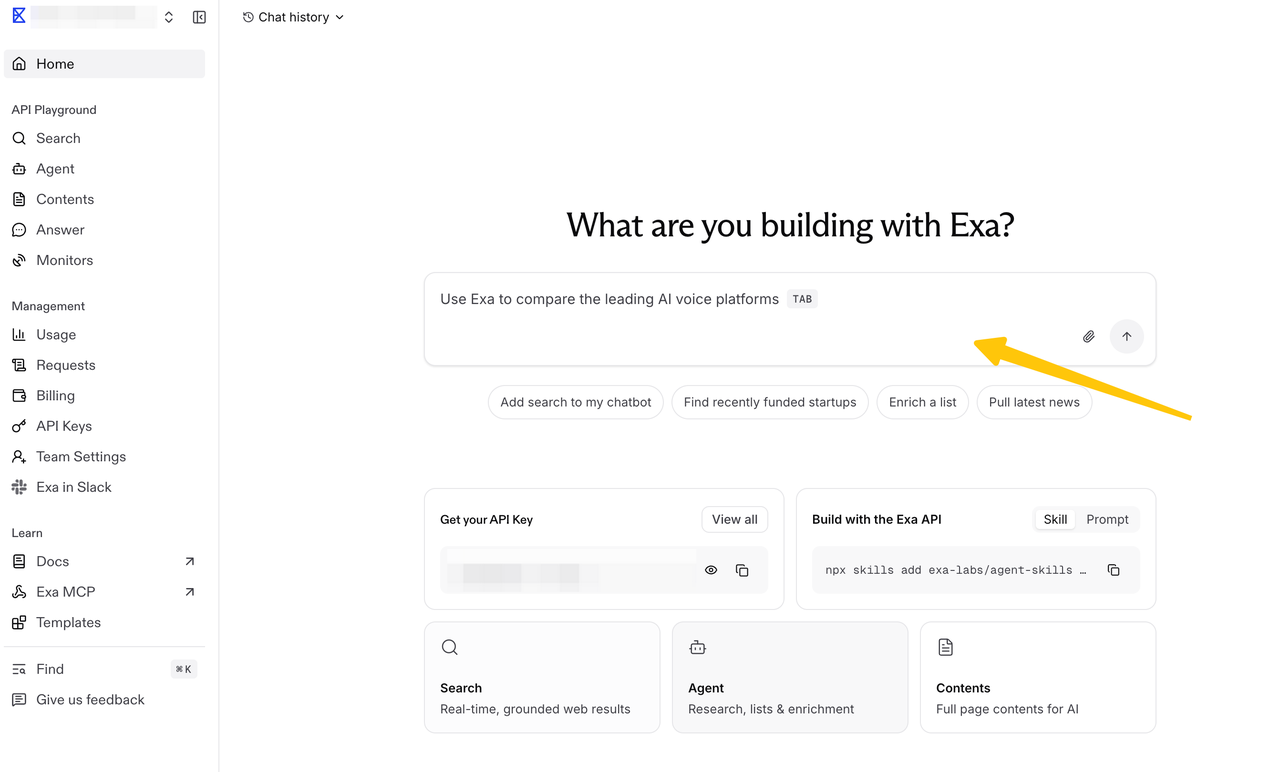
Which Company Questions Need Answers?
The brief needs enough context to make the next conversation relevant: what the company sells, whom it serves, and whether anything recent gives the rep a reason to ask a better question. A full company history would bury that reason.
Take a fictional account, Harborline Analytics, which sells warehouse software. The researcher starts with its official domain, product description, and customer segment. The live question is narrower: does public evidence suggest implementation work is worth discussing?
An open implementation role could make onboarding a timely topic. It would not, by itself, support a claim that Harborline is expanding quickly or has money set aside for a new purchase. I’d give the researcher the company name, domain, and that distinction before asking for more findings.
How Should Exa Search Find Sources?
First, make sure the result belongs to the intended company. Exa company search supports category: "company" for company pages. This illustrative request uses the Search API:
{
  "query": "Harborline Analytics warehouse software Denver official website",
  "type": "auto",
  "category": "company",
  "numResults": 5,
  "contents": { "highlights": true }
}
Harborline is fictional; a real assignment would use the account’s name and location. A plausible result is only a candidate until its domain and business match the account.
Once the identity is settled, the search can follow the sales question. Look for implementation vacancies, relevant product documentation, or a dated customer announcement. includeDomains can narrow a search to the company’s site; a wider search may uncover independent reporting. The company category does not support publication-date filters, so a dated general or news search serves a different purpose.
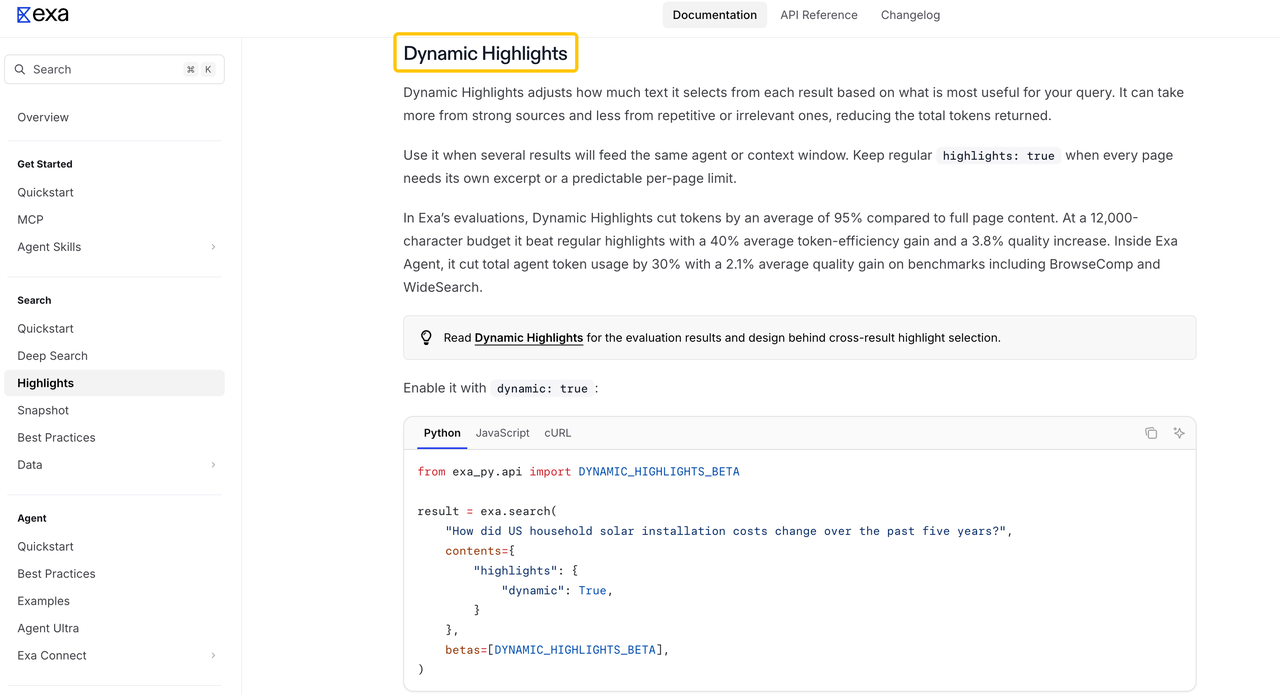
The request above asks for regular highlights. Exa’s Highlights guide describes Dynamic Highlights as a separate option that gives more space to useful results and less to repetitive ones. Either kind of excerpt is a way into a source. When a date, qualification, or job requirement matters to the opening line, the researcher needs the fuller passage.
What Belongs in the Brief?
A rep should be able to read the brief and tell where the proposed opening came from. Give each useful finding its link, then separate the page’s words from the researcher’s interpretation. A company research agent can assemble a draft, but the researcher owns the claim the seller may repeat.
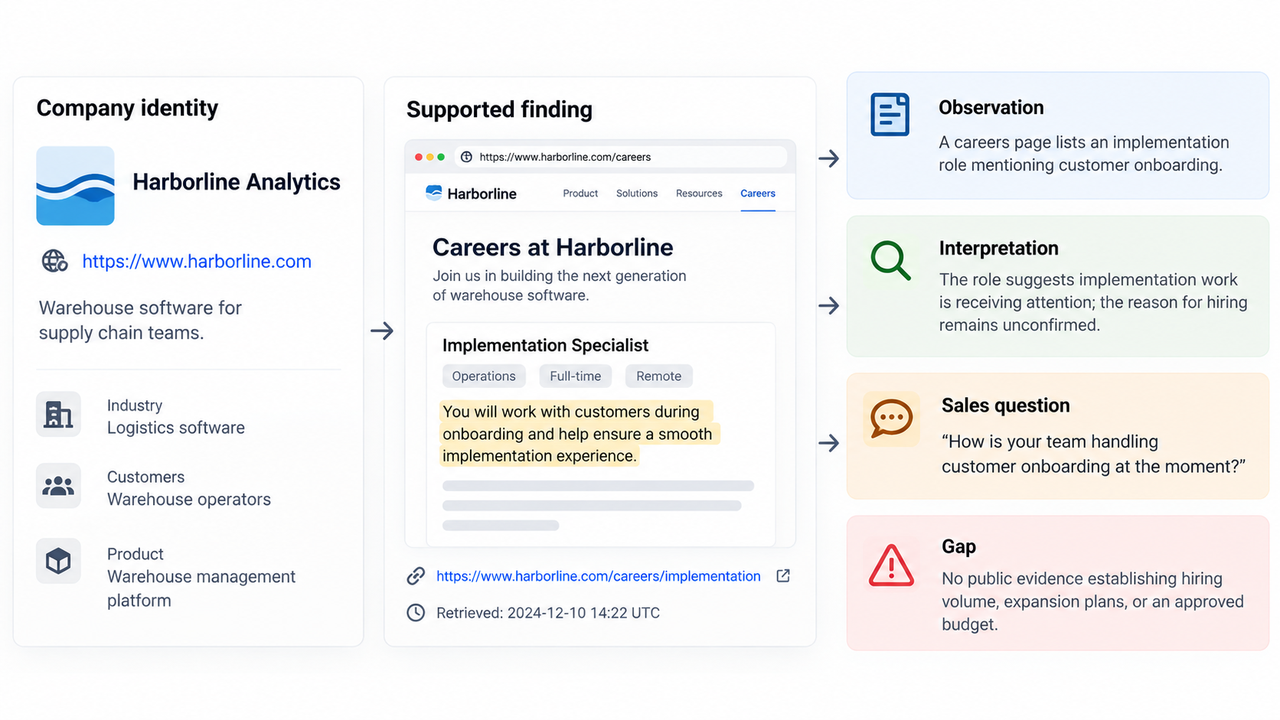
For Harborline, a hypothetical vacancy would look like this:
| Brief element | Example treatment |
|---|---|
Observation | A careers page lists an implementation role that mentions customer onboarding. |
Evidence | The posting URL, relevant passage, and retrieval time; whether the vacancy is still open needs checking. |
Interpretation | Implementation work appears to have the company’s attention. The reason for hiring is unknown. |
Sales question | “How is your team handling customer onboarding at the moment?” |
Gap | The posting says nothing reliable about hiring volume, expansion plans, or an approved budget. |
The table gives the rep an opening without putting an invented growth story in the buyer’s mouth. If the buyer says the role is a replacement, the question still works. The stronger claim about rapid expansion would not.
How Should Claims and Gaps Be Reviewed?
The passage behind a call-worthy claim deserves a closer read. A search excerpt might leave out that the role is temporary or belongs to a different division. A customer logo might indicate a relationship without saying which product the customer uses. Those details can change what the rep should say.
For pages that may change, Exa’s Contents API offers maxAgeHours; setting it to 0 requests a fresh fetch. The returned status and content tell the researcher what Exa retrieved. Fresh retrieval cannot make an undated statement recent, so the brief should keep the page’s date and the researcher’s retrieval time distinct.
If two sources disagree on a consequential figure, the rep does not need a confident-sounding compromise. The brief can show the disagreement and leave the figure out of the opening. Five articles repeating one press release still trace back to one announcement.
Gaps can help the rep, too. “Implementation budget was not found in the public sources reviewed” identifies something to ask about; it says nothing about whether a budget exists. That is the point of a source-backed brief: it gives the seller a grounded question while leaving the buyer to supply the missing answer.
FAQ
Does Exa cover private company data?
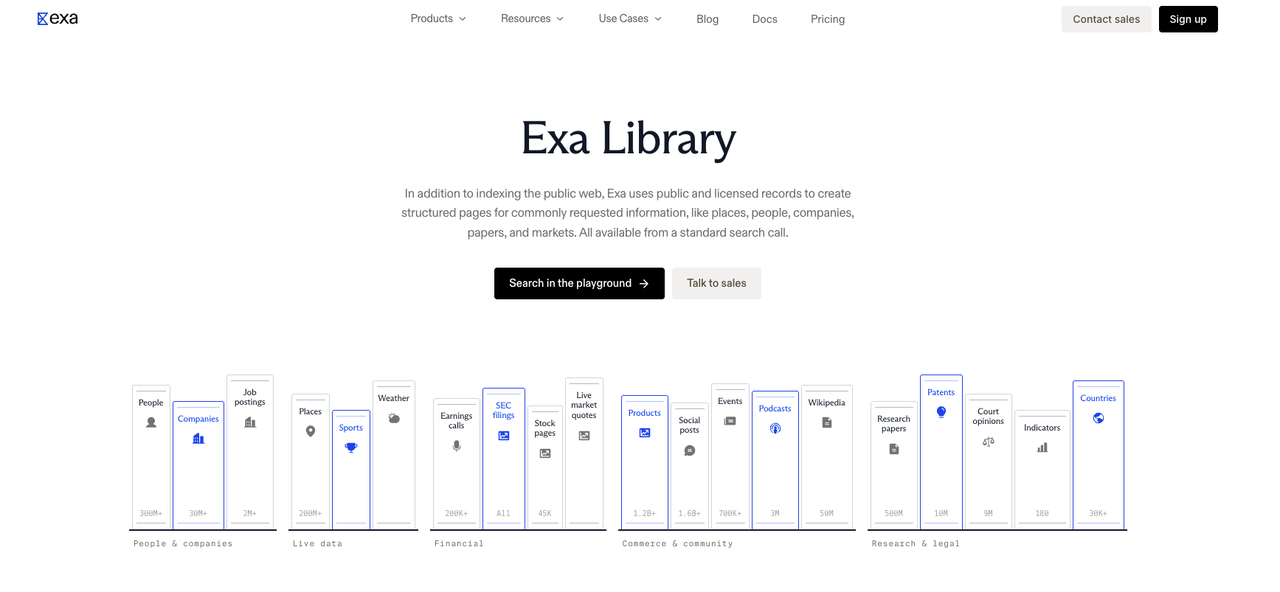
Exa can surface information about privately held companies. Its Library draws on public and licensed records for structured company pages; that is different from access to a company’s confidential records. This brief can rely on publicly viewable sources without putting private CRM notes or customer details into search queries.
Does Exa disclose crawl dates for each company result?
The current Search response does not promise a crawl timestamp for every result. publishedDate estimates when content was created; it is not a record of when Exa fetched it. Save your own retrieval time with the passage, and use the Contents freshness setting when the current wording matters. If a source has no reliable publication date, the brief should show that gap.
Can a brief include highlights from multiple sources?
Yes. Each excerpt should stay attached to its original title and URL so the rep can open the passage behind a particular claim. Short excerpts may be enough for the brief, but sources covering different periods or product versions should not be blended into one account of what is true now.
How should duplicate company names be resolved?
Compare the official domain, product, and location before combining results. A parent company and its subsidiary may share a familiar name while having different products or hiring plans. If two candidates still fit, the researcher needs another identifier before attaching a job posting or funding story to the account.
Does Exa expose a stable result ID for deduping records?
The current API schema describes a document id as temporary and useful for Contents retrieval. It should not serve as the brief’s permanent company key. Use your own company identifier and a normalized source URL, while retaining original URLs and known redirects for later checks.
Conclusion
For Harborline, the job posting supports a question about onboarding workload. It does not support a claim about rapid expansion or budget. An Exa 3 company research brief has done enough when the rep can open the underlying source, use the question, and recognize which parts of the story only the buyer can tell.
Explore SpringBrand
Turn ideas into working workflows
Connect agents, APIs and tools in one workspace. Start with a task you want to get done.
Get started free
One account. 10,000+ APIs & capabilities
Give your agent APIs and plugins without separate keys or integrations for every provider.
Explore APIs
No tool expertise needed
Describe your GTM task. SpringBrand chooses the right APIs and plugins for your agent automatically.
Find tools for your task
Run tasks 24/7
Connect your agent to SpringBrand to keep tasks running automatically, day and night.
Connect your agent