Marketing Automation Workflow for Small Teams
Marketing automation workflow planning helps small teams connect triggers, CRM data, approvals, measurement, and outside support.
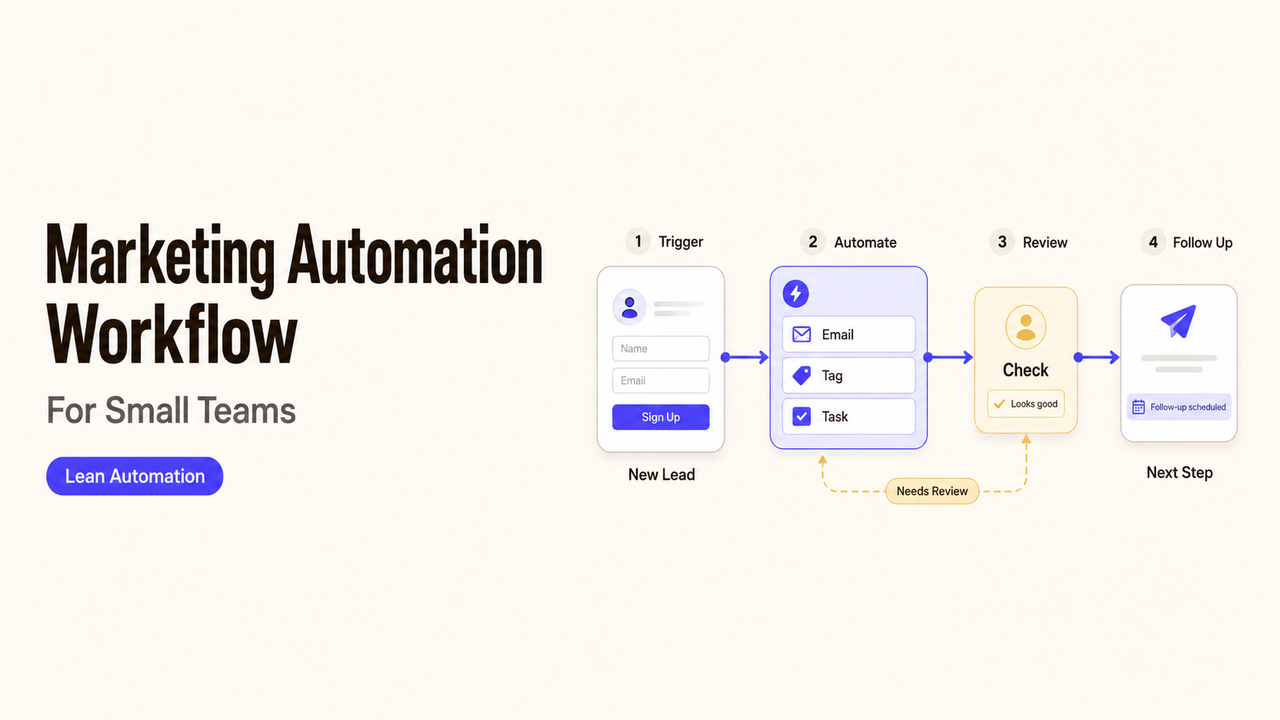
One contact can expose every weak point in an automation. Follow that person from the form to the CRM, the first email, and the sales handoff. If the team cannot explain what happens at one of those steps, the workflow is not ready. A practical marketing automation workflow makes the path visible and keeps a person responsible where the software stops. This guide uses that contact-level view to build three patterns: first response, nurture, and re-engagement.
Start With One Marketing Outcome
A workflow becomes easier to design when it supports one outcome the team can observe. That might be confirming an inquiry, preparing a prospect for sales, or reconnecting with a past customer.
“Grow the pipeline” is too broad. It gives the software no specific job and the team no finish line.
For example:
When an eligible prospect submits the consultation form, send a confirmation, update the CRM, and assign a follow-up task to the correct sales representative.
This statement gives marketing workflow automation a specific job. It also names the person who takes over after the automated response.
Map Triggers, Data, and Owners
A simple map can reveal problems before anyone opens the automation tool. For each step, record what happened, what the software does, who acts next, and how a failure is handled.
Marketing, sales, and the CRM owner should all read the map the same way.
Entry Conditions and Audience Rules
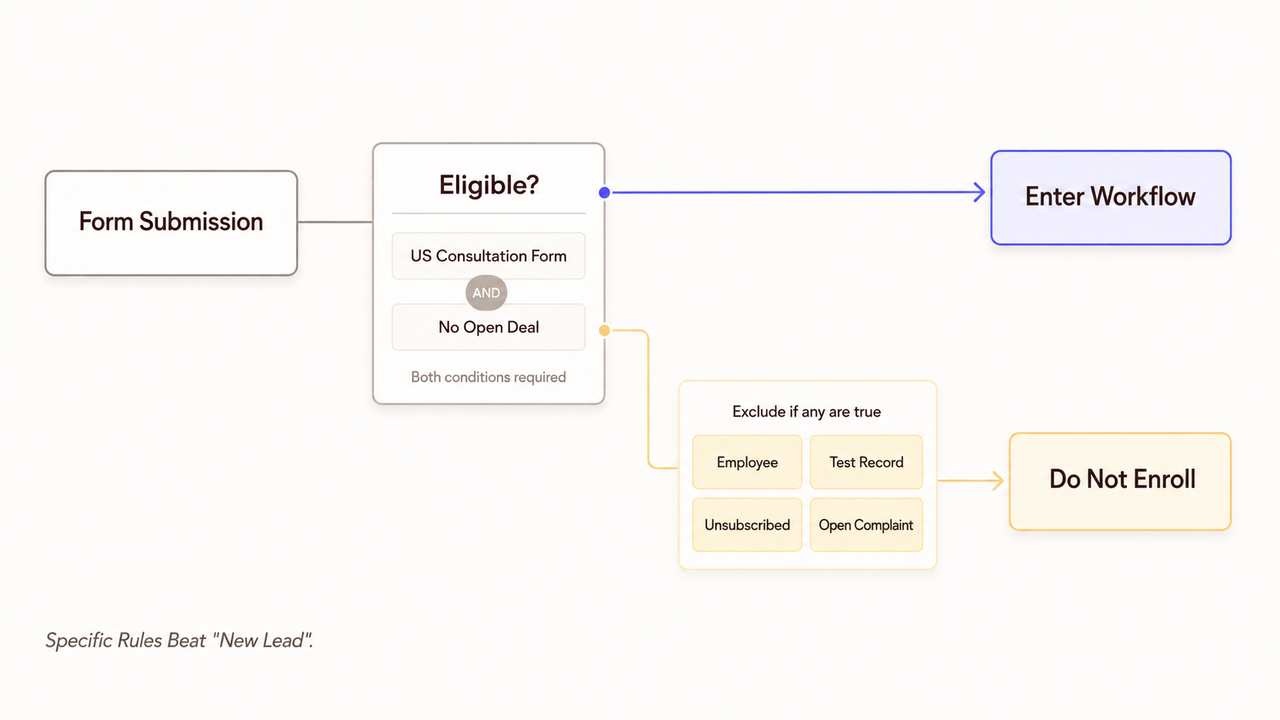
An entry rule determines who enters the workflow. Common triggers include a form submission, CRM update, purchase date, or approved audience list.
The rule should be specific enough to test. “New lead” leaves room for disagreement. “Submitted the US consultation form and has no open deal” gives the team something it can check.
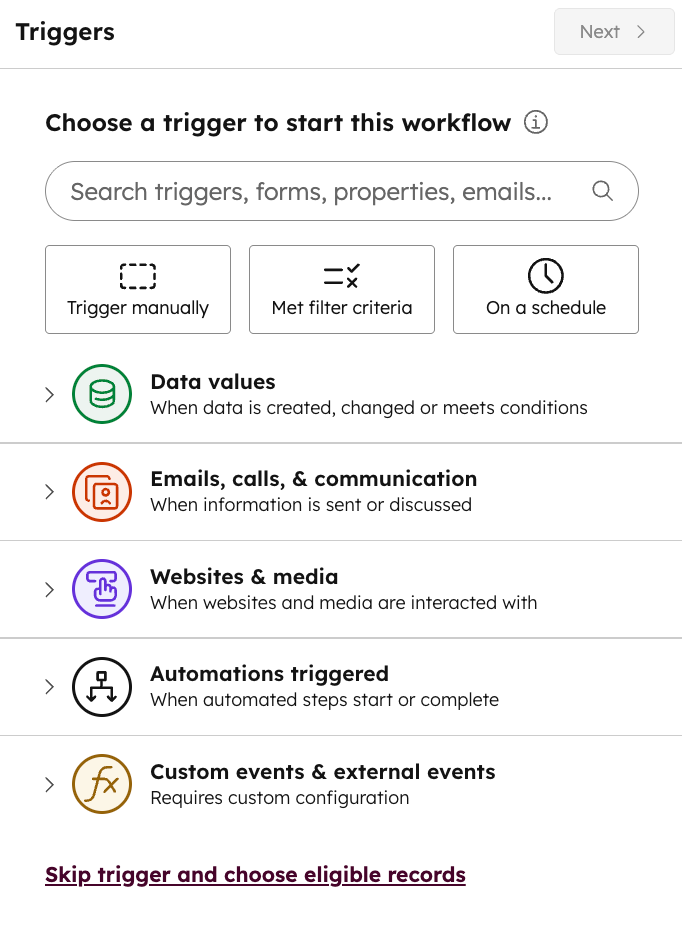
HubSpot currently supports several types of workflow enrollment triggers. Available options vary by subscription and record type. Other platforms may handle the same event differently.
The workflow also needs exclusions. Employees and test records should stay out of live campaigns. Unsubscribed contacts should not receive marketing messages. Send customers with open complaints to the service team instead.
Re-entry is a separate decision. Another form submission should not restart every message unless the team approved that behavior.
Messages, Delays, and Exit Conditions
Each message needs a purpose. It might confirm a form, answer a question, or alert a sales representative.
Waiting periods should reflect how the team works. The timing must match the offer, the sales schedule, and any promise made on the form.
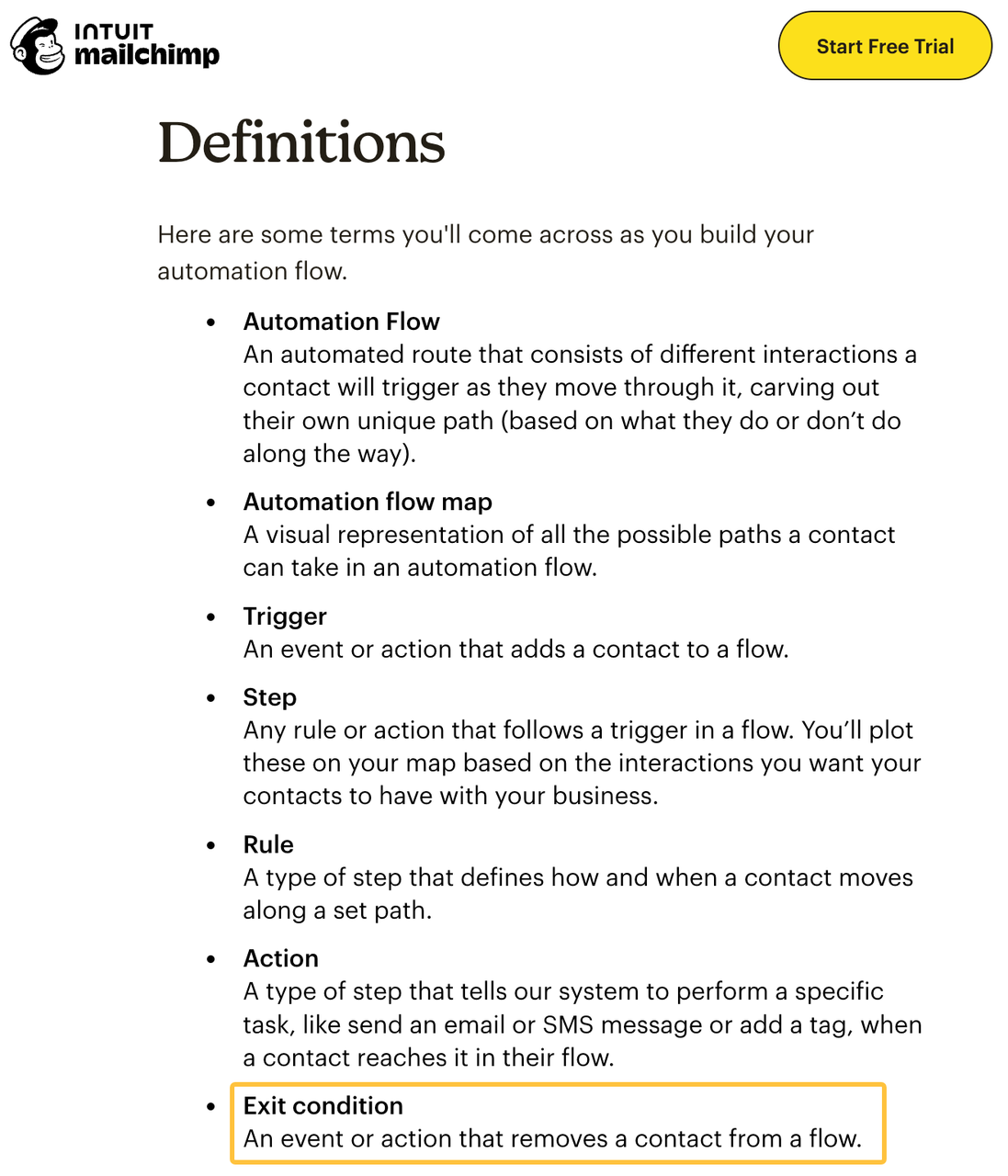
Mailchimp treats an exit condition as part of its current marketing automation flow. An exit condition removes a contact early, although other platforms may use different terms.
A booking, reply, purchase, or opt-out may stop the sequence. A support request may pause promotions and send the contact to another team.
Test an exit halfway through the sequence to confirm that the next message is canceled.
CRM Updates and Human Handoffs
A notification by itself is not a handoff. The sales representative needs the reason, recent activity, next step, and deadline.
The CRM fields behind that alert must be dependable. Everyone should understand who updates the lead source, owner, and lifecycle stage.
If several tools can change one field, the team must decide which update wins. Otherwise, an older integration may replace a sales representative's recent change.
If no owner is available, route the lead to a shared queue or named manager.
Build Three Practical Workflow Patterns
The following automation workflow examples are starting points. Each business still needs its own timing, messages, and review rules.
Lead Capture and First Response
This pattern starts with an eligible form submission. It updates the CRM, sends a confirmation, and assigns the next task.
Workflow element | Practical definition |
Entry | An approved form is submitted with the required fields |
Automated work | Confirm receipt, record the source, and assign an owner |
Human review | Check incomplete, duplicate, or high-value inquiries |
Exit | The owner accepts the task, the record is rejected, or the contact opts out |
Proof | The CRM shows the right record, source, owner, message, and time |
The confirmation should set an honest expectation. It should not promise a response time the team cannot meet.
Nurture and Sales Handoff
A lead nurturing workflow provides useful information until a clear sales signal appears. It may use educational emails, relevant resources, and planned pauses.
Sales should define which signals justify a handoff. A page view shows interest, but it does not prove budget, authority, or timing.
The sequence should stop after a reply, meeting, opt-out, or disqualification. Once sales accepts the lead, the CRM should show the new owner.
Customer Re-Engagement
This pattern starts after an approved period of inactivity. The trigger must use a date or activity field the business trusts.
The message should not assume why the customer went quiet. Open support cases, active deals, and recent complaints should follow a different route.
A re-engagement campaign quickly exposes stale CRM data. This is one reason CRM marketing automation depends on reliable records. Fix an inaccurate purchase or activity date before sending the campaign.
Add Approval and Quality Controls
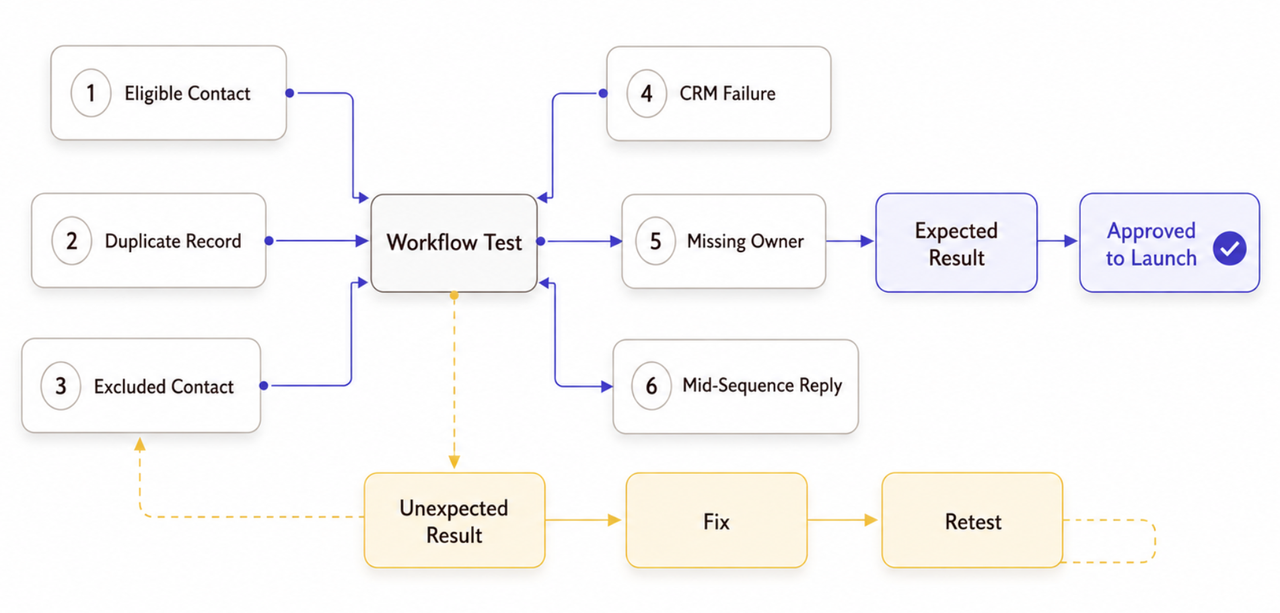
Not every change needs the same review. A marketing manager may approve routine copy, while sensitive claims or customer-data use may need a qualified reviewer.
Before launch, the test plan should cover:
- an eligible contact with complete information;
- a duplicate or incomplete contact;
- someone who should be excluded;
- a failed CRM update;
- a missing sales owner;
- a reply or purchase during a delay;
- a pause, rollback, and restart.
Test records should never reach real customers. Keep the approved copy, field map, workflow version, results, and open problems together. Limit publishing access to the people who need it.
In the United States, commercial email must follow the CAN-SPAM Act. The FTC's CAN-SPAM compliance guide covers sender details, addresses, opt-outs, and outside vendors. Other markets may apply different rules. This article provides general operational guidance, not legal advice.
Decide What to Build In-House or Outsource
A small team can often build a basic form-to-CRM response when the fields and platform behavior are already understood.
Outside support can help when one workflow crosses several systems or needs custom routing. A provider may also handle data cleanup, testing, or documentation. This marketing automation consulting guide explains the separate task of defining the operating rules.
The brief should name the systems, tests, documents, and access-removal steps. Providers may access CRM or cloud data, so CISA offers guidance for small businesses assessing vendors and suppliers.
The business still decides who belongs in the workflow and what sales needs before accepting a lead.
Measure the Workflow Without Inflating Results
Measurement begins by separating the stages. A form submission, valid CRM record, sales conversation, and sale are different events.
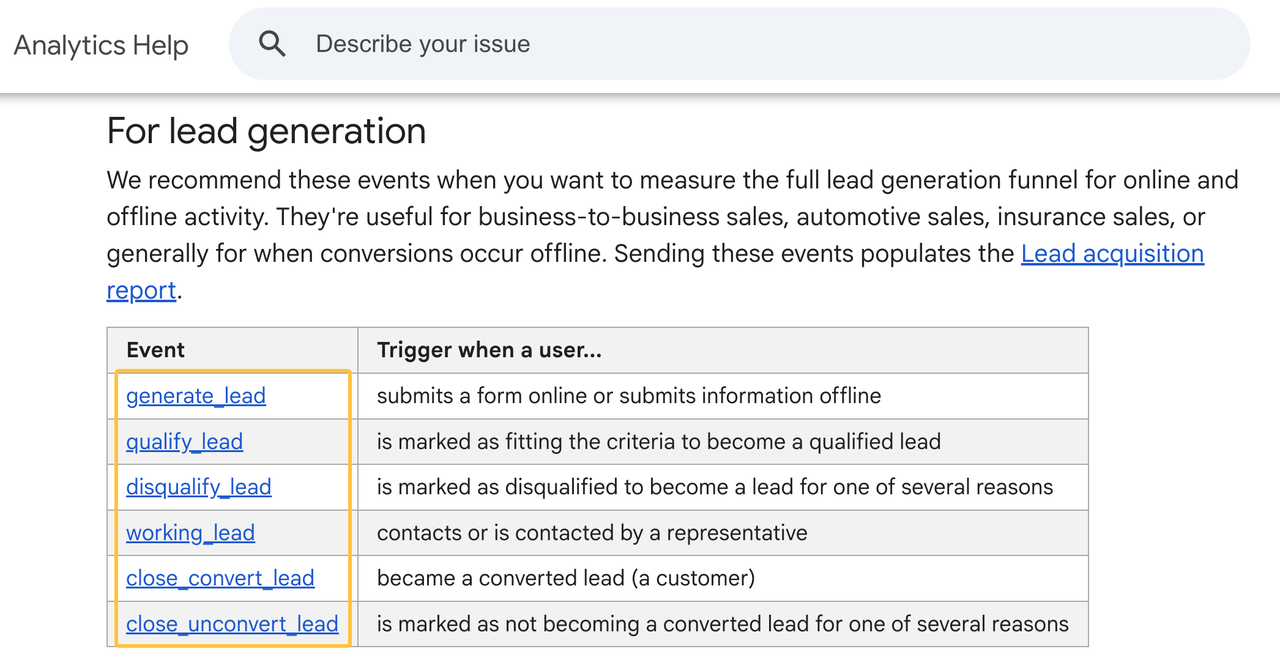
Google Analytics recommends separate events for generate_lead, qualify_lead, and working_lead. Those labels do not define the company's sales process. Marketing and sales still need to agree on what qualifies at each stage.
Operational checks reveal whether the workflow is healthy. Watch for failed entries, duplicate records, missing owners, incorrect messages, and missed exits.
Revenue depends on more than automation. Reports should show what the workflow did without claiming a result the data cannot prove.
How SpringBrand Fits This Workflow
SpringBrand does not build or operate the automation. It can help a small team describe the desired outcome, the systems involved, and the expected handoff before comparing independent providers.
Use the finished workflow map as a service brief, then compare third-party CRM and automation support through SpringBrand.
FAQ
How should paused campaign automations be documented for future owners?
The record should explain why the workflow was paused and which version last ran. It should also list pending contacts, known problems, restart conditions, and the person who can approve reactivation.
Who removes outdated brand assets from inactive workflow libraries?
The brand or content owner should manage that cleanup. Each asset needs an approved version, storage location, and expiration date so an old email or image is not copied into a new campaign.
What happens when a form provider changes its field names?
Affected entries should pause until the field connection is checked. A test submission can confirm that each value still reaches the correct CRM field before the workflow resumes.
Can one workflow support separate brands using shared campaign assets?
It can, but each brand needs its own sender details, consent rules, copy, domains, and reporting. Shared assets should be clearly labeled, and every brand path needs a separate test.
How should teams transfer automations when changing agencies?
The handoff should cover workflows, accounts, integrations, source files, field maps, tests, and open problems. New owners need access before the former agency is removed, and the team should test each live connection afterward.
Conclusion
A marketing automation workflow is easier to manage when one contact can be followed from the trigger to the final handoff. At every step, the team should know what the software does and when a person takes over.
Start with one outcome and one workflow. Expand only after the first version handles exclusions, failures, and handoffs in a way the team can explain.