Local Marketing Automation for Regional Businesses
Local marketing automation helps regional businesses coordinate leads, appointments, reviews, and updates while keeping local judgment in the loop.
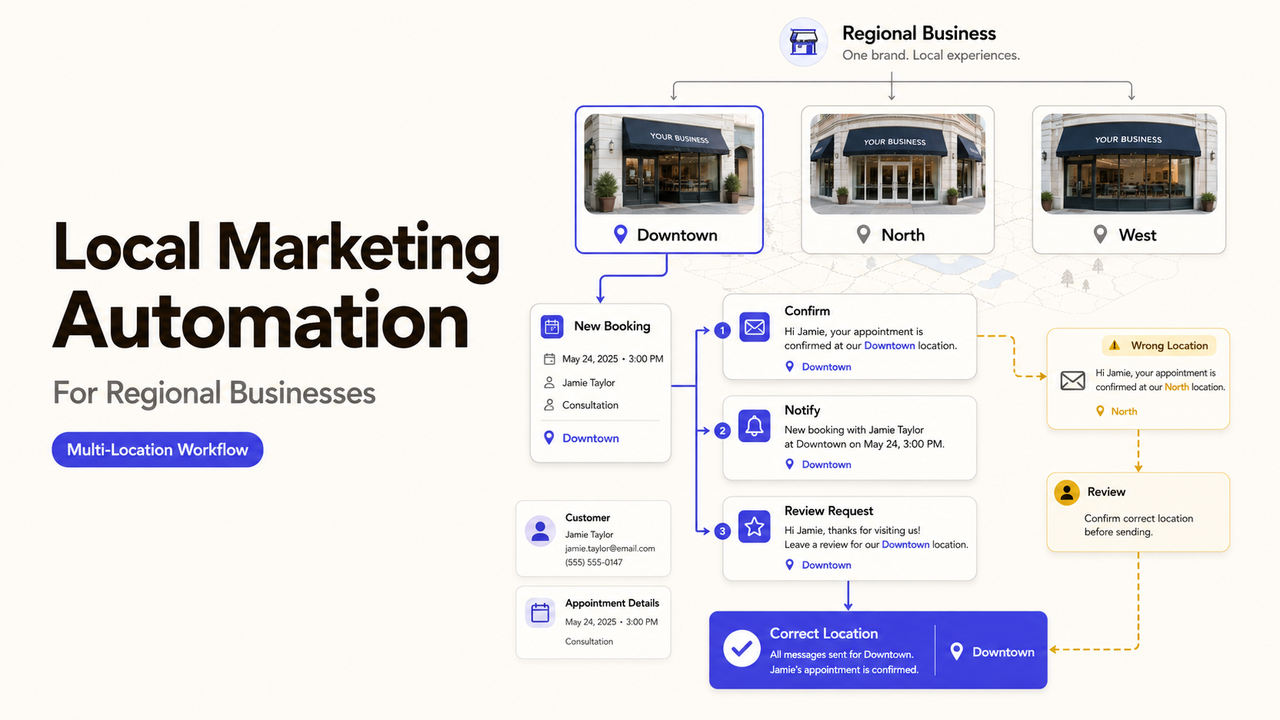
A customer books the downtown location. The confirmation names the suburban address, while the review request comes from the regional brand. Every message was sent, but the location context broke between systems.
That is the operating problem local marketing automation should solve. It can coordinate routine handoffs without treating every location as identical. This guide shows where shared rules help and where a local manager still needs control.
What Local Marketing Automation Coordinates
Local business automation connects a customer action to the next appropriate task. A form submission may create a lead record, alert the correct branch, and send a confirmation. A completed appointment may start a review request, while an approved holiday schedule may update customer-facing messages.
The value comes from coordination, not message volume. Local marketing workflows need the customer, relevant location, current status, and next owner. If one is missing, the automation should pause for review.
Prioritize Customer Actions by Location
Map Leads, Appointments, Reviews, and Local Updates
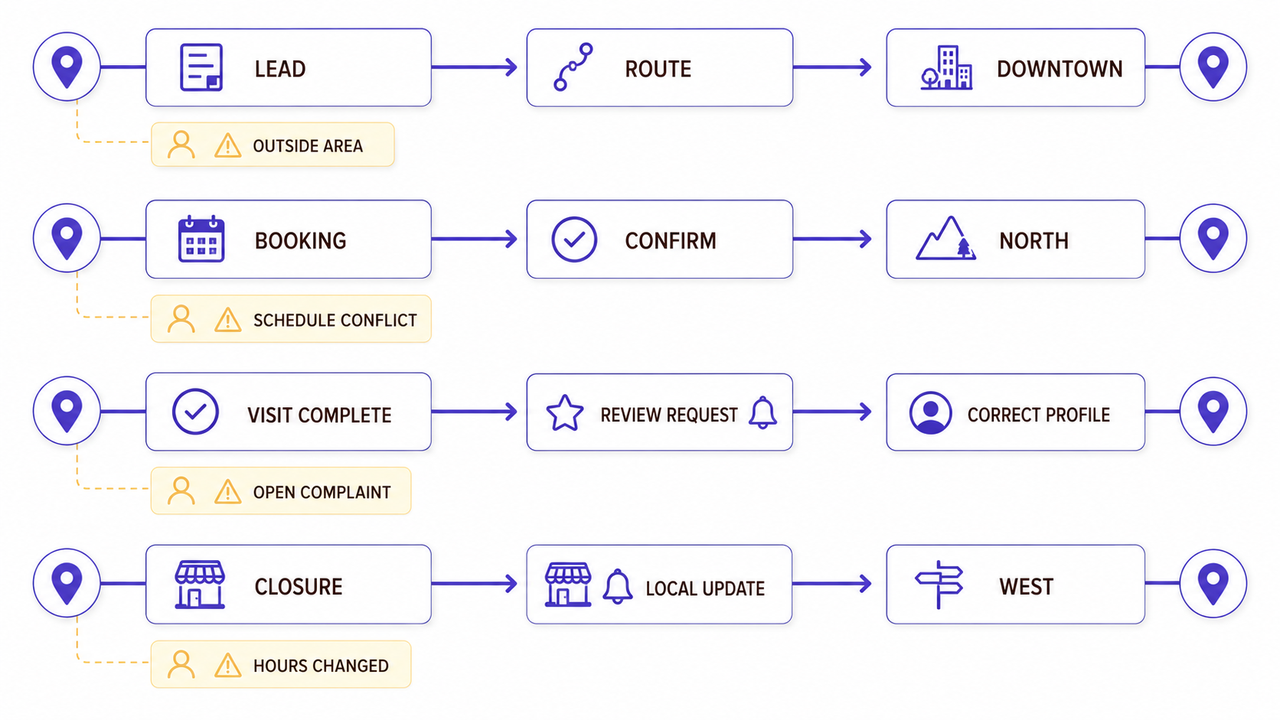
Begin with actions customers already take. Local lead automation starts at inquiry routing, while review request automation begins after a verified customer event. The following editorial map is a planning aid, not an industry standard.
| Customer action | Shared rule | Location data | Human exception |
|---|---|---|---|
Submits a lead form | Create and acknowledge the inquiry | Service area, branch, service requested | Location cannot serve the address |
Books an appointment | Confirm the selected service and time | Address, staff availability, local instructions | Schedule conflicts or special access needs |
Completes a visit | Check eligibility for a review request | Completed status and correct profile link | Complaint or unresolved service issue |
Encounters a closure | Show an approved operating update | Current hours and reopening details | Weather, staffing, or safety decision changes |
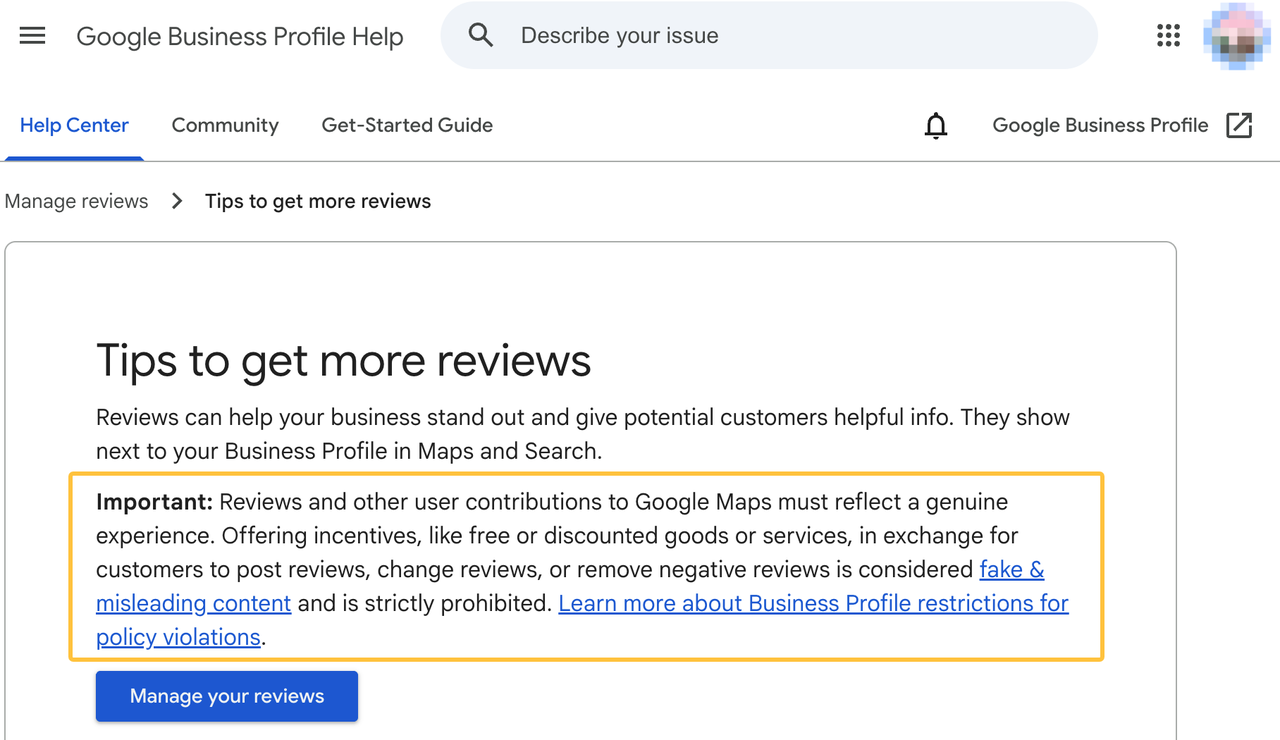
For Google reviews, a business may share a review link or QR code. Google’s current review-request guidance prohibits incentives offered in exchange for posting, changing, or removing a review. Automation should request honest feedback consistently rather than select only customers expected to respond positively.
Identify the Moments That Need a Human Response
Automation should not decide how to handle an injury report, payment dispute, angry public complaint, or unusual service request. It can tag the issue, preserve the message, and notify the location owner.
Base escalation on the event, not tone alone. A calm safety report may need human attention before an angry parking complaint.
Build the First Local Automation Workflow
Choose One Trigger and One Customer Action
The first workflow needs one observable trigger and one customer-facing outcome. For example, a qualified lead selecting Location A receives that location’s approved booking link.
The record should prove the handoff with its source, location, communication status, owner, message version, and delivery result. A missing routing ZIP code should send the lead to a person.
Teams ready to design triggers and exit conditions can use the separate marketing automation workflow guide.
Define Exceptions for Urgent or Sensitive Messages
Stop the automatic path for an urgent-service phrase, opted-out contact, duplicate lead, unsupported address, or sensitive message.
Test at least one failure before launch. Submit an address that no location serves and confirm that the system does not invent a destination. Then verify that a named employee receives the unresolved record.
Coordinate Multiple Locations Without Losing Local Context
Set Shared Rules for Brand and Data Handling
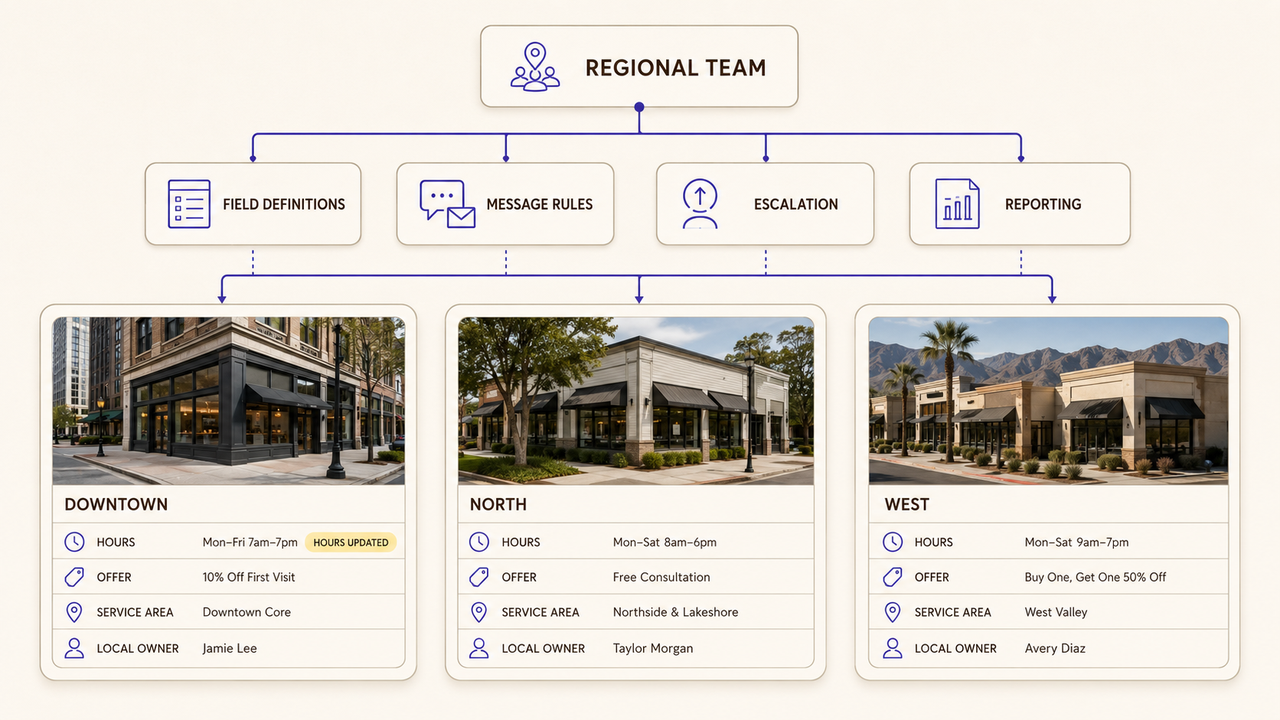
Regional teams can share field definitions, approved message components, escalation categories, and reporting names. This prevents branches from using “booked” for different customer states.
The central team should own the base template and required fields. A location manager should own availability, service limits, and local exceptions.
Keep Hours, Offers, and Responses Location-Specific
A central campaign should not overwrite a branch’s current operating facts. Google lets eligible profiles set special hours for holidays and temporary changes, which shows why the current location record must remain authoritative.
For offers, record participating locations, dates, eligibility, and the approval owner. A withdrawn location should be excluded without changing the offer elsewhere.
Protect Consent, Access, and Customer Trust
Record Communication Preferences and Opt-Outs
Every connected workflow should check the same channel-preference record. An unsubscribe must not stop one sequence while leaving another location campaign active.
For U.S. commercial email, the FTC’s CAN-SPAM compliance guide covers sender information and opt-out duties. The FCC also explains that people may use reasonable means to revoke consent for covered robocalls or robotexts. Requirements vary by message, technology, and location, so confirm the current rules with qualified counsel before activating a campaign.
These sources were checked on August 27, 2026. They provide general U.S. boundaries, not a legal conclusion about a specific workflow.
Limit Staff and Vendor Access by Role
Give each person the access needed for the assigned task. NIST defines least privilege as limiting users or processes to the minimum access required for their work.
A branch responder may update local leads without exporting the regional database. A provider may need setup access but none after handoff. Use named accounts and remove expired permissions.
Choose Between DIY Setup and Local Marketing Support
DIY Fits One Location With Simple Customer Journeys
DIY setup can fit one location when the team controls its forms, calendar, messages, and records. Someone must document failures and maintain the workflow as tools change.
Do not leave configuration knowledge with one employee. Keep a diagram, field list, message library, access register, and change log for the next owner.
Outside Support Fits Multiple Channels or Locations
Outside local marketing services may fit routing that crosses several locations, channels, vendors, or databases. Separate process design, configuration, testing, training, and ongoing operations in the brief.
Name each account owner and change approver. A demonstration can prove one scenario runs, but not that offboarding and local permissions are ready.
Measure Operational Quality Before Expanding
Track Response Coverage, Errors, and Manual Overrides
Measure whether eligible records entered the workflow, reached the correct owner, and produced the intended action. Track wrong-location assignments, duplicate messages, failed sends, missing fields, and manual overrides.
These measures diagnose the process. They do not prove more reviews, better rankings, faster responses, or higher revenue. Investigate repeated exceptions before expanding.
Review Customer Feedback Before Adding More Automation
Read replies, complaints, appointment notes, and opt-out reasons by location. A successful send may still have poor timing or irrelevant wording.
The central owner and affected managers should review expansion. Add a branch or channel only after the current handoff stays accurate during normal work and exceptions.
How SpringBrand Fits This Workflow
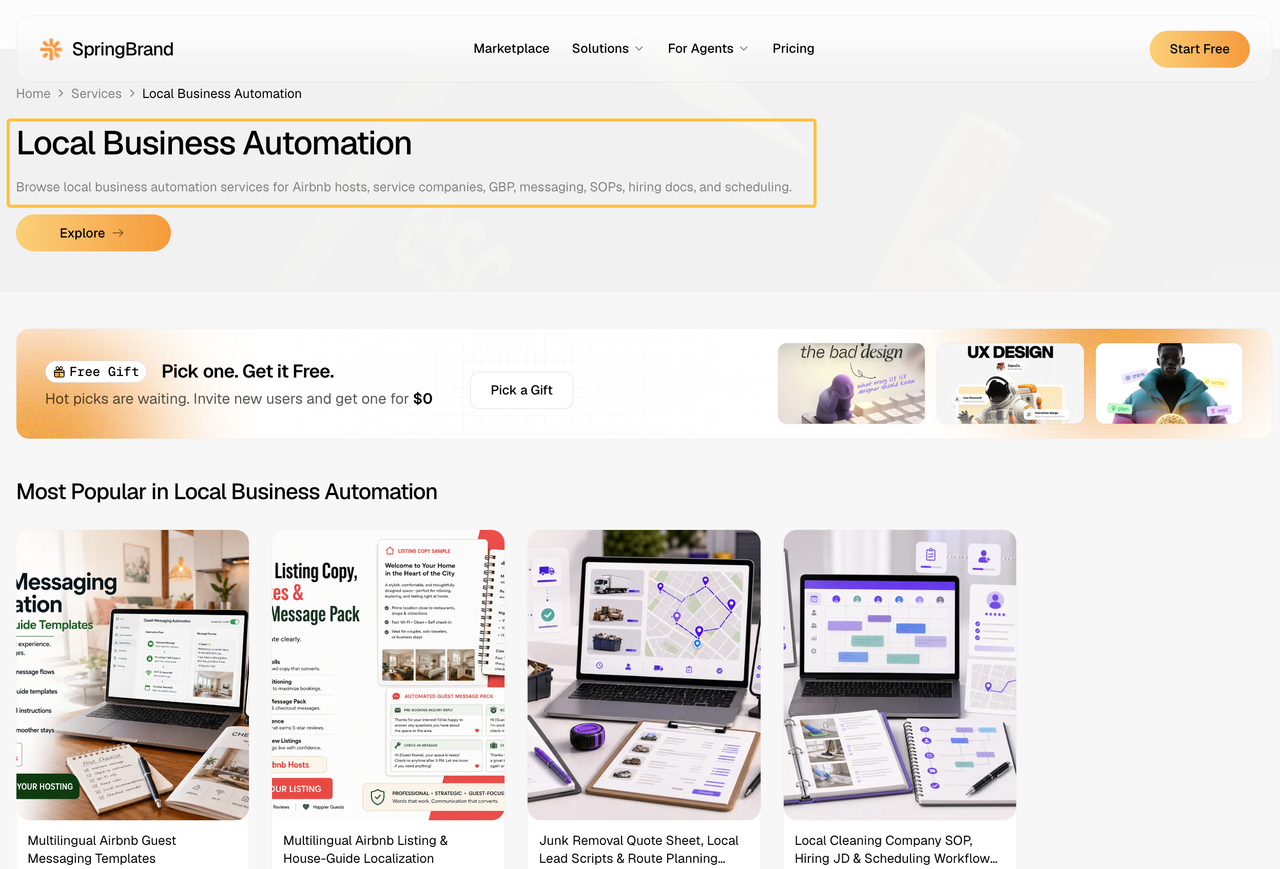
When outside setup is justified, turn the locations, channels, approvals, and handoff rules into a SpringBrand service request to compare independent local-automation support.
FAQ
How should a business migrate automation when opening a new location?
Copy the approved structure, not the old location’s customer history. Create new IDs, hours, service boundaries, owners, links, and permissions. Test with non-customer records, and keep live sends off until the new manager accepts the results.
Can one location leave a shared automation contract independently?
That depends on the contract, accounts, integrations, and data responsibilities. Identify separable assets and regional dependencies. Seek professional review where contract or data rights are unclear, and approve an exit plan before disconnection.
What records help transfer automation responsibility after a manager leaves?
Keep the workflow diagram, field map, message approvals, exception rules, account owners, change log, and open issues. Transfer administrative control before removing access. The incoming owner should approve the current configuration.
Can local automation work for service-area businesses without storefronts?
Yes, if routing uses real service boundaries rather than invented branch addresses. Connect the inquiry to the crew, schedule, or dispatcher that can serve the customer. Public profiles, location claims, and customer messages must still follow the relevant platform rules and actual operating model.
What should happen when a customer changes their preferred location?
Update the preference in the system that controls downstream workflows, then recheck appointment availability, consent status, and the assigned owner. Preserve the earlier location in the activity history. Do not send both branches’ follow-ups simply because each system retained an older record.
Conclusion
Local marketing automation is ready to expand when each customer action keeps the correct location, communication status, and human owner. Central teams can standardize the rules and records. Local managers should retain control over changing hours, sensitive responses, and service exceptions.
Do not add another location while wrong-branch assignments or unresolved opt-outs remain open. The regional owner should approve expansion only after those records show a reliable handoff.