How to Manage Multiple Social Media Accounts
How to manage multiple social media accounts starts with roles, calendars, access controls, approvals, reporting, and support boundaries.
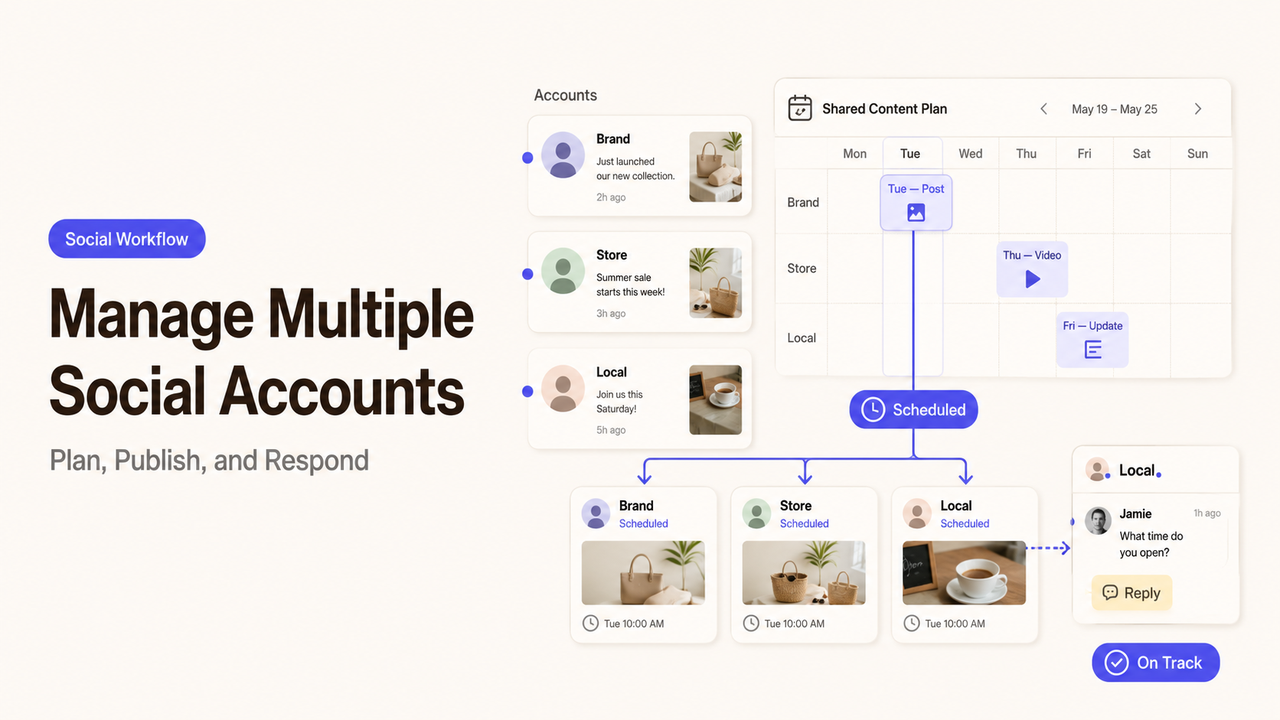
A complete account list usually changes the workload before a single post is planned. It reveals the local page without an owner, the old campaign handle no one checks, and the main profile still shared through one password.
Learning how to manage multiple social media accounts starts there. Decide which accounts deserve ongoing attention, assign clear responsibility, and build one workflow that still respects the differences between platforms.
I’m Alex, and this guide explains how a small team can organize access, content, approvals, reporting, and outside support without turning account management into a full-time scramble.
Start With the Accounts That Actually Need Management
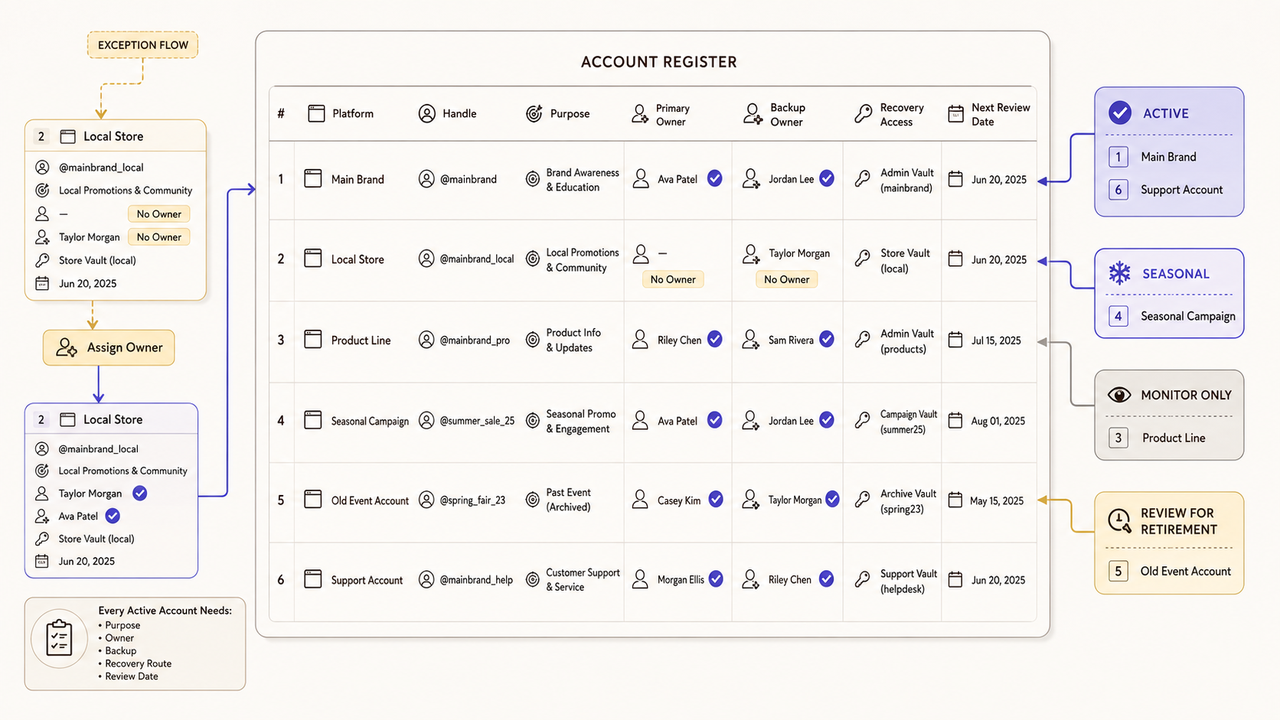
Begin with an account register. Include every brand, location, product, and campaign account the business owns or supports. Add dormant profiles because outdated links or contact details can still confuse customers.
Record:
- its platform, handle, and public URL;
- the audience and business purpose;
- the current account owner and backup owner;
- its publishing or monitoring expectation;
- the recovery email or internal access owner;
- linked ad, analytics, or scheduling tools;
- its next review date.
Give each account a status: active, seasonal, monitor only, or candidate for retirement. A seasonal page may need occasional updates, while a former event handle may need no new posts.
Do not keep an account active simply because it exists. Every active profile adds work, access risk, and another place where information can drift.
The register also exposes overlap. Two teams may be publishing similar updates without serving distinct audiences. Consolidating the work may be more useful than increasing the posting frequency.
Map Roles, Access, and Approval Owners
Good social media account management separates access from authority. A contributor may draft posts without changing settings. A community manager may answer routine comments but escalate sensitive complaints.
Create a responsibility map for every active account:
| Responsibility | Primary owner | Backup | Approval or escalation point |
|---|---|---|---|
Account settings and access | Named administrator | Second administrator | Business owner or security lead |
Content drafting | Content owner | Assigned contributor | Brand or subject reviewer |
Publishing | Publisher | Backup publisher | Campaign owner |
Community replies | Community owner | Trained backup | Customer service or leadership |
Reporting | Marketing owner | Analyst | Person who decides next actions |
Use roles in the workflow, but attach them to named people. “Marketing” cannot recover an account or approve a sensitive response.
Admin access, publishing rights, and escalation paths
Avoid shared passwords where individual access is available. Grant only the permissions needed, keep an appropriate backup administrator, and do not use full control as a setup shortcut.
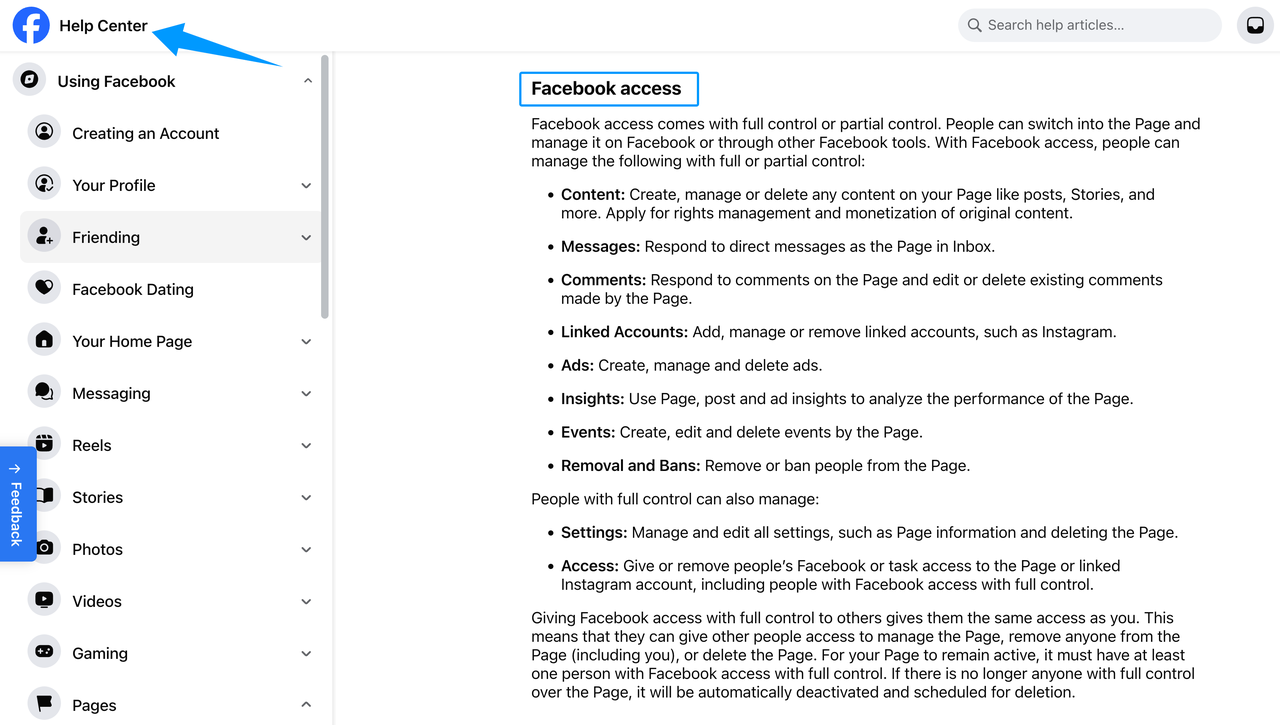
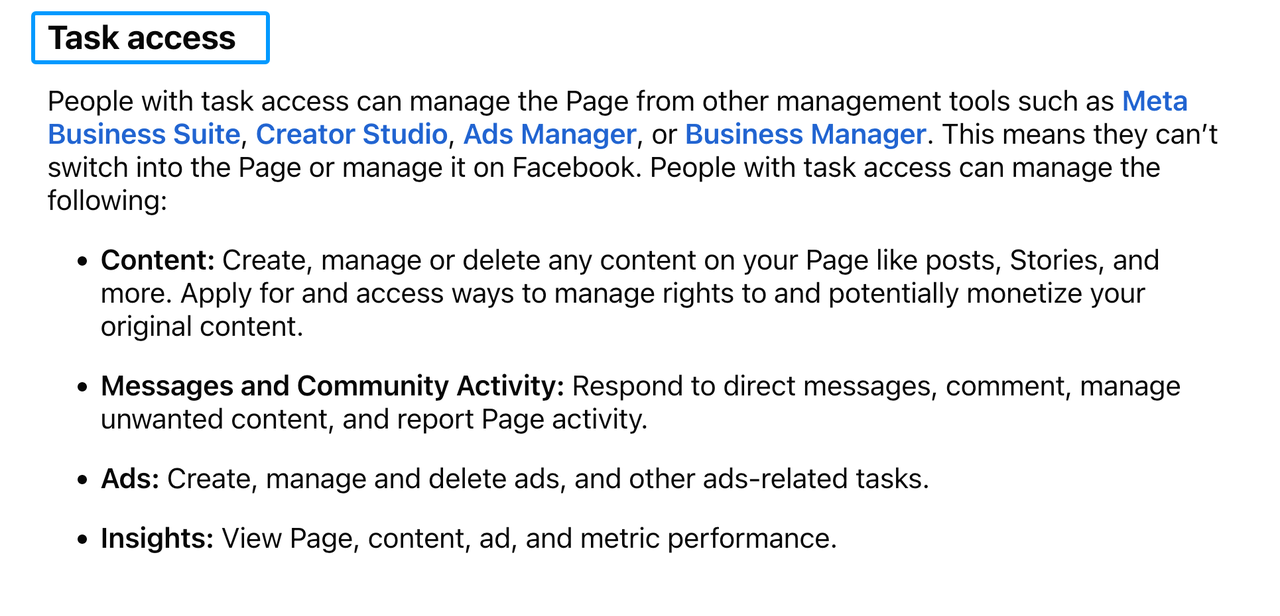
The labels vary by platform. Meta distinguishes Facebook access from task access, and warns that people with full control can manage access or delete the Page. Review Meta’s current explanation of Facebook Page access before assigning a role.
LinkedIn takes a different approach. Page roles attach to real member profiles rather than a separate Page password. Its guidance on LinkedIn Page admin access also says that sharing profile credentials violates platform policy.
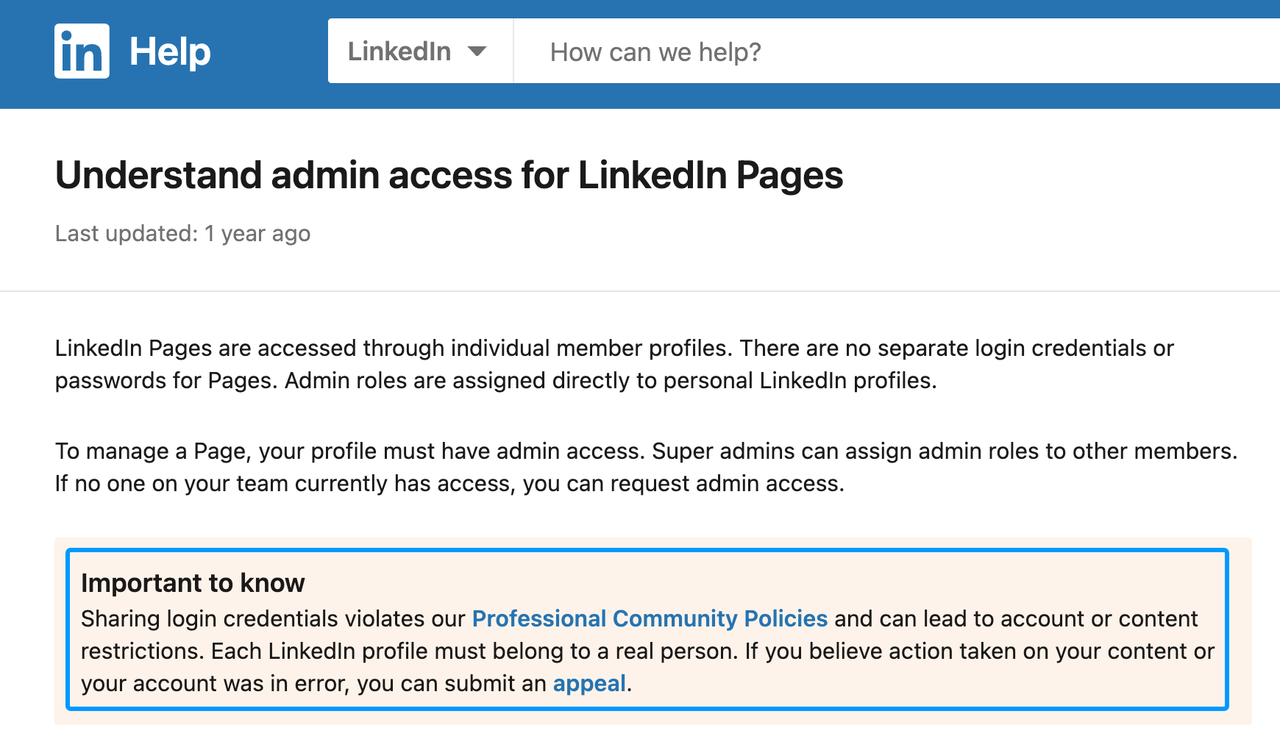
Translate platform labels into business permissions. State who can publish, reply, view analytics, change profile details, add users, and remove the account.
During offboarding, remove access, transfer scheduled work, check connected tools, and confirm that a current owner controls recovery options.
Give community managers an approved response library and a list of topics they must route elsewhere.
Who approves posts, replies, and brand changes
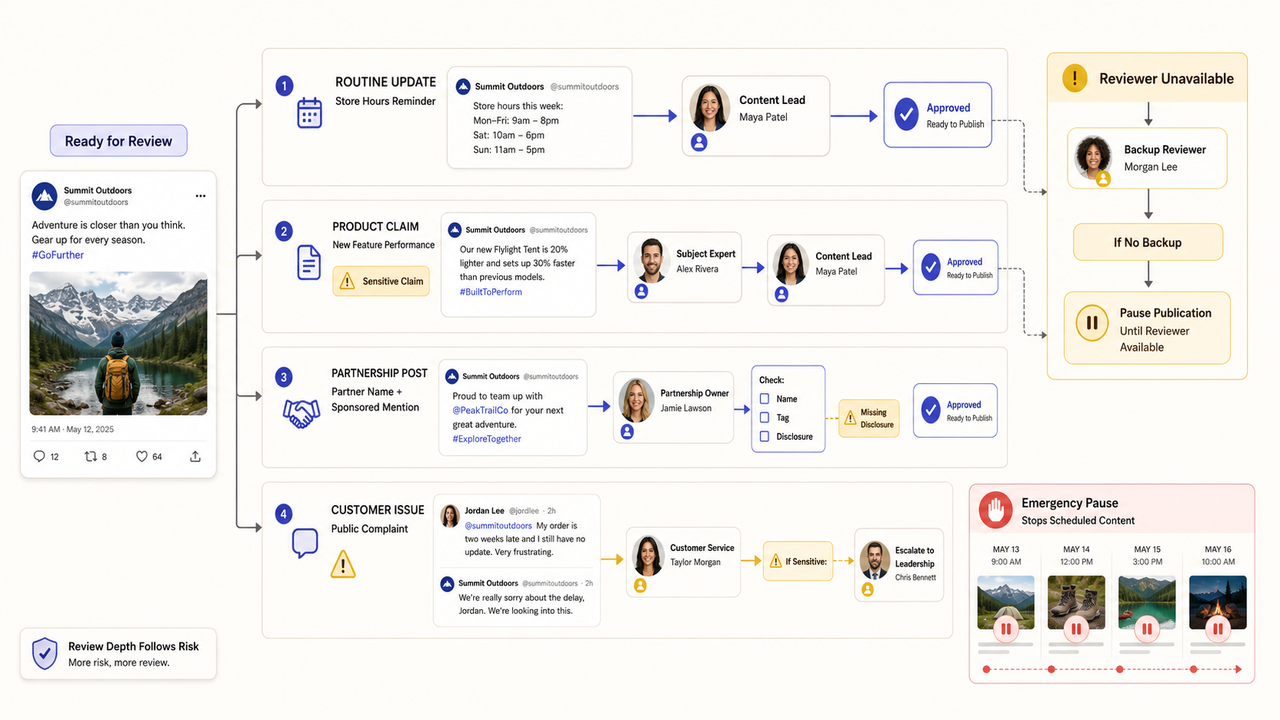
Not every post needs the same review. A store-hours reminder may follow a template, while a product claim or serious complaint needs closer attention.
Define approval by risk rather than asking the founder to read everything:
- the content lead approves routine evergreen posts;
- a subject-matter owner verifies product, technical, or service claims;
- the partnership owner confirms names, tags, and agreed disclosures;
- customer service reviews replies involving an identifiable customer issue;
- leadership approves public statements during a major incident.
Set a deadline and fallback for each reviewer. Also decide who can stop scheduled posts when circumstances change.
Control brand changes separately. Record the proposed update, approving owner, affected accounts, and completion checks.
Build a Shared Content and Review Workflow
A useful social media workflow keeps one source of truth while allowing platform versions to differ. It shows the source, owner, approval status, and final destination.
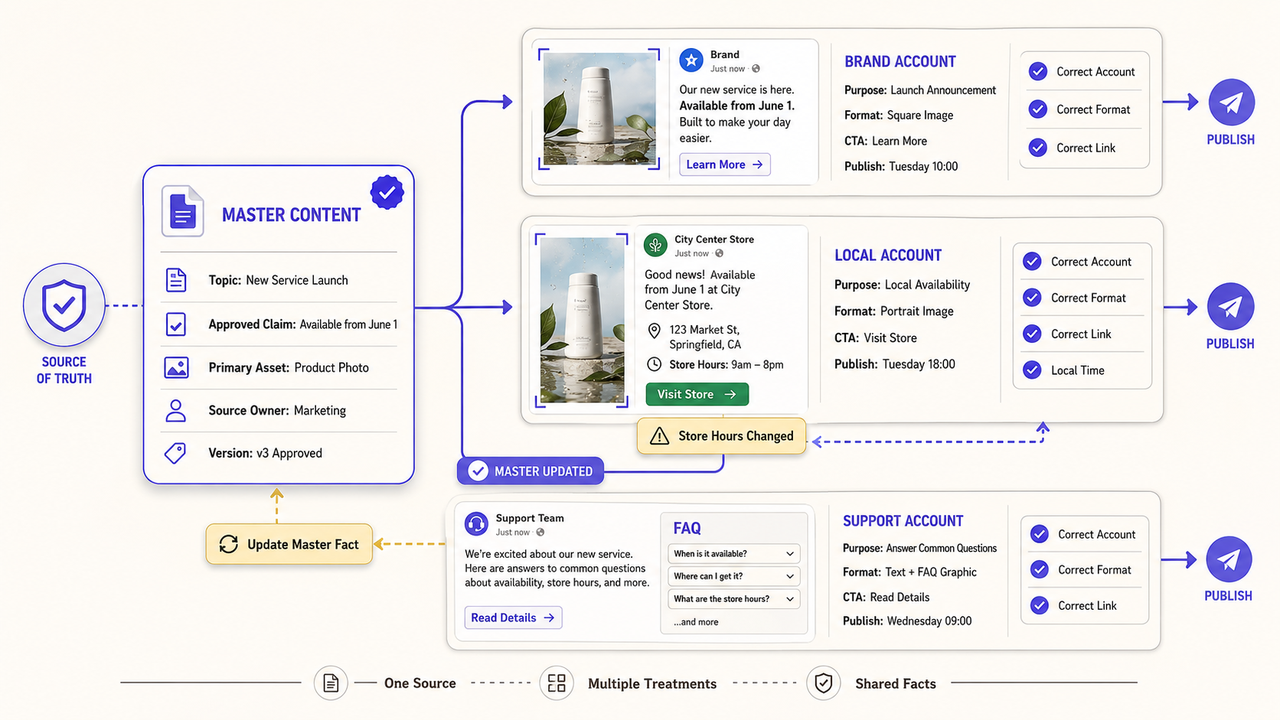
Calendar planning, asset handoff, and revision windows
Use a shared social media content calendar for all active accounts. One row or card per planned post is usually enough if it includes:
- account and platform;
- audience and purpose;
- final copy and asset link;
- source material or approved claim;
- draft owner and reviewers;
- disclosure or permission requirement;
- review deadline and publish time;
- current status and final URL.
Plan around customer needs rather than filling every empty date. Three useful posts across two accounts may be more sustainable than daily posts across six.
Keep source files in a business-controlled location. Separate final assets from drafts, and move approved agency files into the client’s library.
Match revision time to the work. A customer story or multilingual campaign needs more review than a routine update. Set deadlines before publication day.
When one asset supports several accounts, identify a master version and record each adaptation. Later corrections can then begin with the source and move through every affected version.
Platform-specific formatting and scheduling checks
Shared planning does not mean identical publishing. Check the crop, captions, alt text, links, tags, and publishing identity for each destination.
Permissions also affect the final check. TikTok Business Center separates Admin and Standard access and lets businesses restrict members to assigned accounts and assets. Its current instructions explain how to add members and set TikTok permissions, including whether certain content can appear on the account profile.
YouTube channel permissions let several people work on a channel without receiving the owner’s Google Account credentials. The available roles do not all support the same actions, so check the current YouTube channel permission levels before assigning uploads, publishing, analytics, or permission management.
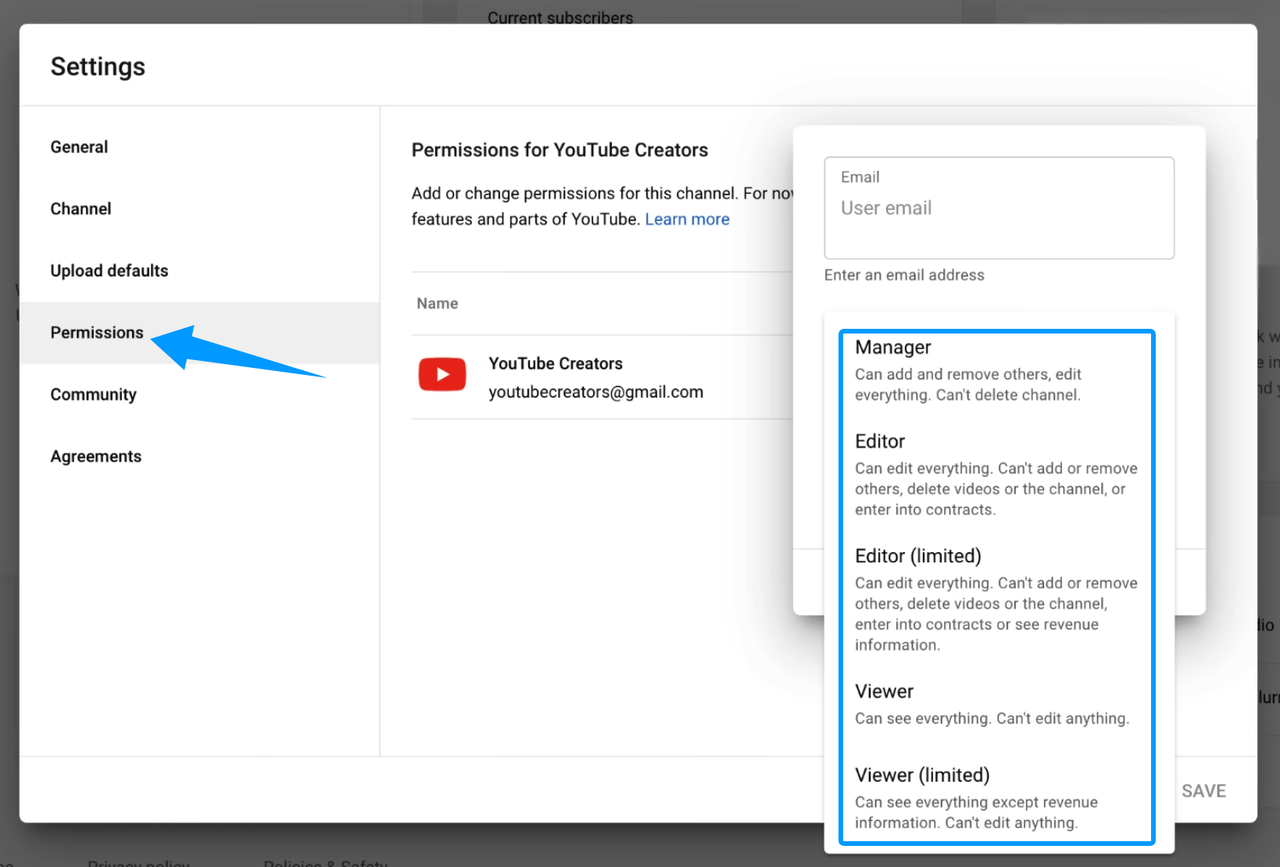
Preview on the platform when possible because scheduling tools may miss warnings or display differences. Confirm the account, local time, link, disclosure, tags, and asset.
Maintain a pause procedure that identifies who reviews scheduled content during an emergency or sudden offer change.
Track Performance Without Drowning in Reports
More accounts produce more numbers, not necessarily more insight. Tie social media reporting to each account’s job.
Metrics that matter to small teams
Start with the account purpose. A support profile may track unresolved issues, while a local account may track qualified inquiries and clicks to location information.
Use three layers:
- Delivery: Did the team publish the approved work on time and to the correct account?
- Audience response: Did people view, save, share, reply, or click in ways relevant to the post?
- Business signal: Did the activity contribute to an inquiry, registration, store visit, support resolution, or another defined outcome?
Do not make a sales claim when the evidence stops at a platform interaction. Label missing tags, incomplete call records, and other known limits.
Compare accounts only when their purposes and metric definitions are similar.
Reporting cadence and decision ownership
A weekly check can catch missed posts, access problems, unresolved messages, and failed links. A monthly review can examine patterns and decide what to change.
Every report should end with decisions:
- which topic, format, or account needs another test;
- which activity should continue, change, pause, or stop;
- who owns the action;
- when the team will review the result.
Keep metric definitions stable during a comparison. Note when a platform definition or tracking method changes.
Decide What to Keep In-House or Outsource
Keep business authority inside the company. An internal owner should control access, brand policy, escalations, factual claims, crisis decisions, and sensitive approvals.
Outside support can handle defined tasks such as calendar coordination, design, editing, scheduling, reporting, or first-line monitoring.
Before outsourcing, define the included accounts, allowed tools, publishing rights, and escalation topics. Add working hours, revision limits, file storage, reporting, offboarding, and incident contacts.
Ask how the provider handles paid relationships and sponsored content. FTC staff guidance says a material relationship with a brand should be disclosed clearly and placed where people are likely to notice it. Review the FTC’s social media disclosure guidance and any other rules that apply to the campaign.
Do not outsource a broken approval system and expect the provider to repair it by guessing. If no one inside the company can confirm a claim or approve a response, fix that ownership gap first.
How SpringBrand Fits This Workflow
Once the account list and support boundary are clear, SpringBrand can help you compare relevant social and content services. It matches buyers with independent providers but does not manage accounts or guarantee results.
Bring the account register, deliverables, approval rules, access limits, and reporting needs to the comparison.
FAQ
What consent is needed before reposting customer content on several accounts?
Obtain permission that covers the content, intended accounts, editing, and planned use. A public post does not automatically grant every business reuse right. Keep the approval record with the asset, and check applicable law, platform terms, contracts, and brand policy. Seek qualified advice when the permission is unclear.
How should a business handle a fake or impersonation account?
Capture the account URL, screenshots, dates, and examples of likely confusion. Report it through the platform’s current impersonation or authenticity process, and alert the internal account owner. Avoid asking staff or customers to confront the operator. Consider qualified legal help if fraud, trademarks, safety, or financial harm is involved.
What if a customer asks for a repost to be removed after it has been shared?
Pause future use and locate every version through the asset record. Confirm the request, the original permission, and any contractual obligations. Remove the repost where appropriate and document the action. If the parties disagree about rights or required removal, refer the question to a qualified professional.
What records should be kept for sponsored content disclosures?
Keep the agreement, approving owner, final copy and asset, disclosure language, publication URLs, dates, platform versions, and screenshots where useful. Record later edits or removals. Retention needs vary, so align the file with current law, platform rules, client requirements, and the business’s approved recordkeeping policy.
When should multilingual accounts use separate community rules?
Use separate guidance when languages serve different regions, support hours, cultural contexts, regulatory conditions, or escalation teams. The central brand standard can remain shared. Local guidance should explain tone, prohibited replies, translation review, response timing, and who handles issues that cannot be resolved in that language.
Conclusion
Knowing how to manage multiple social media accounts depends on reducing ambiguity. The team needs to know which accounts matter, who controls them, how work is approved, and what each report should change.
Build the account register first. Then give each active profile a Named Owner, a backup, a review path, and a clear purpose. That structure makes both internal work and carefully scoped outside support easier to manage.