Nano Banana Pro for Small-Business Campaign Mockups

Written by
Springbrand Editor Team
Editorial team
Springbrand Editor Team creates and maintains blog guides on AI tools, automation, marketing, and agent workflows.

Reviewed by
Springbrand Audit Team
Editorial review team
Springbrand Audit Team supports editorial quality through source checking, clarity, and consistency across the blog.
Updated
Published
Nano Banana Pro marketing workflows can help small teams create campaign mockups. Learn the inputs, review criteria, and point for designer handoff.
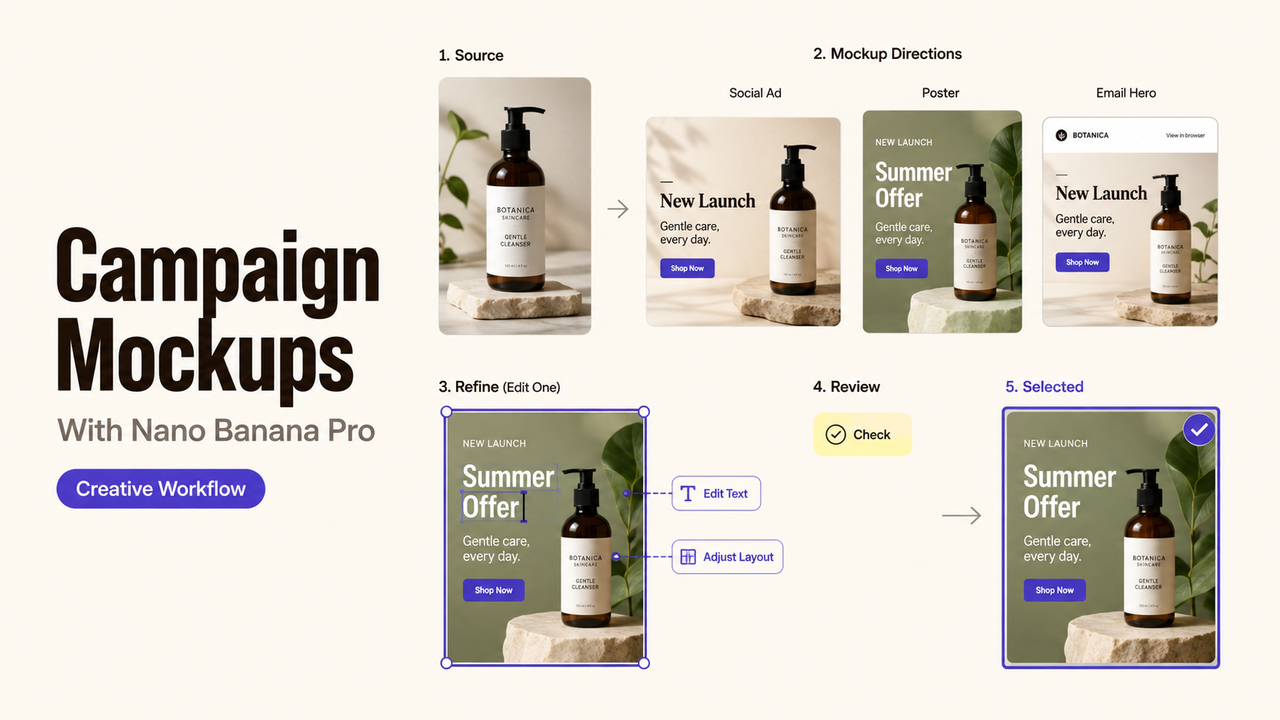
A campaign owner can approve a visual direction while the designer still lacks usable copy, logo files, or production sizes. That gap matters more than the number of images generated. For small teams, Nano Banana Pro marketing works best as a controlled concept stage with fixed inputs, a review record, and a named handoff owner.
Quick Answer
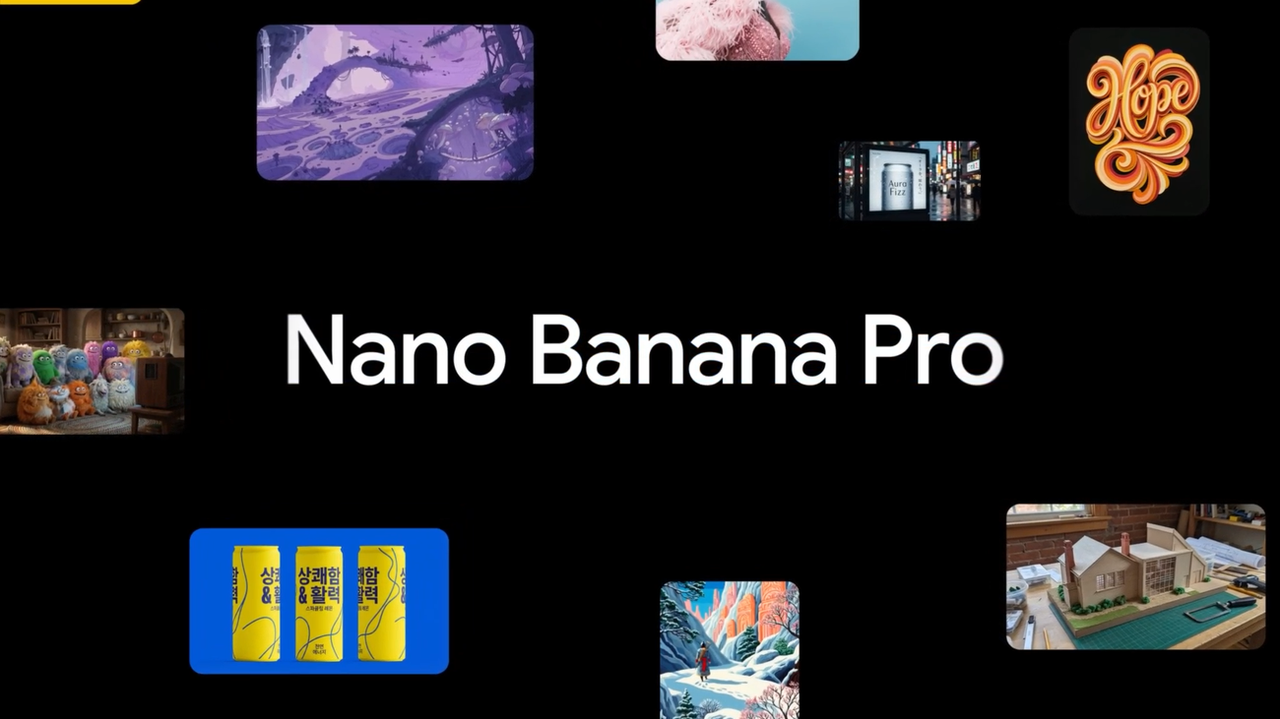
Nano Banana Pro, also called Gemini 3 Pro Image, can generate and edit high-detail visuals from text and image inputs. Supported developer workflows can produce outputs up to 4K. Google positions it for complex asset production, but that does not make a campaign mockup ready to publish.
Last verified August 28, 2026: I reviewed Google's public product and help documentation. I did not generate, export, or test campaign assets for this article.
Scope: One Campaign-Mockup Workflow
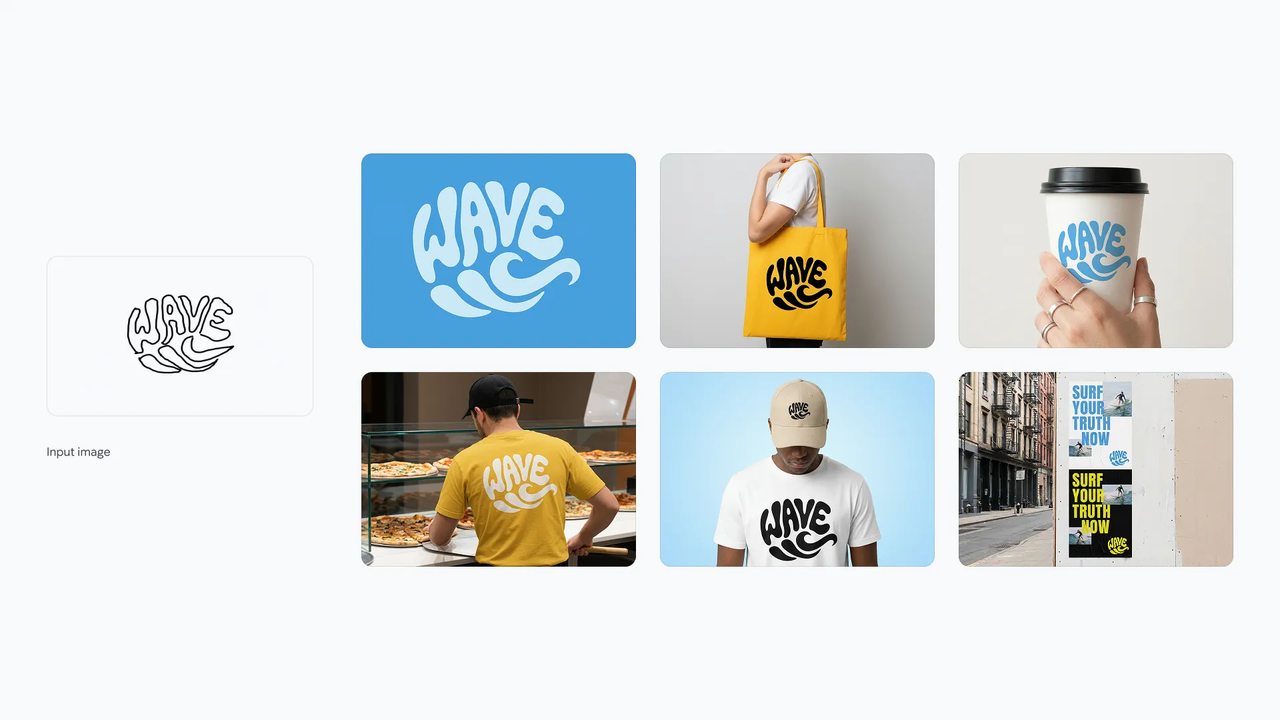
Use the model to compare a small set of visual directions for one campaign. Keep the offer, audience, required copy, logo, and channel constant. Change the composition or art direction, not the brief itself.
This small business creative workflow is for exploring brand visual concepts, not replacing campaign production.
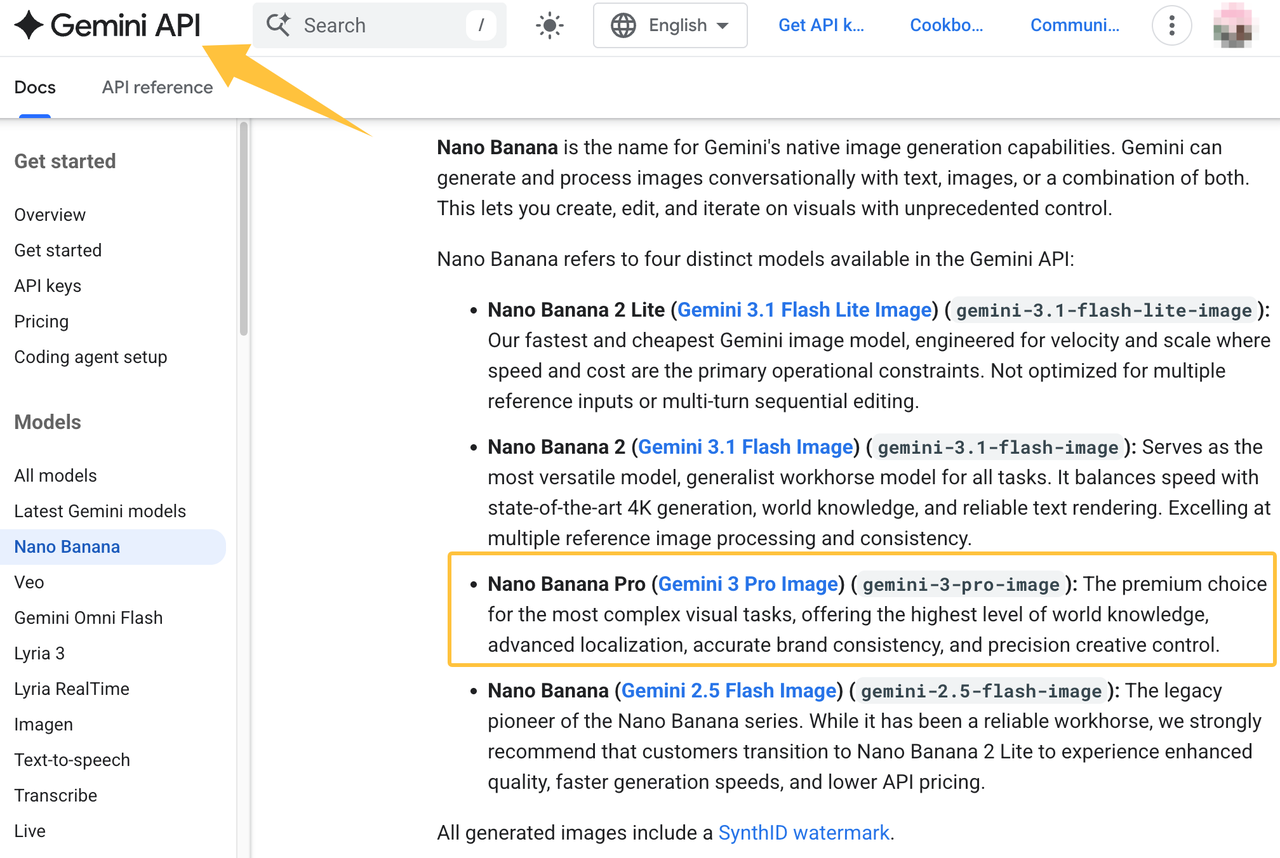
The current Gemini image-generation documentation identifies Nano Banana Pro as gemini-3-pro-image, supports image and text workflows, and notes SynthID on generated images. These facts establish public capability, not brand accuracy or ad approval.
Prepare the Creative Inputs
Campaign Goal and Audience
Write one sentence naming the action and the audience: “Get returning customers to book a fall tune-up from an Instagram story.” Add the channel, placement, deadline, and required response. “Make a strong campaign” gives the model no stable decision boundary.
The campaign owner should also name the reviewer. Without that owner, feedback can drift from “clear offer” to personal color preferences without a recorded decision.
Brand References and Required Copy
Provide the approved logo, product image, color references, and exact copy. Mark every line as fixed, editable, or placeholder. The current Gemini Apps image guidance allows uploaded images and later edits, while reminding users to respect copyright and privacy rights.
Only upload files the business has permission to use. Keep confidential client launches, unreleased products, and unnecessary personal data out of a consumer session unless the account terms and internal policy permit them.
Build and Review the Mockup Set
Generate a Small Set of Directions
Three directions are usually enough for a first review: one close to the current brand, one moderate extension, and one deliberate departure. Use the same copy and reference set for all three. Otherwise, the team cannot tell whether the image direction or the changing input caused the result.
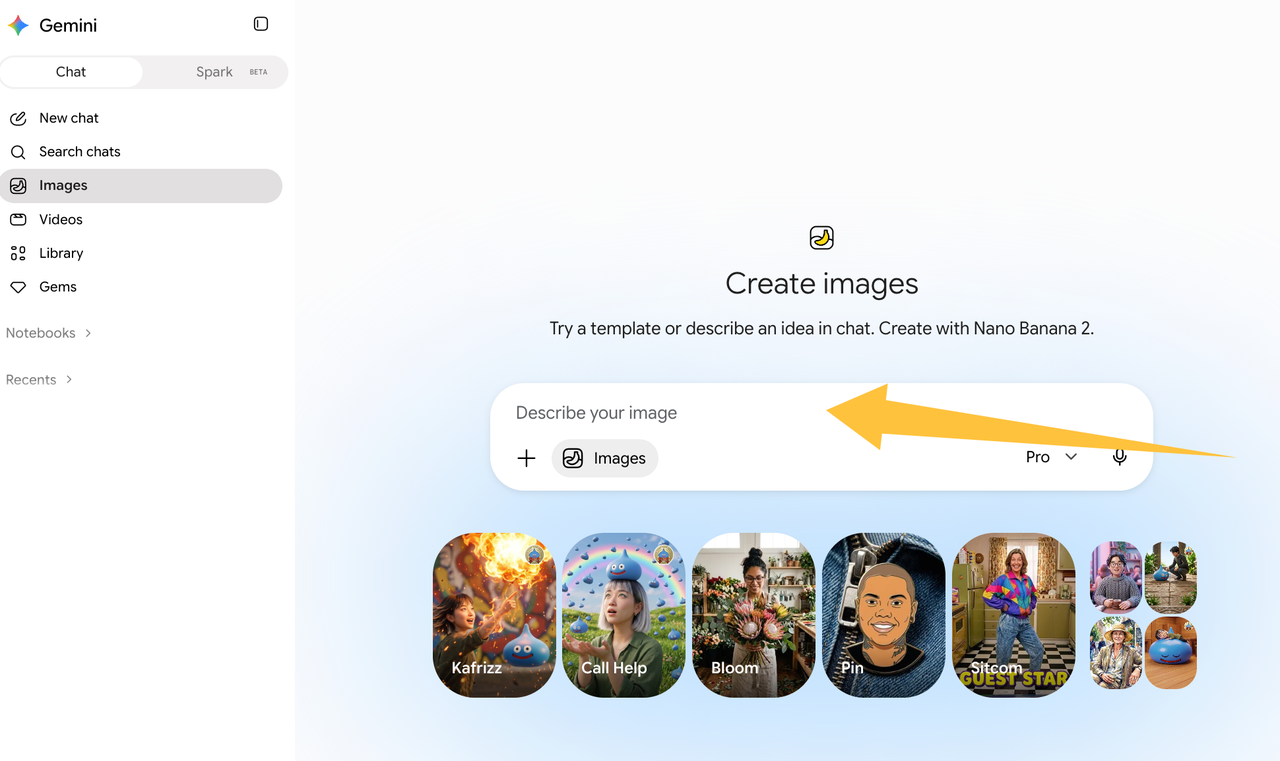
In the Gemini app, current help places Nano Banana Pro behind a paid “Redo with Pro” step after a Nano Banana 2 image. Eligible Workspace users can also generate and edit Gemini 3 Pro images in Slides and Vids. Access depends on the product, plan, account, language, and region.
Check Brand Fit and Production Readiness
Use this Mockup Readiness Record, an editorial framework rather than a Google standard:
Review field | Pass question | Failure action |
Fixed copy | Does every required word match the approved text? | Reject altered claims or legal lines. |
Brand assets | Is the real logo used without invented details? | Replace the generated mark with an approved file. |
Product truth | Does shape, color, and included item stay accurate? | Return to the source photo or designer. |
Channel fit | Does the layout leave safe space for the placement? | Recompose for the actual size. |
Handoff status | Can a designer identify what is approved and open? | Record the selected direction and unresolved changes. |
This record makes an AI campaign mockup useful even when it fails. It tells the next owner what to keep, remove, and verify.
Know When a Designer Should Take Over
Move to a designer when the team has selected a direction but needs exact typography, responsive sizes, accessible contrast, retouching, production files, or platform-specific exports. A designer should also take over when generated copy changes meaning or a product image becomes inaccurate.
Google's current product overview lists Nano Banana Pro across several products, but each surface has its own workflow. The official access overview does not promise one shared campaign file or production-ready handoff.
Write a Creative Service Brief
Give the designer one selected mockup and this short brief:
Campaign goal: [action and audience]. Approved direction: [file and date]. Keep: [elements]. Replace or correct: [elements]. Required copy: [locked text]. Deliver: [sizes and source files]. Final approver: [owner].
SpringBrand publishes this guide and operates the marketplace linked below.
When the direction is chosen but production files remain open, compare graphics and design service scopes before assigning the handoff.
FAQ
Can Gemini app mockups be reopened inside Google Vids or Slides?
Google documents image generation and editing inside Slides and Vids, but it does not document reopening a Gemini app conversation as the same editable project. A team can download an approved image and insert it, then record the source prompt and decisions separately.
Does Nano Banana Pro synchronize campaign versions across Google products?
No current Google source reviewed for this article promises cross-product campaign version synchronization. Treat each exported image, slide, video scene, or API output as a separate asset. Use a file name, date, approver, and status to maintain the campaign record.
Which Google products currently include Nano Banana Pro?
Google currently documents paid Gemini app regeneration and eligible Slides and Vids plans. Developer access includes Google AI Studio, the Gemini API, and Vertex AI. Other surfaces may vary by plan or rollout, so check the current product-specific help page before assigning work.
Can a Google Ads mockup be edited later in Gemini app?
Google does not document a direct Google Ads project import into the Gemini app. The Gemini app can upload and edit an image, but that creates a new editing workflow rather than preserving the Ads project history. Keep the approved copy and source record outside the image.
Do Workspace and Gemini sessions share Nano Banana Pro histories?
Do not assume they do. Google explains how users can manage Gemini conversation history inside Workspace apps, while Gemini app activity has separate controls. The reviewed documentation does not establish a single shared Nano Banana Pro history across both environments.
Conclusion
Nano Banana Pro marketing should end with a decision record, not a folder of attractive variations. Name the campaign owner who can approve the direction, then give the designer the locked copy, source assets, open corrections, and required deliverables.
Recommended Reads
Explore SpringBrand
Turn ideas into working workflows
Connect agents, APIs and tools in one workspace. Start with a task you want to get done.
Get started free
One account. 10,000+ APIs & capabilities
Give your agent APIs and plugins without separate keys or integrations for every provider.
Explore APIs
No tool expertise needed
Describe your GTM task. SpringBrand chooses the right APIs and plugins for your agent automatically.
Find tools for your task
Run tasks 24/7
Connect your agent to SpringBrand to keep tasks running automatically, day and night.
Connect your agent