Social Media Editorial Calendar Best Practices

Written by
Springbrand Editor Team
Editorial team
Springbrand Editor Team creates and maintains blog guides on AI tools, automation, marketing, and agent workflows.

Reviewed by
Springbrand Audit Team
Editorial review team
Springbrand Audit Team supports editorial quality through source checking, clarity, and consistency across the blog.
Updated
Published
Benefits and best practices of social media editorial calendars include clearer ownership, consistent publishing, and better campaign coordination.
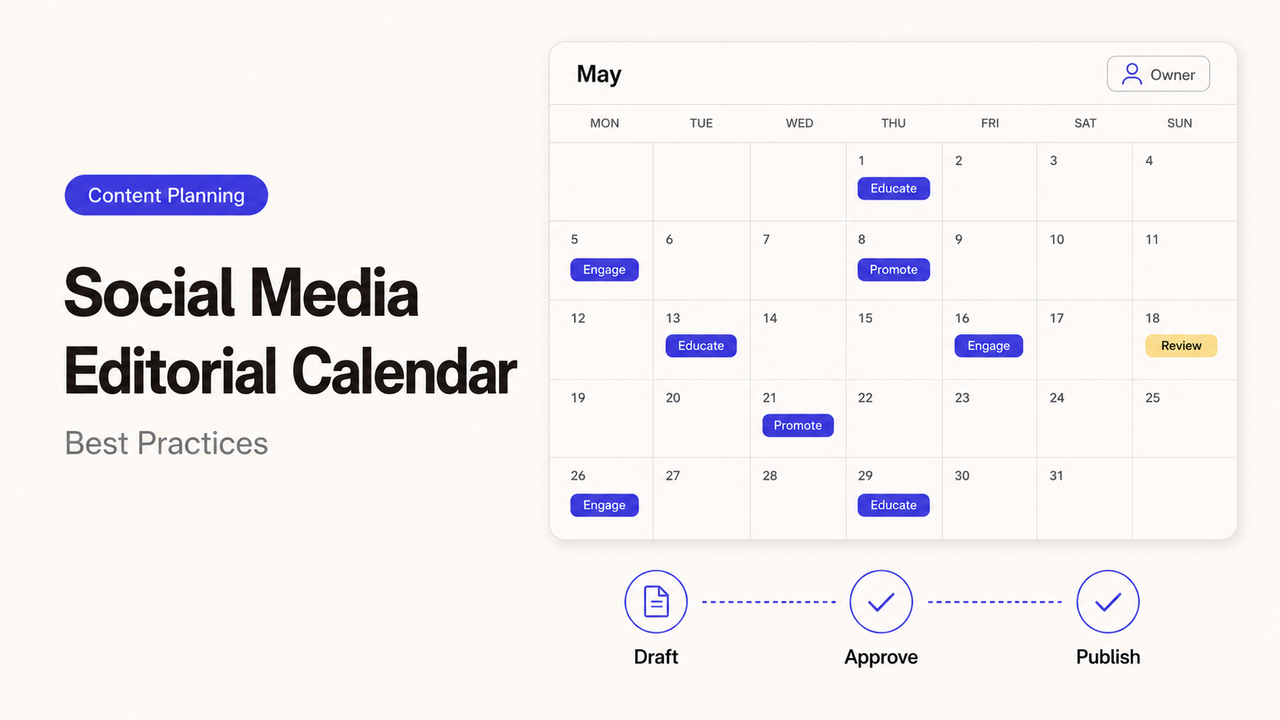
A Friday promotion is already scheduled when the product owner changes the offer. The copywriter fixes the caption, but the designer’s image still shows the old price, and nobody knows who can stop the post. The benefits and best practices of social media editorial calendars become practical at exactly this point: the calendar should reveal what changed, who must respond, and whether the post is safe to publish. I’m Alex, and here is the test I would use while reading this guide: if the usual social lead is away tomorrow, can someone else open the calendar and make the right decision?
Why Small Teams Need an Editorial Calendar
A small team rarely has one person doing nothing but social media. The owner supplies ideas, a marketer writes the copy, and a designer works from another task list. Without one shared record, each person may be following a different version of the plan.
A social media content calendar fixes more than timing. It gives the team a place to see:
- what the post is meant to accomplish;
- which audience and channel it serves;
- where the approved copy and asset live;
- who owns the next action;
- what still needs review;
- whether the post is approved, scheduled, paused, or published.
That visibility makes capacity problems easier to spot. If next week contains four videos but nobody has recorded the footage, the gap appears while there is still time to change the plan. Consistency does not mean filling every date; it means returning to useful themes without losing room for timely responses.
Choose Channels, Themes, and Publishing Cadence
Start social media planning with the audience and the job, not with a target number of posts. A local service company may use one channel to show completed work and another to answer customer questions. A B2B firm might use LinkedIn for expert commentary while short videos support recruitment elsewhere.
For each channel, write down three things:
| Planning decision | Example | What it prevents |
|---|---|---|
Channel role | Explain technical ideas to prospective buyers | Posting the same message everywhere without a reason |
Recurring themes | Customer questions, project proof, practical advice | Searching for a new topic every morning |
Sustainable cadence | Two reviewed posts each week | Committing to a volume the team cannot approve |
Cadence should reflect production and review capacity. Three dependable posts are more useful than seven rushed ones missing assets or approval. Leave room for changes that cannot be planned a month ahead.
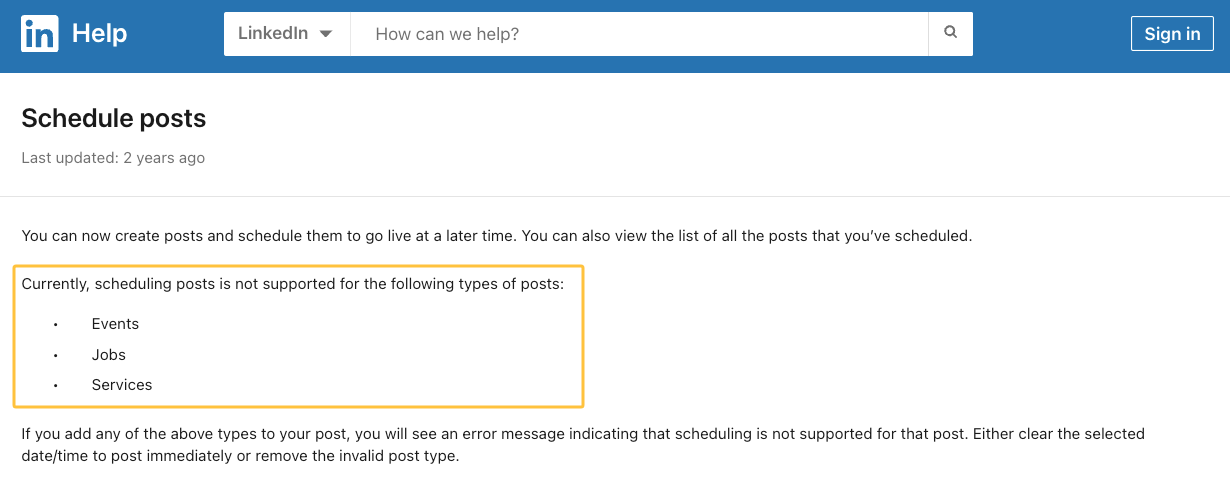
Do not assume that every platform supports the same formats or scheduling rules. LinkedIn’s current scheduling guidance, for example, lists unsupported post types as well as options for changing scheduled posts. Check the platform and account before promising that a particular format can be scheduled.
For multilingual work, add language and market fields from the start and assign a local reviewer. When posts point to localized pages, the W3C guidance on declaring language in HTML explains how language attributes identify a page or passage.
Define Owners, Reviews, and Approval Deadlines
“Marketing owns it” is not a clear assignment. A single post may involve an idea owner, writer, designer, subject expert, approver, scheduler, and person responsible for replies. One person can hold several roles, but the calendar should still name the role attached to each decision.
The content approval process also needs a deadline. Approval at the moment of publication leaves no time to correct a claim, replace an image, or test the link.
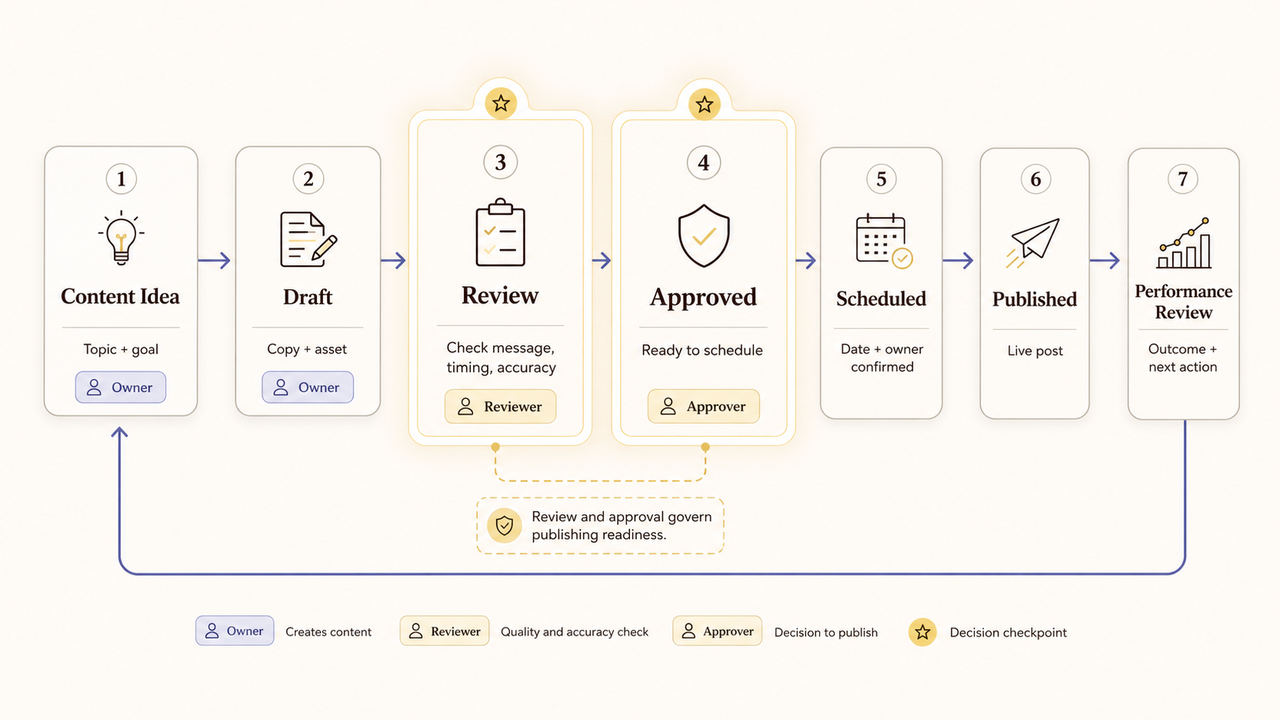
A simple status sequence works for many small teams:
Idea → Drafting → In review → Changes requested → Approved → Scheduled → Published
Add Paused and Retired rather than pushing a risky or outdated post back into an ambiguous draft state. The reason for the pause should be recorded too.
Approval depth varies with risk. A routine update may need one editor; a technical claim may need a subject expert. Pricing, customer stories, and regulated topics may need further review. The calendar routes the post—it does not decide that a claim is safe.
Employee-created posts belong in the same system when they promote the company or its products. For U.S. audiences, the FTC’s social media disclosure guidance treats employment as a material connection that should be disclosed clearly. Check the rules that apply in other markets.
External contributors should receive only the access required for their task. NIST defines least privilege as limiting access to the minimum needed for assigned work. Use named accounts and remove access when the engagement ends.
Build a Repeatable Calendar Workflow
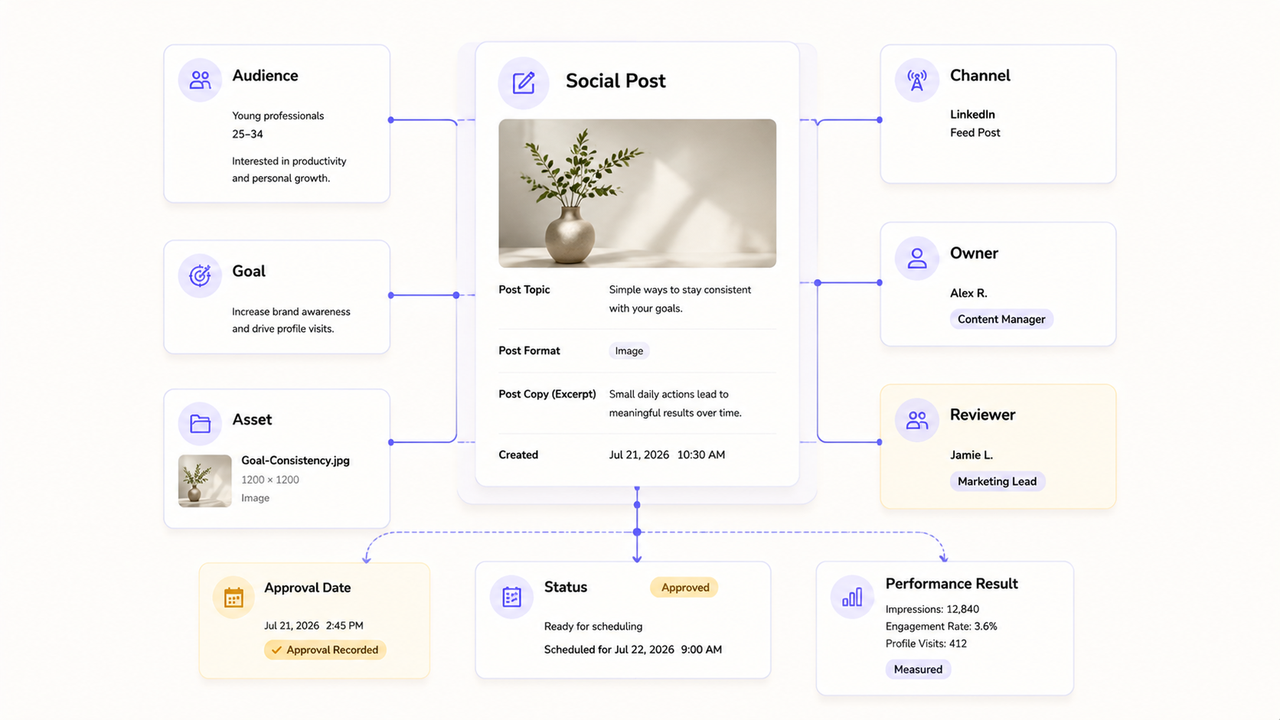
An editorial calendar workflow is easier to maintain when the same steps apply to each ordinary post.
- Capture the idea. Record the audience question or business event behind it.
- Assign its purpose. Choose the channel, theme, intended action, and goal.
- Create the material. Link the copy, sources, asset, and destination.
- Review the post. Check facts, voice, rights, accessibility, and disclosures.
- Approve and schedule. Record the approver, time, and time zone.
- Verify publication. Confirm the right version appeared and its action works.
- Record the result. Add the evidence the next cycle should use.
A spreadsheet, project database, or team calendar can support this process. The tool matters less than whether the record stays current.
Useful fields include:
| Field | Purpose |
|---|---|
Post ID | Keeps copy, assets, and results together |
Channel, market, theme, goal | Shows where, for whom, and why it will appear |
Copy and asset links | Points to the working files |
Owner, reviewer, approver | Makes the next responsibility visible |
Status and approval deadline | Shows whether work can move forward |
Publish date, time, and zone | Prevents timing mistakes |
Destination and tracking name | Connects the intended next step |
Pause note and result | Preserves the decision and learning |
Avoid keeping full captions in several tools unless one version is authoritative. A late edit may otherwise reach the calendar but not the scheduler.
Connect Social Posts With Campaign and Business Goals
A full calendar can still be directionless. Give each post one primary job: explain, support a launch, demonstrate proof, invite a conversation, retain a customer, or help sales continue a discussion.
The measurement should follow that job.
| Post job | Useful early signal | Business signal to review separately |
|---|---|---|
Explain a problem | Saves, meaningful comments, video completion | Relevant inquiries or sales conversations |
Send people to a guide | Link clicks and engaged visits | Sign-ups, downloads, or qualified leads |
Support a launch | Reach among the intended audience | Product interest, demos, or purchases |
Help existing customers | Replies and resource visits | Support resolution, retention, or repeat use |
Exposure is not business impact. A post can reach many people without reaching likely customers, or influence a later conversation without receiving clean credit. Keep platform, website, and sales signals separate.
When posts link to the website, agree on campaign naming first. Google Analytics recommends standardizing parameters such as utm_source, utm_medium, and utm_campaign, and notes that values are case-sensitive in its guidance for collecting campaign data with custom URLs. Put the format in the calendar so one campaign does not split into several labels.

Review Performance and Adjust the Next Cycle
The review is where a small team content calendar becomes a management tool. Each week, find posts waiting on an owner, late approvals, incomplete assets, broken destinations, and scheduled material that no longer fits.
Then use a wider review at the end of the cycle:
- Which posts published as planned, and which ones stalled?
- Did one theme produce useful questions or qualified visits?
- Did the team overcommit to a format that took too long to make?
- Were delays caused by ideas, production, approval, or scheduling?
- Which evergreen material can be updated rather than recreated?
- What should be stopped, continued, or tested next?
Do not rebuild the calendar around one unusually strong or weak post. Look for patterns across comparable items and include operating evidence. “Video worked” is vague; “Keep one customer-question video each week and obtain technical approval by Thursday” gives the next cycle a usable decision.
FAQ
Can employee-created posts sit in the same calendar?
Yes. Give each item an owner, audience, review route, and disclosure requirement. Mark whether it will appear on the company or employee account because access and approval may differ.
How should scheduled content change during a public incident?
Pause the queue first. A named incident owner should review timing, tone, claims, offers, and affected locations before posts resume. Record what was cancelled, revised, or rescheduled so an old promotion does not return automatically.
What if different markets require different languages?
Keep one master post ID with linked variants. Record each locale, local owner, reviewer, publishing time, destination, and approval separately. An accurate translation can still carry the wrong offer, disclosure, or call to action.
Can evergreen posts be reused after a long break?
Yes, after a fresh review. Recheck dates, prices, product details, links, permissions, disclosures, and context. Treat it as a new calendar item with a new approval record.
When should external partners receive calendar access?
Only when access is needed for work already in scope. Decide whether they must view, comment, edit, approve, or schedule, and grant no more than that. Remove access when the assignment ends.
Conclusion
The benefits and best practices of social media editorial calendars are not measured by how many colored boxes fill the month. A useful calendar keeps the audience, purpose, files, decisions, deadlines, and results attached to each post.
If the calendar exposes a content capacity gap, compare scoped social media services on SpringBrand before assigning outside work.
Choose a cadence the team can support, give every review a deadline, and preserve the final decision. The calendar is working when anyone responsible can see what happens next—and who owns it.
Recommended Reads
Explore SpringBrand
Turn ideas into working workflows
Connect agents, APIs and tools in one workspace. Start with a task you want to get done.
Get started free
One account. 10,000+ APIs & capabilities
Give your agent APIs and plugins without separate keys or integrations for every provider.
Explore APIs
No tool expertise needed
Describe your GTM task. SpringBrand chooses the right APIs and plugins for your agent automatically.
Find tools for your task
Run tasks 24/7
Connect your agent to SpringBrand to keep tasks running automatically, day and night.
Connect your agent