How Does DeepSeek Harness Work in Website Delivery?
How does DeepSeek Harness work in website delivery? See where it fits in a provider workflow and which controls, evidence, and handoff terms buyers need.
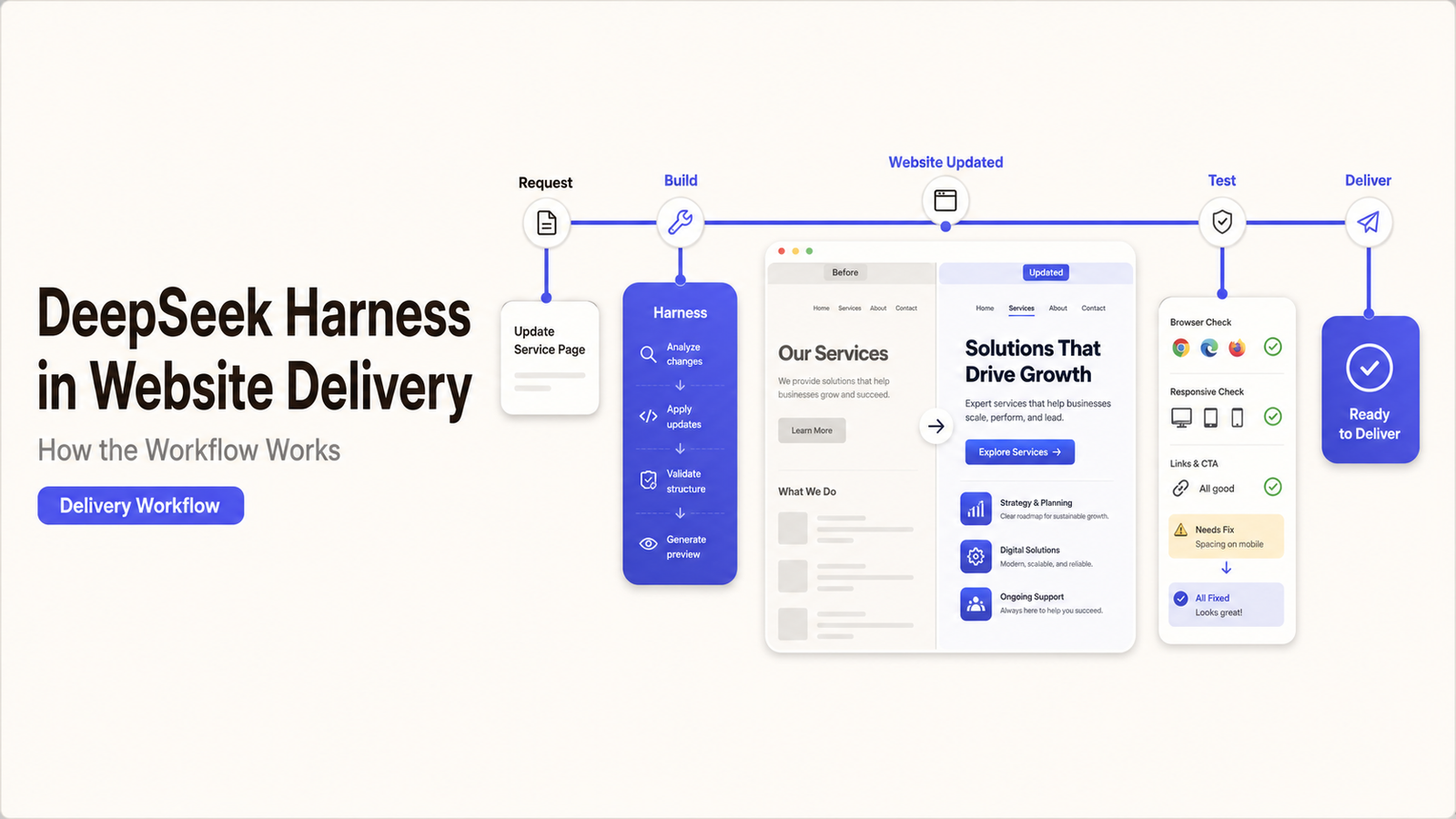
DeepSeek’s official Harness website describes the product as an open-source Agent Harness in Developer Preview. Models, tools, skills, sessions, sandboxes, storage, loops, scheduling, and the interface are implemented as replaceable or configurable plugins.
In a website project, a provider could use those capabilities to assemble project context, contact a model, expose permitted development tools, record activity, and continue through several steps. The precise behaviour depends on the provider’s configuration.
DeepSeek says each run can be reconstructed from an append-only session log. That can improve process visibility, but it does not prove that the instructions were correct, the tools were appropriately restricted, or the resulting website change passed review.
A DeepSeek Harness website workflow is therefore one layer of delivery. The provider still owns the surrounding development method.
Start With the Website Brief and Delivery Scope
The workflow should begin with an approved brief rather than a general instruction to improve the website.
Record:
- the website goal and intended users;
- pages, functions, and integrations included;
- brand, content, accessibility, and technical requirements;
- development, staging, and production boundaries;
- restricted files, systems, and data;
- required tests;
- client and provider decision owners;
- acceptance and handoff requirements.
The provider should then explain where DeepSeek Harness enters that scope. It may support planning, file review, proposed code changes, debugging, testing assistance, or documentation. Those are separate activities.
If the description remains “AI will build the site,” the buyer cannot tell what has been delegated, what requires human work, or what evidence will exist at completion.
Move From Requirements to Proposed Code Changes
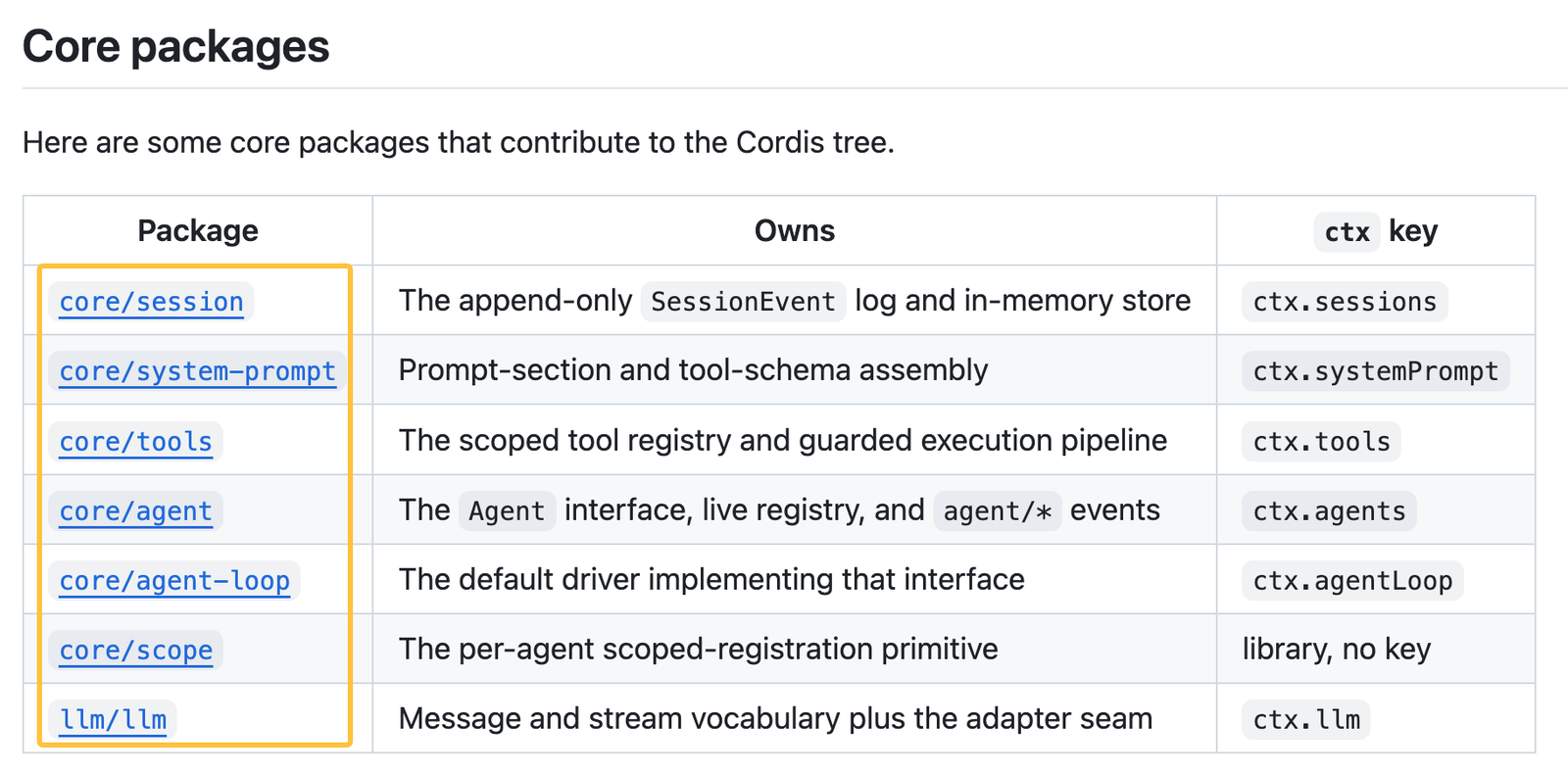
The official architecture documentation describes a process involving prompt assembly, model requests, tool calls, results, and session events. A website provider must configure those components for its own delivery environment.
Project Context and Instructions
The provider first needs to turn the approved brief into instructions the system can use. Relevant context may include coding conventions, page requirements, existing files, architecture notes, approved content, and task-specific constraints.
Not every available file belongs in that context. Credentials, customer records, unpublished commercial information, production databases, and unrelated source code should remain excluded unless the task genuinely requires them and access has been approved.
Ask who prepares the instructions, how changes are versioned, and which document wins when two requirements conflict. DeepSeek Harness can preserve supplied context; it cannot decide which business instruction is authoritative without an established rule.
Model Calls and Tool Actions
The harness can send the prepared request through a configured model adapter. If the provider claims direct use of a DeepSeek model service, compare that description with the official DeepSeek API documentation and ask which account and endpoint are involved.
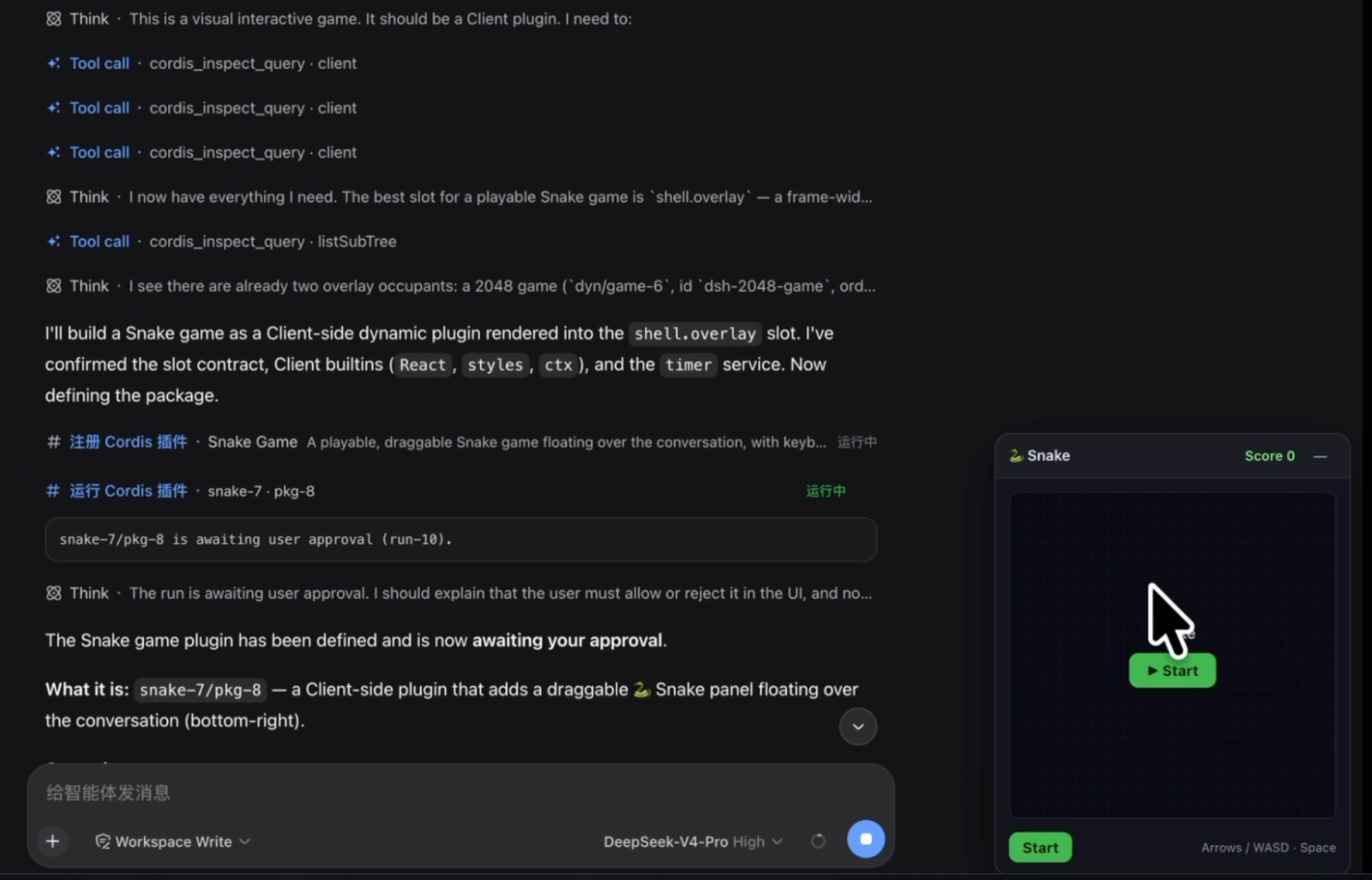
Model access and tool access are separate. A model can propose an action, while a configured tool may read a file, edit code, search the web, or run a command. The available actions depend on the plugins and permissions enabled by the provider.
Require the provider to distinguish:
- actions the model may only suggest;
- actions tools may perform in development;
- actions requiring human confirmation;
- actions prohibited in staging or production.
The official feature list does not reveal how a particular provider has set those boundaries.
Tests, Reviews, and Client Checkpoints
A proposed change should enter review before it enters production.
The provider may inspect the code, run automated checks, open the affected pages on staging, and test forms, layouts, integrations, links, tracking, or other agreed functions. A subject-matter owner may also need to review visible claims or regulated content.
Harness records can help show what occurred during the agent run. They are not a substitute for a website test record. The buyer should receive evidence tied to the affected feature, along with failed checks, corrections, exceptions, and the final reviewer.
Keep Human Approval at the Right Stages
Human approval matters most when a decision changes cost, customer experience, data exposure, or production behaviour.
Useful checkpoints include:
- accepting the brief and technical boundary;
- approving a material design or integration approach;
- reviewing customer-facing content and claims;
- accepting the staging result;
- authorizing production deployment;
- closing the milestone after evidence is delivered.
The client does not need to approve every routine code edit. It should retain control over business claims, restricted data, new external services, significant scope changes, and the production release.
The provider should also name the person who can stop the workflow when an instruction is uncertain or a test fails. Human review has little value when nobody has authority to reject the output.
Ask for Evidence From the Provider’s Workflow
Connect each stage to a record the buyer can inspect.
| Workflow stage | Evidence to request |
|---|---|
Brief | Approved requirements, exclusions, and owners |
Configuration | Repository, commit, profile, plugins, models, and permissions |
Proposed change | Affected files, assumptions, change record, and reviewer |
Testing | Test results, failures, fixes, and accepted exceptions |
Deployment | Approved version, deployment record, and rollback point |
Acceptance | Deliverables, open issues, access list, and handoff |
A provider does not always need to disclose every internal prompt or proprietary procedure. It should still provide enough evidence to connect the assigned task with the change, review, test, and final decision.
This is the difference between a visible AI coding vendor workflow and an unsupported statement that AI participated.
Connect the Workflow to Milestones and Acceptance
Build milestones around observable website outcomes.
The planning milestone might require an accepted brief and implementation approach. The build milestone could require named pages or functions on staging. Release may depend on completed tests, client approval, and a recorded rollback point. Final acceptance should include access, documentation, dependencies, and known issues.
Avoid milestone language such as “AI generation complete.” It says nothing about whether the work satisfies the approved requirements.
If the provider changes its Harness version, plugin set, model service, or data route during the engagement, decide whether the change requires a new review. A different configuration may alter compatibility, access, or maintenance responsibility even when the visible website scope remains the same.
Plan the Final Website Handoff
The handoff should allow the business or its next provider to operate the delivered site.
Depending on scope, request:
- source files and repository access;
- hosting, domain, CMS, and analytics ownership;
- deployment and rollback instructions;
- staging and production details;
- dependency and licence records;
- configuration and plugin summary;
- test and approval history;
- continuing maintenance duties;
- unresolved issues and temporary workarounds.
The official third-party notices cover dependencies identified by the DeepSeek project. A provider’s plugins, fork, or website code may introduce additional dependencies, which need their own record.
Data handling must reflect the actual configuration. DeepSeek’s Data Processing Statement says Harness is local-first and keeps listed information on the user’s device by default. It also explains that configured external models, web tools, MCP services, or plugins may send data to their respective providers.
Remove access that is no longer needed after delivery. Licence, privacy, security, and ownership questions should be checked against current terms and the project agreement. This is general information, not legal advice.
How SpringBrand Fits This Website-Service Decision
SpringBrand does not configure DeepSeek Harness or deliver the website. It can help a buyer describe the desired outcome, clarify workflow and handoff requirements, and consider matched third-party website-service providers.
FAQ
Can content editors keep working while changes are tested on a staging site?
Yes, if the project includes a content synchronization rule. Record which production content may change, who moves approved updates into staging, and how deployment will avoid overwriting newer edits. Verify both code and current content before release.
Can separate departments approve different parts of the same website project?
Yes. Marketing may approve messaging, IT may review integrations, and another team may review privacy or regulatory issues. Use an approval matrix for those boundaries, then name one release owner who confirms that every required decision is complete.
How should an emergency hotfix be recorded outside the normal workflow?
Create a short record containing the incident, affected version, authorized person, files changed, tests completed or deferred, deployment time, and rollback option. Complete the normal review after the urgent problem has been contained.
What happens if the hosting provider blocks a required development tool?
The website provider should not bypass the restriction without authorization. It should document the conflict, propose an approved alternative, and explain any effect on scope or timing. The buyer and host can then decide whether the tool, environment, or workflow must change.
What happens to scheduled content during an AI-assisted code rollback?
Determine whether the rollback affects code only or also the CMS database and publishing queue. Pause affected jobs when necessary, preserve pending content, and verify scheduled dates afterward. Record any item that published, failed, or changed during recovery.
Conclusion
DeepSeek Harness can coordinate models, tools, context, and session records inside an AI-assisted website delivery process. It does not define the provider’s brief, permissions, tests, approvals, milestones, or handoff.
A reliable website development process connects each tool-assisted action to a named owner and inspectable evidence. Ask what the provider configured, what the system may access, which reviews occur, how acceptance is decided, and what remains with the business after delivery.