ZCode Plugins Explained: Skills, Agents, and MCP
ZCode plugins can bundle skills, agents, commands, hooks, and MCP servers. See how the parts fit together and what teams should review before enabling one.
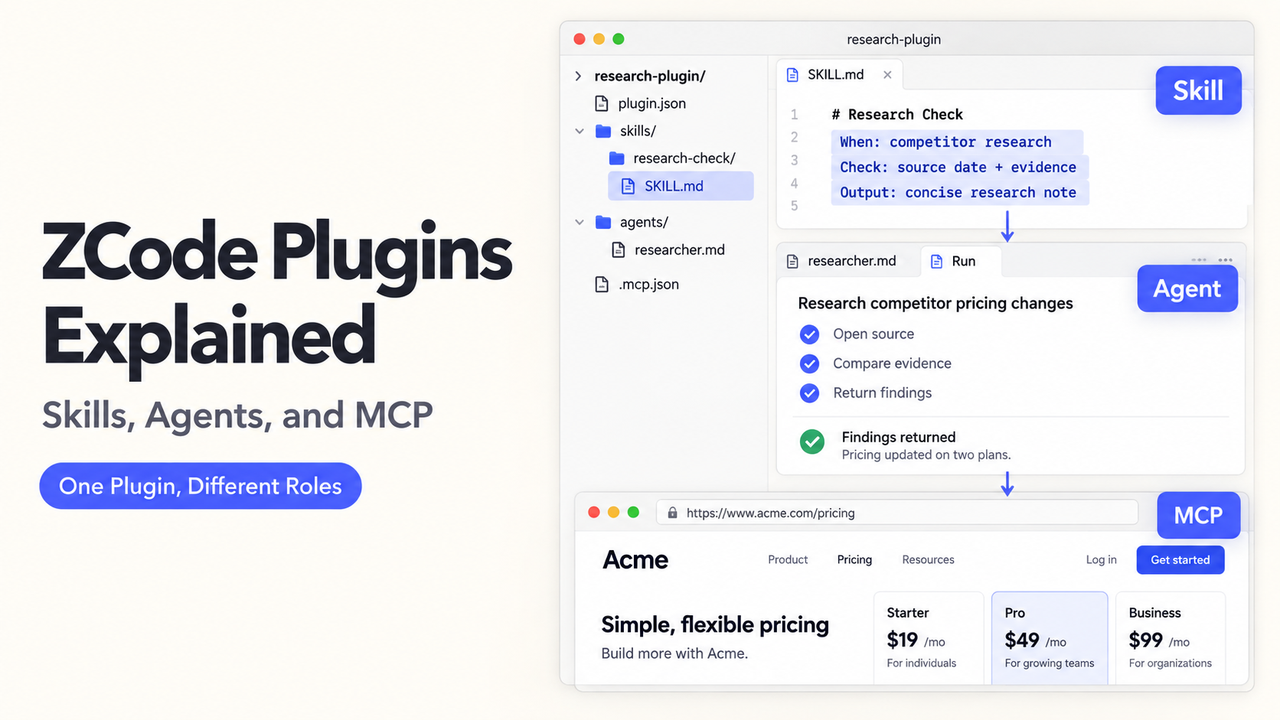
Keeping related instructions, commands, agents, hooks, and tool connections aligned across a team is hard. A ZCode plugin packages them together: the official Plugin guide says it can include all five. This article explains when that bundle is useful and what to inspect before enabling it. Sources were checked September 23, 2026; no plugin was installed or tested.
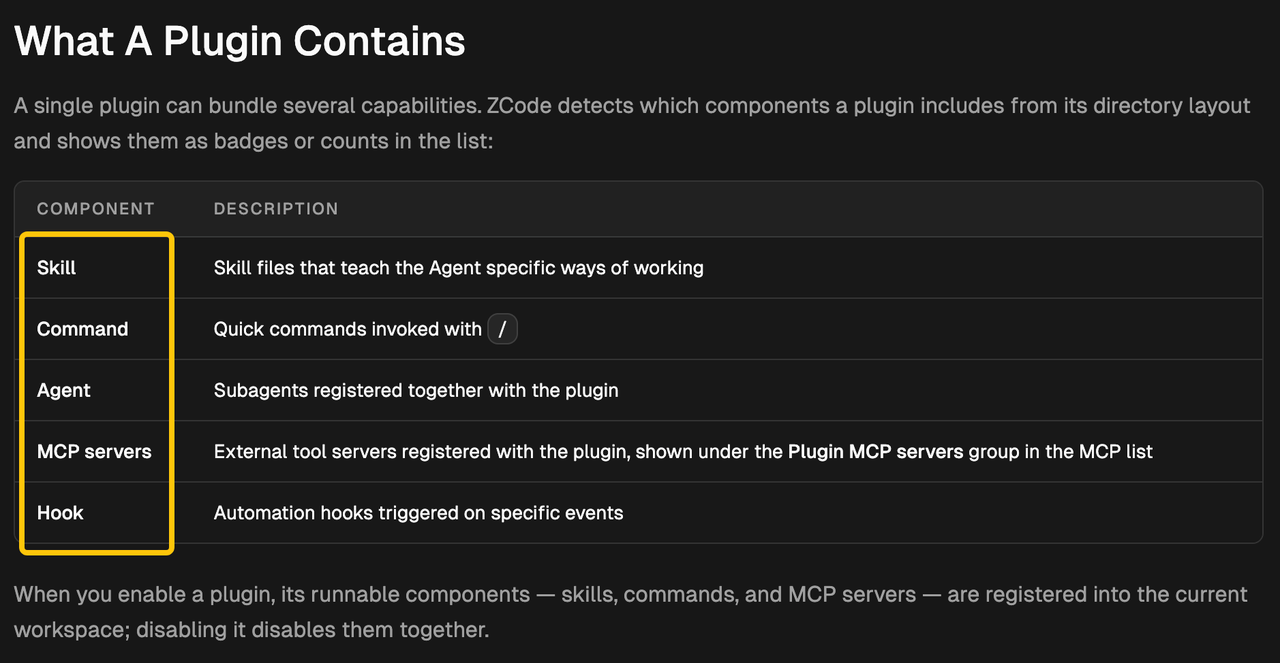
What ZCode Plugins Add to an Agent Workspace
A plugin is a distribution unit, not another name for an MCP server. ZCode lists its detected components before installation.
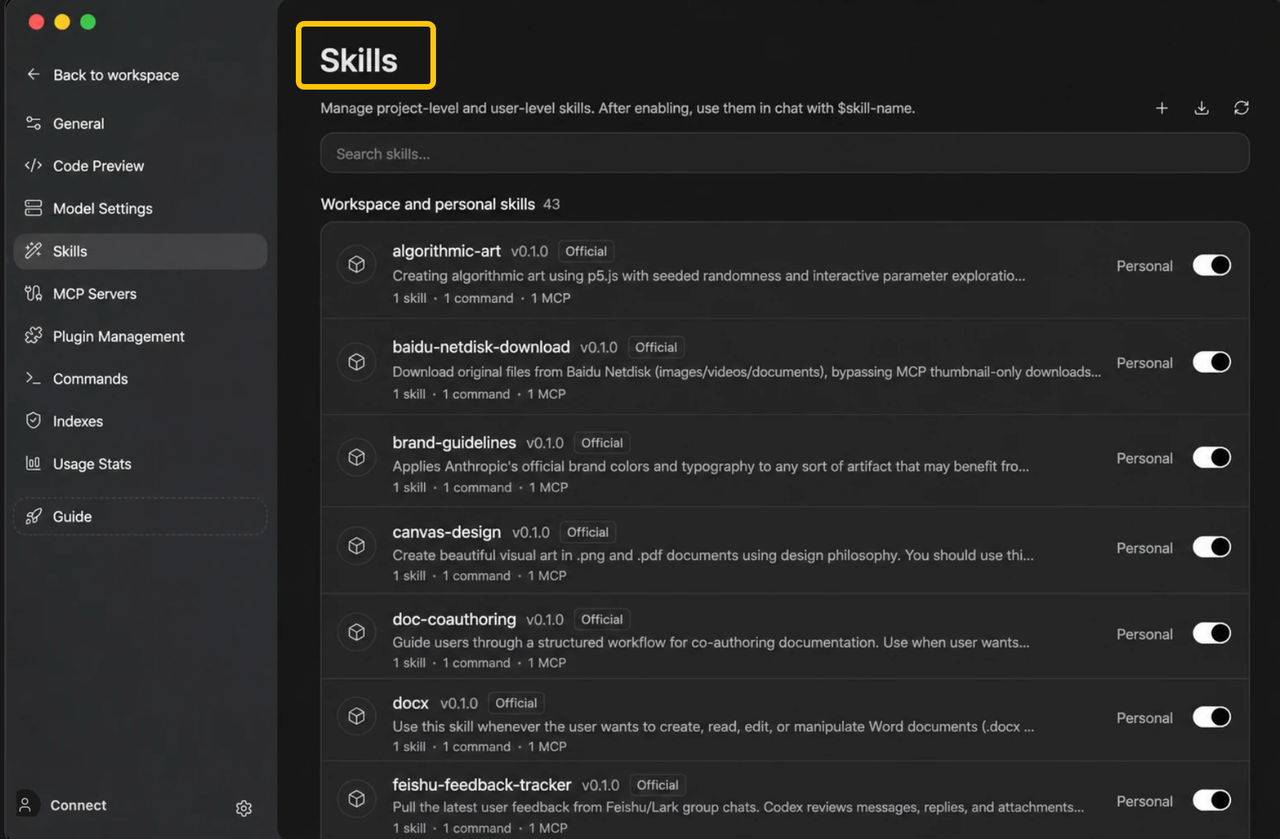
Skills and Commands for Reusable Work
A ZCode Skill uses SKILL.md to define a recurring method. A command is an explicit / entry point. A code-review skill might hold the method while /review-release invokes a specific request. A plugin distributes both together.
Subagents and Hooks for Delegation and Automation
Plugins can register subagents for delegated work. A hook responds to an event such as session start or a tool request. The Hooks guide documents executable hooks and their sequence. A subagent handles a task; a hook may run a process at a workflow boundary.
MCP Servers for External Tools and Data
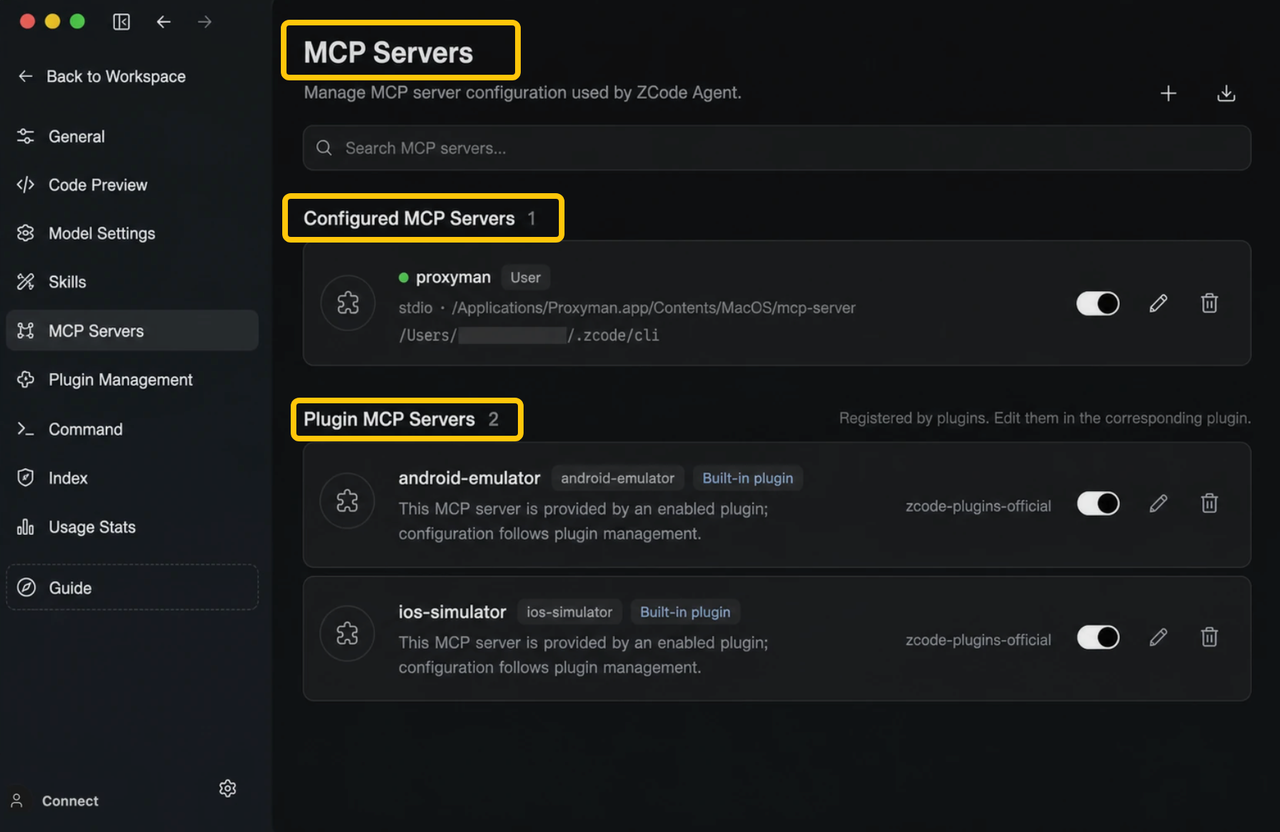
MCP servers connect external capabilities such as files, browsers, or databases. ZCode's MCP documentation separates manually configured from plugin-provided servers. A plugin can declare servers in .mcp.json or its manifest, distributing the tool connection with its related instructions.
How ZCode Loads and Controls Plugin Components
The Plugin guide says enabling registers runnable components in the workspace; disabling removes them together. Plugin hooks join new sessions, so verify a toggle in a fresh session.
Inspect the Components and Source Before Installation
In Settings → Plugins, inspect the candidate's components, developer, source, and version. Personal marketplaces can come from GitHub, Git, or local directories. A catalog entry is not a security review: read the manifest, hooks/hooks.json, scripts, and MCP commands before enabling third-party code.
Enable or Disable the Bundle at the Workspace Level
New plugins are enabled by default. The manager provides an enable switch, update check, source tag, and uninstall option. Disabling is reversible; uninstalling removes the entry. ZCode refreshes affected skills and sessions, but verify hooks in a new session. Bundle-level control is not approval for every action inside the bundle.
When to Choose a Plugin Instead of a Standalone Skill or MCP Server
Use a standalone skill for one reusable method, or a direct MCP configuration for one tool connection. Choose a plugin when related components need joint versioning and distribution. The Skill guide notes that ZCode has no separate skill marketplace; plugins are its team distribution route.
What Teams Should Review Before Adoption
The first review question is what the plugin can execute or read. The second is who maintains it when a marketplace version changes.
Review Code Execution and Environment Access
ZCode explicitly warns that enabling a third-party plugin grants code-execution trust. Plugin processes may read inherited agent environment variables. Review source code, hook scripts, MCP server commands, requested paths, and outbound endpoints. ZCode's Safety Confirmation modes control when an agent asks before actions, but they are not a guarantee that an untrusted plugin is safe. Test with limited credentials and a disposable workspace before enabling a package around production data. This is a technical risk summary, not a security assurance.
Plan Versions and Marketplace Ownership
Record the marketplace owner, repository, installed version, and rollback route. ZCode compares the marketplace entry's version with the plugin manifest's version for update notices; changing code without bumping the marketplace version may not trigger an update offer. The Plugin guide documents that distinction. Assign someone to review updates and remove unused marketplaces. “Enabled by default” makes ownership especially important at installation time.
Conclusion
A ZCode plugin is useful when several agent capabilities need one distribution and enablement boundary. Inspect the package as executable software, then test its components and update path in the workspace where it will run. The same separation of skills, tools, and review points can inform an agent workflow built with other systems; SpringBrand's current marketplace is a separate GTM capability option, not a documented ZCode integration.
FAQ
Can one ZCode plugin depend on another plugin?
Yes. ZCode's manifest reference supports dependencies within a marketplace or by name@market. Cross-marketplace dependencies also have a marketplace allowlist. Check the source and declared versions before assuming your team can reproduce an installation.
Which manifest wins if a plugin includes both ZCode and Claude Code formats?
ZCode first looks for .zcode-plugin/plugin.json, then falls back to .claude-plugin/plugin.json. This documented priority means the ZCode manifest wins when both exist. Inspect that file rather than assuming the Claude Code-compatible one controls behavior.
How are duplicate MCP server names namespaced across plugins?
ZCode prefixes a plugin server key as plugin:<plugin-name>:<server-name>. The Plugin MCP reference says this avoids collisions between similarly named servers from different plugins. It does not replace review of the servers' actual commands or endpoints.
Can ZCode move a locally installed plugin into an SSH or WSL workspace?
Yes, but not automatically. Use Sync Plugin for SSH or WSL; ZCode's remote-development guide says marketplace plugins are reinstalled remotely and existing remote entries are skipped. Sensitive settings must be re-entered there, and remote dependencies may still be missing.
What happens to a built-in plugin after it is uninstalled and ZCode is upgraded?
It stays suppressed. The Plugin guide says ZCode records an uninstall marker so an app upgrade will not silently restore that built-in plugin. Reinstall it from the marketplace if the team wants it back.
Recommended Reads
- AI Agent Builder: How Small Teams Compare Platforms
- AI Agents Integration Guide for Business Workflows
- AI Agent Security: Permissions, Inputs, and Review
- Workflow Orchestration: Coordinate Tools With Control