AI Agent Builder: How Small Teams Compare Platforms

Written by
Springbrand Editor Team
Editorial team
Springbrand Editor Team creates and maintains blog guides on AI tools, automation, marketing, and agent workflows.

Reviewed by
Springbrand Audit Team
Editorial review team
Springbrand Audit Team supports editorial quality through source checking, clarity, and consistency across the blog.
Updated
Published
An AI agent builder comparison for small teams, focused on workflow fit, connected capabilities, testing, control, and operating effort.
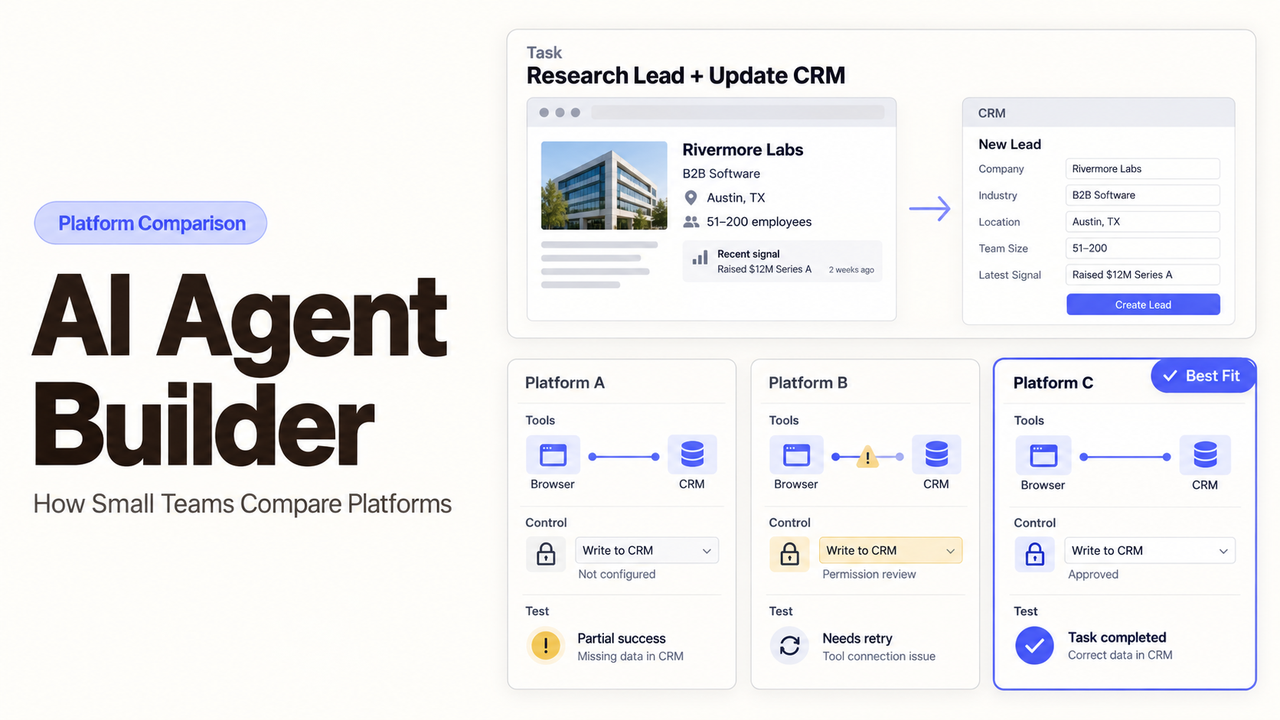
Choose a configuration-first builder when the agent mainly needs familiar business apps and a simple approval path. Choose a code-first platform when your team must own the orchestration or deployment. If neither fits, investigate a hybrid builder.
I’m Alex. My test for this comparison is practical: who will understand and maintain the agent after launch?
This AI agent builder comparison uses public product documentation checked on September 14, 2026. It is not a hands-on performance test, and it does not rank model quality. The shortlist reflects platforms that were accessible on the review date and relevant to small operational or technical teams.
Quick Verdict for Small Teams
The shortest setup is not always the lightest platform to operate. A visual builder can reduce initial coding while adding workspace and connection dependencies. A code-first platform asks for engineering work earlier but can offer a more portable codebase and test process.
Use this shortlist as a route map:
Starting point | Platforms to examine | Strongest fit | Operating burden to inspect |
Configuration-first | Zapier Agents | A bounded task across common SaaS apps | Connection ownership, activity limits, and version behavior |
Configuration-first | Microsoft Copilot Studio | Microsoft-centered teams that need environments and admin controls | Licensing, Power Platform administration, and release management |
Hybrid | n8n | Teams that want a visual canvas plus code, APIs, or self-hosting | Hosting, upgrades, credentials, and execution storage |
Code-first | OpenAI Agents SDK / Agents API | Developers building custom agent services | Application code, evaluation, deployment, and Beta change |
Code-first | LangGraph with LangSmith | Developers who need explicit state and trace-based operations | Framework code, infrastructure, tracing, and data configuration |
There is no universal winner. The useful choice is the platform whose ongoing work matches skills the team already has—or is willing to buy.
Define the Workflow Before Comparing Builders
A builder demo can make almost any prompt look viable. Your own workflow exposes the differences. Record the trigger, inputs, permitted actions, and the result a person receives.
Set the Task, Boundaries, and Required Outcomes
Use one ordinary business task. An agent might read a support request, find the account, draft a response, and wait for approval. That is specific enough to compare builders.
Now mark the boundaries. The agent may read the CRM but not change billing data. It may prepare a reply but not send one. It must stop when the customer identity is uncertain or the requested action exceeds a defined limit.
Describe the outcome in business terms. “Agent completed” is a system status. “Support lead received a sourced draft in the review queue” is something the team can inspect.
List the Systems and Capabilities the Agent Needs
Separate the AI workflow builder from the capabilities it calls. A Tool performs an action. An Integration connects a product or account. MCP can expose tools to a compatible agent. A Plugin or Skill packages instructions or actions for reuse.
Automations, Templates, and Solutions sit one level higher. They turn capabilities into a task or starting point. A long directory does not prove support for the action, authentication method, or field your agent needs.
For the pilot, list the required read and write actions, each connection owner, and the response to a failed call. That beats comparing feature counts.
Compare the Main Builder Approaches
The categories below describe where a team starts; they are comparison labels, not vendor-defined categories. Several AI agent platforms cross category lines after customization.
Configuration-First Builders
Configuration-first products let a business user describe an agent, connect apps, choose actions, and test through a guided interface. They suit a known internal task.
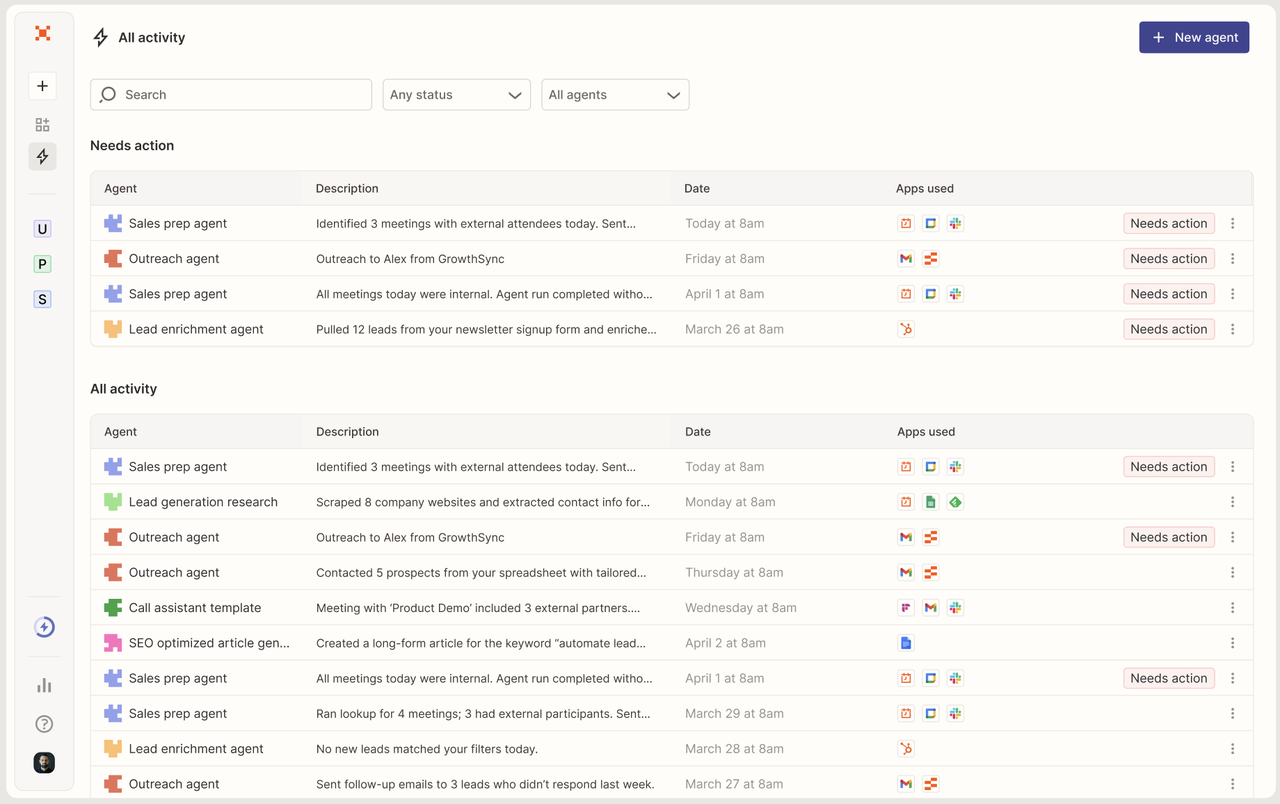
Zapier Agents lets users start from instructions or a template, connect apps, add triggers and actions, test, and publish. It suits tasks using SaaS products available through Zapier. Check actions and connection ownership rather than the catalog size.
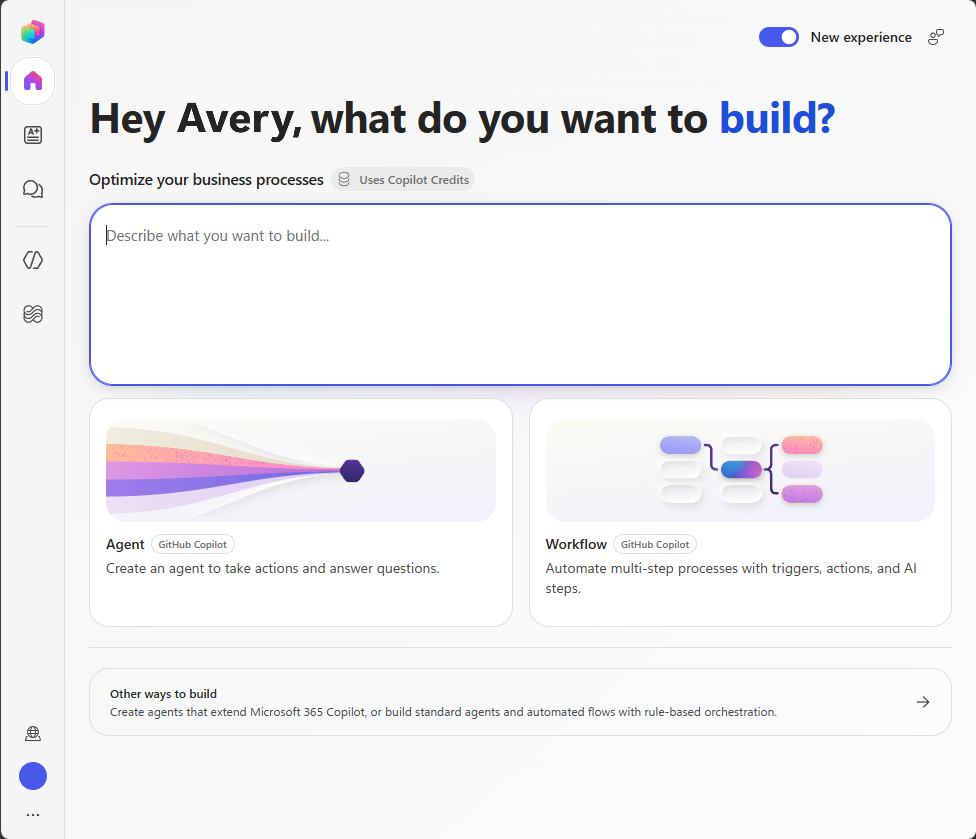
Microsoft Copilot Studio combines graphical building with knowledge, tools, connectors, test sets, and administrative environments. It deserves attention from Microsoft-centered teams. Without Power Platform administration, the environment may demand more work than the canvas suggests.
Code-First Builders
Code-first platforms fit teams that need custom state, deployment logic, tests, or infrastructure choices. They also require someone to maintain dependencies and production behavior.
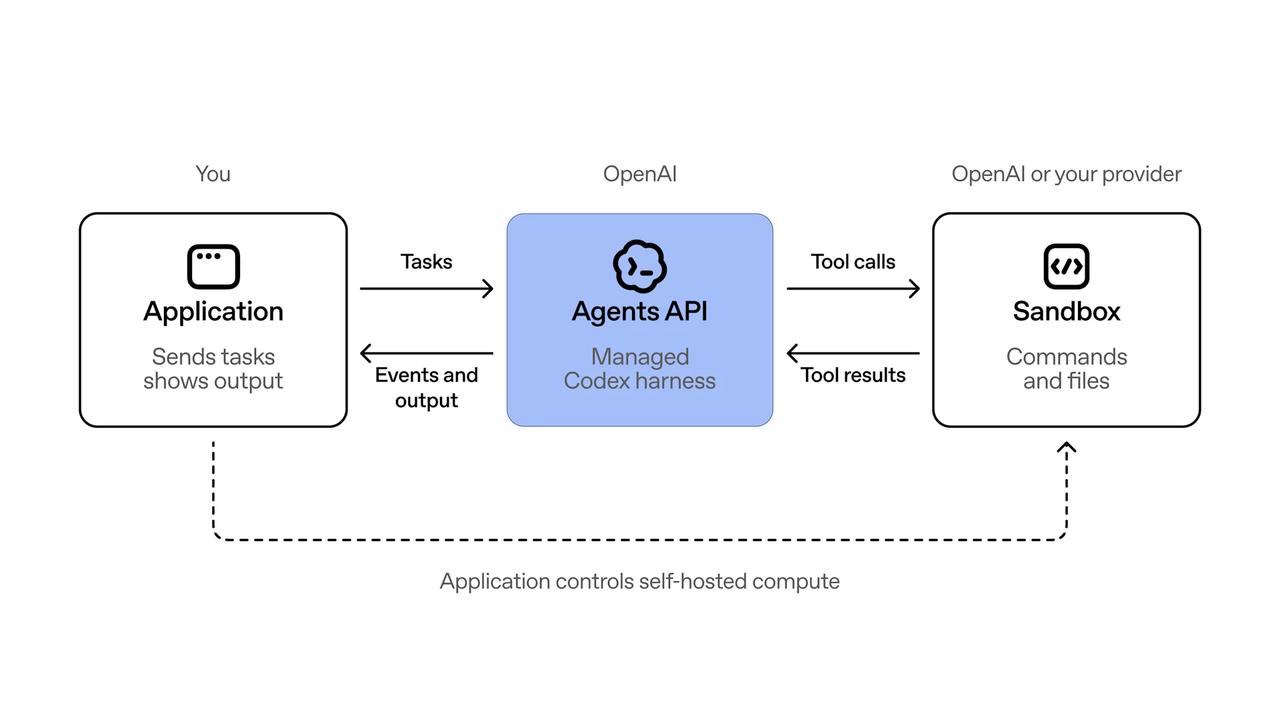
OpenAI’s Agents SDK is the durable option to assess for coded OpenAI workflows. The newer Agents API entered public Beta on September 10, 2026 and offers OpenAI-managed, customer-managed, or partner sandbox choices. Beta status should be part of the decision, especially when the agent will become an internal dependency.
LangGraph and LangSmith suit developers who want agent logic in code and operational traces around it. LangSmith’s tracing documentation covers Python and JavaScript and provides region-specific endpoints. The team owns more application and deployment work.
Hybrid Builders
Hybrid products combine visual workflow assembly with code or custom API access. They can work well when operations staff own the main flow and a developer handles the unusual parts.
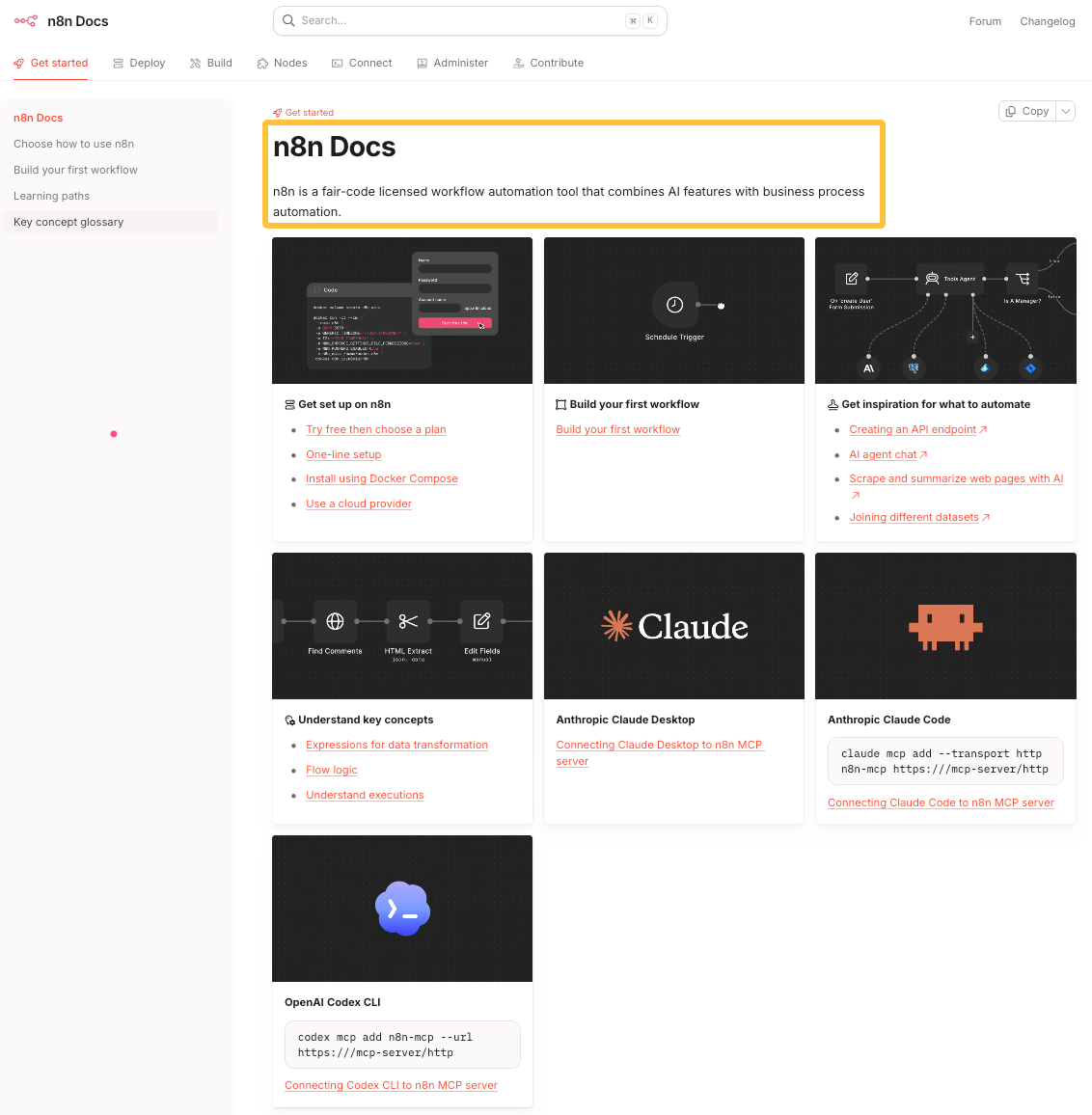
n8n combines AI features with business-process automation and supports cloud or self-hosted deployment. Visual nodes, code, API access, and—on supported plans—source control leave room to grow. Someone must still manage credentials, upgrades, failed executions, and self-hosted infrastructure.
Copilot Studio can also behave like a hybrid platform when teams combine its visual environment with custom connectors, MCP tools, or Power Platform components. Do not force a product into one label. Compare the portion your first workflow will actually use.
Compare What the Team Must Operate
The decision continues after the agent works once. Ask who reviews changes, replaces credentials, investigates failures, and approves new model or tool versions.
Testing, Evaluation, and Human Review
Test the agent with expected inputs, missing information, conflicting instructions, unavailable tools, and a rejected output. The pass condition should describe the business result and the required stop behavior.
Built-in test panes do not replace a team-owned test set. Keep representative inputs and expected outcomes outside the builder. For consequential actions, verify that human review blocks the action rather than merely sending a notification.
Deployment, Monitoring, and Maintenance
Look for a clean path from draft to test to production. Check what a published version contains, because prompts, models, tools, credentials, and external APIs can change separately.
Monitoring should show the input, selected tool, result, error, and final state. Decide how long the team needs that information and whether it can leave the vendor’s interface. A non-exportable dashboard may be a poor audit record.
Permissions, Data Boundaries, and Change Control
List who may create, edit, publish, run, and delete an agent. Review credentials separately. A colleague who can edit the workflow should not automatically inherit every private connection used inside it.
Check where prompts, files, traces, and application state are stored. Also inspect subprocessors and external tools, because a chosen platform region may not control every connected service. These details can support a security review, but they do not establish legal compliance by themselves.
Run a Bounded Pilot Before Choosing a Platform
Use the same task and test cases on the two strongest candidates. Documentation narrows the field; a pilot exposes the work inside each environment.
Test One Reversible Workflow With Real Exceptions
Choose an internal task whose result can be rejected without affecting a customer or changing money. Give both candidates the same inputs, tools, approval rule, and expected output.
Include an unavailable connection, an ambiguous request, and a disallowed action. Record whether the agent stopped, explained why, and left enough information for a person to continue. Track setup changes, reviewer time, failures, and maintenance questions. These are observations, not promised efficiency gains.
Choose the Builder That Fits the Team
Choose Zapier Agents when common app actions and guided configuration matter more than code ownership. Choose Copilot Studio when the workflow belongs inside a Microsoft and Power Platform operating model. Choose n8n when a visual flow, custom logic, and hosting choice justify more technical ownership. Choose an SDK or framework when developers need the agent to behave like maintained software.
Do not select a builder merely because it offers the most capabilities. A capability layer can be added to an existing agent, while replacing its orchestration and operational model is a larger decision.
SpringBrand publishes this guide, but it is not included in the builder shortlist. As checked on September 14, 2026, its homepage presents SpringBrand as an AI-native plugin marketplace for adding GTM Plugins, APIs, and MCP-accessible capabilities to agents. That is a capability-layer role, not verified evidence of a general-purpose builder.
If your chosen builder still lacks GTM data or actions, explore SpringBrand Plugins before creating another custom connector.
FAQ
Can an agent configuration be exported to another workspace?
Sometimes, but export does not mean cross-platform portability. Microsoft explains how to move Copilot Studio agents between environments as Power Platform solutions. Zapier Agents can share a template that creates a separate copy.
Connections, secrets, environment settings, and vendor-specific nodes usually need separate handling. Test a round trip into a clean workspace before treating an export as a recovery plan.
What happens to agents when their creator leaves the company?
The agent should move to a team-controlled owner before the account closes. Otherwise, private connections or knowledge sources may disconnect even when the agent itself remains visible.
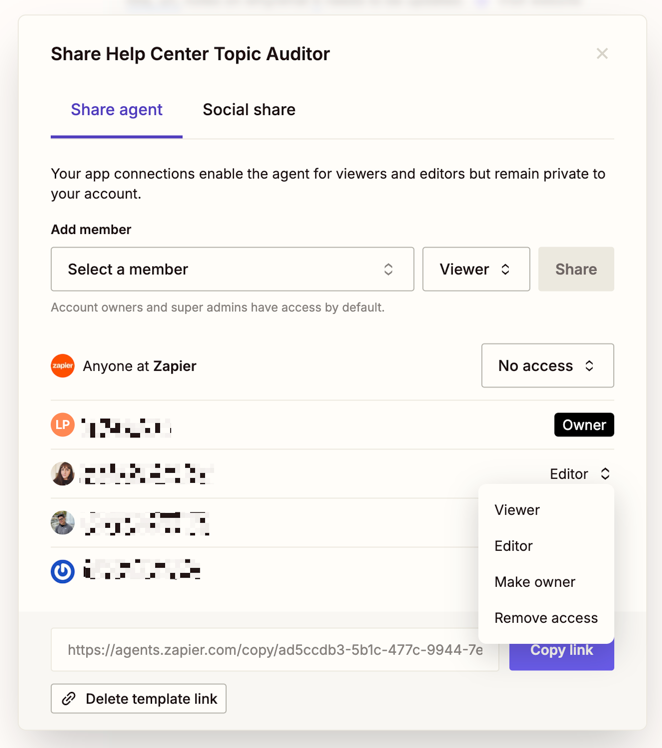
Zapier’s agent ownership guidance allows transfers on Team and Enterprise accounts. It says private app connections and knowledge sources disconnect during transfer, while shared ones remain connected. Test the replacement credentials before removing the former employee.
Do platforms keep deployable versions after a model is deprecated?
Do not assume they do. A saved workflow version may preserve configuration without preserving access to its original model or product surface.
OpenAI’s June 2026 update says its visual Agent Builder and Evals products are winding down and will be unavailable after November 30, 2026. The AgentKit announcement directs coded workflows toward the Agents SDK. Ask every vendor how model retirement affects active versions, rollback, and export.
Can tool-call logs be exported to an external audit system?
Some platforms support external access, but the scope and plan can differ. Microsoft documents Copilot Studio events in Purview and access through the Office 365 Management API. LangSmith documents bulk trace exports to S3-compatible destinations.
Confirm whether the export includes arguments, outputs, errors, user identity, approvals, and retention timestamps. Operational logs and audit logs may answer different questions.
Which platforms let teams choose a data-hosting region?
Microsoft Copilot Studio, OpenAI’s API platform, and LangSmith document regional options. n8n Cloud says its platform data is currently hosted in the EU. Self-hosted options give the customer more infrastructure responsibility.
Read the exceptions, not only the region name. Microsoft notes that external services and some Microsoft 365 features can move or store data elsewhere. Review each connected service and obtain qualified advice for regulatory decisions.
Conclusion
An AI agent builder should fit the workflow and the people who will operate it. Configuration-first products reduce early coding. Code-first platforms give developers more ownership. Hybrid builders trade some convenience for room to customize.
Compare the same reversible task, including its awkward cases, before committing. The right platform is the one your team can test, change, monitor, and recover—not the one with the most impressive empty canvas.
Recommended Reads
Explore SpringBrand
Turn ideas into working workflows
Connect agents, APIs and tools in one workspace. Start with a task you want to get done.
Get started free
One account. 10,000+ APIs & capabilities
Give your agent APIs and plugins without separate keys or integrations for every provider.
Explore APIs
No tool expertise needed
Describe your GTM task. SpringBrand chooses the right APIs and plugins for your agent automatically.
Find tools for your task
Run tasks 24/7
Connect your agent to SpringBrand to keep tasks running automatically, day and night.
Connect your agent