Best Web Scraping Tools for Business Workflows
Written by
Alex
Springbrand Researcher

Reviewed by
Springbrand Editor Team
Editorial team
Springbrand Editor Team creates and maintains blog guides on AI tools, automation, marketing, and agent workflows.
Updated
Published
Best web scraping tools for teams that need usable data in a repeatable workflow. Compare capture, handoff, and maintenance before choosing.
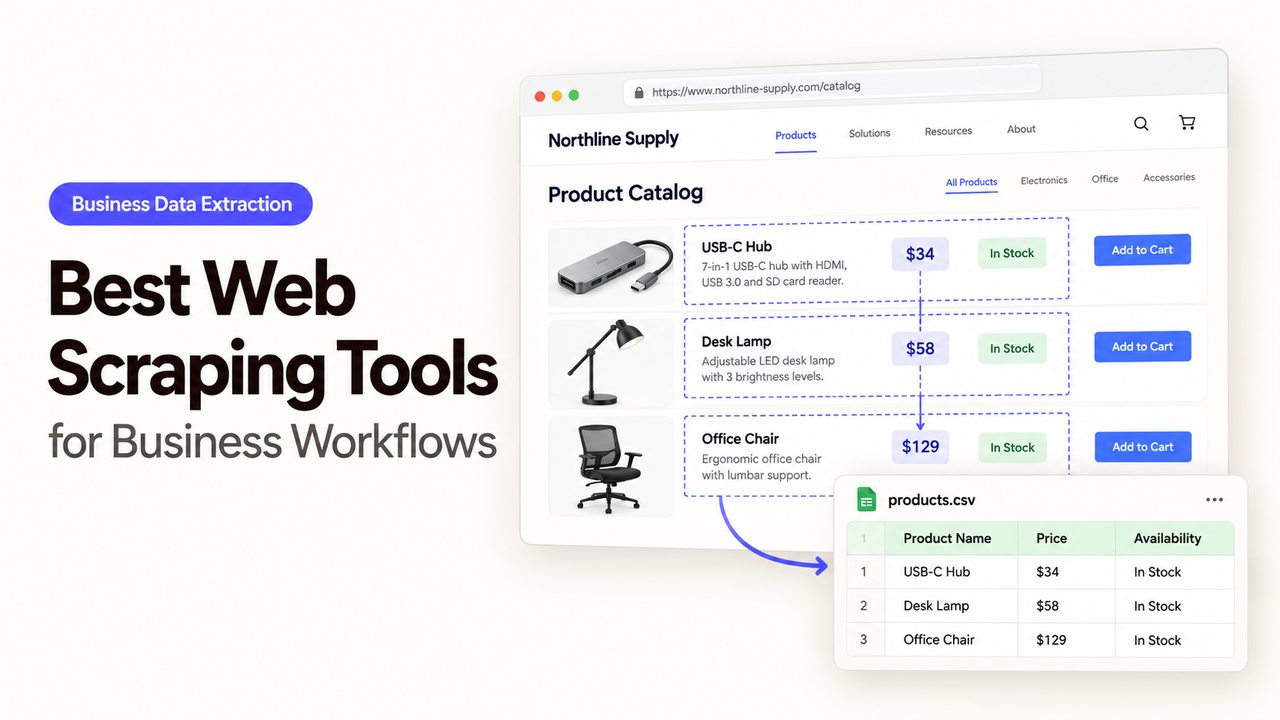
An operations team wants to track changes on a small set of competitors' public pricing pages. A scraper may return every page on schedule and still leave the team with a messy spreadsheet: one page says “from $49,” another bills annually, and a third has moved its price into an image. The next step is a business decision, so those differences matter.
The best web scraping tools for this job are the ones that deliver records a reviewer can trace back to a page and safely pass to the team's next system. Apify, Browse AI, and Firecrawl can all collect web data, but they place the work of shaping, checking, and handing it off in different places. This comparison uses the same weekly pricing-watch task for each.
Which Scraping Task Should the Workflow Solve?
Start with a bounded question: did the published price or plan terms change on these ten approved pages this week? The team needs the page URL, plan name, price text, billing period, capture time, and a snapshot or excerpt that supports the proposed change. It does not need an uncontrolled crawl of the whole web.
The output goes first to an internal review queue. An analyst decides whether the change is real, whether the old and new prices use the same billing basis, and whether a page is missing. Only accepted records update the team's pricing watchlist. If a page blocks access or its layout changes, the record stays pending instead of carrying forward a stale price as current.
Before collecting anything, confirm that the target site's current terms, the team's authorization, and the data involved permit the planned access and reuse. Public visibility alone does not settle those questions. Keep personal contact details out of this pilot; a different source or data type calls for a separate review under the applicable regional requirements.
How Should Teams Compare Data Quality and Handoff?
Run the same ten permitted URLs through each candidate and judge the records after they reach the review queue. A clean extraction on screen is only the first result. The team must know which page produced each row, whether a missing field means “not shown” or “capture failed,” and how the next run treats an already accepted change.
Check | What to inspect in the pilot |
Capture | Can the tool reach the permitted pages and return the price, plan name, and billing period? |
Structure | Are prices kept as source text before anyone normalizes currency or billing terms? |
Handoff | Can the run deliver a URL, timestamp, result, and error state to the review queue? |
Recovery | Can an operator identify a failed page without blindly republishing the full batch? |
Maintenance | Who fixes a changed page, checks the next run, and pays for retries or extra pages? |
Give every candidate the same acceptance rule: eight plausible rows and two silent failures are worse than eight accepted rows and two visible exceptions. Count the cost per accepted record, including review and repairs, rather than comparing monthly list prices alone. The vendors meter work differently, so price the pages, formats, reruns, and exceptions this job actually creates.
1. Apify — Repeatable Data Collection
Apify fits when a team needs a configurable collection job and someone can own its setup. An Actor runs the collection logic; a schedule can rerun it; a dataset holds structured results for export or API retrieval. The weekly watchlist can then be fed from a specific run rather than a manual copy from the screen.
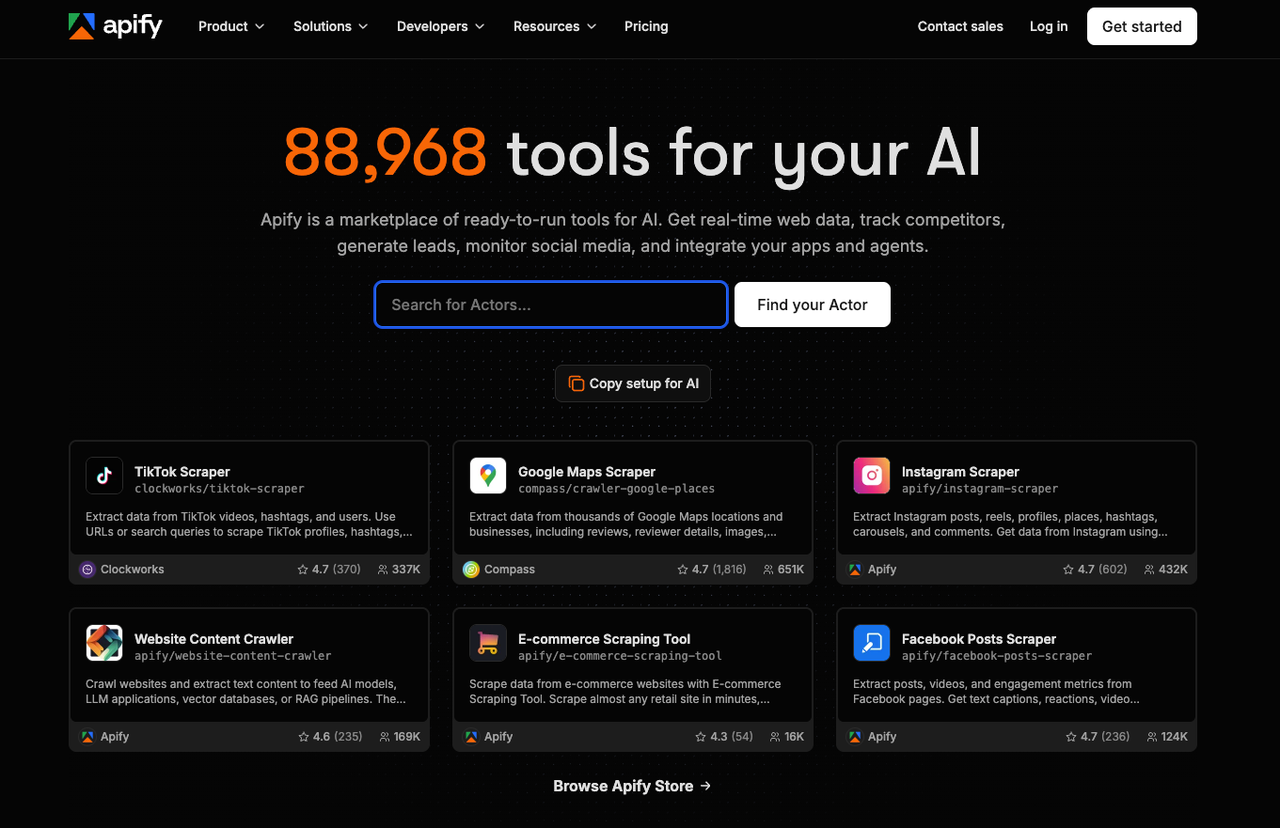
That flexibility creates a decision the other tools hide: which Actor will collect these pages, and who maintains it? Store Actors vary in inputs, output fields, and pricing. A team-written Actor can enforce its own field schema and page-specific checks, but it also needs a builder when a pricing page changes. An Actor that returns ten rows has not proved that ten prices were interpreted correctly.
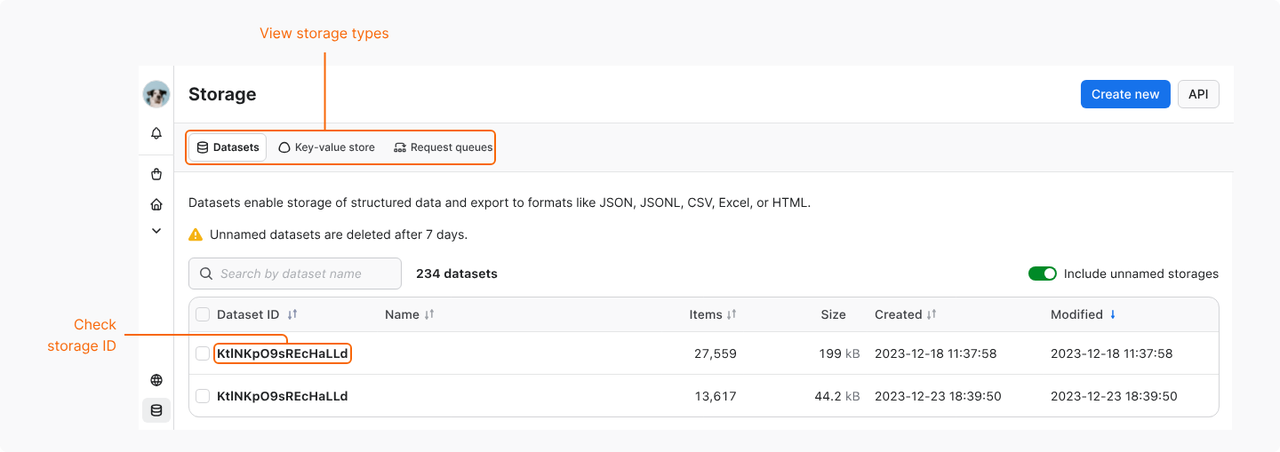
For the handoff, use the run ID and dataset ID alongside each exported record. Apify's dataset documentation says each Actor run can have a dataset, with JSON and CSV among its export formats. A downstream workflow can fetch the rows, compare them with last week's accepted values, and queue only differences for review. Keep the original price text beside any normalized number so an analyst can spot annual-versus-monthly errors.
Apify is attractive if the team expects several sites, different page structures, or custom checks. Its maintenance cost is the person who selects and updates Actors, monitors failed runs, and owns the downstream review step. The exact Actor and pricing model matter more than the platform name.
2. Browse AI — Browser-Based Extraction
Browse AI fits a team that wants to show a tool what to capture on a page before building a custom scraper. Its Table Studio and Robot Studio guidance covers structured capture, clicks, pagination, and page previews. For a stable public pricing page, a robot can label plan names and price text as columns that operations staff can inspect.
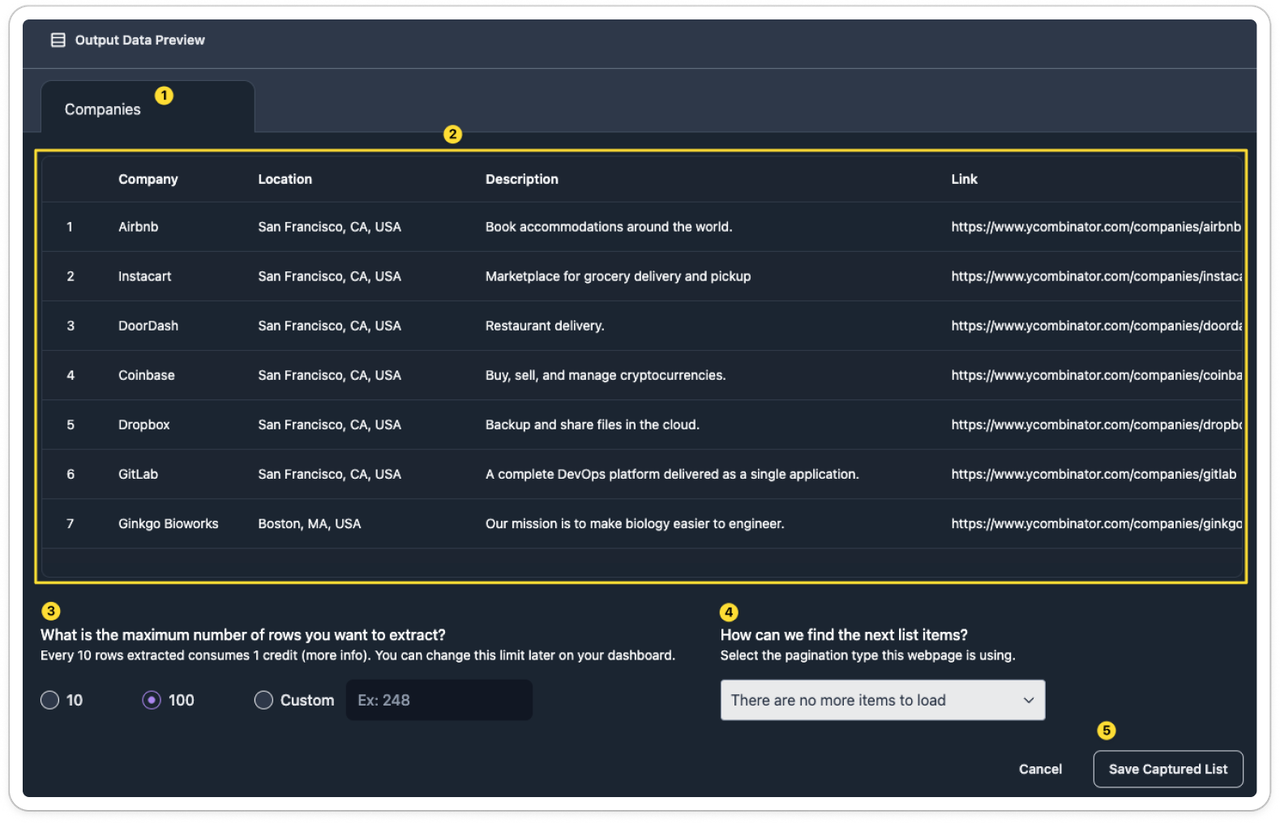
The handoff is comparatively visible to a business user. Monitors can rerun extraction and notify through a webhook or integration. For this pilot, send completed results to the review queue, then require an analyst to confirm that “$49 per month, billed annually” was not shortened to “$49 per month.”
Browser training does not remove page maintenance. A tab redesign can move a field, and a robot may need retraining. Site changes and expired sessions can stop a run. Assign someone to inspect an empty or unusually small result rather than treating it as a genuine price removal.
Browse AI may suit a small operations group with a few recurring sites and limited coding capacity. Its workspace makes extracted data easy to share, which is useful for review but relevant to access planning. The FAQ below addresses that distinction.
3. Firecrawl — Web Data for Agent Workflows
Firecrawl fits when the next system already works through an API or agent pipeline and can take responsibility for record validation. Its scrape endpoint can return page content and structured JSON; crawl can discover multiple pages with depth, path, and page-count controls. For ten known pricing URLs, start with the named pages. A broader crawl would add discovery and cost questions that this task does not require.
Firecrawl's response can carry source URL and status metadata into the review queue. Its crawl documentation distinguishes pages returned with a target-site HTTP error from pages Firecrawl failed to scrape, which require the errors endpoint. That matters: a 404 price page, a network timeout, and an unchanged price should become three different states. The consuming workflow must make those distinctions and prevent an incomplete scrape from replacing an accepted price.
The tradeoff is ownership of the handoff. Firecrawl provides web content and API results; the team still builds the comparison with prior accepted values, the reviewer screen, and the update to its watchlist. It may be the cleaner component for an engineering-led scraping workflow, while a team seeking a ready-made review table may have more assembly work.
The same documentation says API job results are retrievable for 24 hours after completion, with history available through activity logs. Export the result to a system the team controls before that API retrieval window closes. Do not mistake a short retrieval window for a promise that all stored copies disappear then.
How Do You Choose a Tool for the Next Workflow Step?
Choose based on who can reliably take the data from “captured” to “accepted.” Apify gives a technical owner room to tailor collection and run handling. Browse AI puts page training and monitoring closer to the operations team. Firecrawl provides an API-centered path when a downstream builder can handle validation and review.
During the pilot, keep the same ten URLs and the same required fields. Include one page with annual billing, one with a missing price, and one that changed layout. Record the first-pass extraction, the correction needed, the accepted rows, and the time to resolve each exception. If the downstream reviewer must reopen the source page for every row because the output lacks context, the capture step has moved work rather than removed it.
Keep the handoff lean: source URL, price as shown, capture time, extraction status, and a proposed change. A pricing analyst decides how to normalize the price and whether it belongs in the internal watchlist. If an agent later checks fresh pages against that watchlist, the team can explore SpringBrand’s web data APIs for collection. The price decision still rests with the analyst.
FAQ
Can Apify delete stored run data after a project ends?
Yes, storage can be deleted. Apify's storage documentation says named stores persist until deletion and can be removed through the Console or API. Unnamed datasets expire under their retention setting; deleting individual dataset rows is different because datasets are append-only. Check which datasets, key-value stores, and request queues the Actor created before closing the project.
Can Browse AI hide captured data from other workspace members?
No, not through the standard roles documented for one shared workspace. Browse AI's role table gives Owners, Admins, and Members access to workspace data; roles mainly change management rights. If a subset of staff should not see the results, confirm a separate workspace arrangement and its plan cost before collection.
Can Firecrawl set a retention period for stored crawl results?
No self-serve retention setting for stored crawl results is established in the published crawl controls reviewed here. The 24-hour API retrieval period is not a deletion period; results remain viewable in activity logs afterward. Firecrawl's pricing matrix lists zero-data retention for approved Enterprise use cases. Ask for the applicable storage and deletion terms before putting sensitive material into a crawl.
Which of these tools can handle a login-protected source?
Browse AI and a custom Apify Actor can work with an authorized login-protected source; Firecrawl's general scrape and crawl pages do not establish a universal login flow for this comparison. Browse AI documents robot training through a login, though its compatibility guide says MFA and 2FA are unsupported. Apify documents custom browser login flows, which need implementation and maintenance. Verify the site's permitted access method; do not work around a restriction.
Can a team restrict which sites a scraping job may access?
At the job-design level, yes: give each job only approved starting URLs. Firecrawl documents crawl path, depth, and external-link controls. Browse AI robots start from an origin URL, and Apify Actors accept task inputs, but those facts alone do not prove an account-wide site allowlist. If central enforcement is required, verify the intended plan and configuration with each vendor before connecting credentials or scheduling runs.
Conclusion
The right tool delivers more than a page extract. It makes a changed price easy to trace, a failed page easy to spot, and a questionable row easy to hold for review. For a small visual watchlist, start with Browse AI; for tailored, recurring collection, examine a specific Apify Actor; for an API-led data pipeline, test Firecrawl. Whichever you choose, let the first weekly run prove the handoff before anyone treats captured text as a business fact.
Explore SpringBrand
Turn ideas into working workflows
Connect agents, APIs and tools in one workspace. Start with a task you want to get done.
Get started free
One account. 10,000+ APIs & capabilities
Give your agent APIs and plugins without separate keys or integrations for every provider.
Explore APIs
No tool expertise needed
Describe your GTM task. SpringBrand chooses the right APIs and plugins for your agent automatically.
Find tools for your task
Run tasks 24/7
Connect your agent to SpringBrand to keep tasks running automatically, day and night.
Connect your agent