Gemini 4 Argon Workflow Across Business Tools
Written by
Alex
Springbrand Researcher

Reviewed by
Springbrand Editor Team
Editorial team
Springbrand Editor Team creates and maintains blog guides on AI tools, automation, marketing, and agent workflows.
Updated
Published
Gemini 4 Argon workflow: map a single cross-tool business task, including tool access, handoffs, and a human check before any external action.
A customer asks when a replacement order will arrive. The order system says “shipped,” while the support case records a carrier hold. Neither record tells the whole story. Before replying, someone needs to read them together and resolve the conflict.
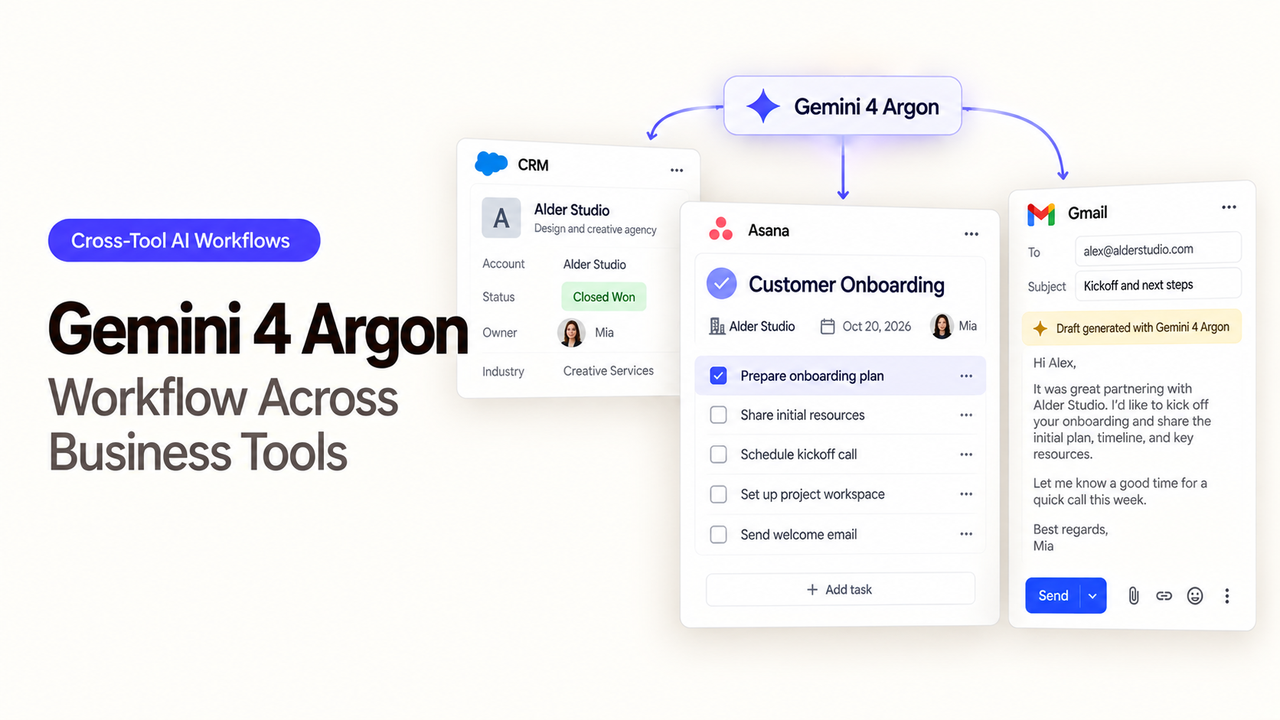
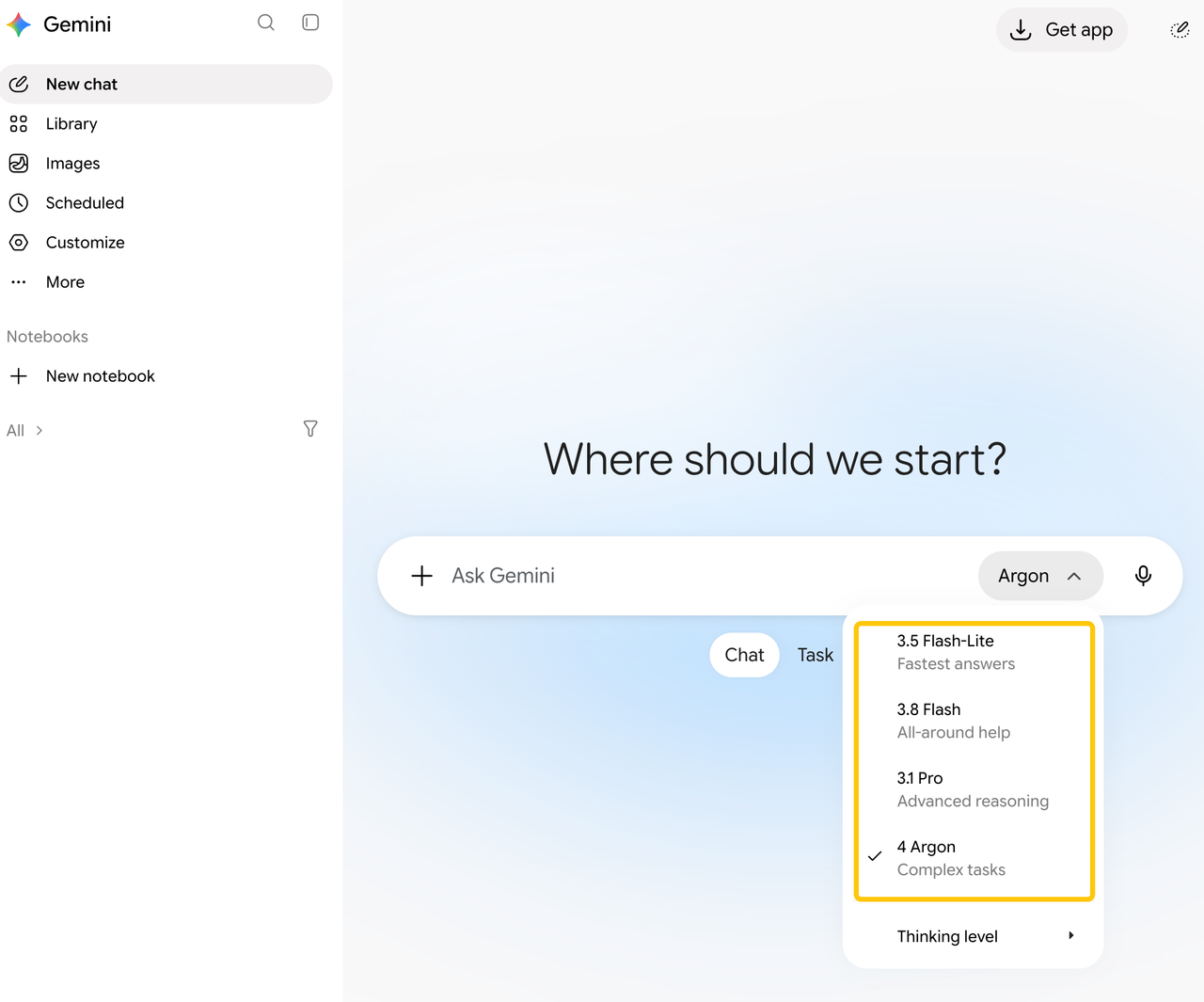
Google's Gemini 4 Argon model page lists function calling. A Gemini 4 Argon workflow still needs an application to supply those functions and connect the business systems.
Which Cross-Tool Task Should You Choose?
Give the workflow one job: read an order and its support case, then draft a reply for a support lead to approve. Begin with an authenticated customer identity and order ID. If either lookup cannot establish a match, stop the draft.
The support lead should be able to see what each system says, when each record was updated, and what remains uncertain. The “shipped” status may predate the carrier hold. It cannot answer the delivery question on its own.
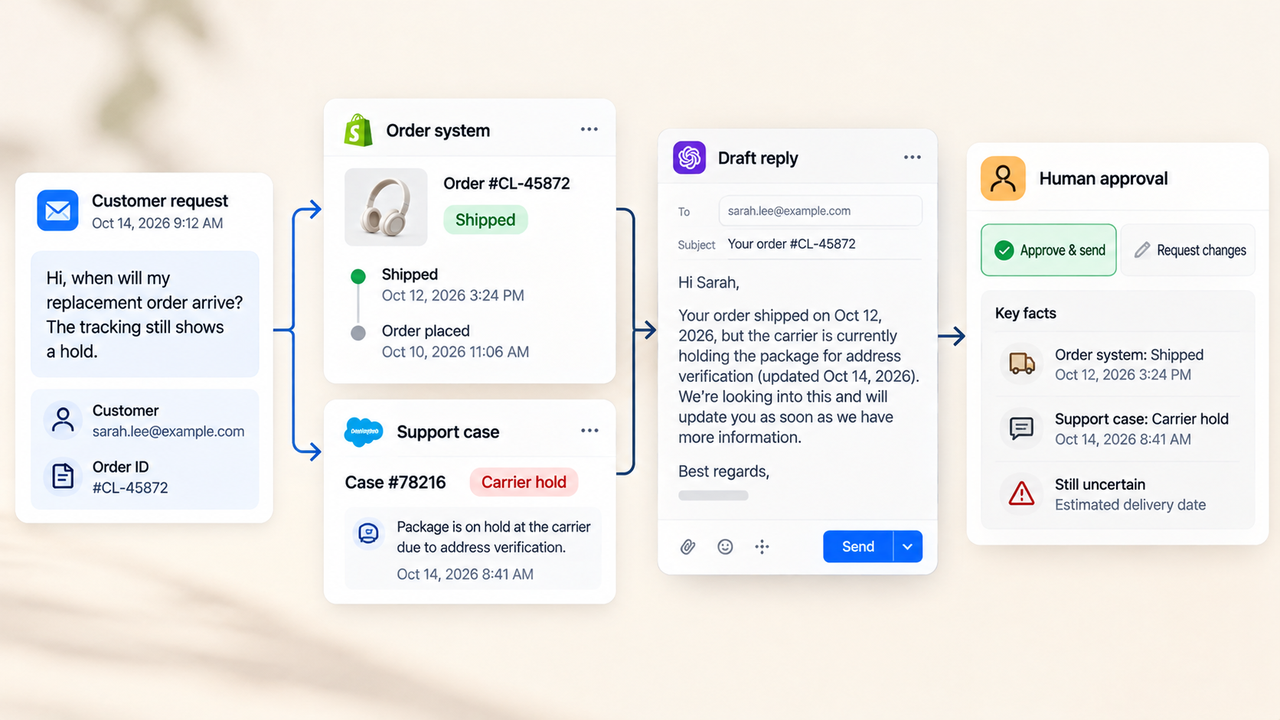
In this cross-app agent workflow, intake identifies the request, the two systems supply the facts, and the model drafts the response. A person remains responsible for the reply.
How Should You Verify Tool Access, Inputs, and Permissions?
Define two lookup functions: get_order_status(order_id) and get_support_case(case_id). Their responses need stable IDs, customer match status, the relevant state, and an update time. The case should connect to the order through an approved identifier rather than a guessed name.
Read-only access has to be enforced through system roles, scopes, and server-side checks. Writing “read only” in a function description does not remove write privileges from its credential. Keep secrets out of prompts and tool results.
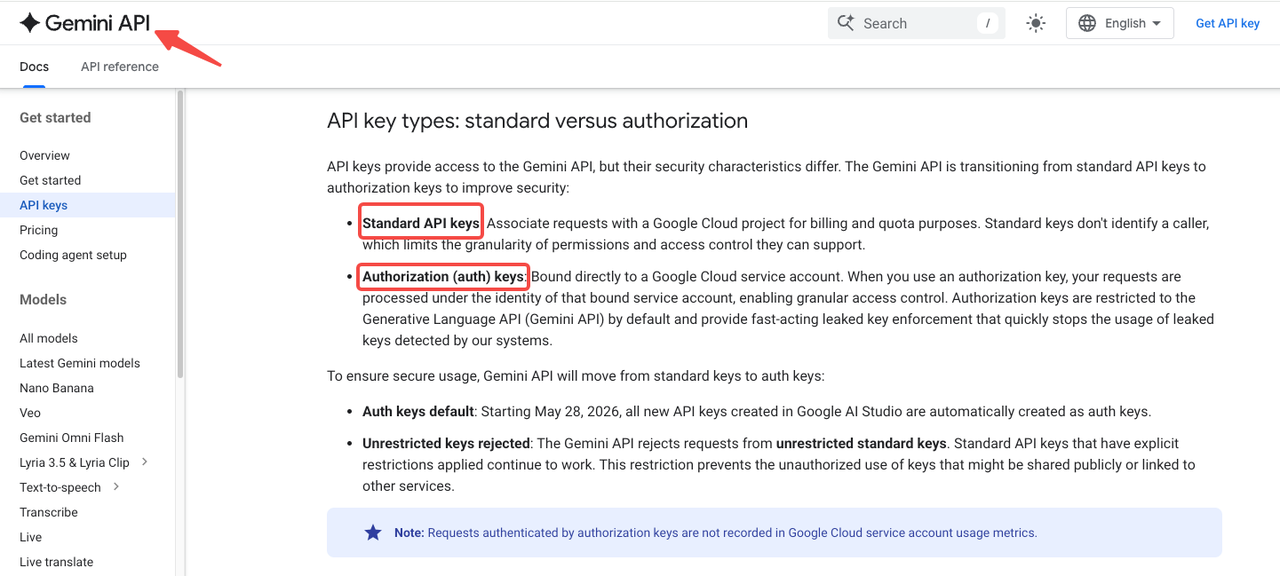
The Gemini API credential authenticates the model request. Separate credentials authorize the business lookups. Google's API-key guide describes standard and service-account-bound keys for Gemini API access; neither automatically grants access to business apps. Review business tool permissions separately.
How Should the First Tool Call and Its Return Be Checked?
For the first lookup, let the model request get_order_status with the supplied order ID. Google's function-calling guide explains the division of work: the model returns a function name and arguments. The application validates them, runs the function, and passes the result back to the model.
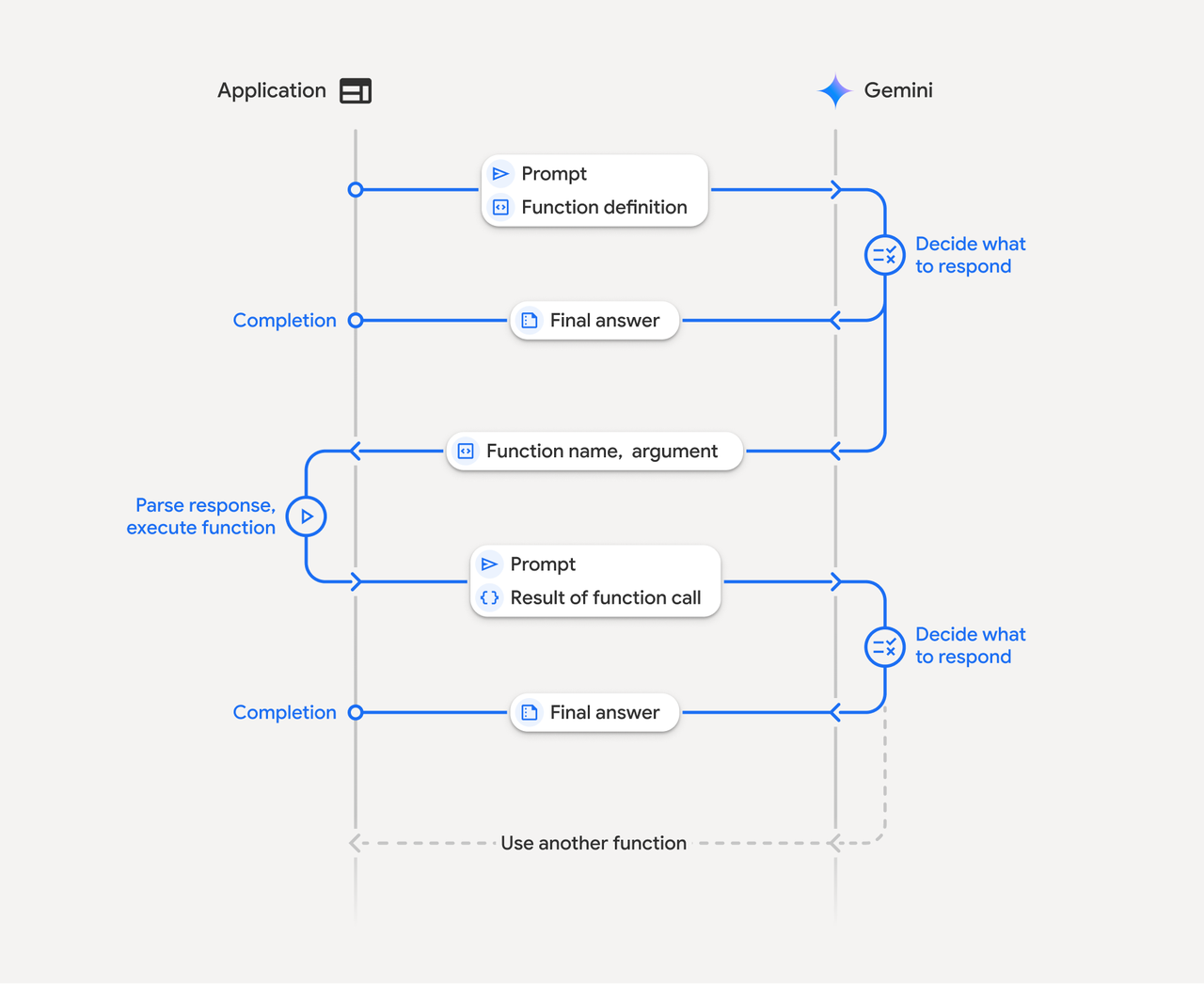
Before execution, reject an unknown function or an order ID outside the authenticated request. Then check the returned ID, status, and update time before looking up the case. A not_found or access_denied result, or stale data, needs exception handling rather than being used to answer the delivery question.
If the case says “carrier hold,” keep that statement beside “shipped,” with both timestamps visible. The draft should say that delivery timing needs confirmation. Gemini 4 Argon tool calling can bring the context together, but the application and reviewer must check that the records match.
Where Should Review Sit Before the Final Action?
Review belongs after both lookups and before sending. The lead needs the draft, recipient, and order ID alongside the source fields, timestamps, and conflict. They should be able to correct or reject the reply.
Sending should stay outside the read-only tool set. A person can send the accepted message, or a separate service can send it after approval tied to the exact recipient and text. Any change needs fresh approval. This workflow handoff should tie the decision to the message the reviewer actually approved.
The case may also change while the draft waits. The team must decide who may approve, how long a draft can wait, and what happens when new information arrives during review. Refresh the record before sending if its status may have changed.
How Should a Failed Tool Call and Recovery Path Be Tested?
Test a lookup timeout, denied access, and a case change during review. For each, the team needs to know why the workflow stopped and who takes over. A missing case result does not mean there is no carrier hold.
After a timeout, retry the read with the same IDs. Do not draft a reply from the order result alone. Denied access should go to an operator who can restore the credential.
If sending is automated, check for a sent-message ID before retrying an uncertain send. Keep recovery limited to the affected customer request rather than rerunning the whole queue. Record the function arguments, returned status, draft version, reviewer decision, and send result under the team's retention rules.
FAQ
Does Gemini 4 Argon connect to business apps by itself?
No. The application must supply tool definitions, execute calls, and authorize access to the business systems. Google's consumer Gemini app has connected-app features, but that separate route does not establish a connection for this API workflow. Check each operation you intend to use.
Which API supports function calls for Gemini 4 Argon?
The Gemini API documentation covers function-calling patterns for the Interactions API and generateContent. Follow the result format and state rules for your selected route. The model ID is gemini-4-argon; an example using another model does not establish an app integration.
Can a team limit one tool to read-only access?
Yes, if the business API offers suitable scopes and the executor enforces them. Expose only the lookup functions and remove write permission from their credential. Verify the restriction with a denied write attempt in a test environment. Prompt wording cannot enforce access control.
Where can a builder inspect model and tool-call logs?
Google's AI Studio logging guide covers model requests for paid-tier projects, with different storage defaults for Interactions and generateContent. Keep separate application logs for business-tool calls, approvals, and sends. Apply the team's data policy to both sets of records.
Can tool calls use a separate service account?
Yes, where the business system supports one. Use a scoped service identity for the lookups and a separate Gemini API credential. Binding a Gemini authorization key to a Google service account does not automatically authorize calls to the order or support system. Test each identity separately.
Conclusion
A Gemini 4 Argon workflow fits this request when the team can match the records, limit access, and show a reviewer where the systems disagree. Start with one order and one case, keeping the reply behind human review. A failed lookup or unresolved conflict should pause the reply and make clear who must resolve it. Tool access and the decision to send remain the team's responsibility.
Explore SpringBrand
Turn ideas into working workflows
Connect agents, APIs and tools in one workspace. Start with a task you want to get done.
Get started free
One account. 10,000+ APIs & capabilities
Give your agent APIs and plugins without separate keys or integrations for every provider.
Explore APIs
No tool expertise needed
Describe your GTM task. SpringBrand chooses the right APIs and plugins for your agent automatically.
Find tools for your task
Run tasks 24/7
Connect your agent to SpringBrand to keep tasks running automatically, day and night.
Connect your agent