Customer Feedback Tools for Small Teams

Written by
Springbrand Editor Team
Editorial team
Springbrand Editor Team creates and maintains blog guides on AI tools, automation, marketing, and agent workflows.

Reviewed by
Springbrand Audit Team
Editorial review team
Springbrand Audit Team supports editorial quality through source checking, clarity, and consistency across the blog.
Updated
Published
Customer feedback tools for small teams, organized by collection, analysis, follow-up, and the work required to close the loop.
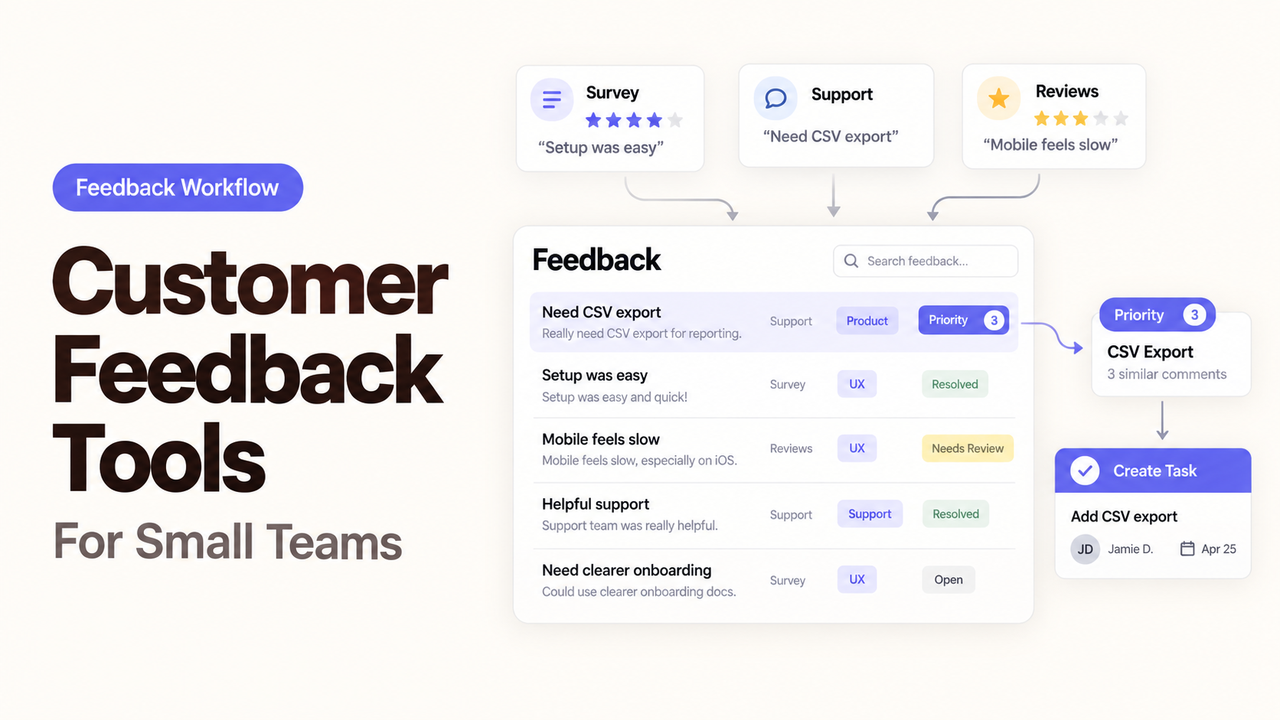
A checkout comment, a support ticket, and an app review may describe the same problem in different words. If each one stays inside the tool that collected it, the team sees three isolated complaints instead of one pattern worth investigating.
That is the real job behind customer feedback tools. A small team needs a workable path from collection to analysis, routing, and follow-up. An Agent can help move information through that path, but it should not decide what customers meant or promise a response on the company’s behalf.
This guide compares tools by their role in a supervised feedback workflow. Product documentation was checked on September 13, 2026.
Choose the Customer Decision Before the Tool
Start with a decision the team is already struggling to make: why buyers leave checkout, which onboarding problems require support, or which recurring requests deserve product review.
Define what useful feedback must produce. “Collect more comments” is not an outcome. “Give the checkout owner a weekly list of verified problems, with sources and follow-up status” is specific enough to design around.
A one-page brief should answer:
- Where does the feedback enter?
- Which customer or account context is needed?
- What should the Agent organize or flag?
- Which cases require a person?
- Where should the decision and next action be recorded?
- Who is responsible for customer follow-up?
These answers prevent a business from improving collection while leaving every comment trapped in a report.
Map the Four-Stage Feedback Workflow
The workflow collects feedback, analyzes it, routes the result, and completes the follow-up. Different products may handle each stage, so handoffs matter as much as individual features.
Stage | Possible tool category | Bounded Agent task | Human responsibility |
Collect | Survey, form, website prompt, support inbox | Standardize permitted fields and attach source context | Approve questions, placement, and data collection |
Analyze | Feedback-analysis or research workspace | Group similar comments and flag uncertain themes | Read source comments and decide what they mean |
Route | CRM, help desk, product board | Create or update the appropriate task | Set priority, owner, and response rule |
Follow up | CRM or support platform | Prepare a draft or reminder | Approve customer-facing language and commitments |
This is a design pattern, not a promise that the named products connect to one another. Verify the available integrations, API permissions, and account plans before building the workflow.
Collect Feedback With Enough Context
Structured surveys work when the team needs comparable answers from a defined group. SurveyMonkey and Typeform are possible starting points. Compare distribution, identification, exports, language support, and permissions.
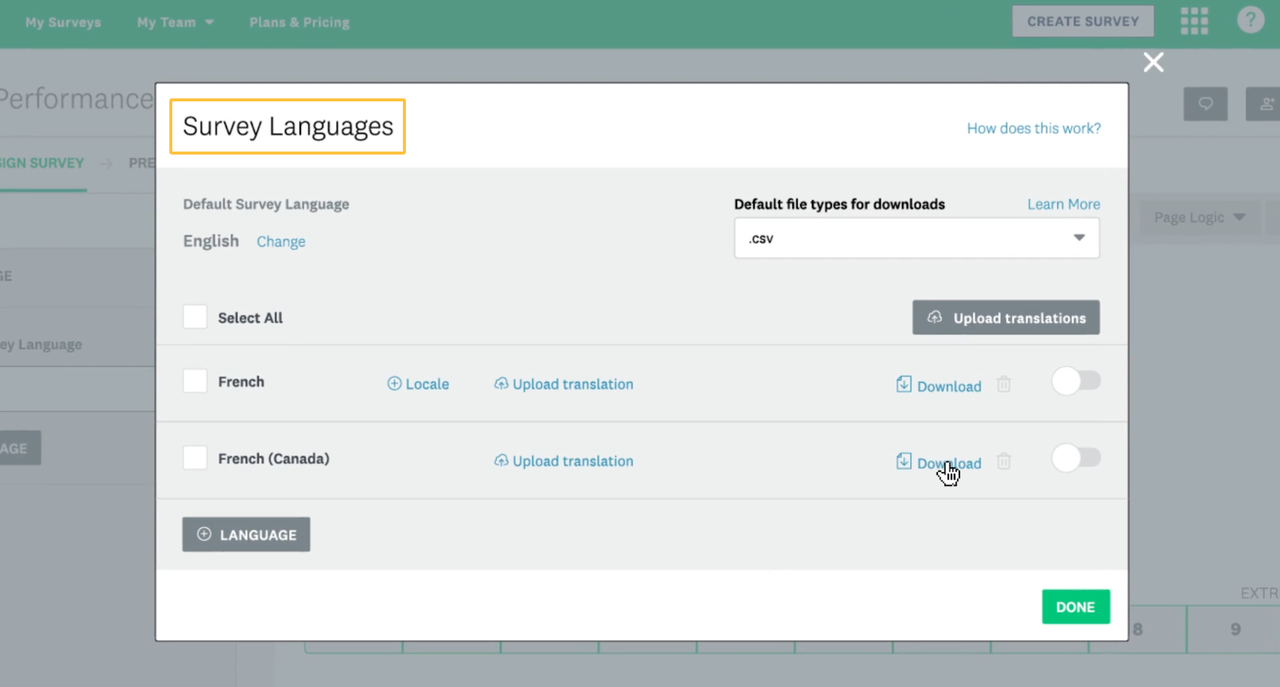
SurveyMonkey’s current multilingual survey workflow lets creators supply translations and combine responses into one dataset. The business still owns translation quality and cross-market interpretation.
Website prompts capture feedback close to the experience that caused it. Hotjar documents how an embedded survey can appear within a selected page element. Placement preserves context but creates tradeoffs: a checkout prompt may interrupt the purchase, while a later prompt misses visitors who left.
Collect only useful context. An Agent does not need a full customer profile to tag a page problem.
Analyze Themes Without Hiding the Source
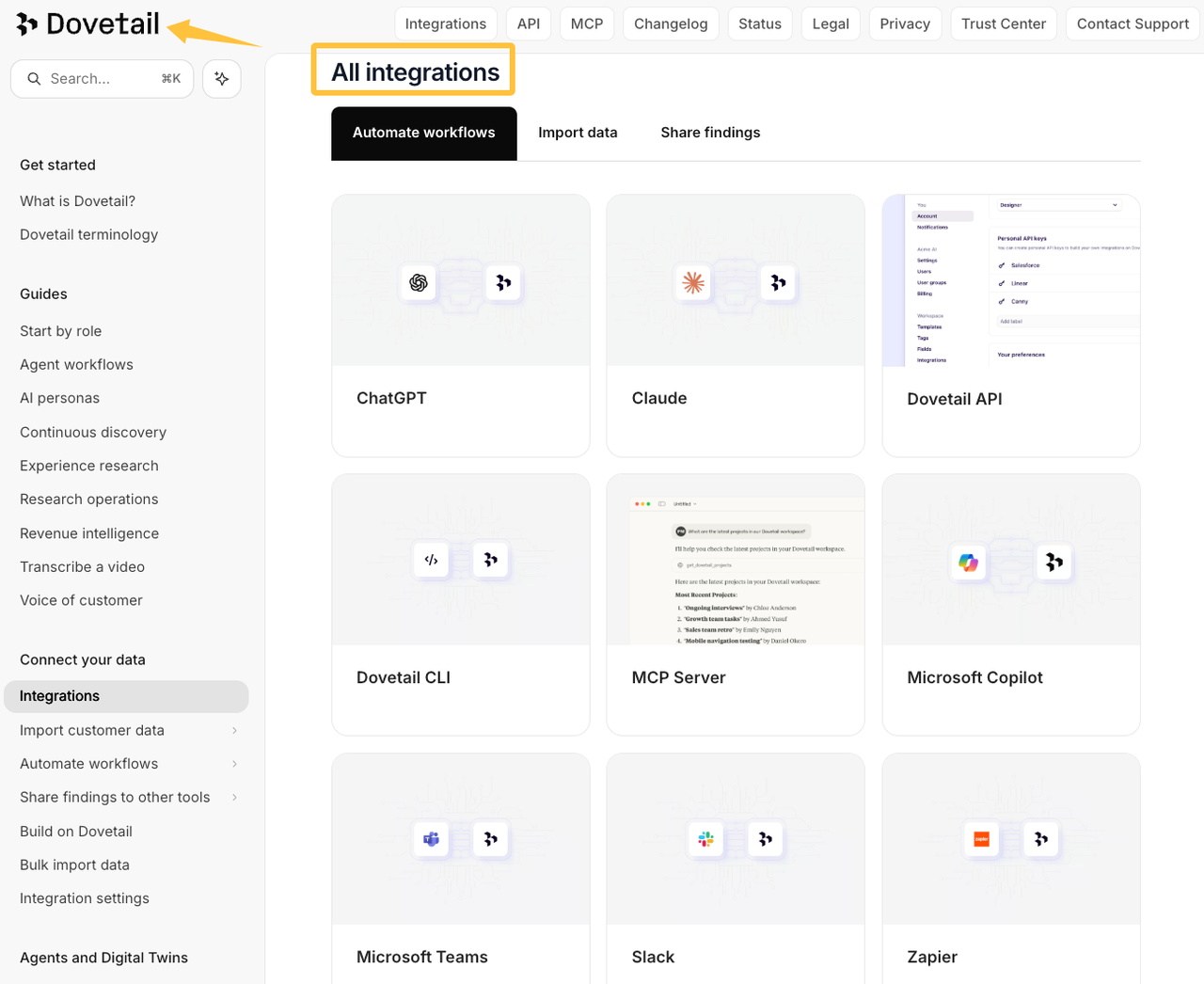
Feedback analysis tools can bring reviews, tickets, and survey comments together. Dovetail’s Channels documentation describes inputs through supported integrations, Zapier, an API, and CSV files.
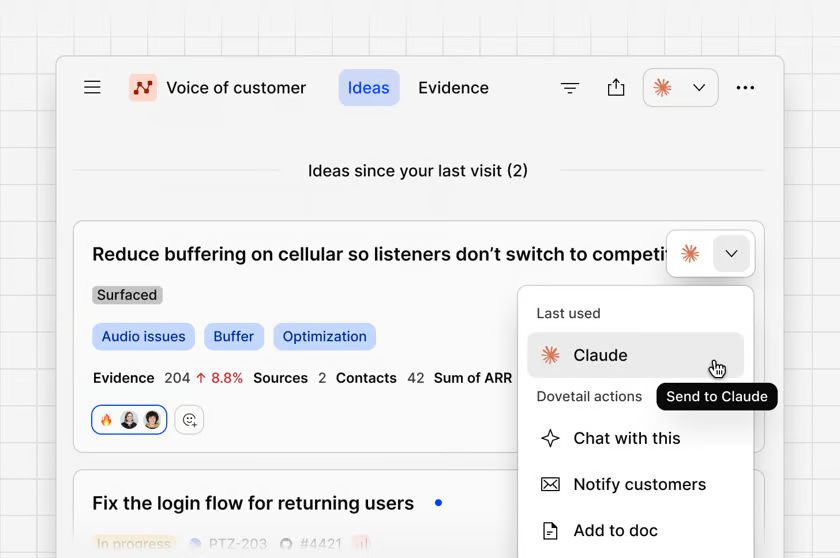
An Agent can normalize labels, group similar wording, or prepare a summary. Every theme should still link to the original comments. “Price” might mean an expensive plan, a confusing invoice, or the wrong plan selection. Those problems need different fixes.
Set an uncertainty rule. If a comment could fit two themes, contains sensitive information, or lacks enough context, route it to a reviewer instead of forcing a confident label.
Route the Finding Into Work
Analysis matters only when it reaches someone who can act. A billing complaint may belong in the support queue. A repeated onboarding issue may need a product task. A renewal risk may require a CRM follow-up.
The Agent can create a problem statement, attach source links, and propose an owner. A person should confirm findings that affect customers, commitments, refunds, or public messaging.
Choose one source of record. Keep the original comment in a controlled location, then pass the smallest useful field set or a permissioned link downstream.
Close the Loop With a Recorded Follow-Up
Follow-up may mean acknowledging a problem, asking a question, updating a support case, or notifying affected customers after a change.
A theme marked “reviewed” is not complete if nobody decided whether to act. End the route with a status, owner, next date, and response decision.
An Agent may draft a message or create a reminder. Keep final approval human when the reply discusses refunds, safety, accessibility, account access, legal terms, or a future product commitment.
See the Workflow in One Practical Example
Suppose customers submit checkout feedback through an embedded survey and the support inbox. A supervised workflow could operate like this:
- A new comment triggers the workflow.
- The Agent records the source, page or channel, date, permitted customer identifier, and original wording.
- It checks for an existing issue and suggests a theme.
- Low-confidence, sensitive, or urgent comments enter a human-review queue.
- Approved themes update the analysis workspace.
- Repeated checkout problems create a task for the ecommerce owner, while account-specific problems go to support.
- The relevant owner records the decision and whether the customer needs a reply.
- The Agent prepares an approved-format draft or reminder, but a person sends any consequential response.
Test the same workflow with a duplicate profile, missing account ID, withdrawn comment, disconnected integration, and ambiguous message. A clean demo proves only that the easiest route works.
If the Agent’s label or summary cannot be traced to the original wording, the workflow is not ready to influence a business decision.
Compare Tools by Their Handoffs
A shortlist works better when each product has a defined role.
Workflow need | Tools to examine | Handoff question |
Structured surveys | SurveyMonkey, Typeform | Can the team export the necessary response and context fields? |
Website or in-product feedback | Hotjar | Can the right visitor be asked without disrupting the task? |
Continuous feedback analysis | Dovetail | Can a reviewer trace each theme to its original comments? |
Requests and public status updates | Canny | Can internal prioritization remain separate from customer-visible status? |
Canny, for example, separates feedback collection from the items shown on its public roadmap. That distinction matters. Customer interest can inform a decision, but a vote or Agent-generated theme should not automatically become a public commitment.
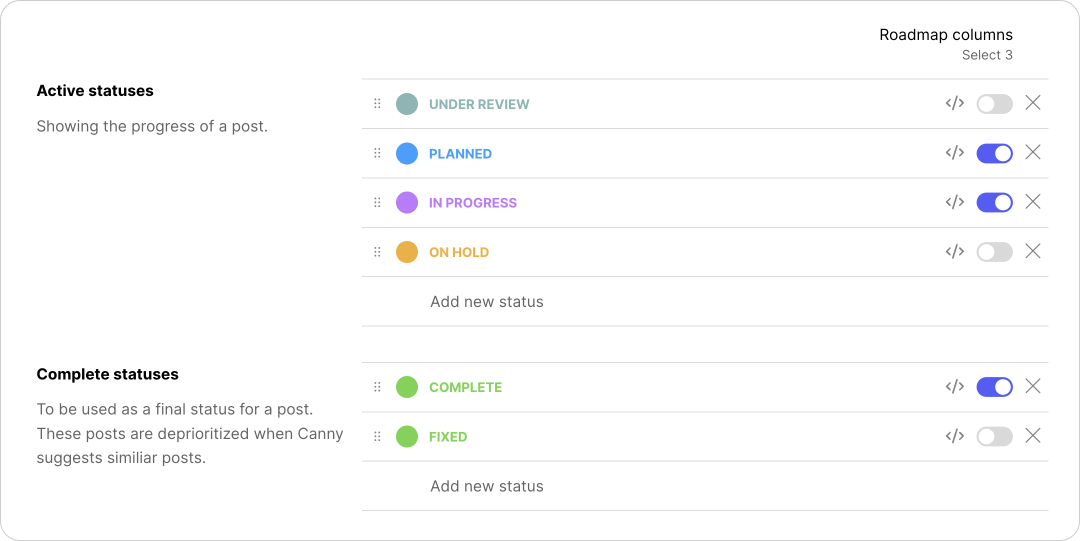
During a trial, move representative feedback through the whole route. Check exports, field mapping, permissions, identity matching, correction, and deletion. A polished collection interface cannot repair a broken handoff.
Set Human Review and Failure Rules
Give each stage an owner and backup. Someone must review exceptions and correct recurring errors.
Write rules for at least four situations:
- The Agent cannot identify the customer or source.
- Two records appear to describe the same person or issue.
- A comment contains sensitive or urgent information.
- The destination tool rejects the update or becomes unavailable.
A failed transfer does not mean “no feedback.” Keep the submission, record the failure, and alert a named person. Retain enough history to explain corrected Agent labels.
Access should follow the job. A feedback Agent may need a comment and limited account context, not billing credentials, unrestricted CRM access, or publishing permission.
Decide Whether to Build the Workflow In-House
An internal setup can work when one person owns the process, the data is low risk, and the connections are straightforward. Begin with one source and one follow-up route.
Outside help may be useful when the workflow crosses several systems, requires identity matching, or handles sensitive customer context. Separate implementation from research in the brief. “Connect approved feedback fields to our CRM” and “explain why customers abandon onboarding” are different jobs with different evidence.
Document the triggers, fields, permissions, review queue, failure alerts, and exit process before granting an outside provider access.
How SpringBrand Fits the Workflow
SpringBrand’s current direction centers on agents, workflows, and agent-ready capabilities rather than customer feedback software itself. It should not be described as the source of survey responses or the final authority on what a customer meant.
If the map exposes a missing capability, explore how SpringBrand can support an agent-assisted workflow. Verify each integration, permission, and human checkpoint before connecting customer data.
FAQ
Can respondents submit feedback anonymously?
Some tools support anonymous collection, but the setting is only part of the design. SurveyMonkey’s Anonymous Responses option can prevent identifiable respondent details from appearing in collector results. Identifying questions or custom data may still reveal a person. Explain your collection practices and review the requirements that apply in each region; this is general information, not legal advice.
Which tools support multilingual surveys and responses?
SurveyMonkey is one verified option: creators provide translations, and responses can be combined into one dataset. Test each language, export, and reviewer route. Multilingual collection does not guarantee equivalent wording, sentiment analysis, or cultural interpretation.
Can a platform merge feedback from duplicate customer identities?
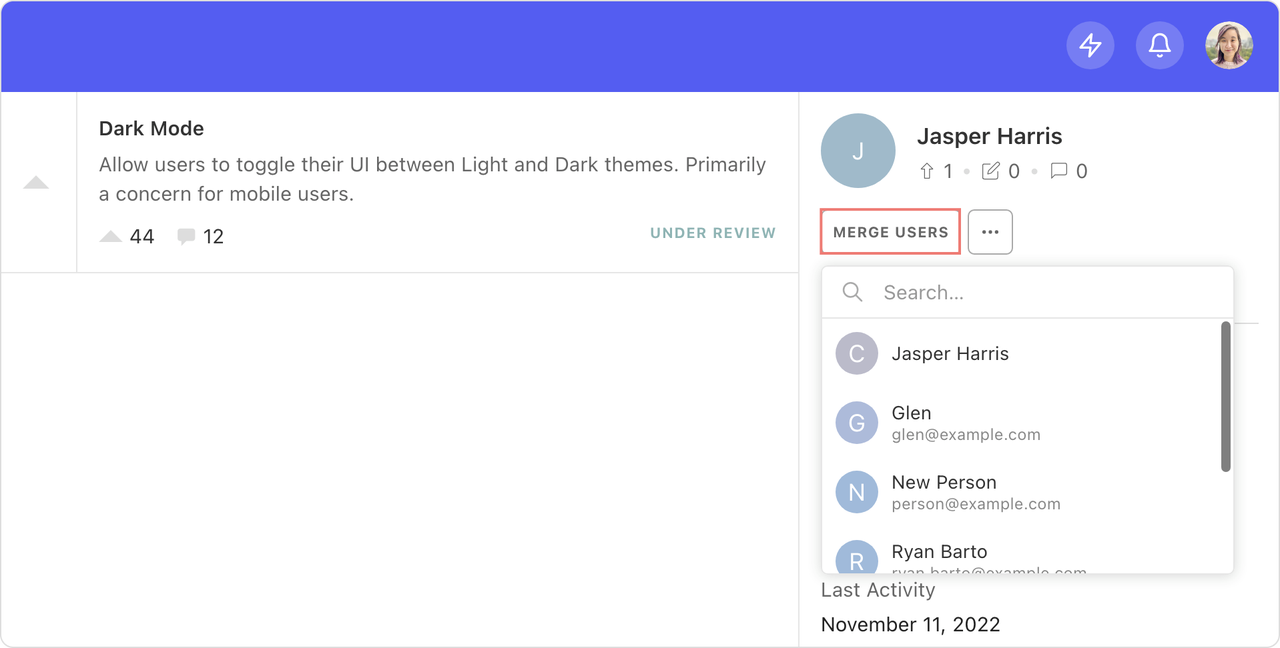
Sometimes. Canny documents both matching rules and a manual merge, but merging user profiles is irreversible. Test what happens to comments, votes, consent records, and deletion requests before allowing an Agent to propose or perform a merge. Keep final approval with an authorized person.
How long do vendors retain raw feedback responses?
There is no shared retention period across customer feedback software. SurveyMonkey’s current data-retention documentation describes account, deletion, and backup timelines. Confirm the applicable plan, contract, storage location, deletion process, and regional duties before sending customer data. This is general information, not legal advice.
Which tools export verbatim comments together with tags?
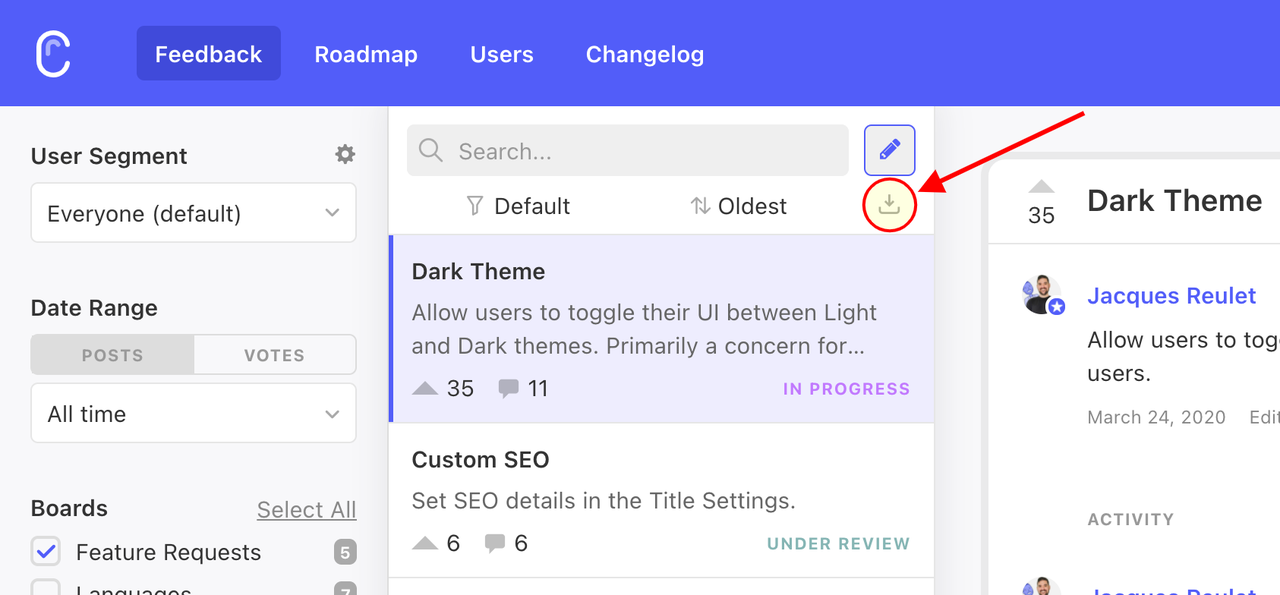
Canny’s feedback export documentation describes a CSV containing post details, tags, status, author, owner, and other fields. Export behavior differs by product and feature. Test whether original wording, identifiers, attachments, source links, and corrections survive in a usable form before buying.
Conclusion
The best customer feedback tools do not merely collect more comments. They help a small team move reliable evidence from collection to analysis, route it to an owner, and record what happened next.
Build the first workflow around one decision and one feedback source. Let the Agent organize routine work, but keep interpretation, priority, and consequential customer communication with named people. Expand only after the team can trace each finding to its source and recover when a handoff fails.
Recommended Reads
Explore SpringBrand
Turn ideas into working workflows
Connect agents, APIs and tools in one workspace. Start with a task you want to get done.
Get started free
One account. 10,000+ APIs & capabilities
Give your agent APIs and plugins without separate keys or integrations for every provider.
Explore APIs
No tool expertise needed
Describe your GTM task. SpringBrand chooses the right APIs and plugins for your agent automatically.
Find tools for your task
Run tasks 24/7
Connect your agent to SpringBrand to keep tasks running automatically, day and night.
Connect your agent