FLUX 3 Max Campaign Workflow: One Video Brief
Written by
Alex
Springbrand Researcher

Reviewed by
Springbrand Audit Team
Editorial review team
Springbrand Audit Team supports editorial quality through source checking, clarity, and consistency across the blog.
Updated
Published
FLUX 3 Max campaign workflow: plan one video brief with brand inputs, review criteria and handoff limits.
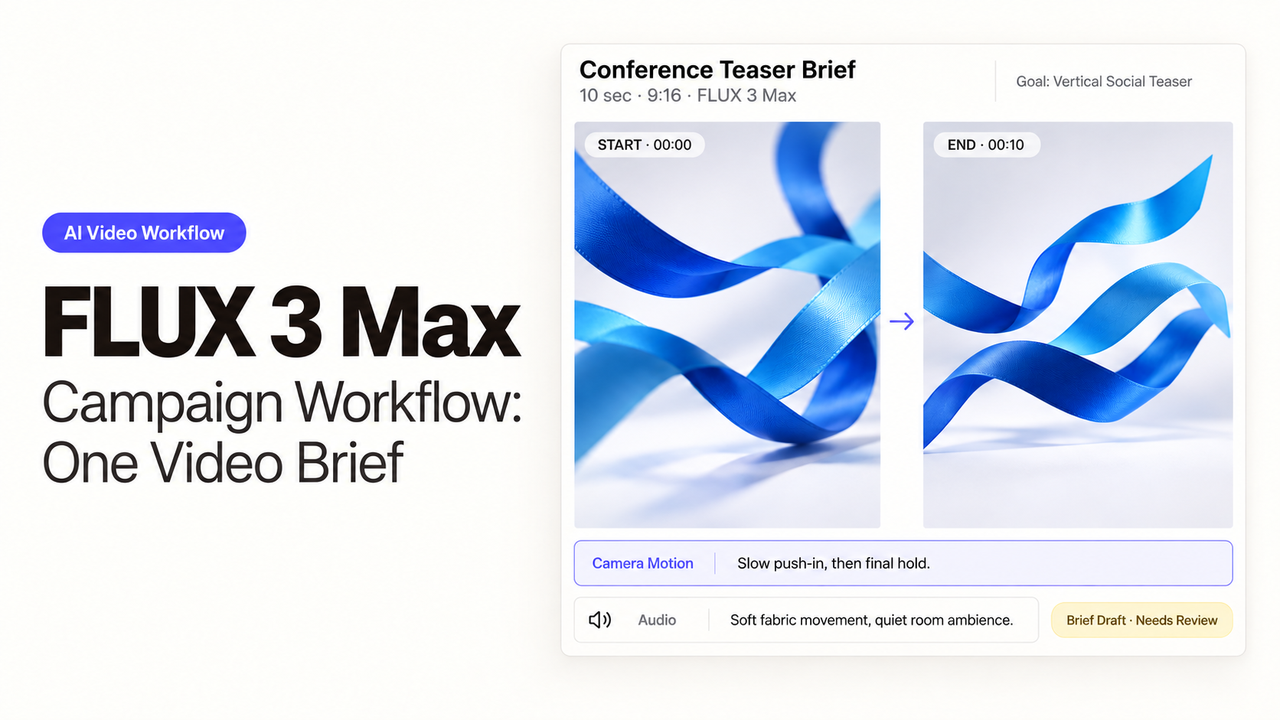
For a conference teaser, I’d decide where the event name and date will sit before choosing a camera move. The editor shouldn’t have to squeeze approved artwork into whatever space the shot happens to leave. This FLUX 3 Max campaign workflow starts with the closing frame and builds the movement around it.
Black Forest Labs lists FLUX 3 Max as a video model. fal Research post-trained it in collaboration with BFL, building on FLUX 3 Video.
What Is the One Video Deliverable?
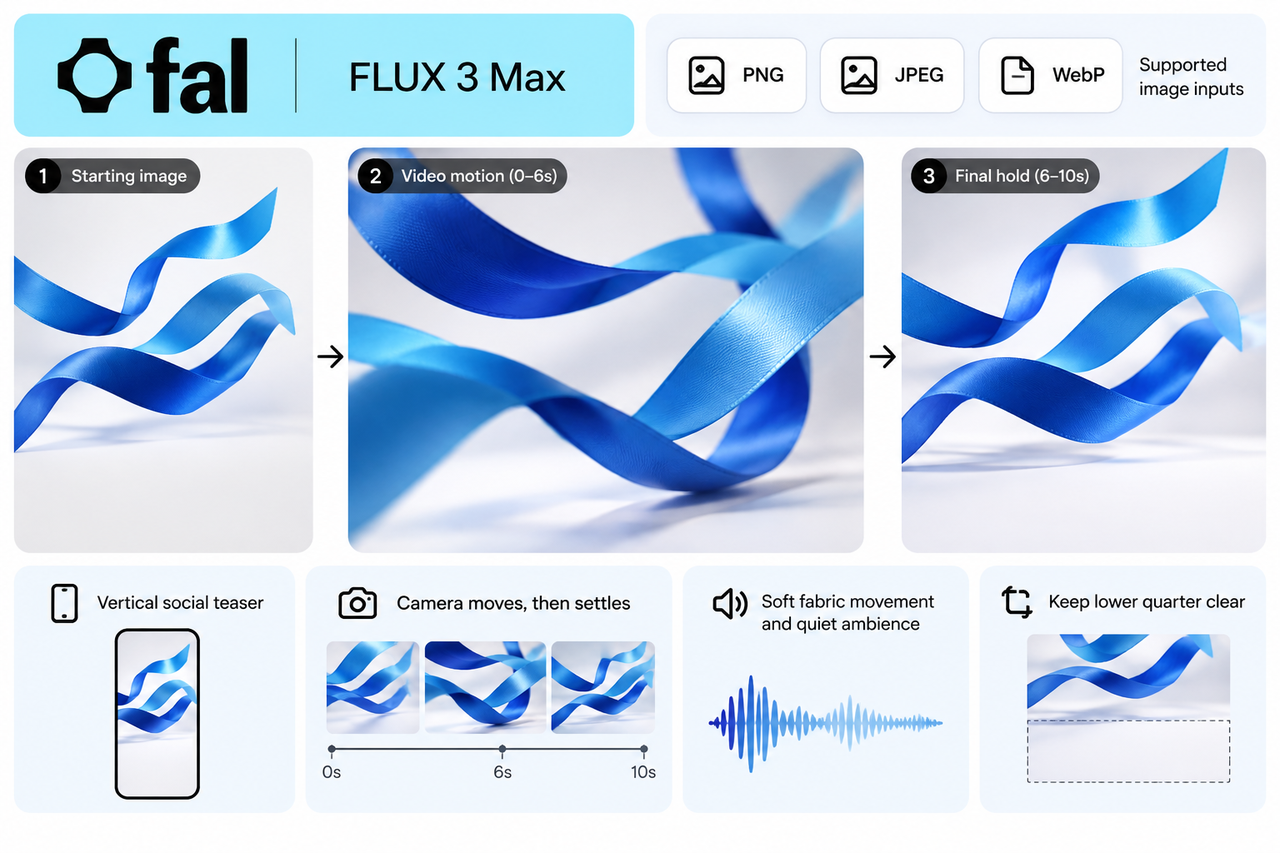
The producer is making one ten-second vertical teaser for a fictional design conference. Three blue fabric ribbons hang in a white studio, moving gently as the camera approaches. The studio is part of the campaign concept; it makes no claim about the actual venue. The editor will add the approved event artwork afterward.
The aim is to catch the viewer’s attention with the movement, then leave time to read the event message during the closing hold. The registration link goes in the surrounding post or ad.
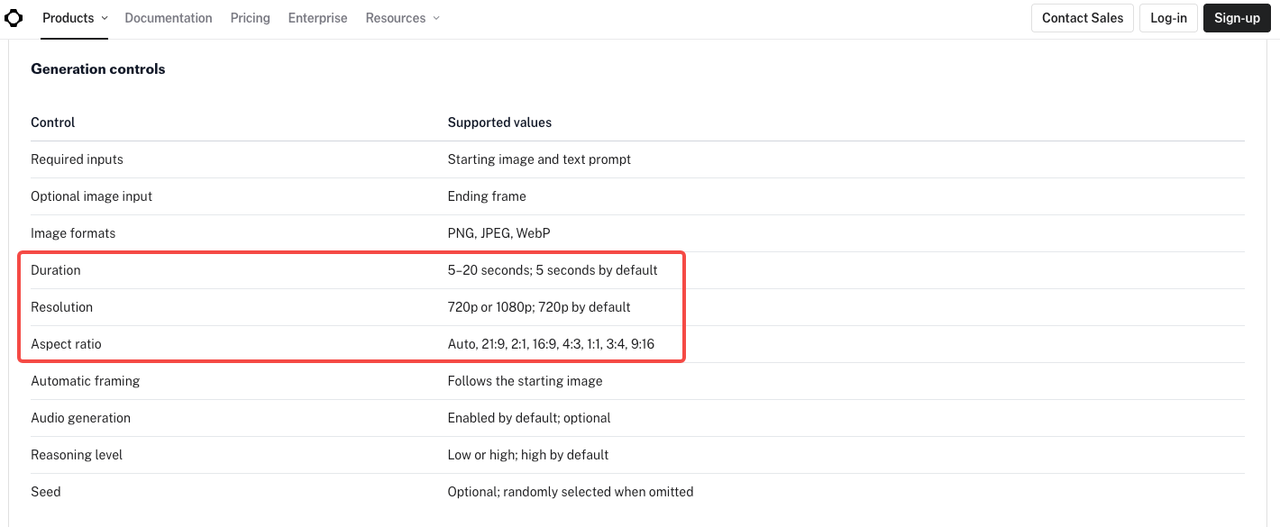
As checked on October 22, 2026, fal’s Max image-to-video controls allow 5–20 seconds, optional generated audio, and 720p or 1080p output. For this brief, select ten seconds, 9:16, and 1080p. fal describes 1080p as an upscaled output option, so check the downloaded file’s dimensions before laying out the artwork.
Which Brand Inputs Belong in the Brief?
A producer shouldn’t have to guess which parts of a mood board are approved. Supply the composition, palette, campaign copy, and instructions for using each. Some references may help explain the direction without being cleared for upload; those stay out of the generation request.
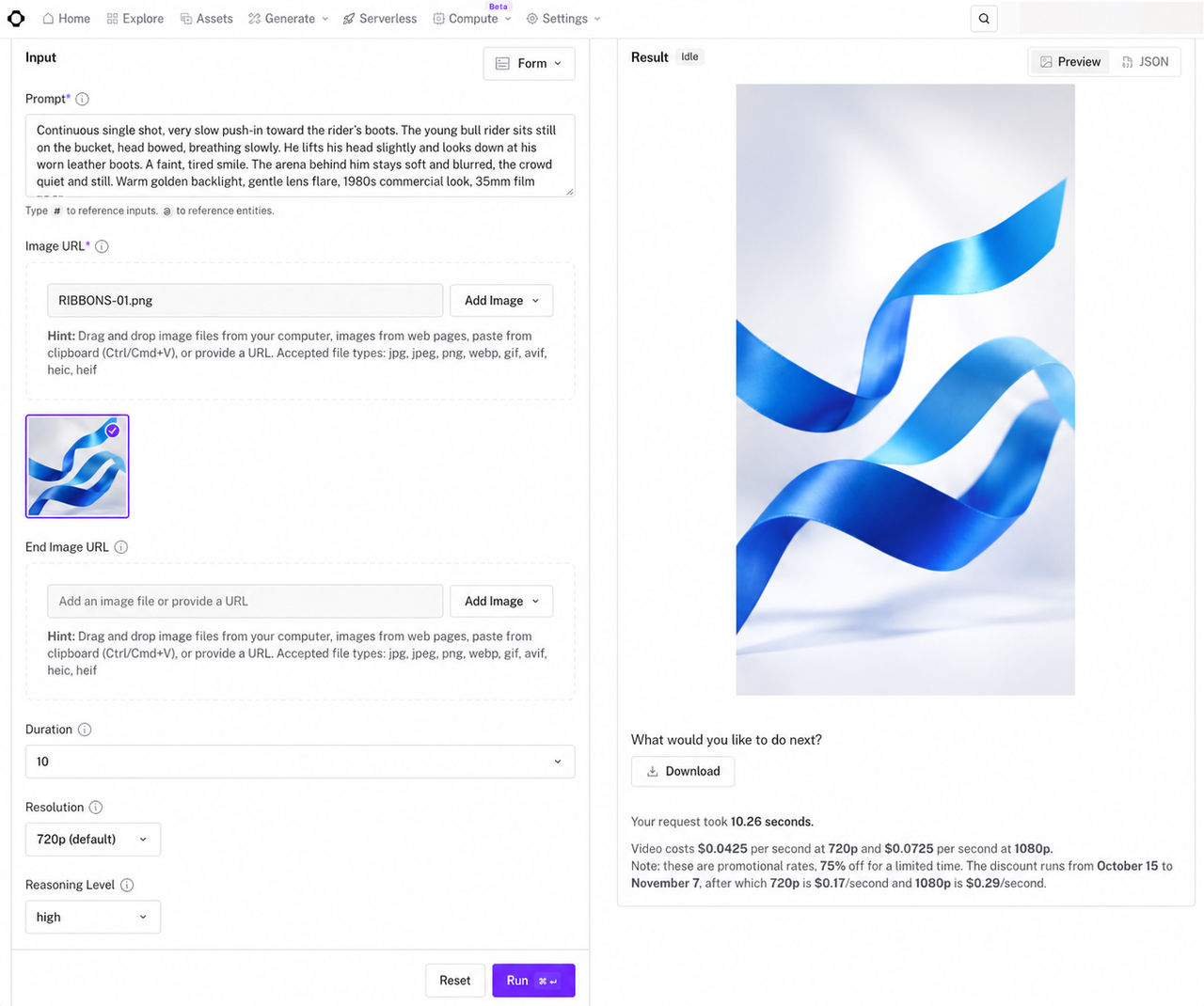
Here, the designer prepares a starting image with the three ribbons in position and the lower part of the frame clear. The Max image-to-video endpoint accepts that image and a prompt, plus an optional ending image. Its documented image formats are PNG, JPEG, and WebP.
The FLUX 3 Max brief can be this specific:
| Brief field | Example direction |
|---|---|
Placement and audience | Vertical social teaser for people considering the design conference; one ten-second clip. |
Starting image | Approved RIBBONS-01.png; three blue ribbons in a white studio. Preserve their count, color, and arrangement. |
Action | Ribbons move gently throughout. The camera advances slowly for six seconds, then holds its position for the final four. |
Copy space | Keep the lower quarter clear during the closing hold. No generated lettering or additional objects. |
Sound | Soft fabric movement and quiet room ambience. No speech or music. |
Editor’s additions | Approved event name, date, and registration message from the copy file; exact logo artwork. |
Review | Creative lead checks composition and movement; campaign owner checks added copy and final placement. |
The copy file belongs with the editor; unrelated campaign documents can stay out of the upload. For client or unpublished designs, confirm permission and the team’s data-handling requirements first. fal’s terms require the necessary input rights and permissions.
How Should Motion and Audio Be Reviewed?
The creative lead needs to see what happens between the starting image and the closing hold. The ribbons may overlap as they move, but all three should remain recognizable. Watch the whole clip at normal speed, then pause wherever they seem to merge or disappear.
With the actual artwork over the closing hold, it becomes easier to judge the shot. If a ribbon crosses the date, mark that moment for revision. If the camera keeps advancing, the clip hasn’t met the brief’s request to settle for the final four seconds. The event message needs to stay readable throughout that hold.
Unexpected speech, music, or a dramatic impact would change this quiet scene, even if the picture fits the brief. A separate listen helps you judge whether the sound matches the requested fabric movement and room ambience. Max lets the team turn audio generation off and add approved sound in editing. If you keep generated audio, check the final mix again after titles and any licensed track are added.
The campaign owner should join creative approvals once the artwork is in place. They need to read the real event date at viewing size, rather than approve an empty area where the date will eventually go.
What Limits the Final Handoff?
The editor needs to know what comes with the selected clip. fal’s output schema lists a video file and generation information. It does not list a layered editing project or separate audio stems. If the receiving editor needs either, arrange that separately.
Put the selected take in the delivery folder with its brief revision, starting image, artwork, and notes on unfinished edits. Leave rejected takes elsewhere. A clear version name matters when someone asks for a title correction: the editor should know which shot to reopen.
For release, the campaign owner should see the finished export in the post or ad placement where it will appear. That review covers the first frame, title visibility, sound, and final hold. A square crop may cut away the space reserved for copy in the vertical shot, so another placement needs another review.
FAQ
Can the brief use existing brand footage?
Yes, as a creative reference or as footage the editor combines with the generated shot, provided its permissions cover that use. The reviewed Max text and image endpoints do not list a source-video input. For direct video editing, choose a separately documented route; the original FLUX 3 Video model’s capabilities do not establish support in Max.
Which output formats are supported now?
The API examples show MP4 video. Max offers 720p and 1080p settings, with portrait, landscape, square, and other aspect ratios. Check the downloaded file’s dimensions and frame rate before editing. ProRes, transparent video, and an editable timeline are not listed in these output schemas.
How should commercial-use rights be checked?
As of October 22, 2026, fal labels Max for commercial use. Its terms require input permissions and do not guarantee that outputs are original or non-infringing. Keep the permissions for references, logos, voices, and tracks, including advertising use. This is editorial information, not legal advice; the applicable terms and licenses govern release.
What if a reviewer asks for a new version?
Work out what needs to change before generating again. A corrected date may need only an artwork edit; a different camera move needs a new clip. Save the original prompt, settings, reference, and selected result. Compare the replacement with the previous selection, including the details the reviewer wanted to keep, before renewing approval.
Can a still image anchor the video?
Yes. Image-to-video uses a starting image and accepts an optional ending image. Max also has a keyframes-to-video route for directing several visual moments. The images guide the sequence; the team still needs to inspect the movement between them and any changes to brand details.
Conclusion
For this teaser, I’d accept less camera movement in exchange for a clear four-second hold. The editor needs room for the approved event message. If the only revision is a new date, change the artwork and keep the selected clip.
Explore SpringBrand
Turn ideas into working workflows
Connect agents, APIs and tools in one workspace. Start with a task you want to get done.
Get started free
One account. 10,000+ APIs & capabilities
Give your agent APIs and plugins without separate keys or integrations for every provider.
Explore APIs
No tool expertise needed
Describe your GTM task. SpringBrand chooses the right APIs and plugins for your agent automatically.
Find tools for your task
Run tasks 24/7
Connect your agent to SpringBrand to keep tasks running automatically, day and night.
Connect your agent