Genjutsu API for Marketing: One Video Handoff
Written by
Alex
Springbrand Researcher

Reviewed by
Springbrand Audit Team
Editorial review team
Springbrand Audit Team supports editorial quality through source checking, clarity, and consistency across the blog.
Updated
Published
Genjutsu Api Marketing: plan one Genjutsu API video handoff for a marketing team, from approved source clip to reviewable output.
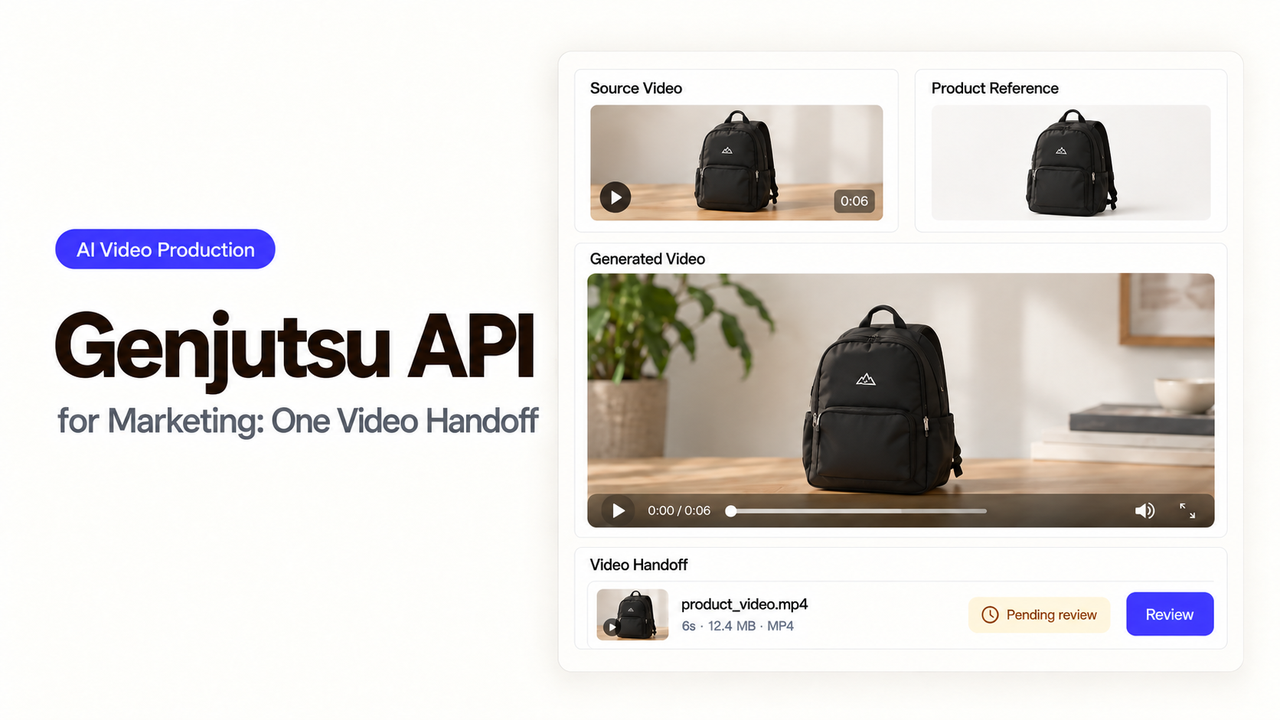
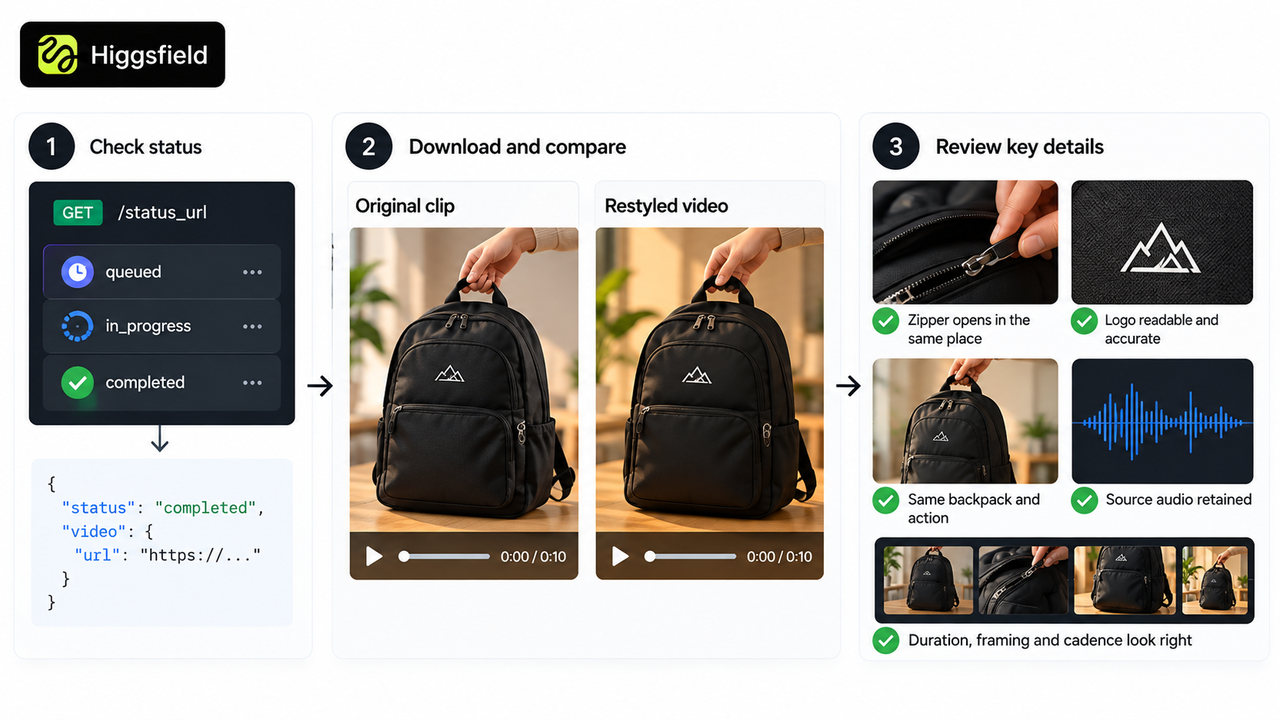
How much can the look change before the backpack stops looking like the product being sold? A queued response and request ID give the developer something to track. The editor needs the finished clip beside the approved original to make that decision.
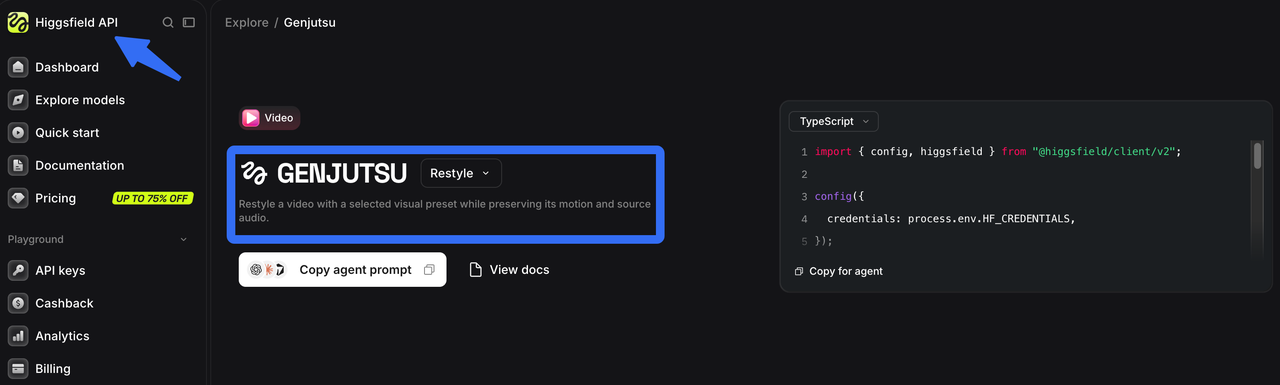
This Genjutsu API marketing workflow uses Higgsfield’s Genjutsu Restyle endpoint to give one source video a selected visual style. The campaign message and the decision to distribute it stay with the team. The request details follow Higgsfield’s current Restyle API reference.
Choose One Approved Source Clip
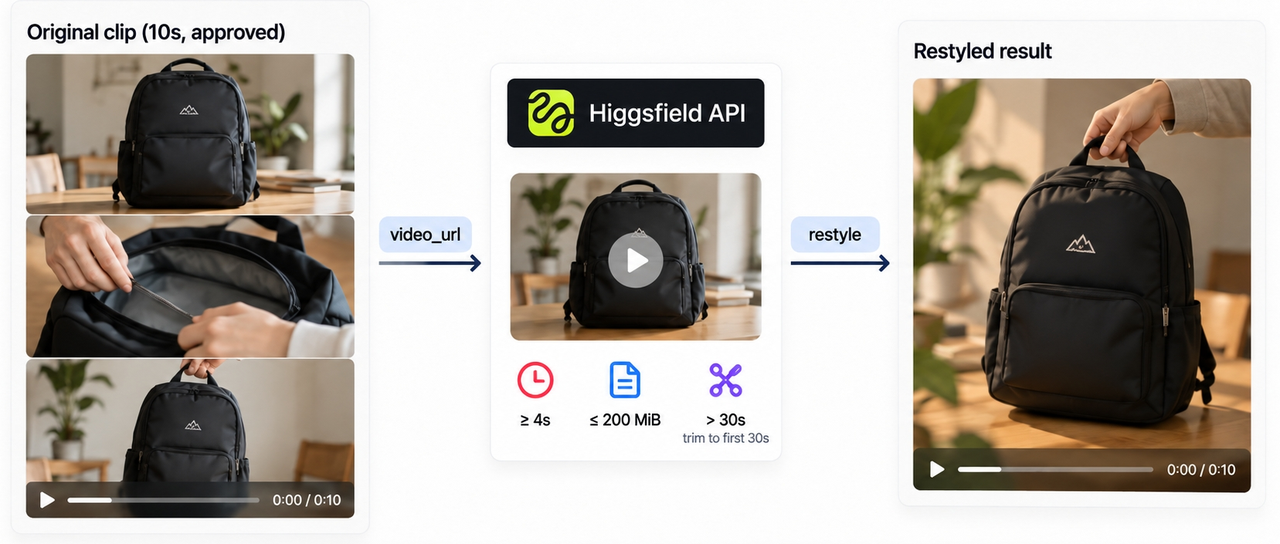
For this example, marketing has approved a ten-second, product-only clip: a backpack on a table, its zipper opening, then the bag lifted by its handle. The product, framing, visible logo, and audio are already approved. That original file becomes the editor’s comparison master.
Genjutsu uses video_url for the source motion, composition, and audio. Its source-video limits require at least four seconds and allow files up to 200 MiB. Anything over 30 seconds is trimmed to the first 30 seconds. If the useful action is later in the footage, trim it before uploading; this endpoint has no start-time control. The developer needs a direct media download URL that stays valid while Higgsfield fetches the file.
Having the file does not settle permission to process it. Check the footage license for editing, AI processing, and the intended distribution. For recognizable people or voices, Higgsfield’s API Terms require documented consent covering submission and the intended output use. Those Terms also cover training and an opt-out. Before uploading unreleased material, check the setting and confirm that any opt-out has taken effect.
Check API Access and Choose a Style Preset
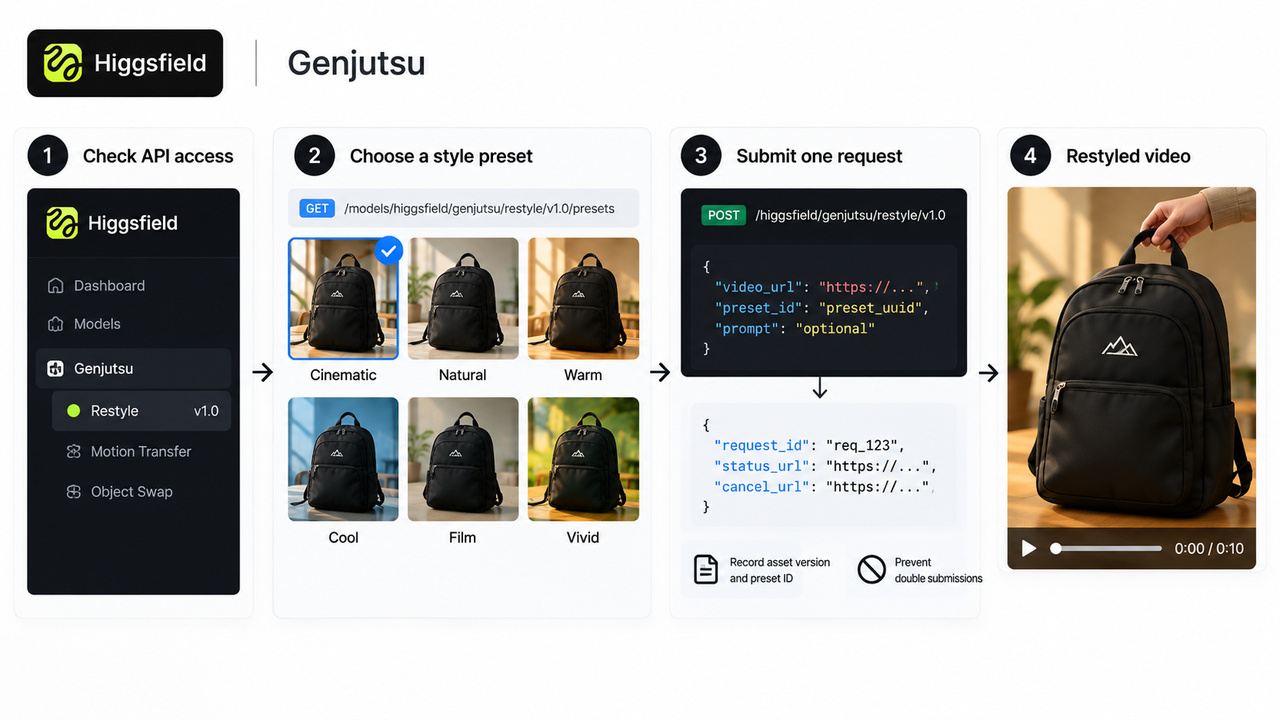
The developer first checks that the production key can access higgsfield/genjutsu/restyle/v1.0 and keeps that credential server-side. The editor can then choose a look from the names and previews in the authenticated catalog at GET /models/higgsfield/genjutsu/restyle/v1.0/presets. Keep this integration on the Restyle route; Motion Transfer and Object Swap take different inputs.
The selected item’s items[].id becomes preset_id. The developer needs that current UUID, rather than a style name, preview URL, or ID copied from an example. If a saved preset disappears from the catalog, the editor needs to choose another available look.
I’d leave image_urls empty for this product-only pass. Those optional images provide character references; they do not choose the style or lock the backpack’s logo. The editor can allow changes to color and texture while still expecting the zipper position, shape, label, and action to make sense.
Submit One Genjutsu Request
Once the editor has selected the style, the developer sends one server-side POST /higgsfield/genjutsu/restyle/v1.0. The minimal body contains video_url and the current preset_id; resolution defaults to 720p, and prompt is optional.
If a prompt would help, use it for a narrow visual instruction. Adding more prose will not create controls for duration, aspect ratio, or soundtrack on this endpoint.
Save the source asset version, preset ID, requester, and returned request_id together. The accepted response also supplies status_url and cancel_url. The finished video comes later. Prevent duplicate submissions, and if the POST times out, check whether it created a request before sending it again.
Retrieve and Review the Returned Video
The developer polls the saved status_url with the same account’s credentials. While the status is queued or in_progress, the editor still has no review file. A completed response provides video.url.
An expired source URL or unavailable preset can cause a preparation error after submission has been accepted. On a terminal failure, stop polling and inspect the returned error before another attempt.
Download the completed video into the team’s asset library with a versioned name. As of October 20, 2026, Higgsfield’s API Terms on retention provide at least seven days of generated-media availability and allow deletion afterward. The team should keep its own copy.
For the editor, the useful comparison is with the original video, rather than just the preset thumbnail. Follow the zipper as it opens and the backpack as it lifts by the handle. The logo needs to remain accurate and readable, including in the closing shot. Compare the sound too: Restyle retains source audio when present. Duration, framing, and animation cadence also need review; do not assume a frame-for-frame match.
Approve the Video Before Distribution
The editor can approve the look. The product owner should confirm that it still shows the right bag and supports any visible claim. A warped logo or missing zipper is a reason to hold the clip, however well the style suits the campaign. So is a sound that implies an action the picture no longer shows. Higgsfield describes motion and audio preservation as the intended behavior. That does not guarantee every detail will survive unchanged.
Keep the source, request ID, downloaded result, preset, review notes, and final decision together so the team can identify exactly what was approved. Only that approved result goes to the ad manager or social scheduler.
FAQ
Can a team use a licensed stock clip as the source?
Possibly. Check the stock license for AI-service uploads, transformation, advertising, permitted territories, and redistribution. Permission to download or post the original does not automatically cover those uses. Keep the license record with the source asset.
How long does a generated result remain available?
Higgsfield’s current API Terms provide at least seven days of availability for generated media and allow deletion afterward. Download the result promptly and keep the approved export in your own asset system.
Can a failed request be retried safely?
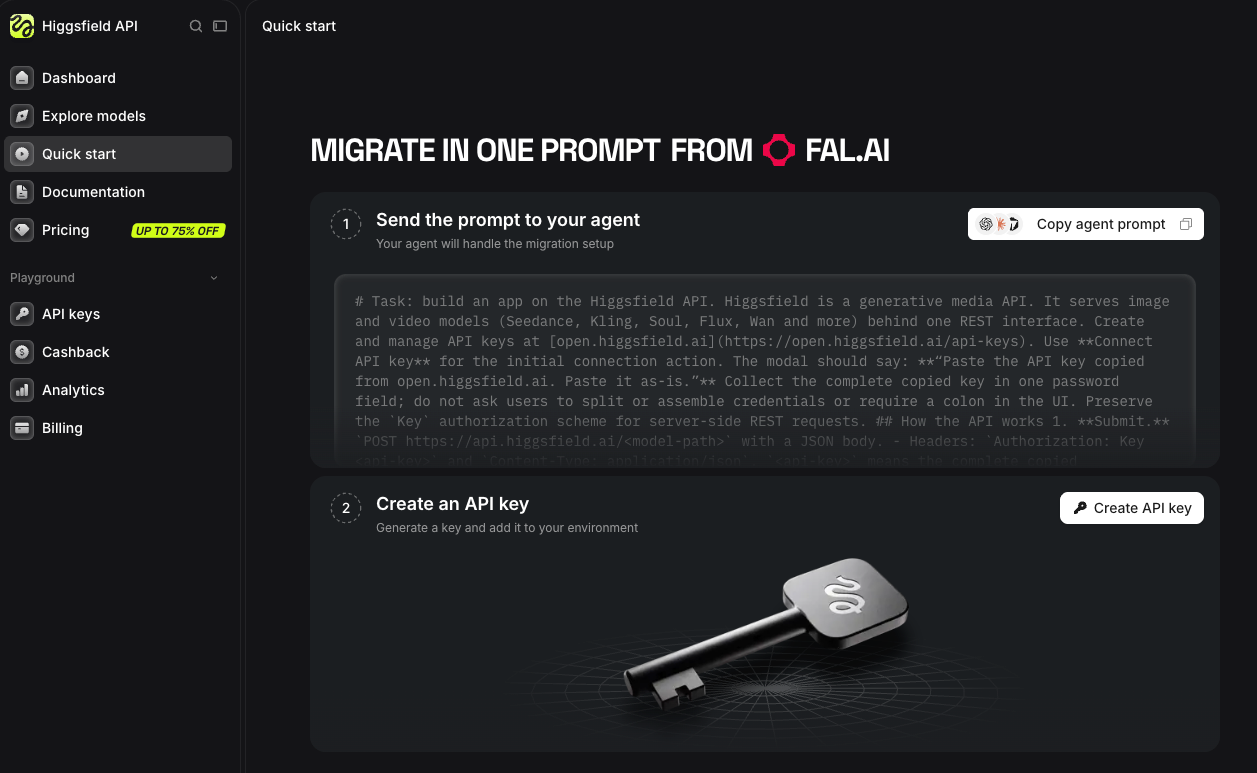
First, establish whether the job has a terminal failed status or the submission simply timed out. For a failed job, inspect the error and fix a bad URL or preset before requesting another generation. After an ambiguous timeout, check the original submission or request history. The API quick start warns against blindly repeating the generation POST.
Does the API expose a cancellation action?
Yes. Accepted requests include a cancel_url, and the quick start documents POST /requests/{request_id}/cancel for eligible jobs. Stopping the polling loop does not cancel the generation. Check the returned status before treating the job as canceled.
What rights apply to referenced people or products?
Higgsfield’s API Terms require documented consent for an identifiable person’s face, voice, or likeness in the input or an intended realistic output. The footage, product marks, and distribution also need to fall within the rights you hold. Permission to use API output commercially does not clear someone else’s stock or brand rights.
Conclusion
For this backpack, a more distinctive look is worth using only if it still shows the product accurately. Keep the downloaded result beside the approved source and let the editor and product owner make that call. If the zipper or logo is wrong, a completed status is no reason to release it.
Explore SpringBrand
Turn ideas into working workflows
Connect agents, APIs and tools in one workspace. Start with a task you want to get done.
Get started free
One account. 10,000+ APIs & capabilities
Give your agent APIs and plugins without separate keys or integrations for every provider.
Explore APIs
No tool expertise needed
Describe your GTM task. SpringBrand chooses the right APIs and plugins for your agent automatically.
Find tools for your task
Run tasks 24/7
Connect your agent to SpringBrand to keep tasks running automatically, day and night.
Connect your agent