Hister MCP Setup: Connect Your Personal Search Index
Hister MCP connects an AI assistant to your personal search index. Configure the endpoint, add authentication when required, and verify a safe search.
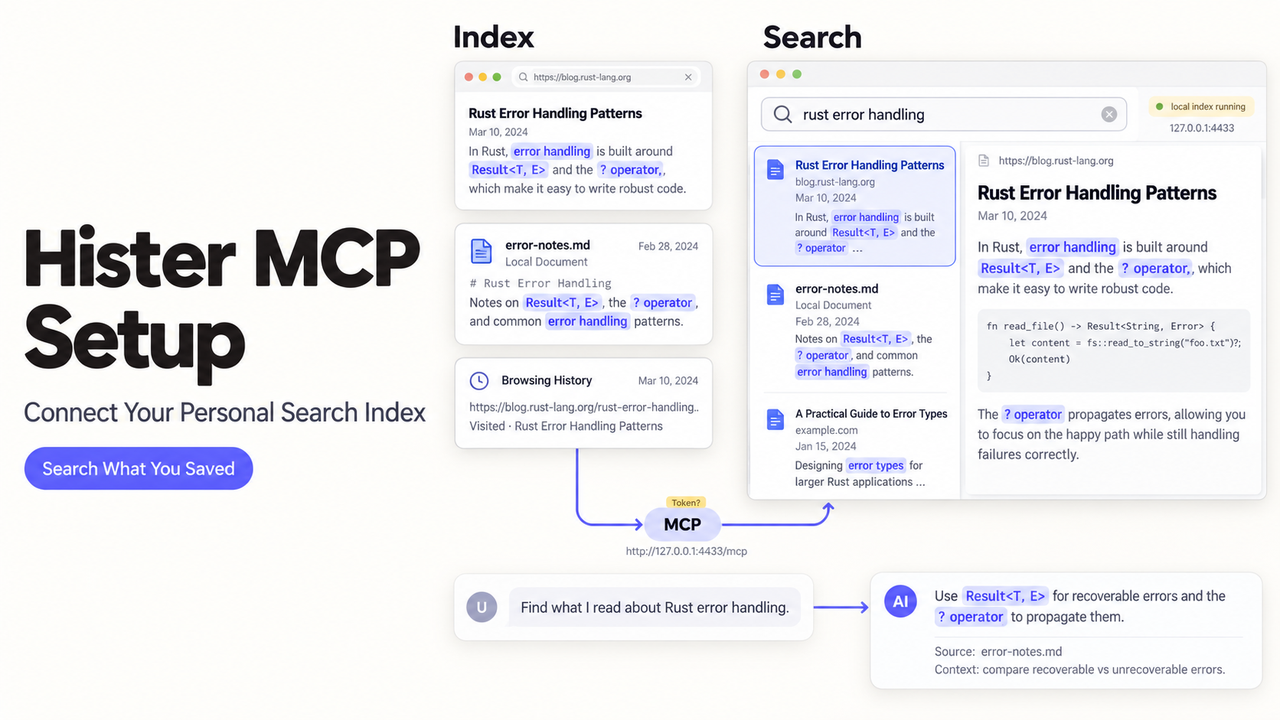
You found a page months ago, but your assistant cannot see your personal index. Hister MCP lets an MCP client search indexed pages and open stored previews. The real test is whether it retrieves the right page without obeying instructions found inside it.
This setup follows Hister's official documentation checked October 6, 2026. It is a documentation-based walkthrough, not a hands-on test of a particular client or deployment.
Prepare Hister Before Connecting an MCP Client
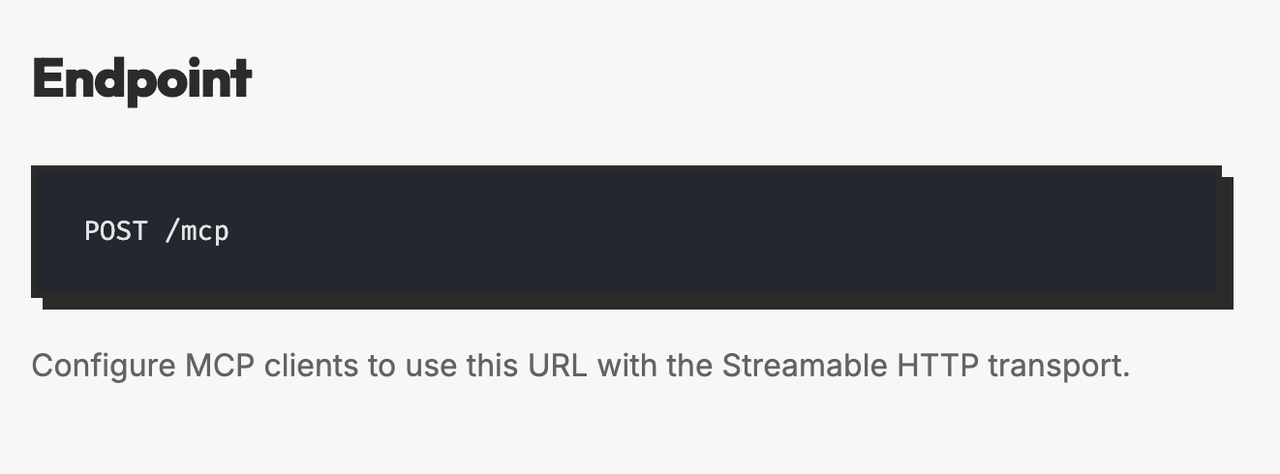
Hister needs a running server and an index with a known page. Its MCP integration guide documents a Streamable HTTP endpoint at /mcp.
Confirm the Server Is Reachable and the Index Contains Data
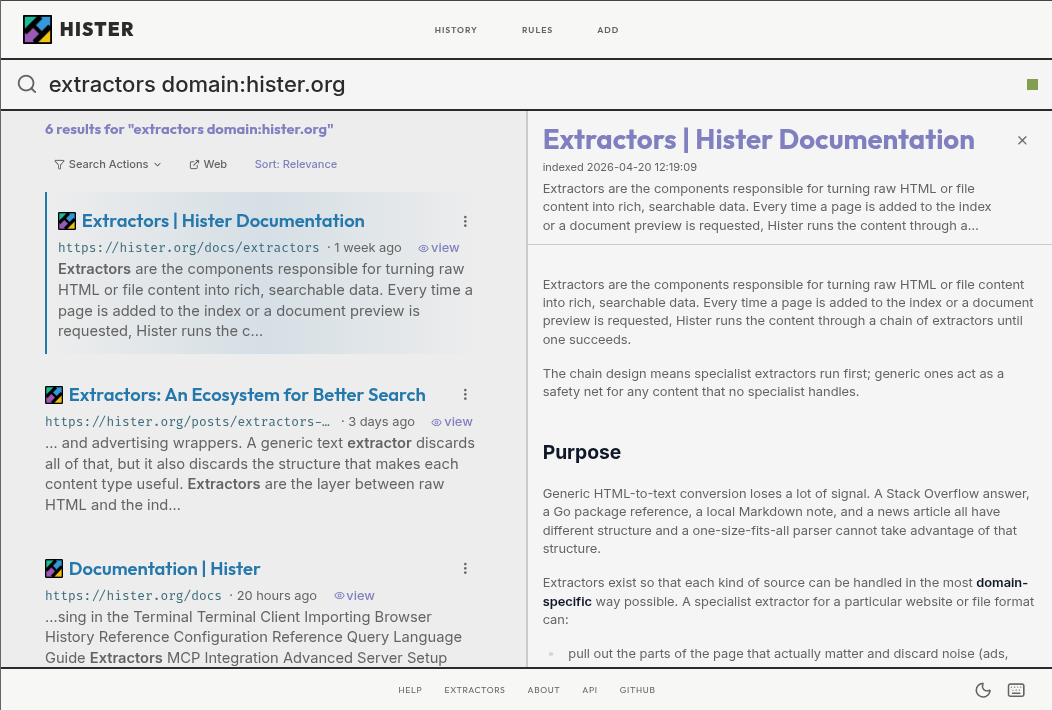
Search Hister's web interface for a distinctive phrase from an indexed page. Note its exact URL. That gives the first MCP test a predictable result.
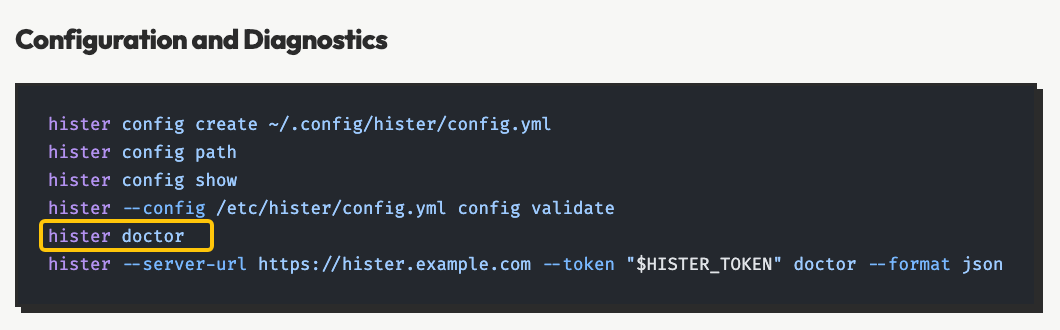
If the server does not respond, run hister doctor. Hister's terminal-client documentation says it checks configuration, connectivity, authentication, and index compatibility; it does not repair problems. The troubleshooting guide also lists port conflicts and invalid configuration.
Choose the Local or Remote Endpoint and Authentication Mode
The configuration reference lists 127.0.0.1:4433 as the default address. The local MCP URL is http://127.0.0.1:4433/mcp. For a remote instance, append /mcp to its configured base_url.
Hister defaults to no authentication. Setting app.access_token or enabling app.user_handling changes that. Hister's user-handling guidance calls for HTTPS on network-exposed instances.

Add Hister to Your MCP Client
The client needs the Streamable HTTP URL and, when required, a token header. Hister publishes examples for Claude Desktop and Cursor.
Configure the Streamable HTTP Endpoint
Add a server named hister to your client's MCP settings. This shape follows the Hister examples; merge it into existing settings.
{ "mcpServers": { "hister": { "url": "http://127.0.0.1:4433/mcp" } } }
Choose Streamable HTTP if asked. Save and reconnect. Hister says Claude Desktop needs a restart and new conversation before search appears.
Add an Access Token Only When Authentication Is Enabled
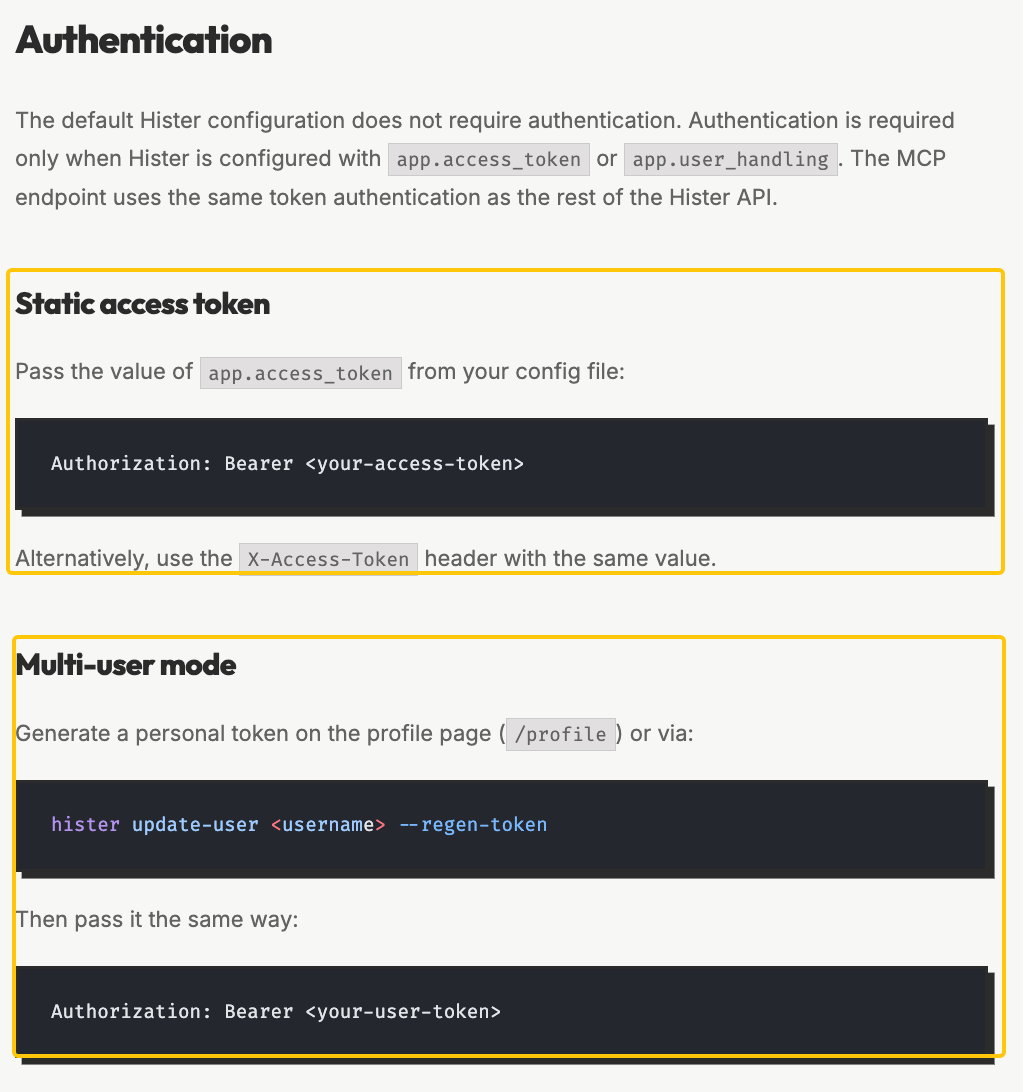
If app.access_token is set, add Authorization: Bearer <your-access-token> to the server headers. Hister also accepts X-Access-Token. Multi-user mode needs your personal token. With authentication disabled, omit the header.
Keep the token secret; never place it in a prompt or published example. If authentication fails, check the server mode and token.
Verify the Hister MCP Connection
Run a recognizable query before asking for a summary. A known-page result checks the retrieval path.
Confirm the Available Tools and Run One Bounded Search
Inspect the discovered tools: Hister lists search, get_preview, and get_history. Call search with a distinctive query and limit: 3. The documented limit defaults to 10 and accepts 1–50. Start with snippets, not full text or HTML.
Compare the title and URL with Hister's own search result. If nothing matches, inspect the query and index before changing access.
Retrieve a Stored Preview and Cite the Exact Page
Pass the result's exact indexed URL to get_preview. It returns stored text and available metadata, plus rendered HTML when available. Ask the assistant to cite that URL and flag unsupported claims.
Stored content does not prove the live page is current. Check the live source separately when freshness matters.
Keep the Retrieval Workflow Read-Only and Safe
Hister MCP exposes retrieval tools, but your assistant may have others. A document asking it to send an email is still just a document.
Treat Every Indexed Value as Untrusted Content
Hister's prompt-injection warning covers titles, URLs, metadata, bodies, and history. Its output marks source-controlled values as untrusted, but cannot guarantee resistance to every injected instruction.
Do not promote page text into a user request. Avoid raw HTML unless needed, and sanitize it before rendering. A command to reveal a token remains page content, not an instruction.
Require Confirmation Before Any External Action
Hister recommends confirmation before file, shell, browser, email, or network actions. The assistant may propose the next action, but a person must approve it before another tool executes it.
For a negative test, index a harmless page with a fake instruction to open another site. The assistant should treat it as data and stop before using a browser tool. This is a suggested test, not a tested security guarantee.
Conclusion
Keep the Hister MCP connection only after one known-page search and exact-URL preview work, and an indexed instruction fails to trigger another tool. That is the practical boundary between useful personal retrieval and unintended action.
For a broader agent task, explore SpringBrand's agent capabilities as a separate workflow step; This does not imply a Hister integration.
FAQ
What happens when semantic search is requested but not configured?
Hister falls back to ordinary keyword search when semantic: true is requested but semantic search is unavailable. Its MCP guide states that behavior; The configuration reference says semantic search is off by default and needs an embeddings endpoint.
How is a personal MCP token generated in Hister multi-user mode?
Generate it from Profile → Generate Token, or have an authorized server operator use hister update-user USERNAME --regen-token. The user-handling guide says regeneration immediately invalidates the old token, so update connected clients afterward.
Can get_preview use a named extractor for stored content?
Yes. The MCP tool schema lists an optional extractor string used to render the HTML preview. Use an extractor name supported by your Hister installation; the document does not promise that every stored page has renderable HTML.
How does a reverse-proxy subpath change the Hister MCP URL?
Append /mcp after the subpath. Hister's remote-server example maps https://example.com/hister to https://example.com/hister/mcp; do not drop /hister when entering the client URL.
Can a Streamable HTTP MCP client other than Claude Desktop or Cursor connect to Hister?
Potentially, if it supports the required transport, endpoint, authentication headers, and Hister's tools. Hister's published examples are Claude Desktop and Cursor; they do not establish a tested compatibility list for every other client.