Lindy AI Memory for Small Teams: Benefits and Risks

Written by
Springbrand Editor Team
Editorial team
Springbrand Editor Team creates and maintains blog guides on AI tools, automation, marketing, and agent workflows.

Reviewed by
Springbrand Audit Team
Editorial review team
Springbrand Audit Team supports editorial quality through source checking, clarity, and consistency across the blog.
Updated
Published
Lindy AI memory can preserve useful team context, but small businesses need rules for accuracy, access, sensitive data, and ongoing review.
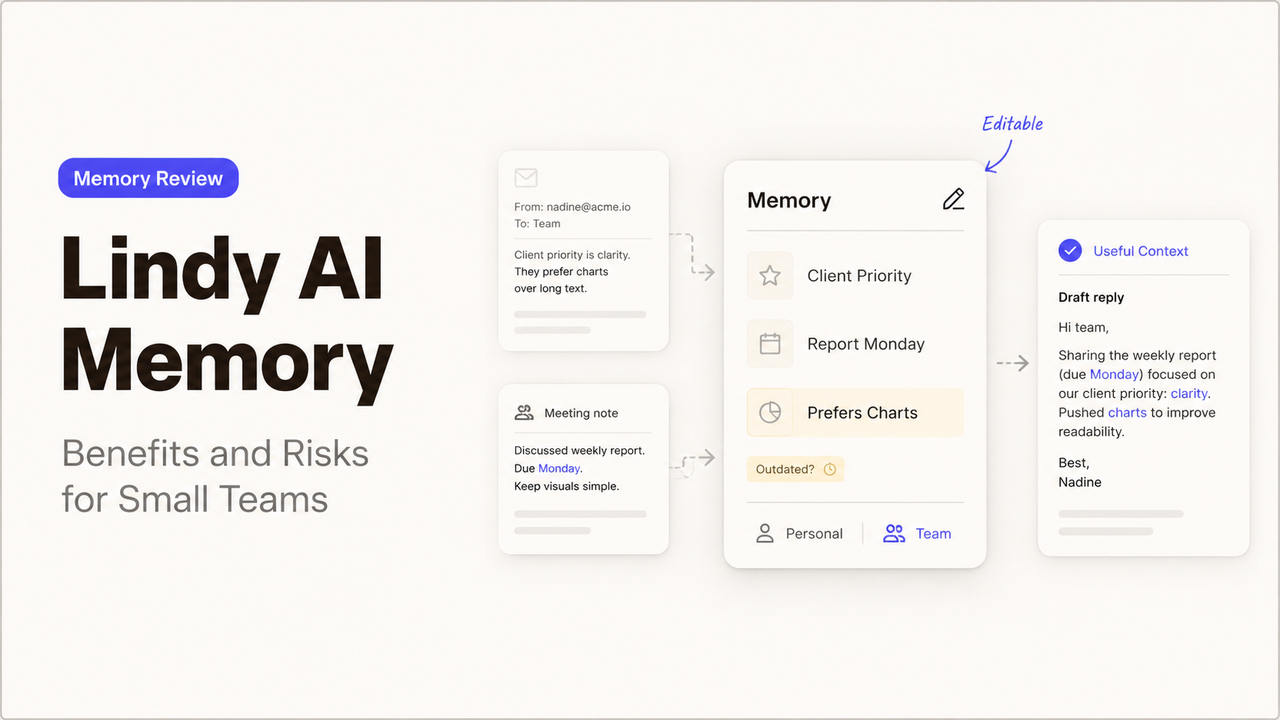
A memory file earns trust only when a teammate can challenge it. The team needs to see what was saved, correct it, and retire it when work changes.
Lindy now presents memory as editable files rather than an invisible profile. That can preserve useful context across tasks. It also creates a new operating responsibility: someone must keep those files accurate, appropriate, and current.
This guide examines that tradeoff using Lindy’s public product information checked on August 30, 2026. It is a documentation-based assessment, not a hands-on product test.
Quick Answer
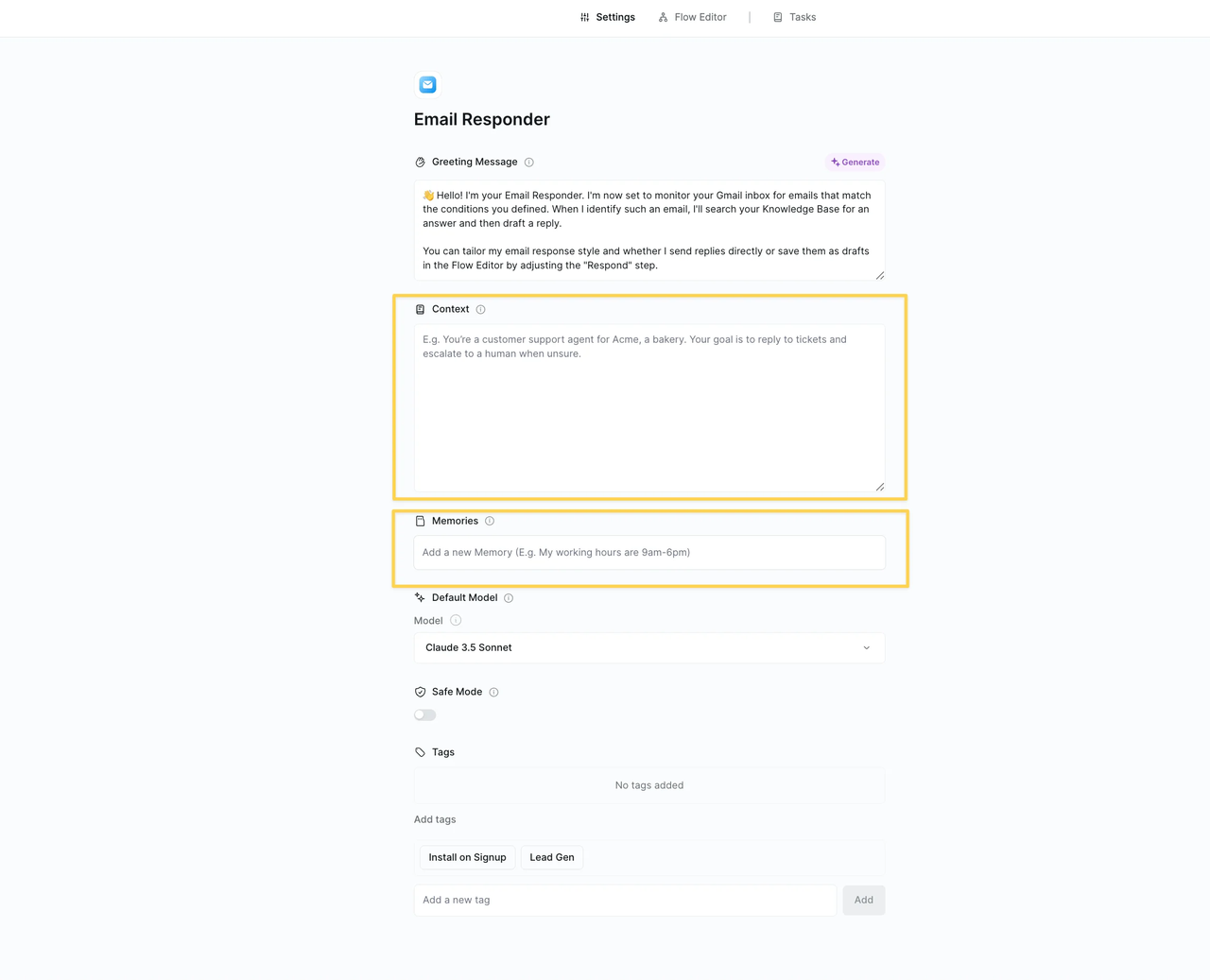
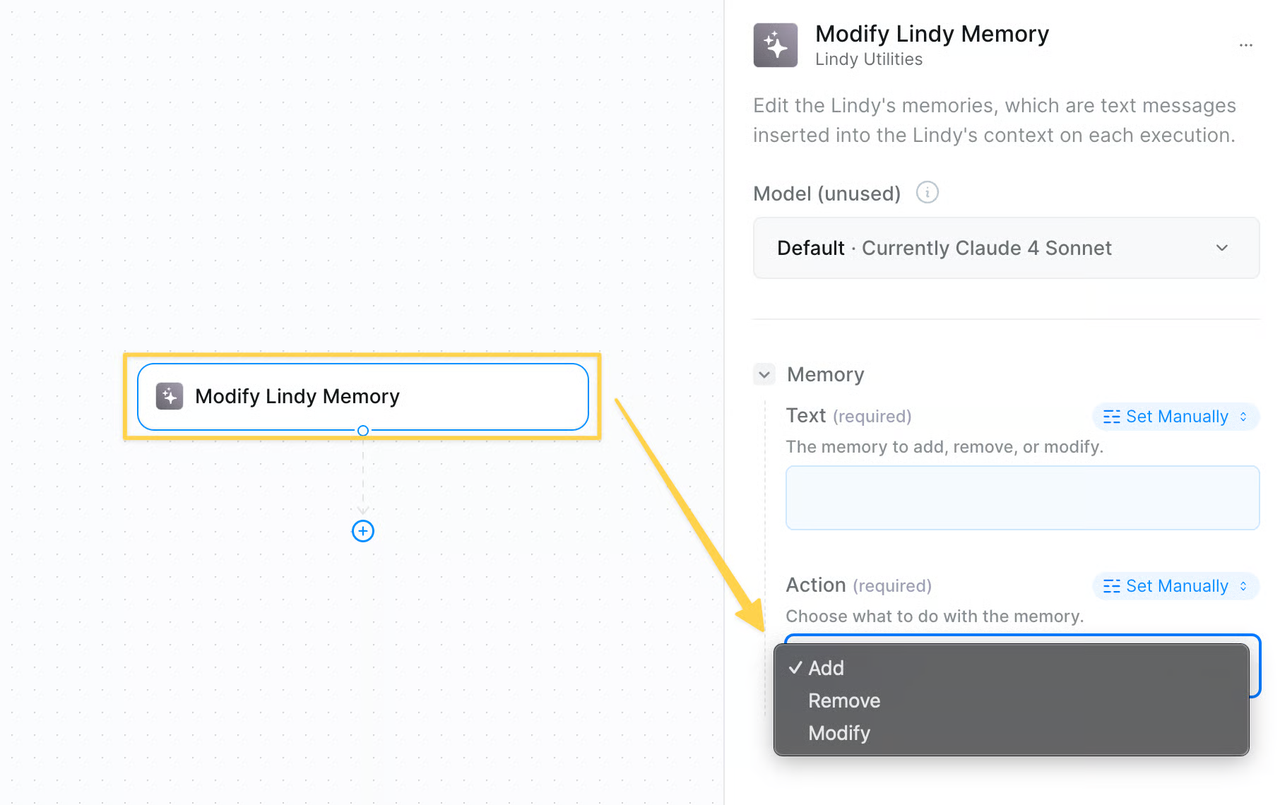
Lindy AI memory can help a small team retain business facts, preferences, and recurring instructions between tasks. Lindy says users can open its memory folder and edit what the assistant remembers like a document.
That visibility is useful, but it does not make every saved detail reliable. A memory can become stale, lose its original context, or reach people who should not use it. Memory should function as maintained working guidance. The authoritative record should stay elsewhere.
Stable, low-risk facts are the best candidates for memory. Contracts, customer records, passwords, and regulated information belong in systems designed to govern them.
How Lindy Memory Works
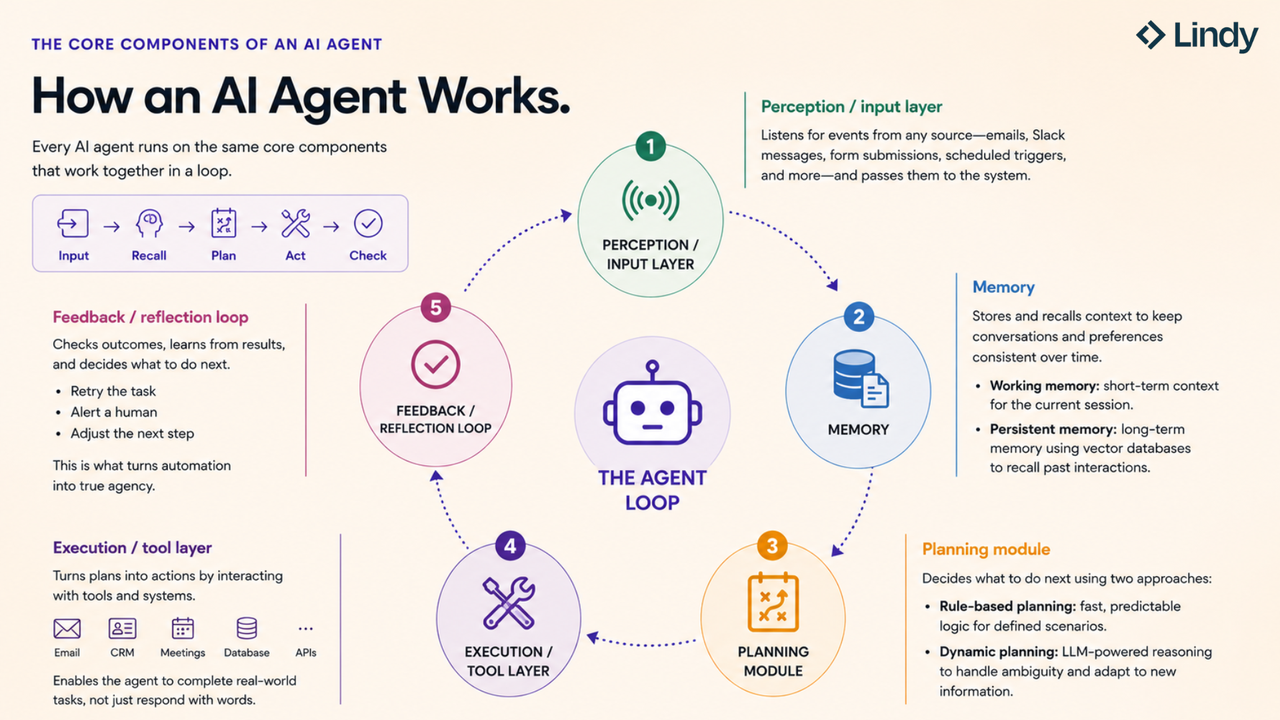
Lindy’s memory documentation distinguishes task context from persistent memory. Task context follows one run and resets afterward. Saved memories enter future context and can persist across runs.
The current Lindy product page also describes memory as plain files that users can read and edit. Its examples include reporting schedules, business priorities, and presentation preferences.
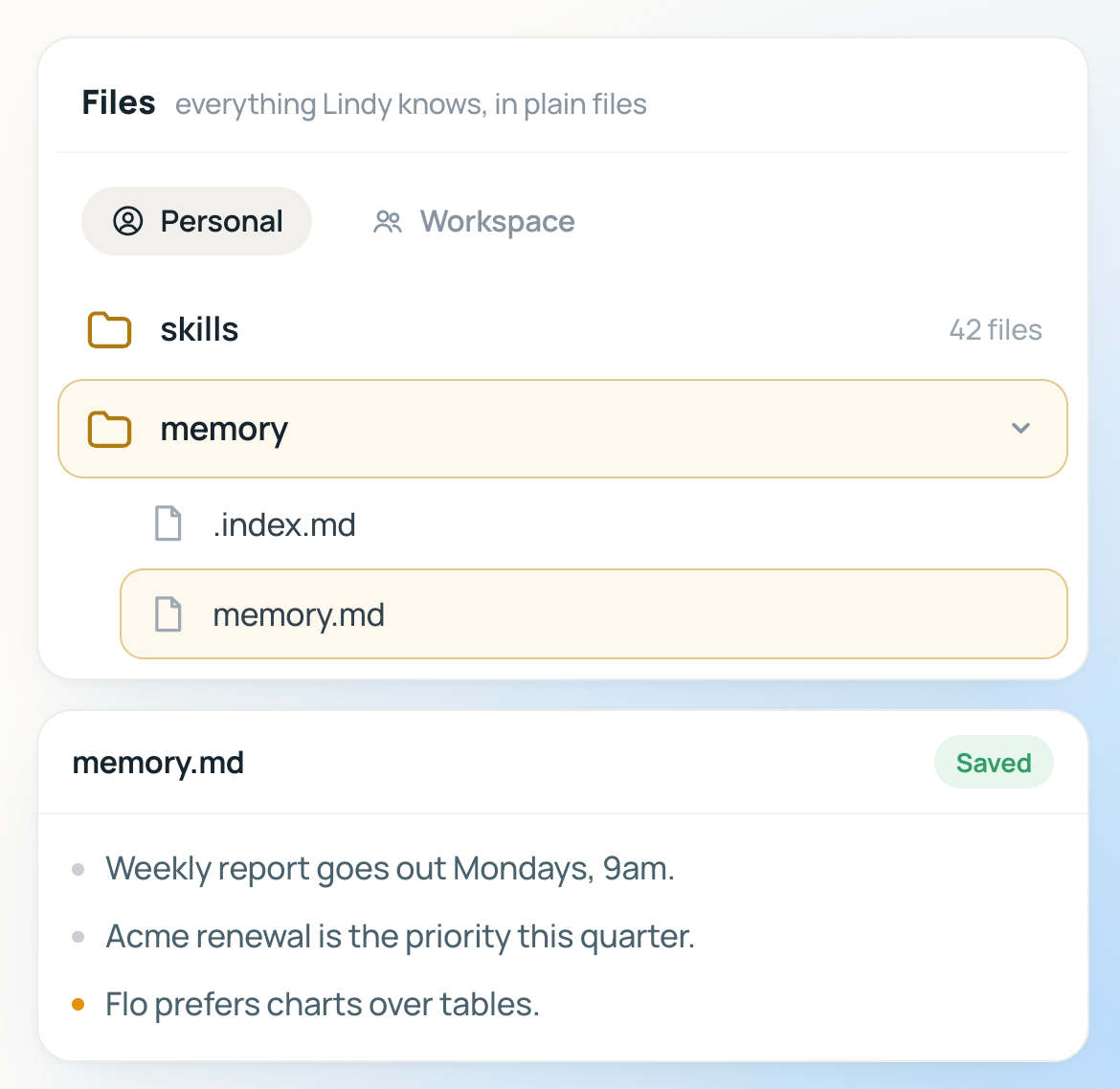
Memory serves a different purpose from a source document. “Use the approved Q4 pricing sheet” is a useful instruction. Copying every price into memory creates a second record that may age without anyone noticing.
Benefits for Small Teams
Shared Business Context
A small team often stores important knowledge in one employee’s inbox or habits. Team memory can make selected facts available without asking that person the same question each week.
Lindy’s enterprise page says administrators can manage team memory and specify which source wins when information conflicts. This is a valuable control because disagreement is normal. The CRM, signed contract, and meeting recap may describe the same account differently.
Memory works best when it points to the winning source and names an owner. It should not silently decide which record is correct.
Reusable Working Preferences
Preferences are another reasonable use. A memory might state that the weekly sales summary uses charts, or that an account review needs finance approval.
These rules can make team knowledge automation more consistent. Their presence cannot prove that the underlying work was correct.
Risks and Control Points
Stale or Incorrect Memories
An old memory can be more dangerous than a missing one because it sounds settled. A former manager may remain listed as an approver. A discontinued offer may still appear as current.
Run a negative test before relying on memory. Ask about a deliberately retired rule and confirm that Lindy does not use it. Then introduce two conflicting sources and check whether the approved source wins.
Sensitive Data and Access
Do not assume that one channel’s context automatically belongs in another. Lindy says its shared Slack assistant uses approved team sources, while personal context does not enter shared channels. Meeting owners also control who can access shared meeting folders.
Each memory needs a defined workspace, audience, and source. Memory does not replace application access controls.
Lindy says data is encrypted and not used to train models. Its privacy notice explains retention and deletion requests, with legal exceptions. This article offers operational guidance, not legal or compliance advice. Teams should confirm applicable requirements for their location and data.
Define a Memory Governance Routine
SpringBrand’s editorial Five-Field Memory Card is a simple starting point. Give every durable memory five fields:
- Instruction: the exact fact or rule Lindy should apply.
- Source: the record that supports it.
- Owner: the person who can correct it.
- Audience: the workspace or roles allowed to use it.
- Review date: when the team must keep, revise, or remove it.
Review high-impact memories monthly and low-risk preferences quarterly. Remove duplicates and resolve conflicts during the same review.
This routine turns AI memory governance into ordinary maintenance. It also gives the team an acceptance test: the assistant should use current instructions and decline unsupported ones.
When Documentation or Automation Help Is Worth Buying
Outside support may help when knowledge spans several inboxes, CRM records, meeting libraries, and approval chains. A useful deliverable includes a documented source map, access model, review schedule, and safe handoff.
SpringBrand publishes this article and operates an AI-assisted service marketplace. It can help a buyer describe a documentation or CRM automation need and compare third-party service options. SpringBrand is not Lindy’s implementation team and does not guarantee a provider’s work.
FAQ
Can Lindy's editable memory files be searched from iMessage?
Lindy documents iMessage access to personalized tasks and context, but its public pages do not specify a command for searching editable memory files. Test the exact request with non-sensitive data before relying on it.
Does Lindy's Slack teammate share memory with personal iMessage sessions?
Lindy says personal context does not enter shared Slack channels. Its public documentation does not fully map memory-file sharing between Slack and personal iMessage sessions. Confirm the workspace boundary and test both directions.
Are memory files included when teams export saved Lindy skills?
The current public pages describe saved skills and memory files separately. They do not state that a skill export includes memory. Ask Lindy to document the export contents before treating memory as portable.
Can meeting folders remain separate from Lindy's editable memory files?
Lindy presents meeting folders and editable memory as separate areas. Meeting owners can control folder visibility. Confirm that a workflow does not copy meeting details into memory before using different access rules for each area.
Do Lindy plan changes affect access to existing memory files?
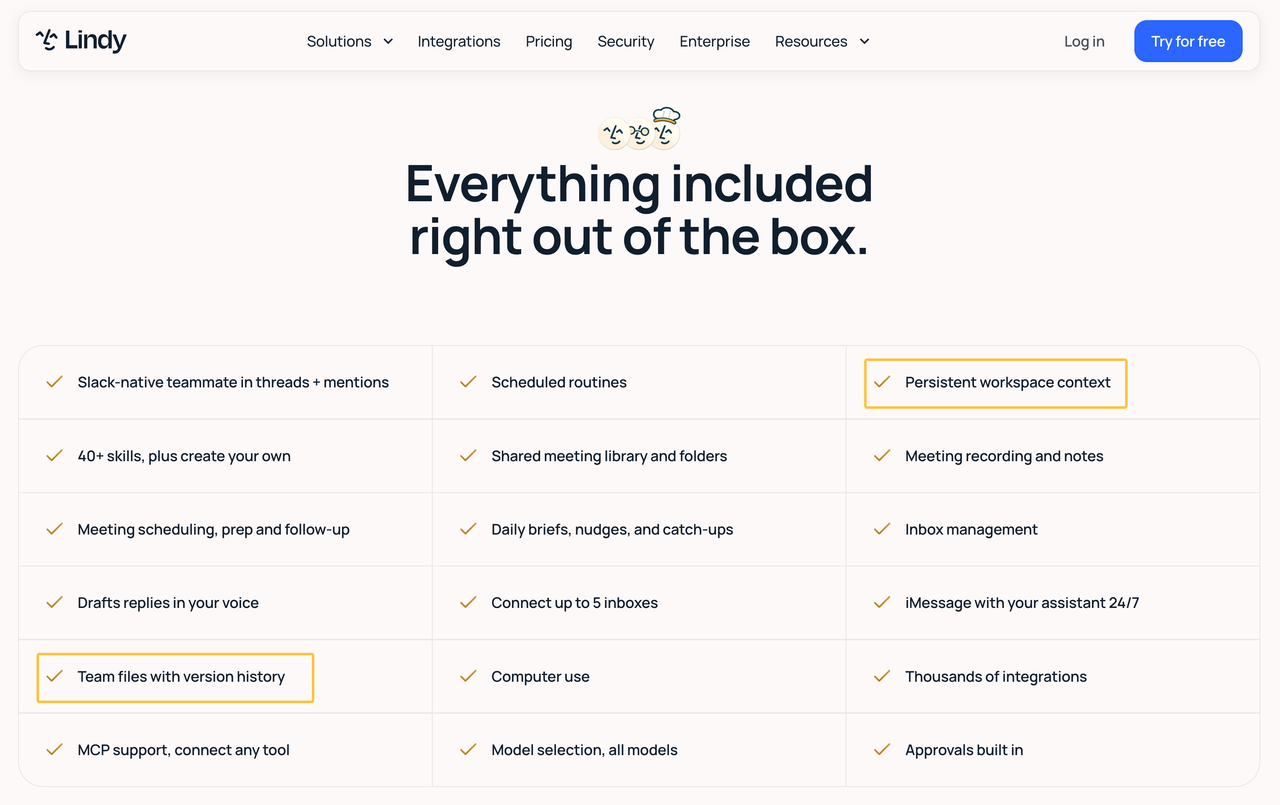
The current pricing page lists persistent workspace context and team files across paid plans. It does not explain every downgrade or cancellation outcome for memory files. Export needed records and obtain written confirmation before changing plans.
Conclusion
Lindy AI memory can preserve stable context that small teams would otherwise repeat. Its editable files provide a useful opportunity to inspect and correct that context.
The benefit depends on maintenance. Each memory needs a source, owner, audience, and review date. The team should test outdated, conflicting, and unauthorized cases before remembered information influences real work.
Recommended Reads
Explore SpringBrand
Turn ideas into working workflows
Connect agents, APIs and tools in one workspace. Start with a task you want to get done.
Get started free
One account. 10,000+ APIs & capabilities
Give your agent APIs and plugins without separate keys or integrations for every provider.
Explore APIs
No tool expertise needed
Describe your GTM task. SpringBrand chooses the right APIs and plugins for your agent automatically.
Find tools for your task
Run tasks 24/7
Connect your agent to SpringBrand to keep tasks running automatically, day and night.
Connect your agent