Lindy AI Review for Small-Business Inbox Workflows
This Lindy AI review assesses one inbox and follow-up workflow, including setup, human approval, limits, and when small teams still need outside support.
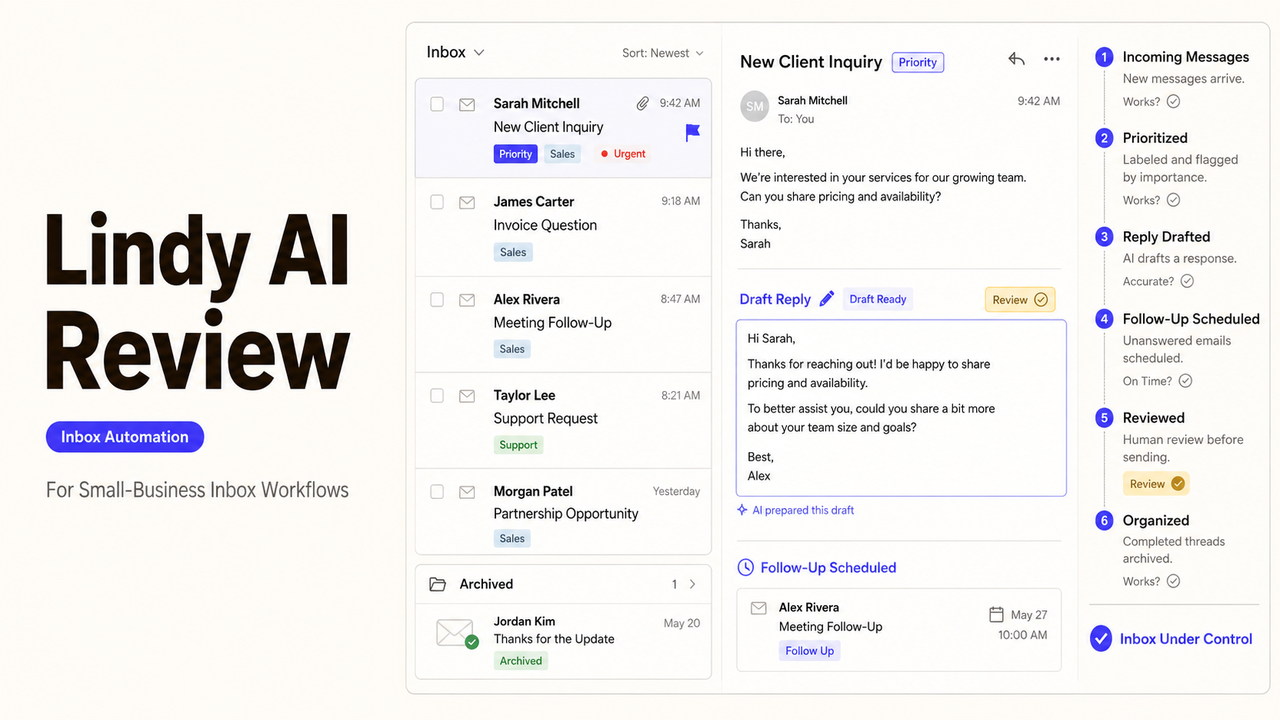
Lindy’s public materials make one control easy to verify: prepared email replies are saved as drafts. The harder questions sit around that draft. Did the right message receive priority, and will a planned follow-up stop when circumstances change?
This Lindy AI review follows those decisions through one small-business inbox.
This is a source-based fit assessment, not a hands-on test. I reviewed Lindy’s official pages on August 27, 2026. I did not test accuracy, draft quality, response time, or cross-channel continuity in a live account.
Quick Fit Summary
Lindy looks useful for a predictable inbox where one person needs help sorting messages, preparing replies, and remembering follow-ups. Its official materials describe labels and draft-first replies.
The fit is weaker for refunds, legal concerns, confidential employee matters, or unusual customer commitments. An AI email assistant should route those cases to a person.
Fit | Inbox condition | What to verify |
Promising | One connected inbox with repeatable categories | Correct labels, visible exceptions, and draft-only behavior |
Conditional | Several inboxes or different brand voices | Separate instructions, access boundaries, and account switching |
Poor first use | Frequent sensitive or high-stakes messages | Reliable escalation before any reply or follow-up action |
This table is an editorial fit summary, not a product benchmark. A buyer still needs a pilot using representative messages.
Review Scope: Inbox Triage and Follow-Up
This review follows one workflow: classify a message, prepare a reply for approval, and schedule the next task. It excludes Lindy’s meeting assistant, general memory, CRM cleanup, and reporting.
Sorting and Prioritizing Messages
The email-labeling routine can label, sort, archive, or keep messages visible. The user selects a connected Gmail or Outlook account and writes instructions for each category.
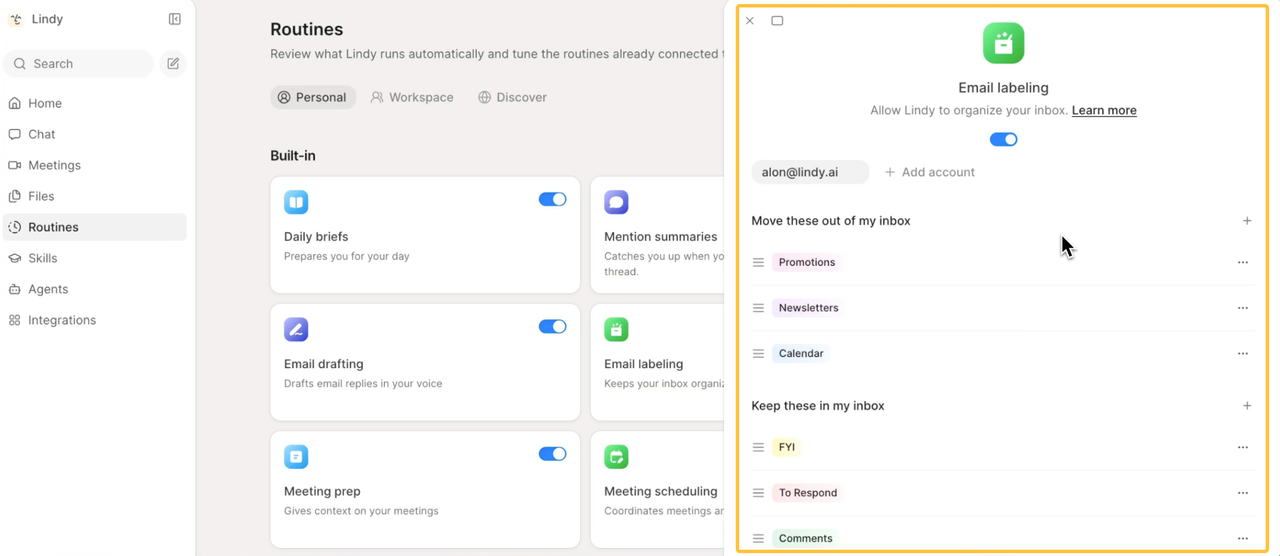
That can support Lindy inbox automation, but a feature description does not establish reliability. Test a calm urgent complaint, an alarming routine subject line, and a message that fits two labels. Ambiguous messages should remain visible.
Drafting Replies for Approval
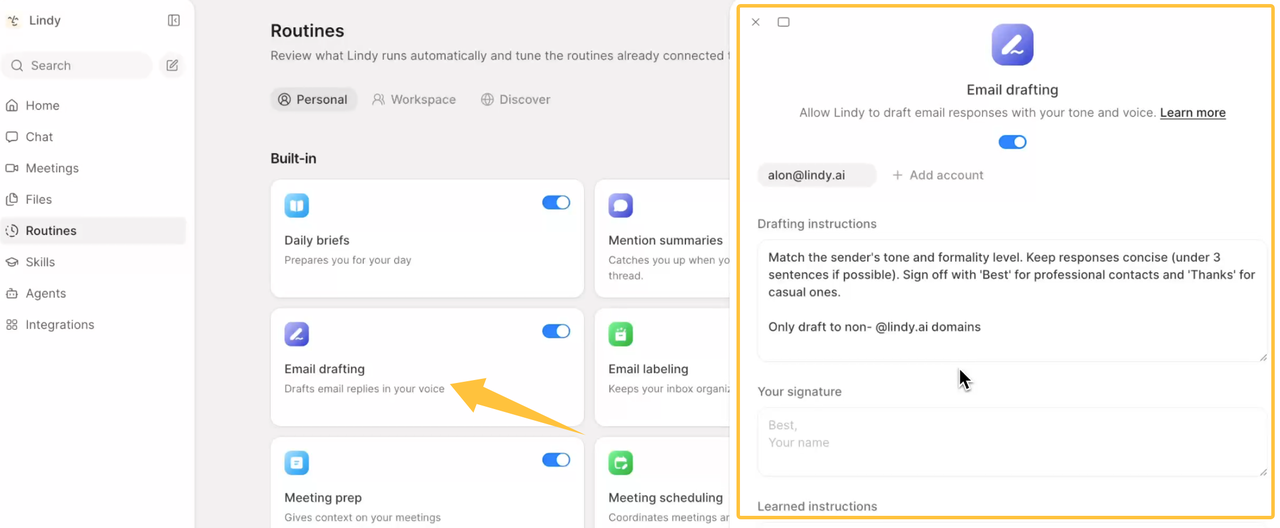
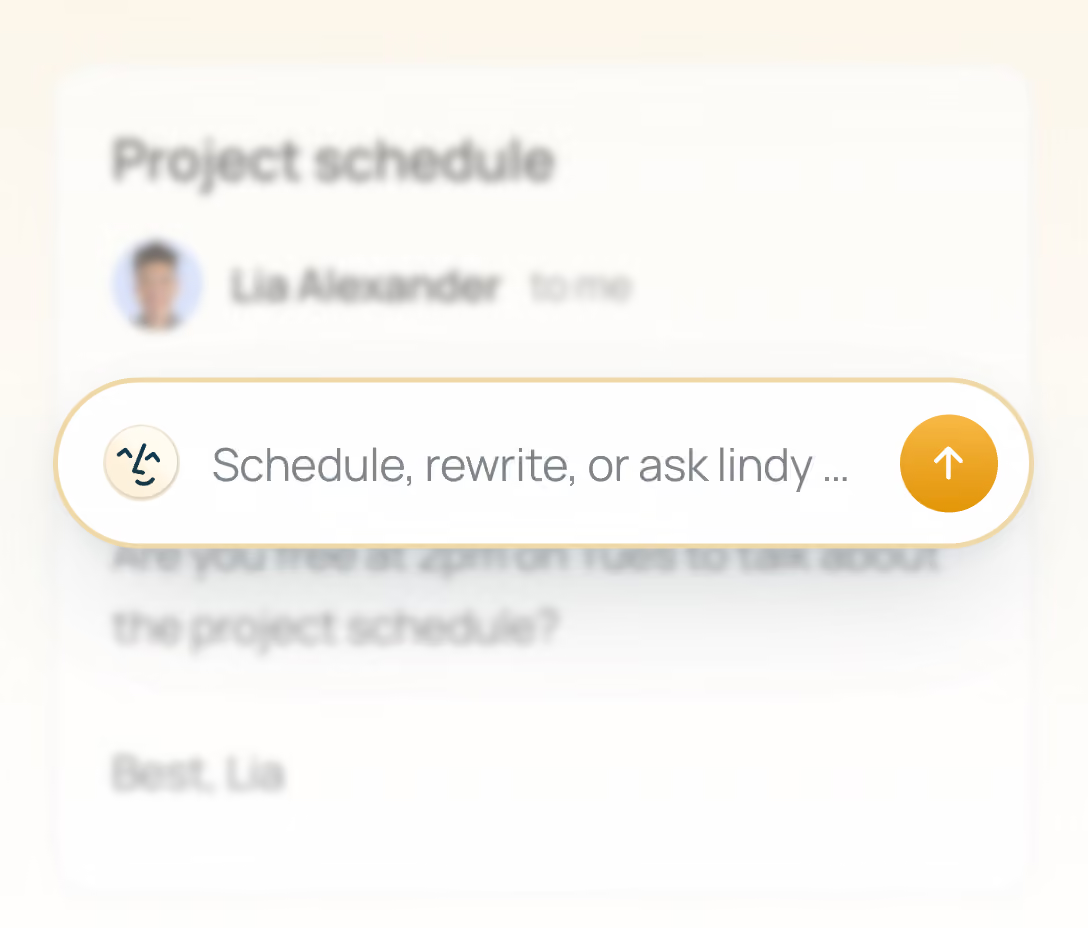
With email drafting, replies are saved for the user to review, edit, and send. The Gmail Chrome extension also provides pre-drafted replies and an inbox sidebar.
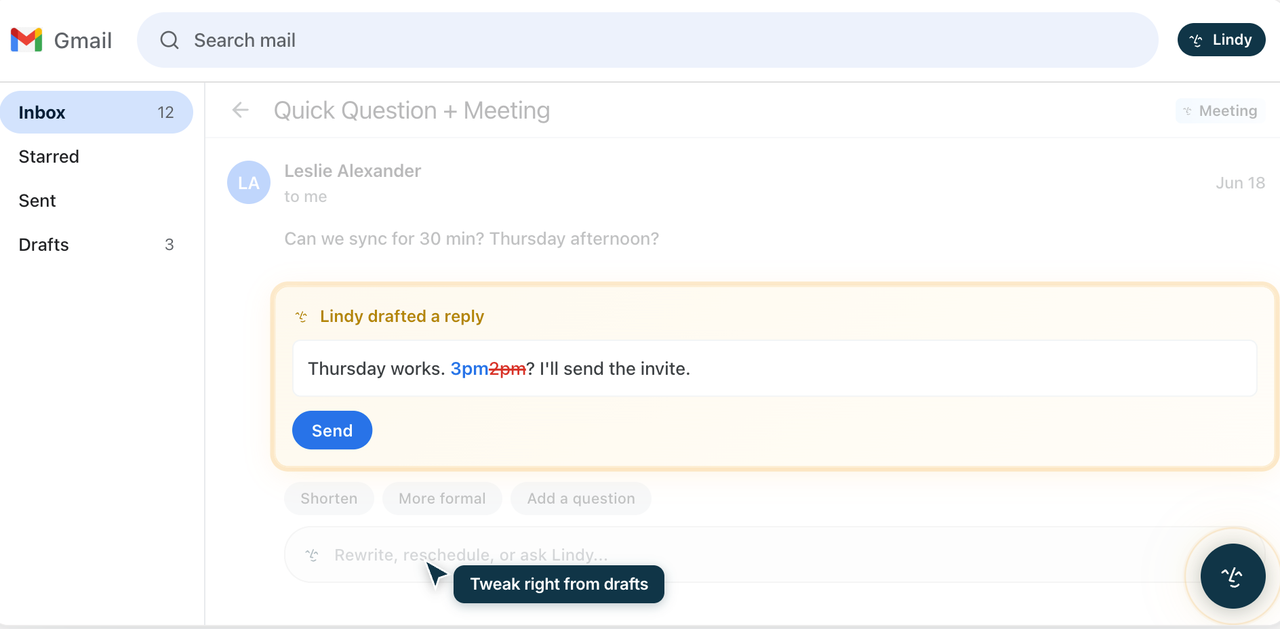
That boundary is the strongest fit for human-in-the-loop email. Test a wrong recipient, missing attachment, outdated price, and unsupported promise. When evidence is incomplete, no draft may be the right result.
Scheduling Follow-Up Tasks
Lindy documents a follow-up routine for quiet conversations. For small business follow-up automation, the crucial test is whether it stops when the customer replies or the opportunity closes.
Test a late reply, an internal-only thread, and a manually completed task. The workflow should not create a duplicate message or revive a conversation the owner deliberately ended.
Where Human Review Remains Essential
Sensitive Conversations and Exceptions
Keep complaints, refunds, employment matters, legal notices, security reports, and unusual commercial terms outside automatic sending. Lindy can label the message and prepare context, but a person should decide the response.
Tone is not a sufficient trigger. A polite request may still change a contract, disclose private information, or create a costly commitment.
Final Approval and Accountability
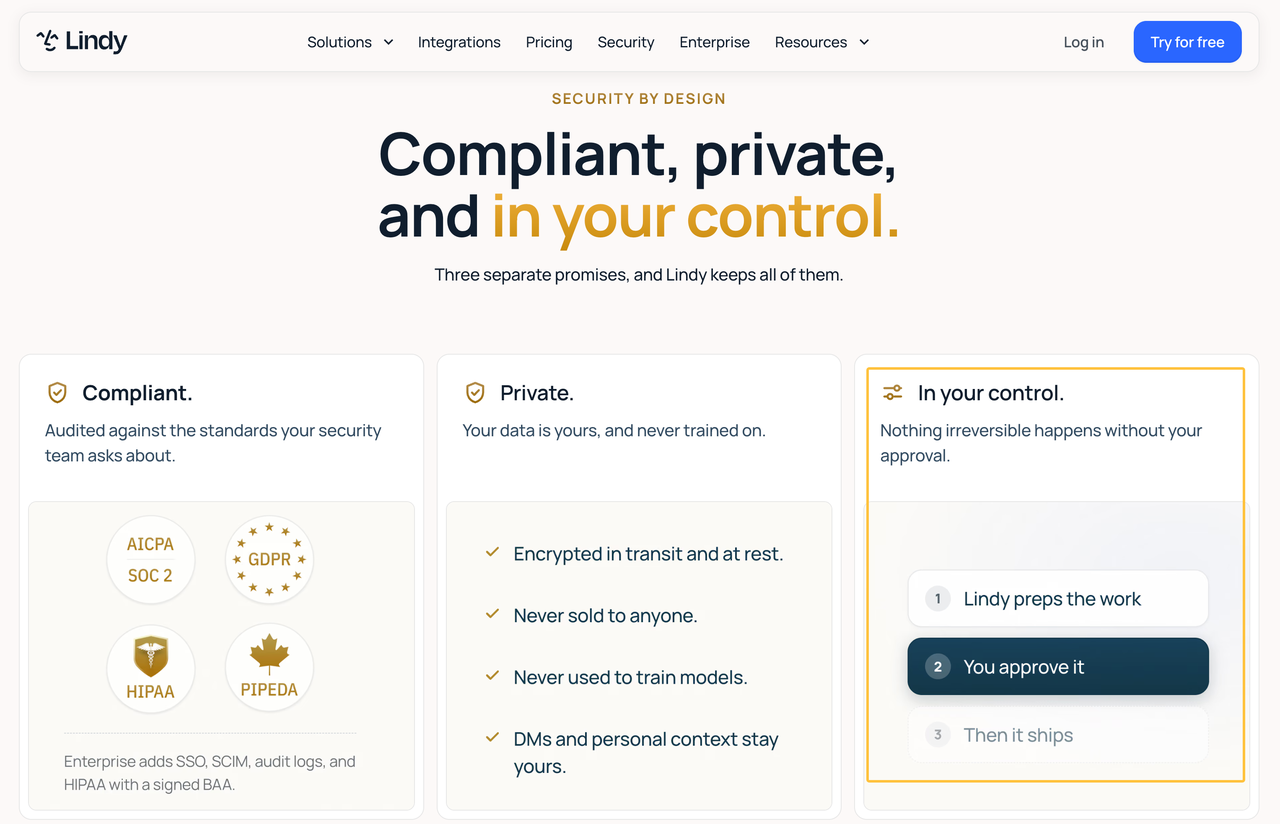
Lindy’s current approval controls can require a named person for actions with outside impact. For this inbox workflow, begin with draft permission only. Name the person who checks recipients, facts, attachments, tone, and commitments before sending.
Keep an exception record showing the message, proposed action, reviewer, decision, and later instruction changes. The business remains accountable for the reply.
When Outside Inbox Support Makes Sense
Outside help becomes useful when the workflow crosses several inboxes, a CRM, scheduling tools, or service teams. It can also fill gaps in routing, permission testing, and documentation.
Require a rule map, access list, test record, owner guide, and offboarding steps. The goal is one maintainable process, not every feature.
Turn the Workflow Into a Service Brief
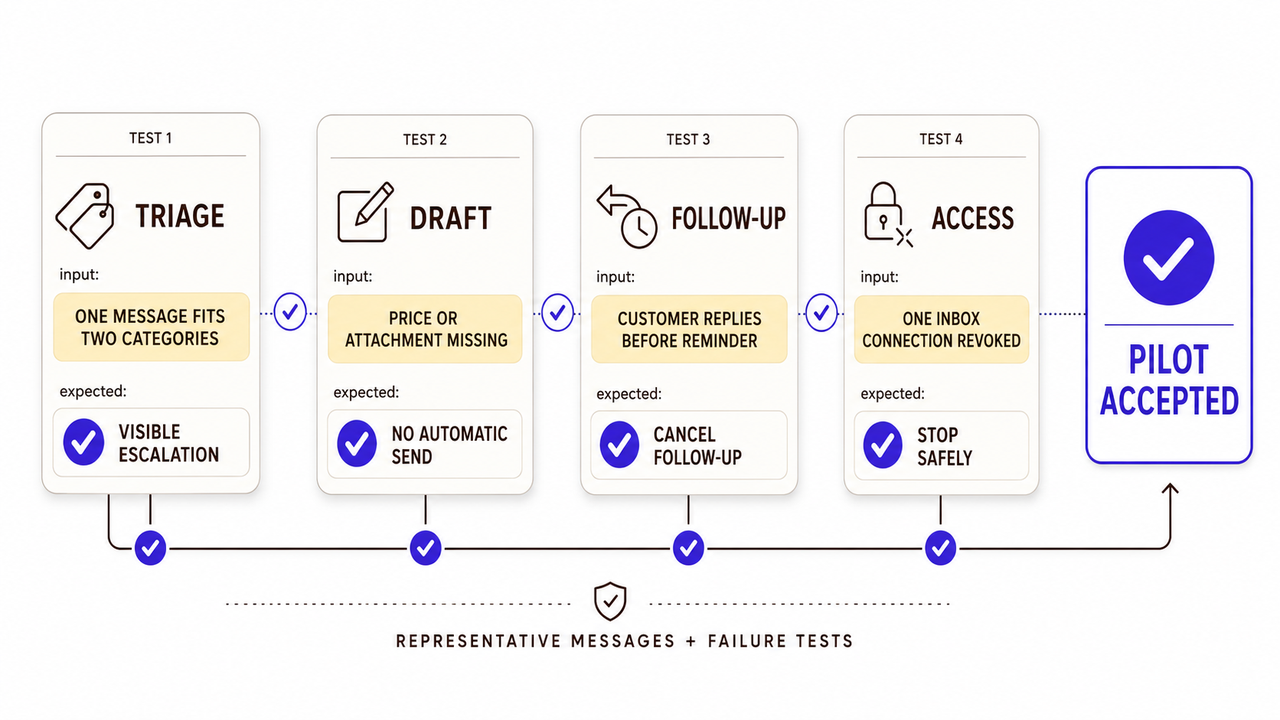
Use an inbox acceptance card before requesting proposals. This is an editorial framework for the purchase, not a Lindy feature.
Stage | Acceptable outcome | Failure test | Owner |
Triage | Correct label or visible escalation | One message fits two categories | Inbox owner |
Draft | Reviewable draft with no automatic send | Price or attachment is missing | Message approver |
Follow-up | Task appears only while action is due | Customer replies before reminder | Sales or service owner |
Access | Workflow uses only approved accounts | One connection is revoked | Account administrator |
Add the connected inboxes, prohibited actions, response windows, retention needs, and exit conditions. Current plan billing uses a shared credit pool, so ask how the proposed inbox activity will be monitored rather than assuming a fixed number of messages.
If the card reveals setup gaps, turn the inbox rules, approvals, and handoff into a SpringBrand service request to compare independent CRM, assistant, or communication support.
FAQ
Does Lindy's Gmail sidebar share context with its Slack teammate?
Do not assume full sharing. Lindy says personal email and calendar context stays out of shared channels, while teammates use approved team sources. Test the exact Slack channel, account, and permission boundary before adding private email.
Can Lindy continue a drafted reply after switching to iMessage?
Current materials say iMessage can use connected email context, but they do not clearly promise seamless continuation of a specific unsent Gmail draft. Test thread identity, draft state, and approval after switching channels.
Are Lindy meeting folders available while reviewing Gmail follow-ups?
The public pages describe meeting folders and Gmail inbox tools, but do not confirm that meeting folders can be browsed inside the Gmail sidebar. Treat them as separate surfaces until a live demonstration proves otherwise.
Do Lindy plan usage limits differ for inbox and meeting tasks?
The current pricing page describes one shared credit pool, not separate published quotas for inbox and meeting work. Credit use may vary by task, so confirm current billing behavior with representative activity before choosing a plan.
Can one Lindy account keep separate tones for multiple connected inboxes?
Lindy documents per-inbox drafting settings, including tone instructions. Test two connected accounts with conflicting voice rules to verify the behavior in your setup.
Conclusion
This Lindy AI review finds a plausible fit for one controlled inbox workflow: sort messages, prepare drafts, and schedule follow-ups while a person retains final approval. The public evidence does not prove accuracy or seamless cross-channel work.
Start with representative messages and failure tests. Keep sending rights, sensitive decisions, and exception ownership with a named employee until the pilot supports a broader scope.