X Ads MCP: What Small Businesses Should Know

Written by
Springbrand Editor Team
Editorial team
Springbrand Editor Team creates and maintains blog guides on AI tools, automation, marketing, and agent workflows.

Reviewed by
Springbrand Audit Team
Editorial review team
Springbrand Audit Team supports editorial quality through source checking, clarity, and consistency across the blog.
Updated
Published
X Ads MCP gives small businesses a new way to analyze campaigns with AI agents. See what to test, verify, and keep under human control.
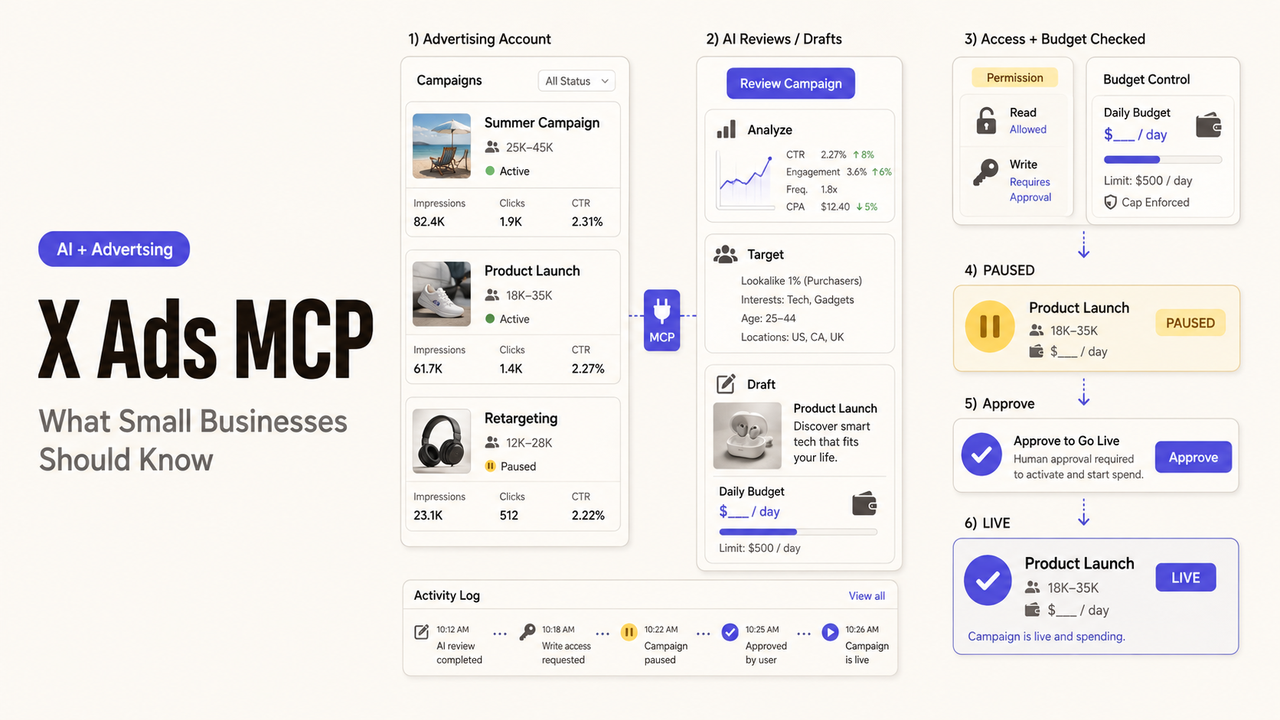
An agent flags an overspending campaign. The owner can see the alert but cannot tell whether the agent only read the account, proposed a change, or already changed the budget. X Ads MCP is useful only when those states remain separate and reviewable.
The Short Answer for Small Businesses
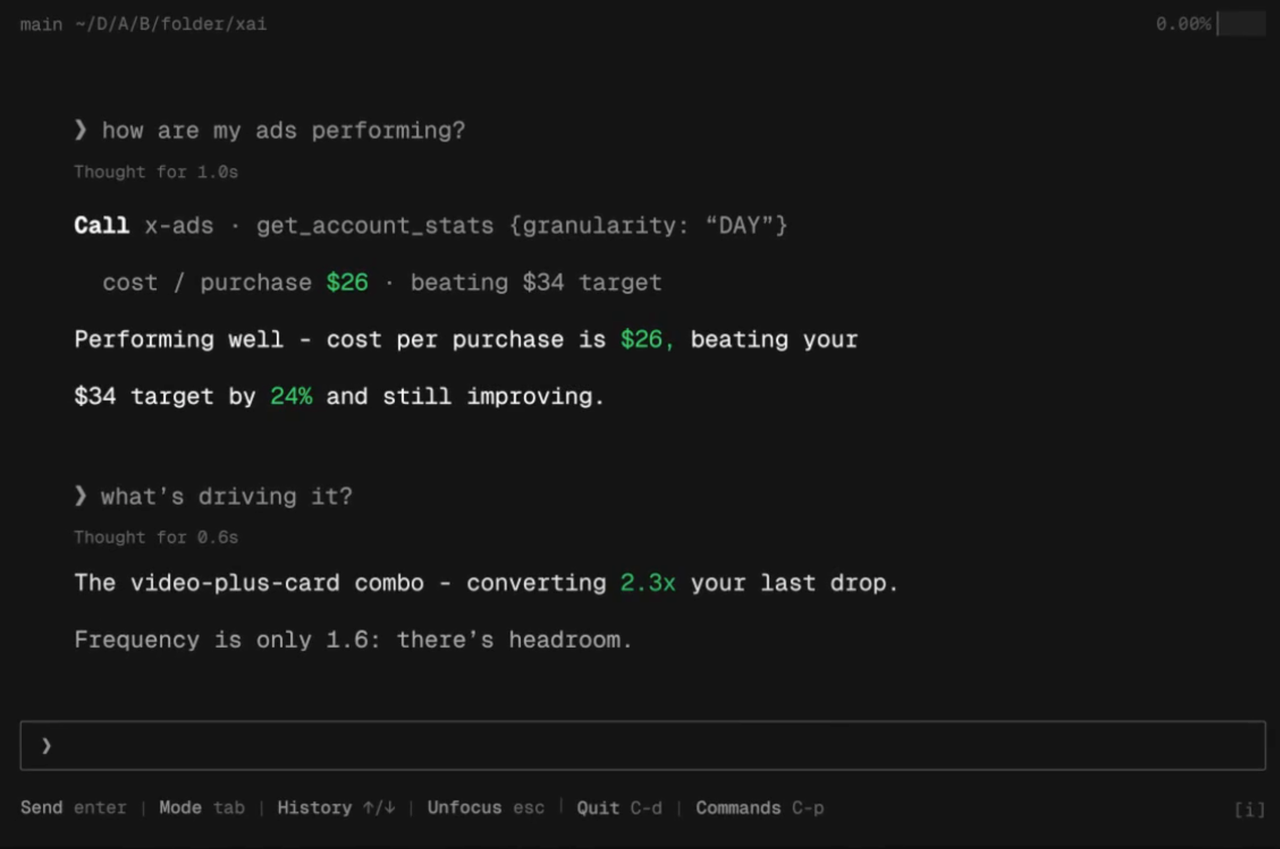
X Ads MCP connects compatible AI agents to advertising data and campaign controls. Detailed launch reporting describes 23 tools for account reads, analytics, targeting searches, and campaign actions. It is more than a reporting layer.
Start narrowly: ask questions about live data, compare the answers with Ads Manager, and disable writes. Add changes only after naming the approver and rollback owner.
Last verified August 28, 2026: I reviewed X's public Ads API and Business help pages plus launch reporting. I did not connect an advertiser account or execute an MCP tool.
What X Ads MCP Connects
Campaign Data and Natural-Language Queries
The existing X Ads API covers campaigns, creatives, audiences, analytics, and conversions. Its analytics documentation lists impressions, clicks, video views, and spend. X Ads MCP gives an AI client a standardized route to supported functions.
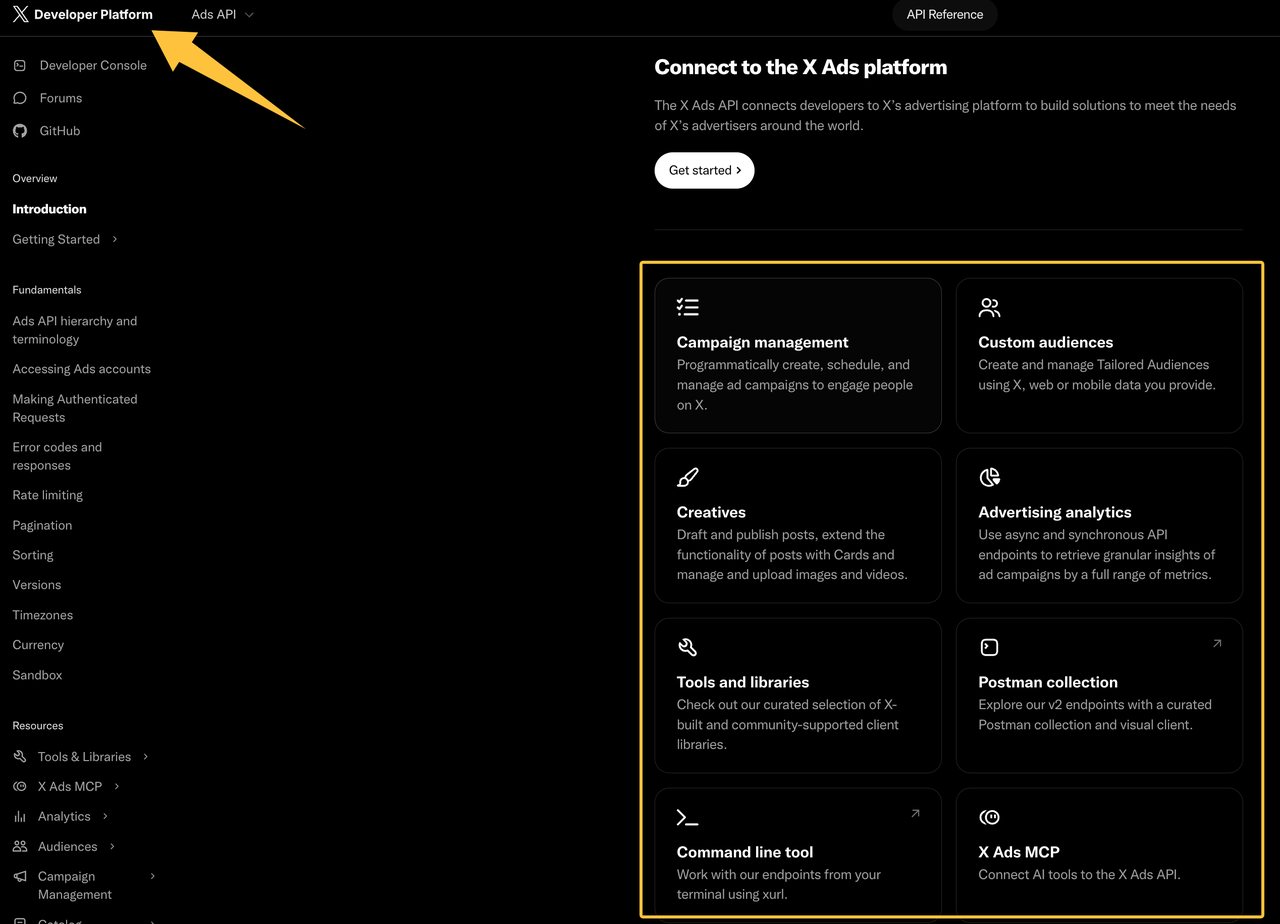
A user might ask which campaigns changed spend most sharply. The answer is a query result, not a decision. Date range, attribution, currency, and incomplete conversion data can change its meaning.
X's MCP and Third-Party Connectors
X's server and a third-party Twitter Ads MCP connector are different products. Markifact, NotFair, and AdKit publish their own tools or approval flows. Those features do not establish what X supports.
Before connecting, identify the server URL, operator, consent screen, tool list, and support owner. A familiar client name does not make a connector first-party.
Where It Could Reduce Ad-Management Busywork
Reporting and Anomaly Checks
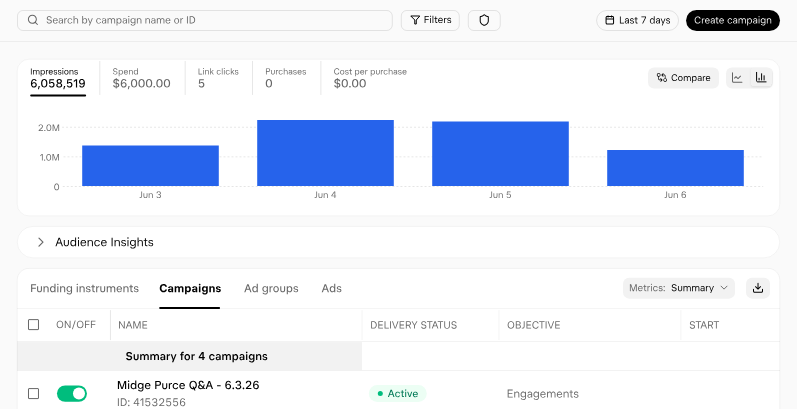
X Ads AI agents could summarize account changes and flag a defined threshold. A useful alert names the campaign, metric, period, timestamp, and threshold. “Performance dropped” is not enough.
Verify the first reports against Ads Manager. Stop the pilot if totals, time zones, deleted entities, or status labels do not reconcile.
Campaign Change Drafts for Human Review
Launch reporting says agent-created campaigns and line items start paused, but activation is also available. Paused creation is a staging control, not a complete ad campaign approval system.
Freeze each draft. Before approval, show its account, budget, dates, objective, audience, creative, landing page, and status.
What Still Needs Human Ownership
Budget and Audience Decisions
The owner remains accountable for spend and intended audience. An agent can suggest, but it cannot decide the acceptable financial or customer trade-off.
X's current account-access documentation describes app-level and account-level permissions for the Ads API. That evidence shows that access is role-dependent; it does not prove that every X Ads MCP client preserves those roles identically.
Creative Judgment, Policy, and Final Approval
Someone must verify the offer, claims, landing page, exclusions, and required review. X says advertisers remain responsible under its current advertising policies.
Keep activation outside the conversation that produced the recommendation. The approver should confirm that the live draft matches a stable snapshot.
Run a Low-Risk Pilot Before Wider Use
Start With Read-Only Access
Choose one account and reporting question. Exclude writes and compare every output with the native dashboard. Never give live credentials to an unverified connector.
Use X's Ads API sandbox when supported. It cannot prove production permissions, billing, or connector logging.
Define Approval and Stop Rules
Use this Campaign Action State Matrix, an editorial framework rather than an X standard:
State | Agent may do | Human checkpoint | Required evidence |
Read | Retrieve approved fields | Confirm account and date range | Query, timestamp, source account |
Recommend | Explain an anomaly | Accept or reject the reasoning | Metric, threshold, comparison |
Draft | Prepare a paused change | Review the exact object | Budget, audience, creative, status |
Activate | No default authority | Named approver authorizes | Approval time, actor, result |
Run negative tests before widening X Ads automation. A read-only client must fail to change a budget. Expired credentials must fail closed. Duplicate instructions must not create another campaign. Changed drafts require new approval.
SpringBrand publishes this guide and operates the marketplace linked below.
If the pilot needs independent implementation or ad-operations support, compare relevant packaged services and assign X Ads execution explicitly in the service scope.

FAQ
Does X Ads MCP require an eligible X Ads account?
Yes, practical use depends on an eligible advertising account and the required developer or API access. X's current eligibility page also requires policy compliance, public posts, and an accepted verification route. Confirm the specific app and account before planning a pilot.
Which MCP clients does X officially support at launch?
Launch materials reported support for Grok, Claude Code, and custom agents built with MCP SDKs. X has not published an exhaustive guarantee for every compatible client in the indexed official Ads documentation reviewed here. Confirm the current setup recipe and authentication behavior for the chosen client.
Does X Ads MCP preserve existing multi-user account permissions?
Do not assume full equivalence. X documents roles such as account administrator, ad manager, creative manager, and campaign analyst for Ads API access. The reviewed launch material does not explain how every MCP client displays or enforces each role, so test with a least-privileged user.
Does X Ads MCP log changes made through connected agents?
X's reviewed public pages do not describe an MCP-specific audit log with prompts, tool calls, approver identity, and before-and-after values. Require the client or gateway to retain those records, then confirm that X Ads Manager shows the resulting object state.
Is X Ads MCP available in every advertising market?
No global MCP-specific availability list was disclosed in the reviewed launch material. X publishes a current list of self-serve advertising countries and notes trade restrictions and temporary sensitive-event limits. Check account eligibility, target-market availability, and the connector's own regional terms separately.
Conclusion
The decision boundary is simple. Use X Ads MCP for read-only analysis when the data reconciles. Permit paused drafts only when the business can freeze and review every material field. Keep activation with a named human until permissions, logging, and rollback behavior have been verified in the actual client.
Recommended Reads
Explore SpringBrand
Turn ideas into working workflows
Connect agents, APIs and tools in one workspace. Start with a task you want to get done.
Get started free
One account. 10,000+ APIs & capabilities
Give your agent APIs and plugins without separate keys or integrations for every provider.
Explore APIs
No tool expertise needed
Describe your GTM task. SpringBrand chooses the right APIs and plugins for your agent automatically.
Find tools for your task
Run tasks 24/7
Connect your agent to SpringBrand to keep tasks running automatically, day and night.
Connect your agent