Hister MCP Troubleshooting: Fix Connection and Search Issues
Hister MCP troubleshooting starts by separating connection failures from empty results. Check the endpoint, authentication, index, and query mode safely.
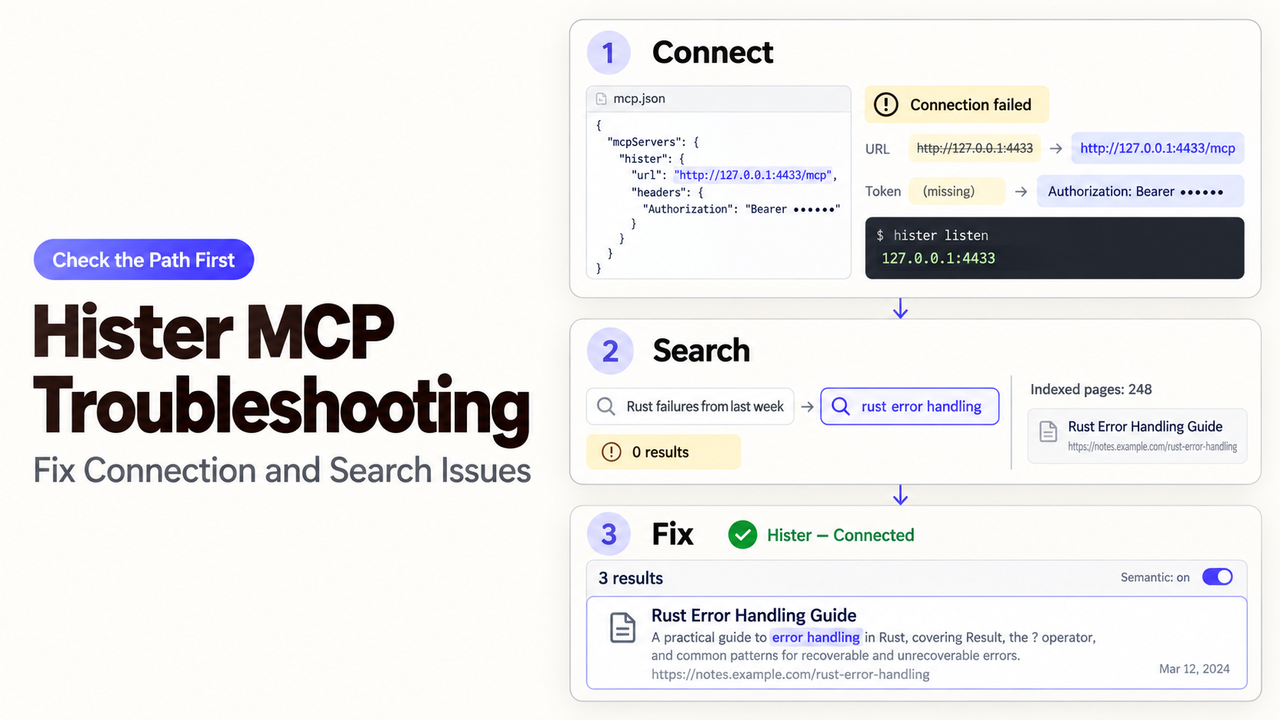
Your client may list Hister's search tool yet miss a page visible in Hister itself. That needs a different fix from a missing tool. Start Hister MCP troubleshooting by identifying which side fails. This documentation-led guide follows Hister's MCP reference, checked September 29, 2026.
Identify the Hister MCP Failure Before Changing Settings
Separate Connection Errors From Empty or Irrelevant Results
If the client cannot discover Hister tools, check the connection. If search runs but misses a known page, check the index and query. An irrelevant result does not prove a connection failure.
What you see | First safe check |
No Hister tools | Compare the client URL and transport with the running server. |
Tools appear, but a call is denied | Check the server's authentication mode and the client's token header. |
| Find that page in Hister's own search interface before changing MCP settings. |
A page appears, but the match is weak | Compare a distinctive keyword query with semantic mode on the same index. |
This editorial triage table is not an official error-code map. The Hister troubleshooting page does not publish a universal MCP error-code list.
Fix Connection and Authentication Errors
Check the Base URL, the /mcp Path, and Streamable HTTP
Hister uses POST /mcp over Streamable HTTP. The default local URL is http://127.0.0.1:4433/mcp. For a remote instance, append /mcp to server.base_url, preserving any proxy subpath. See the MCP endpoint examples.
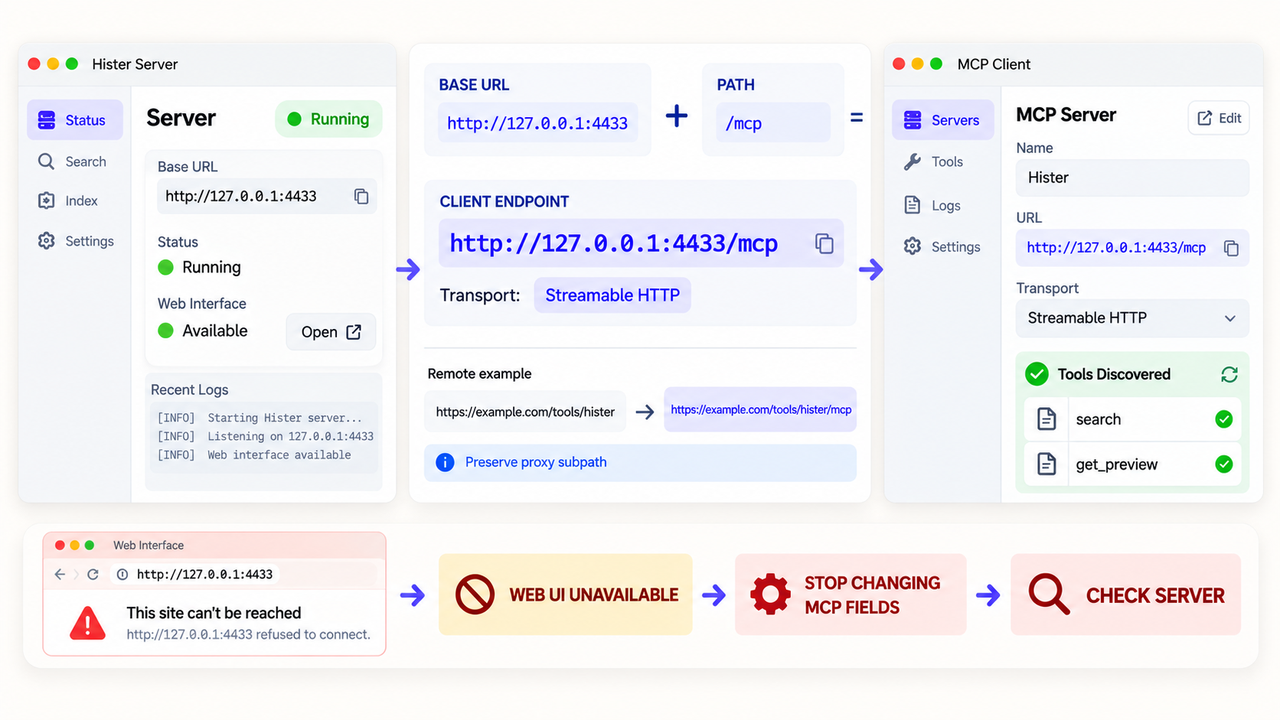
If the web interface is unavailable, stop changing MCP fields. Hister's configuration reference documents hister config show, which redacts credentials, and hister doctor for connectivity and authentication checks. Restart Hister after server changes.
Match the Token Header to the Current Hister Authentication Mode
Hister's default needs no token. With app.access_token, use Authorization: Bearer <redacted-token> or X-Access-Token: <redacted-token>. Multi-user mode needs a personal token. Match the server's mode; Hister's authentication section defines each case.
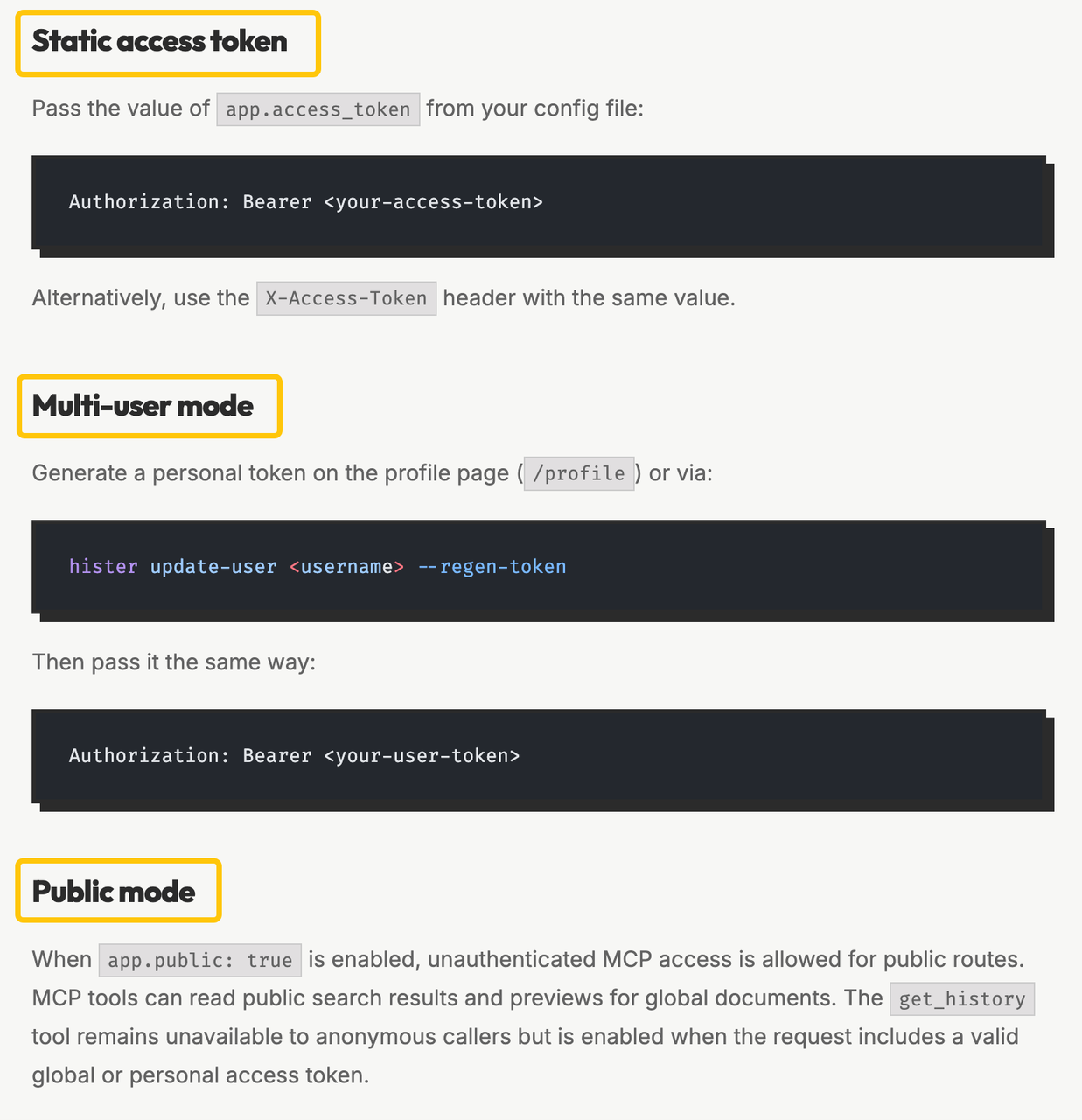
Anonymous public-mode callers can search public documents and view eligible previews, but get_history requires authentication. Public search does not prove private access. Never paste a token into a screenshot, prompt, or command history.
Fix Empty or Irrelevant Search Results
Confirm That Hister Has Indexed the Expected Content
Search Hister itself for one page you expect in the index. Use a distinctive, non-sensitive phrase. If absent there, check ingestion and indexing rules before client settings. The MCP tool description limits search to indexed documents and history.
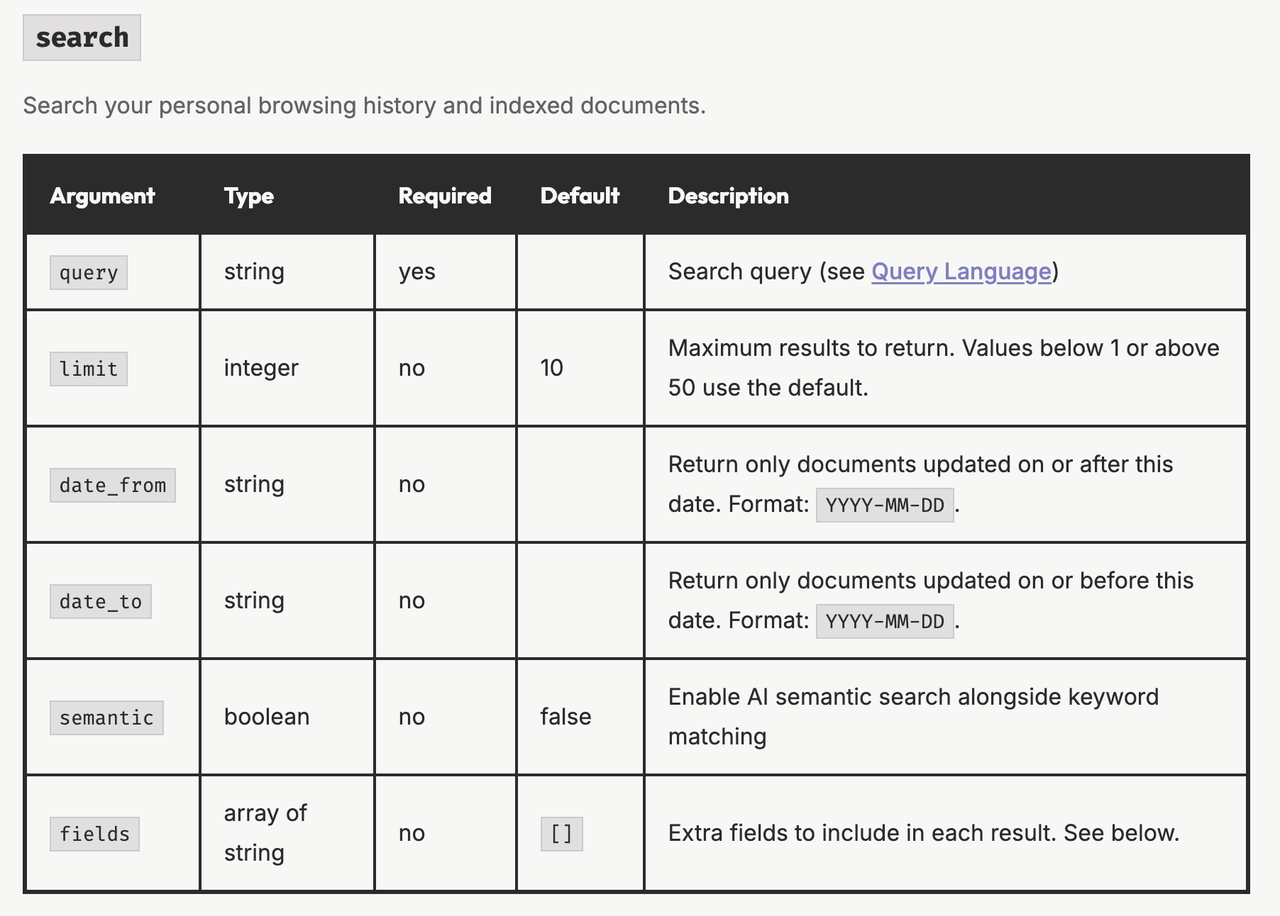
If Hister finds the page but MCP does not, compare account scope, query, and date filters. An unintended date_from or date_to can hide it. The docs do not promise that reindexing fixes every empty result.
Compare Keyword and Semantic Search Behavior
Run a keyword query, then repeat it with semantic: true; keep filters and limit fixed. Hister says an unavailable semantic setup falls back to keyword search. Identical results alone do not diagnose embedding quality.
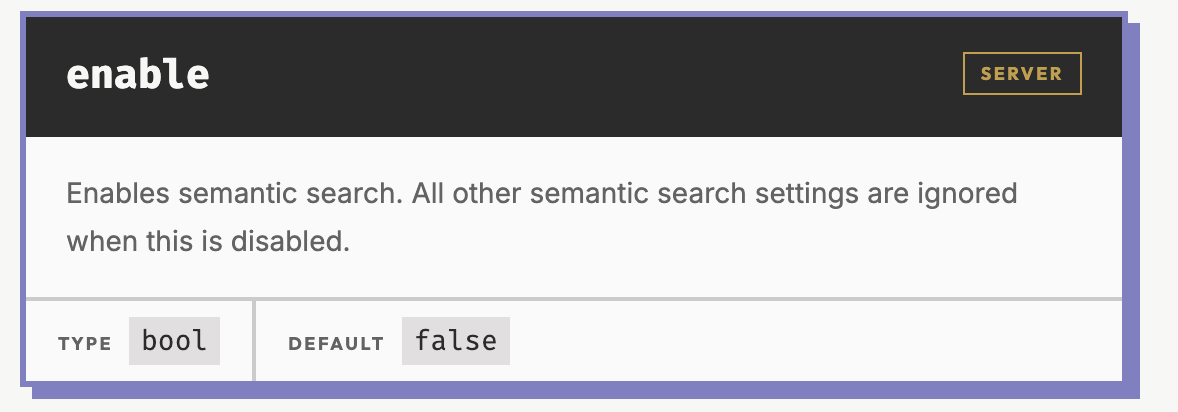
The configuration reference says semantic search is opt-in and needs a compatible embeddings endpoint. The query-language guide covers phrase and field syntax. Confirm the page exists before refining the query.
Validate the Repair Safely
Start a Fresh Client Session and Confirm the Tool List
Restart Hister after server configuration changes. For Claude Desktop, Hister's instructions require an app restart and new conversation before checking for search. For another client, verify its discovered tool list after reconnecting.
Repeat One Bounded Search and Inspect a Stored Preview
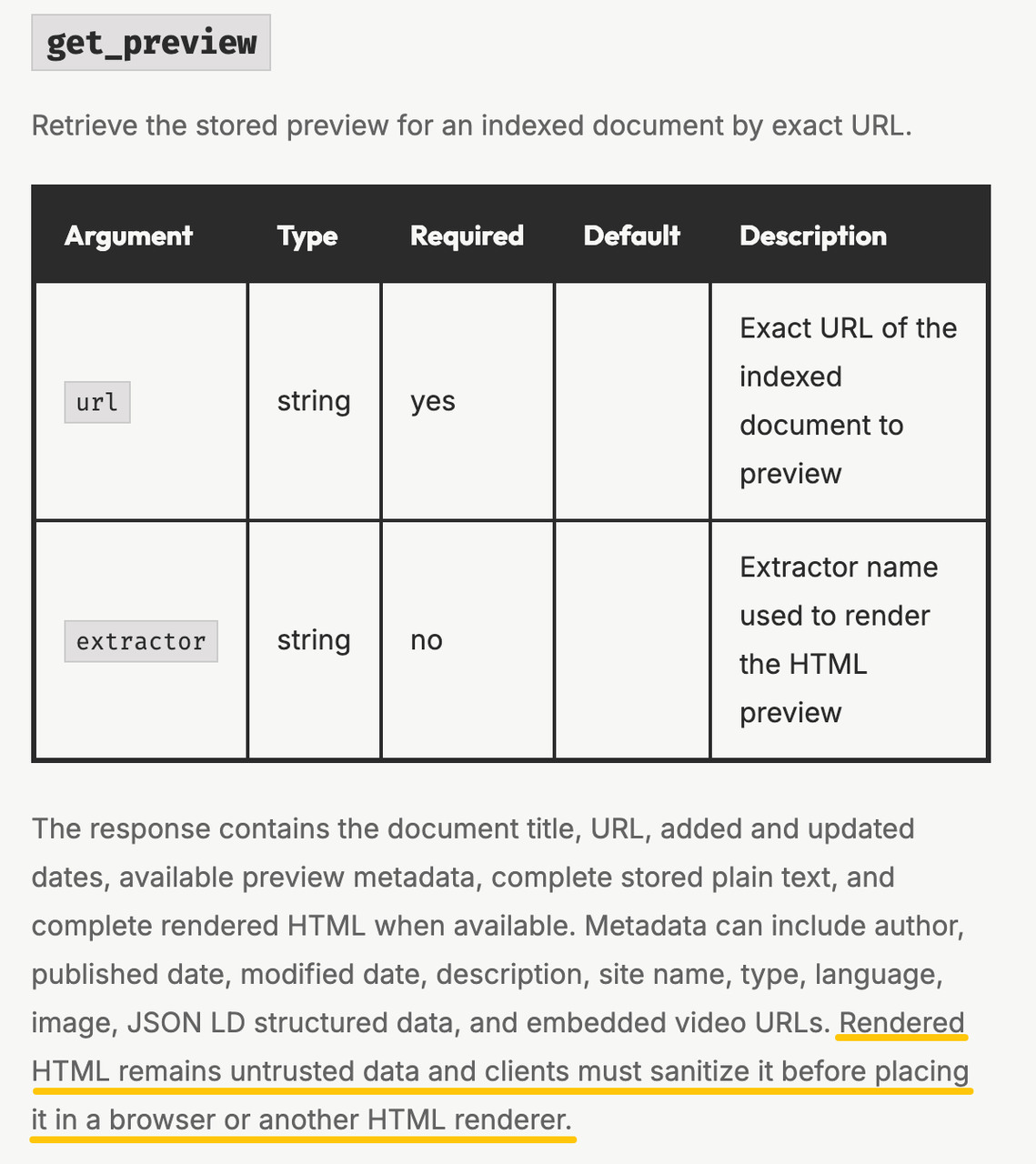
Call search with the same private test phrase and a small limit. Compare its result with Hister's page, then send the exact indexed URL to get_preview. Its schema returns stored text and metadata; HTML appears when available.
Record only whether tools appeared, the call succeeded, and the known page opened. Redact tokens, URLs, queries, and snippets from shared diagnostics. A wider search cannot repair a broken connection.
Keep Troubleshooting Data and Actions Under Control
Hister marks titles, URLs, bodies, and history as untrusted. Its MCP safety guidance warns that these fields may contain instructions for an assistant. Keep retrieval read-only. Require human confirmation before any browser, shell, file, email, or network action; the marker is no security guarantee.
The server setup guide warns that public search and previews can expose indexed content. Do not enable public mode to bypass an authentication error. Escalate with sanitized symptoms, never stored pages or credentials.
Conclusion
Hister MCP troubleshooting ends when the client discovers the tools and the same known page appears in Hister search and the MCP preview. If either check fails, return to that layer instead of widening access. For a separate agent process, map diagnosis, human confirmation, and stop conditions in a controlled workflow; SpringBrand is not Hister technical support.
FAQ
What happens when the Hister search limit is below 1 or above 50?
Hister uses the default search limit of 10. Its MCP search parameter table says values outside 1–50 revert to that default. If a result set looks unexpectedly short, inspect limit before treating it as an indexing failure. This is not a published rate-limit threshold.
What does get_preview return when rendered HTML is unavailable?
The Hister get_preview schema promises complete stored plain text, the document title and URL, dates, and available metadata. Rendered HTML is included only when available. Use the text and exact indexed URL for the check; do not infer a missing document from absent HTML.
Why can anonymous public search work while get_history is unavailable?
Public mode permits anonymous MCP search and previews for global documents. The Hister access rules keep get_history unavailable without a valid global or personal token. Confirm which account and document scope the caller should see before treating this as a connection defect. Do not expose a token to broaden a diagnostic session.
How do indexed and opened history pagination cursors differ?
For get_history, the MCP tool table uses page_key with the previous response's next_page_key in indexed mode. opened mode uses last_id with next_last_id. Keep each cursor with its own mode; swapping them is not a reliable way to recover a missing page.
When must Hister run a full reindex after a language-detection change?
After changing indexer.detect_languages, Hister's troubleshooting guide explicitly requires hister reindex. Disabling language detection can reduce memory use but may weaken search accuracy. That documented requirement is specific to this setting; do not use a full reindex as the first response to every MCP search problem.