Manus Review for a Research Brief Workflow
Written by
Alex
Springbrand Researcher

Reviewed by
Springbrand Audit Team
Editorial review team
Springbrand Audit Team supports editorial quality through source checking, clarity, and consistency across the blog.
Updated
Published
Manus review for a research brief: assess source traceability, review effort, and when a reusable workflow is the better fit.
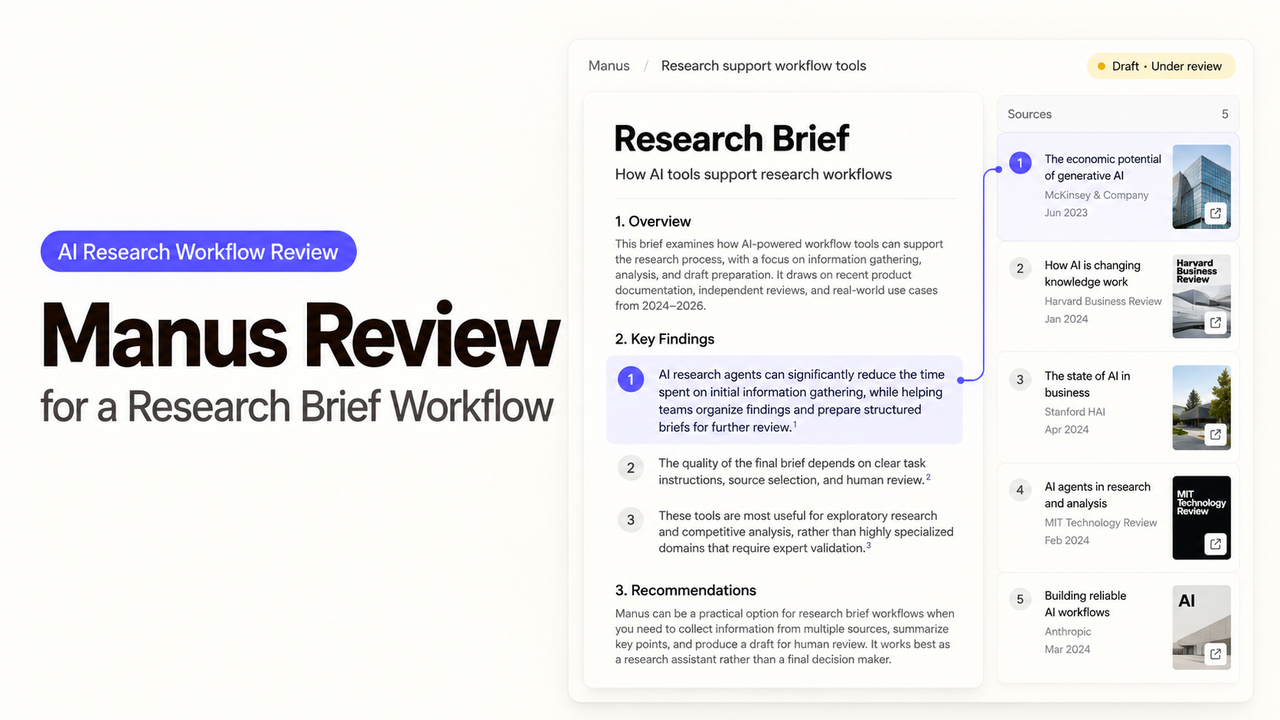
A marketing lead asks for a comparison of three competitors before a campaign planning meeting. One has changed its product page. Another calls a feature “coming soon.” The team needs to know which claims are current before choosing a message. That is the question behind this Manus review. I’m Alex, and I’ll follow one research brief from assignment to sign-off, where a polished but weakly sourced sentence can mislead the campaign.
Manus's document generator describes gathering sources and drafting a report from a stated audience, goal, and source criteria. The buying decision rests on the work left after that draft arrives: checking claims, resolving disagreement, and keeping enough context to revisit the brief.
What Should the Research Brief Contain?
It should answer a narrow campaign question and show evidence behind every claim that could change the team's message. Here the question is: How do three competitors describe their onboarding service today? The lead then decides where the campaign can make a supported distinction. A general market overview would make the review harder.
Give Manus the company names, market, cutoff date, and acceptable sources. Ask for a short comparison, unresolved points, and a source ledger with each claim, URL, relevant passage, and the page's update and access dates when available. An access date does not make old content current.
“Competitor A offers guided setup” is a sourced statement if its current page says so. “Our onboarding is faster” needs evidence about both companies. Without it, mark that campaign angle unconfirmed.
Deliverable | What the lead should be able to check |
One-page summary | What changed the campaign decision, and what remains unknown |
Claim table | Which competitor, exact claim, source, date, and supporting passage |
Conflicts | Where a current product page and an older article disagree |
Proposed angles | Which are supported facts and which are editorial interpretations |
Open questions | Who must resolve each one before the brief is circulated |
That format leaves a record if a colleague later asks why the team ruled out an angle.
How Would a Team Assign the Task in Manus?
Start with one written task: competitors, research question, permitted sources, exclusions, intended reader, and output format. Ask Manus to flag inaccessible pages and contradictions. If it cannot find a primary source for a consequential point, the output should say “unverified.”
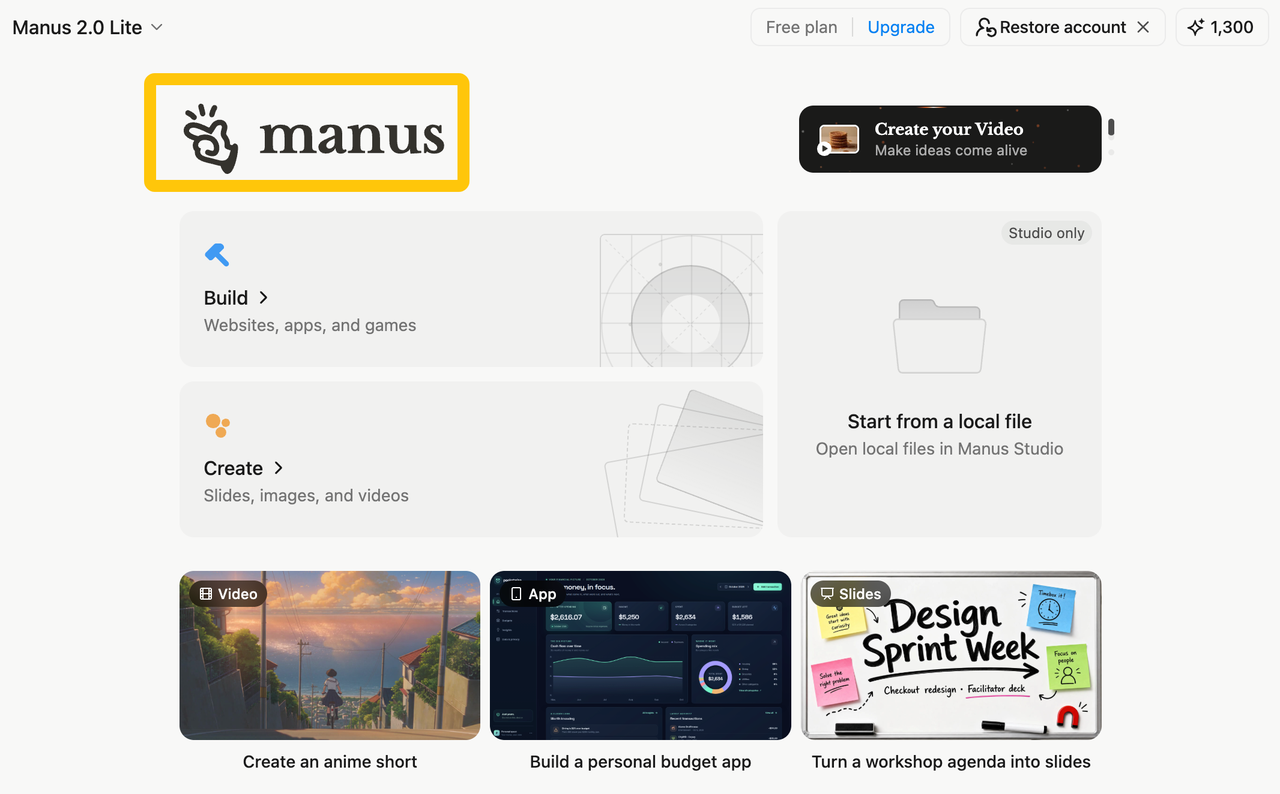
Manus Projects can hold instructions, files, sources, and connectors for new tasks. A Project becomes useful when the team repeats the question and needs consistent scope. Check its files before each run: an outdated positioning deck can become the most misleading source in the workspace.
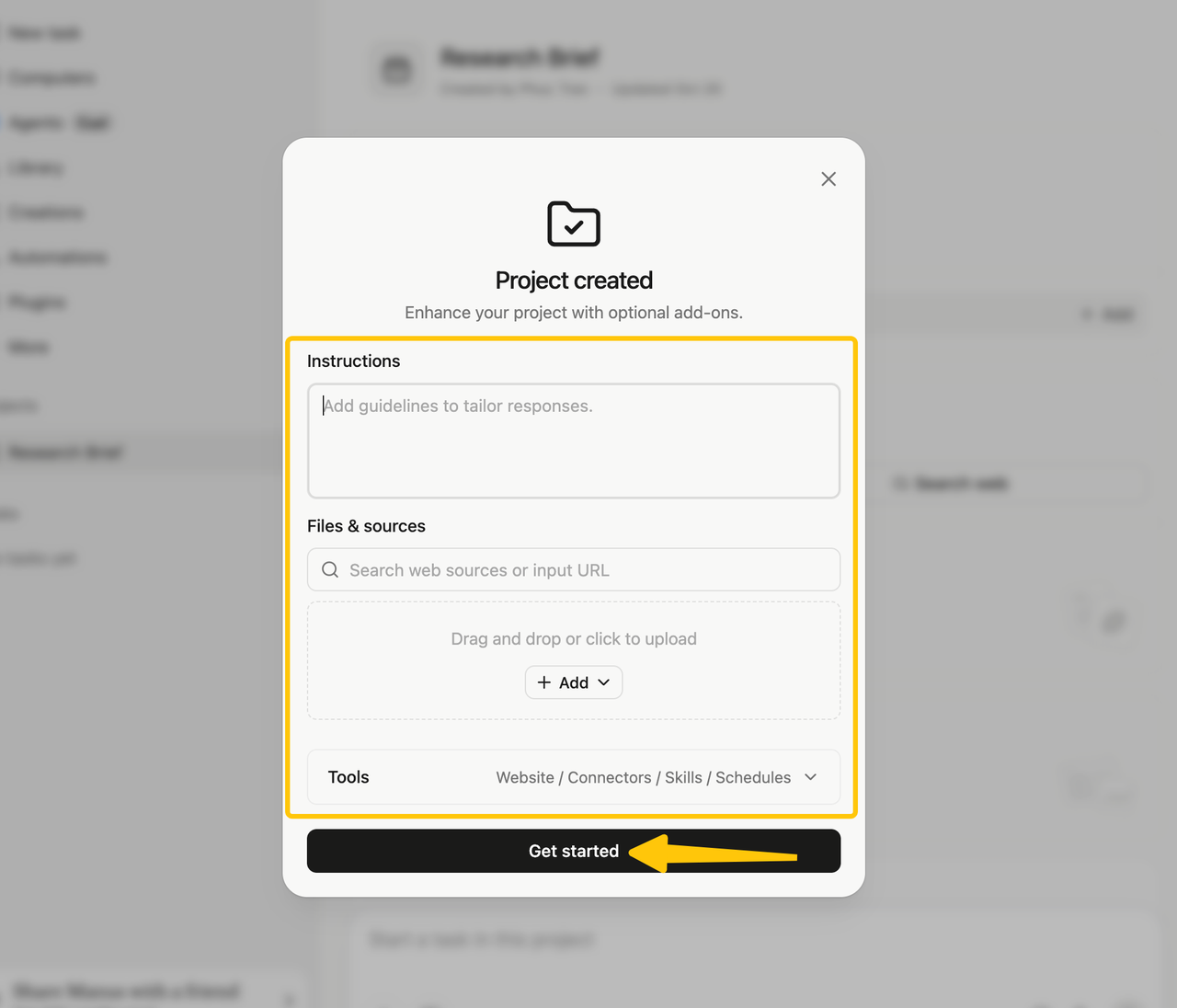
A workable assignment might read: “Compare the current onboarding descriptions of these three companies using their public product and help pages. Record the URL and date for each material claim. Separate quoted product statements from your interpretation. If a page is inaccessible or a claim conflicts with a newer page, put it in Open questions. Produce a one-page brief and a claim table. Do not draft campaign copy.” The missing-evidence instruction matters more than an elaborate role prompt.
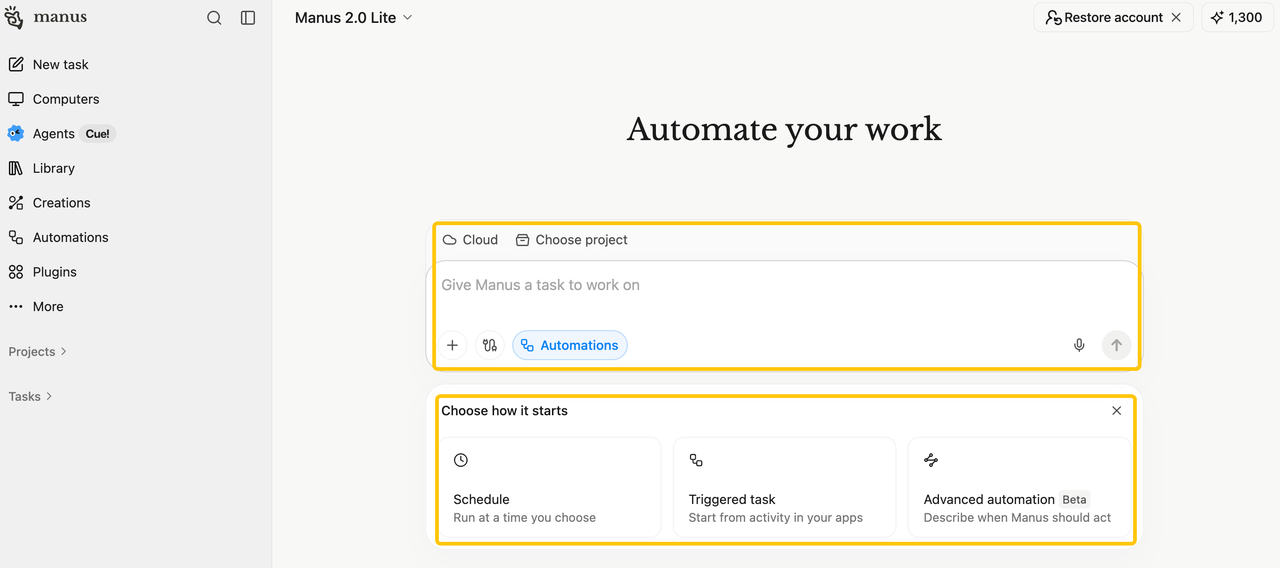
Manus also offers Automations on a schedule or trigger, with runs reported in Updates. Source pages and the meaning of “current” still need checking each time. See whether one brief is reviewable before deciding if scheduling saves work.
How Can the Team Verify Sources and Claims?
Verify the brief by opening the sources behind the two or three sentences that would most affect the campaign. A working link is only the first check. The reviewer must see whether the cited passage supports the exact wording, whether the page is current, and whether a newer primary page changes the conclusion.
The “coming soon” feature shows the difference. If the brief calls it available now, a citation to an announcement does not rescue the claim. If one page says “early access” and another says “available to all customers,” preserve the conflict with both links. The lead can then ask the product marketer to resolve it or avoid that comparison. Manus's ability to draft a research-backed document does not verify the underlying claim on the team's behalf.
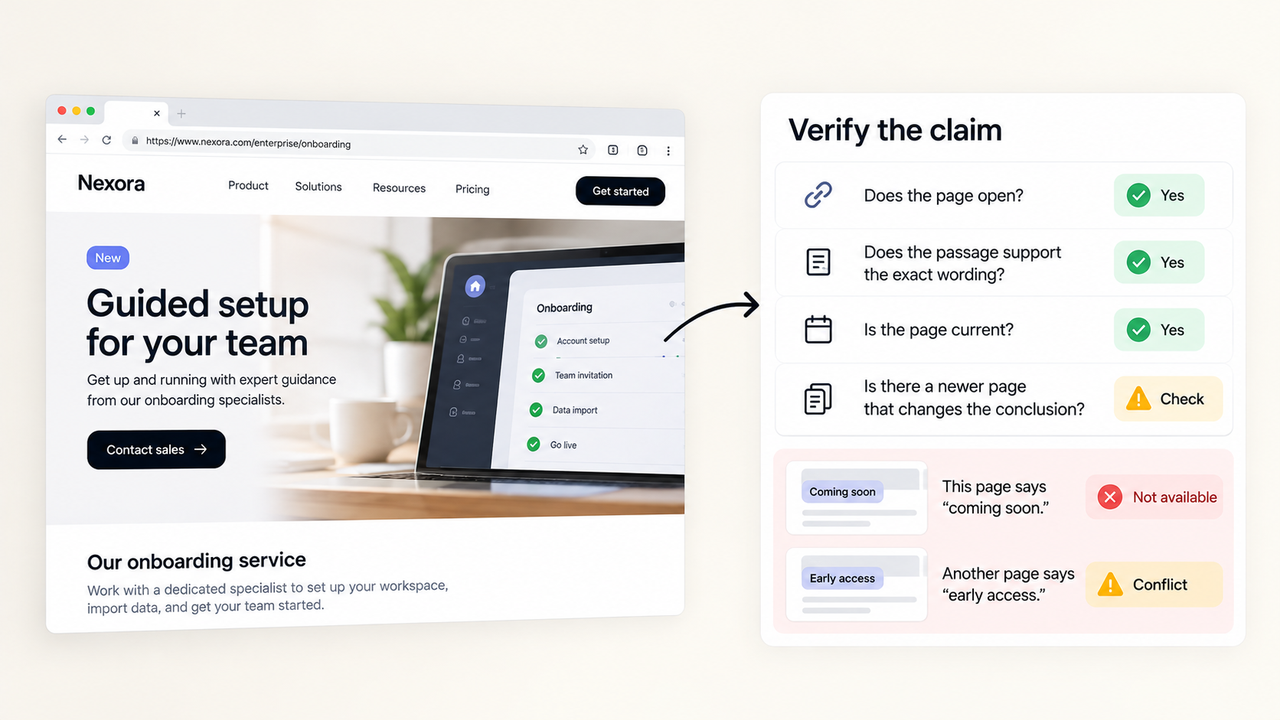
Review claims that might appear in an ad or alter a sales battlecard first, then sample lower-stakes descriptions. Record whether each is supported, needs a narrower rewrite, or remains unresolved. “Competitor B lists guided setup on its enterprise page” may be defensible where “Competitor B includes guided setup” is not.
A vendor page can establish what that vendor says it offers. It cannot establish customer satisfaction or how well the service works. Keep the URL, passage, and reviewer decision with the brief so another reader can retrace the conclusion.
Where Does the Agent Need Human Review?
The agent needs human review when gathered material becomes a recommendation. Manus can assemble findings. The marketing lead decides whether the evidence supports a campaign claim and whether the comparison is fair. That decision belongs before the brief reaches copywriters or sales.
Give one person ownership of the source ledger and an authorized reviewer the message decision. An edit to a claim needs a fresh decision. Mark the brief ready for planning, needs source work, or do not use for messaging. These are team labels, not a Manus approval feature.
The agent may also need a decision mid-task. A competitor site could demand a login, an article could be syndicated without a date, or two companies could share a product name. The team should decide in advance whether Manus may use connected accounts and what material is out of scope. Otherwise, the fastest path to a complete brief can produce the wrong source set or expose material that should never have been uploaded.
If checking every line takes longer than doing the research, narrow the assignment: fewer competitors, stronger sources, and a shorter brief.
When Is Manus a Fit for This Task?
Manus is worth considering when the research question changes from week to week and someone can inspect sources before the brief informs a decision. Its document and project features offer a route from a scoped request to a shareable draft. The lead still needs time for claim review; that time belongs in the purchase calculation alongside usage. The product, sharing, and credit details cited here were checked on October 19, 2026; confirm the applicable plan and settings before buying.
For a recurring brief, compare two forms of repeat work. One is a fresh Manus task inside a Project with saved instructions and sources. The other is an Automation, where the same request runs on a schedule. Neither makes the findings identical across weeks, and a scheduled result still needs a named reader. Manus says credits depend on the processing a task uses, including model work, virtual machines, and third-party APIs. A short prompt can therefore lead to different usage when the research path grows. Budget for the typical brief and the difficult one, plus the time to verify both.
Choose a tighter research agent workflow if the team has fixed sources, a stable claim format, and a downstream action that must wait for approval. In that case, map the steps and their owners before choosing an agent. SpringBrand's competitor analysis and agent tools are relevant to explore if the team wants to assemble that repeatable GTM path; the same source-checking and sign-off requirements still apply. The choice turns on the work: an open-ended brief to investigate today, or a defined process the team expects to operate repeatedly.
Keep the first Manus assignment modest. A lead should be able to answer three questions after reading the result: Which claim changed our view? Which source supports it? What would we need to check again before using it publicly? If those answers are buried, another autonomous run is unlikely to fix the brief's purpose.
FAQ
Can a Manus research project be restricted to selected workspace members?
Yes, a Project can be shared with invited colleagues as Can use or Can edit. Manus says individual tasks in a shared Project remain private unless shared separately. Team administrators may have broader visibility under the task visibility rules, so check the Team owner's access before putting confidential research in the Project. Share the finished brief with its intended readers explicitly.
Can Manus apply a project-specific retention policy to a brief?
The public material reviewed here does not establish a retention period that a team can set for one Project or brief. Manus's data-deletion guidance says Team retention may be determined by the owner or administrator and that some personal information may remain for stated business or legal purposes. Ask the administrator or Manus for the policy that applies to the planned workspace; keep the approved final brief in the team's own document system.
Which data should be kept out of a Manus research task?
Keep out customer records, unreleased campaign plans, credentials, and private competitor material unless the team has approved that use and the access settings. A public-source competitor brief can usually start with company names and approved research criteria. If internal context is needed, provide only the relevant excerpt and confirm who can see the task and Project first.
Can a team export the brief in a structured format?
A team can request a structured claim table, but a dedicated export control for every brief is not established by Manus's public description. Ask for a spreadsheet or Markdown table, then confirm that the team can download it in its workspace. Manus's document generator accepts an output format in the request. Preserve the source ledger outside the task if another system will consume it.
How does Manus account for an interrupted task?
Manus says credits are consumed during active processing, and its refund policy covers verified platform failures. An unavailable external site or an unclear request is a different case. Check the partial output and credit use before starting again. A new run may repeat research, and an interruption does not automatically earn a refund.
Conclusion
Manus can get a first brief on the table when the question is bounded and a marketing lead can check the claims that matter. It is ready when campaign-relevant sentences lead back to current sources and a person has decided what the team may say. If the same request keeps returning, save the instructions and measure review work before automating it. Time saved on drafting counts only if the team can explain its final claim.
Explore SpringBrand
Turn ideas into working workflows
Connect agents, APIs and tools in one workspace. Start with a task you want to get done.
Get started free
One account. 10,000+ APIs & capabilities
Give your agent APIs and plugins without separate keys or integrations for every provider.
Explore APIs
No tool expertise needed
Describe your GTM task. SpringBrand chooses the right APIs and plugins for your agent automatically.
Find tools for your task
Run tasks 24/7
Connect your agent to SpringBrand to keep tasks running automatically, day and night.
Connect your agent