ScaleDown Lead Classification for Routing Decisions
Written by
Alex
Springbrand Researcher

Reviewed by
Springbrand Audit Team
Editorial review team
Springbrand Audit Team supports editorial quality through source checking, clarity, and consistency across the blog.
Updated
Published
ScaleDown lead classification: design one label-to-route decision for inbound leads, including uncertain cases and the human handoff.
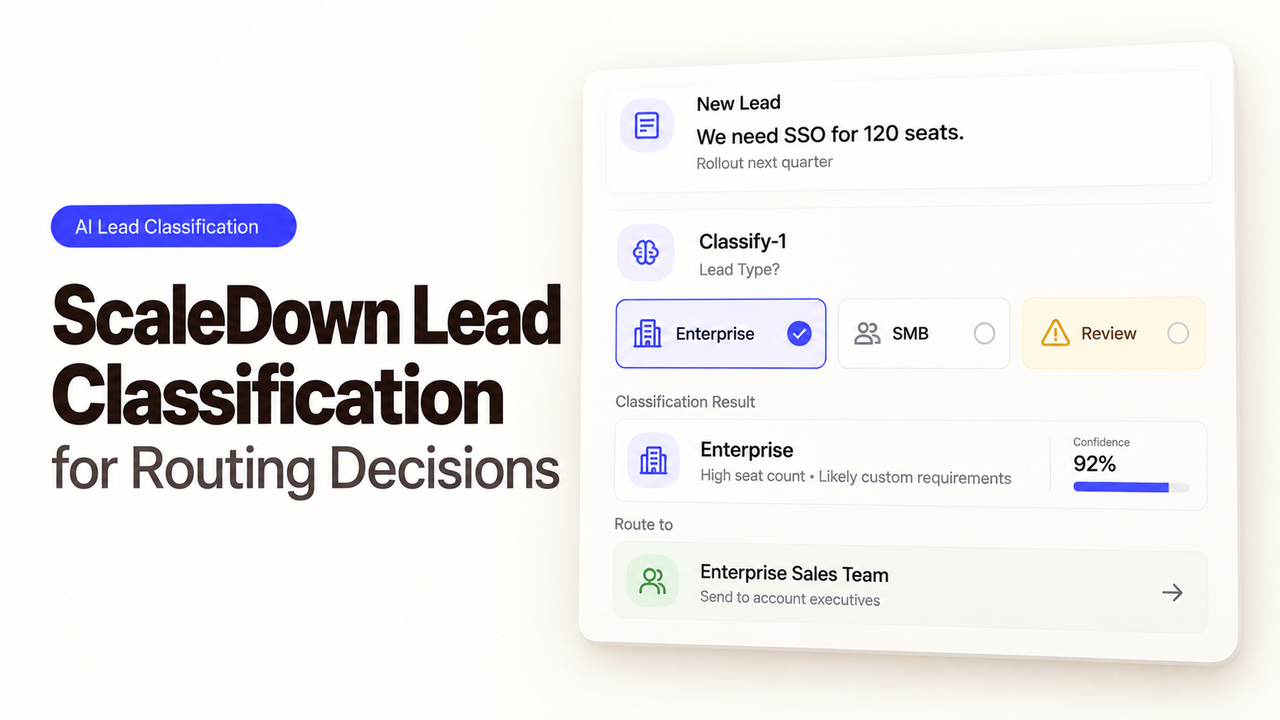
“Can we see a demo next month?” needs a different response from “Please send the webinar recording,” even if both arrive through the same form. Send both to sales, and someone has to sort them out again. An internal queue label can spare the team that work, while leaving uncertain inquiries with a person.
That is a practical use for ScaleDown lead classification. Its Classify documentation describes scoring text against team-defined labels and yes/no rubrics. A LangChain integration article places it inside a larger agent. Neither provides a ready-made CRM route or measured accuracy for your team's leads.
Which Lead Decision Needs a Label?
The first decision is whether Sales or Marketing should handle the inquiry. An explicit demo or buying request may belong with Sales; someone asking for a guide or event replay belongs with Marketing. Support, billing, and messages that leave the intent unclear go to triage.
The message itself should drive this sales qualification workflow, alongside the inquiry type selected on the same form submission. Job title and company size should not stand in for what the sender actually asked. Keep the submission ID with the decision so a reviewer can find the original text.
The output is an internal queue label. Sending a sales email or changing a CRM stage needs its own rule and someone responsible for it.
How Should Labels and Evidence for Each Route Be Defined?
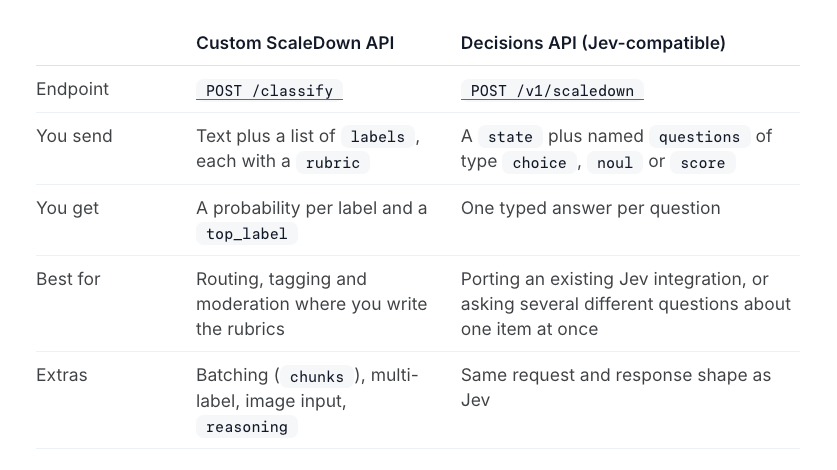
Each route needs a rubric that says what qualifies. ScaleDown's Classify endpoint returns a top_label and scores for every label you supply.
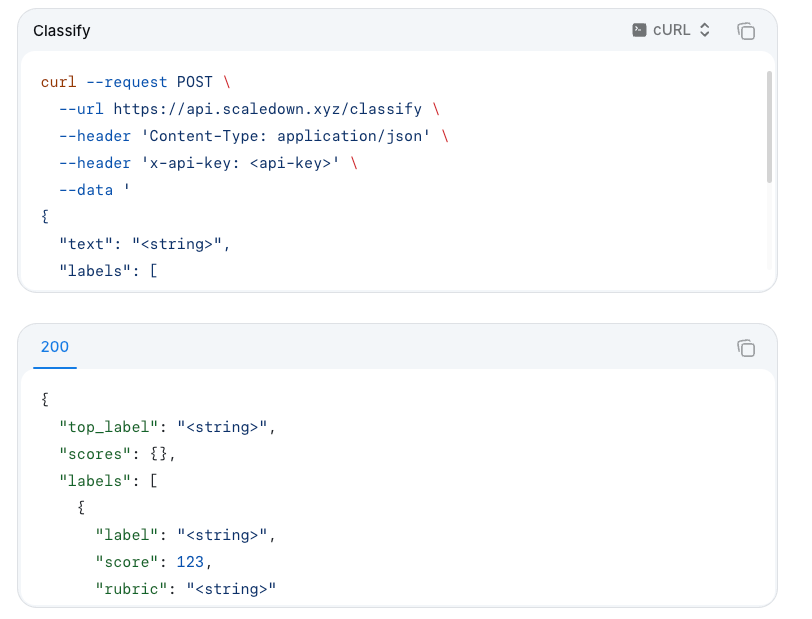
A starting set could look like this:
| Label | Rubric the team supplies | Internal destination |
|---|---|---|
sales_conversation | Does the sender explicitly ask to discuss buying, pricing, a demo, or deployment? | Sales development queue |
content_request | Does the sender only request educational material or an event recording? | Marketing follow-up queue |
other_or_unclear | Is the message about another topic, or is there too little information to identify either request? | Human triage queue |
These sample lead routing labels need distinct meanings. “Interested in our company” and “ready to buy” could both fit the same vague message. An other_or_unclear option matters because, in single-label mode, Classify always returns the highest-scoring label. The optional one-line reason explains that choice; it does not independently confirm the sender's intent.
For the opening examples, the demo request should reach Sales and the recording request should reach Marketing. Now consider: “We're already a customer and can't log in.” That belongs in human triage. The word “customer” does not turn a login problem into a buying request, even if the model treats it as a sign of commercial interest. The sender's sentence is the evidence for the route.
“Show me your pricing page” is harder to call. The person might be researching rather than asking for a conversation. If the original words do not settle the question, a reviewer should decide.
When Should High-Confidence Cases Route and Ambiguous Ones Wait?
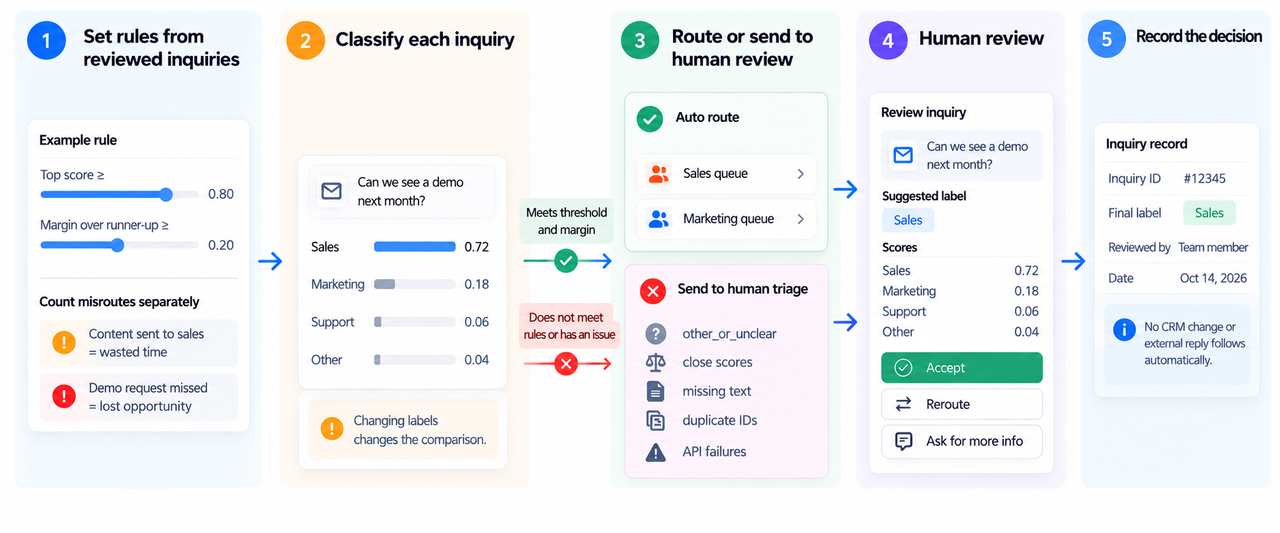
Choose a confidence threshold using reviewed inquiries before allowing automatic routing. In single-label mode, the scores sum to one. A high score tells you which of the supplied options fits most strongly. It is not a verified probability that the sales route is correct, and changing the labels changes the comparison.
Use past inquiries you have permission to process to set both a minimum top score and a margin over the runner-up. Count the kinds of misroute separately. Sending a recording request to Sales wastes time; leaving a demo request unanswered may cost an opportunity. No vendor example gives you a universal cutoff for that tradeoff.
Human triage should catch other_or_unclear, close scores, missing text, duplicate IDs, and API failures. Reviewers need the original message, suggested label, scores, and rubric together. They can then accept the suggestion, choose another queue, or ask for more information.
Attach that decision to the inquiry ID. No CRM change or external reply should follow automatically.
How Should Misroutes Be Reviewed Before Expansion?
Start with past inquiries that staff have already assigned to a destination. Include demo requests, content requests, vague notes, support questions, and messages with two intents. Compare the suggested queues with those staff decisions. An unclear message still needs attention, however high its top score.
A wrong route gives the team something specific to investigate: overlapping rubrics, incomplete text, or staff applying different rules. Correct the rule and rerun the sample. For held inquiries, also check whether a reviewer can reach a decision from the original message.
Keep a short correction log with the submission ID, suggested label, final queue, and reason for the change. This helps distinguish a model misread from a form that never captured enough context. Reviewers should be able to change the destination while leaving the sender's original message intact.
Once the workflow is live, sample both automatically routed and held inquiries. If reviewers are overturning more sales labels, traffic or form wording may have changed. Keep the rubric version alongside the correction. CRM writes and outbound messages need separate testing before they become part of the workflow.
FAQ
Can ScaleDown Classify return scores for every label?
Yes. The custom /classify API returns a score for every label and a top_label. In default single-label mode, those scores are relative and sum to one. A score of 0.85 is not a measured 85% chance that the sales route is correct.
Does it accept scanned lead documents?
Yes. The Classify API accepts base64-encoded JPEG, PNG, TIFF, and PDF input, and returns extracted text as ocr_text. Review that text before routing. A missed line can change what the inquiry appears to ask and, with it, the label.
Can a team change labels without retraining a model?
Yes. Labels and rubrics are request inputs, so changing them does not require retraining. Rerun the reviewed inquiries and reset the routing threshold afterward, since the scores depend on the options supplied.
How should personal lead data be handled before upload?
Send only the fields needed for classification, removing identifiers where the message still makes sense without them. Before uploading real lead data, confirm permission to process it and obtain ScaleDown's current retention, training, and processing terms. The public API reference does not establish those terms.
Is there a documented limit on input size?
The API reference specifies 50 text chunks per batch and 20 labels per request, but does not clearly state a text or file-size ceiling. A joint LangChain article says models take up to 1M tokens. Confirm the operational limit with ScaleDown for the input route you intend to use.
Conclusion
Classify is useful here if it reduces the sorting work between Sales and Marketing. Let it suggest internal queues for clear inquiries, with uncertain messages and API failures going to a reviewer. Expand when both teams can understand why an inquiry reached them and correct the rule when it belonged elsewhere.
Explore SpringBrand
Turn ideas into working workflows
Connect agents, APIs and tools in one workspace. Start with a task you want to get done.
Get started free
One account. 10,000+ APIs & capabilities
Give your agent APIs and plugins without separate keys or integrations for every provider.
Explore APIs
No tool expertise needed
Describe your GTM task. SpringBrand chooses the right APIs and plugins for your agent automatically.
Find tools for your task
Run tasks 24/7
Connect your agent to SpringBrand to keep tasks running automatically, day and night.
Connect your agent