Taskade Review 2027: Fit for Project Brief Handoff
Written by
Alex
Springbrand Researcher

Reviewed by
Springbrand Audit Team
Editorial review team
Springbrand Audit Team supports editorial quality through source checking, clarity, and consistency across the blog.
Updated
Published
This taskade review assesses turning a marketing brief into owned project work, with agent roles, team review, and handoff costs.
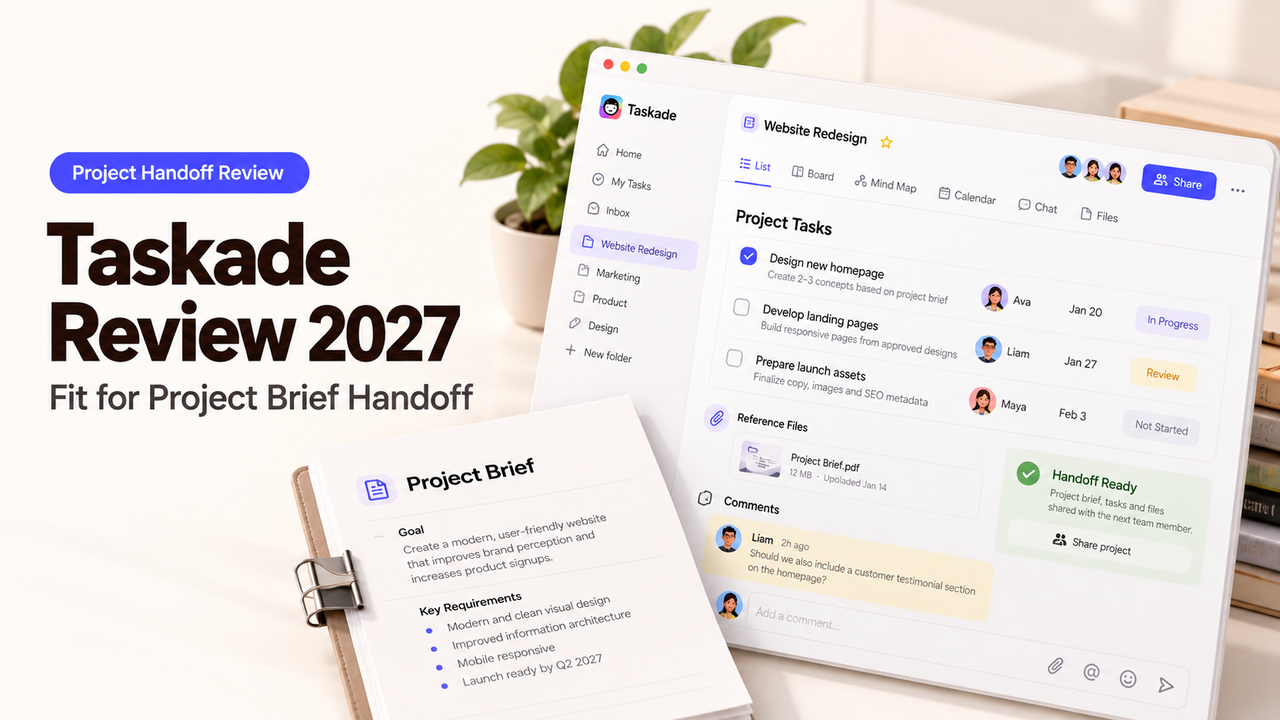
A campaign brief may be approved on Monday and still leave the design lead guessing what “launch assets” includes on Tuesday. This Taskade review asks whether the brief can become work people can accept, edit, and hand over. Taskade’s published guidance shows how its projects and agents could support that handoff; the team still needs to check the result against its own brief.
Is Taskade a Fit for Project Brief Handoff?
Yes, when the team wants briefs, tasks, and agent support in one workspace—and checks generated work before assigning it. Taskade’s agent tools document task creation, due dates, and assignment. Genesis can build a connected app around projects, agents, and automations, but an app is optional here.
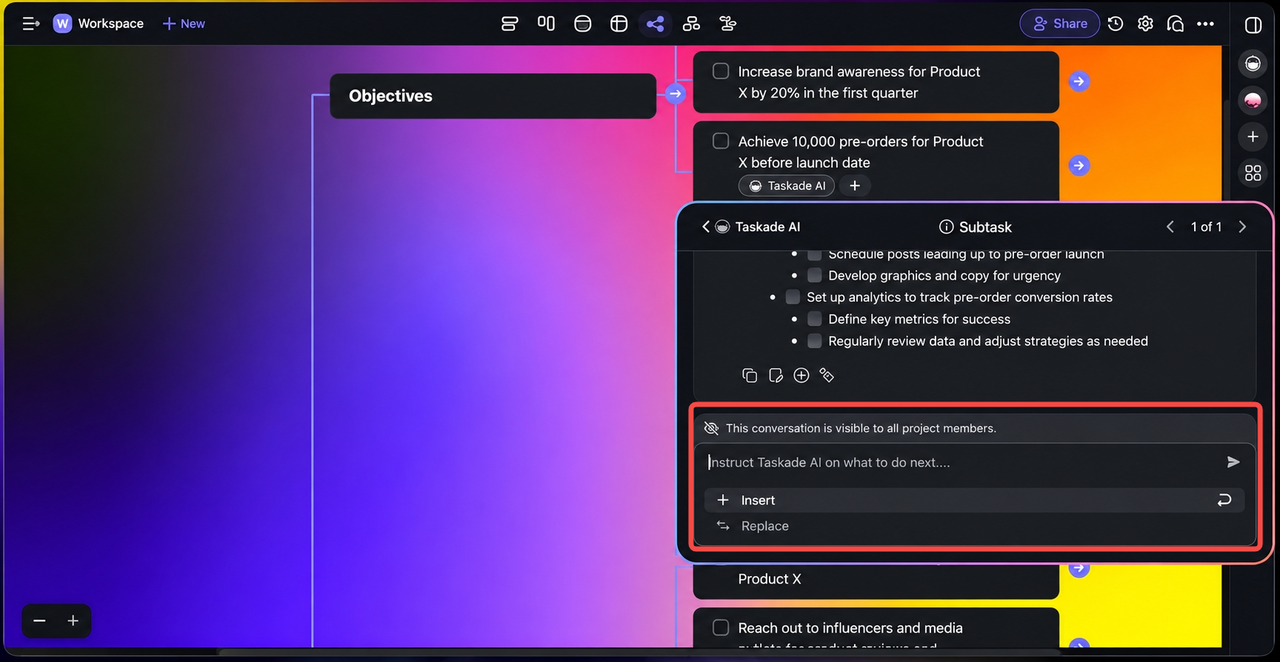
The weak point is the jump from the brief to an owner’s commitment. An agent cannot know whether the designer accepted its proposed deliverables or legal review is required. A project lead must resolve both in the shared project.
The Marketing Brief and Evaluation Criteria
Test one campaign brief: goal, audience, channels, launch date, approved claims, and dependencies. The project needs deliverables such as landing-page copy, creative, email, and launch QA. Each needs an owner, due date, review point, and brief reference.
The team can judge the handoff with four questions:
Handoff check | Evidence in the project |
Scope | Every deliverable is either in the brief or explicitly added by a reviewer |
Ownership | A person accepts each assignment; an agent name never stands in for a responsible teammate |
Timing | Due dates reflect review and dependency time, not only the public launch date |
Recovery | Rejected tasks, missed context, and changed brief terms have a place to be corrected |
These are editorial criteria, not Taskade rules. A complete-looking task list still fails if nobody accepts the work.
Inputs, Deliverables, Owners, and Deadlines
The lead can put the brief in a project or import it as context. Taskade’s import guide describes both routes. Neither resolves vague terms such as “regional variants” or “final approval.”
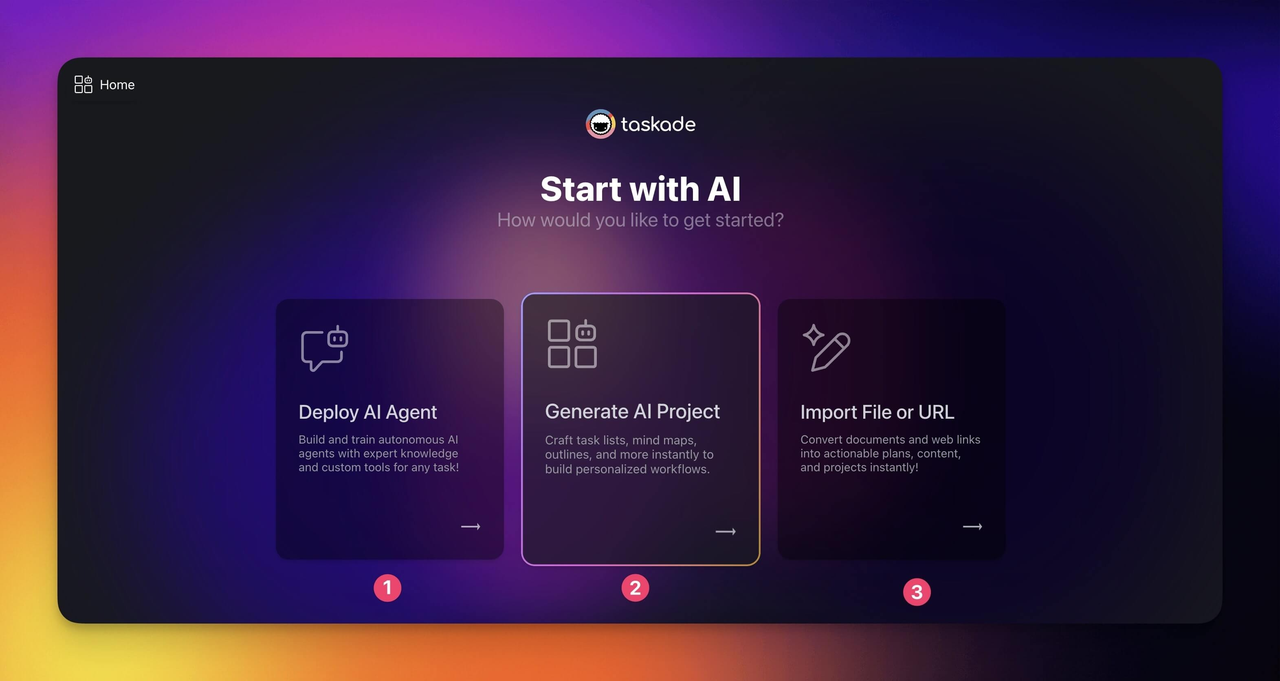
Record the expected file, responsible teammate, and approver. Set deadlines around review and dependencies, not just launch. Remove tasks the brief does not authorize before they become commitments.
How Might the Brief Become Repeatable Work?
Use a project template or an agent for the repeatable drafting step, then let people approve the resulting plan. Taskade Genesis can assemble projects, agents, and automations from a prompt, according to its Genesis overview. That is useful if the same team receives similar briefs often. For a single campaign, a project with a reviewed task structure may be sufficient.
A repeatable setup needs a stable brief format. Specify which sections to extract, standard deliverables, and uncertainties to flag. Have the agent propose tasks and dependencies; the lead approves dates and assignments.
Agent Tasks and Shared Project Context
Taskade AI agents can use a project as knowledge. Its knowledge documentation says project text, due dates, and assignees are included; comments, uploaded files, and custom fields are not. This matters for a marketing brief: if the legal caveat lives only in a comment or attachment, the agent may not see it through project knowledge. Put critical constraints in the project text or provide the supported source separately, then inspect the agent’s output.
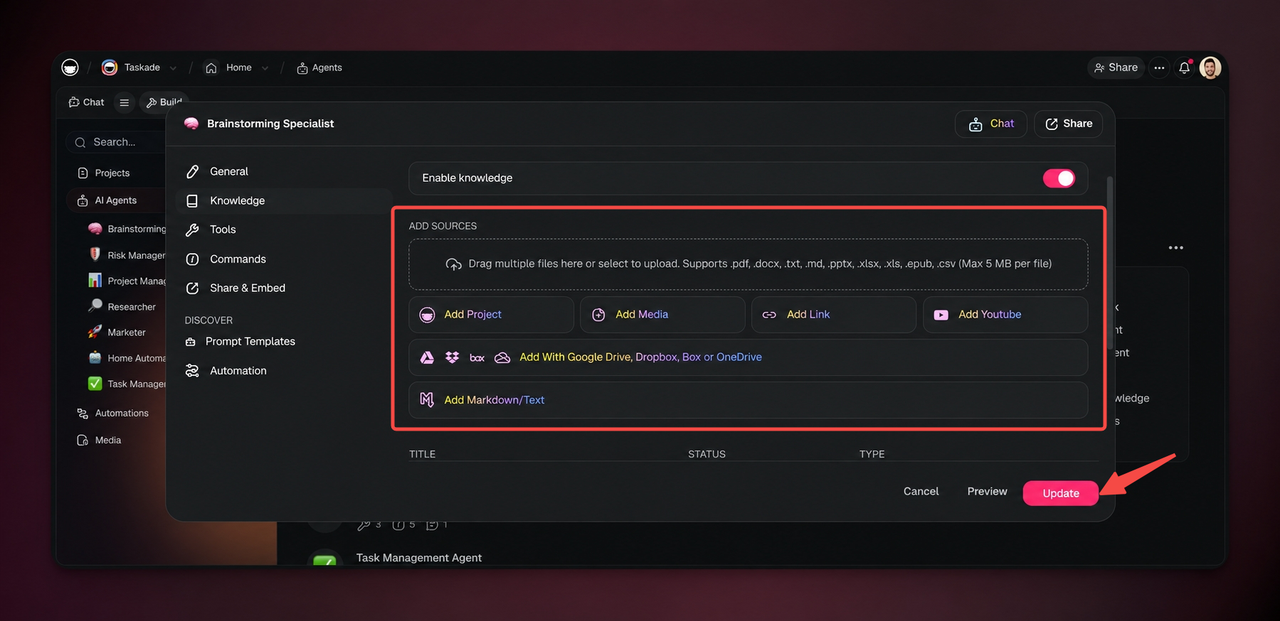
Keep agent roles narrow: extract deliverables or draft descriptions from approved language. The project manager owns scope, and channel leads accept dates. Decide which task-changing actions agents may use.
Review Before a Team Accepts the Output
Review before assignment. Compare tasks against the brief: Which channel is missing? Which deliverable was invented? Which dependency lacks an owner? Channel leads then accept or revise their tasks. Put critical decisions in the task itself.
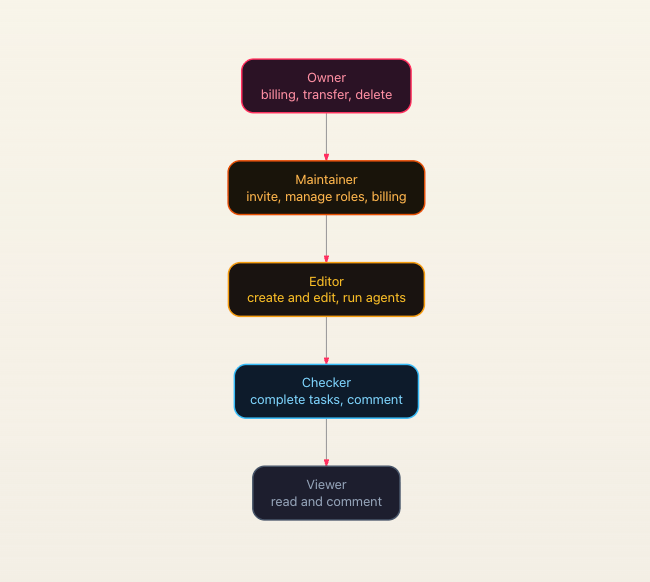
Taskade’s project permissions distinguish Editors, Checkers, and Viewers. A Viewer can comment; a Checker can also complete assigned work; an Editor can change the project. Give an external approver the least access needed for feedback. If two people edit the same plan, Project History can show who changed tasks, while version history can help restore an earlier state. Neither replaces a recorded decision on the final scope.
What Does the Team Need to Maintain?
Someone must maintain the brief, agent instructions, access, and automations as the campaign changes. If a launch date moves, update dependent dates and notify owners. If an approved claim changes, correct the agent’s context and affected tasks together.
A project and manual review may be cheapest. Add an agent for recurring planning work; automate only a stable trigger. Taskade’s automation guide describes previewing sample data. Test a brief with no launch date: the flow should flag the gap, not invent deadlines.
Changes, Permissions, and Cost Drivers
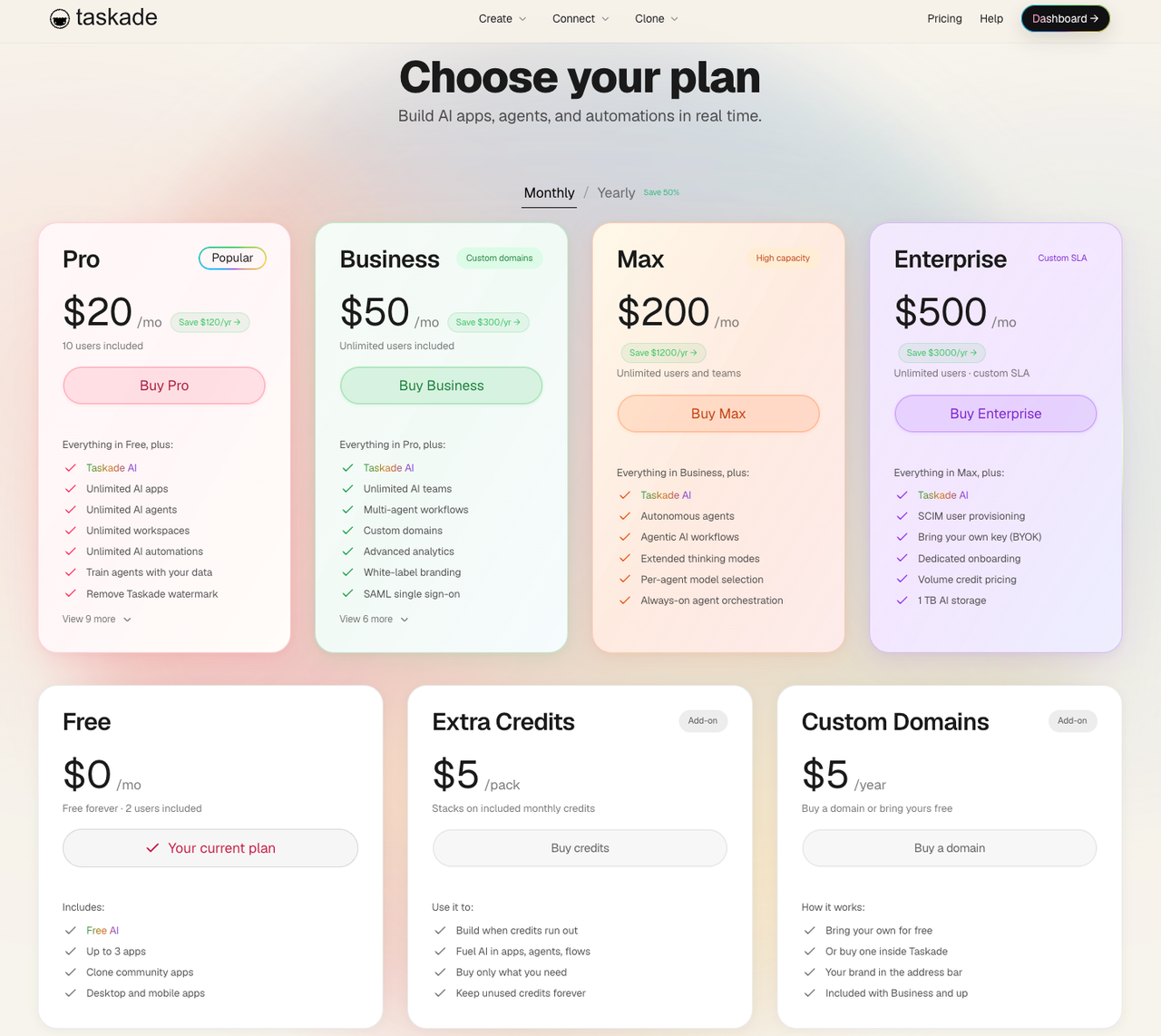
Taskade’s current pricing page separates plans by user allowance and AI credits. Credits cover AI generation, agent use, and AI actions in automations; complex builds can consume more than short prompts. The published pricing page and an older help article show different price figures, so use the live checkout and plan matrix for a purchase decision. For this task, count the credits and human review time required to reach an accepted project, not just the cost of generating a first draft.
Before scaling, name a second workspace maintainer and review every connected account used by an automation. The public guidance confirms workspace ownership can be transferred, but it does not establish that an automation keeps running unchanged when its creator leaves. Treat that as a test: remove access in a nonproduction workspace, check the trigger and connection, and document who restores it.
When Is a Standard Project Tool Enough?
A standard project tool is enough when the brief is already clear and the team mainly needs assignments, comments, and dates. Taskade itself can serve that role without a Genesis app or AI agent. A reusable task template may be easier to review than generated work if campaigns follow a fixed checklist.
The case for Taskade’s agent layer grows when the brief arrives in uneven formats and the lead repeatedly spends time turning it into the same categories of work. Even then, measure the corrected project rather than the speed of generation. If the team must keep an existing system of record for tasks, verify how Taskade’s output will be transferred before adding another workspace to maintain.
Conclusion
Taskade fits this handoff when a marketing lead can turn the generated plan into accepted work: deliverables trace to the brief, owners agree to them, and changes stay visible. A project and human review may be all the team needs; Genesis and agents earn their place when similar briefs recur. If the accepted plan calls for agent-supported research, content, or campaign work, explore SpringBrand’s GTM capabilities for those next steps.
FAQ
Can a Taskade team export a generated project's tasks and agent instructions?
A project can be exported, but a project export should not be assumed to include agent configuration. Taskade lists text, Markdown, PDF, and image formats for project export. A separate Genesis app export, available on Pro and above, includes projects, agents and their configuration, and automations; secrets and connected credentials do not travel. Choose the export that matches what the receiving team must rebuild.
Which Taskade plans allow guests to review a project brief?
Taskade documents single-project sharing with Viewer access for feedback; Checker access requires a paid plan. A Viewer can comment without editing the brief, while a Checker can complete tasks. The free plan’s user allowance and the rules for private guest access should be confirmed in the current share dialog before promising a specific reviewer arrangement to a client.
How does Taskade handle conflicting edits to the same project?
It syncs collaborators’ edits in real time and provides history tools to inspect changes. Taskade’s collaboration guide points to Version History for restoring an earlier project state after unexpected edits. It does not document a guaranteed automatic resolution for every simultaneous edit. Test the team’s highest-risk edit, such as two people changing the same deadline, before treating live collaboration as conflict control.
Can a Taskade app use a team's existing project as its data source?
Yes, Taskade documents connecting an existing Table-view Project as a Genesis app’s data backend. Its dashboard guide describes selecting that project through Connect Project and checking the suggested column mapping. For a campaign handoff app, verify that the needed brief fields and task statuses map correctly; the dashboard example does not prove every app design will handle an existing project automatically.
What happens to a Taskade automation when its owner leaves the workspace?
The public materials reviewed do not specify a universal outcome for that event. Taskade documents workspace ownership transfer, but that is distinct from automation ownership and connected-account credentials. Before the owner leaves, assign a maintainer, inspect every connection, and run a test after access changes. Record which automation needs reconnection or rebuilding.
Explore SpringBrand
Turn ideas into working workflows
Connect agents, APIs and tools in one workspace. Start with a task you want to get done.
Get started free
One account. 10,000+ APIs & capabilities
Give your agent APIs and plugins without separate keys or integrations for every provider.
Explore APIs
No tool expertise needed
Describe your GTM task. SpringBrand chooses the right APIs and plugins for your agent automatically.
Find tools for your task
Run tasks 24/7
Connect your agent to SpringBrand to keep tasks running automatically, day and night.
Connect your agent