Index-Translate for Marketing: Review One Localized Asset
Written by
Alex
Springbrand Researcher

Reviewed by
Springbrand Audit Team
Editorial review team
Springbrand Audit Team supports editorial quality through source checking, clarity, and consistency across the blog.
Updated
Published
Index Translate Marketing: plan a reviewable Index-Translate localization workflow for one marketing asset, from source copy to approved language version.
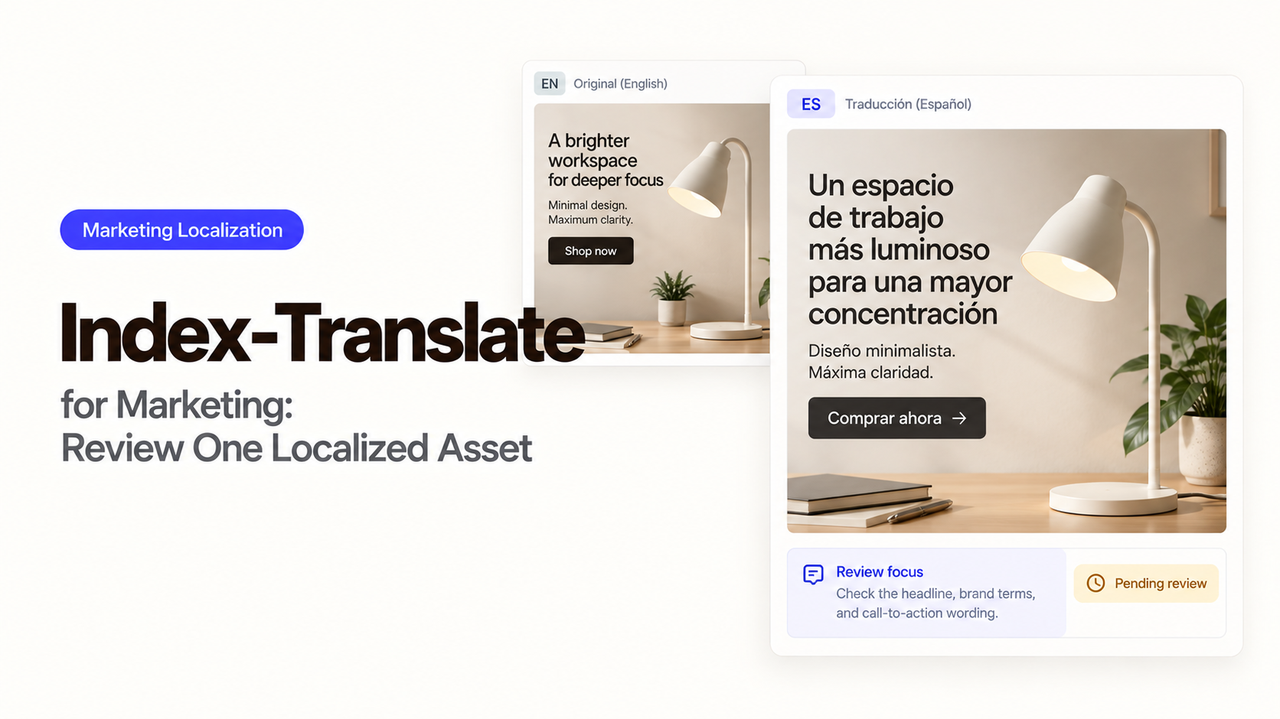
Before polishing a Japanese headline, I’d check where its button sends the buyer. An Index-Translate marketing workflow needs to account for the offer after that click, as well as the translated copy. The price and product name also need to mean what the English source intended.
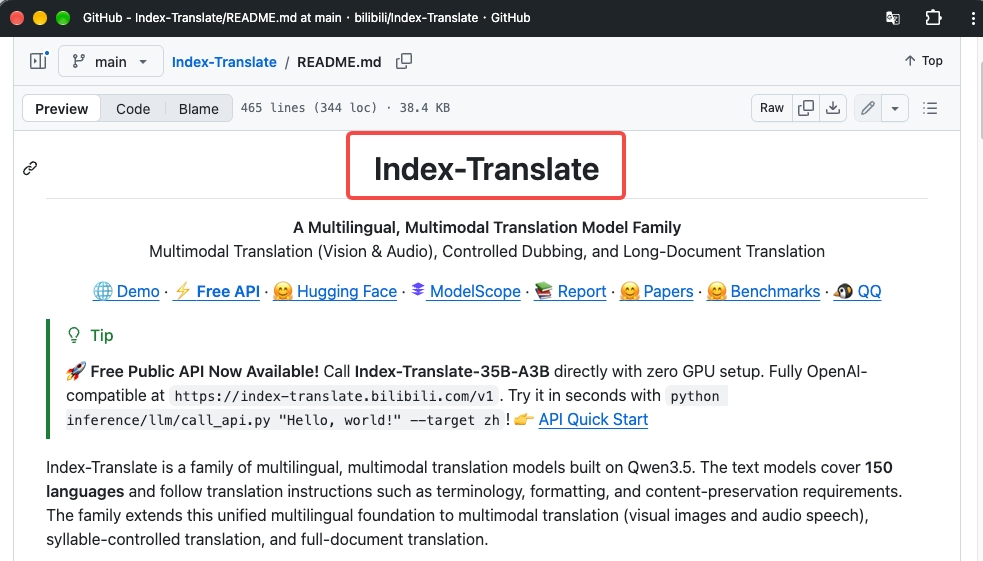
Index-Translate supports text translation with terminology and structure instructions, along with image-to-text translation. That gives the team a draft to work with. The reviewer still needs to see how the Japanese copy reads in the page and whether the version being published matches what was approved.
How Do You Select One Source Asset and Target Language?
The starting point is an approved English landing page and one locale: Japanese for Japan in this example. Save that exact revision, including metadata, linked destinations, and words inside images. Otherwise, the reviewer may be comparing a translation with a source that has already changed.
The translator needs the audience, preferred product terms, and a clear note about claims that must not become stronger. Keep {price} and the CTA URL unchanged during translation. Give the reviewer the English source and intended layout too, so they can see where each piece of copy belongs.
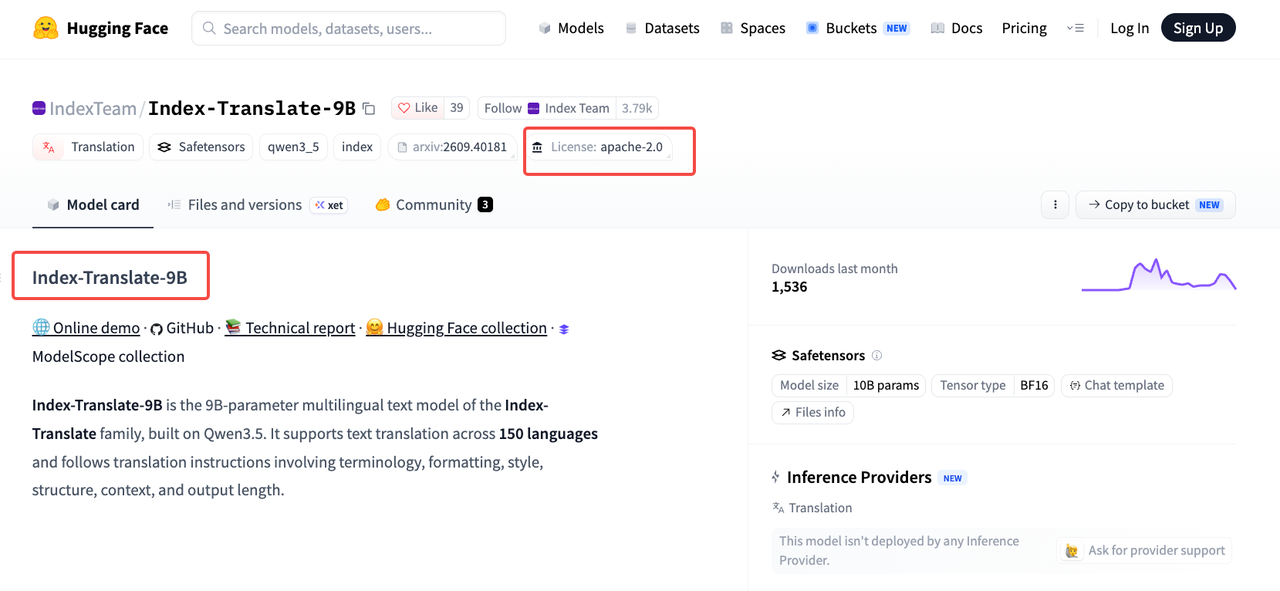
The model repository documents glossary, formatting, and tone instructions, and its text models cover 150 languages. Confirm that the interface you plan to use supports the translation route you need.
The released 9B checkpoint lists Apache-2.0. Check the selected package’s license and any hosted API terms before commercial use. Check the public API’s data-handling terms before uploading unpublished copy. Self-hosting leaves infrastructure and access management with your team.
How Do You Preserve Claims, Links, and Layout?
Work in editable text first, with each source sentence beside its Japanese draft and page component ID. The 9B model card describes glossary, placeholder, and structure controls. Those instructions help specify the job; the reviewer still needs to check what came back.
Consider “Save up to 20% on annual plans.” The Japanese version needs to retain the upper limit, the percentage, and the annual-plan condition. If it promises 20% on every plan, it has changed the offer. Dates, warranties, and other qualifiers deserve the same care.
There is also a decision that translation cannot make: does that offer apply in Japan? If it does not, the offer owner needs to resolve it before publication. Rewording the sentence cannot settle eligibility.
Follow every CTA through to its destination. A Japanese button may still open an English checkout, which the team needs to consider as part of the buyer’s experience. Include the page title, alt text, form labels, and confirmation message when they belong to the asset. A rendered preview can reveal clipped buttons or text left in English.
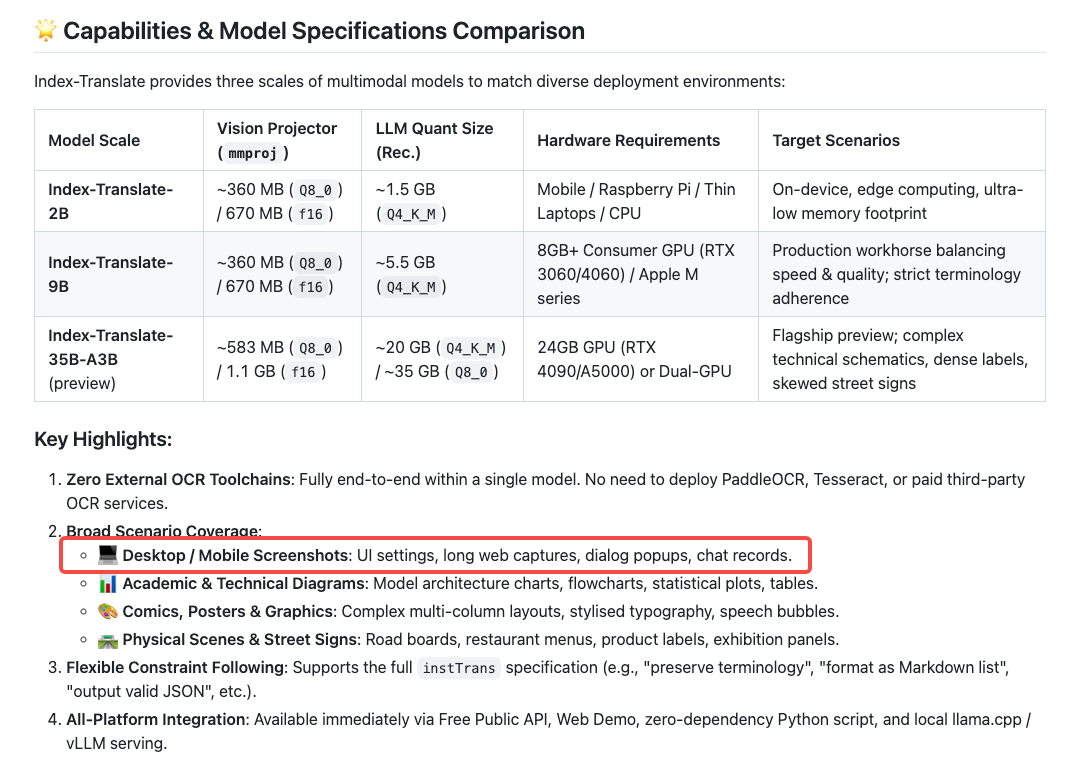
For screenshots, the image guide documents image input and translated text output. A designer then places the approved wording into the image and checks the result. The returned text is material for that edit, rather than a finished graphic.
How Should You Review Terminology and Cultural Fit?
Product names, plan names, and feature labels deserve attention before general tone polishing. The reviewer needs to know which terms sales already uses in Japan, which renderings to avoid, and why. If a term stays in English, keep the source spelling visible.
Read the Japanese page as a buyer first, then compare it with the source. Does the headline make the same promise? A casual English phrase may have become oddly formal, or a benefit may depend on a feature whose local availability is unconfirmed. The copy alone cannot establish whether that feature is available in Japan.
Make corrections in the editable draft, then run translation QA on protected names, variables, numbers, links, and layout. Save the approved terminology so the next asset does not reopen decisions the team has already made.
Who Approves the Localized Version?
The locale owner needs the frozen English source, Japanese draft, glossary, and rendered preview. Flag changed claims and include a map of the link destinations. A language reviewer can judge the phrasing; the offer owner confirms that the promotion applies. Disputed claims go to whoever is authorized to review them.
Keep the source and target revision IDs together. If a claim, destination, price, or disclaimer changes, the affected version needs fresh approval. After publishing, open the live page and compare it with the approved version. A sign-off in a document does not tell you what the CMS actually published.
For this first asset, keep the marketing localization workflow to one source, one draft, one locale review, and one final page check.
FAQ
Can Index-Translate preserve a product name unchanged?
Yes. A glossary or explicit constraint can instruct it to retain the approved name. The repository includes glossary and formatting controls, but the reviewer should still look for spelling variants, inflected forms, and names embedded in images. Keep the approved spelling in the locale glossary and check it again on the published page.
What should happen to legal disclaimers in the target language?
Keep each disclaimer attached to the exact claim it qualifies, and send the translation to the team authorized to approve it for that market. Do not shorten or drop it to make the layout work. If it will not fit, change the design or pause publication until an approved local version is available.
Can a team compare text and image translation results?
Yes. The released family supports text and image-to-text translation, so the team can compare translated screenshot wording with the editable page copy. Use the same source and glossary for both. The image route still leaves design-file editing and a rendered visual check to the team.
Which source language pairs need extra review?
Give extra attention to pairs or domains where your team lacks a fluent reviewer, where idioms carry the message, or where terms and claims have significant consequences. The repository’s 150-language coverage does not establish equal quality across every pair. Review a small sample from the actual asset and judge errors by their business impact.
How should older translations be updated after a source edit?
Compare the new source with the revision behind each approved translation. Reopen the affected components, links, and image text; untouched sections can retain their existing approval. A changed price or eligibility rule also reopens its nearby disclaimer. Keep both revision IDs so the team can trace the live translation to its source.
Conclusion
Use Index-Translate to prepare the draft, then spend the review time on what a Japanese buyer will actually see and reach. The version approved by the locale and offer owners should be the same one the CMS publishes.
If an agent will coordinate later revisions, explore SpringBrand’s current tools for that work and confirm the connections your team needs before using them.
Explore SpringBrand
Turn ideas into working workflows
Connect agents, APIs and tools in one workspace. Start with a task you want to get done.
Get started free
One account. 10,000+ APIs & capabilities
Give your agent APIs and plugins without separate keys or integrations for every provider.
Explore APIs
No tool expertise needed
Describe your GTM task. SpringBrand chooses the right APIs and plugins for your agent automatically.
Find tools for your task
Run tasks 24/7
Connect your agent to SpringBrand to keep tasks running automatically, day and night.
Connect your agent