Relevance AI Alternatives for Team Agent Workflows
Written by
Alex
Springbrand Researcher

Reviewed by
Springbrand Audit Team
Editorial review team
Springbrand Audit Team supports editorial quality through source checking, clarity, and consistency across the blog.
Updated
Published
Relevance AI alternatives for a team-run agent task. Compare workflow control, human review, and the skills needed to operate it.
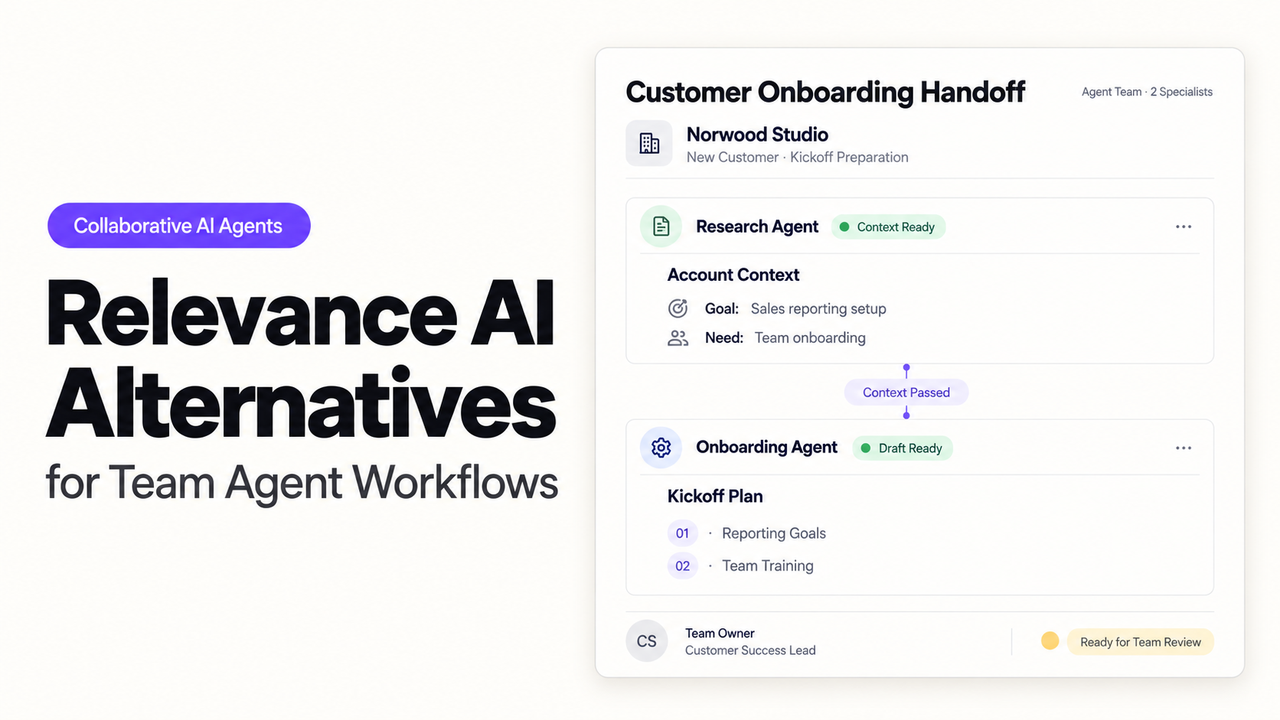
Who will read the agent's weekly blocker list before it assigns more work to the team? That is where I'd start with Relevance AI alternatives. The person choosing the platform may not be the person checking every suggested task on Friday.
Lindy brings recurring work into an assistant conversation. Gumloop offers configurable agents alongside its legacy visual workflows. n8n lets a builder specify the connections and decisions in more detail. For an operations lead, the useful distinction is how much setup each needs and what the reviewer must understand before approving a follow-up.
Which Agent Task Must the Team Keep Running?
Keep one weekly blocker review running: gather project updates, identify unresolved issues, and propose internal follow-up tasks for a person to confirm. Start with one project board and a designated team channel.
Suppose a website-launch card says “waiting for assets,” but a later channel message says the files are ready. Creating another reminder would add work without resolving anything. The agent needs to connect the message to that card and show the reviewer why the apparent blocker may be outdated.
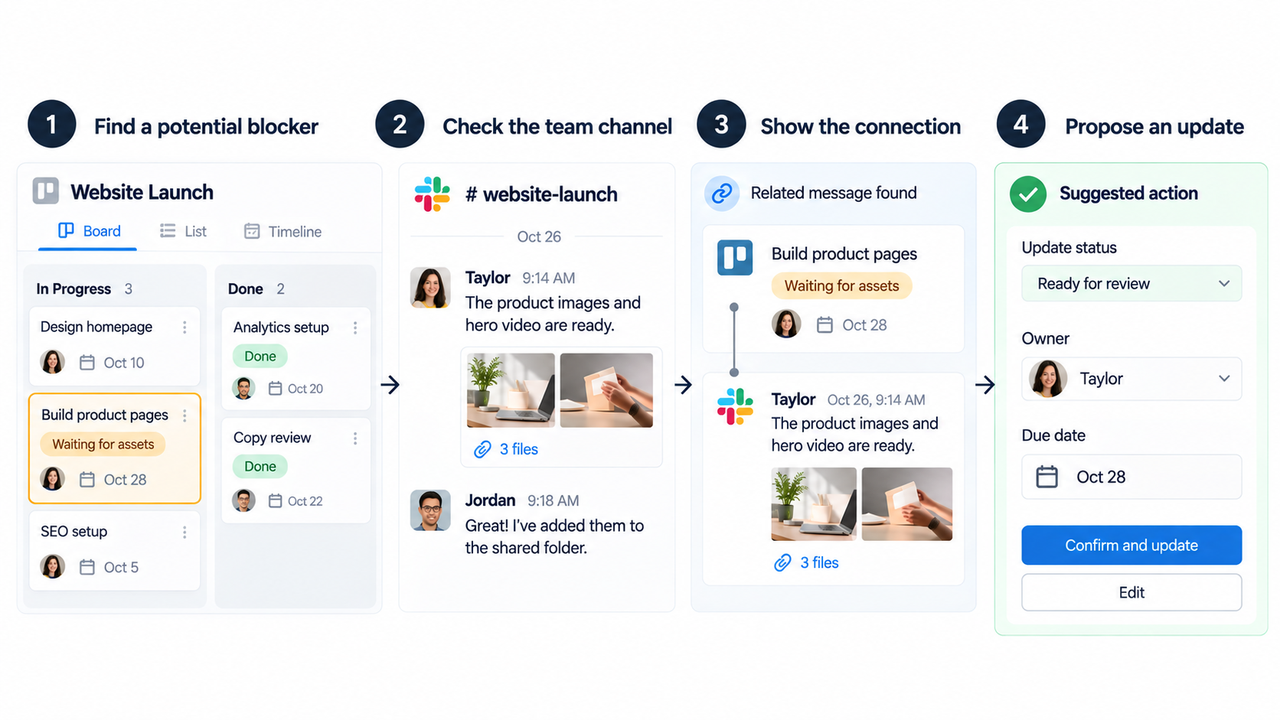
The reviewer needs the original card and relevant message beside the suggested action. Include the stated owner and deadline; leave either open if the sources do not supply them. The project lead confirms the details before task creation. Use approved project channels, and keep unrelated employee conversations out of the task.
Relevance AI already offers Task operations for approvals, escalations, and errors. If that arrangement works for your team, keep it in the comparison. A move needs to improve something specific, such as review location, configuration effort, or responsibility for failed connections.
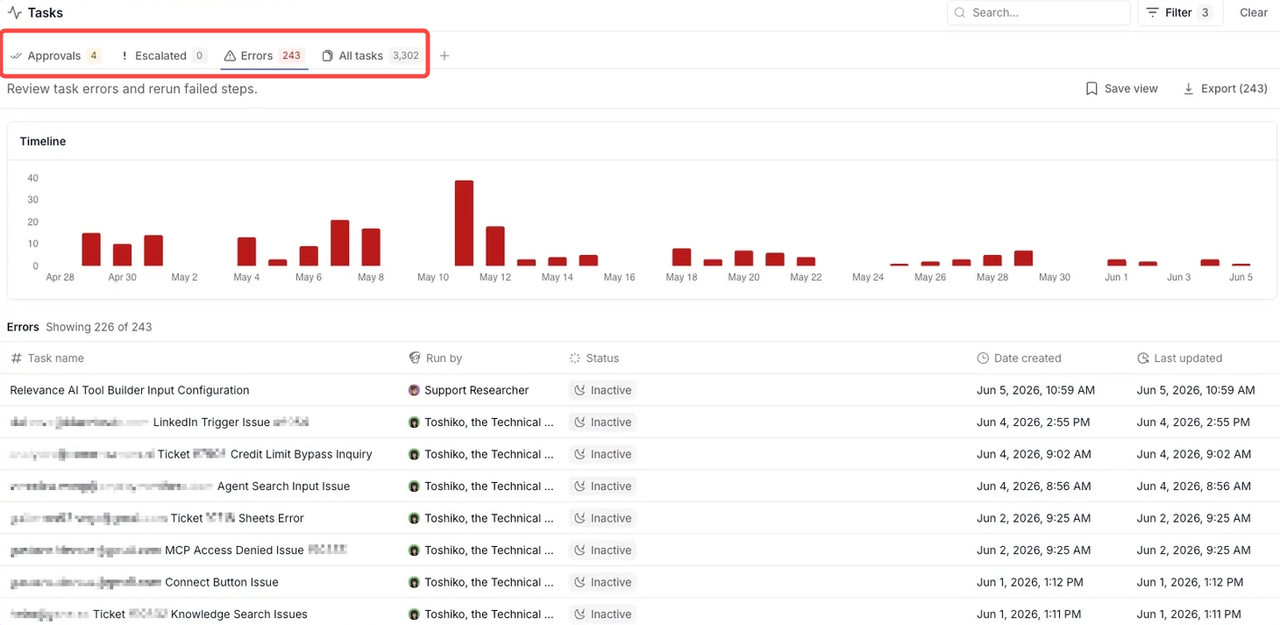
Multi-agent tasks may split collection from consolidation. I'd add that split only when it makes the work easier to check. A second agent also introduces another result that someone must understand when the list is wrong.
Compare Build Effort, Review, and Operating Control
Compare how each route gets the same blocker list in front of the project lead. Include the person who will maintain it after the initial builder moves on.
Route | Initial work | What the reviewer needs to inspect | Ongoing responsibility |
Lindy | Configure a team routine, its instructions, and connections | Source context and proposed writes in the supported Slack review surface | Workspace administration, routine scope, and shared connection access |
Gumloop | Configure an agent's tools, instructions, triggers, and approval settings | Task context plus the proposed tool action | Agent changes, tool permissions, and failed or disabled triggers |
n8n | Build reads, transformations, review steps, and task creation | Exact proposed task parameters and failed execution data | Mapping, expressions, credentials, recovery, and deployment upkeep |
For workflow oversight, ask each builder to show a missing channel read, a rejected follow-up, and an already-created task. A reviewer cannot judge completeness if an unavailable source silently disappears from the summary.
Keep a short list of requests waiting for a person, requests missing source data, and requests ready to create a task. The team should be able to tell them apart without opening every run. How those states are represented depends on the platform and configuration.
Cost needs the same workload comparison. Lindy's per-user plans share workspace credits. Gumloop uses usage credits, while n8n's paid plans meter workflow executions. Relevance AI separates Actions from Vendor Credits. Include corrections and repeated reads, plus the reviewer's time, when estimating the cost of an accepted follow-up.
1. Lindy — Assistant-Led Task Setup
Lindy fits a team that wants to describe the recurring job and review its output in Slack. Its workspace routines run through Lindy Teammate; workspace admins create and manage them. A routine combines a trigger, instructions, and a destination.
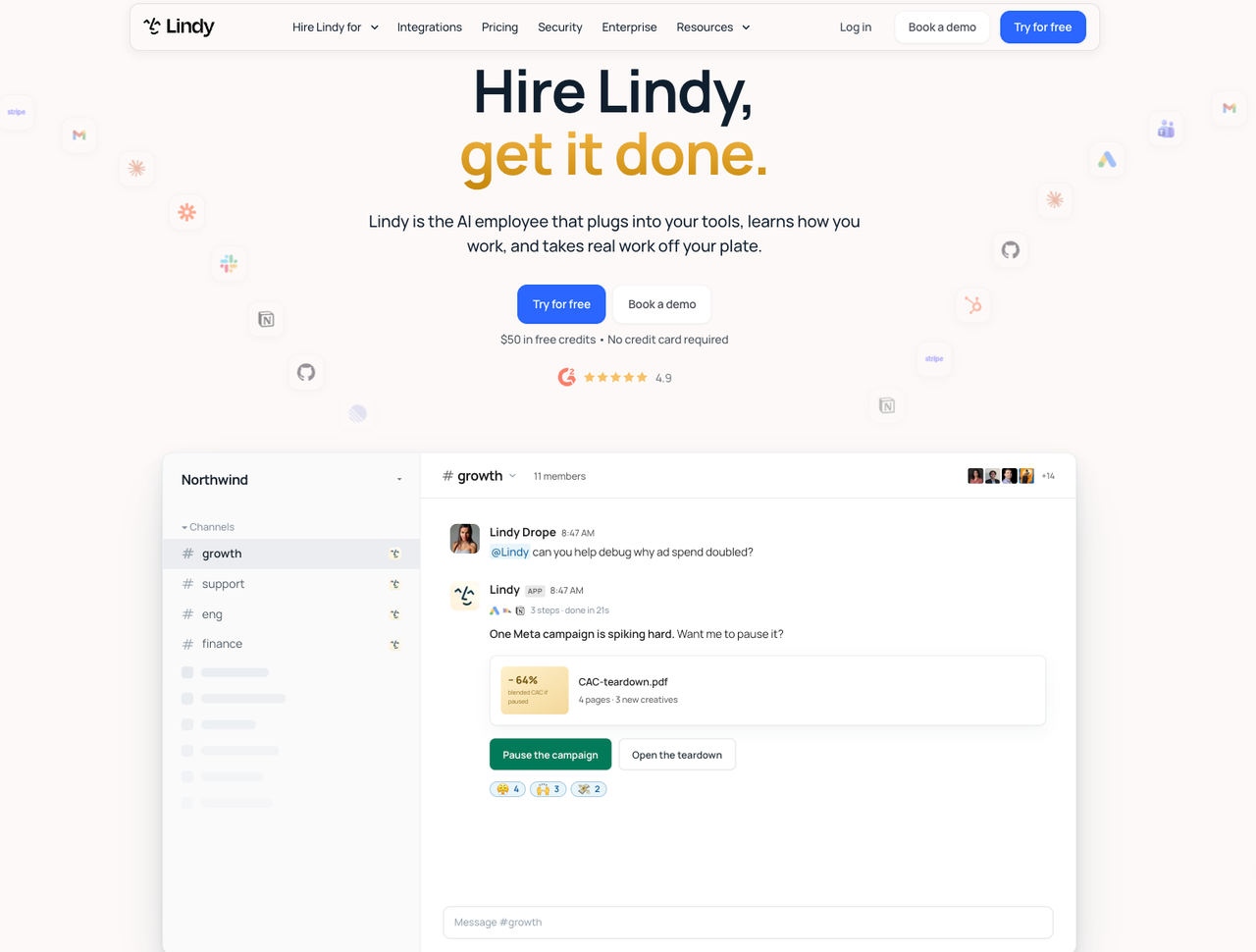
For the blocker review, specify the board, channel, time window, and meaning of “unresolved.” Ask for a proposed follow-up beside each source. The admin still needs to verify that the connected account can read the intended project and create the required task.
The approval surface matters here. Lindy's integration guardrails can require approval before writes in shared Slack threads. They do not cover its web chat, Slack DMs, iMessage, or SMS, and they do not gate reads. A team connection also acts with the shared account's permissions.
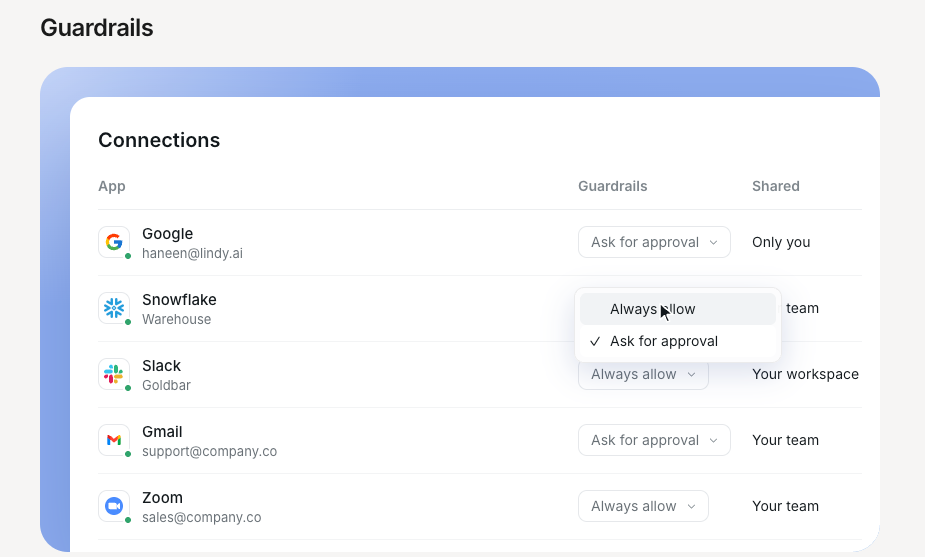
I would keep this task in the shared thread and test the exact routine-to-approval path before allowing task creation. The requester can approve their own action, as can a workspace owner or admin. If your policy requires a different project lead to approve, that needs an additional control or a manual creation step.
Lindy's routine dry runs suppress writes. Use one to examine the proposed list, then test task creation separately on a board reserved for evaluation. The dry run cannot prove that delivery works.
2. Gumloop — Visual Agent Workflows
Gumloop fits when the team wants a shared agent whose tools and approval behavior can be configured directly. There is an important distinction behind the visual-workflow label: as of October 26, 2026, its pricing page lists Workflows as Legacy. Current documentation leads with agents.
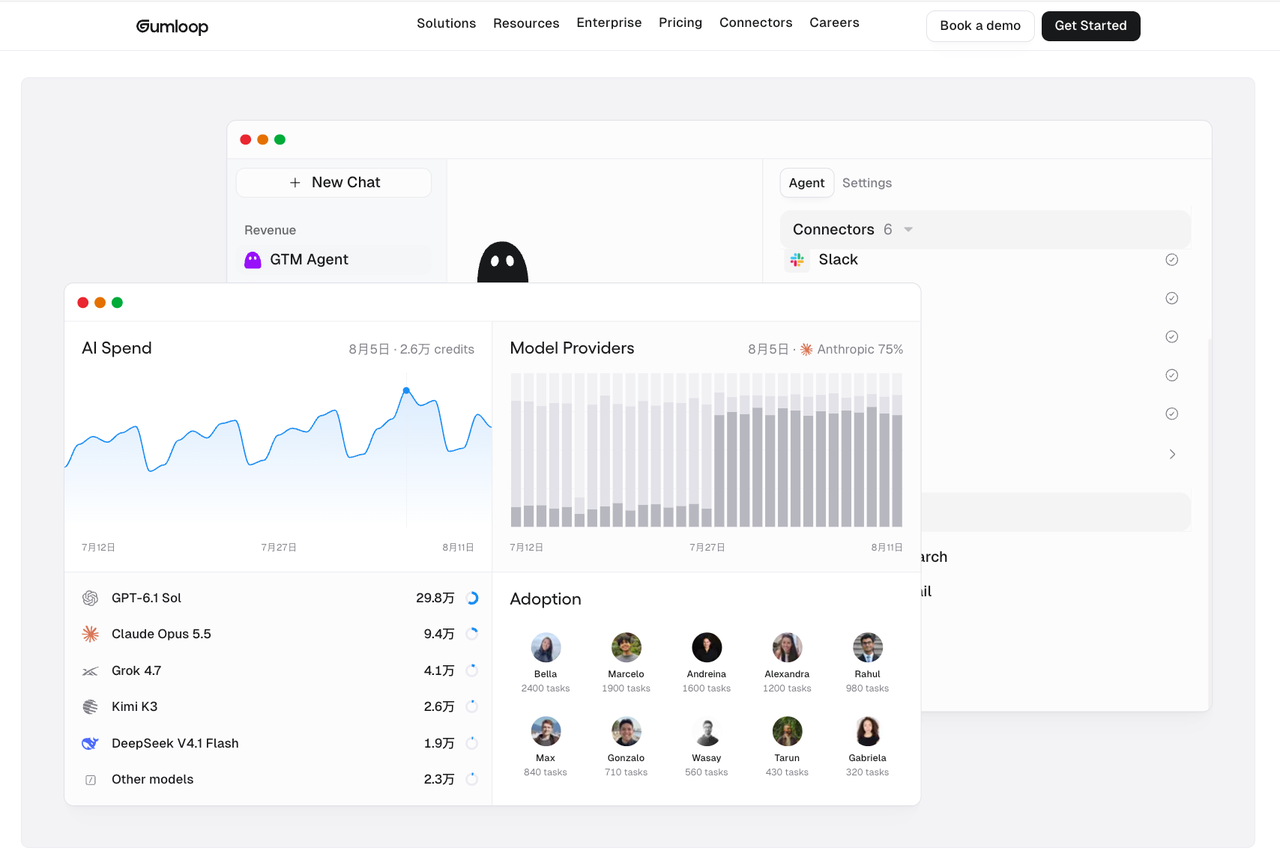
Evaluate the agent experience your team will actually maintain. Give it the selected sources and instructions to reconcile card status with later messages. Start with only the tools needed to read those sources and propose follow-ups.
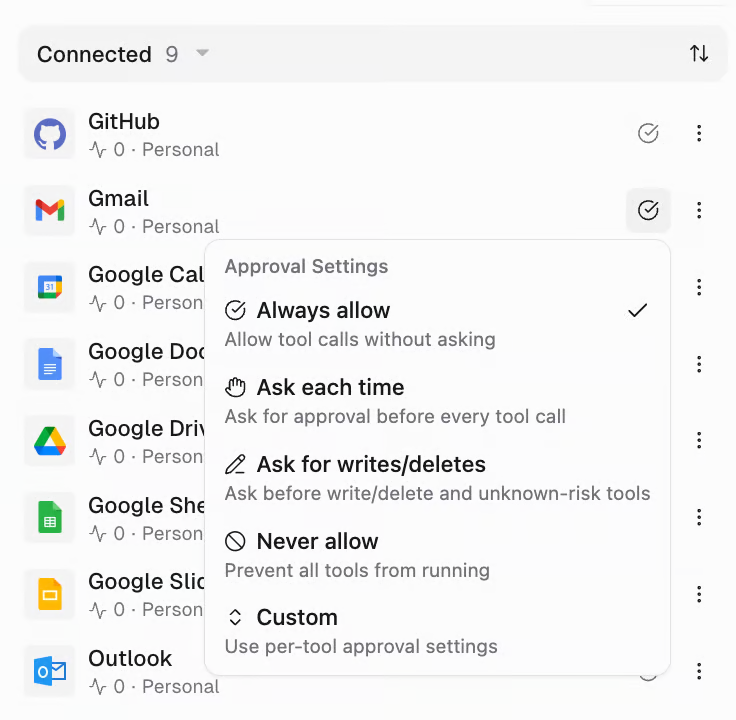
Gumloop's human-review settings include asking for every call, asking for writes and deletes, and per-tool controls. Always allow is the documented default. Its approval card shows readable action details, but may omit arguments or information hidden by permissions. The reviewer should inspect the linked task context before authorizing a new assignment.
Gumloop documents automatic trigger deactivation after three consecutive failed runs, with notifications to the trigger owner. Choose an owner who can restore the connection and re-enable the trigger. The project lead also needs to know when the weekly check never produced a list.
This route suits an operations builder willing to maintain agent instructions and tool settings. It becomes less attractive if the team expects approval cards alone to explain every proposed field.
3. n8n — Extensible Orchestration
n8n fits when the team has a technical maintainer and wants to specify how records move between steps. Its managed Cloud and self-hosted options put different infrastructure work on the team.
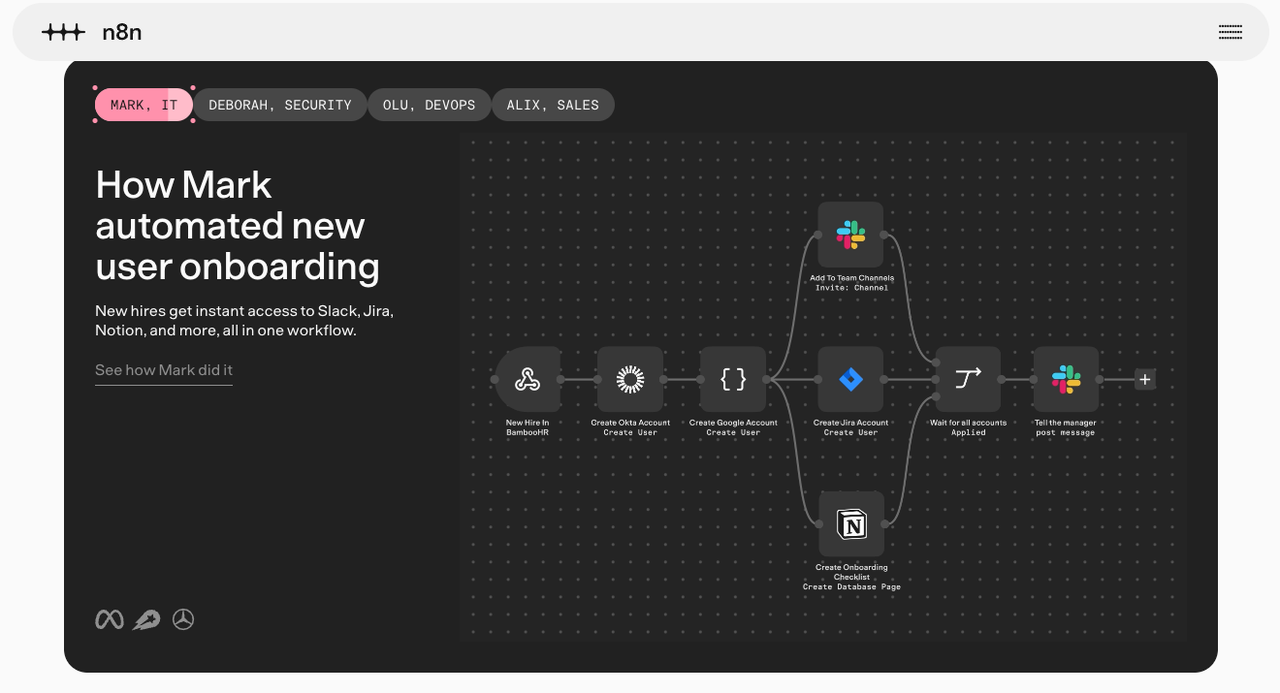
I would read project cards and channel messages in separate steps, retain their IDs, then pass the relevant material to a summarization step. Fixed rules can identify existing follow-up tasks. The model can help interpret whether a later message resolves a blocker, while the project lead confirms the recommendation.
n8n supports human review before selected AI tool calls. A reviewer can see the proposed tool parameters and approve or deny execution. Configure the task-creation tool so the project, assignee, due date, and text are visible at that point.
Its execution views and error workflows give the maintainer ways to investigate failed steps. They still have to decide what a missing channel read should do. For this job, I'd stop task creation and show the source failure rather than publish a complete-looking list based only on the board.
Retries need similar care. If task creation times out, look for the task before trying again. Store the original card ID with the new follow-up so the builder can detect repeated requests. That behavior needs to be built into the flow.
n8n offers detailed control, but the reviewer should not need to understand expressions to accept a follow-up. Put the business decision in a readable review message and leave technical recovery with the maintainer.
Choose by the Team’s Review Capacity
Choose the route that matches how the team can actually review and support this weekly task. A lead who lives in a shared Slack channel may prefer Lindy's assistant-led setup. An operations builder may prefer Gumloop's agent configuration. A technical maintainer may favor n8n when source matching and recovery require explicit logic.
Before deciding, give the intended reviewer the same mixed set of project updates. Include a resolved blocker, an unclear owner, and an unavailable source. Ask them to correct the list and reject a proposed task. Notice where they need the builder to explain what happened.
The review should expose missing work as well as questionable suggestions. An empty list could mean the project has no blockers, the filters excluded everything, or a source could not be read. Those outcomes require different responses.
If the lead must reopen every card and reread the whole channel, the proposed automation has moved little of the review burden. Narrow the task, improve the source links, or keep task creation manual. An agent team builder earns its place when the team can check the recommendation without reconstructing the entire investigation.
FAQ
Can Lindy use a company identity provider for sign-in?
Yes. Lindy lists SSO as an Enterprise capability, and its Enterprise announcement describes connecting an existing identity provider. Confirm the supported provider and provisioning setup with your administrator. Signing in with Google or Microsoft on a standard account does not establish that company-wide SSO enforcement or SCIM provisioning is enabled.
Can Gumloop archive a workflow without deleting its configuration?
I couldn't confirm a documented archive action for legacy workflows in the current public guides. Preserve a saved copy, disable the applicable triggers, and stop upstream callers before retiring the old route. Those steps preserve your ability to rebuild, but do not establish a native archive-and-restore feature. Ask Gumloop to demonstrate that behavior if it is required.
Can n8n keep a history of edits to one workflow?
Yes. Workflow history stores earlier versions. Current documentation gives all users the last 24 hours, Cloud Pro the last five days, and Enterprise full history. Workflow-setting changes do not create a version. If you need a complete change record, account for those settings separately; execution history records runs rather than configuration edits.
What can be exported from a Relevance AI agent?
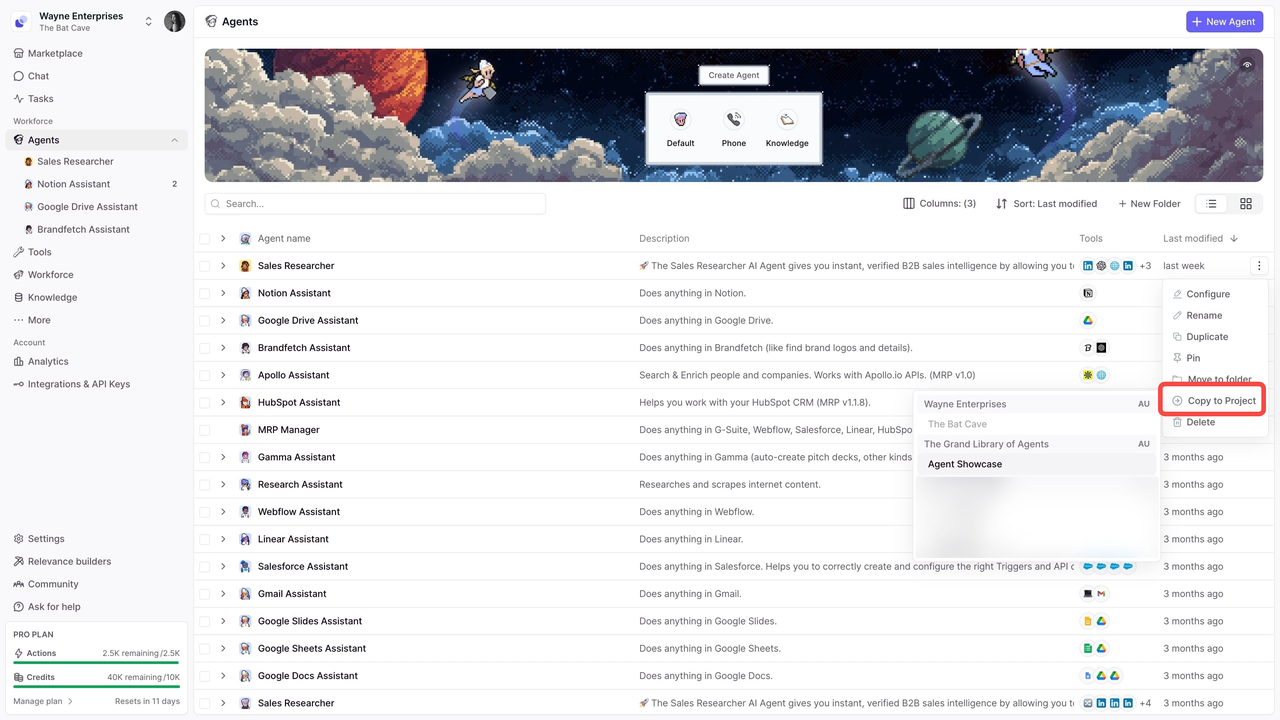
Agent configuration and instructions can be copied between Relevance AI projects through Copy to Project. Analysis tables can separately be exported as CSV. Neither establishes a runnable package for another platform. Preserve prompts, tool definitions, knowledge dependencies, and review rules when rebuilding elsewhere. Avoid enabling public template cloning merely to move a private team agent.
Can Lindy retain completed task records for a set period?
I couldn't verify a public self-service setting for a fixed completed-task retention period. Its privacy notice describes purpose-based retention, rather than promising a user-selected expiry for task history. If your team needs a specific period, obtain written terms covering task content, logs, deletion, and backups. Keep the approved decisions you need in a team-controlled record with its own retention policy.
Conclusion
Before choosing among Relevance AI alternatives, name the project lead who can confirm a follow-up's owner and deadline. Give that person the sources and authority to reject it. If they are unavailable, the proposed task should wait. The weekly routine is ready to delegate when the team knows who makes that decision and who covers their absence.
Explore SpringBrand
Turn ideas into working workflows
Connect agents, APIs and tools in one workspace. Start with a task you want to get done.
Get started free
One account. 10,000+ APIs & capabilities
Give your agent APIs and plugins without separate keys or integrations for every provider.
Explore APIs
No tool expertise needed
Describe your GTM task. SpringBrand chooses the right APIs and plugins for your agent automatically.
Find tools for your task
Run tasks 24/7
Connect your agent to SpringBrand to keep tasks running automatically, day and night.
Connect your agent