Best AI Workflow Builders for Business Teams in 2027
Compare the best ai workflow builders for business teams by task fit, tool access, review points, and maintenance before choosing a platform.
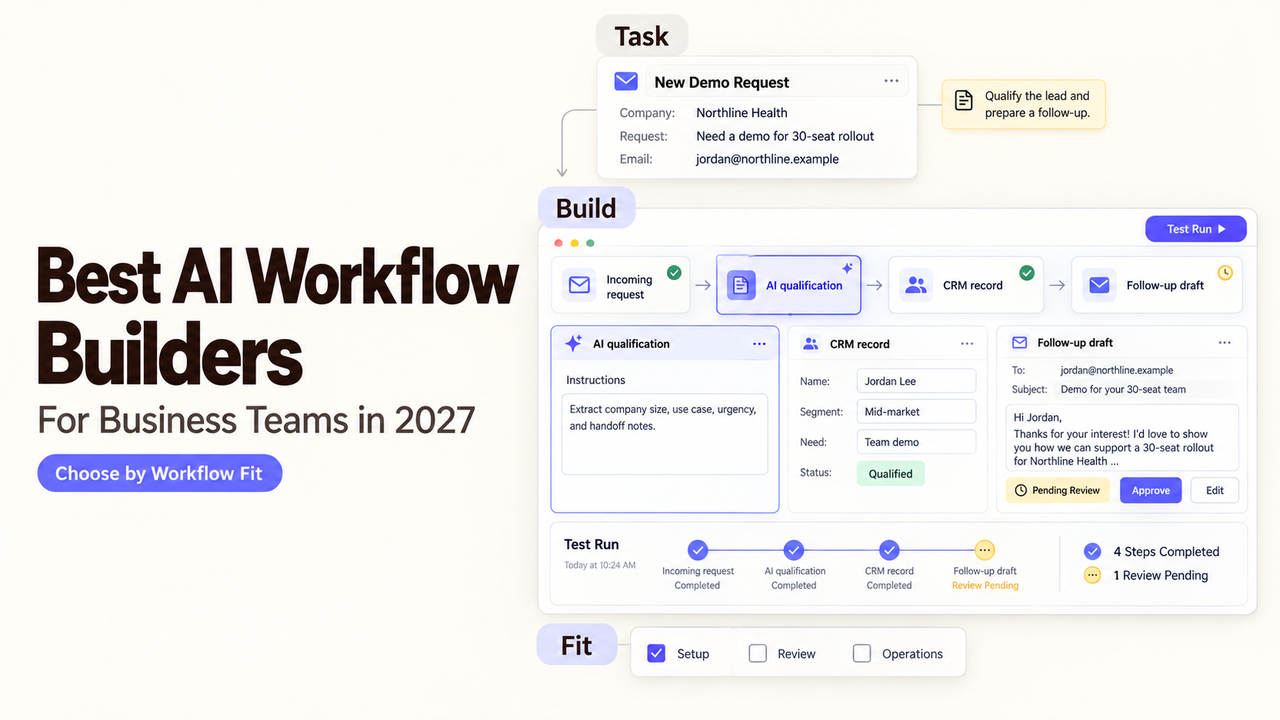
Before a researched lead reaches the CRM, someone should see its source, qualification reason, and proposed field changes. An approval without those details is guesswork. To find the best AI workflow builders for this job, this comparison keeps one company-research task constant across four products.
What Makes an AI Workflow Builder Useful for Business Teams?
An AI workflow builder for teams is useful when it moves a real task from input to a checked outcome, with clear places for people to intervene. For this comparison, the input is a company name and website from a lead list. The builder gathers public company context, decides whether the record meets a simple qualification rule, prepares a short rationale, and sends an approved result to a CRM.
The AI step should summarize evidence or classify the record. A rule can reject a missing website. A person should check uncertain claims before the CRM write; an attractive summary can still place a weak lead in a sales queue.
Business teams need to see why a record took a branch, pause before a write, and repair failed runs. An agent workflow platform may handle flexible research; a visual AI workflow builder may make fixed routes easier to inspect. Check the exact CRM action and approval feature before choosing either.
How Were These Builders Compared?
The four candidates approach the same research-to-CRM task differently. Numbering aids navigation; it does not rank measured performance. This comparison uses documented capabilities and design choices. Official product, pricing, and help pages were checked on October 10, 2026. Before 2027 publication, recheck features, plans, prices, and candidate fit.
Builder | Input and connections | Judgment and CRM output | Human check and upkeep |
n8n | List or webhook input; app nodes or API requests | Explicit branches around AI extraction, then a CRM action | Put review before the write; maintain nodes, credentials, and any hosted instance |
Make | List or app trigger; mapped SaaS modules | Filters and AI modules route a record to the CRM | Add an approval route; monitor module errors and credit use |
Gumloop | Research request or trigger; agent tools and connected accounts | Agent gathers context and proposes a CRM action | Require approval on the write tool; inspect tool choice and credit use |
Dify | Workflow input or trigger; tools and HTTP requests | AI nodes produce a structured result; HTTP can write to the CRM | Human Input can branch on approval; maintain app versions and API configuration |
Before buying, confirm the exact CRM action, account permissions, and where the approved rationale will be stored.
1. n8n — For Configurable Multi-Step Workflows
n8n fits when someone can own a multi-step route and its failures. A lead-list event starts the run; separate nodes fetch research, extract fields, reject incomplete records, and stage the CRM update. The qualification rule stays visible outside a broad prompt.
Its workflow pricing counts executions, making run volume central to a cost estimate. Self-hosting adds infrastructure work. During development, pinned or mocked data lets a builder retry a sample without repeated outside calls. Pinned data does not run in production.
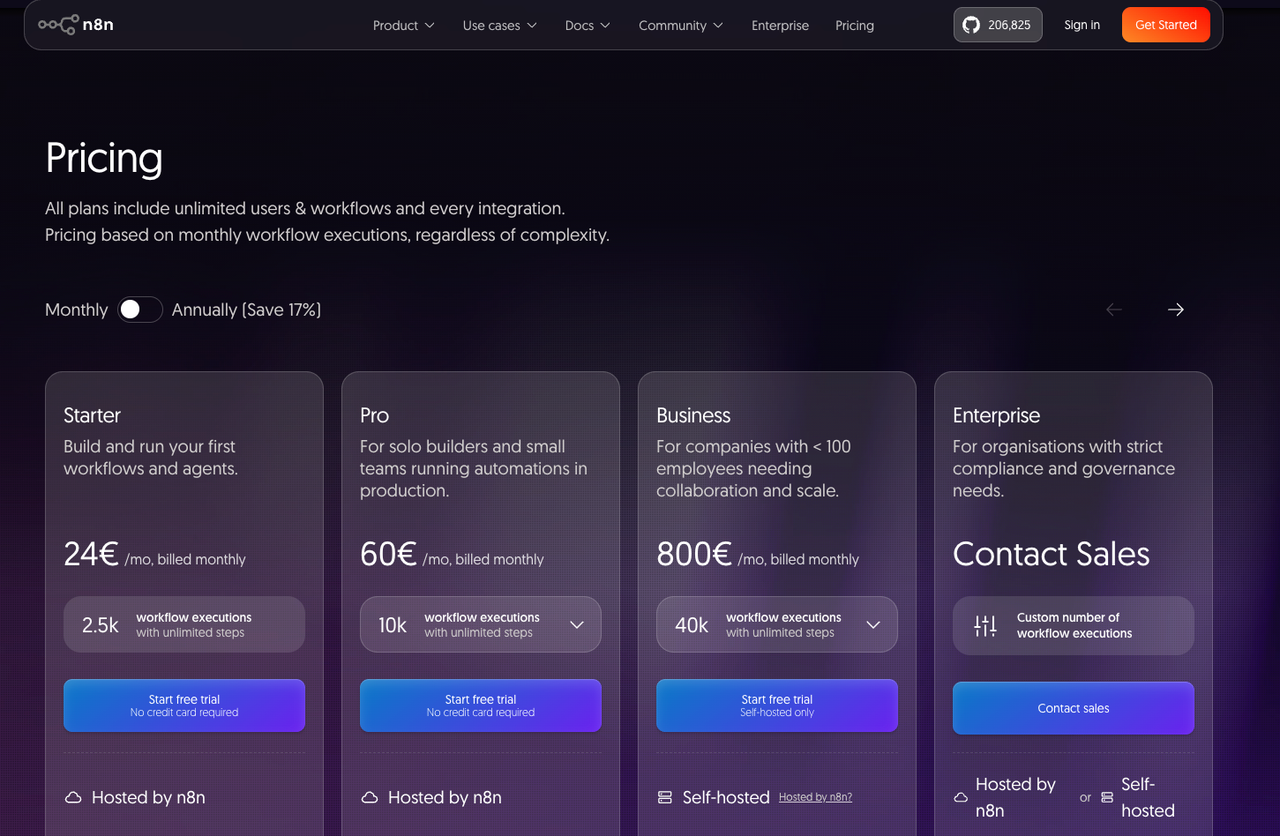
Moving a flow is possible through JSON export and import, but destination connections need reauthorization. Choose n8n when someone can inspect failed executions, repair API mappings, and keep credentials current.
2. Make — For Visual Cross-App Workflows
Make suits a team that wants to see the route between apps on a canvas. A scenario can watch a lead list, collect research, map fields, and filter records before the CRM step. Build the approval route explicitly; a visual diagram alone does not hold a record for review.
The pricing model uses credits for module actions, so estimate lookups and retries, including weak leads. Scenario blueprints move a design between accounts, but connections must be set up again. Recheck field mappings and CRM permissions.
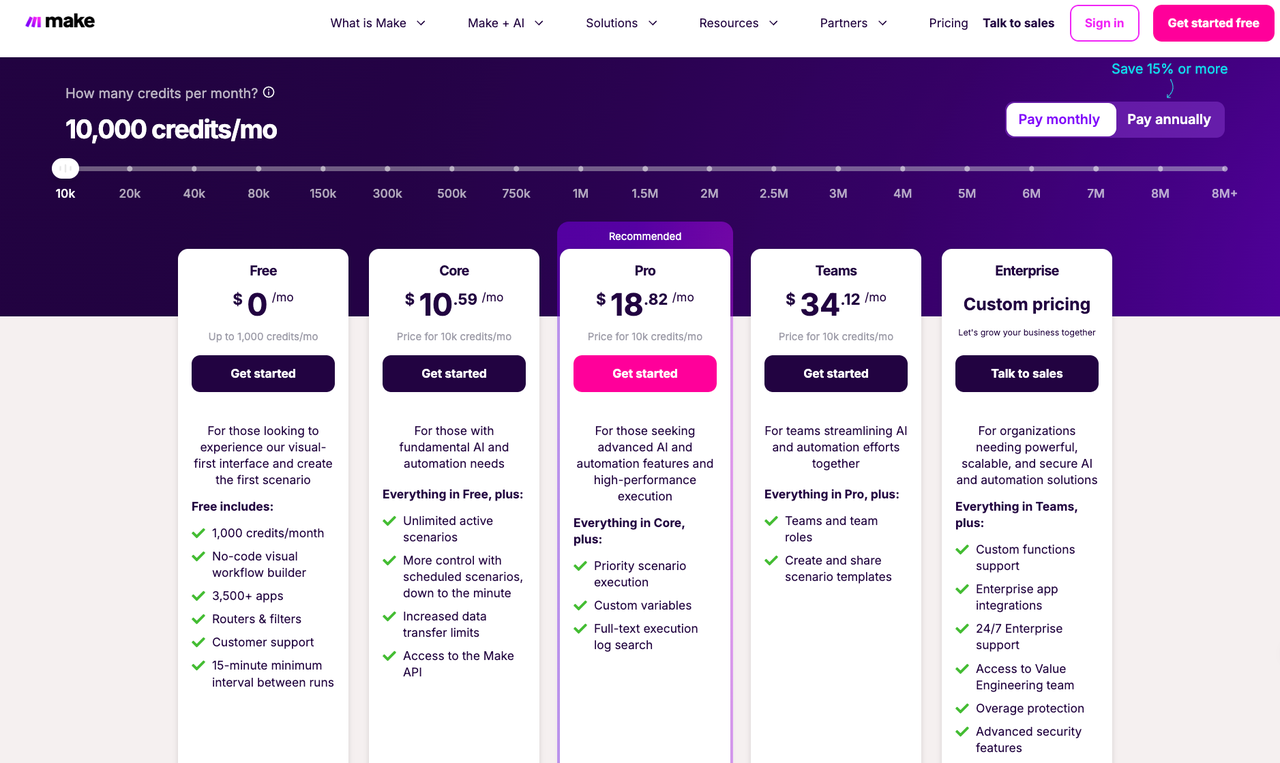
Choose Make when its connected apps match daily work and a process owner can read the scenario. Watch for changed fields, connection failures, and credit use. Open-ended AI judgments need a deliberate review point.
3. Gumloop — For Agent-Led Research Workflows
Gumloop fits when deciding where to research is harder than passing fields between apps. Its agents can use connected tools to gather context and propose a rationale. The team must define sufficient evidence and allowed CRM actions.
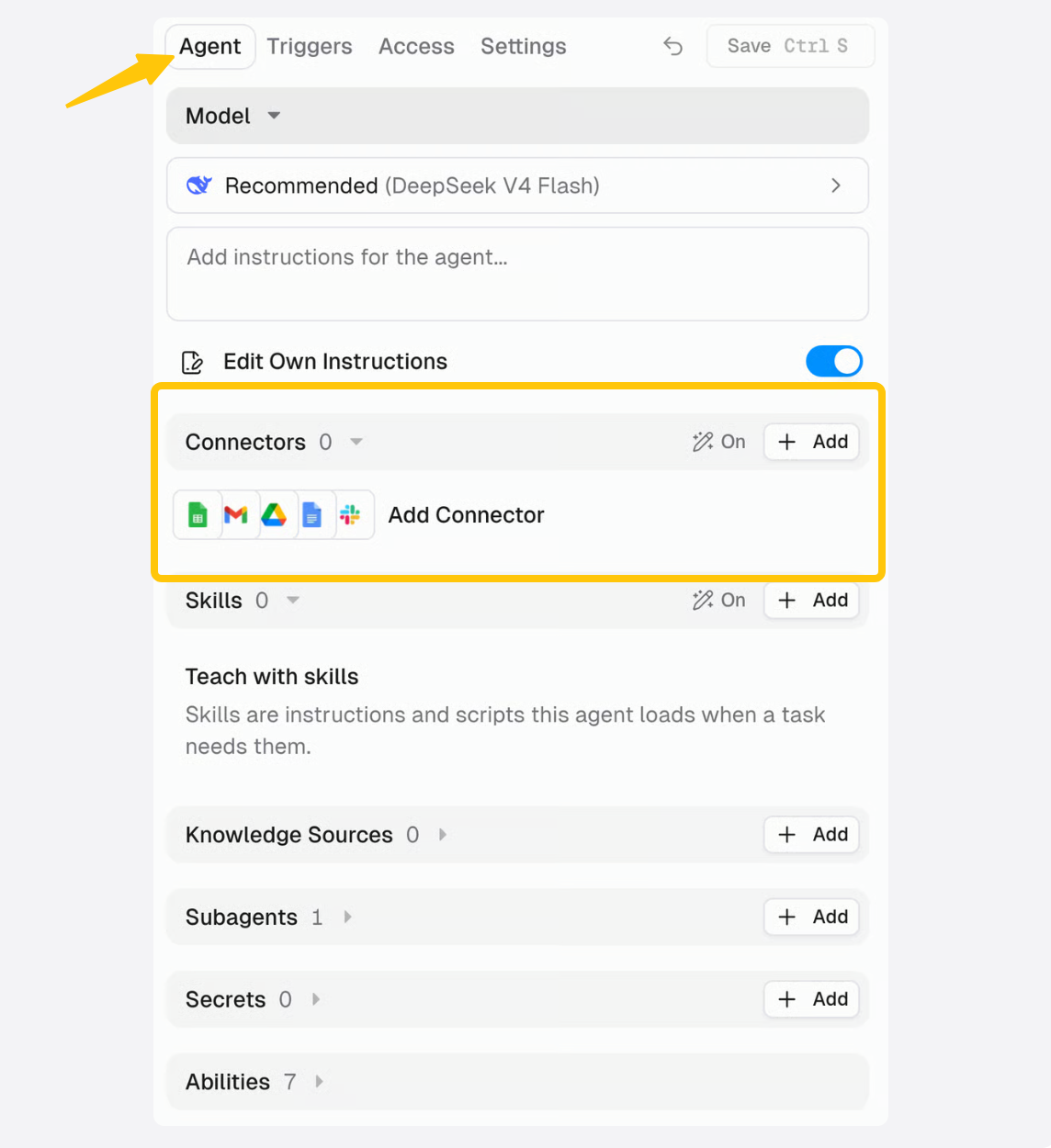
The useful safeguard is tool-level human approval. Configure approval for the CRM write so the reviewer sees the proposed action and can reject it. Do not assume every write pauses automatically: approval behavior depends on the tool setting. Gumloop also distinguishes personal and team connector credentials, which matters when a flow must survive one employee's absence.Verify this against the current Gumloop documentation for your workspace and plan.
The process owner should inspect source choices and proposed CRM fields after changing agent instructions or tools. Estimate credits against realistic research depth. Gumloop suits teams willing to supervise adaptable investigation.
4. Dify — For AI Application Workflows
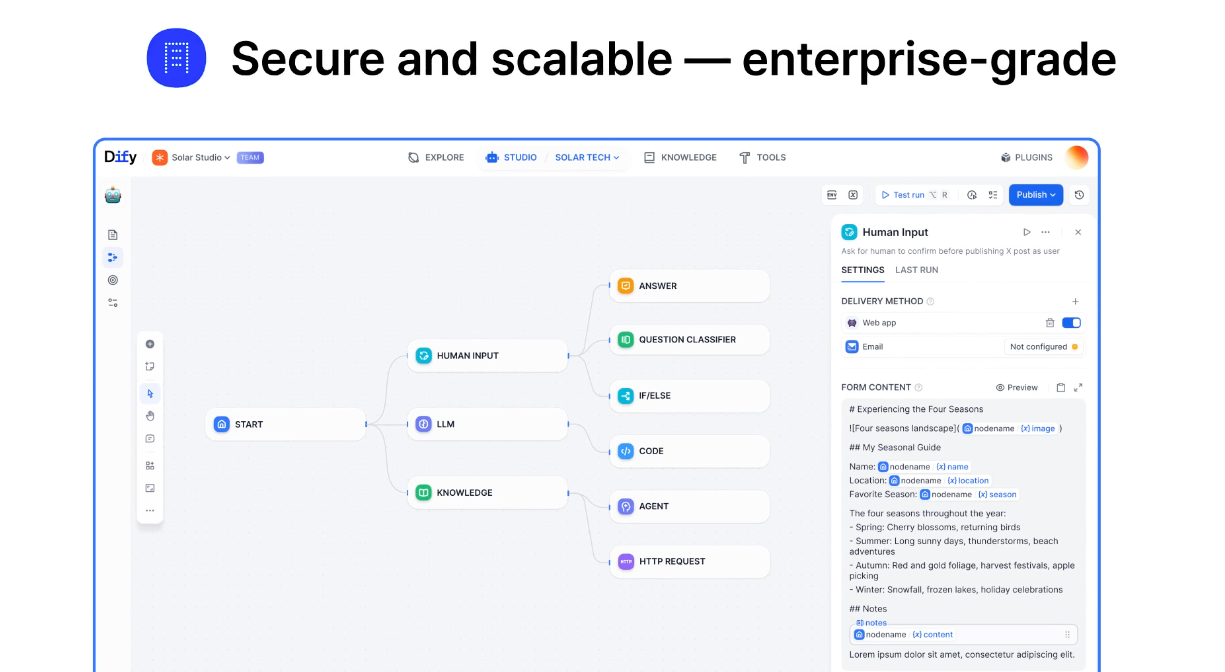
Dify fits a repeatable AI application with defined inputs and outputs. Its Workflow and Chatflow builder connects AI and logic nodes. A lead record can become a proposed CRM payload. An HTTP request can reach the CRM API, with authentication and field mapping left to the team.
Dify's Human Input node can pause and branch on a reviewer's response. Verify the node’s current behavior against the documentation for your deployed version.Check its delivery mode and timeout against your process. Version controls separate draft and published apps; history and export options vary by plan.
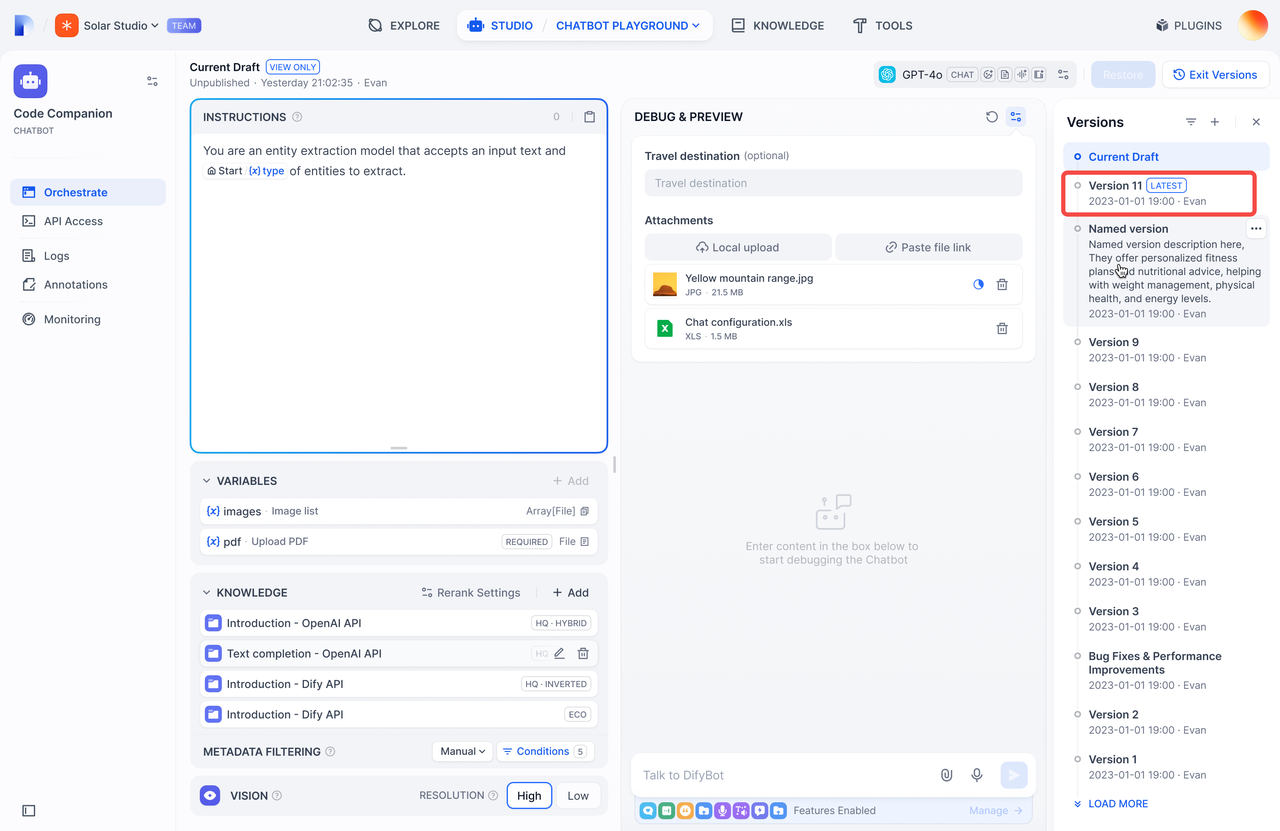
Choose Dify when the team wants to own application logic and output format. Expect CRM API setup and continuing work on prompts, fields, secrets, and published versions.
Which Builder Fits Your Team's First Task?
For a fixed lead-list route with several app handoffs, start by comparing n8n and Make against the exact CRM action. n8n gives a technical owner room to customize logic and deployment. Make gives a process owner a more direct view of the cross-app path. If each company requires variable web research, Gumloop's agent approach is worth examining, provided the CRM write has a reviewer. If the goal is an AI application with structured inputs, approval branches, and a controlled published version, examine Dify.
The first task should be small enough to expose the expensive mistake. Use three sample companies: one clear match, one weak match, and one with missing or conflicting evidence. Use synthetic or approved records until the new workspace's access and data-retention terms are checked. Record the expected CRM fields and why a reviewer would reject each doubtful record. A platform that cannot show that decision at the right point is a poor fit even if its demo builds quickly.
Where Do AI Builders Add Maintenance Work?
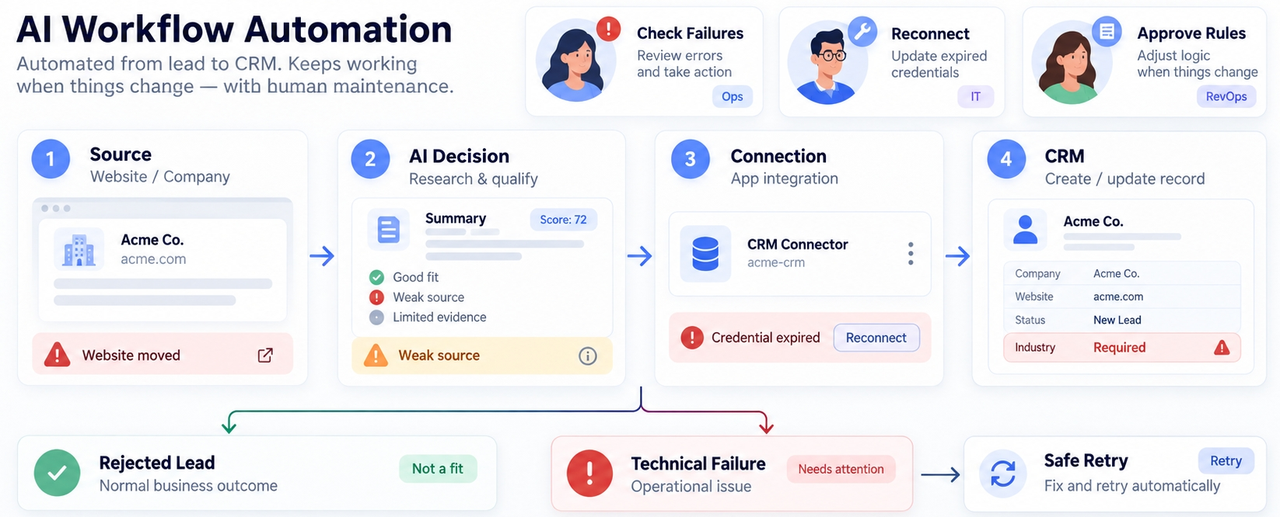
Even good AI workflow automation software needs attention when a source, decision, connection, or destination changes. A company website may move. A CRM field can become required. An app credential can expire. A model may return a plausible summary with no usable source. Someone has to notice these changes before the sales team treats the record as ready.
The maintenance plan should name the person who checks failed runs, the person who can reconnect accounts, and the person who approves changes to qualification rules. Separate rejected leads from technical failures. A weak lead is an expected business outcome; a CRM outage is a stopped operation that may need a safe retry. In all four products, the platform's error and history tools help only if the team decides what to log and when a human should act.
Cost has the same operational shape. n8n Cloud prices around executions, Make around action credits, and Gumloop and Dify use their own plan and usage allowances. Compare monthly research attempts, rejected leads, reviews, retries, and AI calls. A cheap first run says little about a month of incomplete records.
FAQ
Can a workflow be tested with sample records before it goes live?
Yes. n8n lets builders mock or pin data during development, and Make can run scenarios with existing data. Dify offers draft testing, while Gumloop agents can be tried with controlled inputs before a CRM write is enabled. Use the same clear, weak, and incomplete records across tools. Keep test credentials and the destination separate from production where possible; a sample input does not make a live write harmless.
Can teams move a workflow between workspaces without rebuilding it?
Often, but the diagram is only part of the move. n8n exports workflow JSON, and Make exports blueprints; each destination needs its own connections. Dify can move workflows through application DSL; exporting a specific published version requires a paid plan. Confirm the current plan restriction before publication.Gumloop lets users move agents between personal and team spaces, though that does not establish cross-organization portability. Recheck tool permissions and a sample output after any move.
Which tools let different members share connection credentials?
n8n has credential sharing via projects and roles . Gumloop has team connectors . Let teams use connections that are available to their team . Dify workspace members can use configured providers and tools based on their roles and deployment. Before you count on shared access, find out who can reestablish an expired CRM account and who can alter its settings. Sharing access to a connection should not require sharing its password.
What happens to a run when one connected service is unavailable?
It depends on the failure route you configure. n8n can send failed executions to an error workflow. Make supports error handlers and incomplete executions. Dify's HTTP Request node has retry and error handling settings. For an agent in Gumloop, inspect the tool failure and the proposed next action before allowing a write. Record a failed CRM operation separately from a rejected lead, and retry only after checking whether the first attempt already created a record.
Can a team inspect which version produced a given output?
Sometimes, but version history and run history are different records. Dify distinguishes draft and published versions; Make saves scenario versions; n8n keeps workflow history with plan-specific retention. Gumloop exposes agent versions through an API, while self-improving instruction edits lack version history for the specific agent-editing workflow being evaluated.Verify this against the current Gumloop documentation for your workspace and plan. To trace a CRM record, save its run ID and version identifier with the approval note. Check retention before using platform history as an audit trail.
Conclusion
The best AI workflow builders for this task are the ones that make the research decision visible before a CRM record changes. Pick the route that matches your team's existing apps and its ability to maintain the judgment step. Then run the three sample records, inspect the proposed write, and let the business owner approve the first live destination. That review tells you more than a feature count will.