SpringBrand User Guide: Give Your AI Agent 10,000+ APIs

Written by
Springbrand Editor Team
Editorial team
Springbrand Editor Team creates and maintains blog guides on AI tools, automation, marketing, and agent workflows.

Reviewed by
Springbrand Audit Team
Editorial review team
Springbrand Audit Team supports editorial quality through source checking, clarity, and consistency across the blog.
Updated
Published
What SpringBrand does, the two ways to connect it to your AI assistant, prompts that work, and six things people have built with it.
SpringBrand is a tool platform for AI. It connects your AI assistant to the specialist tools and services a real task needs, so the agent can pick the right tool at runtime and actually finish the work instead of describing it.
This guide covers what the platform does, the two ways to start using it, prompts that work well, and six things people have built with it.
New accounts start with 300 free credits — enough for one complete site traffic analysis. If you have a redeem code, the Redeem code button in the top right of the web app adds more.
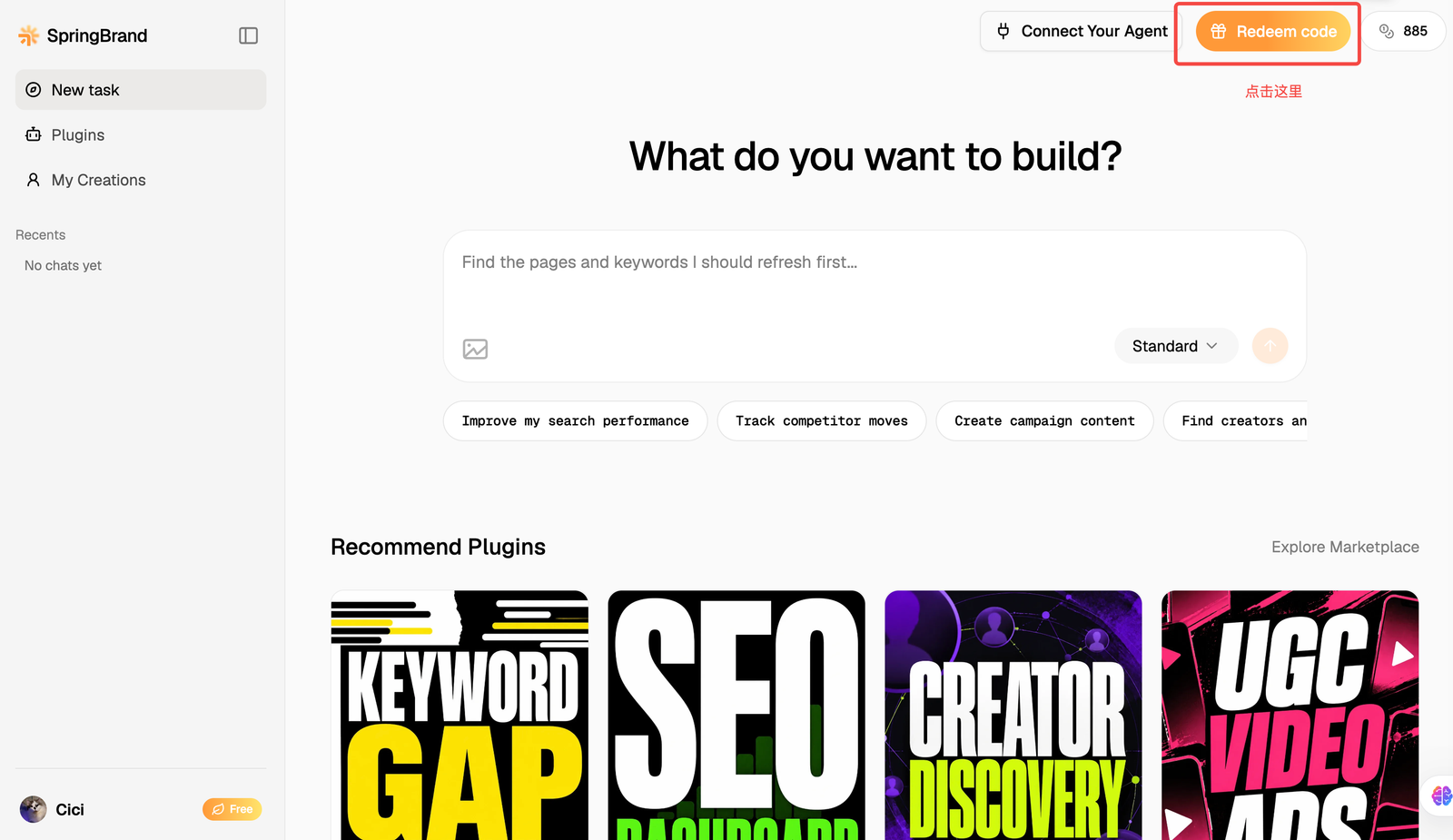
The product is still being refined. If you hit a bug or something feels off, email product@springbrand.ai.
Community
The SpringBrand Discord is where product updates land and where you can ask questions, share what you built and tell us what broke. Join the server.
What SpringBrand is for
The focus is go-to-market. Market research, creative production, influencer shortlisting — the parts of GTM that cost the most time and money — become tools your agent can call directly. The goal is simple: get you paying users at the lowest possible cost.
Core capabilities
SEO and traffic analysis
Want to know where traffic in the AI category actually goes, which SaaS products are winning, and where the gaps are? Ahrefs and Semrush subscriptions run into the thousands of dollars a year, and you still have to learn the tools.
SpringBrand plugs into professional traffic databases, so one sentence is enough to have your agent pull the data, compare products, and surface openings:
- Spend less. No full-suite subscription — pay per call, per unit. The free credits alone cover one complete site traffic analysis: roughly 10,000 keywords checked for monthly search volume, 6,000+ keywords scored for ranking difficulty, and 100+ competitor paid keywords.
- Spend less time. Compare several products in one pass — who has the traffic, who is growing, where their users come from.
- No SEO background needed. Ask a plain question and get traffic trends and growth opportunities back.
Marketing and growth workflows
Mature GTM workflows ship with the platform, so your assistant can handle:
- Finding customers and traffic for a product you just vibe-coded
- Market and competitor research
- SEO work: tracking dashboards, content refreshes, competitor SEO analysis, backlink prospecting, keyword gap scoring
- SEM work: Google Ads audits and optimization
- Content production: ad creative and social posts using current image and video models
- Influencer outreach and relationship building
An App Store for APIs
Over 10,000 APIs are available — Semrush, Ahrefs, Apollo, Seedance, Image 2, Google Maps and more — plus a smaller, curated set of plugins that bundle a skill with the APIs it needs. Your assistant finds and calls whichever fits the task at hand. You stop registering accounts, juggling keys, and paying each vendor separately; one SpringBrand account covers it.
How to get started
Option 1 — You already have an AI assistant
If you use Codex, Claude Code, Workbuddy or similar, copy the install prompt from the SpringBrand homepage — it installs the SpringBrand MCP server. Paste it into your assistant's chat, not into a terminal:
Install or update SpringBrand: https://plugin.springbrand.ai/INSTALL.md
- The installer opens the SpringBrand authorization page in your browser — sign up or sign in (Google or email) and approve it.
- Open a new chat window and start working.
Option 2 — You do not have an AI assistant
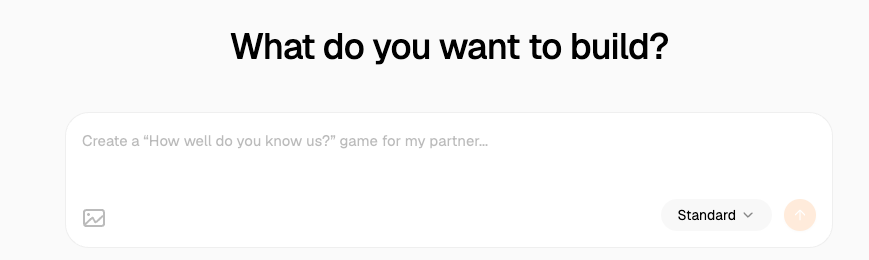
Go to springbrand.ai, click Start Free in the top right, sign up (Google or email), and start typing in the chat box. That is the whole setup.
Prompts that work
- What is everyone saying about GPT-6 on Xiaohongshu? We are a [category] company — what could our official account post to ride the trend?
- Use the Competitive SEO Analysis plugin to audit our site for technical SEO, content and internal linking problems, then rank the fixes by priority.
- Find me 10 AI creators on X with more than 5,000 followers.
- I vibe-coded a tarot web app and want users and traffic. What should I do?
- Use the Image 2 model to make a picture of a border collie in a chef hat and apron, head tilted, licking its nose.
If you are driving your own AI assistant rather than the web app, prefix each prompt with "Please use SpringBrand".
What people build with it
| What they used | What came back | |
|---|---|---|
| Social listening for a 3D printing company | Social APIs, picked by the agent at runtime | A trend briefing on X and Xiaohongshu, plus ready-to-post drafts for the company and staff accounts |
| Trying image and video models for the first time | Image 2, Seedance | A stylized avatar and a 10-second video, both publishable to a share link |
| Finding local prospects and emailing them | Local Business Discovery & Outreach | A ranked shortlist of businesses with outreach drafts; connect Gmail and it sends them |
| Lining up creator partnerships | Multi-Platform Influencer Research & Outreach | Shortlisted Instagram, TikTok and YouTube creators with DM drafts and the evidence behind each pick |
| Making a birthday gift for a friend | Interactive Memory Album | An interactive album, deployed to a URL you can send |
| Reporting on our own SEO | SEO Dashboard Generation | A deployable performance dashboard built from a Search Console export, with the fixes ranked by priority |
The last one is ours, and it publishes to a shareable URL in one click — see the output here. The figures in it are demo data, scaled for illustration, not our real traffic.
Explore SpringBrand
Turn ideas into working workflows
Connect agents, APIs and tools in one workspace. Start with a task you want to get done.
Get started free
One account. 10,000+ APIs & capabilities
Give your agent APIs and plugins without separate keys or integrations for every provider.
Explore APIs
No tool expertise needed
Describe your GTM task. SpringBrand chooses the right APIs and plugins for your agent automatically.
Find tools for your task
Run tasks 24/7
Connect your agent to SpringBrand to keep tasks running automatically, day and night.
Connect your agent