Invoice Data Extraction Software: A Workflow Guide
Evaluate invoice data extraction software by testing field capture, line items, varied layouts, exceptions, outputs, and downstream workflow fit.
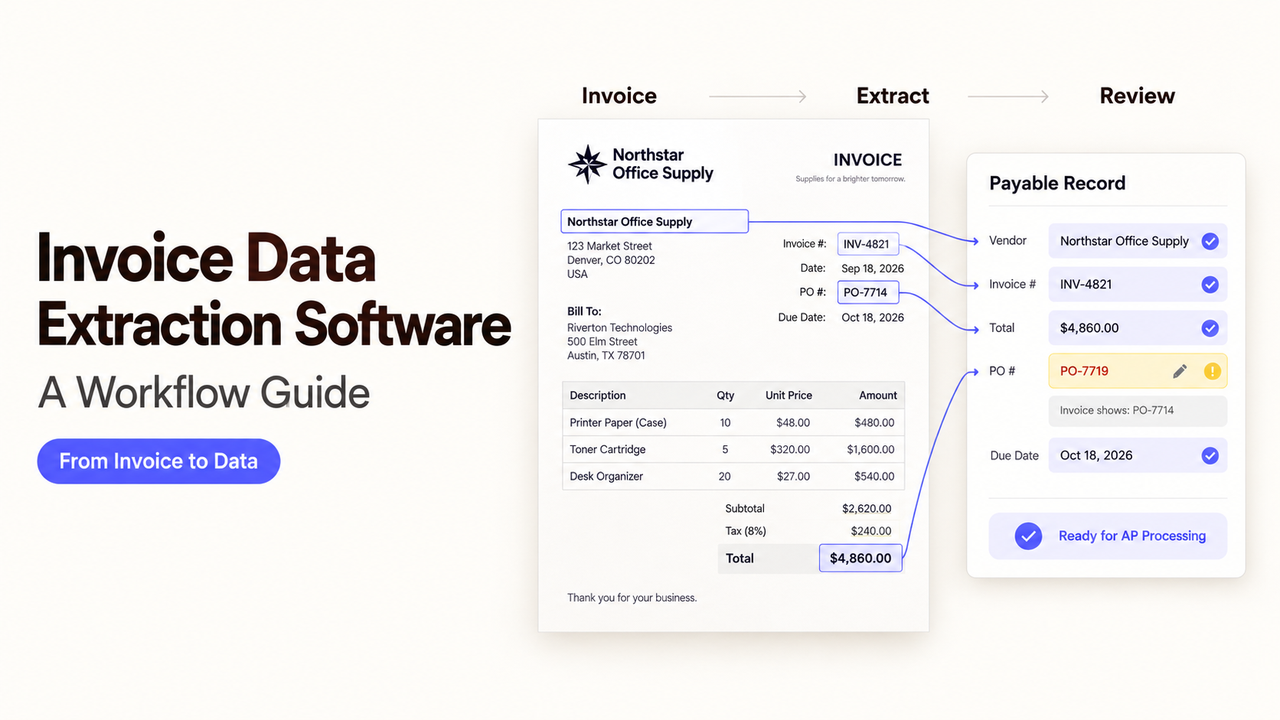
An invoice can look perfect in a demo and fail when your bookkeeper imports its line items. A missing tax row or merged description creates work after “extraction complete.” The right invoice data extraction software returns checkable fields in a usable format.
This guide compares five products using public documentation checked as of September 23, 2026. It is a shortlist by workflow fit, not a matched hands-on accuracy ranking. No invoice files were uploaded for this article.
Which Invoice Data Extraction Software Fits Each Output?
The table is a route into the individual reviews below. It does not score extraction accuracy or imply that all five products have identical access, plans, or outputs.
If your next step is… | Start evaluating | Why it belongs on the shortlist |
A finance-user review and accounting export | DocuClipper | Invoice editor plus documented QuickBooks and Xero paths |
Email-to-structured-data capture | Parseur | Email intake, invoice line items, CSV, and API/webhook options |
JSON for an application | Mindee | Invoice API with configurable schema and developer tools |
Custom fields across financial documents | Nanonets | Pretrained invoice fields with options to add or tune fields |
A managed validation queue before ERP delivery | Rossum | Extraction schema, review states, and export controls |
These are operating models, not performance positions. A finance team may reject an API nobody can maintain; a developer may reject a friendly interface with the wrong schema.
What Invoice Extraction Scope Does Your Team Need?
Define the output first. Extraction delivers structured data; AP automation software may also match orders, route approvals, post entries, or pay vendors. Those later actions do not prove extraction quality.
Header Fields, Taxes, and Line Items
List required fields: supplier, invoice number, dates, currency, purchase-order reference, subtotal, tax, total, and payment terms. Define each line-item row: description, quantity, unit price, line amount, and tax. One correct total with five merged lines is unusable for line-level coding.
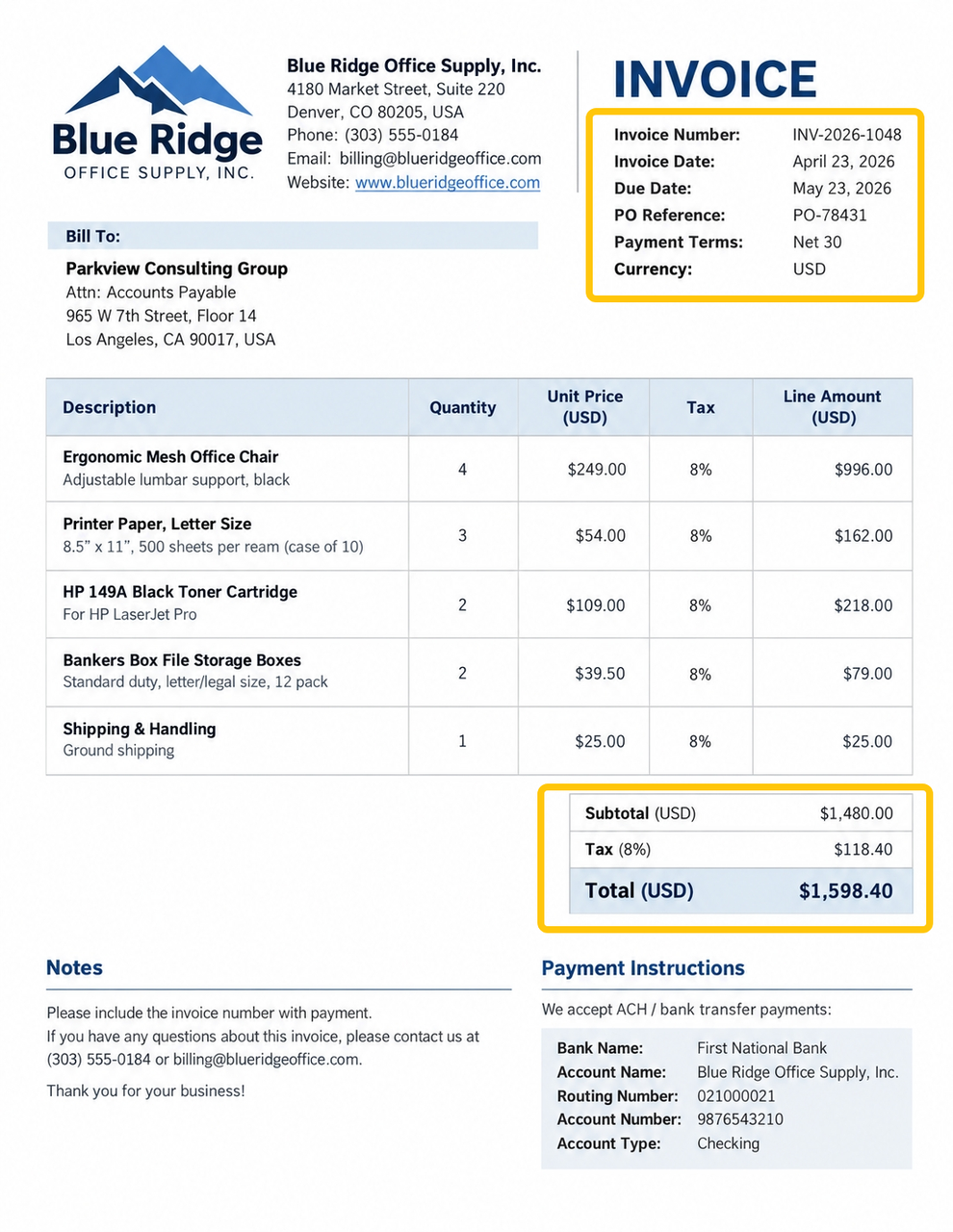
A blank tax field on a no-tax invoice differs from a missed tax amount. Show reviewers the source page; keep final tax and accounting judgments with qualified people.
Document Types and Vendor Layouts
Separate text PDFs from scans and photos. Add long tables, multi-page invoices, credit notes, and an unseen supplier layout. Check whether multiple invoices become separate records.
A familiar supplier can move its invoice number, add a tax rate, or wrap a description. Count any vendor-template setup and maintenance.
Spreadsheet, Accounting, and API Outputs
Specify one row per invoice, one row per item, an accounting draft, or JSON. Include field names, date format, vendor identifier, and document reference. A spreadsheet is useless if the ERP rejects its tax code.
A reviewed extract may be ready for import, but not posting or payment. Define who accepts or rejects each record.
How Should You Test Invoice Data Extraction Software?
Use the same approved sample for every candidate, including your difficult vendors. Record plan, settings, and test date. Without those runs, compare documentation—not measured superiority.
Measure Field-Level Accuracy and Corrections
Prepare a verified answer sheet. Score each field correct, incorrect, missing, or not applicable. Count wrong vendors separately; one document-level accuracy figure can hide a wrong invoice number.
Time review too. If the bookkeeper retypes lines after export, the tool has moved work. Retest logged errors after configuration changes.
Include Scans, Long Tables, and New Layouts
Use PDFs, low-resolution scans, multi-page tables, credit notes, and changed supplier layouts. Check descriptions, quantities, and prices across page breaks.
For correction learning, compare unseen invoices before and after approved changes. One corrected document proves little.
Review Exceptions Instead of Hiding Them
An exception may be an unmatched vendor, missing number, mismatched subtotal, duplicate file, or failed export. Give it a visible status and reviewer.
Submit a multi-page invoice with a truncated final page. It should trigger review, not a confident-looking total. Note which products require your own checks.
Which Products Fit the Extraction Workflow?
These five candidates differ in where a finance user or developer takes over. Confirm plan and integration access before buying.
Finance-Team Interfaces
1. DocuClipper — for review before accounting export
DocuClipper fits teams whose bookkeeper wants to inspect extracted invoices and move reviewed data into accounting software. Its invoice product page documents header and line-item capture, an editing screen, and QuickBooks/Xero export paths. Its API reference also describes webhook-delivered JSON for developer workflows.
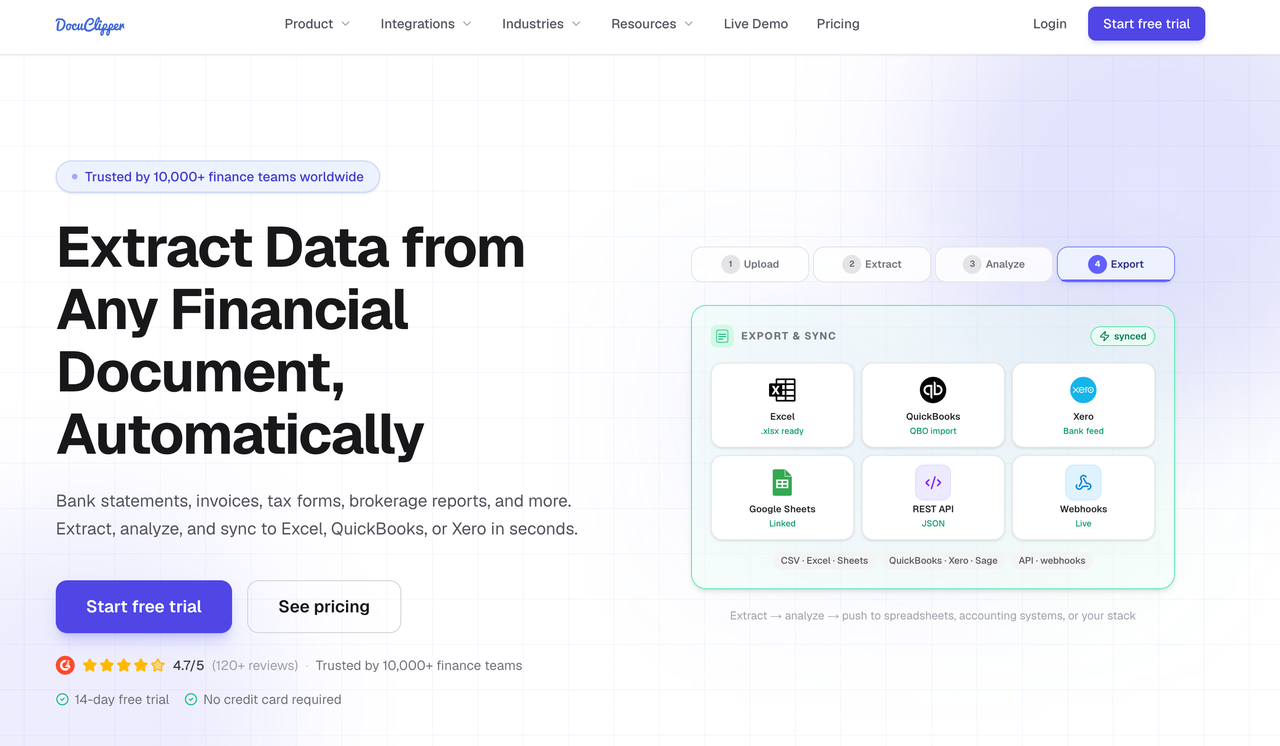
A practical test is to correct a tax line, then verify what reaches the accounting draft and whether the original PDF remains traceable. Ask which fields sync natively for your particular accounting product and plan. Do not choose it solely for a claimed accuracy percentage on its marketing page; that number does not measure performance on your invoices. It is a less direct fit if you only want raw JSON and will build the entire review interface yourself.
2. Parseur — for email intake and structured export
Parseur may suit a team whose suppliers already email invoices to one address. Its invoice-to-ERP page describes structured line items plus API and webhook routes; its CSV workflow describes one row per line item. This makes it a candidate when the team will review a file or pass extracted fields into an existing system.
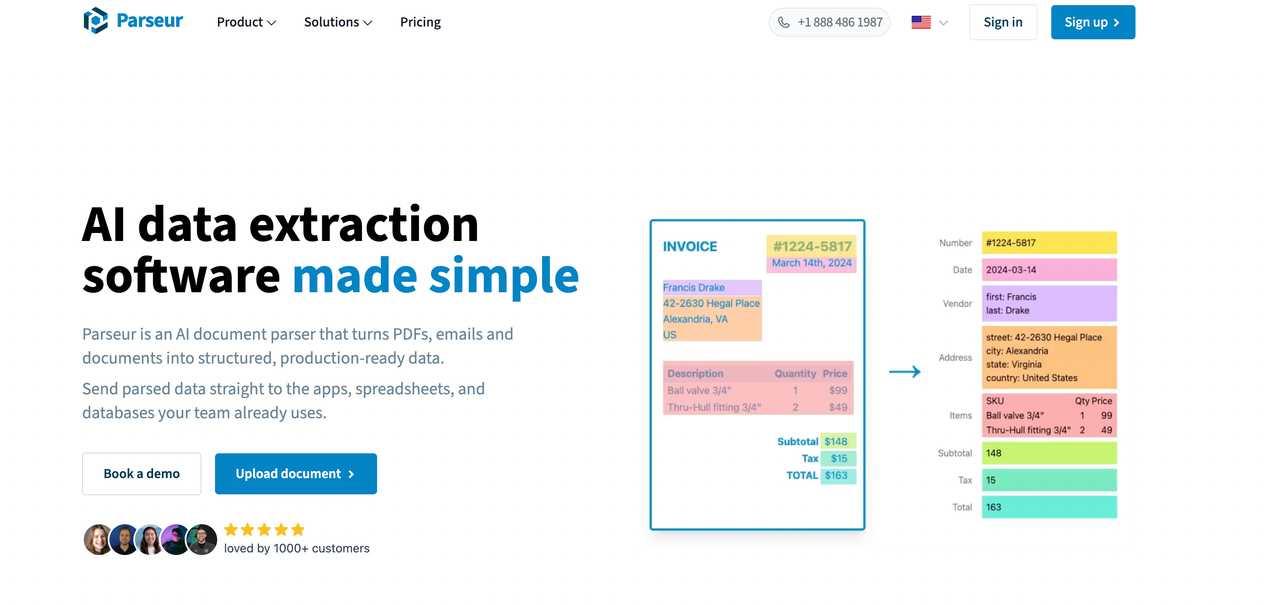
Test email attachments from several suppliers, then inspect whether every row, tax amount, and purchase-order reference survives export. Confirm how your chosen Parseur configuration handles an unfamiliar layout and correction. Parseur is not the first choice if you need the extractor itself to own a complex approval or payment process; that is a separate AP-software decision.
API-First Extraction Services
3. Mindee — for an application that consumes JSON
Mindee's invoice API lists supplier details, dates, taxes, and line items in structured output. Its model documentation describes custom schemas, field-level confidence, and field polygons, with feature availability varying by plan. This fits a developer who needs to render a review screen or map results into an internal data model.
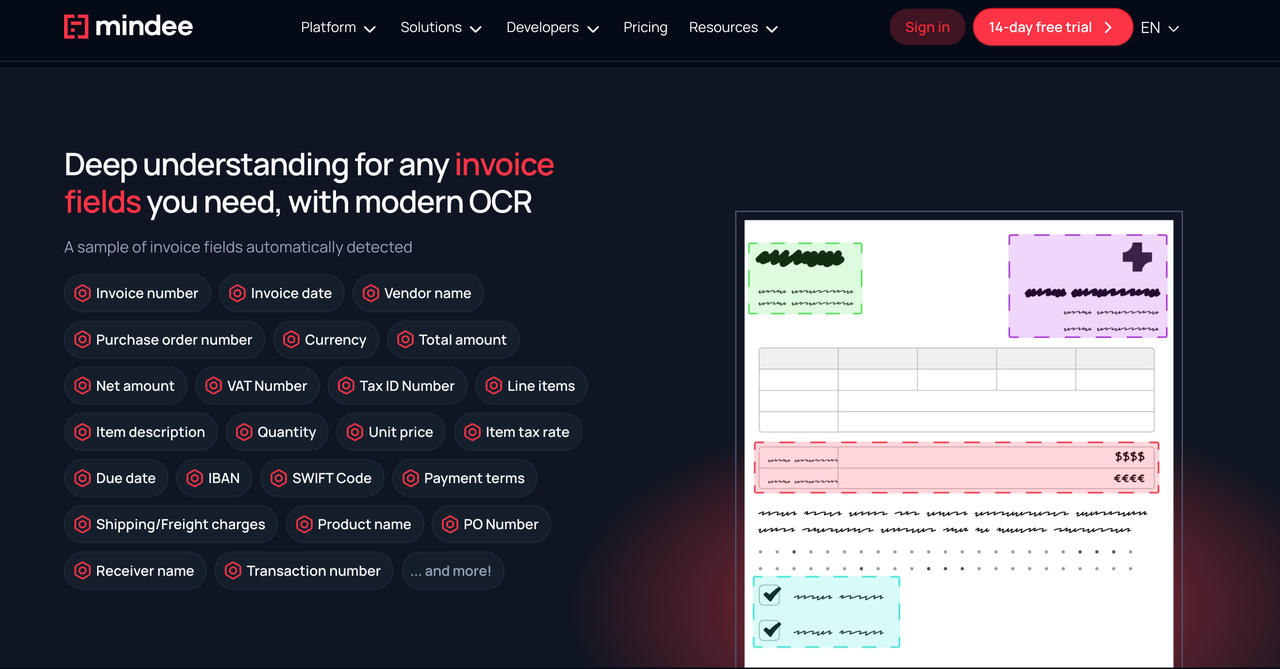
Send a scanned invoice with a disputed tax field. Check the returned value, confidence, page location, and what happens when a reviewer corrects it. Mindee's split utility is described as beta in current documentation, so verify its behavior on a file containing two invoices before relying on it. If the finance team has no integration owner, an API-first route may create more work than a reviewed export tool.
4. Nanonets — for configurable financial-document fields
Nanonets' invoice documentation describes a pretrained extractor for header and tabular line-item fields, with options to add fields or fine-tune a model. That is useful when a team must capture a field beyond the standard invoice number and total, such as an internal project reference.
Test the standard model first. Then add one required custom field and compare unseen supplier layouts before deciding whether training is worth the maintenance. Confirm the exact export, review, and API path for your account; a broad platform description is not proof that every action is in the plan you purchase. Nanonets is a weaker fit if the team wants a simple spreadsheet today and has no owner for schema changes or model upkeep.
Accounting and AP Integrations
5. Rossum — for a validation queue before system delivery
Rossum is worth evaluating when extraction feeds a managed review queue. Its queue schema covers invoice fields and line items, while its automation guide explains review and export states. The schema documentation also states assumptions about mostly grid-like, flat tables; test nested or wrapped line items rather than assuming they are solved.

Pilot one ordinary invoice, one long table, and one failed export. Check the document status, corrected fields, and what the receiving system gets after a reviewer confirms it. Rossum may be too broad if all you need is a monthly CSV. Its validation and export features do not turn this comparison into a recommendation for automated approval or payment.
What Security, Retention, and Access Terms Need Review?
Invoices may contain supplier addresses, bank details, tax identifiers, and negotiated prices. Before uploading real files, review who can access documents, whether data trains models, where processing occurs, how long originals and results remain, how deletion works, and what subprocessors receive content. Security certifications are not a substitute for those answers.
Use current first-party materials for each finalist: DocuClipper's privacy policy, Parseur's DPA, Mindee's data-processing settings, Nanonets' legal center, and Rossum's security page. These documents address different questions; none alone establishes that your planned upload, storage, region, or accounting use is approved.
The finance and privacy owners should check the applicable contract and organizational retention schedule. Use approved or redacted samples until they authorize live documents. This is product-selection information, not financial, tax, privacy, or legal advice.
What Should Be on the Buying Checklist?
Ask each finalist to process the same invoices. Score required fields, line integrity, corrections, export acceptance, visible exceptions, and cost at your volume. Include setup and maintenance.
Reject a product if required fields disappear, long invoices lose rows, or exports require major rebuilding. Retest survivors with the person who corrects invoices.
Conclusion
Choose the invoice data extraction software whose reviewed fields arrive intact in the system your team uses. A short pilot with difficult invoices is more informative than a long feature list when line items and exceptions determine the workload.
FAQ
Can the software return field-level confidence scores and bounding boxes?
Some can, but check the exact feature and plan. Mindee documents confidence and polygon outputs, while its plans restrict some features. A high score is a review signal, not proof that a tax or total is correct.
Can correction learning be kept separate for each legal entity?
Do not assume so. Ask whether models, examples, reviewer permissions, and exports can be separated by entity or workspace. Nanonets documents custom fields and fine-tuning, but that alone does not establish legal-entity isolation. Test a correction in one entity and verify that it does not change another's output.
Can one document containing several invoices be split automatically?
Some products describe document splitting, but it needs its own test. Mindee lists Split as a beta utility. Submit a file with two invoices and check the boundary, page assignment, record count, and exception route before enabling unattended import.
Which tools support custom fields without per-vendor templates?
Mindee and Nanonets both document configurable fields, and Mindee describes a template-free invoice API. Check Mindee's schema options and Nanonets' invoice model against the exact field and layout you need. “No template” does not mean zero setup or guaranteed extraction of an unusual field.
Can extraction run in a private cloud or regional environment?
Regional processing and private deployment are different promises. Mindee documents EU/US processing-zone settings, subject to plan availability; this is not a private-cloud claim. Ask each vendor for deployment documentation, contract scope, backup location, and any regional limits rather than inferring them from a sales page.
Recommended Reads
- Document Automation Software Buyer’s Guide 2026
- Document Workflow Automation for Small Teams
- AI Agents Integration Guide for Business Workflows
- Workflow Orchestration: Coordinate Tools With Control