OpenBot Review: Desktop Agent Fit for Team Research
Written by
Alex
Springbrand Researcher

Reviewed by
Springbrand Audit Team
Editorial review team
Springbrand Audit Team supports editorial quality through source checking, clarity, and consistency across the blog.
Updated
Published
OpenBot review of the openbot.run desktop app: what it is, how agent handoffs work, and whether it fits one team research brief.
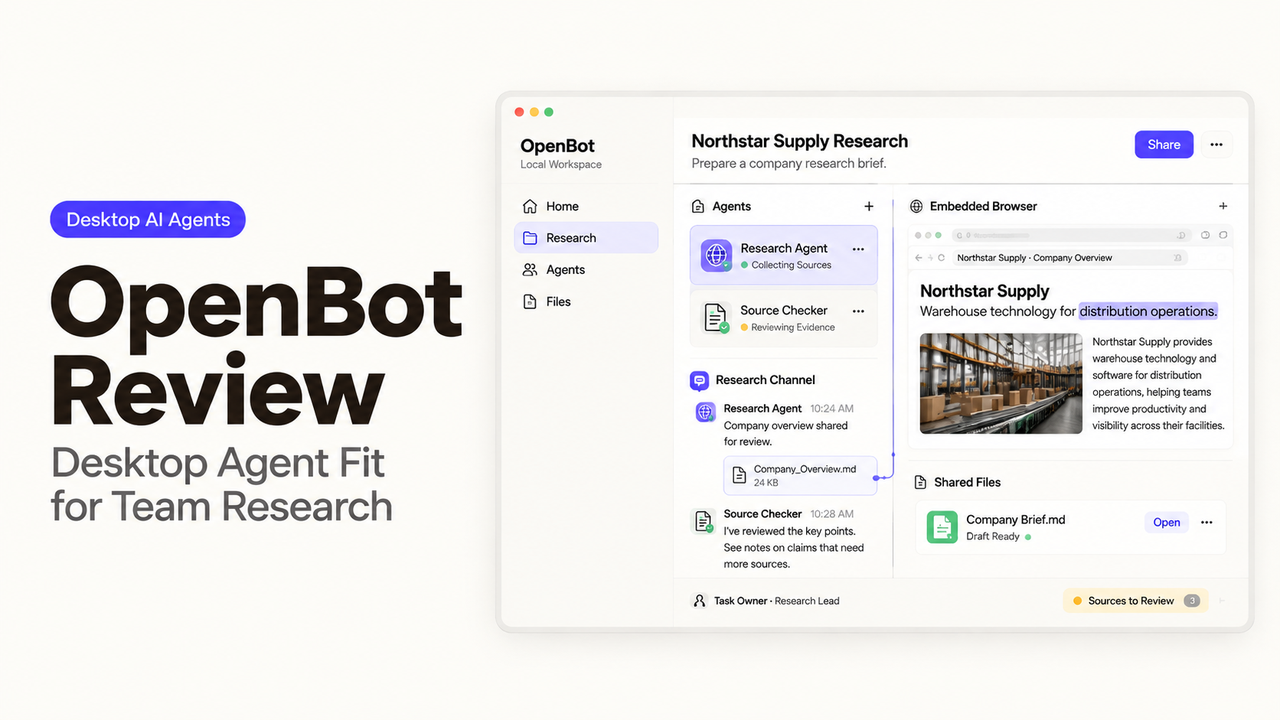
OpenBot at openbot.run is the desktop workspace published in the nightly-labs/openbot repository.It is separate from CopilotKit's same-name project and does not supply its own model. For a team research brief, I would examine what reaches the writer when the researcher hands over the files.
Quick Verdict for a Team Research Brief
OpenBot is worth trying for a team that already uses agent tools and wants to carry research files into drafting. Confirm that the license covers your work before starting. Its workspaces and queues can organize collection, drafting, and further questions. Someone still needs to maintain the host computer and check the brief before colleagues act on it.
I would hold off on confidential research until the team has verified file access and provider policies. The product remains a development preview.
Which OpenBot Is This, and How Does It Work?
This is the nightly-labs/openbot desktop product, which coordinates agents, local files, conversations, and browser work.
A Desktop Workspace Around Existing Agents
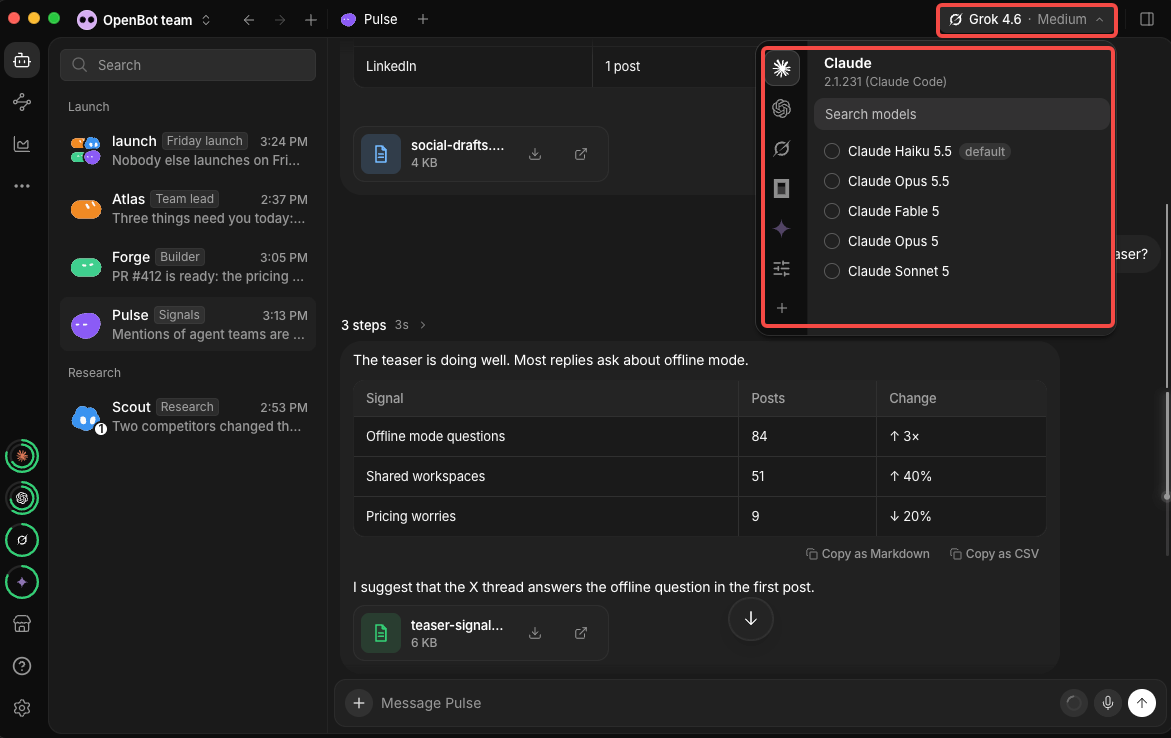
OpenBot connects tools such as Codex and Claude Code to persistent agent roles. Each agent has its own instructions, conversation, and workspace. The selected runtime and model do the research and writing; OpenBot keeps the surrounding work available.
Workspaces, Queues, and Handoffs
Busy agents can receive queued messages that users can pause, resume, or cancel. Agents can also exchange files and messages. In a research task, that lets the writer receive saved notes alongside the request to draft. The workspace guide explains this research-to-writing path.
Can OpenBot Handle a Team Research Brief?
Yes, it can organize the task, provided the team specifies what the researcher must preserve and what the reviewer must check. Separate agent roles alone will not make the evidence stronger.
Research and Drafting Tasks
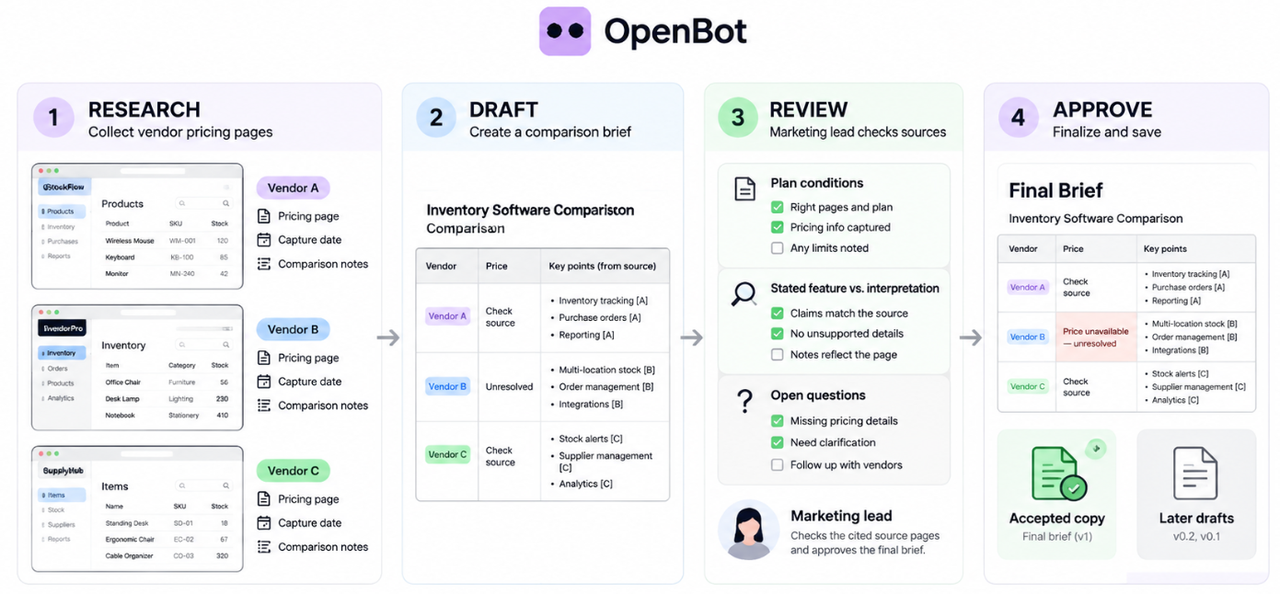
Suppose a marketing lead needs a comparison of three inventory-software vendors. Ask the researcher to save public pricing pages, capture dates, and notes explaining each comparison. The writer then produces a short brief from those files, leaving unavailable prices unresolved.
I would keep a source beside every consequential claim. A link at the bottom of a polished report is too little help when nobody knows which sentence it supports.
Source Review and Human Approval
The reviewer opens the cited pages, checks plan conditions, and separates stated features from the team's interpretation. A second agent can flag gaps, but the marketing lead accepts the final brief. Keep the accepted copy separate from later drafts, and leave publishing or customer messages outside this first trial.
What Are the Adoption Limits?
The immediate limits concern local access, commercial permission, and the services receiving research data. Those decisions come before adding another agent.
Broad Local Agent Access
The README warns that agents can access files, execute commands, use the network, and control the browser after initial consent. However, the current release notes also describe Workspace only, Ask first, and Full access settings. Approval behavior varies by provider.
I would verify the installed build's permissions using disposable files on a dedicated test account or machine. An agent workspace folder should not be assumed to contain everything that agent can reach.
Commercial Use and Provider Data
Current versions of the source are public under PolyForm Noncommercial 1.0.0. Versions up to and including 0.1.11 remain available under Apache-2.0.
Before using it at work, review the commercial agreement.
On October 30, 2026, the README describes Team licensing for 2–10 users, while the Terms specify a five-seat minimum. Confirm the applicable order before a business pilot.
An agent may send locally stored research to an external provider. Check which documents may be sent and the selected provider's usage terms. For example, Anthropic's conditions distinguish subscription authentication from third-party SDK access.
These are adoption checks, not legal advice. The applicable software license, commercial agreement, service terms, and provider policies govern the actual setup.
Who Should Try a Small Pilot?
A team with a technical operator and a research reviewer is a reasonable candidate. Someone expecting a shared document editor with established audit controls should verify those requirements first.
Use this checklist for one brief before expanding access:
Check | What to verify |
Test data | Use public vendor pages and fictional internal requirements. |
File access | Check allowed reads and writes with disposable files. |
Sources | Trace each pricing claim to the right page and plan. |
Missing evidence | Withhold one source file; check that the draft marks the gap. |
Human review | Record which draft the marketing lead accepts. |
Recovery | Interrupt a task; inspect saved notes before resuming or restarting it. |
Conclusion
When those source and review requirements are settled, build a research agent with SpringBrand for the recurring brief.
OpenBot earns a wider trial when a colleague can verify the brief's claims and continue from its files without reconstructing the research.
FAQ
Can a Teammate Resume a Brief From Another Computer?
Yes, through authorized access to the same running host. Files remain on that host; installing a second desktop app does not automatically copy them. Test the teammate's access while the original operator is away.
Can OpenBot Schedule a Follow-Up Research Brief?
Yes. OpenBot supports scheduled routines. The computer or server running the routine must be available. Check its run history after a restart before relying on unattended follow-up research.
Can the Reviewer Switch to a Different AI Provider?
Yes, with permission to change the agent's settings. Its workspace and conversation can remain across supported provider changes. Finish active tasks first, and recheck which research the new provider may receive.
Can OpenBot Export the Brief and Its Source Files Together?
The desktop server-transfer feature can include a server's agents and, optionally, their workspace files in one archive.. Put the brief and sources there first. Chat history and access settings are excluded, so preserve decisions separately and check permissions after import.
Does OpenBot Show Who Changed a Shared Draft?
Shared conversation history does not establish an attributed file-edit history. The reviewed materials do not confirm a complete draft audit trail. If that is required, keep the accepted draft in a document system or repository with suitable version history.
Explore SpringBrand
Turn ideas into working workflows
Connect agents, APIs and tools in one workspace. Start with a task you want to get done.
Get started free
One account. 10,000+ APIs & capabilities
Give your agent APIs and plugins without separate keys or integrations for every provider.
Explore APIs
No tool expertise needed
Describe your GTM task. SpringBrand chooses the right APIs and plugins for your agent automatically.
Find tools for your task
Run tasks 24/7
Connect your agent to SpringBrand to keep tasks running automatically, day and night.
Connect your agent