AP Automation Software: A Workflow Buyer’s Guide
Evaluate AP automation software by mapping invoice intake, matching, approvals, exceptions, accounting handoffs, controls, and real team fit.
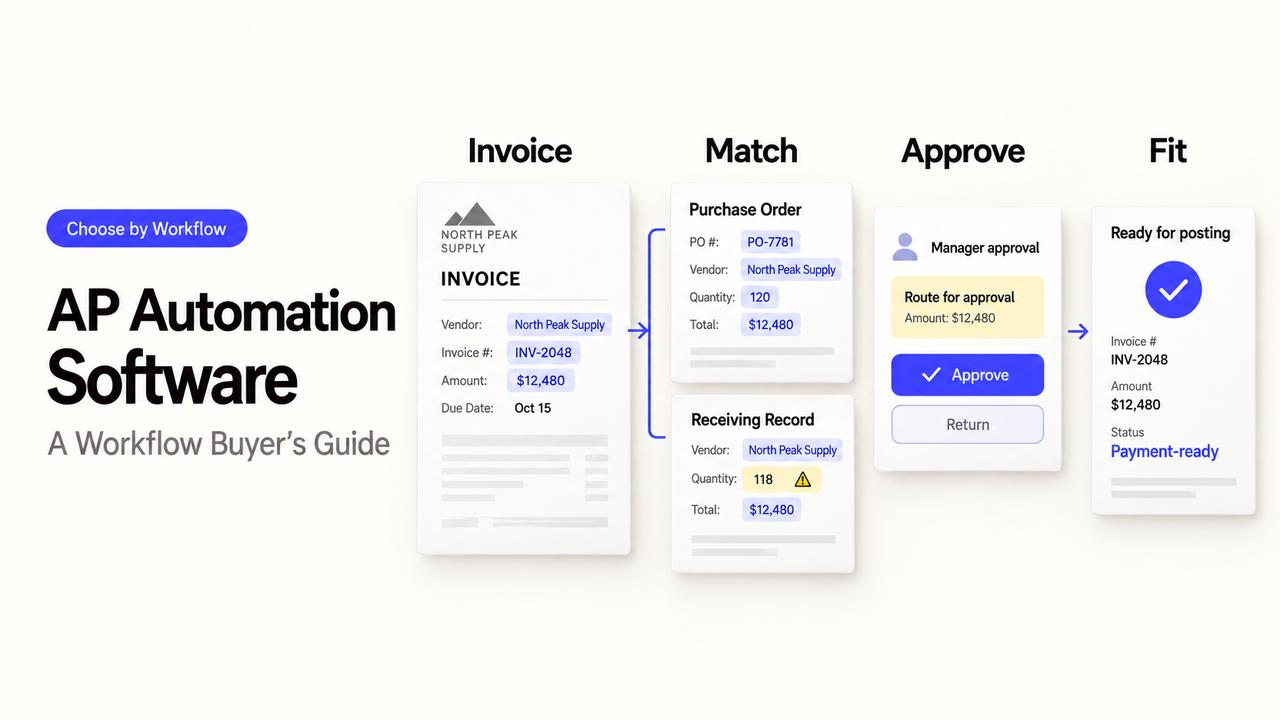
An invoice can be read correctly and still post to the wrong entity, wait for an absent approver, or reach payment with an unresolved mismatch. For an AP lead, those failures matter more than a polished extraction demo. The right AP automation software has to fit the whole route from receipt to accounting handoff—and make exceptions visible before money moves.
This guide compares six products by the AP job they are best placed to handle. It draws on vendor documentation checked September 24, 2026, not matched hands-on testing. Product claims establish what vendors offer publicly; your invoice mix and configured plan determine what actually works.
Which AP Workflow Scope Should You Shortlist First?
Start with the bottleneck, not a feature count. The table is a route into the individual assessments below, not a performance ranking.
Product | First workflow to investigate | Main question to test |
BILL | Invoice approval and bill payment for a lean finance team | Do roles, payment controls, and accounting sync fit? |
Ramp Bill Pay | AP alongside card and expense workflows | Can bill and payment approvals stay separate? |
Stampli | Invoice-centered review with ERP context | How are mismatches and conversations posted back? |
Tipalti | Supplier onboarding and cross-border payables | Which countries, entities, fees, and tax steps apply? |
Medius | PO-heavy or high-volume invoice processing | How are line-level exceptions and ERP errors handled? |
Coupa | AP inside a procurement-led program | Which modules and ERP handoffs are required? |
Which AP Automation Software Fits Each Workflow?
These are conditional starting points, not six interchangeable “best” tools. Ask every vendor to process the same awkward invoices and show the resulting accounting record.
1. BILL — For a Lean Invoice-to-Payment Process
BILL's AP product combines invoice capture, approval routing, payments, and accounting connections. Picture a small AP team receiving a PDF by email: a clerk checks the extracted amount, a manager approves it, a payer releases it, and finance confirms the bill and payment status in its accounting system. That is a more useful demo than watching a clean invoice upload.
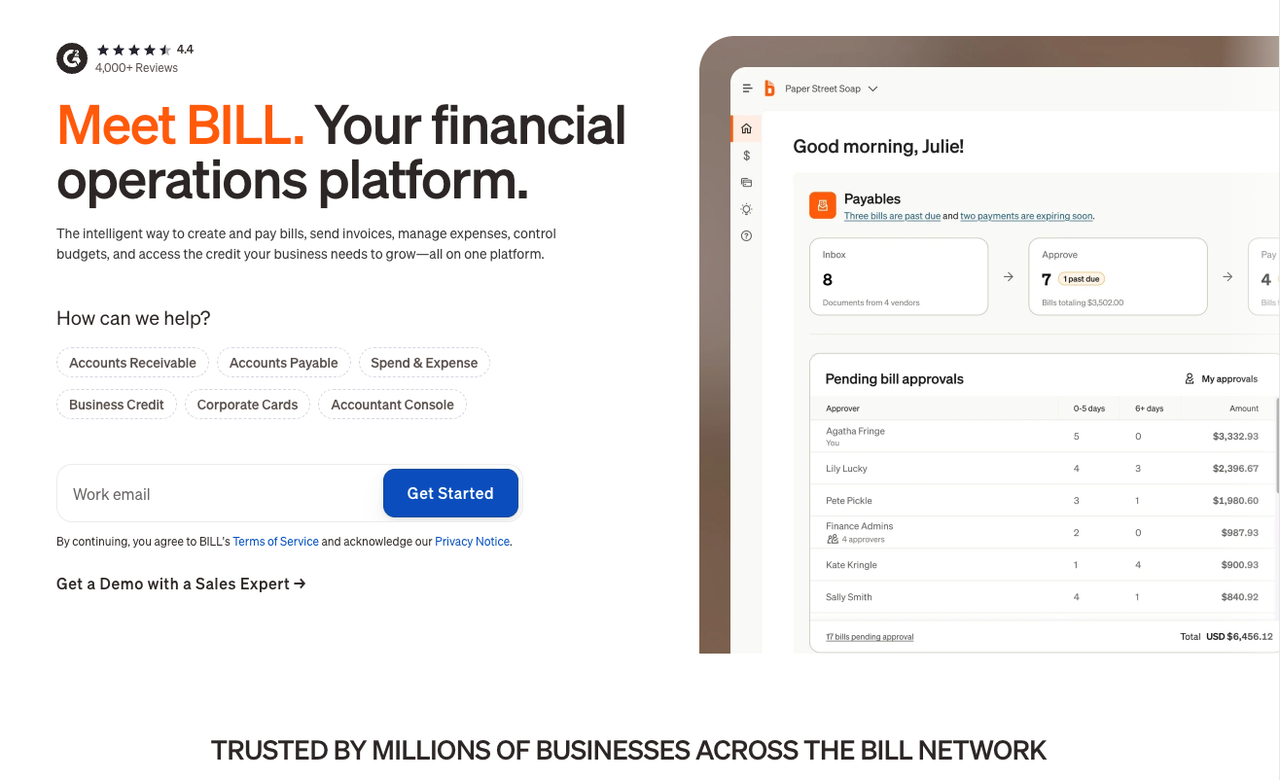
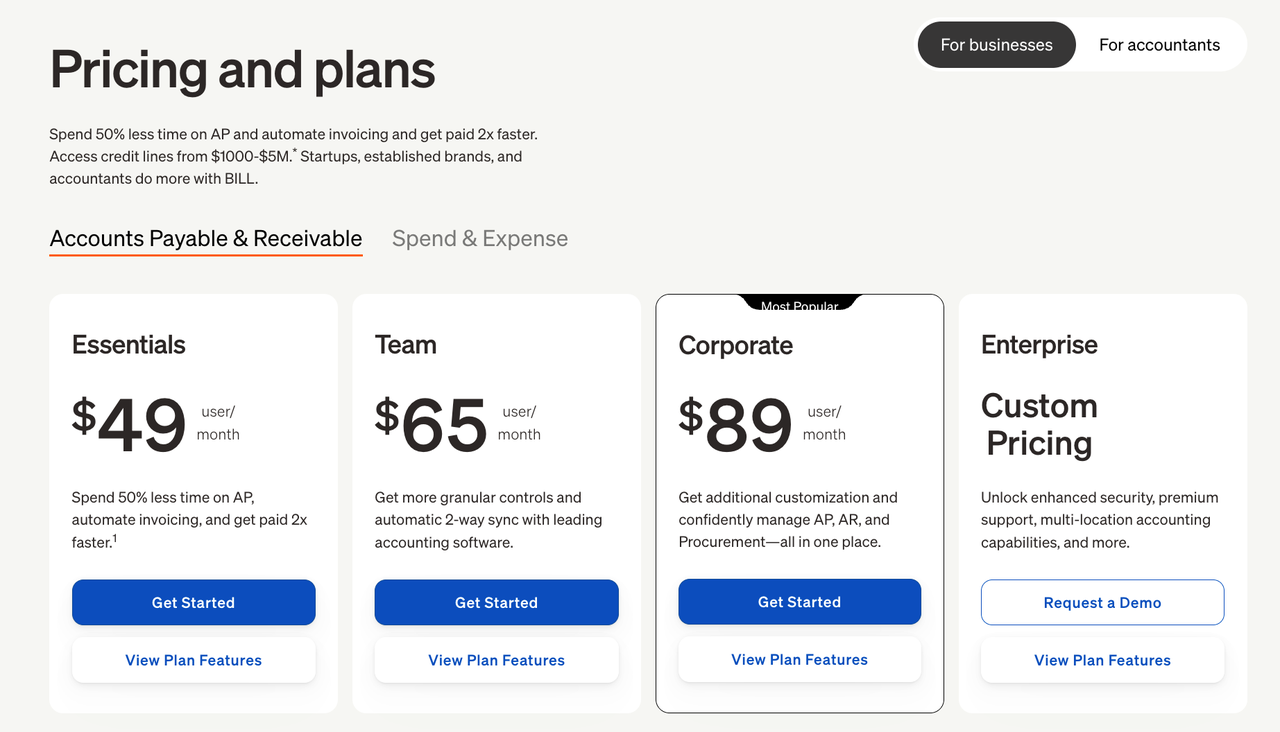
BILL documents custom roles, approval criteria, Dual Control, and audit trails. Ask which controls your plan includes and whether a substitute approver can act without gaining payment authority. Check transaction fees and approver costs on the current pricing page. If your main problem is disputed PO lines or receipt matching, require that exact case in the demo before treating BILL as the answer.
2. Ramp Bill Pay — For AP Beside Spend Management
Ramp Bill Pay covers capture, coding, PO matching, approvals, payments, and ERP sync. Ramp also says Bill Pay can operate without its card or expense products. Its strongest reason to enter this shortlist is a team that wants AP decisions visible alongside wider spend controls, not an assumption that cards are mandatory.
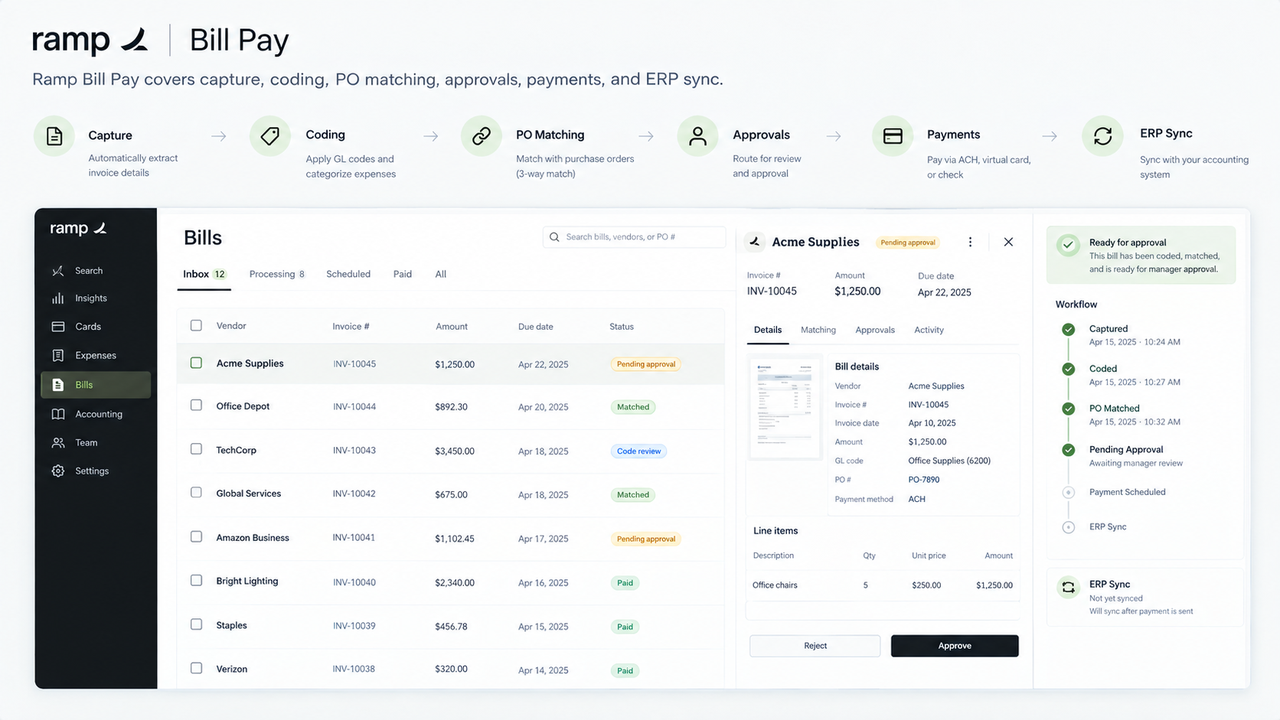
Run one invoice with a partial PO receipt and another from a vendor paid by both bill and card. Check whether the system distinguishes those obligations, who may approve the bill, and who may release payment. Ramp's audit-log documentation describes plan and event boundaries; verify the exact events your controller needs. If spend consolidation is irrelevant, compare its configured AP cost and reviewer workload against a narrower bill-pay option rather than paying for breadth by default.
3. Stampli — For Approval and Exception Work Around the Invoice
Stampli puts capture, coding, matching, approval, comments, and exceptions around the invoice while the ERP remains the accounting record. This is worth examining when AP staff spend more time chasing answers than entering fields. For a disputed quantity, the buyer should see the PO line, supplier invoice, reviewer question, decision, and final posting in one traceable path.
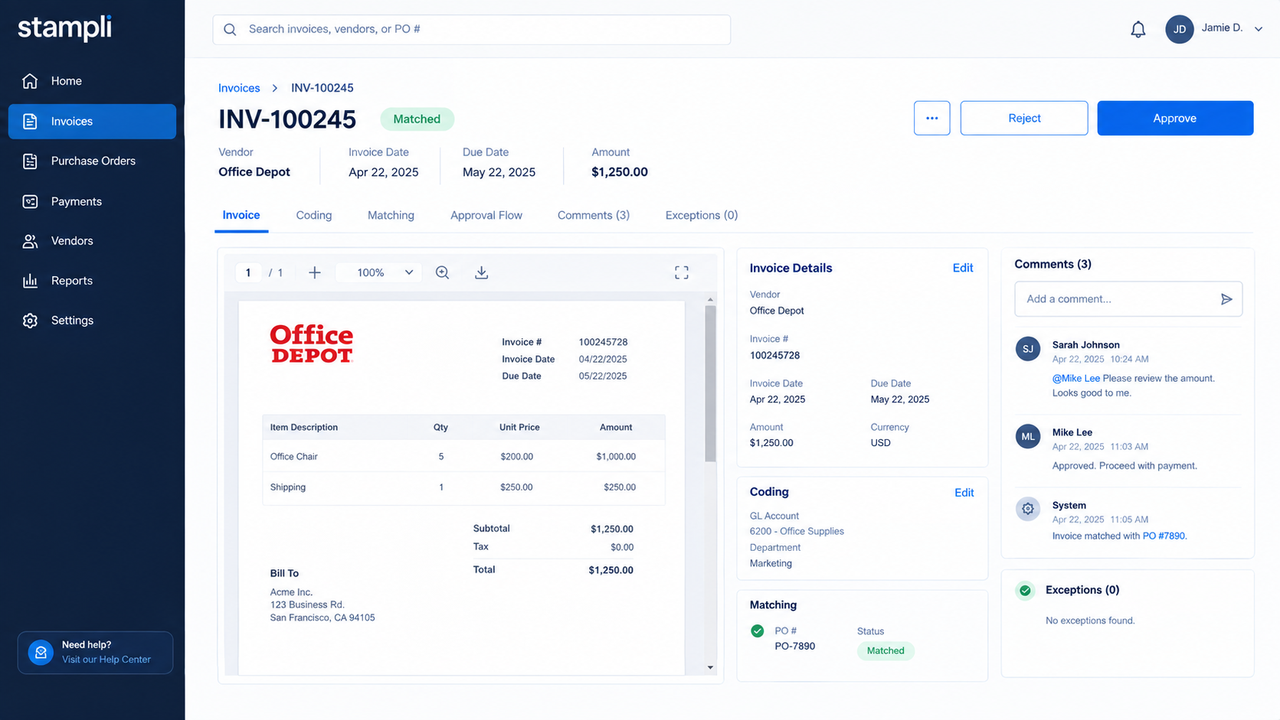
Stampli documents line-level matching and ERP-aligned coding, but your ERP fields and matching configuration still matter. Ask the vendor to show a corrected invoice, a rejected approval, and the posted record—not just the conversation screen. Verify whether your required payment path is part of the proposed package. If payment execution, rather than approval coordination, is the main project, compare that scope explicitly with payment-led candidates.
4. Tipalti — For Multi-Entity and Cross-Border Payables
Tipalti brings supplier onboarding, invoice processing, PO matching, approval, global payments, and ERP reconciliation into one platform. It is a plausible shortlist choice when an AP team collects supplier details across countries and then pays from several entities. One pilot should follow a new overseas supplier from submitted details to approved invoice, payment exception, and ERP status.
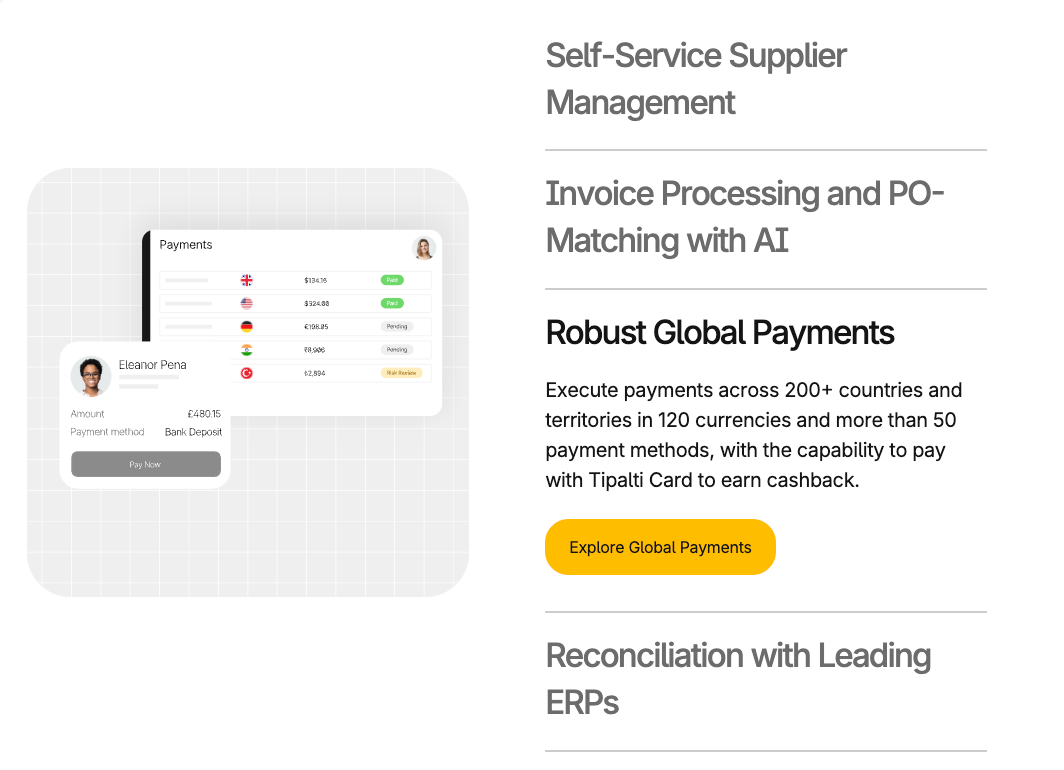
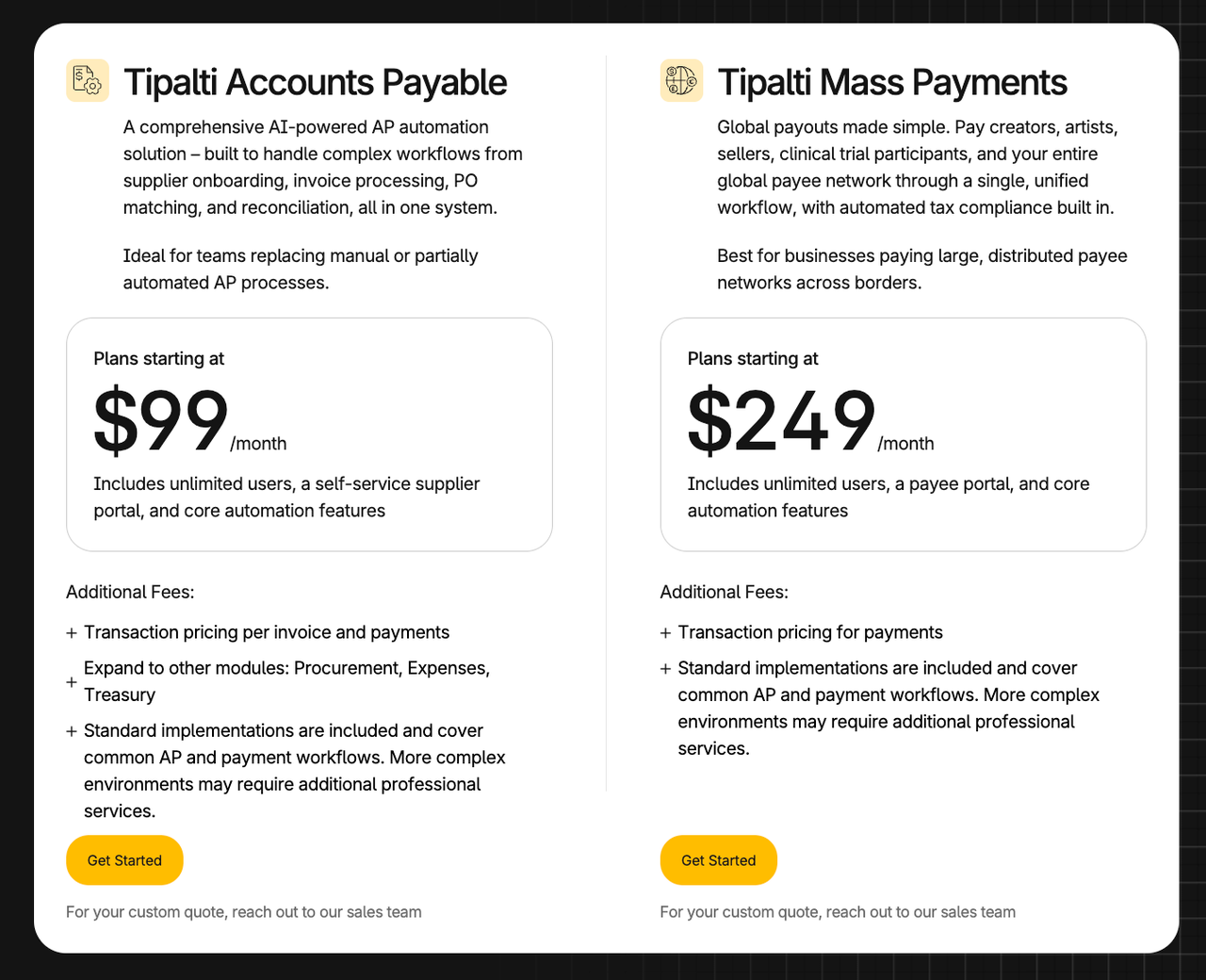
The large country and currency counts on a product page do not prove that your supplier's specific payment method, tax form, or entity structure is supported. Confirm them individually, along with FX charges, approval separation, and local exceptions. Tipalti's pricing page describes modular and transaction-based costs; request a quote using your actual payment mix. A domestic team with straightforward bills may not need this breadth.
5. Medius — For Complex Invoice Matching and Exception Volume
Medius positions its invoice automation around capture, AI coding, visibility, and ERP connection. The relevant question for a PO-heavy operation is what happens after a line fails to match. Use a partial receipt, price variance, and duplicate supplier invoice to inspect the reason shown, the reviewer assigned, and the record that eventually reaches the ERP.
Medius markets broad ERP coverage, but a connector count does not tell you which fields, directions, or retry states your configuration supports. Ask for a mapped integration specification and a failed-sync demonstration. Check implementation and any payment product separately in the proposal. If your monthly mix is mostly simple non-PO bills, validate that this depth justifies its setup and review effort.
6. Coupa — For Procurement-Led AP
Coupa becomes relevant when invoice decisions depend on requisitions, POs, receipts, supplier records, and purchasing policy. Its invoice API reference describes dispute and approval actions, while its ERP integration guidance shows that export monitoring and error recovery need configuration. Evaluate the full purchase-to-pay route, not the invoice screen alone.
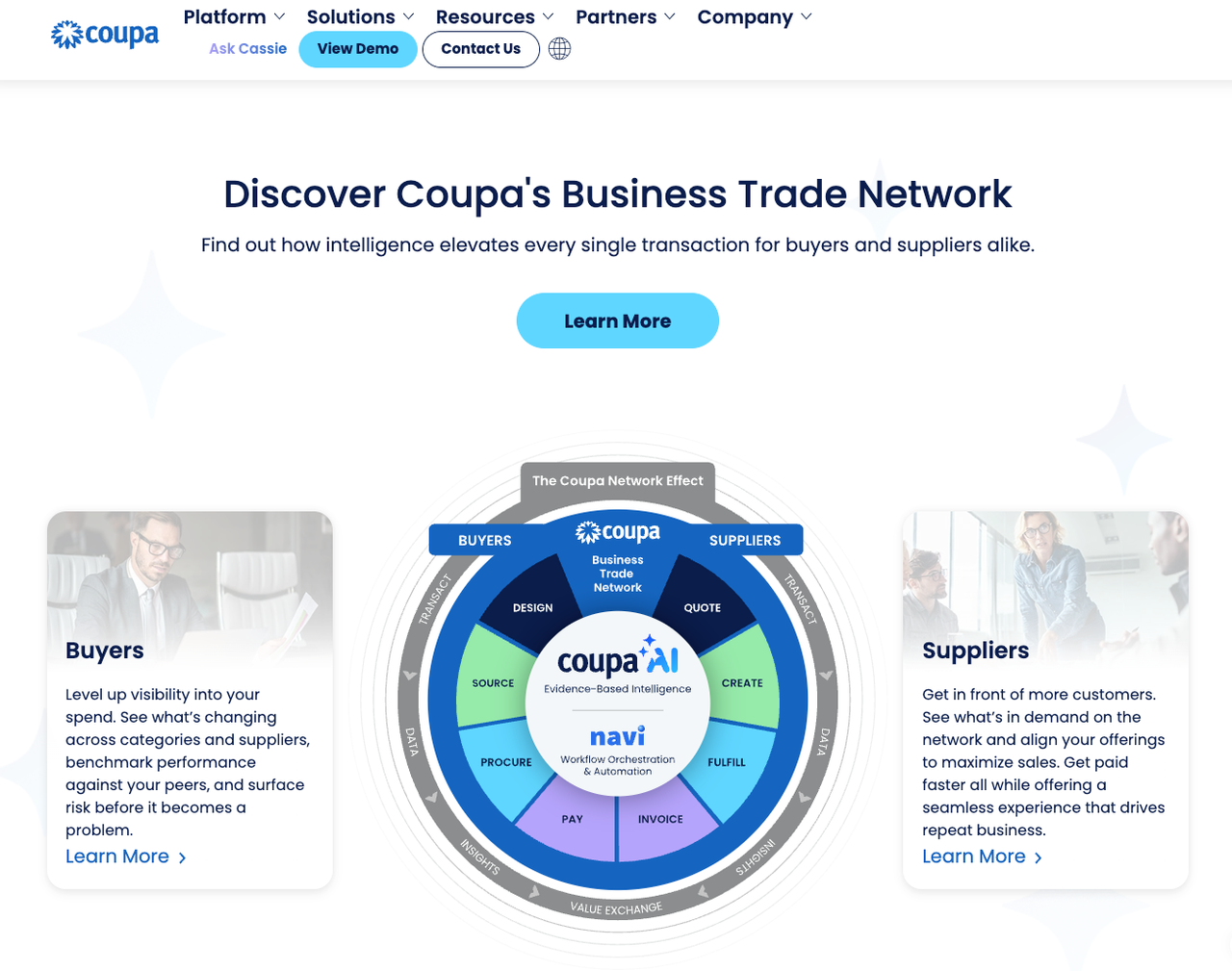
Ask Coupa to show a PO-backed invoice whose quantity is disputed, then approved, exported, and corrected after an ERP rejection. Confirm which modules handle supplier access, matching, payment, and integration in your contract. A team seeking only data extraction or lightweight bill pay should not assume a broader procurement rollout is the shortest path.
How Should You Map the Current Accounts-Payable Workflow?
Before a demo, list normal invoices and the cases that slow the team down: credits, missing POs, duplicates, disputed quantities, bank-detail changes, and closed accounting periods. The shortlist changes if those cases dominate.
Invoice Intake and Data Capture
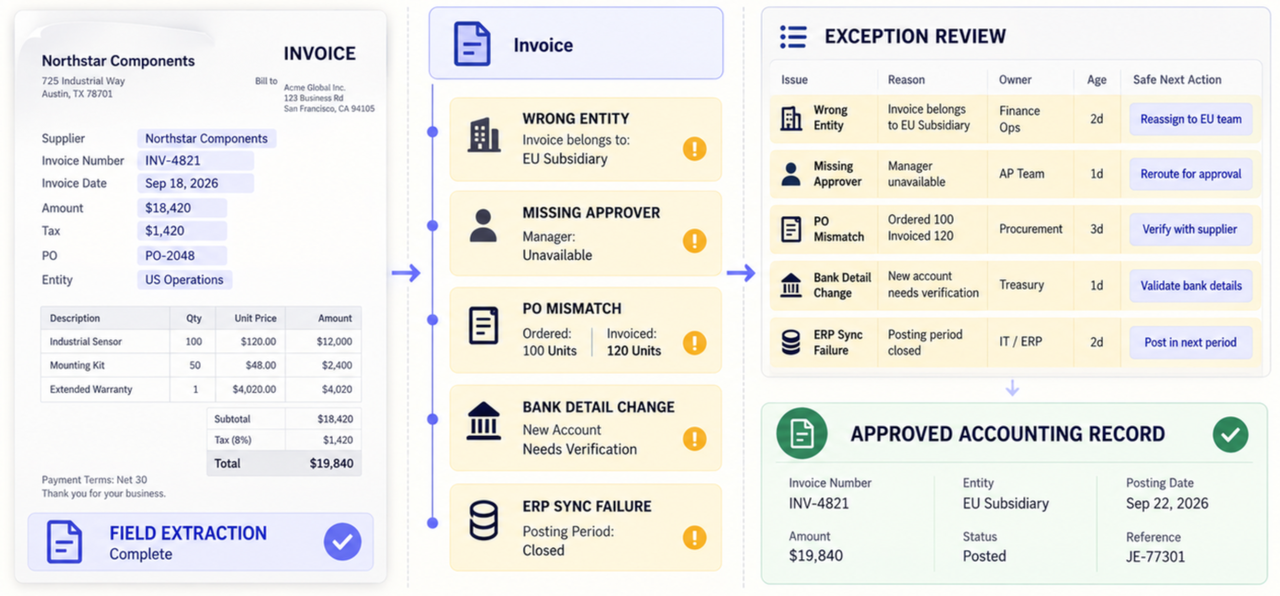
Record every source—AP inbox, portal, scan, e-invoice, or API—and the fields that must reach accounting. Test a credit memo and an invoice with long line-item tables. Invoice data extraction software may solve capture alone; it does not automatically solve matching, approval, or payment.
Coding, Matching, and Approval
Separate non-PO bills from two- and three-way matching. Write down who owns entity, ledger code, tax code, and approval threshold. A disputed PO line should pause for the right buyer, not silently pass because the header total matches.
Payment Handoff and Accounting Sync
Specify which system owns supplier records, invoices, payment release, and final accounting status. Test a void or credit after sync. Never infer payment authority from a vendor's capture or approval feature.
Which Controls Affect Daily AP Work?
Check controls in the proposed plan, region, and implementation—not in a generic feature matrix. This is product-selection information, not financial, tax, legal, or compliance advice; your controller and qualified advisers must approve the design.
Exception Queues and Human Review
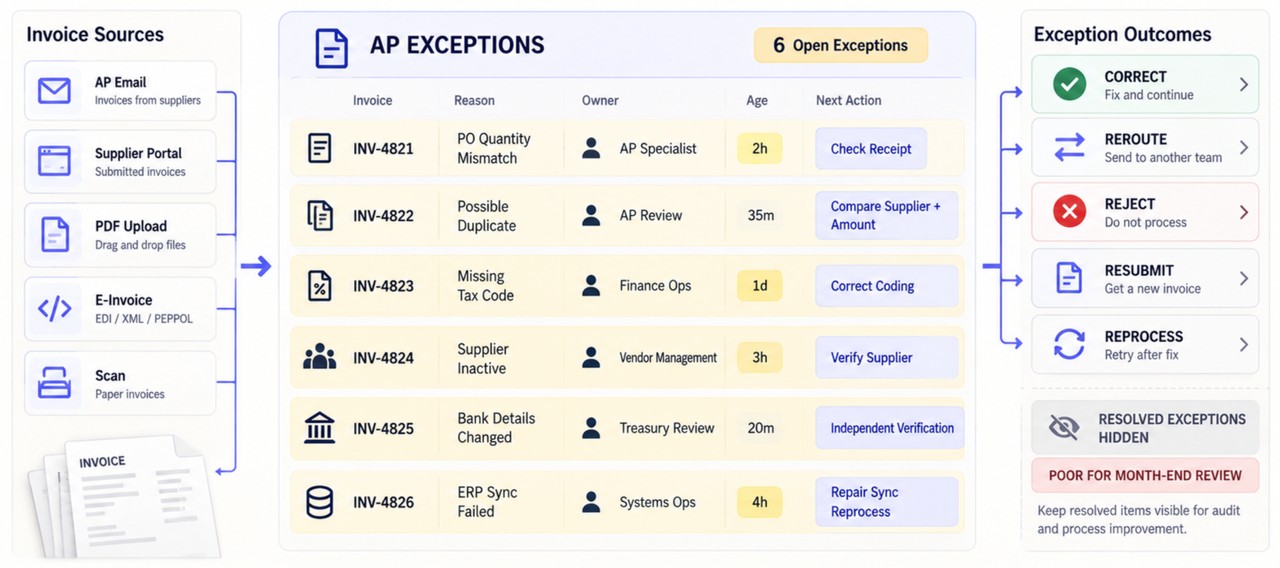
Require a queue with the failed rule, current owner, age, source image, and next action. Show missing data, duplicates, PO mismatches, and failed syncs. A high “touchless” rate is not useful if incorrect coding returns as month-end rework.
Permissions, Audit History, and Change Control
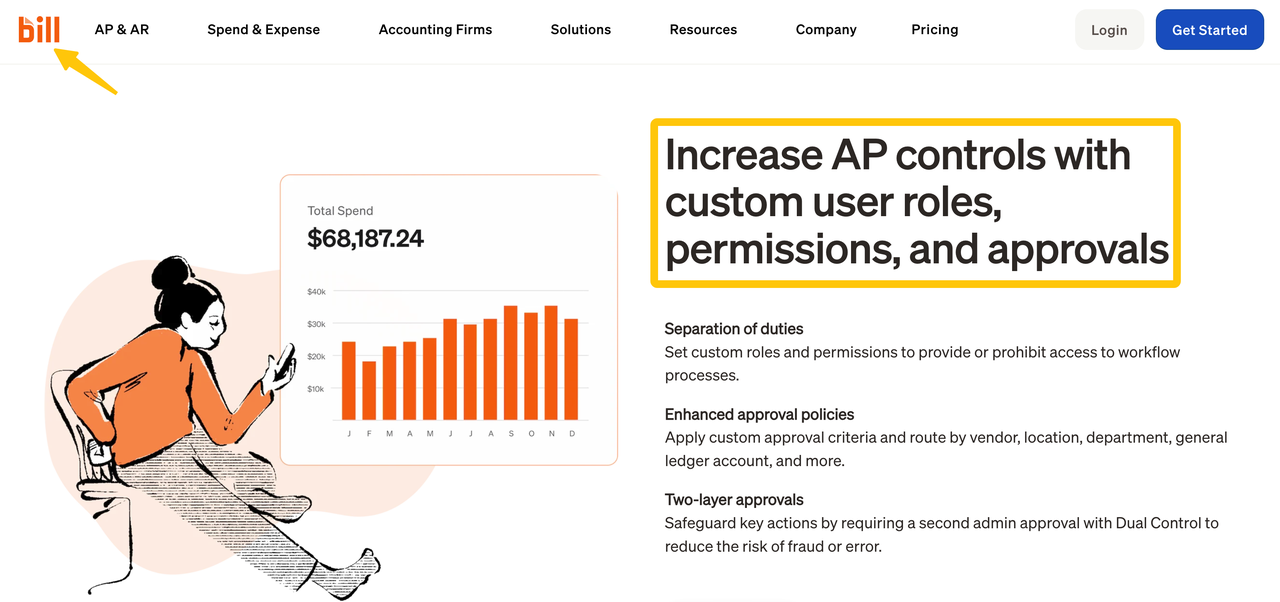
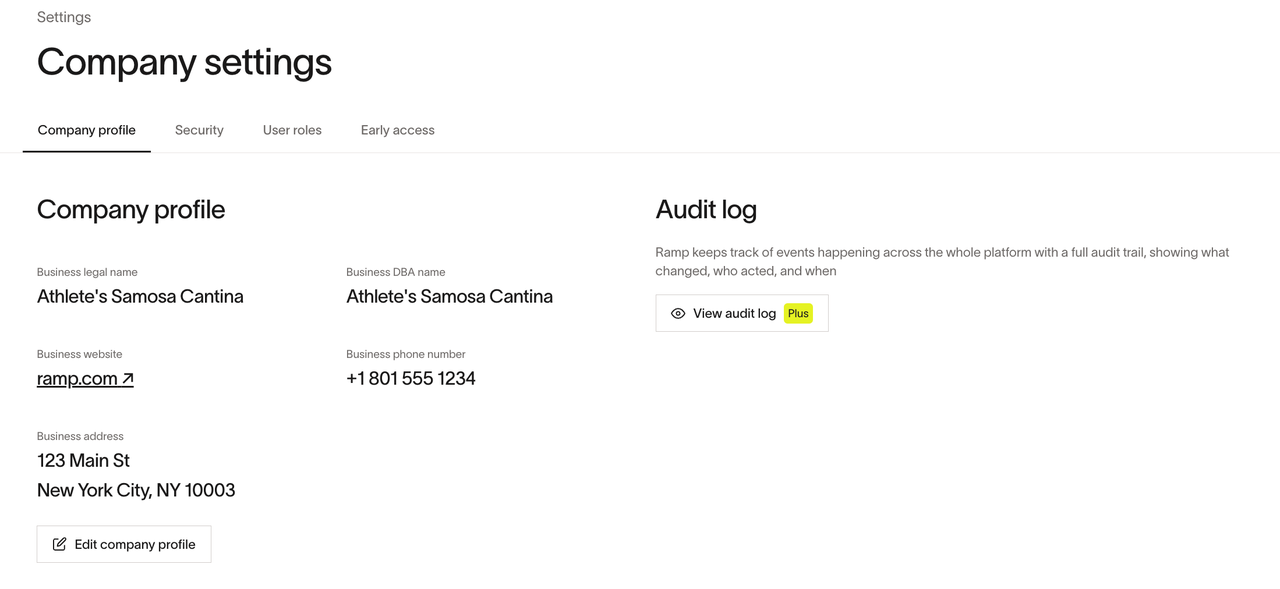
Keep supplier creation, bank-detail edits, invoice approval, payment release, and role administration distinct. BILL's control documentation, Ramp's audit-log scope, and Medius's trust materials illustrate why a buyer must check plan-level event coverage. Ask to export the record for one changed supplier account and one rejected payment; a security certificate does not prove those events are logged. Review data terms, such as BILL's DPA and Tipalti's DPA, against your contract.
Integrations and Data Portability
An ERP logo is not a field map. Request supported objects, sync direction, timing, error ownership, and sample exports for invoices, attachments, comments, approvals, and payment references. Include access to that data after termination in the contract review.
How Should You Pilot a Real Invoice Mix?
Use authorized or synthetic records, remove unnecessary personal and bank data, and disable production payments. A polished clean-PDF demo is not a pilot.
Define Accuracy and Exception Metrics
Include PO and non-PO invoices, credits, partial receipts, duplicate numbers, poor scans, and more than one entity. Record expected values first. Measure field corrections, false matches, wrong-queue exceptions, and duplicate outcomes—not only extraction accuracy.
Measure Reviewer Work and Handoff Quality
Count touches, waiting time, corrections, failed syncs, and reopened records. Follow each pilot invoice into accounting and reconcile the population. As a negative test, revoke an approver or close an accounting period; the system should fail visibly without bypassing the intended control.
Conclusion
The right AP automation software is the one that carries your difficult invoices through review and into the correct accounting record. Shortlist by workflow, read each vendor's limits, and pilot exceptions before contracting. A faster capture step is valuable only if the later decision and handoff remain clear.
FAQ
Does the software support credit memos and non-invoice documents?
Support varies by document and workflow. Ask every finalist to process a credit, statement, and tax document separately; accepting a PDF does not prove correct accounting treatment.
Can one invoice be allocated across several entities or cost centers?
Some products support multiple dimensions or entities, but posting rules differ. Test one split invoice through approval, ERP sync, correction, and reporting; multi-entity visibility is not proof of cross-entity allocation.
How are tax codes handled for cross-border invoices?
The result depends on jurisdiction, supplier status, transaction type, and configuration. Tipalti documents supplier tax-data workflows, but your tax owner must validate code selection and exceptions before deployment.
Can suppliers check invoice status without a finance-user license?
Yes, some supplier portals show invoice status without making the supplier an internal AP reviewer. Coupa documents invoice status in its supplier portal, but each vendor's access and licensing differ. Confirm the exact supplier view and fees in the quote.
How do vendors license seasonal or external AP reviewers?
Models vary by user, approver, invoice, module, transaction, and contract. Price the same peak headcount and invoice volume for every finalist, including temporary reviewers, integrations, support, and payment fees.
Recommended Reads
- Document Workflow Automation for Small Teams
- AI Agents in Finance: Controls for Automated Reporting
- Workflow Orchestration: Coordinate Tools With Control
- AI Agent Security: Permissions, Inputs, and Review
- Workflow Optimization Before Adding AI