DeepSeek Bot for Marketing Research: Roles and Limits
DeepSeek Bot is a community plugin for DeepSeek Harness. See how a team can scope a research brief, divide bot roles, and review evidence before use.
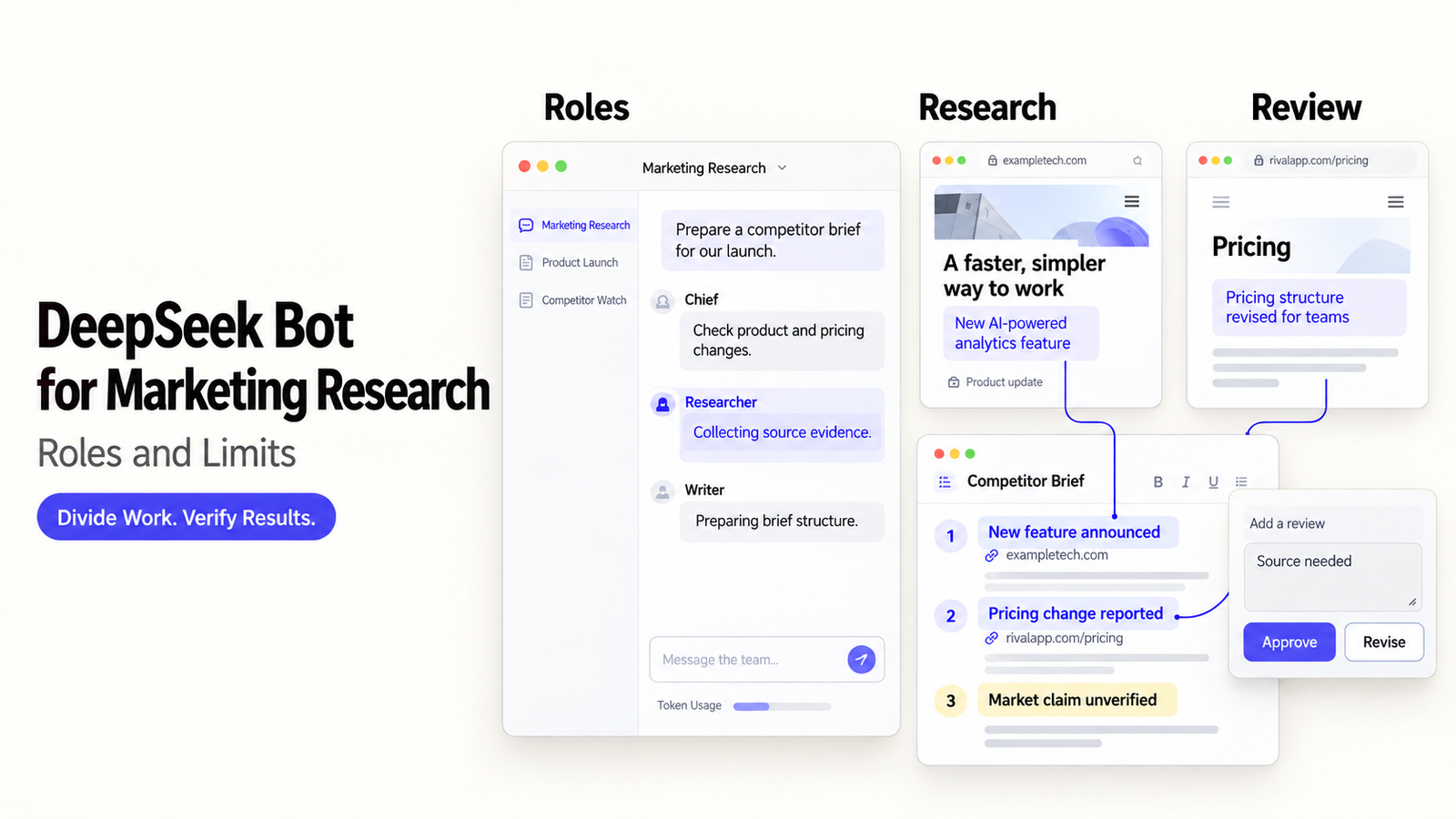
DS Bot is Fei2411's independent community plugin for DeepSeek Harness. It lets you organize several persistent assistants around a task. For a marketing team, the question is whether splitting competitor research among them produces a better brief and is worth the extra conversations and model usage.
Here, the task is to prepare a sourced competitor brief for a marketer to review. The feature descriptions come from project documentation; the research roles are suggestions for putting those features to work.
What Is DeepSeek Bot?
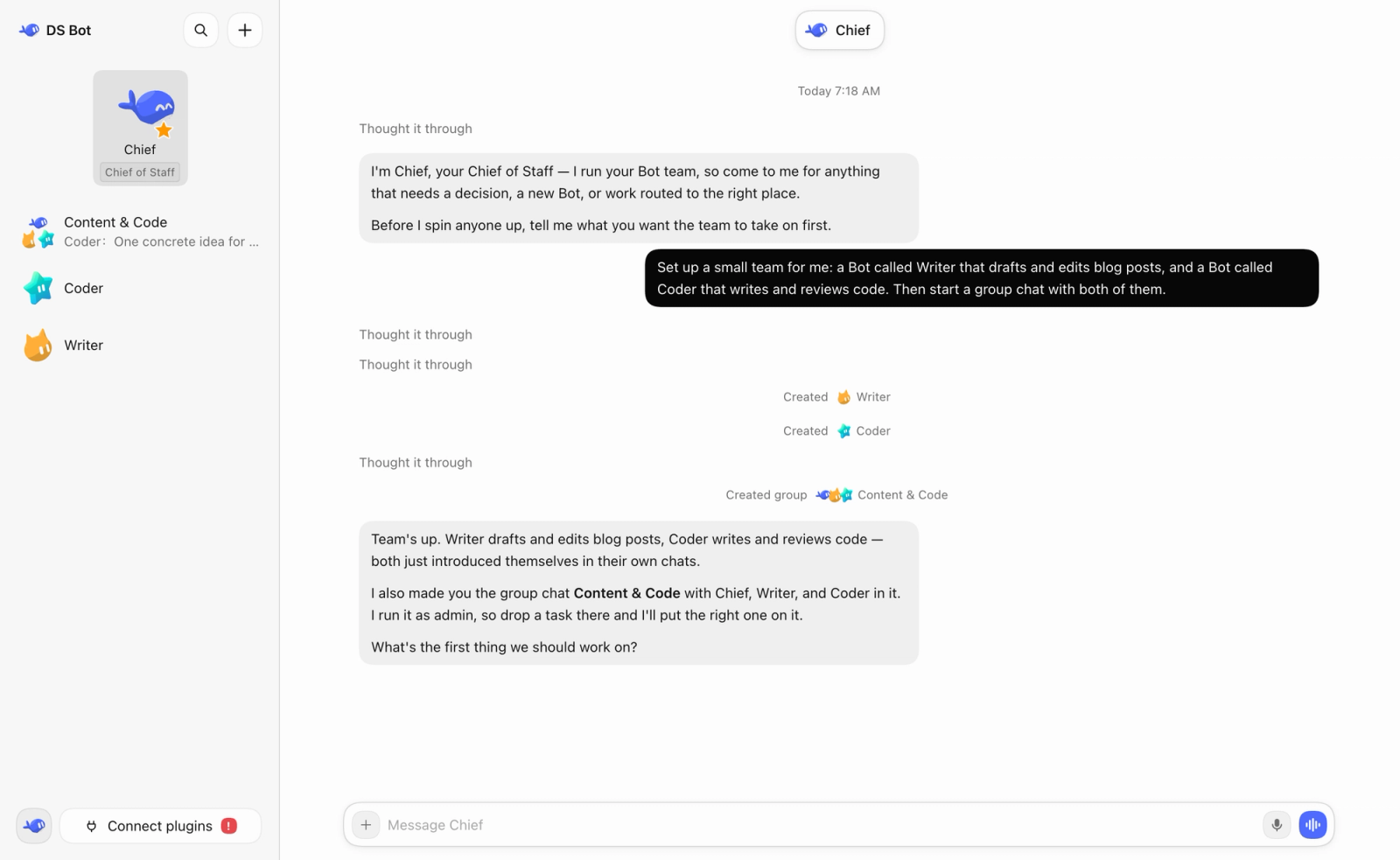
DeepSeek Bot, also called DS Bot, adds named Bots, Bot-to-Bot messages, and group chats to Harness. The community project includes a default Main Bot called Chief, which can manage other Bots and groups. A group administrator normally replies and can bring other members into the conversation.
How Does It Relate to DeepSeek Harness and the Model?
Harness runs the sessions and tools. DS Bot coordinates the assistants. Each Bot replies using a model configured in Harness, so you can use DS Bot with models other than DeepSeek.
Here, DS Bot refers to Fei2411's plugin, which is independent of the BotHarness/DeepSeekBot projects and DeepSeek's official products. As of October 13, 2026, official DeepSeek Harness remains in public preview, and DS Bot's package documentation describes an early release.
What Does a Marketing Research Brief Need?
Start with a decision question that public sources can answer. “Research our competitors” is broad enough to leave a Bot team collecting material that has little bearing on the decision.
Define the Question, Sources, and Output
For example: “How do three appointment-booking products describe support for businesses with multiple locations?” Provide their official product and help pages, then ask for a short comparison with source links, unresolved questions, and implications for your own positioning.
Keep private customer data out of the task and rule out contacting competitors. Separate documented features from assumptions about pricing. If a vendor describes location management without naming the plan that includes it, flag that question in the brief.
Which Parts Could a Bot Team Handle?
A Bot team could split collection, comparison, and writing, as long as each assignment contributes something different. Three Bots paraphrasing the same page create more discussion without covering more ground.
Collect Sources and Record Their Origins
A source collector can gather relevant passages and record the URL, page title, retrieval date, and claim each passage supports. Keep vendor material separate from reviews and directory summaries.
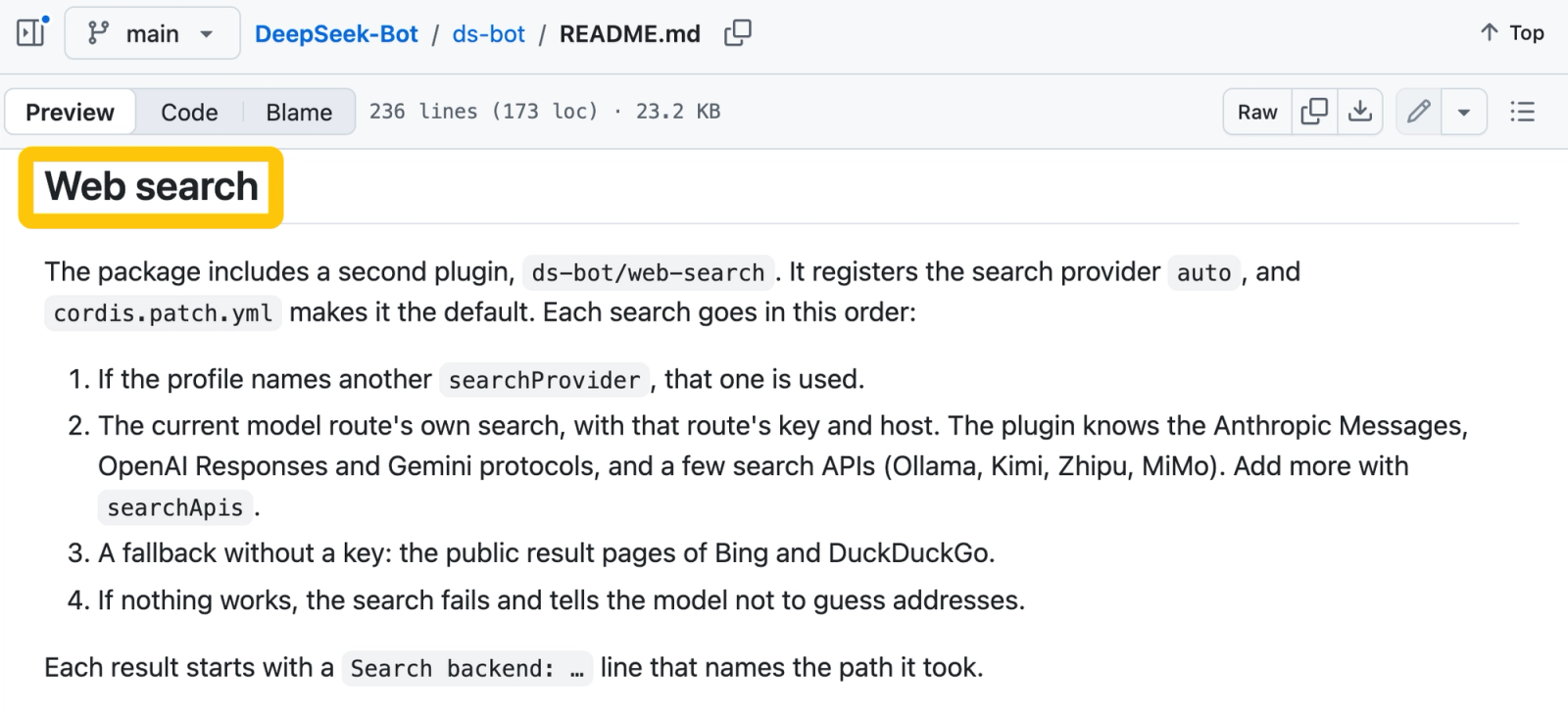
DS Bot's search implementation can use configured providers, model-route search, or fallback search engines. It identifies which backend was used, which can help explain differences in retrieval. It provides no proprietary marketing dataset, and search results still need to be checked against the pages themselves.
Compare Findings and Draft the Brief
A comparison Bot can examine location limits and plan conditions. A drafting Bot can turn those findings into a brief while retaining the links and open questions. Chief can coordinate the assignments, with the marketer deciding whether to accept the result.
If two pages disagree about location support, keep both claims and their dates. Check whether one describes an older plan or a different product edition. The Bots agreeing with each other does not settle a disagreement between sources.
What Must the Team Check Before Acting?
Verify any claim that could affect positioning or spending, and confirm which tools the Bots can access. Even a readable comparison needs review before it informs a campaign.
Source Currency, Claims, and Access Permissions
The marketer should open every source that matters to the decision, check its current wording, and confirm that the plans being compared are equivalent. “Supports multiple locations” tells you about a capability; it may leave the cost and practical limits unanswered.
Use a separate research folder and only the connections needed for the task. The plugin's capability description includes MCP servers and skills, and locally added MCP commands require user approval. Connected tools still need their own safety checks. Publishing, CRM changes, and outreach should stay outside this research assignment.
Where Would a Reusable Workflow Fit?
A reusable workflow makes sense when the team regularly asks the same question using comparable inputs. For a monthly competitor update, you can reuse the source list and comparison format, then check the sources again on each run.
Repeatable Inputs and Human Sign-Off
Keep the approved question, allowed sources, output format, and review criteria consistent. Each run should produce a dated brief showing which claims changed, which findings stayed the same, and where information is missing. Before the team uses those findings in customer-facing copy, the marketing lead should approve the conclusions drawn from them.
For recurring research, you can use SpringBrand to look for competitor-research capabilities. Check which connections are available before adding those capabilities to your agent's task.
SpringBrand's current docs cover research capabilities for connected agents. They leave two questions open for this example: whether DS Bot has an integration and whether the workflow includes a built-in approval step.
FAQ
How Should a Team Compare a Bot-Team Brief With a Human-Only Brief?
Give both the same question, sources, deadline, and output format. Compare verified claims, missed facts, unsupported conclusions, review time, and total effort. Where practical, score the briefs without knowing how they were produced. Faster drafting by itself does not show that the Bot team produced a better brief.
What Happens to Saved Bot Data After Uninstalling the Plugin?
Uninstalling DS Bot leaves its saved data in place. The project's data section identifies bot/ and sessions/ under the Harness home folder, normally ~/.dsh. Decide separately how long to retain that data and how to remove it.
What Should Stay Out of Shared Bot Memory?
Keep credentials, personal customer details, confidential plans, and temporary guesses out of shared memory. The memory documentation says every Bot reads team memory. Local storage alone does not tell you whether model processing stays on the device. Use shared memory for approved preferences and research conventions.
How Can a Team Estimate Usage Before Running Multiple Bots?
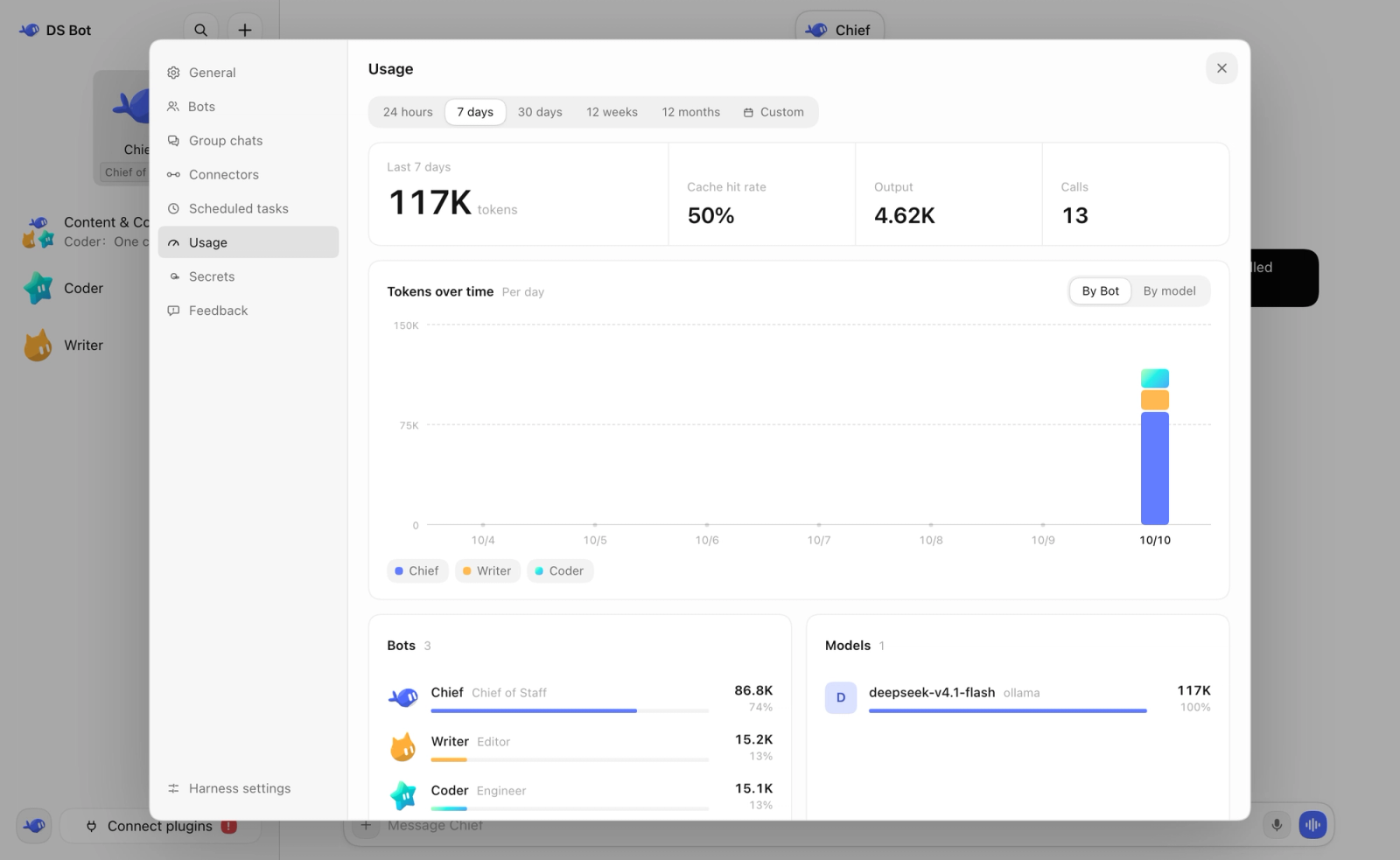
Run one small brief and inspect token usage by Bot and model in Settings → Usage. The page reports token counts. To estimate cost for repeated work, include coordination and background calls, then apply the selected provider's current billing rates. DS Bot has no universal price per brief.
When Is One Assistant Enough Instead of a Bot Team?
One assistant is usually enough for a small set of sources and a straightforward comparison. Add another role when it has a separate job, such as independently checking citations. If the extra Bot only repeats the draft, keep the simpler setup.
Conclusion
Use a DeepSeek Bot team when dividing the research produces a clearer, better-supported brief after review. If the marketer still has to reconstruct the sources and remove speculative conclusions, the extra Bots have not made the work better.