Levity AI Review: Workflow Control for Freight Teams
Levity AI review for freight teams assessing controlled automation. Examine flow design, human checkpoints, system handoffs, and implementation trade-offs.
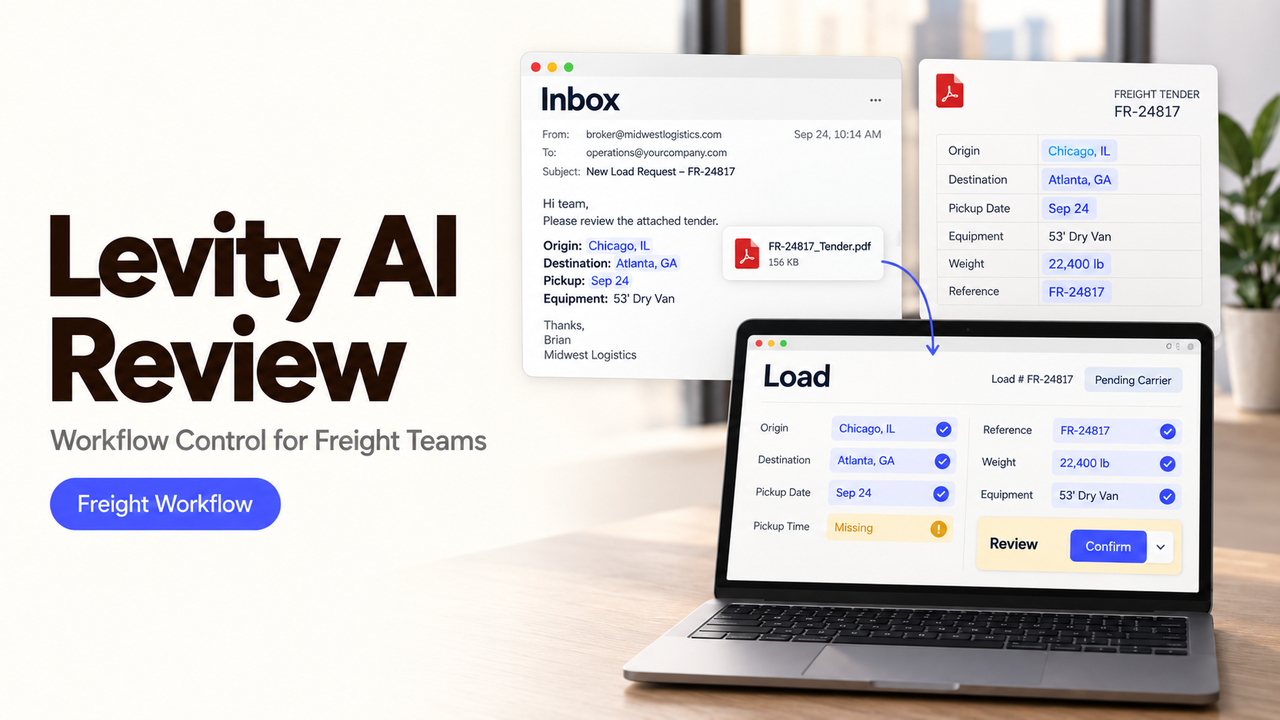
A booking request arrives by email with an attached PDF, an unfamiliar location code, and no clear pickup window. Sending it straight into the TMS would be fast. It could also create the wrong load faster than an operator can catch it.
That tension is the useful test for Levity AI. I’m Alex, and this review examines whether Levity can combine AI decisions, fixed rules, human checkpoints, and system handoffs in one controlled freight workflow.
The findings use Levity’s public materials checked on September 20, 2026. I did not run a production flow, so this is a documented-fit review.
Quick Verdict on Levity AI for Freight Teams
Levity AI is now positioned specifically around communication intelligence and automation for logistics operations. Its current product covers inbox analysis, Automation Flows, integrations, implementation support, feedback management, and human review.
That focus makes Levity worth evaluating for email-heavy work crossing a TMS, pricing tool, or shared inbox. It now looks more like a platform plus implementation engagement than a generic no-code tool.
The fit depends on exception control. Levity documents staging, versioning, rollbacks, reusable components, and human checkpoints. Branch-only tests, queued-version handling, and single-item replay remain undocumented publicly.
My verdict is conditional: shortlist Levity when the team has enough recurring freight volume to justify a designed integration and can supply process owners for testing. Do not select it from a clean demo path alone.
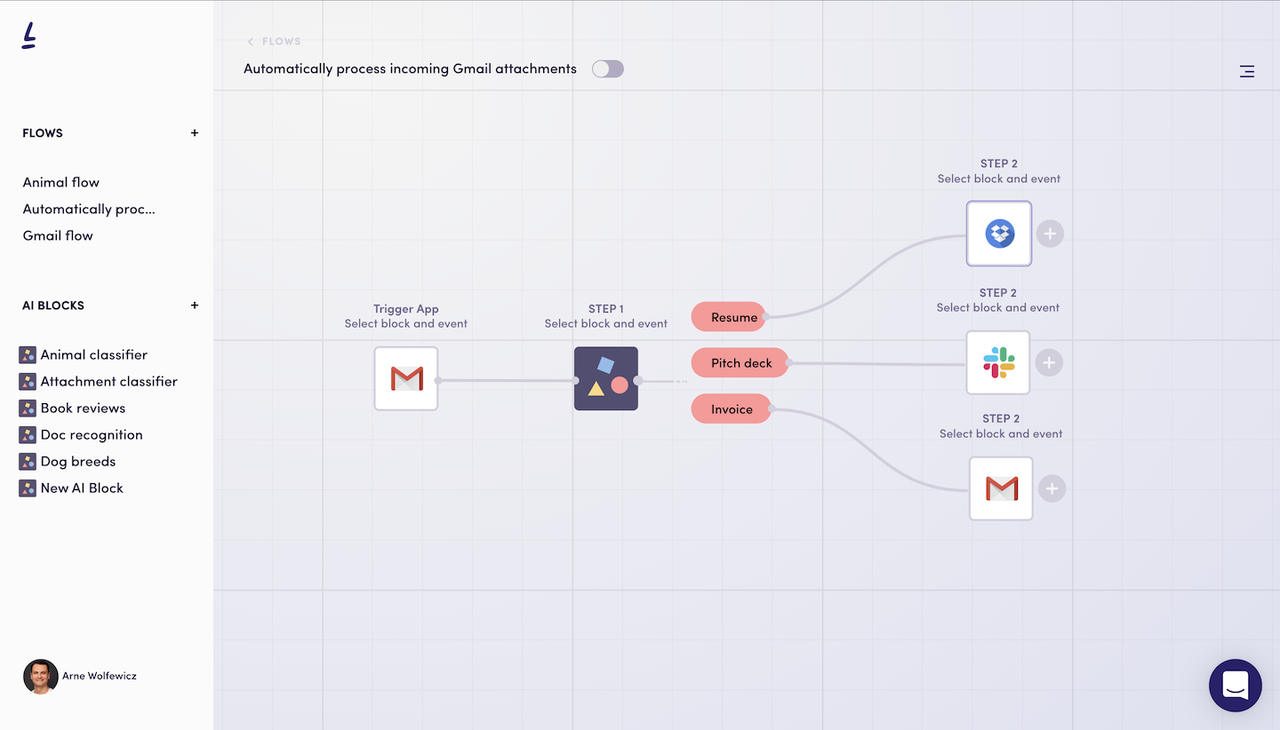
How Does Levity Turn Freight Intake Into a Flow?
Levity begins with the current task, its edge cases, and the systems involved. The resulting flow can combine deterministic routing, AI interpretation, review steps, and connected-system actions.
Define the Process, Inputs, and Edge Cases
The official Automation Flows page describes requirement gathering around the present process, measurable business goals, exceptions, failure points, and necessary integrations. Levity says its specialists work with the customer from design through deployment.
For a booking pilot, start when a message enters one shared inbox. Define acceptable files and required fields: customer, route, equipment, dates, commodity, weight, and reference number.
List unreadable attachments, conflicting dates, unknown customers, hazardous cargo, duplicate tenders, and unsupported locations before building. Each needs a named destination.
Combine Automation Logic With AI Decisions
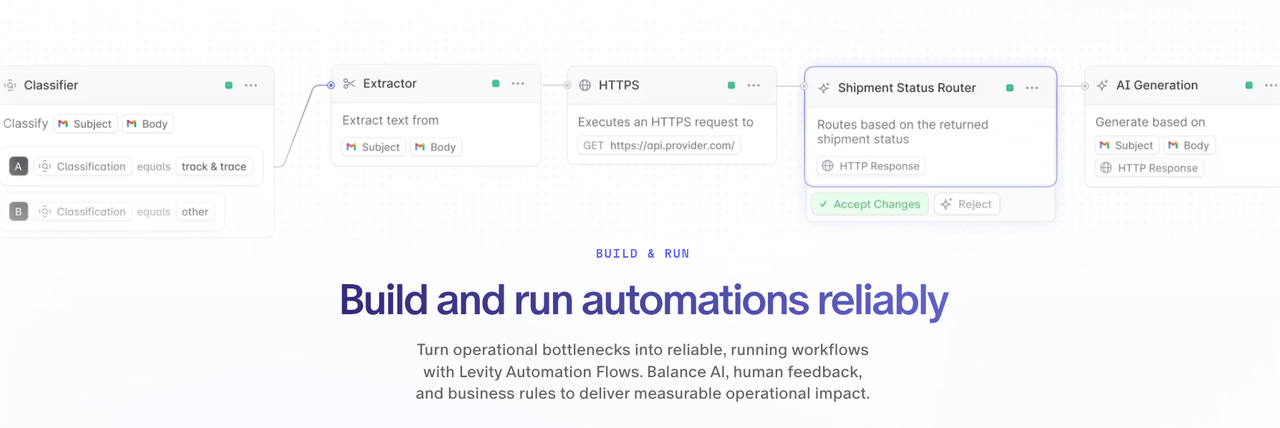
A freight flow should use fixed rules where the condition is stable and AI where the input varies. A known sender domain, complete reference number, or duplicate message ID can follow deterministic logic. Free-form intent and document extraction may require an AI step.
Levity’s current product interface shows email triggers, classifiers, conditions, AI actions, and connected applications. The company says flows can read and write data across TMS, ERP, CRM, and service systems. Treat those as platform claims until the proposed integration is demonstrated against your fields and permissions.
Keep intermediate output structured: allowed category, review signal, extracted fields, and evidence. A paragraph is difficult to validate before a TMS write.
Add Human Review and System Handoffs
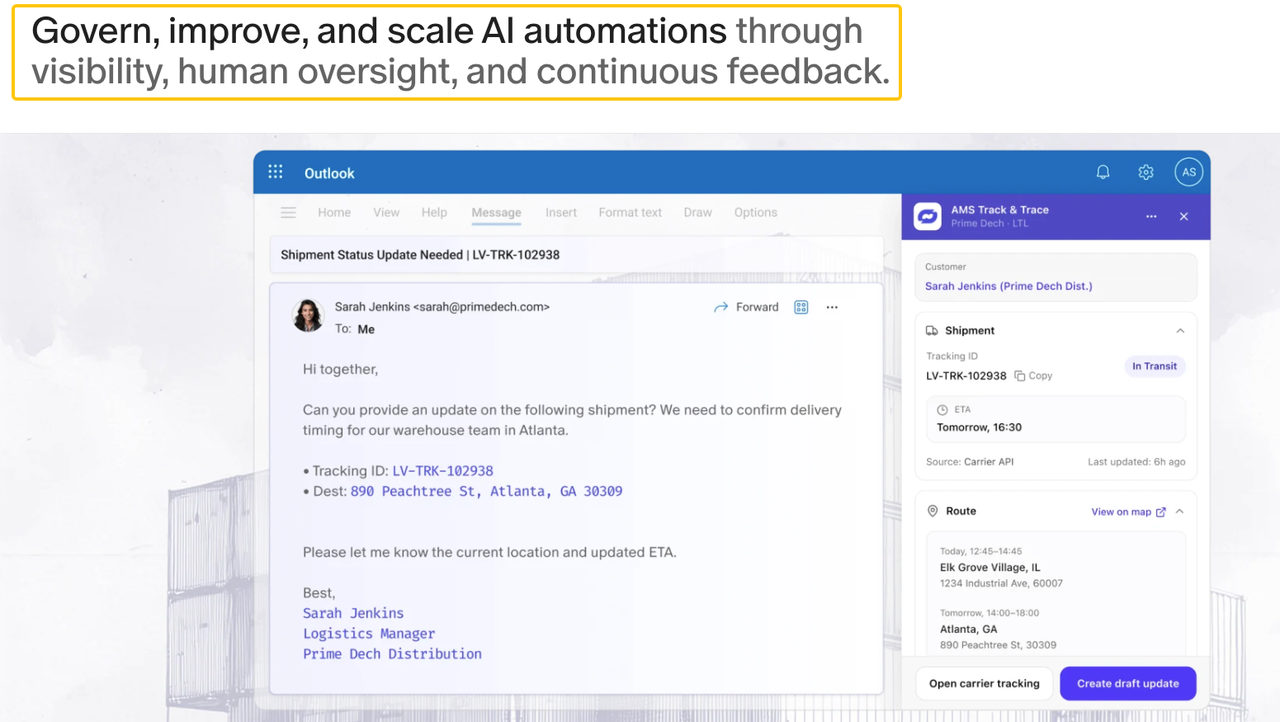
Levity’s Human in the Loop page says teams can place review where risk is high or confidence is low. It shows reviewers approving or correcting extracted quote details, shipment status, ETAs, carrier assignments, routes, and rates.
Require approval when a field is missing, sources disagree, or an operational record would change. Show the reviewer the source, extracted fields, proposed action, and escalation reason together.
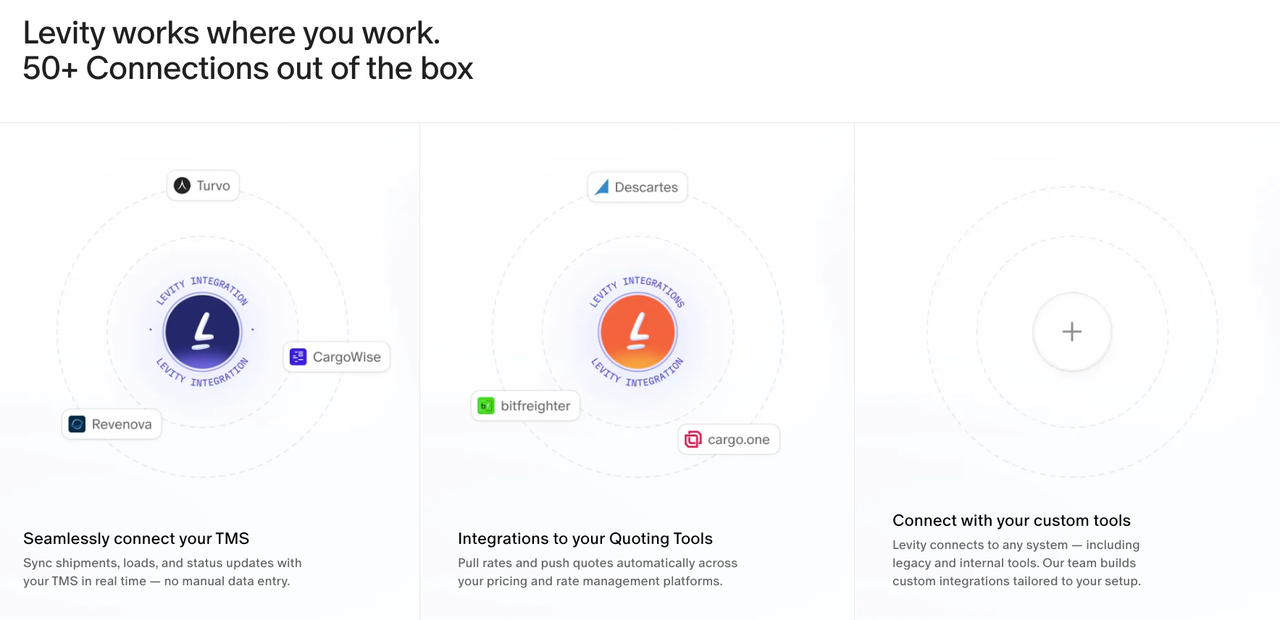
Only an approved payload should reach the system of record. Levity lists more than 50 connections on its integrations page. A listing does not establish object coverage or write depth for your configuration.
What Should a Team Test in a Pilot Workflow?
Use a narrow booking or quote-intake flow with real historical variation. Run it first in staging, then permit one controlled production handoff after acceptance criteria are met.
Normal Cases and Exception Paths
Include a complete booking, a missing date, an unreadable attachment, a duplicate email, an unknown customer, and a request for another branch.
Measure classification, field extraction, routing, and final record accuracy separately. A correct category does not excuse a wrong equipment type. A complete payload does not excuse creating the same load twice.
The flow passes only when every exception reaches a named queue with its source and reason intact. Do not count a silently dropped message as a correct non-match.
Reviewer Workload and Escalation Quality
Human review should concentrate judgment, not recreate the task. Record how often reviewers reopen attachments, search another system, or rewrite the payload.
Check whether escalation reasons are specific. “Low confidence” gives little direction. “Pickup date missing from email and attachment” tells the operator what must be resolved.
Levity recommends adding review where confidence is low and reducing oversight as accuracy improves. Set that change through an approved rule. Do not remove checkpoints merely because reviewers accepted a short run of simple cases.
Output Delivery to the System of Record
Use a staging TMS, sandbox, or protected destination. Compare the approved payload with the created record, including identifiers, dates, units, parties, and attachments.
Then force one downstream failure. Revoke a test credential, reject a required value, or make the destination unavailable. The item should remain traceable without producing a duplicate when the connection returns.
Levity’s official integration material says its team builds custom connections and supports real-time reads and writes. It does not publicly specify retry limits, idempotency behavior, or failure-log retention for each integration. Put those details into the pilot acceptance document.
Which Implementation Trade-Offs Affect the Decision?
Levity’s logistics specialization can reduce the distance between a generic automation canvas and a working freight process. The trade-off is a closer implementation relationship with the vendor and a potentially larger evaluation than signing up for a lightweight connector tool.
The site emphasizes specialists, custom integrations, rollout, and support but publishes no standard numerical pricing. Request separate platform, implementation, integration, support, change, and usage costs.
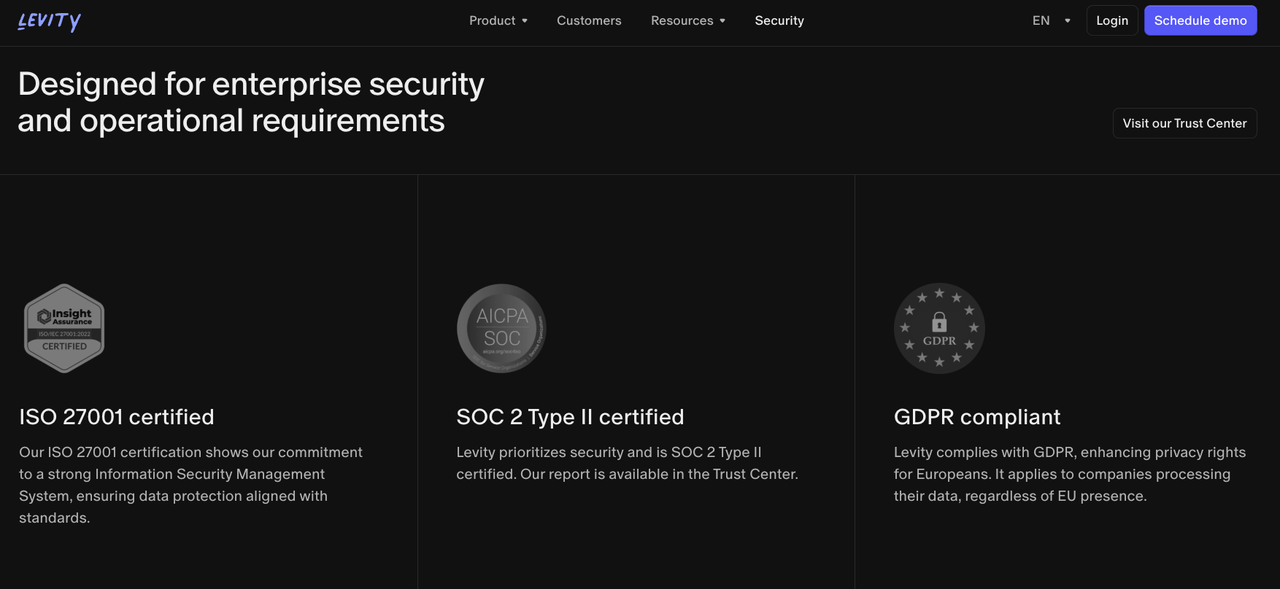
Freight messages may contain contacts, commercial terms, shipment details, and documents. Levity’s security page states encryption in transit and at rest, WorkOS authentication, ISO 27001, and SOC 2 Type II. Review the report, DPA, hosting, subprocessors, retention, roles, and deletion terms. This is operational information, not legal advice.
Finally, assign internal ownership. Levity may help design and monitor the automation, but the freight team must define acceptable records, exception policy, and customer-facing authority.
Where Does Levity AI Fit—and Where Does It Not?
Levity fits freight teams with high message volume, repeated decisions, and systems needing coordinated reads and writes. Its focus includes quoting, booking, track and trace, document handling, and claims.
It is weaker for a small team seeking a cheap email rule or a process that changes for every customer. It cannot repair missing policy: valid booking criteria must exist first.
Levity publishes freight customer cases, including email-to-quote and email-to-TMS workflows. Treat their outcomes as customer-specific vendor case studies, not guaranteed savings for another operation.
The linked SpringBrand workflow automation guide does not claim a Levity integration. Its workflow automation guide can help a team separate rules, AI decisions, approvals, and exceptions before evaluating a product-specific implementation.
A Build-or-Buy Checklist for Freight Teams
Ask Levity and the internal team to demonstrate the same bounded flow:
- Can the flow show which step, rule, or model produced each field?
- What happens to incomplete, duplicate, and unclassified inputs?
- Can reviewers see the source and proposed system action together?
- Which objects and fields can each integration read or write?
- How are credentials, environments, roles, and approvals separated?
- Can one failed item be retried without duplicating successful work?
- What happens to waiting items after a flow version changes?
- Which work belongs to Levity specialists, internal IT, and Operations?
- What platform, implementation, support, and usage costs apply?
Buy when the demonstrated flow handles both the ordinary path and the recovery path with an acceptable review burden. Build elsewhere when the team needs infrastructure control or runtime behavior the engagement cannot document.
Conclusion

Levity AI has moved beyond a broad no-code AI story toward controlled logistics automation supported by integrations, specialists, human review, staging, and version management.
The adoption decision should rest on a freight flow that includes the awkward cases, not only a clean email. Keep an operator responsible for exceptions and system writes until the workflow proves that it can fail visibly, recover safely, and preserve the source behind every action.
FAQ
Can Levity test one branch without triggering downstream actions?
Levity publicly documents staging and production environments, but it does not say whether a user can execute only one branch while suppressing every downstream action. Ask for a staging demonstration with mocked destinations and inspect which steps, payloads, and logs are produced before accepting branch-level testing.
How does Levity handle an input that matches no configured category?
The public product pages do not define a default unmatched-input behavior. Require an explicit fallback category that preserves the source, marks the reason, and routes the item to a named queue. Test an empty message and a valid request outside the configured categories.
Can reviewers be assigned only when an exception is detected?
Levity says review can be added where risk is highest and confidence is lowest, which supports exception-focused design. Its public pages do not specify assignment rules, workload balancing, or backup reviewers. Demonstrate the exact trigger, queue, owner, deadline, and absence path for your flow.
What happens to queued items when a workflow version changes?
Levity documents versioning and rollbacks, but not how a published version affects items already waiting or in review. Before production, queue a test item, publish a change, and verify which definition resumes it. Record whether migration, cancellation, or manual restart is available.
Can Levity replay one failed item without rerunning the full batch?
Public documentation does not confirm single-item replay or its duplicate-prevention behavior. Force one failure inside a multi-item test, then ask the implementation team to recover only that item. Verify its identifier, previous attempts, downstream writes, and final status.