AI Business Documents Analysis: A Practical Workflow

Written by
Springbrand Editor Team
Editorial team
Springbrand Editor Team creates and maintains blog guides on AI tools, automation, marketing, and agent workflows.

Reviewed by
Springbrand Audit Team
Editorial review team
Springbrand Audit Team supports editorial quality through source checking, clarity, and consistency across the blog.
Updated
Published
Learn how AI business documents analysis extracts evidence, compares records, flags uncertainty, preserves references, and routes results for review.
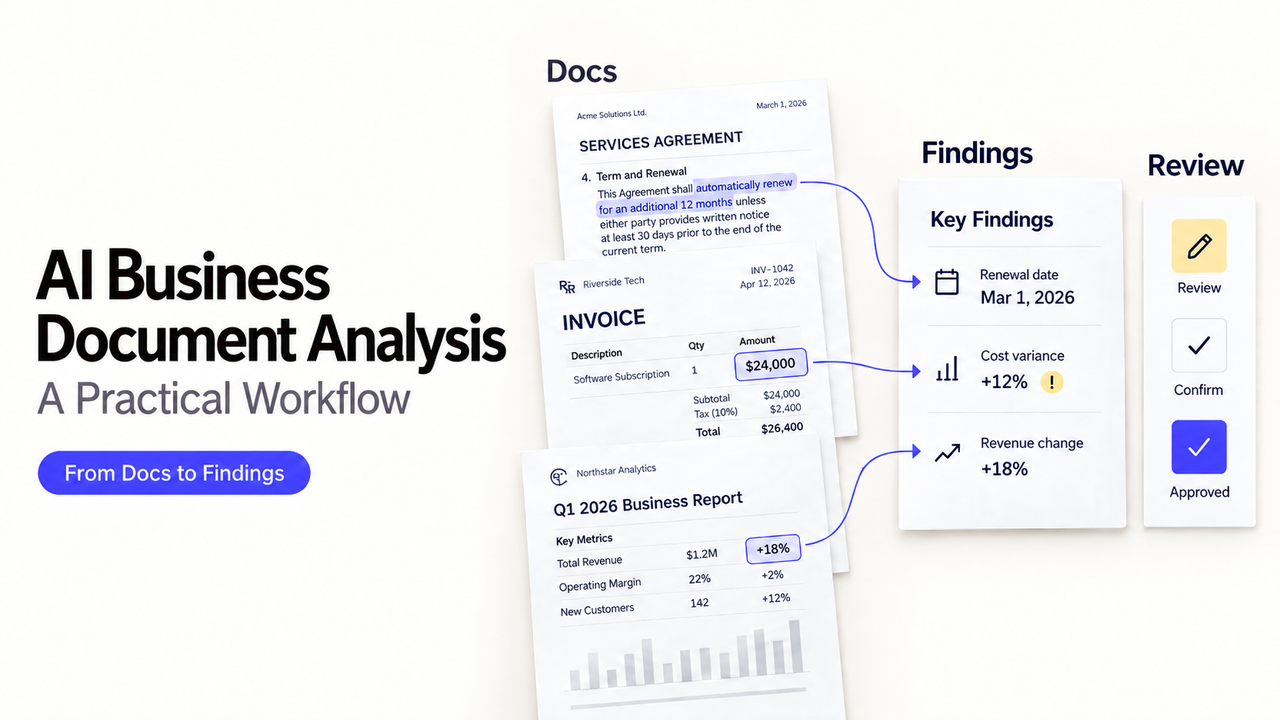
Which amount should enter the system when an invoice, purchase order, and delivery record disagree? Uploading all three files to a chat window does not answer who resolves the conflict or where the chosen value came from.
I’m Alex. A useful AI business documents analysis workflow does more than summarize. It extracts facts, ties them to sources, identifies disagreements, and sends uncertain results to the right person before another system changes.
This guide covers that reusable process. It is not a product ranking or a substitute for professional judgment.
What AI Business Documents Analysis Should Produce
The useful output is a review packet, not a block of fluent prose. Each extracted item should carry enough context for a reviewer to check it without starting the analysis again.
A simple record might contain:
Field | What to retain |
Document identity | File name, document type, date, and version |
Extracted fact | Original value and normalized value |
Evidence location | Page, table, row, cell, or text span |
Analysis state | Matched, missing, conflicting, or unreadable |
Review state | Not reviewed, approved, corrected, or rejected |
Ownership | Reviewer, due date, and next destination |
This separates evidence from interpretation. A model may read a due date correctly from an obsolete revision. Recognition confidence is not approval to use the value.
Design the Document Analysis Workflow
Treat business document processing as a sequence with controlled inputs and outputs. Define what enters, which fields matter, how discrepancies are handled, and what an approved result is allowed to change.
Collect and Classify Source Documents
Record the source, received time, owner, access level, and expected document type. Keep the original unchanged and assign it a stable ID.
Classification should answer a practical question: which extraction schema and reviewer does this file need? An invoice, supplier onboarding form, operational report, and contract metadata sheet may share a folder, but they should not share one vague prompt.
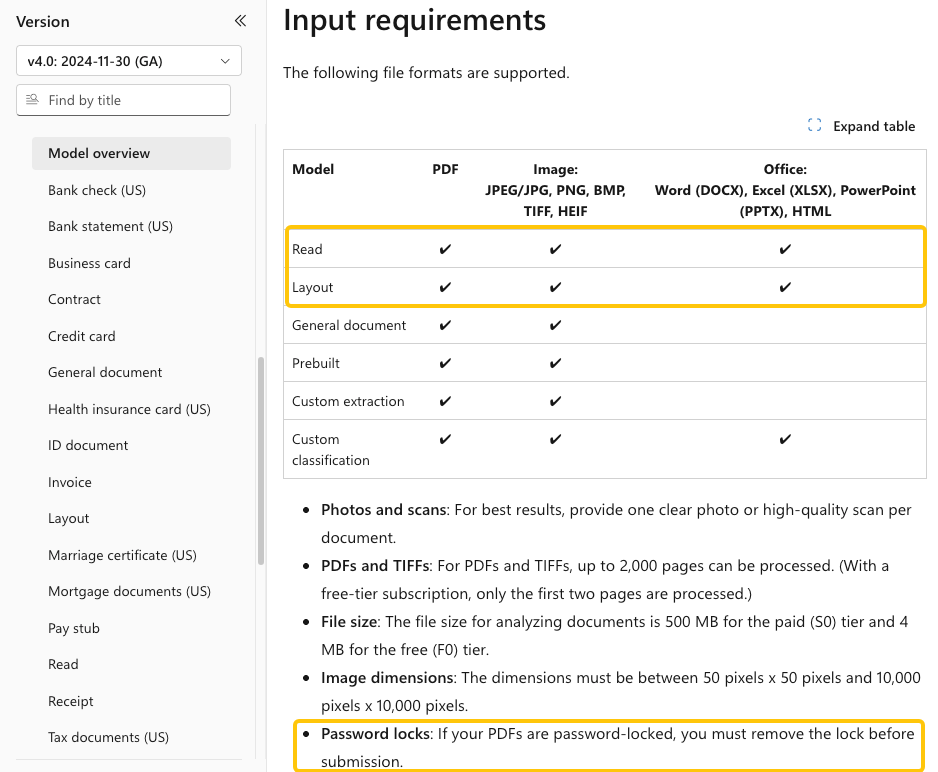
Reject or quarantine files the workflow cannot safely open. Microsoft’s current Document Intelligence model overview says password-locked PDFs must be unlocked before submission and lists the file types supported by its Read and Layout models. Decryption should happen only through an authorized process; it is not a reason to copy a protected file into an unapproved tool.
Extract Facts Into a Structured Schema
Define the fields before extraction. For an invoice, that might include supplier name, invoice number, currency, line totals, tax, due date, and purchase-order reference. Specify data types, required fields, valid formats, and whether a blank value differs from a missing one.
Ask for evidence locations alongside values. For spreadsheets, preserve sheet and cell references when formulas or table position matter. For PDFs and scans, retain page numbers and available coordinates. This makes AI document extraction reviewable rather than dependent on the model’s wording.
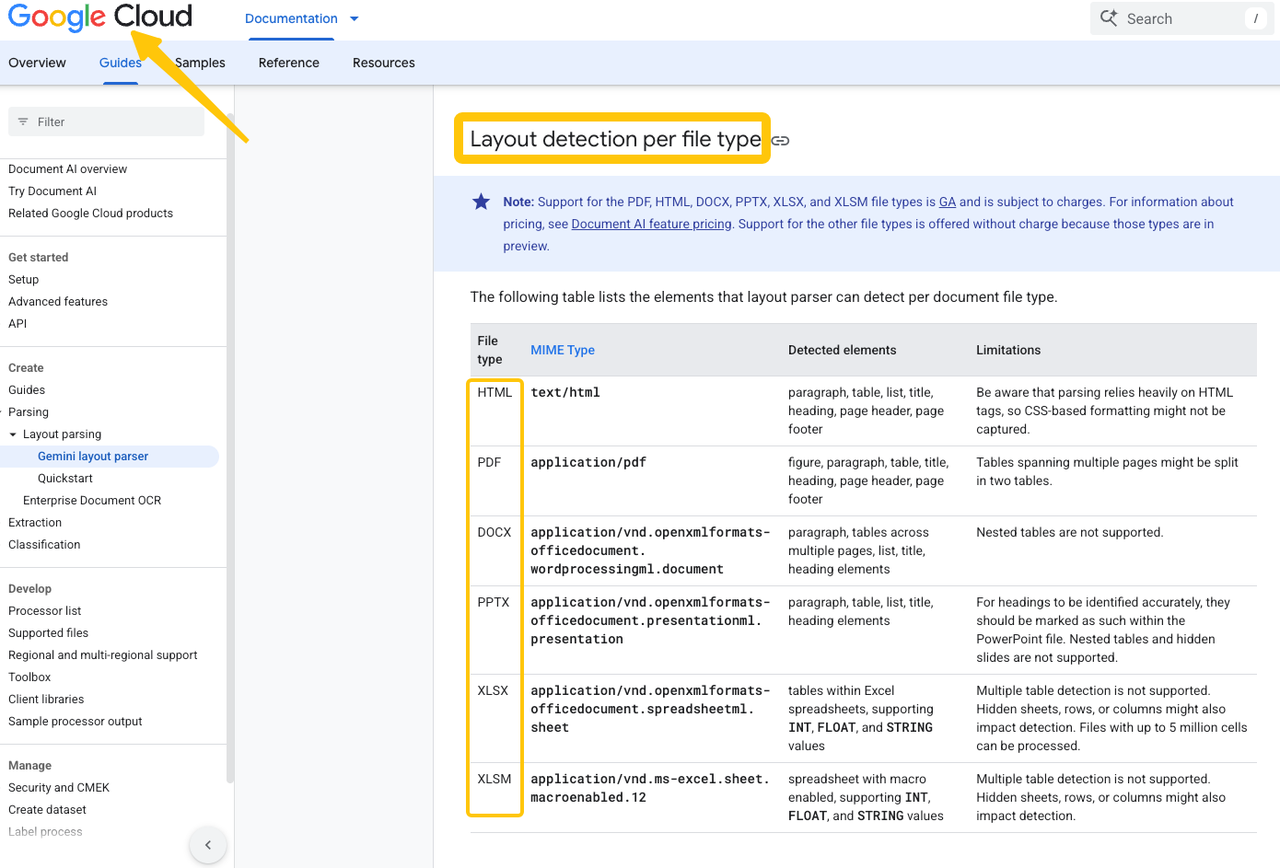
Native-file handling varies. Google’s current Layout Parser documentation covers PDF, HTML and several Office formats, but notes limitations around multi-page and nested tables. A supported extension does not guarantee intact internal structure.
Compare Documents and Flag Conflicts
Normalize values before comparing them, but keep the originals. Dates, currencies, names, identifiers, and units may differ while representing the same thing.
Then define conflict rules. A purchase order and invoice may disagree on quantity; two vendor forms may contain different bank details; a monthly report may revise a previously reported total. The workflow should show both values and both sources. It should not quietly choose the newest file unless “newest approved version” is an explicit business rule.
Distinguish an actual conflict from missing evidence. “No value found,” “text unreadable,” and “two values disagree” require different follow-up.
Route Low-Confidence Results for Review
Route by the reason for uncertainty, not one universal confidence score. A blurred supplier name may return to document intake. A disputed amount belongs with the finance owner. Ambiguous contract metadata may require the designated legal reviewer.
Include the original, extracted value, evidence location, referral reason, and permitted actions. The reviewer should be able to approve, correct, reject, or request a better source. Retain corrections as evaluation data.
Connect the Output to the Next Business Step
An approved analysis should move only the fields the next process needs. Keep preparation separate from authority to update a system of record.
Update Records and Draft Summaries
Begin in draft mode. The workflow can prepare a CRM update, accounts-payable record, exception ticket, or report summary, while a named person approves consequential changes.
Use allowlisted fields and validate them again before writing. A correct extraction can still be sent to the wrong vendor record. Duplicate IDs, closed periods, changed field names, and missing permissions should stop the write and create a visible exception.
A summary should describe what the evidence contains and what remains unresolved. It should not turn contract wording into legal advice or invoice data into an accounting conclusion.
Preserve Source References
Every downstream value should lead back to the document and location that supported it. Keep the document ID, version, page or cell reference, extraction time, review decision, and approved output together.
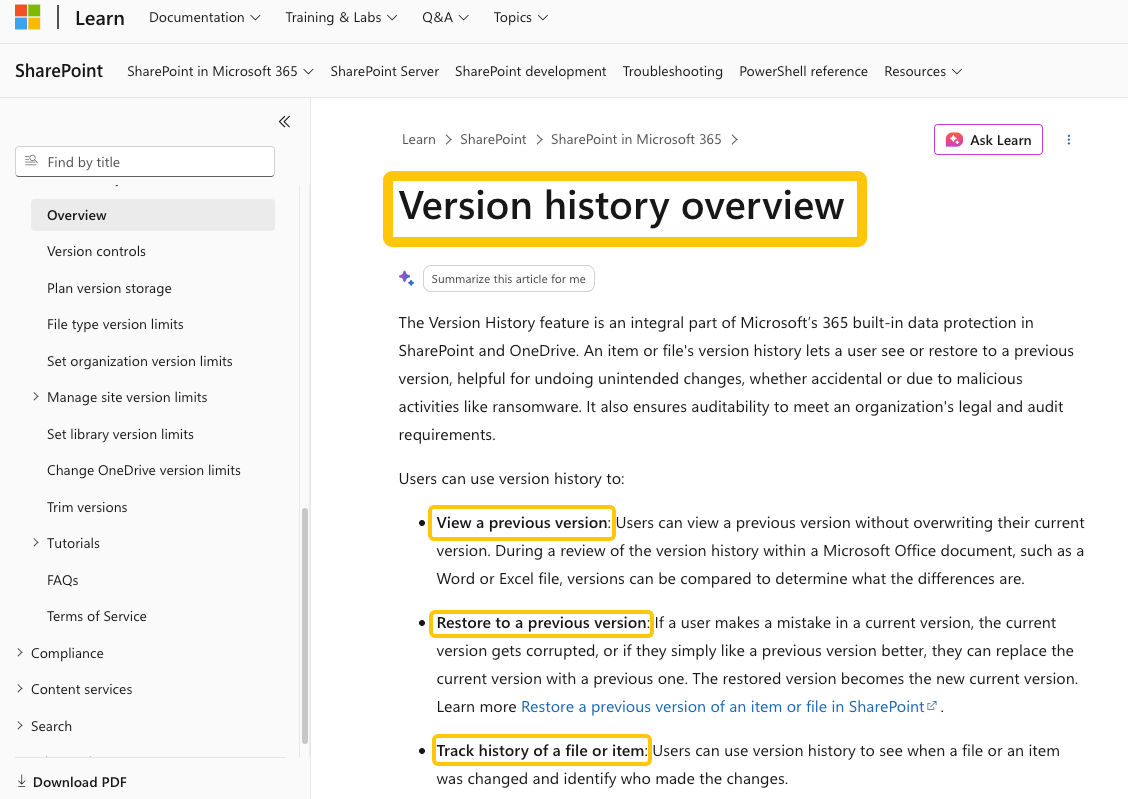
Version history helps establish lineage, but it is not approval. Microsoft’s SharePoint version-history overview describes viewing, comparing, and restoring earlier versions. The workflow must still identify the analyzed version and whether a revision invalidates it.
Where Document Analysis Works Well
This workflow suits repeated documents with recognizable fields and checkable outputs. Examples include invoice header data, supplier information, operating-report figures, delivery records, and general contract metadata such as parties, dates, and referenced schedules.
It also works for finding missing records, matching values, or preparing an exception queue. The common feature is a result another person can verify against visible evidence.
Where Human Expertise Is Still Required
People should decide what ambiguous evidence means and what action the business may take. That includes unusual accounting treatment, changed payment details, contractual interpretation, regulatory duties, and any result whose consequences exceed the workflow’s tested boundary.
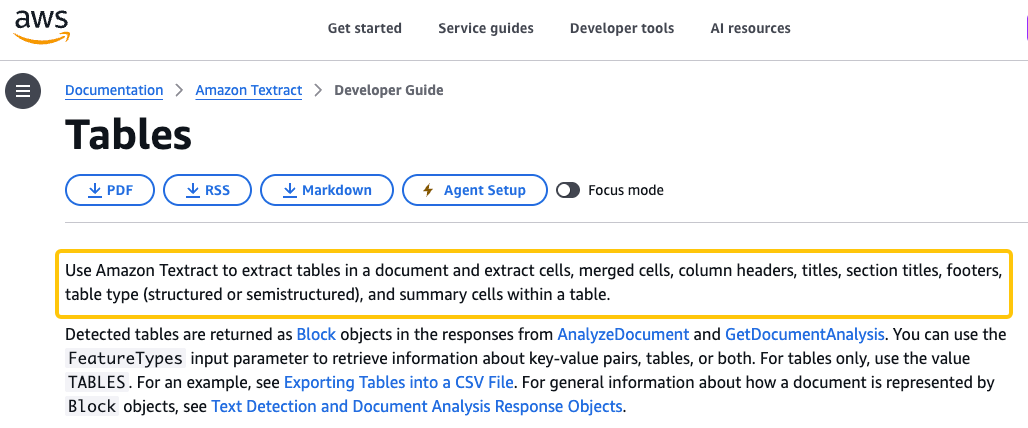
Human review is also needed when layout carries meaning that extraction loses. Amazon Textract’s table documentation shows that table services can return cells, headers, merged cells, and titles. A reviewer must still confirm rows, units, footnotes, and page breaks.
If an approved output later feeds a GTM task, review SpringBrand’s agent capabilities only after confirming the plugin, input, and data-handling boundaries.
Measure Quality Before Scaling
Build a small evaluation set from authorized documents. Include a rotated scan, handwritten note, revision, cross-page table, blank required field, and genuine conflict.
Measure accuracy by critical field rather than averaging the whole document. Track missed conflicts, incorrect values, reviewer corrections, manual-intervention rate, source-reference survival, downstream write failures, and time to resolve exceptions. High accuracy on supplier names does not offset unreliable bank details.
Set expansion criteria before the pilot. Increase volume only when reviewers can trace results, error types are understood, and failures reach an owner without changing records incorrectly.
FAQ
Can encrypted or password-protected files enter the workflow?
They can enter an authorized intake queue, but many analysis services will not process them while locked. Remove protection only inside an approved preprocessing step, retain access controls, and record who authorized the action. Do not treat successful decryption as permission to retain or share the contents.
How should the workflow handle handwritten notes?
Use OCR that explicitly supports handwriting, then route uncertain text for visual review. Google’s Enterprise Document OCR documentation lists handwriting detection and image-quality signals, but legibility, language, rotation, and scan quality still affect results. Keep the image beside the transcription.
Do scanned tables retain their row and column structure?
Sometimes, but not reliably enough to assume they will. Test merged cells, repeated headers, footnotes, page breaks, and faint grid lines. Preserve the page image and compare totals or row counts before an extracted table updates another system.
Can the system detect duplicate or revised versions of a document?
Yes, if the workflow adds explicit identity and version checks. Use a file hash for exact duplicates, then compare document IDs, source metadata, dates, and selected content for revisions. A changed file name alone does not prove that the content is new.
Which document formats can be analyzed without conversion to PDF?
Some services accept images, HTML, Word, Excel, and PowerPoint files directly, while others support a narrower set. Check the chosen model rather than the platform name. Keep native spreadsheets when cells, formulas, hidden rows, or sheet structure affect the meaning; conversion to PDF can flatten that context.
Conclusion
AI business documents analysis becomes useful when extracted facts remain connected to evidence, conflicts stay visible, and uncertain results reach a responsible reviewer. Start with one document family, one schema, and one approved downstream action.
Scale only after the team can measure field-level quality, recover from difficult files, and explain why every accepted value entered the next system.
Recommended Reads
Explore SpringBrand
Turn ideas into working workflows
Connect agents, APIs and tools in one workspace. Start with a task you want to get done.
Get started free
One account. 10,000+ APIs & capabilities
Give your agent APIs and plugins without separate keys or integrations for every provider.
Explore APIs
No tool expertise needed
Describe your GTM task. SpringBrand chooses the right APIs and plugins for your agent automatically.
Find tools for your task
Run tasks 24/7
Connect your agent to SpringBrand to keep tasks running automatically, day and night.
Connect your agent