Make Review 2027: Fit for a Lead-to-CRM Workflow
This make review evaluates a lead-to-CRM workflow through data mapping, failure recovery, upkeep, and cost so operations teams can judge fit.
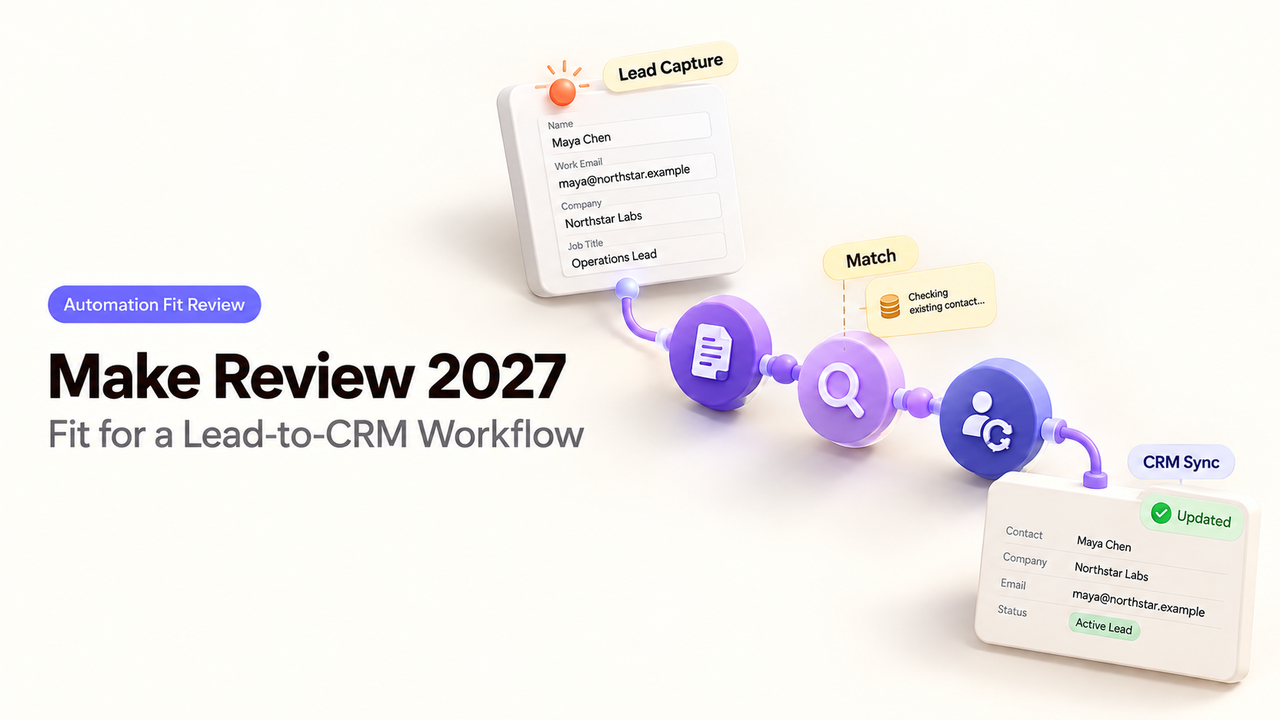
An inbound lead arrives with a work email and a company name. The sales team wants the right CRM record updated and the right owner notified. Make can connect those steps visually. The team still has to decide what the scenario should do when the company match is ambiguous, the lead arrives twice, or the CRM times out after saving. Make’s documentation explains the available controls; the purchase decision is whether the team can maintain them for its CRM.
Is Make a Fit for a Lead-to-CRM Workflow?
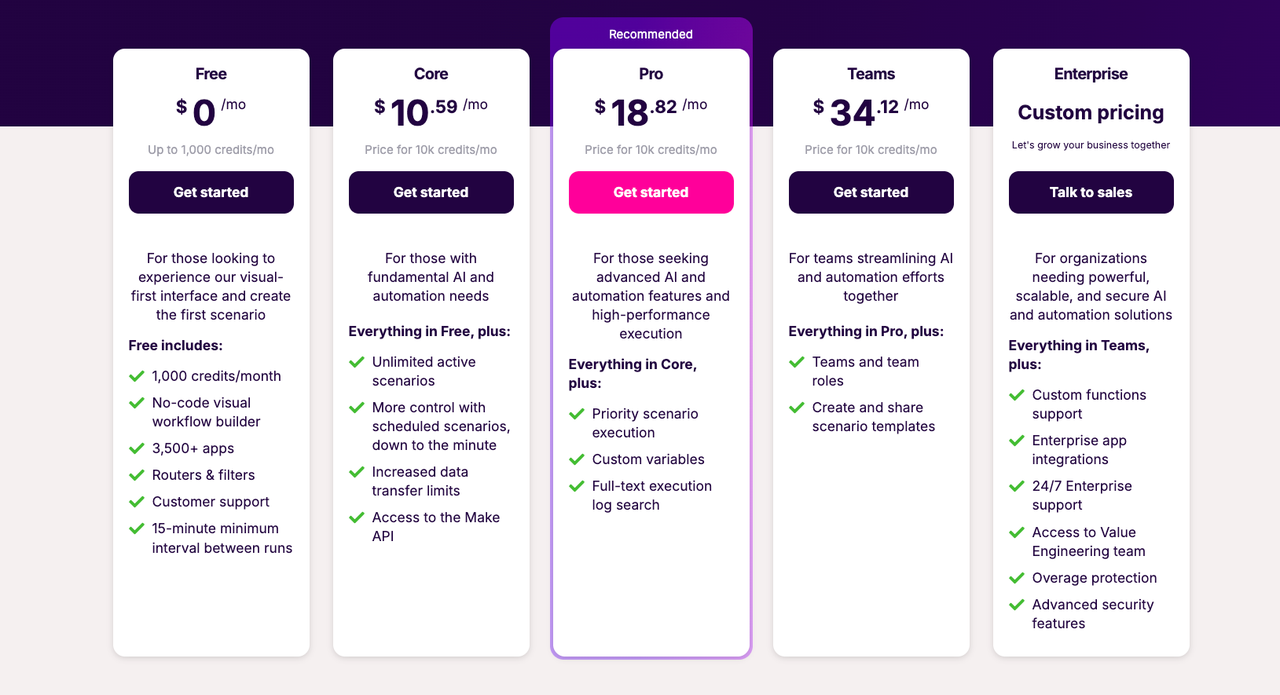
Yes, when the team can specify its CRM rules and assign someone to maintain the scenario. Make’s visual builder, filters, mapping, webhooks, and error handling can connect an inbound form or application event to a CRM action. Its pricing page shows a free entry point and paid tiers based on credits consumed by scenario actions. That makes it attractive for a defined, cross-app process. It does not make the underlying lead decision automatic.
The practical test: can the scenario stop a weak match and leave a failed write an operator can resolve? Approval must be designed explicitly around the company’s policy.
The Lead-to-CRM Task and Evaluation Criteria
Use one task: take a new lead from an approved intake source, find or create the appropriate CRM record, assign an owner, and report the result. Define the target CRM and source system before choosing modules. A connector logo alone does not prove that the required search, update, and ownership fields are available on the team’s plan.
Checkpoint | Pass condition | Stop condition |
Intake | Source is authenticated; event ID is recorded | Unrecognized sender or malformed payload |
Match | One intended contact and account are identified | Multiple possible matches or missing identifier |
Map | Required CRM fields follow written rules | Blank value would replace verified data |
Review | Named person accepts the exact proposed change | Rejected or expired approval |
Write | CRM returns a result that can be checked | Timeout or conflicting existing record |
Recover | Operator can locate the lead and finish safely | Retry might duplicate an accepted write |
These checks give the team a way to judge a small trial with synthetic or approved leads before routine submissions reach the scenario.
Lead Input, Field Mapping, and CRM Output
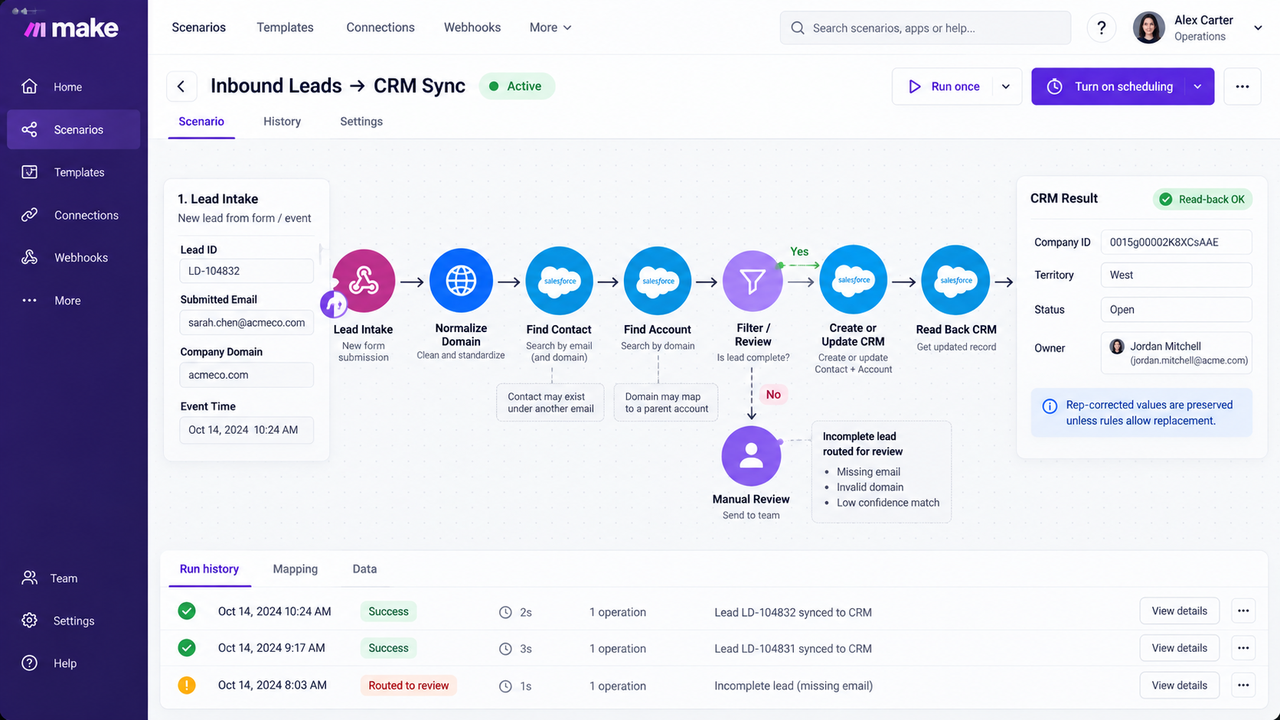
Keep the original lead ID, submitted email, company domain, and event time as separate fields. Normalize the domain, then search the CRM for an existing contact and account. Map only fields needed for routing, such as company ID, territory, status, and owner. Preserve a rep-corrected value unless a documented rule permits replacement.
Make passes data between modules as bundles. Filters can route incomplete leads to review. A contact may exist under another email, and a domain may point to a parent account. Test both before a create-or-update action. After writing, read the CRM record back.
A Human Check Before the CRM Update
Put review between the match and the write when a duplicate, territory conflict, or protected field appears. The reviewer needs the existing CRM value, proposed value, matching evidence, and a choice to approve, correct, or reject. A notification alone is not approval. If the team uses a separate form or ticket for the decision, bind its response to a proposal ID and stop when that proposal changes.
Someone must also decide what happens when the reviewer rejects a change or never responds.
Where Can the Workflow Break?
It can break before or after the CRM accepts a request. Missing fields require a decision; temporary outages require recovery. A timeout may conceal a successful write.
Missing Fields and Duplicate Records
A blank job title should not necessarily reject a lead. A missing company identifier may require review because it affects account ownership. Define required fields by the sales action, not by every field the form can collect. If the same event arrives twice, use its source event ID or another stable key to detect the replay before creating a second contact.
Test a clean lead, an existing account, and a likely duplicate. Record each branch and inspect the CRM. A green run that created duplicate contacts failed the task.
Failed Runs and Recovery Work
Make’s incomplete executions must be enabled in scenario settings; they are disabled by default. When enabled, Make can retain an unfinished run for review. Its automatic retry guidance covers certain rate-limit, connection, and timeout errors, with retries starting at the failed module. Other errors may need manual resolution.
Before retrying, check the CRM by stable ID; a timeout does not prove failure. Store the inbound event ID and proposal. Compare the current value, then retry or reconcile manually. Replaying the whole scenario may repeat earlier steps.
What Does Ongoing Operation Require?
It requires a scenario owner, backup, and response to connection changes. Document why consequential filters reject leads; the next operator should not have to reverse-engineer the canvas.
Ownership, Change Control, and Cost Drivers
Make’s scenario history includes run details, processed bundles, credit use, and a change log for edits and activation. History retention varies by plan. The scenario settings also offer “Keep data confidential,” which removes processed payloads from logs and limits debugging. Decide which lead fields may appear in logs and what evidence the team needs for support before switching that setting.
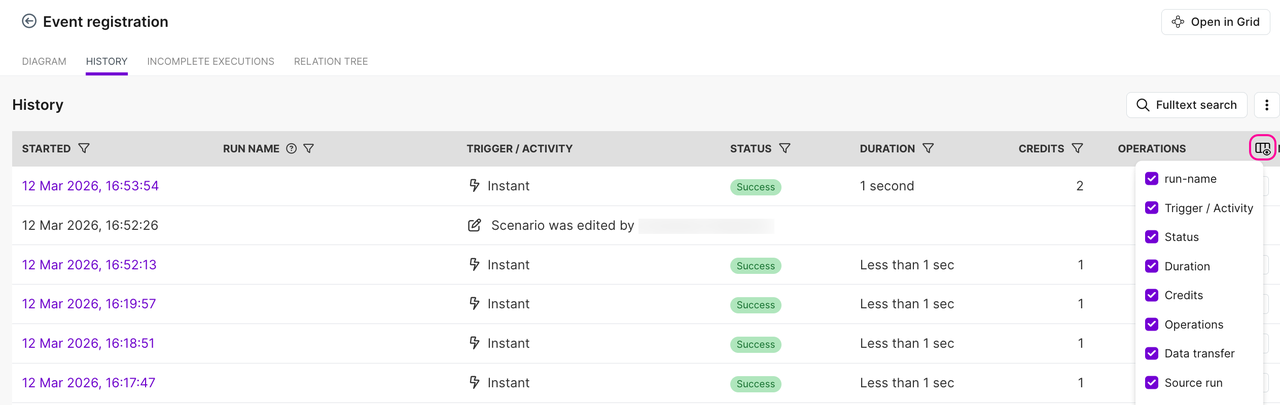
Count actions across normal runs, rejected leads, errors, and retries. Make calls the units credits; some advanced features, such as Make AI Provider-powered features, may consume more than one credit. Add CRM and API charges, review time, and mapping maintenance. Price clean and exception-heavy samples.
Make’s team model matters when more than one person maintains production. Scenarios, connections, and webhooks belong to a team. Plans below the Teams tier are limited to one team, while the Teams tier adds multiple teams and team roles. Enterprise custom roles can narrow permissions further. Verify the intended editors’ actual access in a trial account before making the scenario a shared business process.
When Should a Team Choose Another Approach?
Choose another approach when the CRM already handles the rule. Reconsider Make if the team needs cross-system transaction guarantees, audit detail it cannot retain, or approvals nobody owns. A custom application may fit better.
If the team compares orchestrators, apply the same lead, duplicate, and timeout cases to each. Do not transfer another platform’s retry or pricing assumptions to Make.
Conclusion
Make is a reasonable choice for a lead-to-CRM flow when RevOps can define the matching and overwrite rules and someone can maintain the scenario. The decisive trial includes a clean lead, a duplicate, a rejected proposal, and an ambiguous CRM timeout. If the operator can explain and safely finish all four, the visual builder is doing useful work. If not, keep the CRM write under tighter human or application control.
FAQ
Can a Make team restrict who can edit a production scenario?
Yes, through organization and team roles, subject to the plan. Make says custom roles are an Enterprise feature, and their permissions apply to scenarios across a team rather than one selected scenario. Test a reviewer, editor, and admin account against the production team before relying on a role name.
What information can Make retain in scenario execution history?
Run history can include timing, status, credits, module outputs, processed bundles, and change-log entries. Retention depends on the plan. “Keep data confidential” removes processed payloads from logs, which reduces exposure but also limits troubleshooting. Set the log policy before sending real lead data; avoid treating a successful run status as proof of the final CRM value.
Can the team export a Make scenario when moving to another platform?
Yes, as a JSON scenario blueprint. It includes modules, settings, and mapped values, but connections must be created again after import. A blueprint is useful for review and reuse inside Make; another platform will require a rebuild and a fresh test of triggers, mapping, and credentials.
Which Make plans allow separate workspaces for client or business units?
Make uses organizations and teams. Its documentation says plans below Teams have one team per organization; Teams and Enterprise support multiple teams with team roles. Separate organizations have separate plans and billing, confirm the current billing arrangement with Make before relying on this for client separation. Choose teams for access separation within one account, then confirm billing and resource ownership for each client arrangement.
How can a team verify the source of an incoming Make webhook?
Use the sender’s supported authentication method and verify it before processing a lead. Make’s custom webhook documentation describes API-key authentication through the x-make-apikey header where supported by the applicable webhook, verify against the current Custom webhook documentation for the specific webhook configuration. A secret URL alone is weak evidence of origin. If the sender signs payloads, validate its signature with the sender’s current specification; do not assume Make’s outbound event-subscription signing applies to incoming lead webhooks.