Best Data Enrichment Tools for GTM Workflows in 2027
Compare the best data enrichment tools for GTM workflows using field provenance, CRM handoff, pilot results, and cost per usable record.
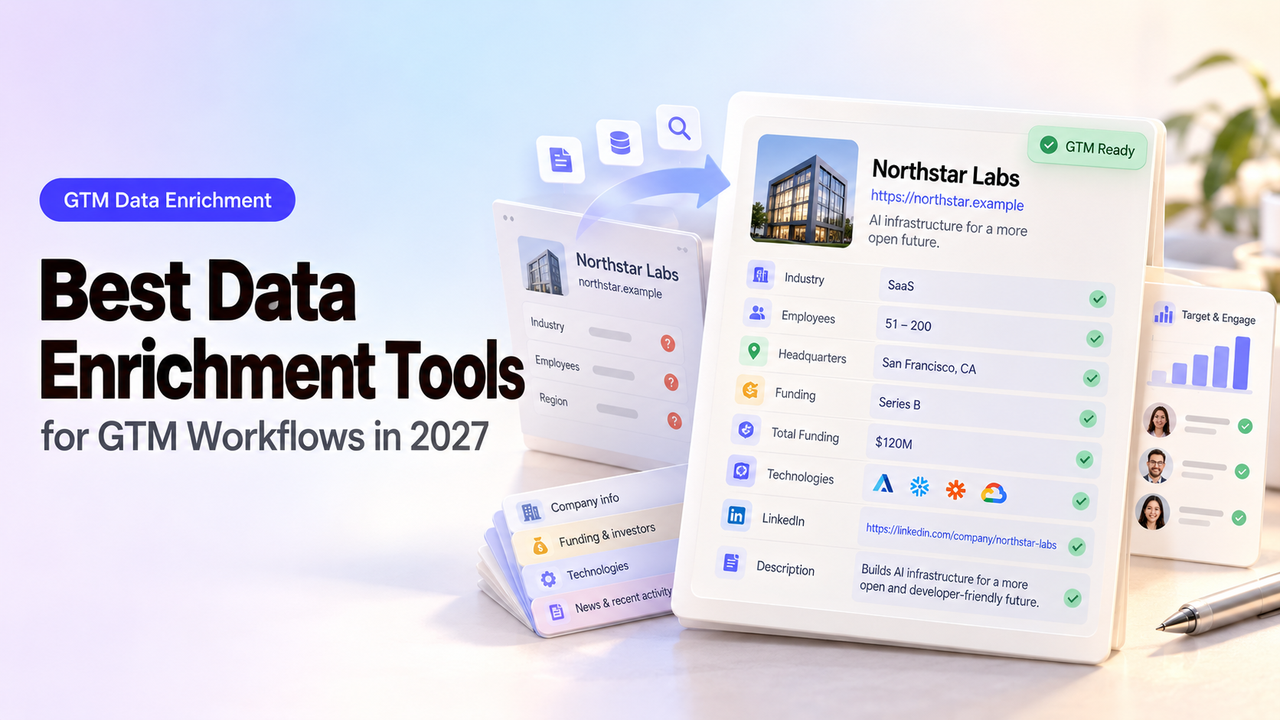
Suppose a vendor returns a new job title for a contact already in your CRM. Is the person still at that company? Will the new title replace one your rep verified last week? The answers matter more than how many fields the vendor can fill.
This comparison looks at four ways to enrich GTM records, then follows each result to the point where someone decides whether CRM should change. Product documentation shows the available routes. A pilot on your own records will tell you which route produces information your team can use.
Which Data Enrichment Job Are You Buying For?
First decide what your team will do with the new data. A sales team looking for work emails needs contact details it can verify. RevOps refreshing company size across existing accounts needs reliable company matching and rules for protecting current values.
Four jobs point to different routes:
Job | Required output | Main failure to watch |
Multi-source account research | Selected firmographics and supporting context | Sources disagree or a waterfall hides provenance |
Prospect discovery plus enrichment | Matched person, company, and contact fields | A plausible contact belongs to another employer |
CRM-native record completion | Supported properties on an existing CRM record | Automation replaces a verified customer field |
API enrichment inside a custom flow | Structured response and match status | “Matched” record lacks the field the workflow needs |
The numbered tools below serve different jobs. Before comparing them, name the field that would change a sales action and the evidence needed to trust it.
How Should Teams Compare Enrichment Tools?
Compare eligible records on identifiers, required fields, evidence, exceptions, and CRM handoff. A vendor’s database size or self-reported accuracy cannot answer those questions for your territory.
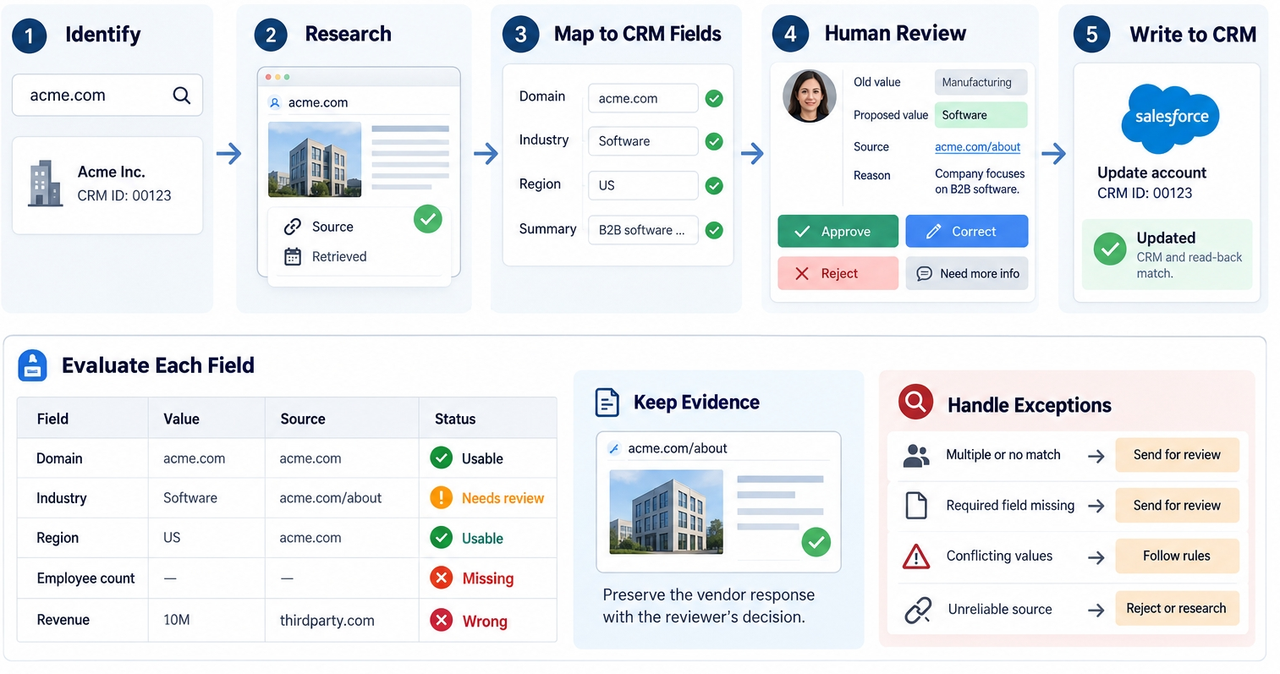
Mark each field usable, needs review, missing, or wrong. “Usable” means the match is right and the value passes the source and freshness rule. Preserve the vendor response beside the reviewer’s decision. A general match score or source category is not a field-level citation.
Cost per usable record = total pilot spend ÷ records that pass every required-field and audit rule. Include seats, credits, API calls, implementation, and verification or connector charges. Cheap returned values can require expensive manual research.
1. Clay — For Multi-Source Research Workflows
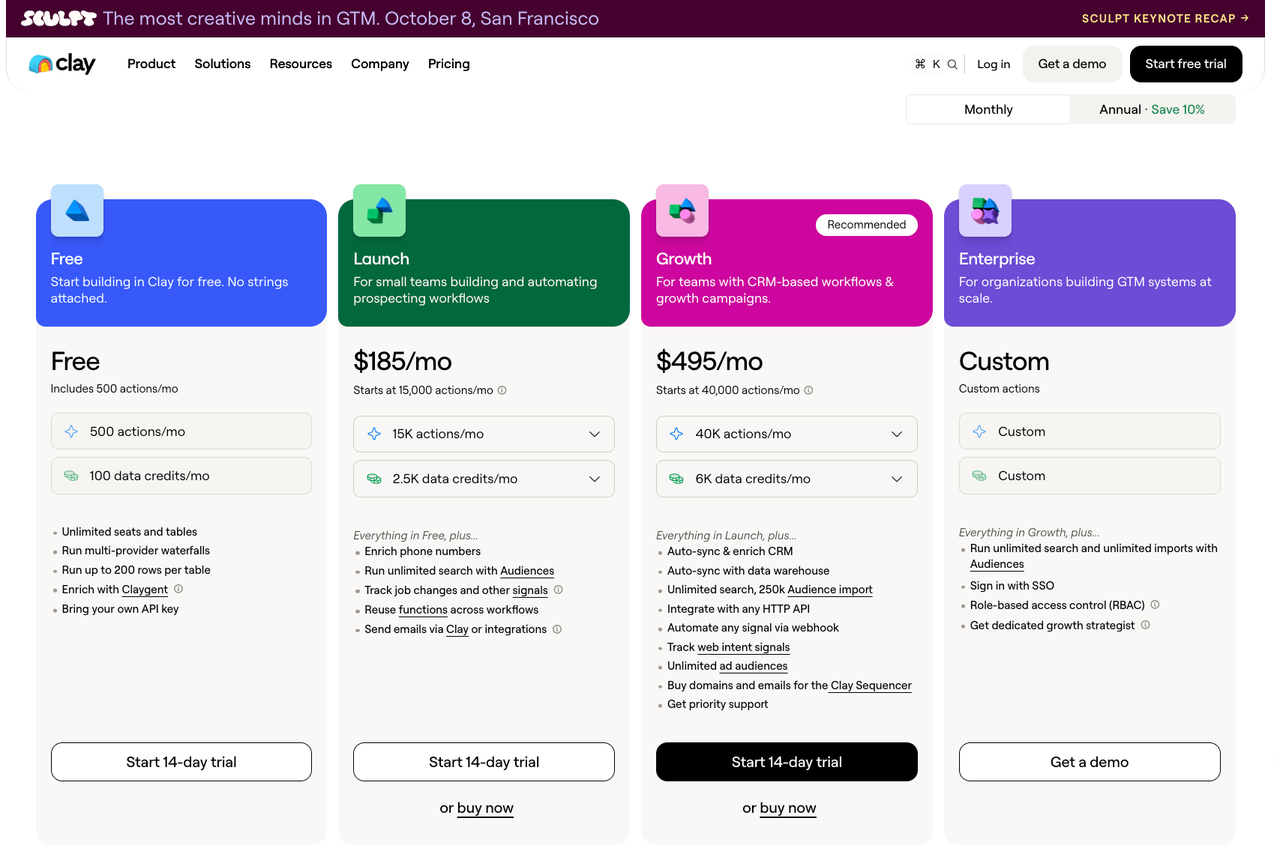
Clay is the strongest candidate here when GTM Ops wants to combine providers, conditional steps, and custom research in one table. Its current pricing page lists multi-provider waterfalls and separates platform Actions from marketplace Data Credits. CRM auto-sync appears on its Growth tier. That structure gives a builder room to test several sources, but each extra step can change the operating cost and the explanation a reviewer needs.
On the shared sample, inspect which provider filled each target field, what happens when two providers disagree, and whether a fallback runs only when needed. Ask how a researcher can review a disputed employee count before sync. Price the exact sequence of lookups, AI research, and writeback rather than dividing a subscription by the number of submitted rows.
Clay suits a team that can maintain the rules. If no one can explain a selected value, the flexibility has outgrown its owner. Keep CRM auto-sync off until field rules are settled.
2. Apollo — For Prospecting With Enrichment
Apollo fits teams that want to discover prospects and enrich contact or account records in the same sales environment. Its enrichment page describes CRM, CSV, and API routes, while the plan matrix lists enrichment and credit entitlements. The convenience is a shorter path from search to usable contact. The buying question is whether the returned fields meet your standard for each sales action.
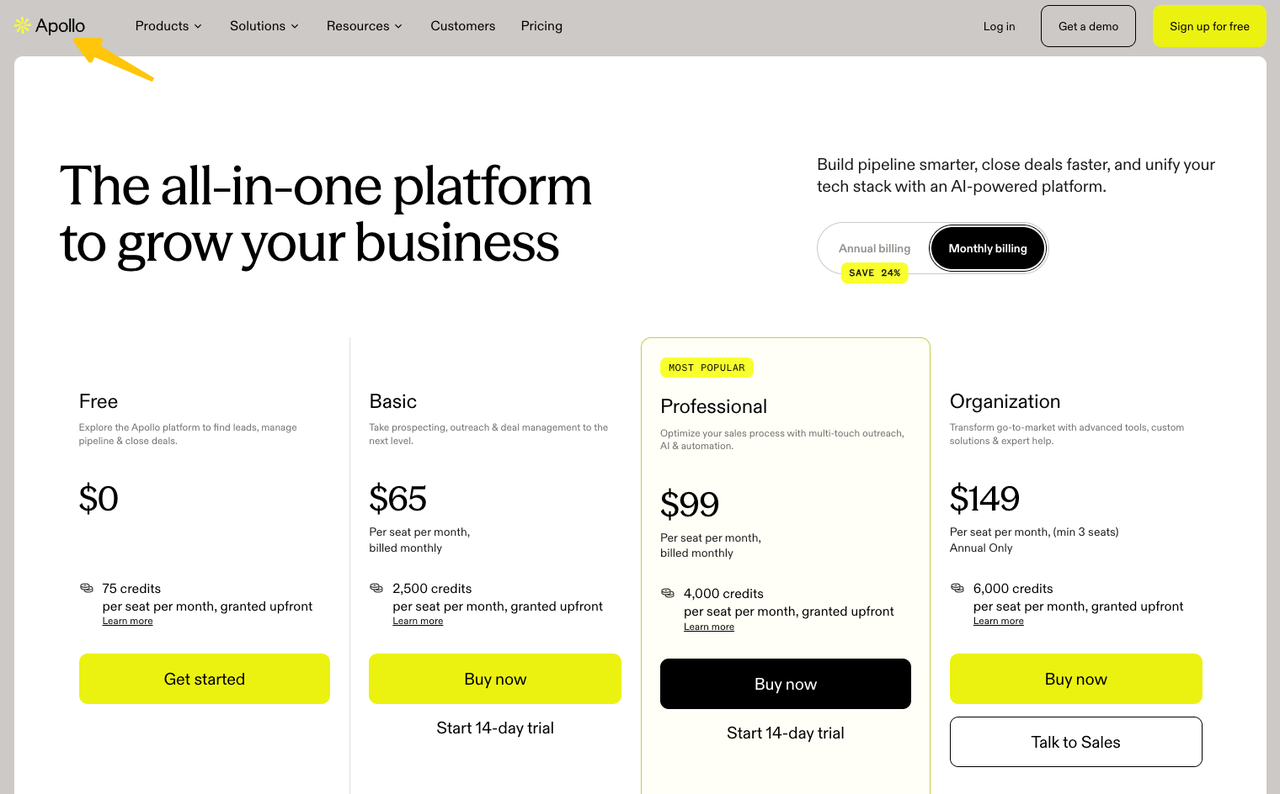
Use the same input people and companies as the other tools, even if Apollo can discover additional prospects. Separate three outcomes: the person matched, a work email was returned, and that email passed your verification rule. A returned phone number or title should not inherit the confidence of the person match. Ask for credit use by endpoint and whether the intended CRM refresh is manual, scheduled, or available on your offered plan.
Apollo is less attractive for a narrow company-data API or when source visibility is inadequate. Exclude newly discovered prospects from the common-sample writeback count.
3. HubSpot Data Enrichment — For CRM-Native Updates
HubSpot deserves the first look when the records and users already live in HubSpot. Its data enrichment guidance describes enrichment of selected contacts and companies inside the CRM, with settings for automatic and continuous updates. It also identifies required permissions and eligible subscriptions. This route can remove an export-and-import step, though it does not remove the need to decide which existing properties may change.
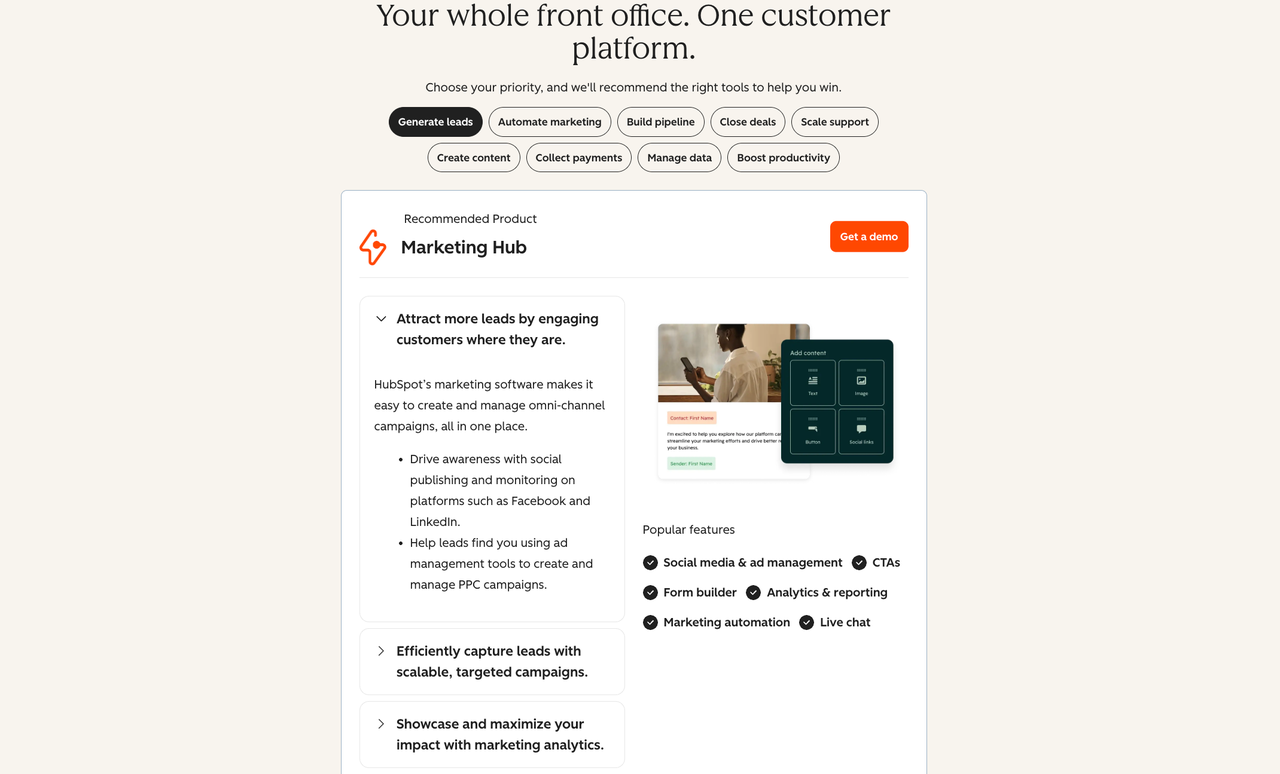
Pilot the supported properties against a snapshot of real records. Include a company with a verified domain, a contact with a work email, a record with a rep-corrected field, and an existing customer excluded from the campaign. Inspect the before-and-after property values and the available change history. HubSpot says turning enrichment off stops future activity but leaves already enriched values in the CRM; plan a correction path before enabling continuous updates.
HubSpot describes a commercial dataset, third parties, and public sources. That does not promise a field-level URL. If account-level visibility falls short, review affected fields manually or exclude them from automated routing.
4. People Data Labs — For API-Based Enrichment
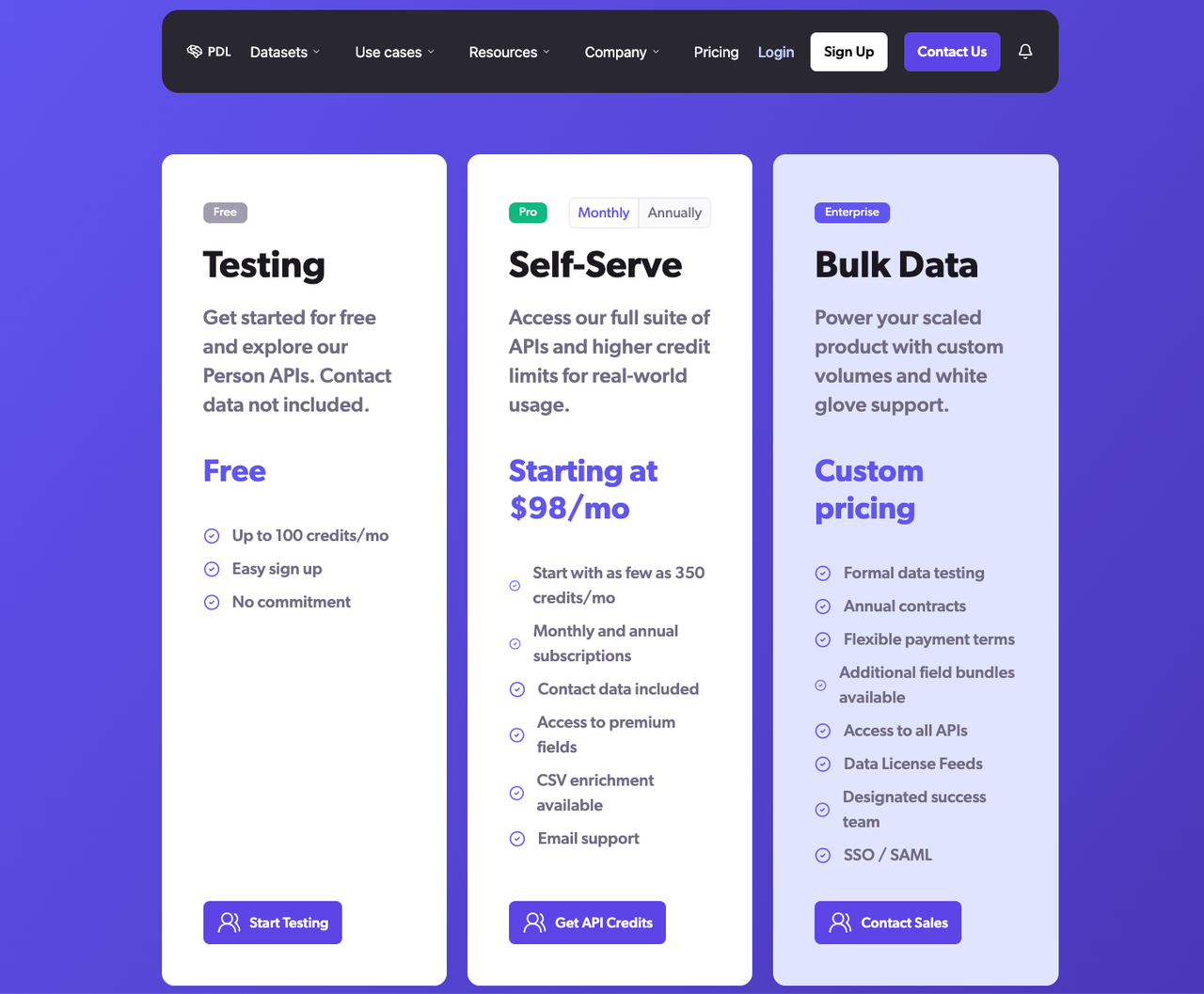
People Data Labs fits a team building enrichment into its own application or data pipeline. Its Person Enrichment API documentation and input-parameter guide describe several identifiers, a configurable min_likelihood, and a required expression for fields that must appear. Those controls make it possible to distinguish a weak match from a response that meets a specific field need. The team still has to interpret and audit the result.
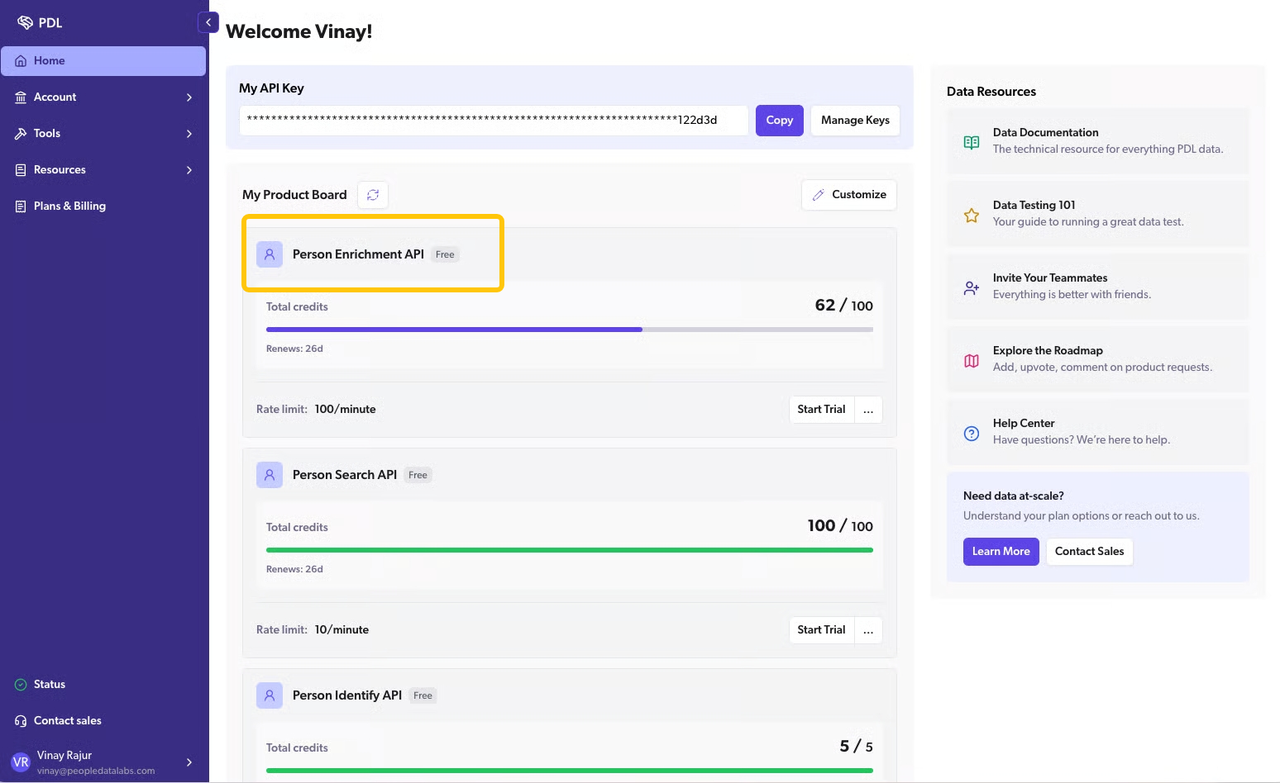
Test person and company jobs separately. Send the same normalized identifiers used for other candidates; capture HTTP status, match information, returned fields, and cost. Try an ambiguous name, a changed employer, and a valid person with no required work email. Check how the API reports each case before mapping a result to a CRM record.
An API fits engineers who can own authentication, retries, rate limits, and CRM writes. It does not supply a complete reviewer interface. Confirm the pricing and usage model for the exact endpoint.
How Can You Pilot These Tools on the Same Records?
Sample the territory you sell into: varied company sizes, regions, names, job changes, duplicates, and verified first-party values. Remove records you cannot submit to vendors. Keep a hidden audit subset.
Freeze the input file before the first run. Give each vendor the same permitted identifiers and required fields; if one vendor needs a different identifier, note that difference rather than quietly improving its input. For HubSpot, the sample must be tested inside an eligible account, so compare the exported before-and-after results with the others. Keep separate counts for submitted, matched, required-field complete, audited correct, and CRM-ready records.
The useful pilot output is a short disposition ledger:
Record ID | Match | Required fields | Field evidence | Decision | Write status |
Company or contact key | Matched, ambiguous, none | Complete, partial, missing | URL, source category, or unavailable | Accept, review, reject | Not sent, written, failed |
Audit a random portion against primary sources and log corrections. Two agreeing vendors may share an upstream source. Calculate coverage, audited accuracy, usable yield, and cost per usable record separately. The lead enrichment API guide expands identifier checks for inbound CRM.
What Should Happen Before Enriched Data Enters CRM?
An approved field should have a stable target record, an allowed source, an overwrite rule, and an owner for exceptions. Match by the CRM’s record ID when available. If the identifier is ambiguous, stop the write. Protect customer-entered and rep-verified values unless the business has explicitly approved a replacement rule.
Stage proposed changes beside current CRM values. A reviewer should be able to accept, correct, or reject the proposal, and the workflow should record that decision. Then write only the approved fields and read the record back to confirm the update. Keep failed writes in a queue with the original proposal so a retry cannot silently create a duplicate or overwrite a later human correction. The broader research-to-CRM workflow shows how this handoff fits sales qualification.
Check vendor data terms, permitted uses, retention, deletion, and suppression before moving personal data through the pilot. HubSpot’s documentation, for example, explains how identifying business information is used during enrichment and how its settings affect future activity. Product controls help implement a policy; they do not determine the organization’s obligations for every jurisdiction or outreach channel. Get the appropriate privacy review for the data and campaign you intend to run.
SpringBrand may support downstream GTM work only where its current product pages verify the relevant capability. This comparison does not assume a direct connection to any of the four providers or a CRM write integration.
Conclusion
The best data enrichment tools solve different parts of a GTM workflow. Clay gives a builder room to combine sources; Apollo joins prospecting with enrichment; HubSpot keeps updates in its CRM; and People Data Labs gives engineers API-level match control. Choose with the same records, the same required fields, and the same audit rule. The winning pilot leaves your team with more usable records, a defensible cost, and fewer disputed CRM changes.
FAQ
Can a tool distinguish an unmatched record from a missing field?
Sometimes, but verify the response on the exact endpoint. A person can match while a required email or title remains absent. People Data Labs offers a required field condition; for every candidate, log match status and field completeness separately. Treat an ambiguous response as a review case, not a successful enrichment.
Can a team see the source of each returned field?
Not always. Some tools expose a provider, source category, or overall match signal without a field-level citation. Ask each vendor for the evidence available in your plan and export. If a high-impact field cannot be traced well enough for your policy, do not let it overwrite a verified CRM value.
What happens when the same contact appears twice in a batch?
That depends on the vendor and import settings. Deduplicate the input by stable CRM ID or another approved key, preserve both original row references, and test whether duplicates consume credits or produce separate updates. Resolve conflicting values before either row writes to CRM.
Can existing customers be excluded from an enrichment run?
Yes, if your intake or CRM selection rules filter them before submission; do not assume every vendor applies that exclusion for you. Test a known customer record and check the vendor’s submitted-row log. HubSpot also lets admins control which records are enriched automatically, so confirm the account settings before enabling a recurring job.
Can enrichment results be deleted from a vendor workspace after export?
Often there is a deletion route, but its scope and retention period vary. Ask what happens to source rows, returned fields, logs, backups, and any downstream synced copies. Export is not deletion. Confirm the exact contract and workspace controls before uploading the pilot sample.