Lead Enrichment API: Choose Data for CRM Workflows
Choose a lead enrichment API for CRM workflows by testing identifiers, match confidence, freshness, coverage, writeback rules, and human review.
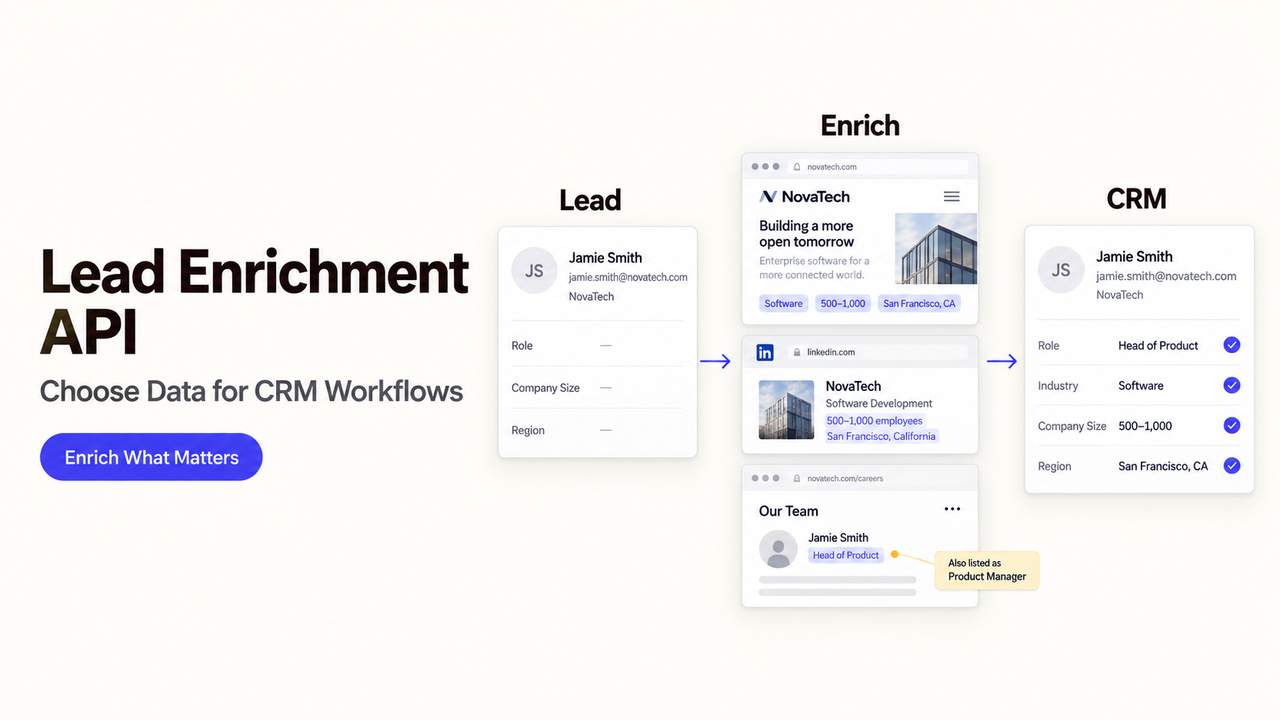
A lead enters your CRM with a work email. Can an API identify the right company before routing—or will a wrong match send it to the wrong team? Database size cannot answer that.
This guide compares five lead enrichment APIs for an inbound CRM workflow. It uses vendor documentation checked as of October 5, 2026, where the cited documentation was accessible.
What Job Should the Lead Enrichment API Complete?
Start with a form submission containing a work email. The CRM needs a company match before routing. Domain, name, industry, and employee range may suffice; a phone number is unnecessary.
Keep four objects separate. Person data describes an individual; contact data adds ways to reach that person. Company data describes a business, while an account is your CRM's record and ownership structure. Email verification asks whether an address may receive mail. It does not establish that the person works at the matched company or wants contact.
A CRM refresh may favor batch coverage; inbound routing needs a fast, small response. Neither should overwrite a rep's verified note without a rule.
What Inputs and Outputs Must the API Support?
For the form-fill example, send a work email and any supplied domain. Require a match status, company identifier, approved fields, and enough context to write, queue, or leave the CRM unchanged.
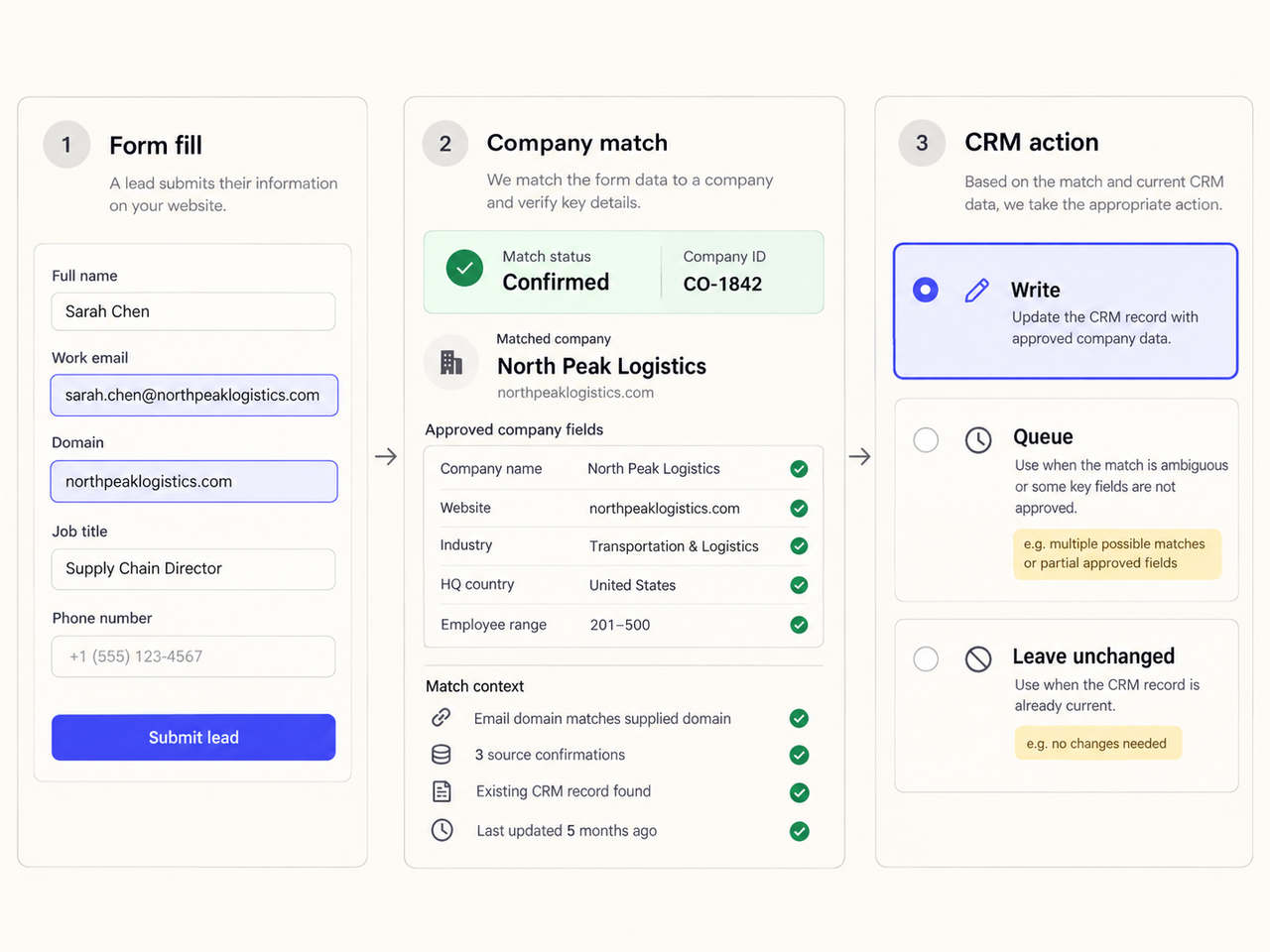
Accepted Identifiers and Required Fields
Check whether each endpoint accepts an email, domain, name plus company, social profile, or vendor ID. A company-domain match is not a person match. Normalize domains and preserve the submitted value so a reviewer can investigate a disputed result.
Request only fields the routing rule uses. If employee range is absent, follow a neutral path; do not infer it from the company name. Check extra-credit fields.
Match Confidence, No-Match, and Ambiguous Results
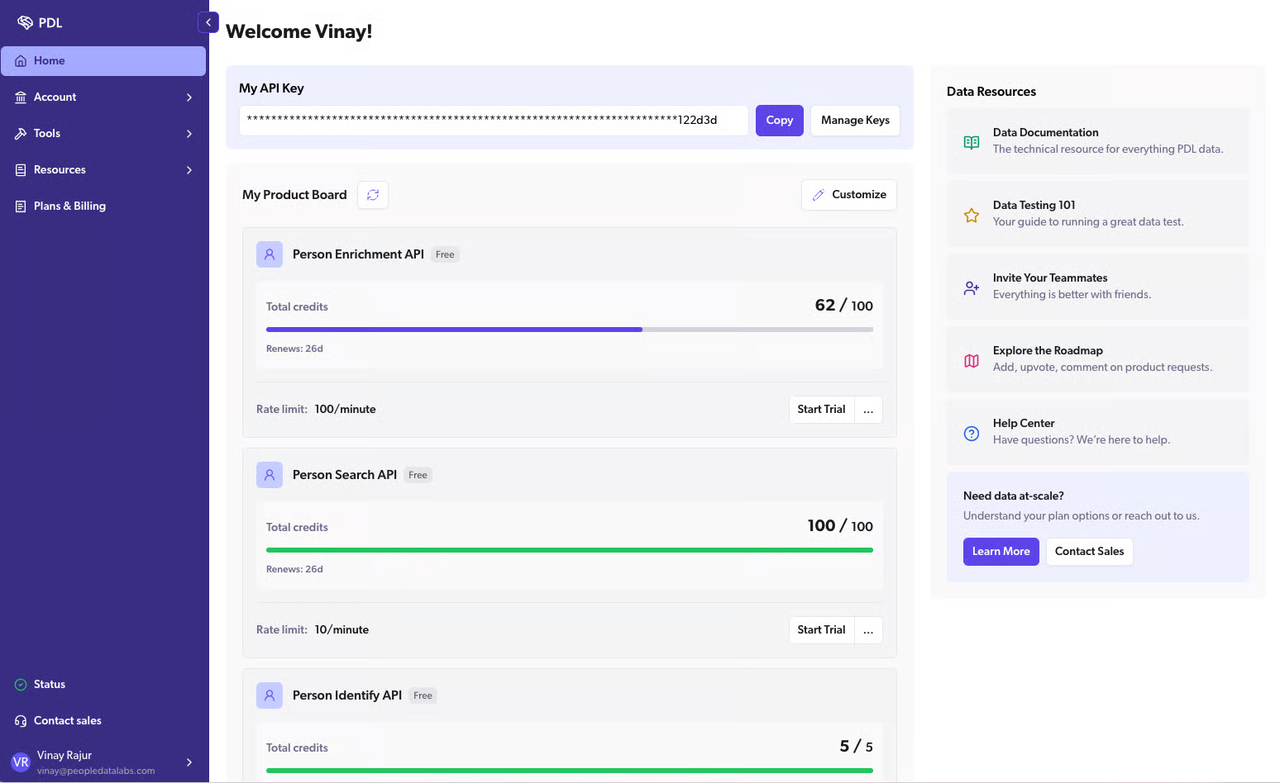
Treat a match score as the provider's signal, not a universal probability. People Data Labs, for example, documents a configurable min_likelihood threshold for its Person Enrichment API. Its scale cannot be substituted for another vendor's confidence field.
Define accepted, review-needed, and no-match outcomes. An ambiguous response should not create an account automatically. Keep the response reference and decision rule.
How Should Teams Test Data Quality With a Representative Sample?
Use approved records covering known matches, job changes, small firms, subsidiaries, personal emails, and deliberate no-matches. Check each provider on the same inputs and date. Documentation alone cannot rank accuracy.
Accuracy, Freshness, and Coverage
Measure field-level accuracy separately from match rate. For each returned company, compare the domain, legal or operating name, industry, and employee range with your trusted current record. Note the provider's update timestamp if available; a response time is not a data-refresh date.
Report coverage by your target segments, not one global percentage. Ask how fields are sourced and updated; mark undisclosed provenance as unverified.
False Matches and Missing Records
A false match can change account ownership or trigger the wrong sequence. Count wrong-person and wrong-company matches separately. A strict threshold may also exclude useful leads.
Report accepted matches, review volume, false matches, missing fields, and response time. Set acceptance thresholds before viewing results; no universal benchmark applies.
Which Lead Enrichment APIs Fit Different CRM Jobs?
People Data Labs is a person-match candidate; CompanyEnrich is domain-first. Apollo, Lusha, and Hunter offer different contact-and-company combinations. This is a documentation-based shortlist, not a performance ranking. Verify your plan's API entitlement and limits before building around an endpoint.
1.People Data Labs: When Person-Match Control Matters
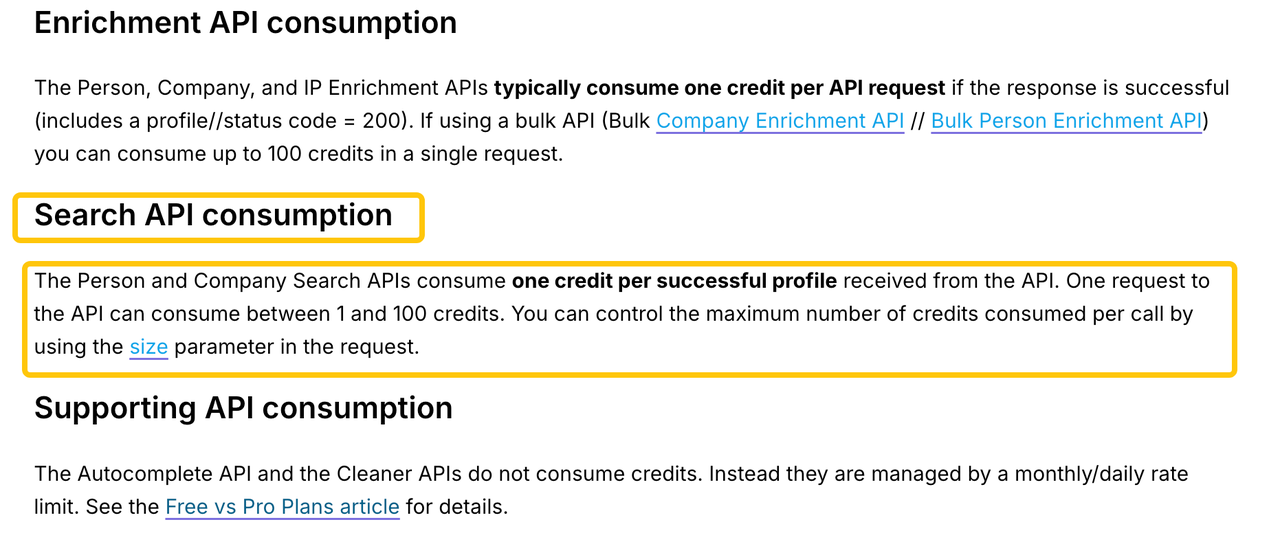
People Data Labs accepts several identifiers for person enrichment and lets callers set min_likelihood or require particular returned fields. That suits a team willing to trade some matches for stricter person resolution. A returned likelihood still needs validation against your own sample; do not use it to certify a contact. Its pricing help says successful person or company enrichment typically uses a credit. Confirm your account's bulk access, field availability, and data terms.
2.Apollo: When Enrichment Must Sit Near Sales Records
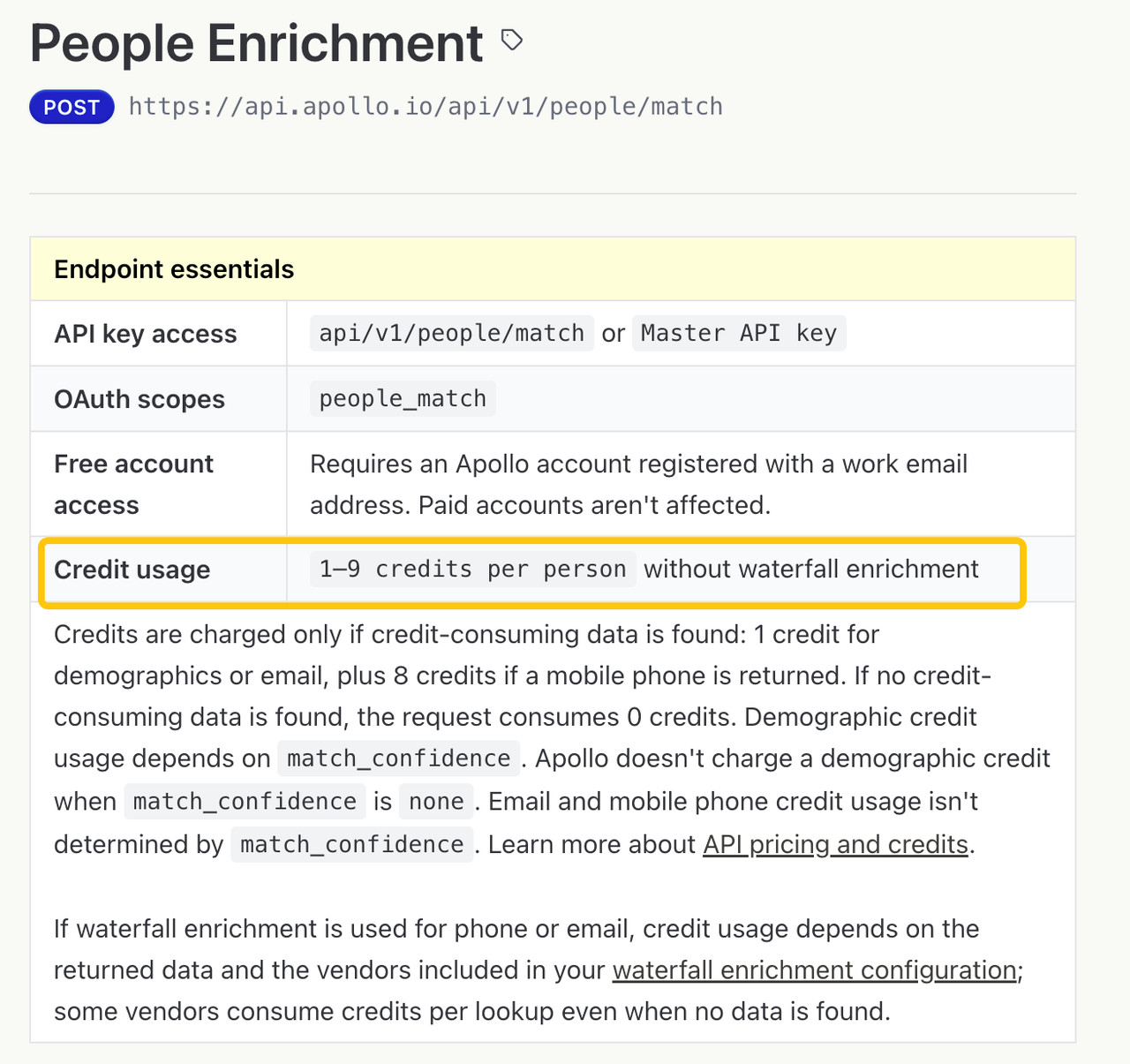
Apollo's People Enrichment endpoint accepts person identifiers and documents 1–9 credits per person without waterfall enrichment, depending on returned data. Apollo also has organization and bulk routes. It may fit a team already using Apollo, but enrichment is not a write to your separate CRM. Check confidence, authentication, and plan limits before syncing.
3.Lusha: When Contact and Company Lookups Share a Flow
Lusha documents person and company enrichment plus a V3 migration path from older endpoints. Its search-then-enrich option can keep teams from spending credits on every search result. It is worth evaluating when both contact and company details matter, provided your integration uses the current API version. Test incomplete records, bulk limits, and whether returned phone or email fields meet your actual need; do not assume every result includes them.
4.CompanyEnrich: When Domain-First Firmographics Lead
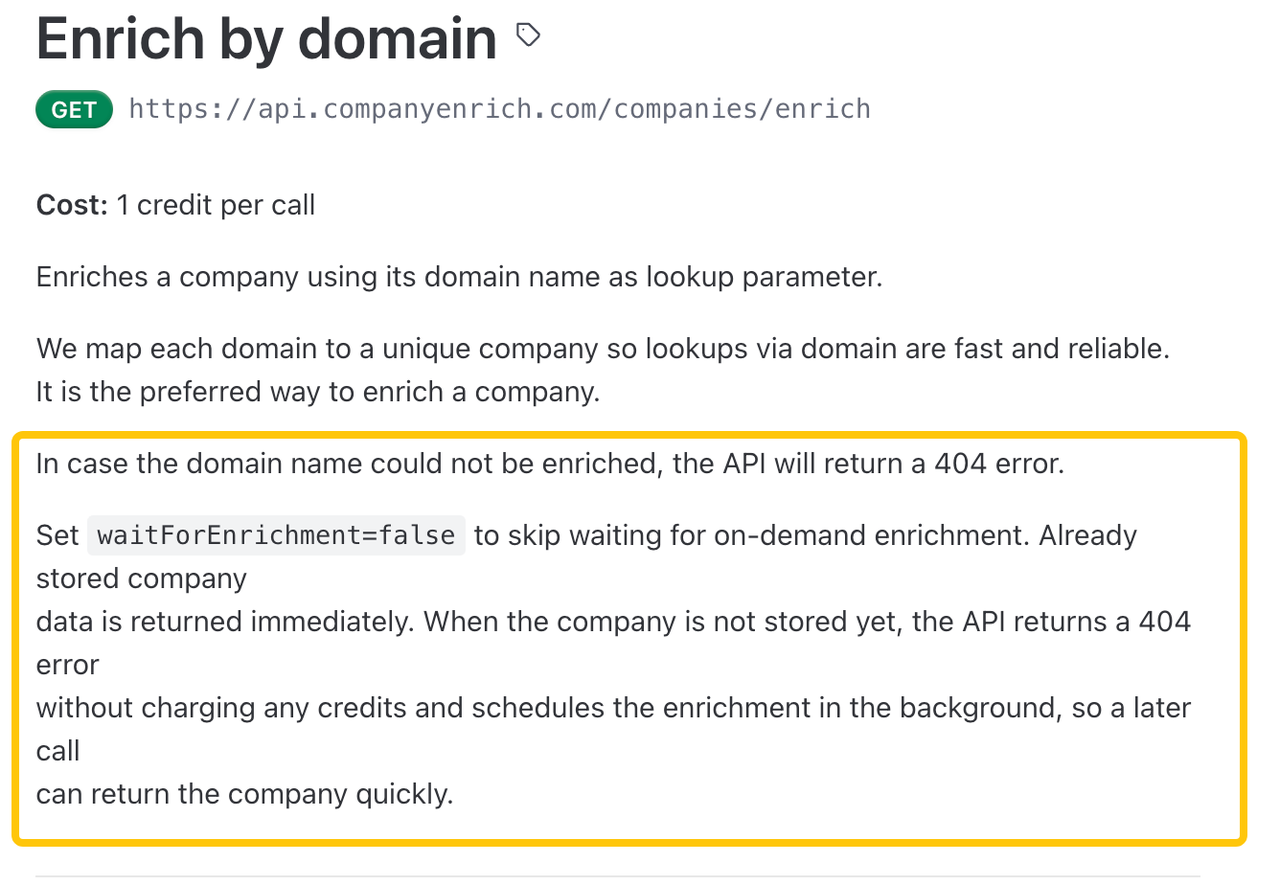
CompanyEnrich's domain enrichment endpoint is listed at one credit per call, with a documented no-charge 404 case when waitForEnrichment=false and the company is not yet stored. It also publishes an asynchronous bulk-company job. This suits account-level routing from a known domain, not person verification. Review optional field costs, background-enrichment behavior, and whether a later result may update an already-routed record.
5.Hunter: When Email and Domain Data Are the Starting Point
Hunter's API reference separates Email Finder, Email Verifier, person/email enrichment, company enrichment, and combined enrichment. This helps distinguish address discovery from company facts. Hunter documents sources for parts of email search, not necessarily every enriched field. Compare endpoint-specific response and credit rules; a deliverability result alone must not become an account match.
How Should Enriched Data Reach the CRM?
Put enrichment between form capture and routing, but let the CRM retain authority over owner, lifecycle stage, suppression status, and human corrections. A result can be useful without being allowed to write every field.
Update Rules and Field Ownership
Map each output field to a CRM field and choose one rule: fill blank, update only if newer and trusted, or never overwrite. Preserve the old value, provider, lookup time, and reason for a change. For the inbound example, company domain may suggest an existing account; it should not silently merge two accounts with similar names.
Human Review Before High-Impact Actions
Queue ambiguous matches, conflicting employers, and changes that would reassign an account or start external outreach. A rep or CRM owner can approve the candidate company and correct the record before any downstream action. This review step is a workflow recommendation, not a built-in feature promised by every API.
Rate Limits, Costs, and Partial Failures
Model cost per usable result, not per advertised credit. Include extra lookups, paid fields, no-match charges, retries, and the review queue. Apollo and CompanyEnrich publish rate-limit and 429-response guidance; confirm the exact limits for your plan.
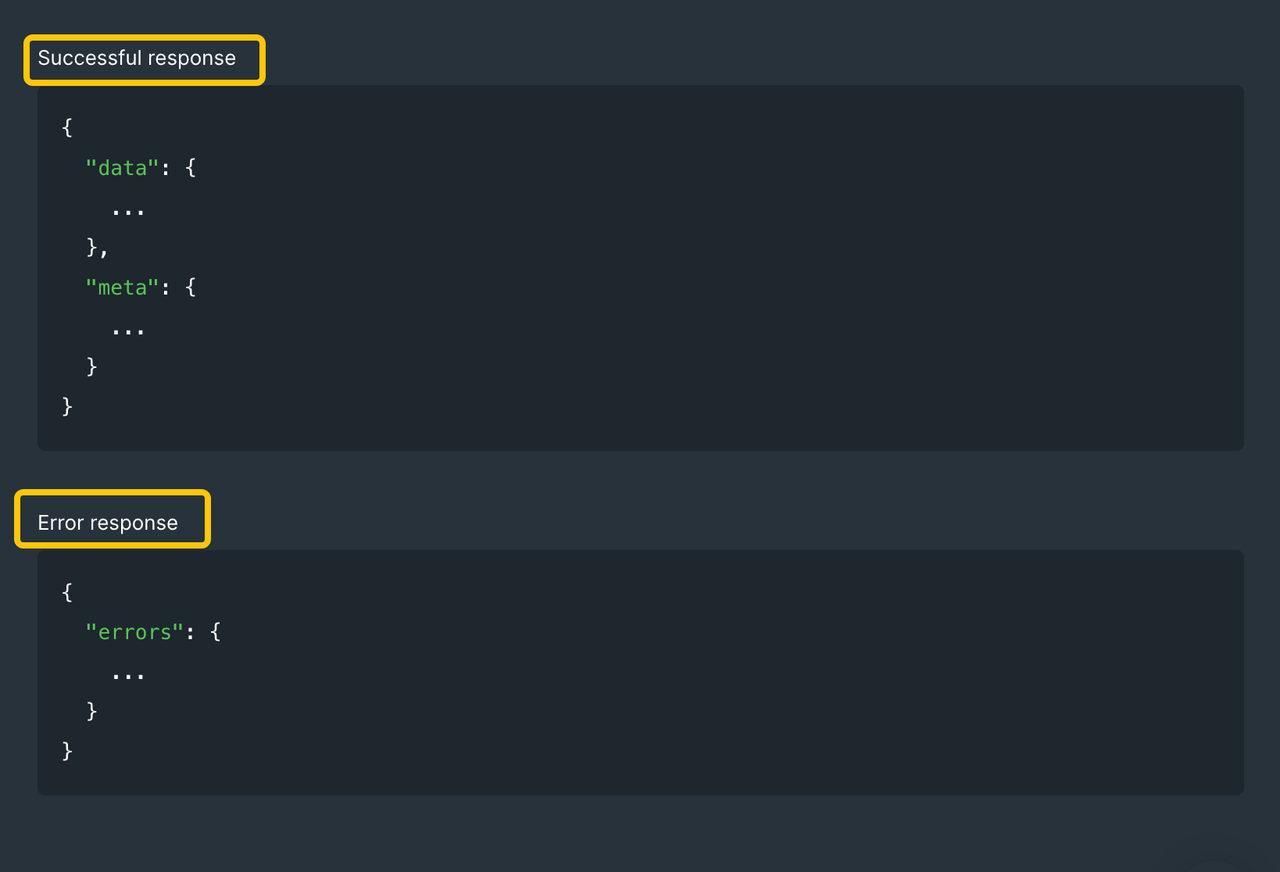
If enrichment times out, keep the original lead and mark the enrichment attempt pending. Retry within a bounded window without creating a second CRM record. A partial payload should never overwrite a previously verified value merely because the API call returned HTTP 200.
What Privacy and Compliance Requirements Should Teams Check?
The vendor's policy is a starting point, not approval for your intended use. Before sending personal identifiers, ask your privacy and security owners to review your collection basis, the provider's permitted uses, data-subject requests, retention, subprocessor terms, and any regional constraints. This is operational information, not legal or compliance advice.
Review the first-party terms for each shortlisted provider:
- People Data Labs' service terms
- Apollo's DPA
- Lusha's privacy notice
- CompanyEnrich's privacy policy
- Hunter's DPA
Also check current Security and subprocessor materials. These links do not prove regional hosting is available to your account or that every downstream CRM use is permitted.
Conclusion
Choose a lead enrichment API by the CRM decision it must support, then test the same records and writeback rules across a short list. A high match rate is not valuable if the matches move leads to the wrong account.
If an agent uses enrichment data, define accepted fields and a human review point before it changes a sales workflow. With that contract set, explore SpringBrand's current GTM tools for the next task; this article does not claim a connection to the providers above.
FAQ
Can responses show the source used for each enriched field?
Sometimes, but not by default across providers. Hunter documents sources for parts of its email-search response; that does not establish provenance for every person or company field. Request a sample payload and mark any field without source metadata as unverified.
How are suppression lists applied before CRM writeback?
Apply your organization's suppression check before accepting enrichment into the CRM or triggering outreach. Apollo's DPA describes removal requests and downstream obligations, but it does not replace your own suppression logic. Test a suppressed lead as a negative case.
Are sandbox records available for testing without using real personal data?
Not universally. Hunter documents a test API key for parameter testing with dummy responses. For other providers, verify their documented test mode or obtain approved synthetic records; do not assume a production key provides a sandbox.
Can customers submit correction requests for inaccurate enrichment records through the API?
Do not assume so. CompanyEnrich's privacy policy describes correction requests, but that is not evidence of a correction endpoint. Ask each provider for its supported request channel and decide who updates your CRM copy after a correction.
Do providers offer regional data-residency options?
Some may, but the cited public API documentation does not establish a comparable regional choice for all five. Check each vendor's current contract, privacy terms, hosting information, and subprocessors for your account. Do not infer data residency from a vendor's office address.