Clay Review 2027: Fit for CRM Enrichment
This clay review assesses CRM enrichment through usable-record quality, provider provenance, spending controls, and sync readiness.
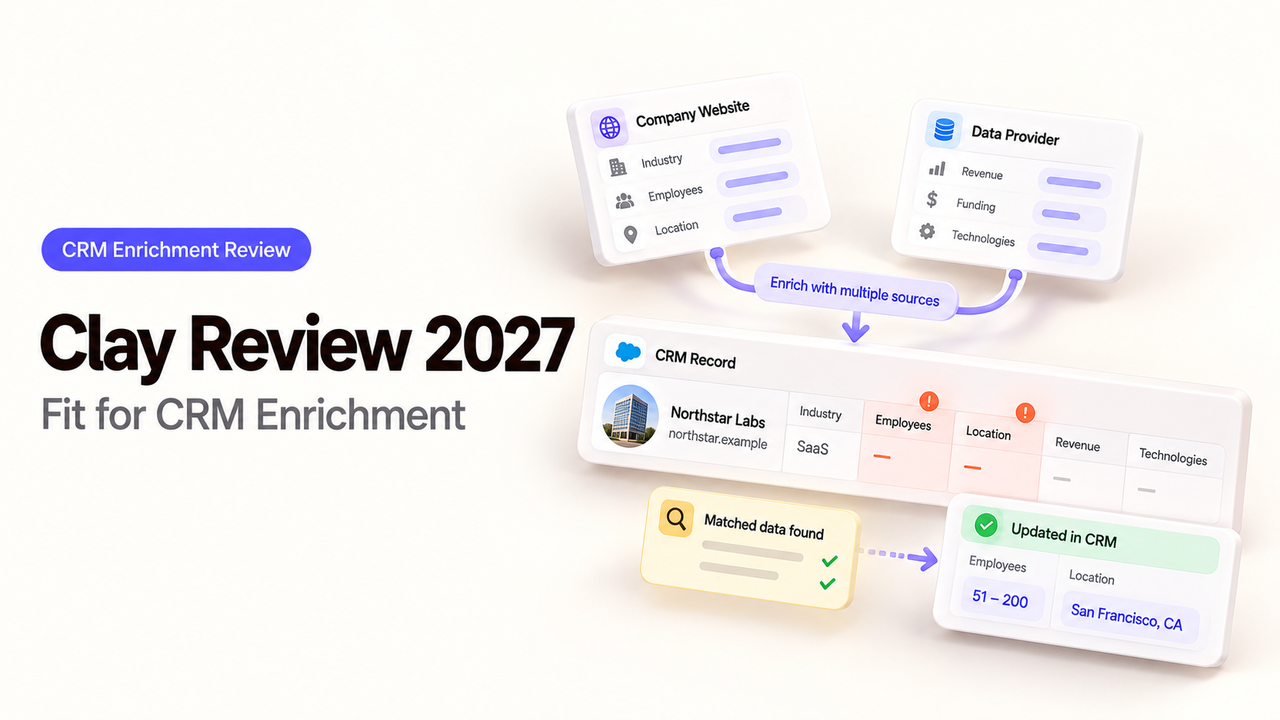
Before importing accounts into Clay, decide which columns may spend money and which CRM fields may change. A waterfall can find a value; your team decides whether it belongs on the account. I’m Alex, and this review follows that decision through review, cost, and writeback.
Is Clay a Fit for CRM Enrichment?
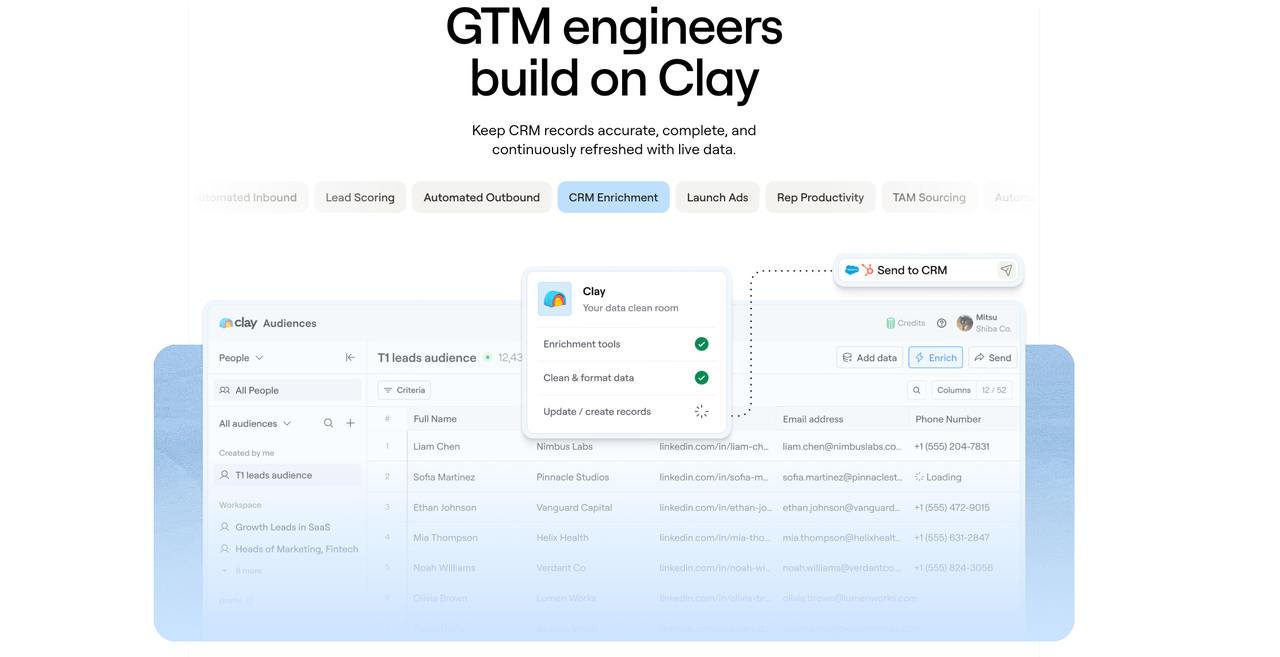
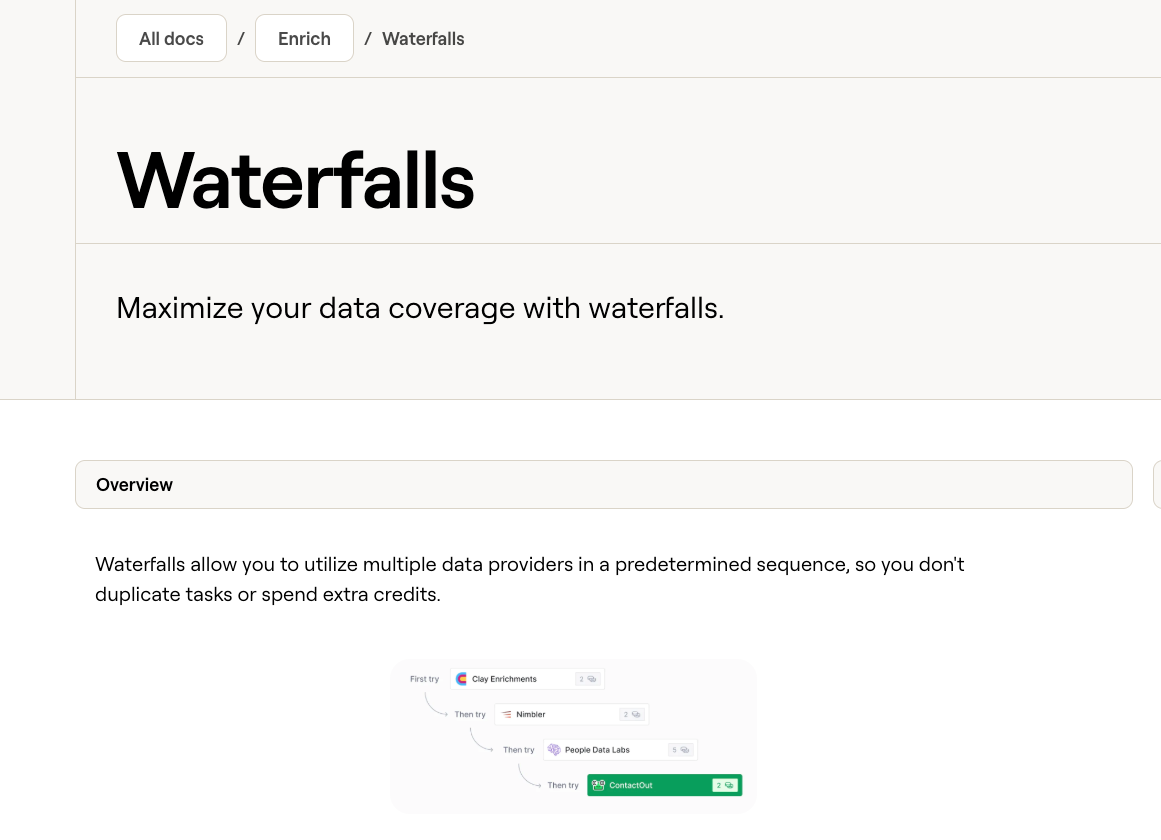
Yes, if your team can define a useful account record before it runs enrichment and review the output before CRM writeback. Clay is especially relevant when one source leaves too many gaps and a configurable data waterfall can try other providers. Its waterfall settings let a builder order providers and optionally output the name of the one that succeeded.
That flexibility creates work for RevOps. A provider response does not establish that its employee count matches your CRM's definition or should replace an owner's value. Ask how many accounts can be safely updated, and what each accepted account costs.
On a sample batch, the telling cases are accounts where the first provider misses a field or conflicts with a rep-verified value. Those rows show whether another lookup earns its cost and whether the proposed CRM change can be approved.
The Enrichment Task and Evaluation Criteria
Give Clay a batch of CRM accounts. Each row needs an account ID, domain, existing values, and owner. The team wants two missing fields—say employee range and industry—without replacing manually verified values. It will update approved records and keep the reasons.
The decision turns on four measures:
Measure | What the RevOps owner records |
Usable-record rate | Accounts with every required field, a stable CRM match, and approval for the proposed update ÷ accounts submitted |
Provenance | Provider name, returned value, run date, and any source detail the provider actually supplies |
Writeback readiness | Field mapping, blank-value behavior, duplicate handling, reviewer decision, and CRM update result |
Cost per usable record | Total attributable Clay and external-provider cost ÷ accepted accounts |
Source Record, Desired Fields, and CRM Output
Start with account ID and domain. Similar names can mask different businesses. Preserve the old CRM value beside the proposed one.
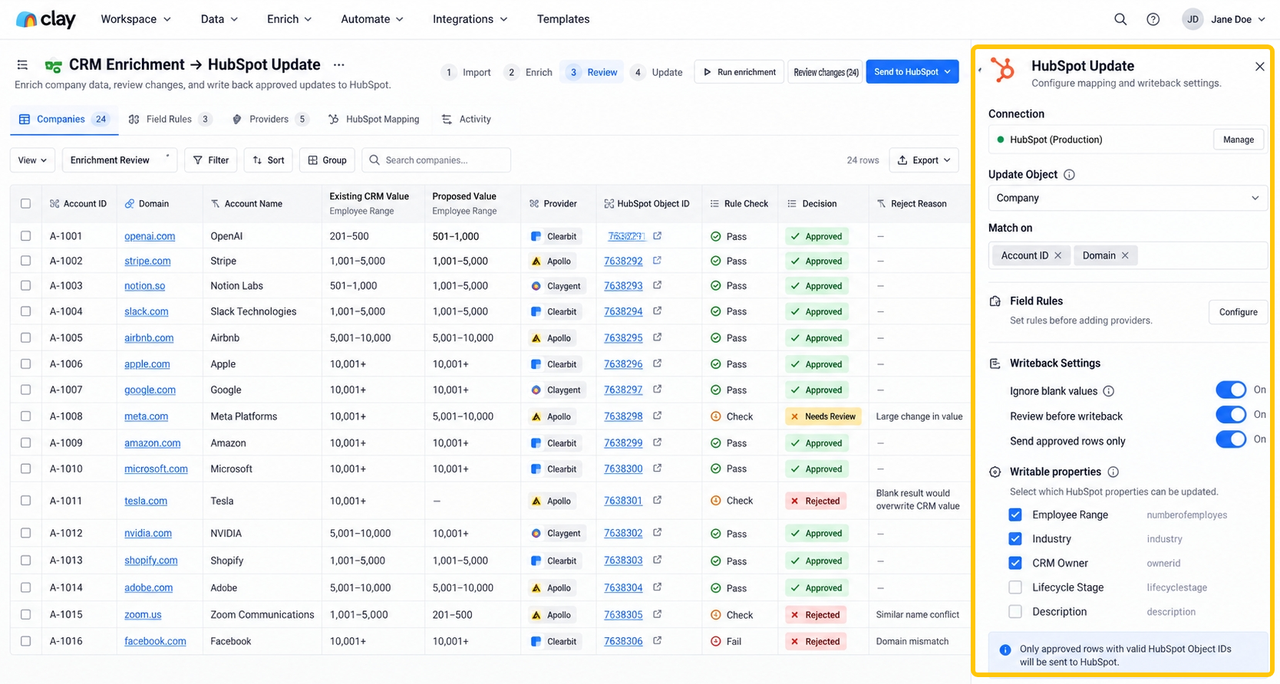
Set field rules before adding providers. “Employee range” is useful only if its definition and freshness suit your segmentation. A blank result must not erase a known CRM value. Deliver approved updates tied to CRM IDs and rejected rows with reasons. Clay's table-based HubSpot integration supports object updates; writable properties depend on the portal and object type. Map against your schema.
How Can a Team Judge Record Quality?
Judge the proposed CRM change, not merely whether the enrichment returned a value. A usable record has a reliable match, required fields that meet the team's rules, and no unresolved conflict with the CRM. Report unmatched accounts, missing fields, conflicting values, and accepted updates separately. Combining them into one “coverage” percentage hides where the workflow fails.
Include difficult records in the sample: subsidiaries, renamed companies, shared domains, and rep-completed accounts. Check whether that sample represents the full batch before generalizing its usable-record rate.
Provider Provenance and Conflicting Values
Clay can output the successful waterfall provider's name. Keep that column visible or included in the review export. A provider label answers who returned the value; it does not necessarily give a primary source URL, a collection date, or proof that the value is current. Record those separately when available, and mark them unknown when they are not.
If providers disagree, route the conflict to a reviewer or limit updates to blank CRM fields. For a field driving territory or scoring, the owner must choose the business definition. Adding another provider will not make that decision.
A Review Gate Before CRM Sync
Show the reviewer CRM ID, old value, proposed value, provider, and a decision column. Run the CRM action only for approved rows. Compare completed updates with approvals, keeping failed or skipped rows visible.
Clay's Audiences documentation describes native Salesforce writeback; HubSpot updates from Audiences must pass through a Clay table. A table's CRM action is separate. Confirm your route, connected account, plan, and mapping.
What Is the Cost per Usable Record?
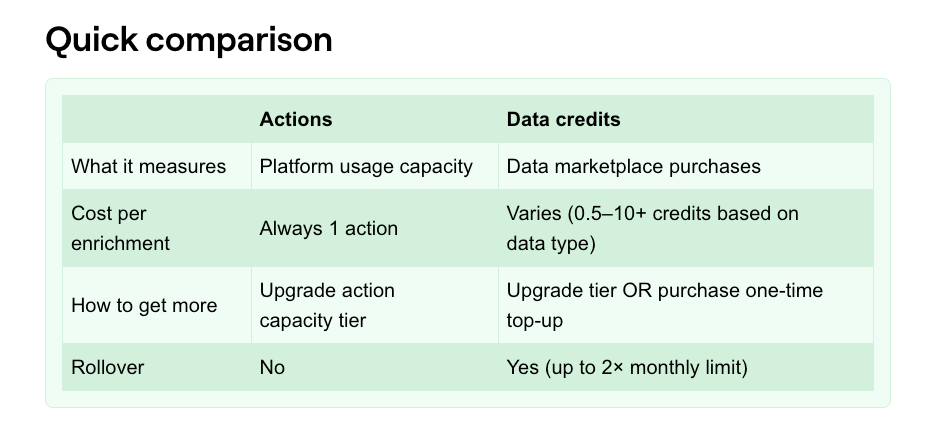
Divide the full pilot cost by accepted accounts, not by enriched rows or successful lookups. Clay currently distinguishes Actions and Data Credits: enrichments use Actions, marketplace data can use variable Data Credits, and CRM exports or syncs use Actions per record. Using your own provider key can remove Clay's marketplace Data Credit charge while leaving the Clay Action and the provider's separate bill.
Suppose an illustrative pilot submits 100 accounts. Seventy return the requested fields, but only 45 pass matching, conflict, and reviewer checks. If the attributable pilot cost is $180, the cost is $4 per usable record, not $1.80 per submitted account. These are example numbers, not a Clay benchmark. Include repeat runs, external subscriptions, and the time spent resolving exceptions when comparing this route with alternatives.
Test Sample, Missing Values, and Repeat Runs
Before importing the full batch, select a small representative sample and set its spend boundary. Clay says table auto-run is enabled by default; a CSV import can instead be saved without running enrichments. Check run conditions, provider order, and whether edited rows will rerun before opening the rest of the batch.
Record each sample row as unmatched, rejected, or accepted. Include retries in the cost ledger. Clay offers Enterprise-only credit budgets and Enterprise workbook limits, but Data Credit caps exclude external provider bills. Assign one owner to approve reruns.
When Should the Team Use a Different Approach?
Choose a simpler route when one trusted source already covers the required fields and your team mainly needs a controlled CRM update. In that case, an extra provider sequence can raise cost and complicate attribution without improving accepted records. A native CRM enrichment feature may also be easier to govern if the needed data and permissions are already inside your CRM.
Clay becomes harder to justify when reviewers cannot explain why a returned value should replace the current one, or when the organization requires regional processing terms it has not obtained. Pause procurement on those requirements; do not infer them from a feature page. If the data is sound but the remaining task is routing approved rows across several apps, a separate workflow layer may be useful. SpringBrand can be evaluated for that handoff only against its documented current connections and controls; it should not be treated as an equivalent enrichment provider.
Conclusion
Clay is a credible choice for CRM enrichment when multiple providers materially improve the number of accounts your team can approve for writeback. Its provider sequence and CRM actions are useful building blocks, but they do not make field quality or overwrite policy automatic. Start with a representative batch, retain the successful provider label, review conflicts, and reconcile the CRM updates. If the accepted-record rate and cost per usable record beat your current process, expand the workflow with the same checks in place. For teams designing the downstream handoff, the related lead enrichment API guide covers where enriched data enters a broader workflow.
FAQ
Can a Clay team export its enriched records and provider labels?
Yes, if the provider-name output is configured and included in the table view used for export. Clay documents both the waterfall's optional provider-name column and CSV download of table data. Export a sample first: hidden columns and complex object fields may not appear as expected. A provider label alone is not field-level proof of origin.
Can administrators limit who may run paid Clay enrichment actions?
They can restrict access and impose some spend controls, but the exact boundary depends on role and plan. Clay's role documentation says Editors can run enrichments, while Enterprise Viewers are read-only by default and can receive edit access to a specific workbook. Enterprise workbook spend limits are admin-managed; credit budgets cap Data Credits, not Actions. Test the intended role with a pilot workbook before relying on it as a spending lock.
What data-deletion controls apply to records imported into Clay?
Clay documents table and workbook deletion, with deleted tables first going to an Archive. Its workspace deletion guide describes permanent deletion from that Archive. That page does not establish every backup, provider, or downstream CRM retention period. Request the applicable retention and deletion terms before importing sensitive records, and verify that your deletion procedure covers exports too.
Which regional data-processing options are available in Clay?
The public product pages reviewed here do not establish a selectable processing region for this account-enrichment workflow. Clay's privacy policy discusses data transfers and a DPA upon request, but that is not a regional-hosting commitment. Ask Clay for the processing location, subprocessor list, cross-border transfer terms, and any available region-specific option in writing before using regulated account data.
Can a team replace one Clay enrichment provider without rebuilding its entire table?
Yes, the waterfall builder lets a team reorder, add, delete, or skip providers in the sequence. That does not guarantee identical fields or matching behavior from the replacement. Recheck input requirements, output mapping, run conditions, and accepted-record rate on the same sample before applying the change to production rows.