n8n Alternatives for Small-Team AI Workflows

Written by
Springbrand Editor Team
Editorial team
Springbrand Editor Team creates and maintains blog guides on AI tools, automation, marketing, and agent workflows.

Reviewed by
Springbrand Audit Team
Editorial review team
Springbrand Audit Team supports editorial quality through source checking, clarity, and consistency across the blog.
Updated
Published
Compare n8n alternatives for small-team AI workflows by deployment, integrations, code flexibility, debugging, recovery, governance, and operating cost.
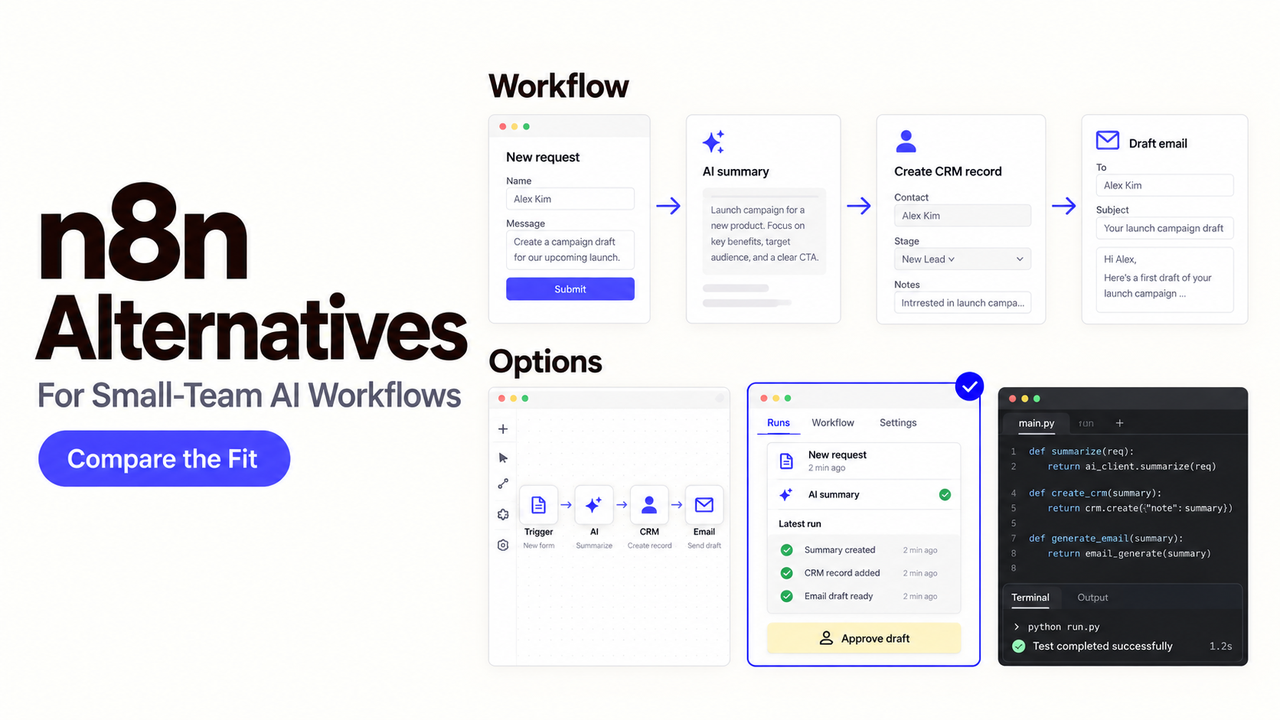
Leaving n8n because one workflow is difficult to maintain can create a larger problem: rebuilding its webhooks, credentials, custom code, and recovery paths somewhere less flexible.
I’m Alex. The useful question is not which platform has the longest feature list. It is which responsibility your team wants to stop owning without losing the controls the workflow needs.
This comparison covers Make, Activepieces, Temporal, Gumloop, Zapier, Pipedream, Windmill, and Flowise. Product documentation and publicly listed pricing were checked on September 19, 2026. I did not run matched production tests, so I separate documented product capabilities from migration checks you should run before switching.
Quick Answer: Which n8n Alternative Fits Your Team?
| What you need | Start with | Why |
|---|---|---|
Managed visual automation | Make | Visual workflows without running your own infrastructure |
Self-hosted visual automation | Activepieces | Cloud or self-hosted deployment with an open-source option |
AI-native agent workflows | Gumloop | Built around AI workflows, agents, and model-driven automation |
Durable code-first workflows | Temporal | Long-running, failure-sensitive application workflows |
Broad app coverage with minimal setup | Zapier | Large app ecosystem and a low-friction hosted builder |
Developer automation with code | Pipedream | Event-driven workflows with code and managed connectors |
Open-source code-first automation | Windmill | Scripts, flows, and self-hosting for engineering teams |
AI agents, RAG, and visual LLM apps | Flowise | Visual AI application and agent building with self-hosting |
There is no one-to-one replacement for n8n. The right choice depends on whether you are trying to remove hosting work, get a truly open-source platform, simplify AI workflows, increase integration coverage, or move workflow logic into application code.
Why Teams Look for an n8n Alternative
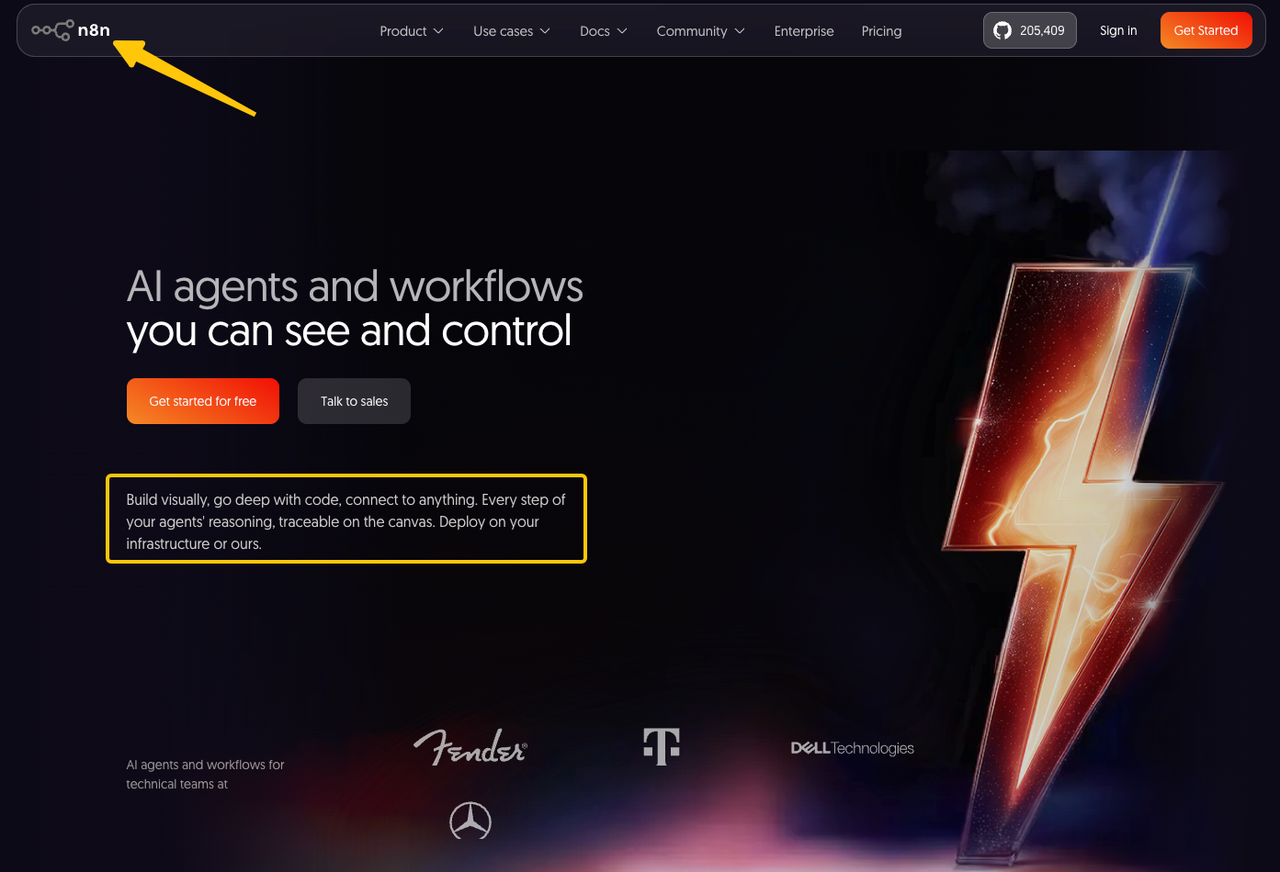
n8n combines a visual canvas, code, custom nodes, AI components, and cloud or self-hosted deployment. That is a strong baseline, but the flexibility creates work that a small team may not want to carry.
Searches for an n8n alternative also tend to cluster around a few practical questions: free, open-source, self-hosted, easier to manage, and better suited to AI workflows. Current 2026 comparison pages commonly split the market across hosted visual tools, open-source platforms, developer-first systems, and specialized AI workflow products.
Hosting and Operational Ownership
Self-hosting gives the team control over deployment and data location. It also makes the team responsible for upgrades, backups, queues, workers, database health, secrets, and incident recovery.
Moving to managed software can remove much of that operational burden. It may also reduce infrastructure choice, private networking options, or control over retention. A managed platform is an alternative only if those limits fit the workflow.
Collaboration, Governance, and Support
A workflow built by one technical owner may become a shared business system. The team then needs role boundaries, change review, credential ownership, staging, audit records, and support that matches the workflow’s importance.
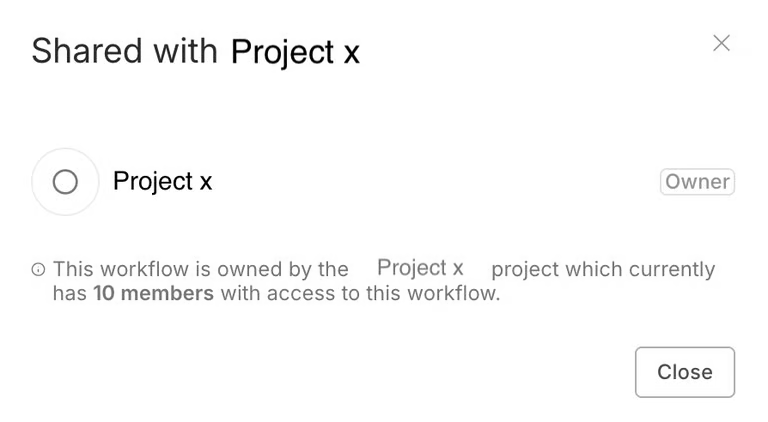
n8n’s current workflow-sharing documentation shows that availability and permissions vary by plan and workspace structure. Compare the exact control your team needs instead of treating “collaboration” as one feature.
AI Workflow Requirements
AI steps introduce model choice, variable outputs, evaluation, human review, and token or credit costs. A platform may offer an AI node without offering a practical way to inspect prompts, compare outputs, pause an action, or recover after a bad result.
Define whether the model only classifies data or can call external tools. The second design needs stronger approval, logging, and stop controls.
How We Evaluated n8n Alternatives
Use one representative workflow for every candidate. It should receive a webhook, validate the payload, classify it, request approval, update a business system, and recover from a failed write.
Rather than treating every product claim as equivalent, I use the same migration checklist for each platform. Product capabilities are taken from current vendor documentation; anything that still needs environment-specific validation is explicitly left as a migration test rather than presented as a verified result.
Create a migration parity ledger before comparing products:
| Asset | Preserve, redesign, or retire? | Evidence required |
|---|---|---|
Trigger and webhook contract | Preserve unless the upstream app can change | Test URL, payload, authentication, and duplicate delivery |
Credentials and scopes | Recreate | Named owner, minimum scope, rotation and revocation test |
Data mapping and code | Preserve or redesign | Matched input and expected output |
Human approval | Preserve | Approver, timeout, rejection, and escalation path |
Failure recovery | Preserve or improve | Retry, replay, partial-write, and alert test |
Run history | Export or retain | Searchable record for the required period |
Deployment and Data Control
Record where the control plane, workers, payloads, logs, and credentials live. Separate vendor-hosted, customer-cloud, and self-hosted claims; they do not provide the same operating model.
Activepieces currently documents both its cloud service and Docker-based self-hosting. Its self-hosted setup includes the app, worker, PostgreSQL, and Redis, so the infrastructure responsibility does not disappear. Its self-hosted setup includes the app, worker, PostgreSQL, and Redis, so the infrastructure responsibility does not disappear.
Windmill also offers a free, open-source self-hosted edition with unlimited executions, while its commercial plans add capabilities such as broader governance, observability, and support.
Debugging, Recovery, and Run History
Inspect more than a colorful run diagram. Test whether a failed branch retains its input, whether a retry repeats earlier writes, and whether an operator can resume safely after correcting a configuration.
n8n lets operators retry a failed execution with the original or currently saved workflow — verify against the current n8n execution documentation. Make documents incomplete executions that can restart from the failed module. These mechanisms differ, so a shared label such as “retry” is not enough.
Integrations, Code, and Extensibility
List every n8n node, HTTP request, code step, package, and custom node in the current workflow. Then verify action depth, not just whether an app logo appears in a directory.
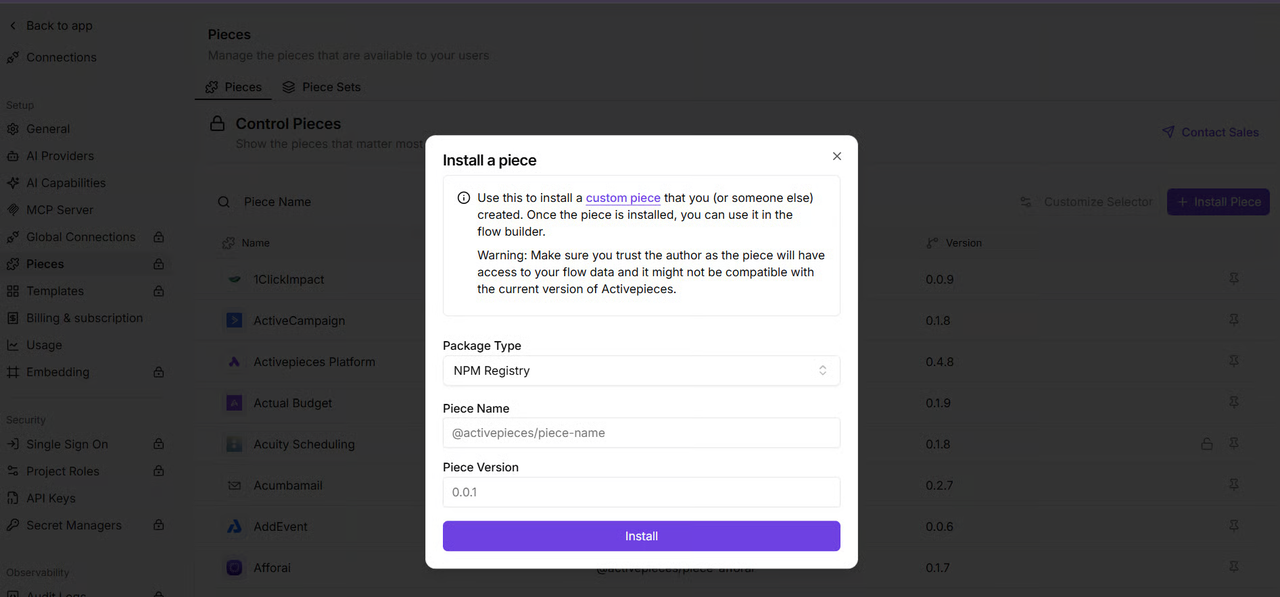
Activepieces supports TypeScript-based custom “pieces,” including private piece packaging and installation on paid editions. That is an extensibility path, not proof that an n8n custom node can be reused unchanged.
Total Operating Cost
Price the same volume, payload size, AI model, run duration, concurrency, seats, environments, retention, and support level. Add engineering time for deployment, upgrades, custom integrations, monitoring, and recovery.
Do not compare n8n server cost with another platform’s subscription alone. Self-hosted labor and managed-platform usage charges belong in the same estimate.
Also compare billing units, not just monthly prices. Make counts module actions as credits; Activepieces uses credits for cloud usage; Gumloop has changed to a model where tokens and compute are passed through at cost with an 8% orchestration fee; and Temporal Cloud bills around Actions and storage.
n8n Alternatives by Team Need
The shortlist below starts with the reason for moving. None is the best n8n alternative for every team.
| Team need | Candidate | Strongest fit | Starting price / model | Deployment | Main trade-off to test |
|---|---|---|---|---|---|
Managed visual automation | Make | Business-owned scenarios with managed operations | Free; Core from $12/mo at 10k credits | Cloud | Recovery behavior, credit usage, and governance |
Self-hosted workflow control | Activepieces | Visual flows with cloud or self-hosted deployment | Free; Plus $20/mo monthly or $16/mo annual | Cloud or self-hosted | Infrastructure responsibility and piece coverage |
Code-first orchestration | Temporal | Developer-owned, long-running, failure-sensitive systems | Temporal Cloud Essentials from $100/mo or 5% of usage; Actions from $50/million | Cloud or self-hosted | Engineering effort and lack of a business-user canvas |
AI-native agent workflows | Gumloop | AI-heavy flows owned by cross-functional teams | Pro from $37/mo | Cloud | Credit/compute economics and deterministic recovery |
Broad app coverage | Zapier | Teams that want fast setup and many integrations | Free; Pro from $19.99/mo | Cloud | Task usage and limited deployment control |
Developer automation | Pipedream | API-heavy workflows and code steps | Free tier; paid plans are usage-based | Cloud | No self-hosting and compute-based costs |
Open-source code-first automation | Windmill | Engineering teams using scripts and workflows | Free open-source self-hosting; paid tiers add governance/support | Cloud or self-hosted | Smaller connector layer and developer skill requirements |
AI agents / RAG | Flowise | LLM apps, RAG, agents, and visual AI flows | Free; Starter $35/mo | Cloud or self-hosted | Narrower general automation coverage |
Make's current pricing page lists a free tier with 1,000 credits/month and Core at $12/month for 10,000 credits. Activepieces lists Free at $0 and Plus at $20/month monthly, with a lower annual price, while supporting cloud or on-prem deployment.
Temporal Cloud currently lists Essentials at a minimum of $100/month or 5% of consumption, with Actions starting at $50 per million beyond included allocations. Gumloop's current public materials list Pro at $37/month, while its August 2026 pricing update describes token and compute pass-through plus an 8% orchestration fee. Zapier's current pricing page lists Free at $0 and Professional from $19.99/month, with task-based usage. Flowise currently lists Free, Starter at $35/month, and Pro at $65/month.
Managed Visual Automation
Choose Make when the team wants a hosted visual builder and does not need to preserve n8n’s self-hosted operating model. It suits business users who can maintain mappings, routers, and error handlers.
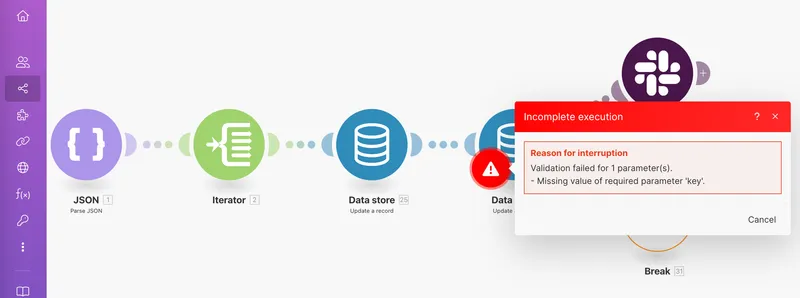
Make’s incomplete-execution controls can retry from the failed module using the configuration from the failed run. Test the first module, partial external writes, storage limits, and ordering because not every failure produces the same recovery object.
The main pricing difference is also important: Make counts each module action as a credit, so a multi-step workflow can consume many credits even when it represents one business event.
Self-Hosted Workflow Control
Choose Activepieces when self-hosting remains important but the team wants a different visual product and integration framework. It offers cloud and self-hosted paths plus custom pieces.
Its current pricing includes a free plan with 100 credits per day and unlimited flows, while Plus starts at $20/month on monthly billing; the annual rate shown by the vendor is lower.
Its documentation makes the operational boundary visible: production needs workers, PostgreSQL, Redis, backups, secrets, and upgrades. This route changes the platform, not the fact that someone must operate it.
Code-First Orchestration
Choose Temporal when developers need durable, long-running execution and want workflow logic in application code. This is an architectural change, not a canvas-for-canvas migration.
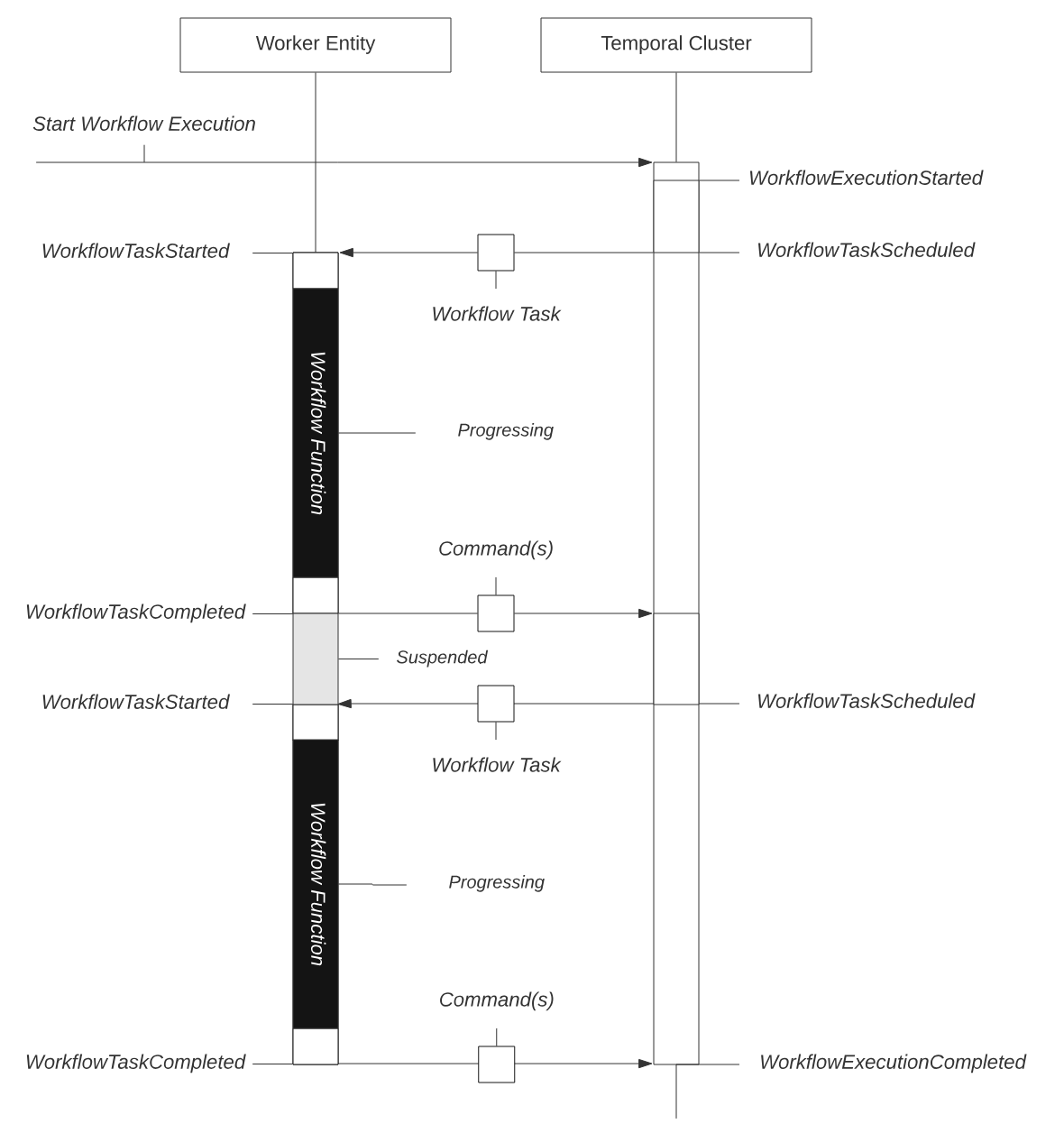
Temporal records an append-only Event History that supports recovery and debugging. Its replay model also imposes deterministic-code constraints. Budget for SDK work, workers, deployment, observability, and a business-facing review surface.
Temporal Cloud is consumption-based. Its current pricing documentation lists Essentials at a minimum of $100/month or 5% of usage, while usage is driven mainly by Actions and storage. Actions start at $50 per million at the first pricing tier.
AI-Native Agent Workflows
Choose Gumloop when AI reasoning, model use, and agent-style tools are central to the workflow. Its current product materials combine agents and visual flows, while its support documentation covers provider keys and team-level credentials.
Gumloop currently lists Pro from $37/month. Its August 2026 pricing update describes a model in which tokens and compute are passed through at cost with an 8% orchestration fee, which makes workload composition more important than simply comparing subscription prices.
The team should still test deterministic steps, approvals, output evaluation, and cost at the same workload. An AI-native interface does not remove the need for idempotent writes or a recovery plan.
Broad App Coverage with Minimal Setup
Choose Zapier when the primary reason for leaving n8n is the time required to build and maintain integrations rather than the need for self-hosting.
Zapier's current pricing page lists a free plan with 100 tasks per month and Professional from $19.99/month. Its current platform also includes MCP, AI workflow features, and access to more than 9,000 apps.
The trade-off is the task-based model and the lack of self-hosting. For a small team that values setup speed over infrastructure control, that may be acceptable; for workflows that generate many actions per business event, model the task count before migrating.
Developer Automation with Code
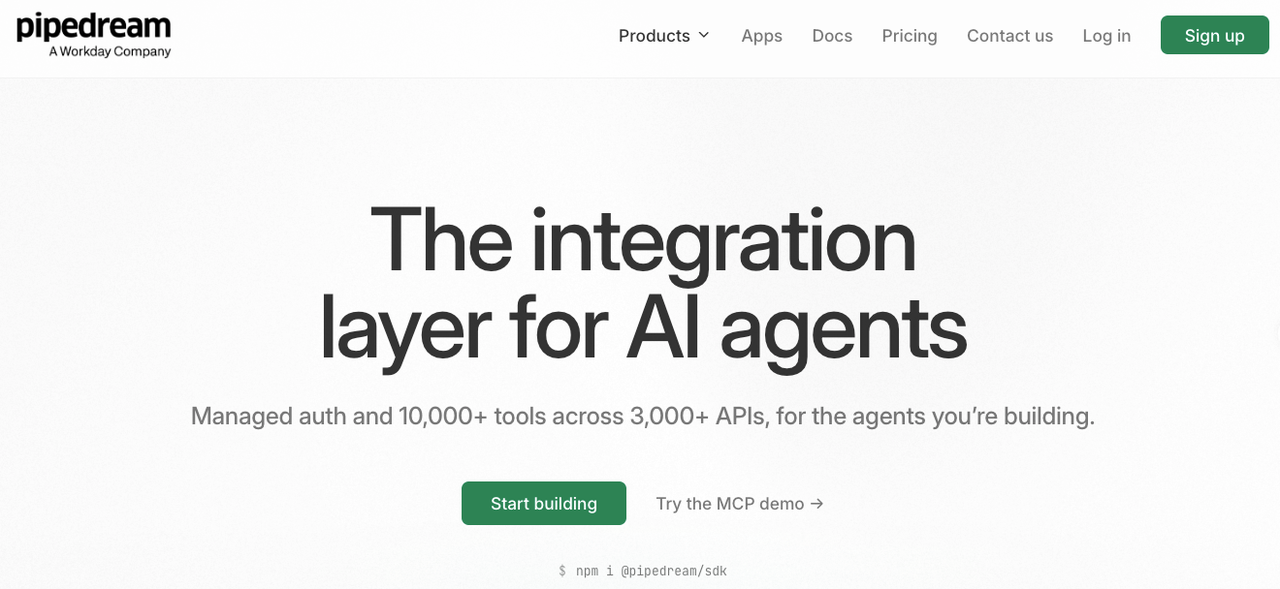
Choose Pipedream when the team wants managed infrastructure but still expects developers to write real code around APIs, webhooks, and event-driven workflows.
Pipedream supports code steps and managed connectors while remaining cloud-only. Its pricing is usage-based rather than a simple flat workflow subscription, so test actual execution time, step count, and concurrency against the workload you plan to migrate. Public 2026 comparison data lists a free tier and paid plans starting around $19/month, but verify the current plan details directly before purchasing.
This is closer to a developer automation platform than a no-code n8n clone. That makes it useful for API-heavy teams but less attractive when business users need to own the workflow canvas.
Open-Source Code-First Automation
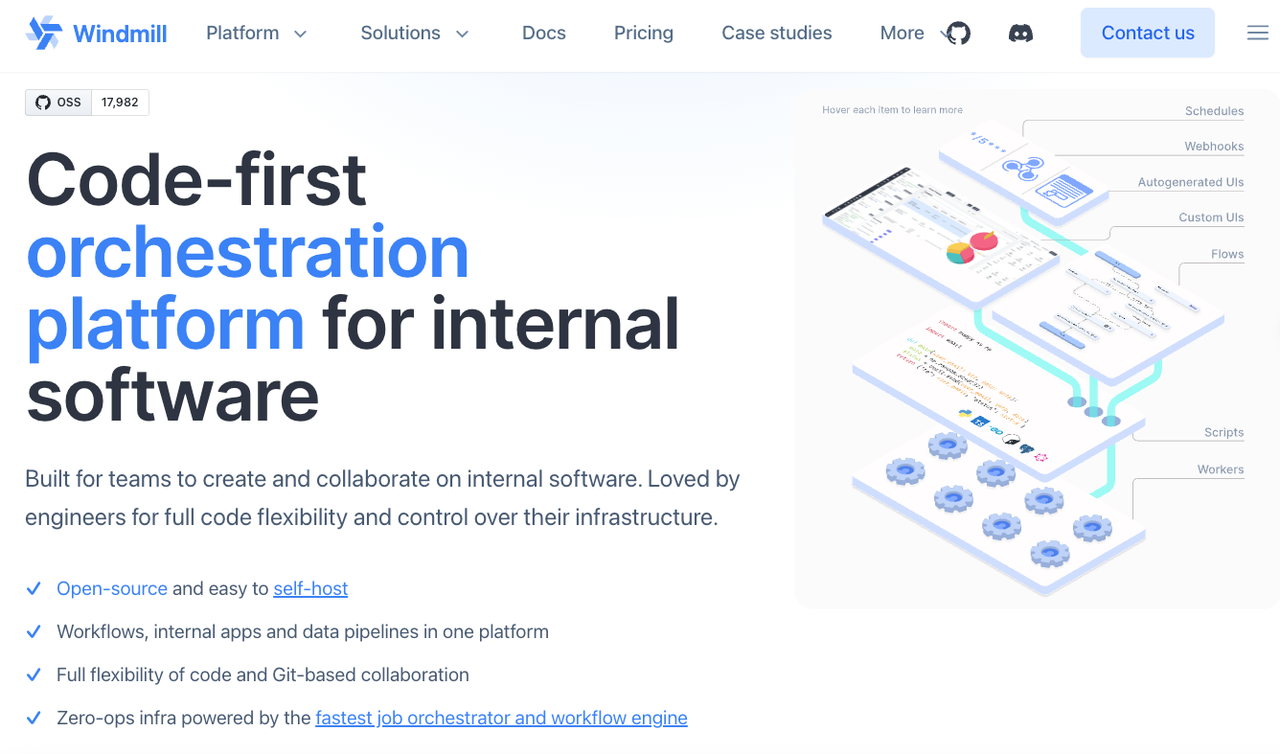
Choose Windmill when the team wants a genuinely open-source, self-hostable platform and is comfortable turning scripts into workflows rather than relying on a large catalogue of prebuilt SaaS nodes.
Windmill's current free and open-source edition offers unlimited executions and self-hosting. Its paid plans add capabilities for observability, security, support, and larger deployments.
The main migration question is integration depth. If the existing n8n workflow depends on many mature nodes, replacing them with scripts may increase migration effort even when the runtime itself is a strong fit.
AI Agents, RAG, and Visual LLM Applications
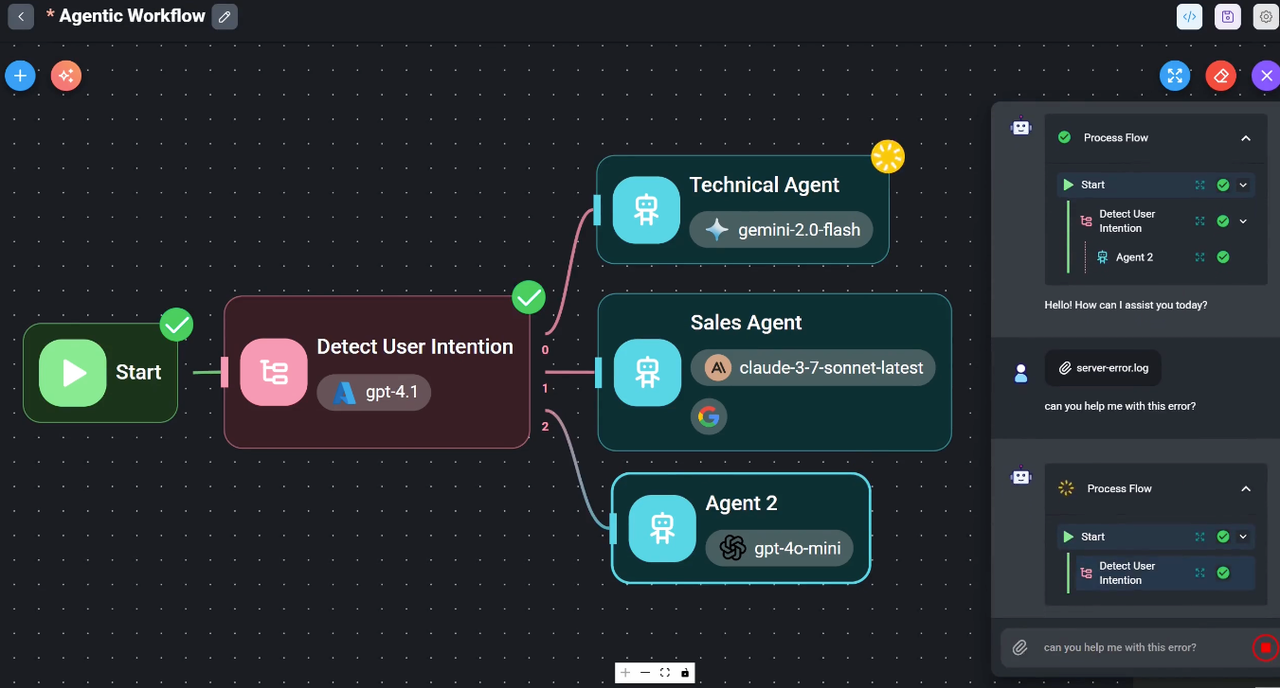
Choose Flowise when the workflow is primarily an AI application rather than a general app-to-app automation.
Flowise focuses on assistants, agent flows, RAG, and visual LLM applications. Its current cloud pricing starts at $0, with Starter at $35/month and Pro at $65/month; the project also maintains an open-source community.
This is an important distinction from n8n. Flowise can be a better fit when the core problem is building an AI agent or retrieval application, but it is not a direct replacement for every webhook, SaaS integration, and operational workflow n8n can handle.
Check Migration Risks Before Switching
Freeze the current workflow long enough to inventory its production behavior. Export the workflow definition, document environment variables, and identify credentials without placing secret values in the migration ledger.
Capture webhook contracts, schedules, timezones, binary-data handling, concurrency assumptions, custom nodes, code dependencies, and manual fixes. Export the run records your organization needs before retention or account closure removes access.
Then test duplicate triggers, rate limits, timeouts, invalid model output, approval expiry, partial writes, and provider outages. A successful happy-path run does not establish migration parity.
Choose an Alternative Without Rebuilding Everything
Move one bounded workflow first. Keep the n8n version available but prevent both systems from writing to production at the same time.
Recreate credentials rather than copying secrets into the new tool. Place a temporary adapter in front of a webhook if upstream systems cannot change immediately. Compare outputs with shadow traffic or approved historical inputs before switching the writer.
Retire steps that exist only because of the old platform. Preserve business rules, approval authority, data contracts, and recovery evidence. Platform-specific canvas structure is not automatically a business requirement.
Migration Evidence Checklist
Before declaring a migration successful, record the result for the same workflow in every candidate platform:
| Test | What to verify |
|---|---|
Webhook | URL, authentication, signature validation, duplicate delivery |
Data mapping | Same input produces the same required business fields |
AI output | Invalid or ambiguous output is rejected or routed for review |
Approval | Timeout, rejection, escalation, and resumed execution |
External write | Retry does not create a duplicate record |
Failure recovery | Operator can safely resume or replay failed work |
Execution history | Required logs remain searchable for the required period |
Cost | Real workload can be translated into the platform's billing unit |
Credentials | Rotation and revocation work without rewriting the workflow |
Shutdown | Queued and waiting work can be reconciled before cutover |
This checklist is intentionally more conservative than a feature comparison. A product can have the right feature name and still behave differently enough to break a production workflow.
FAQ
Can n8n credentials be exported into another platform?
Not as portable connections that another platform can safely import. n8n’s self-hosted CLI can export credentials, but another platform uses different schemas, encryption, and authentication flows.
Create new credentials with minimum scopes, record their owner, and test rotation and revocation. Never place decrypted secrets in a general migration spreadsheet.
What happens to active n8n runs during a migration?
They remain tied to the n8n instance and workflow state that started them. A replacement platform does not inherit a waiting execution merely because the workflow logic was rebuilt.
Choose a cutoff rule for running, waiting, and queued work. Let safe runs drain, cancel only with an understood consequence, and reconcile every unfinished business record before enabling the new writer.
Can custom n8n nodes be reused outside n8n?
Usually not without adaptation. A custom node is built against n8n’s node interfaces, credential model, data structures, and runtime expectations.
Reuse portable API-client or transformation logic where licensing and dependencies allow. Rebuild the platform adapter and test authentication, errors, pagination, and binary data in the target system.
How long do alternatives retain execution history?
Retention varies by platform, plan, settings, and deployment model. Do not infer it from the presence of a run-history screen.
Check successful, failed, and incomplete runs separately. Activepieces publishes cloud and self-hosted run-data limits, while self-hosted teams may control settings but also own storage and deletion operations.
Can a replacement reuse existing webhook URLs?
Only if the existing hostname and path remain under your control or an adapter preserves them. A vendor-generated n8n webhook URL does not transfer automatically to another service.
Keep the old endpoint temporarily, proxy it to the new workflow, or update every sender. Test authentication, response timing, retries, signatures, and duplicate delivery before changing DNS or disabling n8n.
Which n8n alternatives are free?
Several alternatives offer free entry points, but the meaning of “free” differs. Make currently has a $0 plan with 1,000 credits/month; Activepieces has a $0 plan with 100 credits/day; Windmill offers a free open-source self-hosted edition with unlimited executions; and Flowise has a $0 cloud tier.
Which n8n alternatives are open source?
Activepieces and Windmill both provide open-source deployment options. Flowise also maintains an open-source community edition. The exact license, commercial restrictions, and managed-cloud terms differ, so “open source” should be checked at the license level rather than inferred from self-hosting availability.
Which n8n alternatives can be self-hosted?
Activepieces, Windmill, Flowise, and Temporal provide self-hosting paths. Make and Zapier are managed cloud platforms, while Pipedream's commercial product is cloud-based. Verify the deployment model for the exact plan you intend to use before migration.
Conclusion
The best n8n alternatives are determined by the responsibility a small team wants to change. Make reduces hosting work, Activepieces preserves a self-hosted visual route, Temporal favors developer-owned durability, Gumloop centers AI-native work, Zapier minimizes integration setup, Pipedream favors developer-led automation, Windmill provides open-source code-first workflows, and Flowise focuses on AI applications.
Do not migrate a canvas. Migrate the business contract: triggers, data, approvals, writes, recovery, and evidence. The parity ledger will show which platform fits—and whether staying on n8n is still the lower-risk decision.
Recommended Reads
Explore SpringBrand
Turn ideas into working workflows
Connect agents, APIs and tools in one workspace. Start with a task you want to get done.
Get started free
One account. 10,000+ APIs & capabilities
Give your agent APIs and plugins without separate keys or integrations for every provider.
Explore APIs
No tool expertise needed
Describe your GTM task. SpringBrand chooses the right APIs and plugins for your agent automatically.
Find tools for your task
Run tasks 24/7
Connect your agent to SpringBrand to keep tasks running automatically, day and night.
Connect your agent