n8n Review 2027: Fit for a Research-to-CRM Workflow
This n8n review evaluates one research-to-CRM workflow, including data mapping, human checks, maintenance, and the questions to verify before adoption.
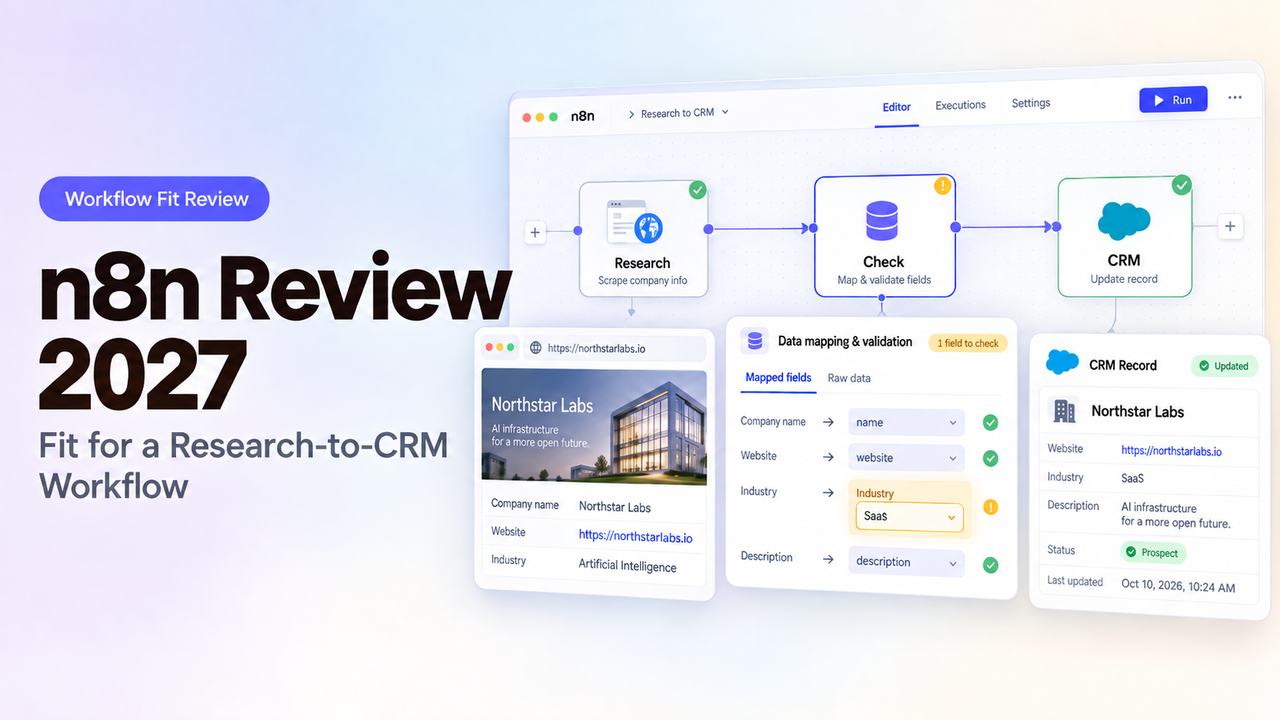
Suppose a sales researcher approves a company fact, but the CRM update fails halfway through a batch. The useful question is not whether n8n can draw a path between two apps. It is whether the team can identify the affected record, protect the others, and finish the update without changing a fact the reviewer never approved.
This n8n review judges that task using n8n's public documentation and pricing, checked October 10, 2026. This review uses n8n’s public documentation to assess the workflow. Before adopting it, confirm your plan’s access controls and pricing, then test how a partially failed CRM update can be recovered.
Is n8n a Fit for a Research-to-CRM Workflow?
Yes, if someone can own the mapping, credentials, and recovery logic. n8n gives a team a visual workflow with branching, data transformation, app connections, and a choice of managed cloud or self-hosting. Those controls suit a job where research needs validation and approval before a CRM write. They also create more decisions than a simple app-to-app transfer.
Start with one company account. Its domain can help find the match, but the CRM ID should anchor the write. The reviewer sees the proposed changes beside their sources and research dates, then approves or rejects them.
The acceptance test has four parts. The CRM changes only after approval, and its fields match the proposal. A rejected record stays unchanged. A failed write can be investigated without duplicating or overwriting an accepted one. A team that cannot name an owner for those checks should keep the CRM write manual until it can.
What Must This Workflow Do Before Writing to CRM?
It must resolve the record, preserve evidence, and get a decision from a person with authority to change CRM data. Research text alone is too weak an input for an automatic update.
Begin with an approved source policy and a narrow field list. For a company account, that might mean domain, business category, region, source URL, retrieval date, and a proposed summary. The account's CRM ID is the preferred write target once it has been matched. If the lookup returns multiple records or no reliable match, route the proposal for review instead of guessing.
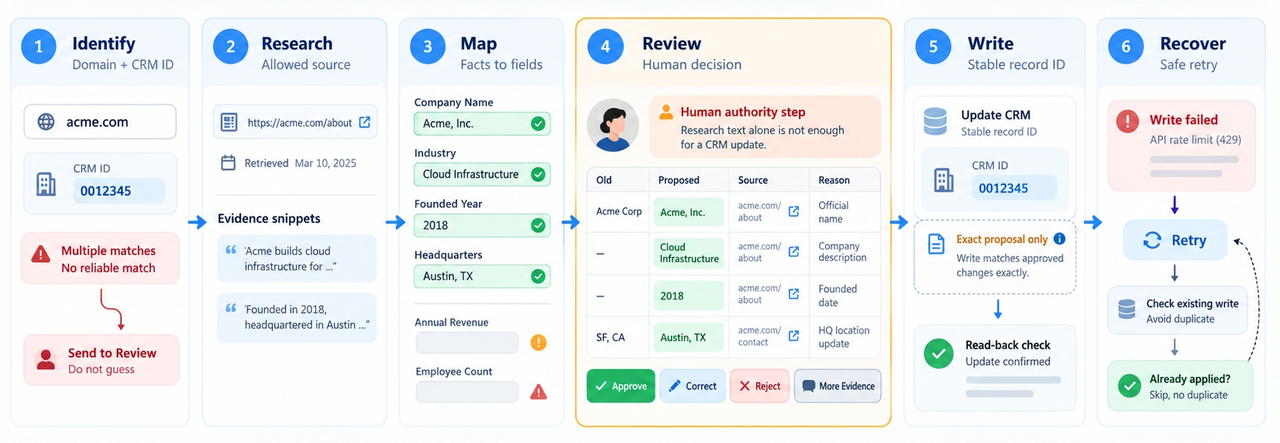
The reviewer should see the old value, proposed value, source, and reason for change together. Offer approve, correct, reject, and request-more-evidence decisions. Approval binds to the exact proposal; a changed source or value needs another decision. Give waiting proposals a deadline and owner.
Stage | Input or action | Evidence to accept the result |
Identify | Company domain and existing CRM ID, if known | Exactly one intended account, or an exception |
Research | Allowed source and retrieval date | Each consequential claim has a source |
Map | Approved facts to named CRM fields | Blank and conflicting values follow written rules |
Review | Old value beside proposed value | Named decision on the exact proposal |
Write | CRM update using the stable record ID | Response and subsequent CRM read agree |
Recover | Failed record and error details | Retry does not repeat an accepted write |
This is the pilot's acceptance sheet. The broader sales research-to-CRM workflow covers qualification and human handoffs. Here, n8n must carry out the controlled write.
How Would n8n Connect Research, Review, and CRM Updates?
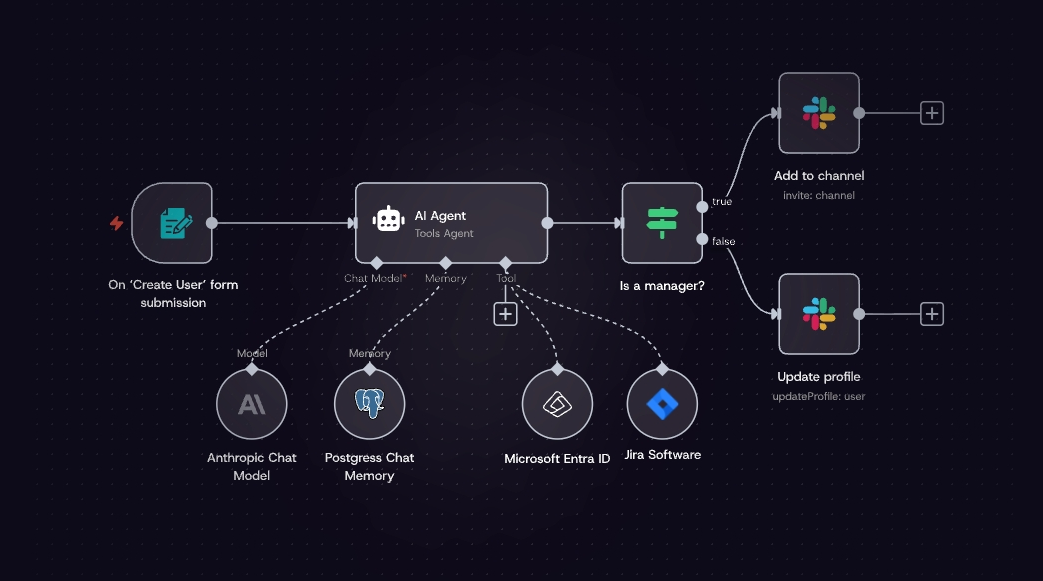
Start with a form, webhook, or scheduled intake of research records. Validate required fields and look up the CRM account. Map a proposed update, compare it with the current record, and send exceptions to review. Only an approved proposal reaches the write node. A final read confirms what the CRM stored.
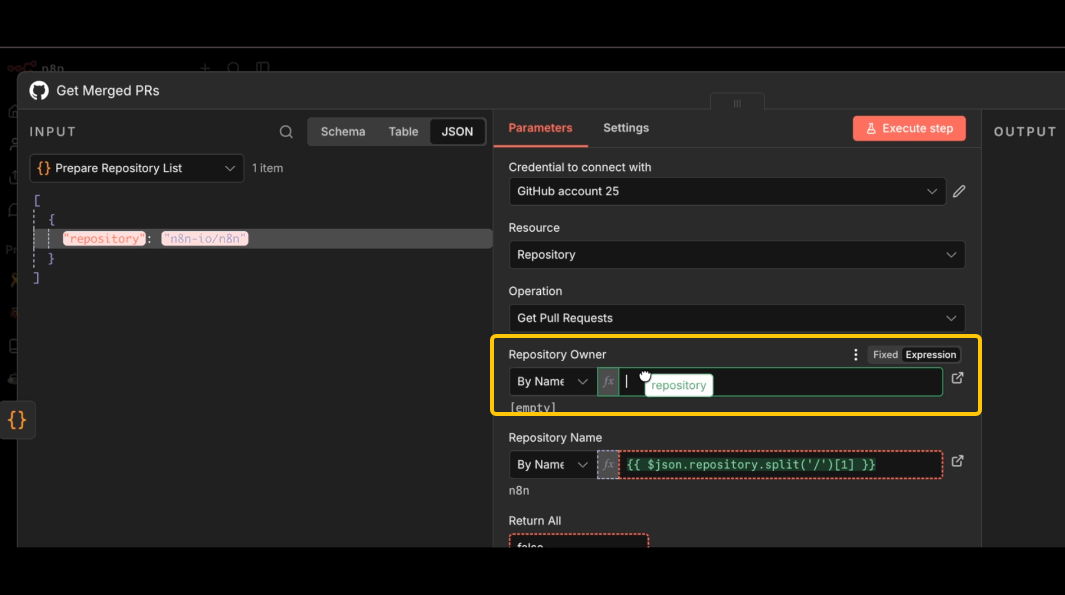
The exact connector matters. A native CRM node may expose the required lookup and update actions; otherwise, an HTTP Request node may be needed. Check the target CRM's API scopes, rate limits, and field identifiers before drawing the workflow. n8n's data-mapping guidance supports references to earlier node output, but a reference is not proof that two records still correspond after a split, merge, or filter. Test a mixed batch with duplicate domains, missing fields, and conflicting values.
For approval, n8n's Wait node can pause an execution and resume it on a webhook call or form submission. That is a mechanism, not an approval policy. The team must decide who may submit the decision, how it is authenticated, when a request expires, and what a rejection does. A separate review queue and a second workflow may be easier to audit if approvals take days.
Keep a run ledger: input record ID, proposal ID, reviewer, decision time, workflow version, CRM response, and final value. Sales operations can then answer which approved proposal changed an account. Include the ledger in the pilot; the canvas does not supply it automatically.
Where Can Data Mapping and Failed Runs Cause Trouble?
The most dangerous mapping error is a plausible value on the wrong account. A domain may point to a parent company, a CRM search may return two matches, or a field label may hide a different internal property. Require an exact record ID before writing and test the CRM's behavior when a required field is blank. If the source is uncertain, preserve the existing value and ask for a human decision.
Failure recovery needs the same specificity. n8n's execution list lets an operator inspect failed and waiting runs and retry a failed execution with the original or currently saved workflow. That documentation does not promise an isolated retry of one failed item inside a larger batch. If one run processes 40 accounts, a retry might revisit earlier work, depending on the workflow's design.
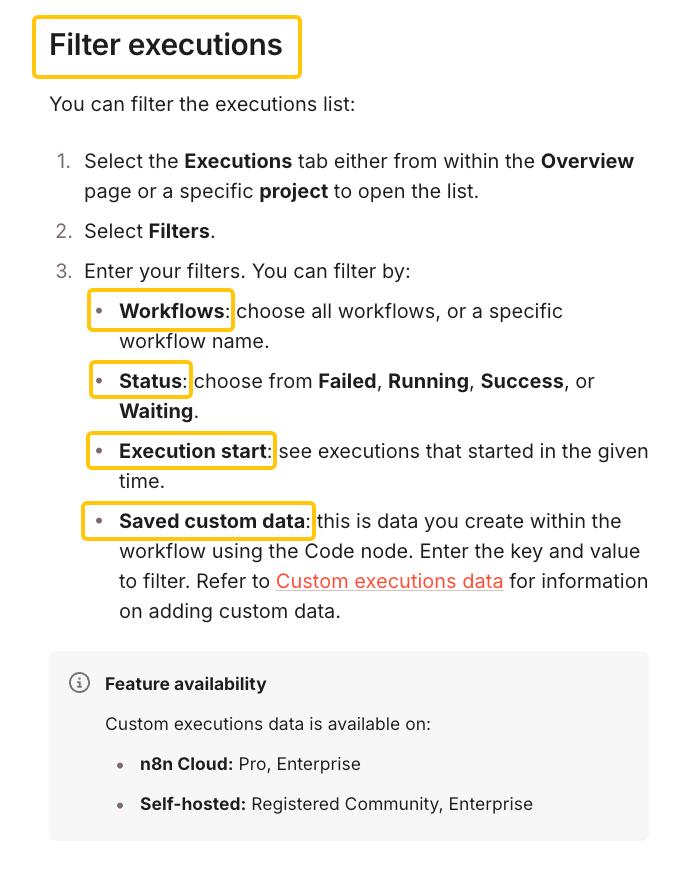
For the pilot, process one account per execution or build an explicit failed-item queue. Give each write an idempotency rule, such as a proposal ID stored in a custom field or an external ledger, where the CRM permits it. Before replaying, read the target record and compare it with the approved proposal. If the first request succeeded but its response was lost, the comparison prevents a second write from being mistaken for fresh work.
Test three failures separately: a CRM timeout before the write, an ambiguous timeout after the write, and an authentication failure after approval. Record what the operator can see and which action safely finishes each case. That exercise will reveal more about n8n AI workflow limitations for this task than adding an AI research node to the canvas.
What Should a Team Check About Cost and Maintenance?
Check the expected number of executions, the deployment owner, and the people who must edit or recover the workflow. n8n's pricing page currently meters cloud plans by workflow executions and varies limits and collaboration controls by plan. Recheck the live pricing matrix before publication.Count scheduled polls, each record-level run, approval resumes, error handling, and replay paths against the current billing rules. Also budget for CRM and research API usage; they are separate services.
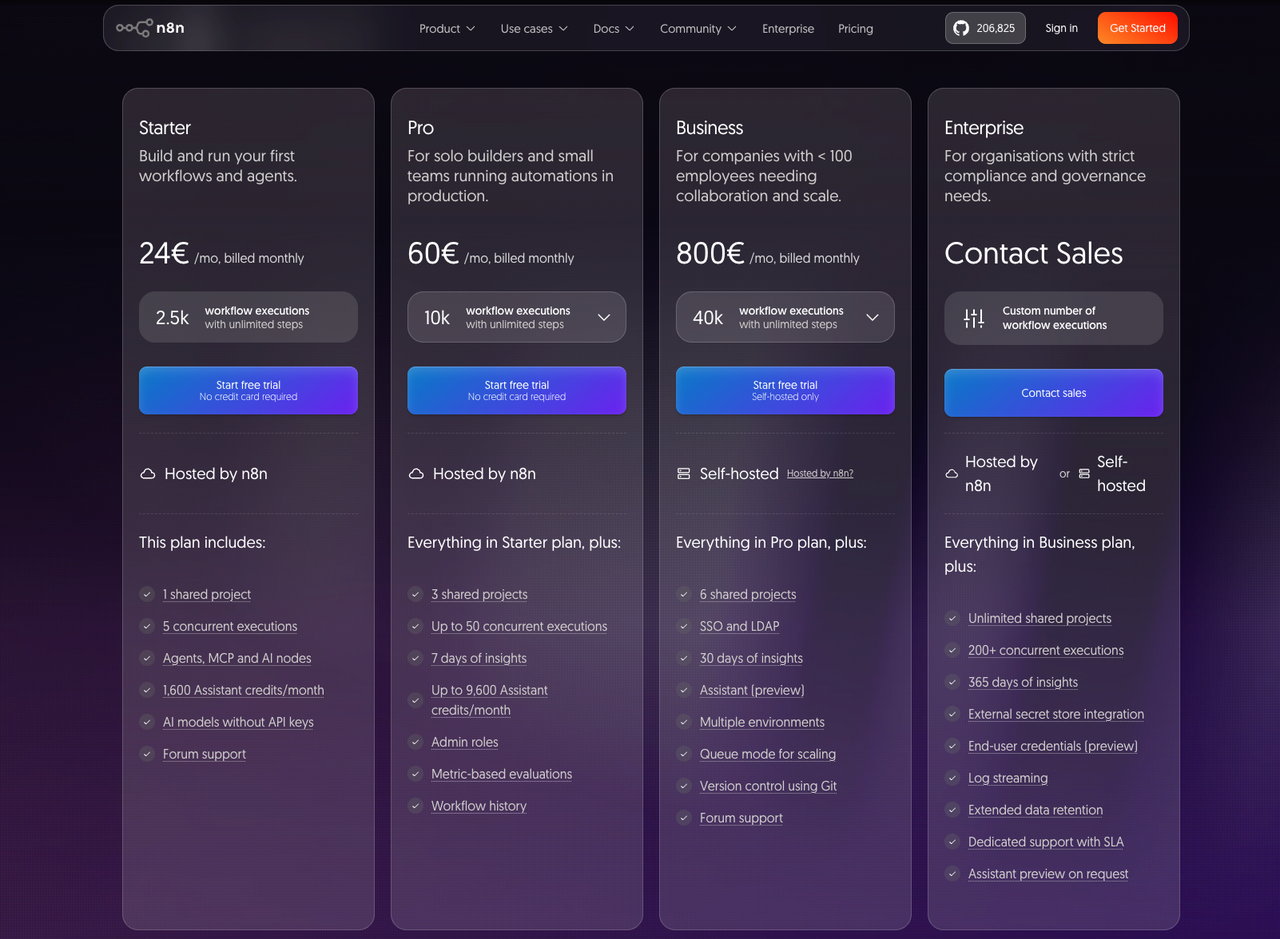
Cloud shifts server operations to n8n. Self-hosting puts upgrades, backups, availability, and incidents on the team. Community may suit a technical owner, but collaboration may require a paid self-hosted tier. The current credential-sharing rules list sharing on all Cloud plans and on self-hosted Business and Enterprise. Project roles determine who can use a shared credential; sharing does not reveal its secret value.
Maintenance also includes CRM schema changes, source changes, expired authorizations, and staff turnover. Assign a named workflow owner and a backup. Have both review a sample error, rotate a test credential, and update a mapped field before purchase. If only the builder can explain why a record was skipped, the team has an operational dependency that the subscription price does not show.
Who Should Choose n8n for This Task?
Choose n8n when sales operations can define the field contract and a technical owner can build and maintain the checks around it. It is especially worth evaluating when the flow needs branching, custom API calls, approval, and careful recovery. Its visual structure helps a reviewer trace the route, while expressions and code leave room for unusual CRM rules.
Pause the purchase if the team expects a ready-made research-to-CRM system with no integration owner. Also pause if a procurement requirement depends on a specific audit trail, environment promotion process, or isolated record retry that has not been demonstrated on the intended plan. Those are acceptance tests, not benefits that follow automatically from a feature label.
If ownership or deployment is the main objection, the n8n alternatives comparison frames other platforms by the responsibility a team wants to change. It does not replace this single-workflow check: bring the same approved records and failure cases to whichever tool you evaluate.
Conclusion
n8n is a credible candidate for a research-to-CRM workflow when the team can define the record contract and own recovery. The purchase decision turns on a short trial. Approve one clean proposal, reject one ambiguous match, and let one connection fail. Then prove that the final CRM values and run ledger tell the same story. If the team can repeat that result and support the workflow after its builder is away, n8n has earned a place in the stack.
FAQ
Can a team export this workflow to another n8n environment?
Yes. n8n supports workflow JSON export and import, and its newer CLI packages can move related assets between instances. Treat that as a workflow transfer, not a working deployment: recreate or reconnect credentials, check webhook URLs and environment values, and run the acceptance sheet again. Inspect exported JSON before sharing it because credential names and IDs may appear in it.
Which plan lets multiple team members manage shared credentials?
Current n8n documentation lists credential sharing on all Cloud plans and self-hosted Business and Enterprise.Verify the applicable plan, project role, and credential-sharing permissions against the current plan matrix. A credential can be shared with a user or project, but only its owner or an authorized project or instance admin can manage sharing. Confirm the intended editors' roles and the exact plan at purchase; “unlimited users” alone does not answer who may change a production connection.
Can one failed CRM record be retried without rerunning the full batch?
Only if the workflow is designed to isolate that record. n8n documents a retry for a failed execution, not a universal one-click replay of a single item inside it. Run one account per execution or keep a separate failed-item queue, then verify the CRM state before retrying. A batch-wide replay can repeat earlier writes.
Where can an admin see who changed a production workflow?
Start with Workflow history for saved versions, then verify whether the intended plan shows the author detail your audit requires. n8n's history documentation describes version retention by plan and distinguishes saved versions from run history. Confirm the exact author-attribution fields available on the intended plan and version.It does not establish a complete actor-level audit trail for this review. If change attribution is mandatory, demonstrate it with two editors in a trial and retain an external change record if needed.
What happens to a paused run if its connection expires?
The Wait node stores the paused execution and resumes it when its configured condition is met. That does not establish that a downstream CRM call will authenticate later. Test a waiting approval with a deliberately expired or revoked test connection, then inspect the execution status and error path. Restore access before a controlled retry, and verify the CRM record before replaying any write.