Agentic AI vs AI Agents: Workflow Differences

Written by
Springbrand Editor Team
Editorial team
Springbrand Editor Team creates and maintains blog guides on AI tools, automation, marketing, and agent workflows.

Reviewed by
Springbrand Audit Team
Editorial review team
Springbrand Audit Team supports editorial quality through source checking, clarity, and consistency across the blog.
Updated
Published
Agentic AI vs AI agents compares a bounded task performer with the broader workflow behaviors that coordinate decisions, state, tools, and feedback.
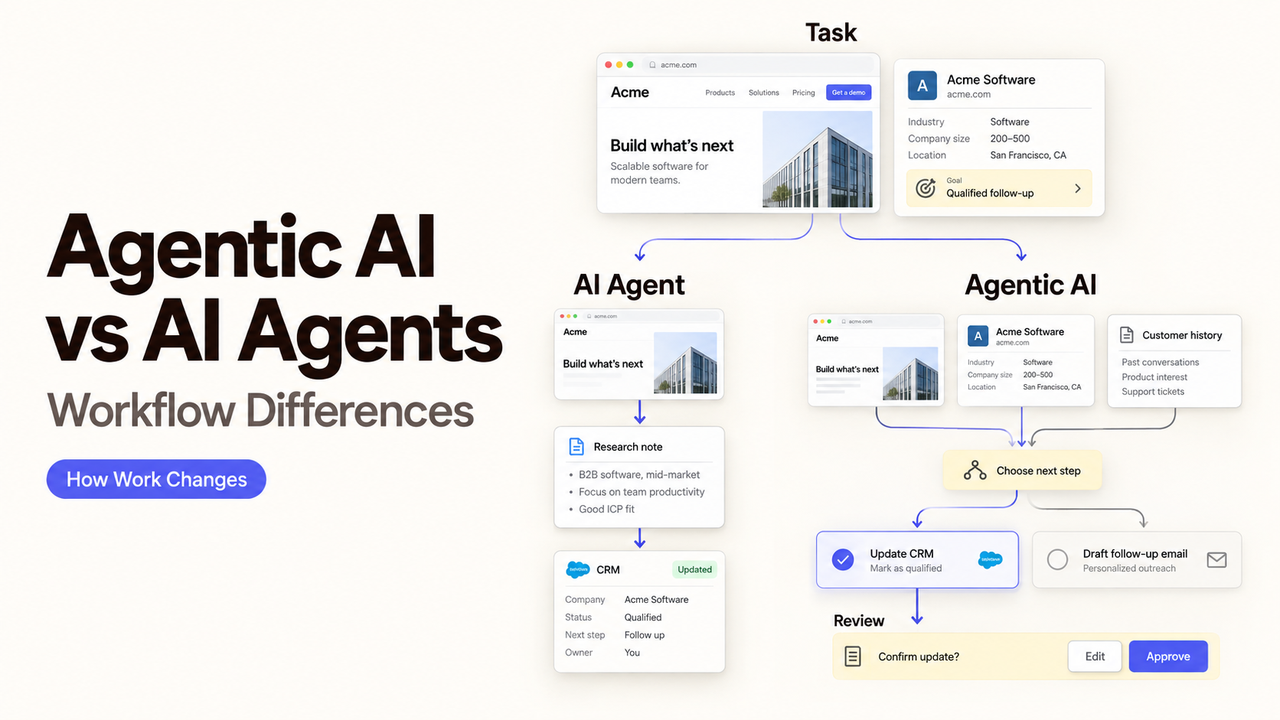
One vendor diagram labels a single box “AI agent.” Another labels the entire process “agentic AI.” The terms may describe different zoom levels, but neither label tells you how many decisions the system can make.
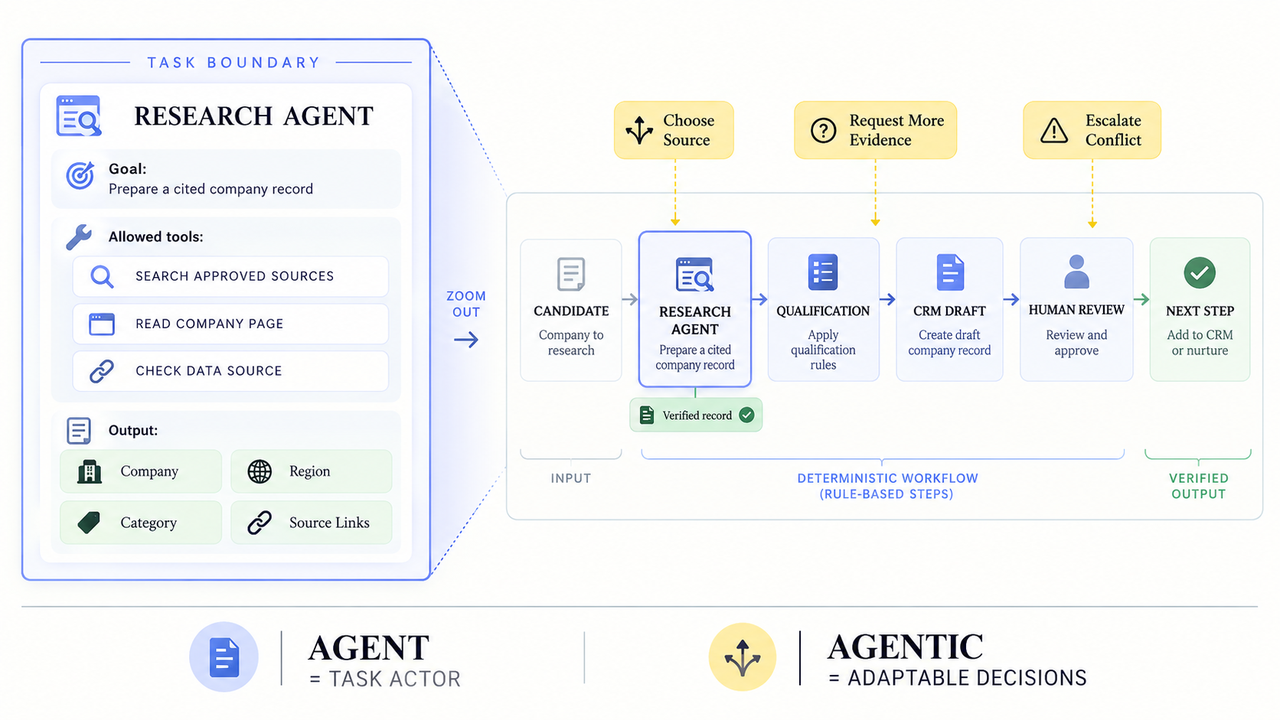
I’m Alex, and I’ll use a practical distinction here: an AI agent is the task actor; agentic describes adaptable behavior within or around that actor. One agent can behave agentically. A multi-agent system can still follow a rigid script.
That distinction makes agentic AI vs AI agents a workflow question, not a contest between two product categories.
Quick Answer: The Terms Describe Different Things
An AI agent is a system that works toward a defined goal and may use tools along the way. Agentic AI is a broader description of behavior: the system can choose among steps, use feedback, and adjust its route within set limits.
The vocabulary is not perfectly standardized. Rather than arguing over the label, identify the behavior behind it.
Ask four questions:
- What goal has the system received?
- Which decisions may it make without asking?
- What state can it retain between steps or runs?
- Which action ends the task, pauses it, or sends it to a person?
Those answers reveal more than the word agentic on a product page.
What an AI Agent Is
An AI agent combines a model with instructions, context, and available actions. It decides what to do next, then returns a result or uses an allowed tool.
Anthropic describes agents as systems in which a model directs its own process and tool use instead of following only a fixed script. That definition allows a range of autonomy. It does not require several agents, permanent memory, or permission to change business records.
A System That Pursues a Bounded Task
Consider a sales research agent. Its job is to receive a company name, search approved sources, collect five specified fields, and return a cited record. The task still involves choices: which source to open, whether two names refer to the same company, and when the evidence is insufficient.
Yet its boundary remains narrow. It does not choose the company’s market, update the CRM, or begin outreach unless those actions belong to its role.
“Single agent” does not mean “simple model call.” A bounded agent may use several tools and revise its approach. Its goal, actions, and stopping rule create the boundary.
What Makes a Workflow Agentic
A workflow becomes agentic when adaptable decisions affect how work moves across steps. The workflow may contain one agent, several agents, ordinary functions, approval gates, and fixed rules.
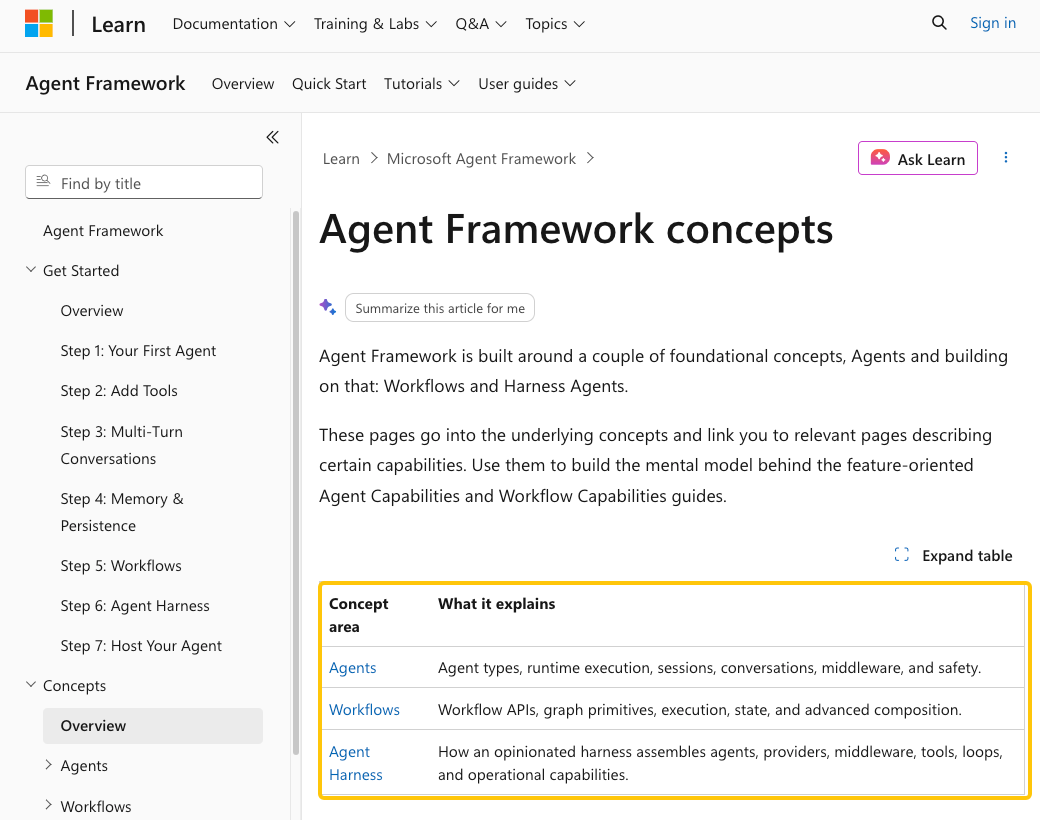
Microsoft’s Agent Framework concepts separate individual agents from workflows that connect agents and functions through an execution graph. This is one vendor’s architecture, not a universal naming standard, but the separation is useful.
Decisions, Feedback, and Adaptation Across Steps
Return to the sales example. A wider workflow might identify candidates, select a research route, and ask another agent to verify uncertain fields. It could then apply qualification rules and prepare a CRM update for review.
Feedback changes the route. A missing company identifier may trigger another search. Conflicting revenue figures may send the record to a person. A rejected CRM draft may return to research with a reason attached.
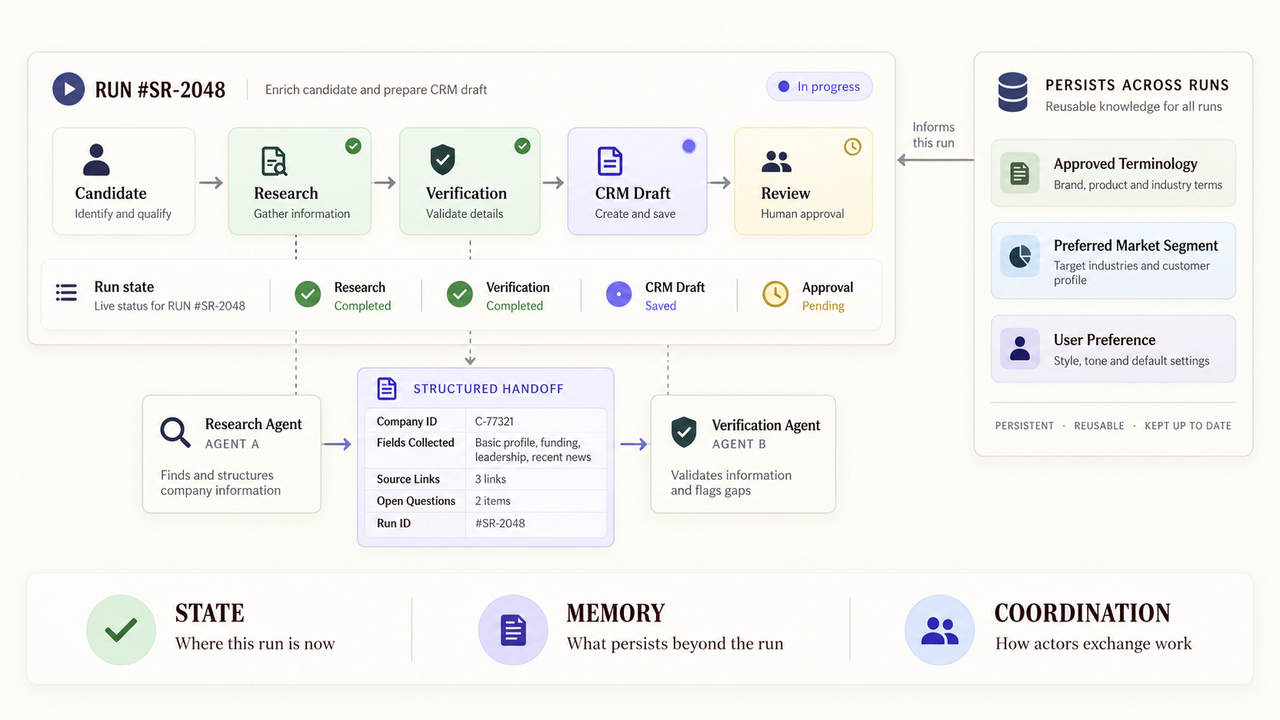
Those loops create new operating questions. Where does shared state live? Which agent receives a correction? Can the workflow resume after approval? “Agentic system” says little unless the vendor can answer.
Compare the Workflow Differences
The cleanest comparison looks at the unit being described. An agent performs work. Agentic behavior describes how choices and feedback shape that work, sometimes across a larger process.
Workflow question | One bounded AI agent | Broader agentic workflow |
What is the main unit? | A task actor with a defined goal | A route that may coordinate agents, functions, and people |
Where are decisions made? | Mainly inside one task boundary | At several steps, handoffs, or loops |
What state is needed? | Task context or a session may be enough | Run state, shared records, and checkpoints may matter |
How is work coordinated? | The caller gives the task and receives the result | Routing logic decides which component acts next |
Where does review happen? | Before accepting or using the output | At selected transitions or before consequential actions |
What must recovery cover? | Retry, revise, or escalate the task | Restore state, prevent duplicate actions, and resume safely |
This table is a design comparison, not an industry classification. A vendor can implement each row differently.
Scope and Number of Decisions
A bounded agent answers a relatively contained question. A broader agentic workflow determines both the next action and which actor should take it.
More decisions do not improve a design by default. If a stable rule can assign a territory or enforce an approval limit, keep it. Save model judgment for inputs that genuinely vary.
State, Memory, and Coordination
State records completed steps, pending approvals, results, and failed branches. Memory may preserve selected information beyond the run. Ask what persists, where it lives, who can edit it, and how it is deleted.
Coordination is separate again. Two agents need explicit messages, schemas, or a shared record. Without them, one may act on information the other has corrected.
Human Control and Failure Recovery
One agent may be reviewed when its answer returns. A wider workflow needs control at the point of consequence. Approval before a CRM write means more than a generic “human in the loop” claim.
Recovery also changes with scope. Retrying a failed search is different from rerunning a process that already created a customer record. The wider system needs enough state to recognize completed actions and avoid duplicating them.
Choose the Simpler Design That Can Do the Job
Begin with the smallest unit that handles the variation. A function fits a predictable transformation. One agent fits a bounded interpretive task. A broader workflow is justified only when decisions must coordinate across stages.
Use One Agent for a Bounded Task
Choose one agent when the input, outcome, and reviewer fit in a short brief. Competitor research or support-ticket classification can meet that test when sources and outputs are clear.
Give it only the required tools. Let the calling workflow handle identity, approval, and record changes.
Use an Agentic Workflow for Coordinated Decisions
Use a wider workflow when steps depend on earlier findings or work may pause for a person. The gain comes from coordinated decisions, not the number of agents shown.
SpringBrand publishes this guide. If one existing agent only needs a verified GTM capability, explore the current SpringBrand APIs before adding orchestration.
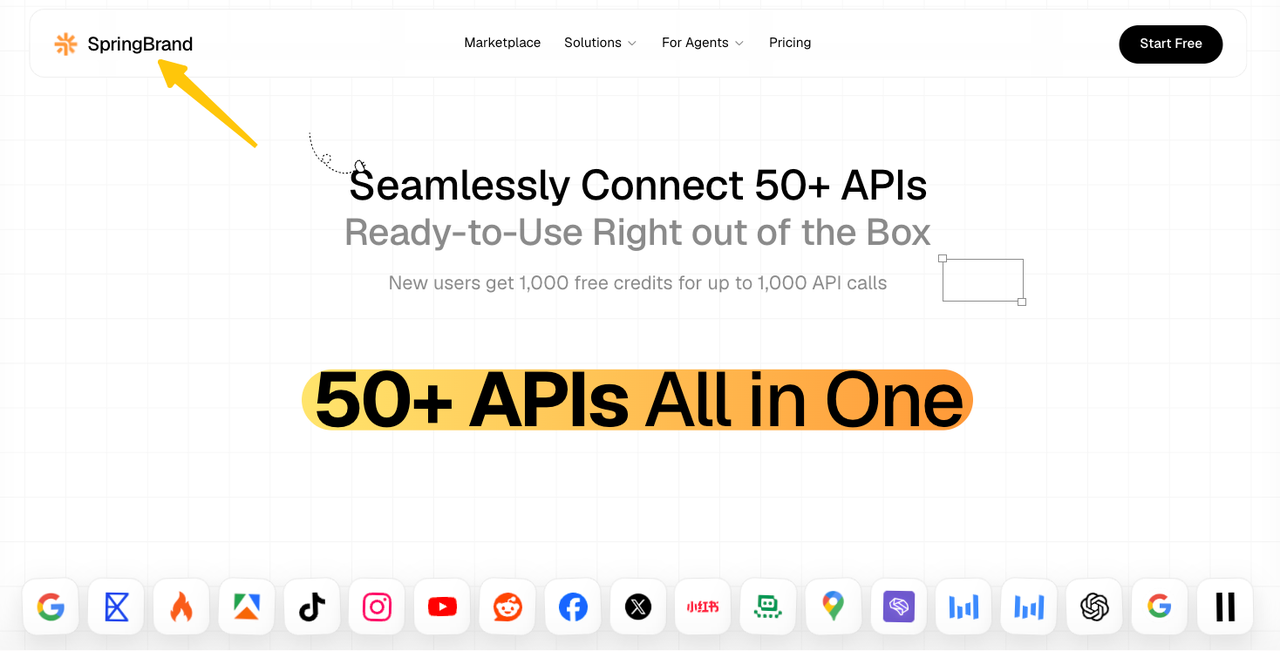
An API listing does not prove shared memory, multi-agent routing, approval queues, or recovery. Verify each behavior the workflow needs.
Evaluate Claims From Vendors
The named implementation examples in this section and the FAQ were checked against official documentation on September 15, 2026. They illustrate specific product behavior; they do not establish a shared standard for agentic systems.
Ask for Observable Behaviors, Limits, and Controls
Translate product language into a demonstration request. This checklist is our editorial evaluation aid, not an official framework.
If a vendor says… | Ask to see… |
“The system is agentic” | The choices it may make, the actions it may take, and its stop conditions |
“Agents have memory” | What persists, its scope, who can change it, and the deletion path |
“It supports multiple agents” | Agent identities, message handoffs, shared state, and conflict handling |
“A human stays in the loop” | The exact action that pauses, the information shown, and what rejection does |
“Workflows are resilient” | Checkpoints, retry rules, duplicate prevention, and branch replay behavior |
During the demonstration, change a required field, withdraw an approval, or make two runs target the same record. A happy path cannot show who owns recovery.
FAQ
Can an agentic planning mode be disabled while the agent continues a bounded task?
Yes, if the product separates planning from other permission modes. This is product-specific, so disabling a mode should not be assumed to preserve the same task state or tools everywhere.
For example, Claude Code documents a Plan Mode that prevents source edits while allowing research and exploration commands and mid-session mode changes. Record the transition and review any pending tool request before continuing.
Which logs show whether a failure came from the agent or the orchestration layer?
You need both an outer workflow trace and spans for the component that acted. A chat transcript alone may not show whether routing, an agent decision, or a tool call failed.
Microsoft Agent Framework’s workflow observability emits workflow and session spans alongside executor, edge, and message spans. Elsewhere, ask for run IDs and timestamps that connect each agent and tool call to its parent workflow.
Can one agent be upgraded without retesting the rest of a multi-agent workflow?
The component can be versioned separately, but the affected workflow still needs retesting. A new agent version may change its output structure, tool assumptions, or escalation behavior even when other agents remain untouched.
Retest its direct contract, then every route that consumes its output. Include rejection and recovery. A version number isolates the change, not its consequence.
Who owns recovery when two agents act on the same business record?
The workflow owner should own recovery, with one system enforcing the write rule. Leaving the conflict to whichever agent finishes last makes the result timing-dependent.
One option is a version check before each write. Microsoft Dataverse documents optimistic concurrency, which can reject an update after the record version changes. The rejected run should reread the record and decide again or escalate.
How should approval rules change when several agents can trigger the same tool?
Put approval on the consequential tool action, then record which agent requested it. Do not rely on one agent name as the entire control when several routes can reach the same tool.
Microsoft Agent Framework can mark individual function tools as approval-required, exposing the function name and arguments before execution. Whatever platform you use, retain the requesting agent, proposed arguments, approver, decision, and final tool result in the same run record.
Conclusion
Use the noun and adjective separately. Name the AI agent that acts, then document the agentic decisions the wider route permits.
One bounded agent is often enough. Add shared state, coordination, and more decision points only when the task cannot finish reliably without them. The better design is the smallest one whose behavior, limits, and recovery path your team can explain.
Recommended Reads
Explore SpringBrand
Turn ideas into working workflows
Connect agents, APIs and tools in one workspace. Start with a task you want to get done.
Get started free
One account. 10,000+ APIs & capabilities
Give your agent APIs and plugins without separate keys or integrations for every provider.
Explore APIs
No tool expertise needed
Describe your GTM task. SpringBrand chooses the right APIs and plugins for your agent automatically.
Find tools for your task
Run tasks 24/7
Connect your agent to SpringBrand to keep tasks running automatically, day and night.
Connect your agent