Claude Docs Guide: Create and Manage Team Documents
Use Claude Docs to turn a brief into a team document, revise it with Claude, manage collaborators, and hand off the finished file with clear limits.
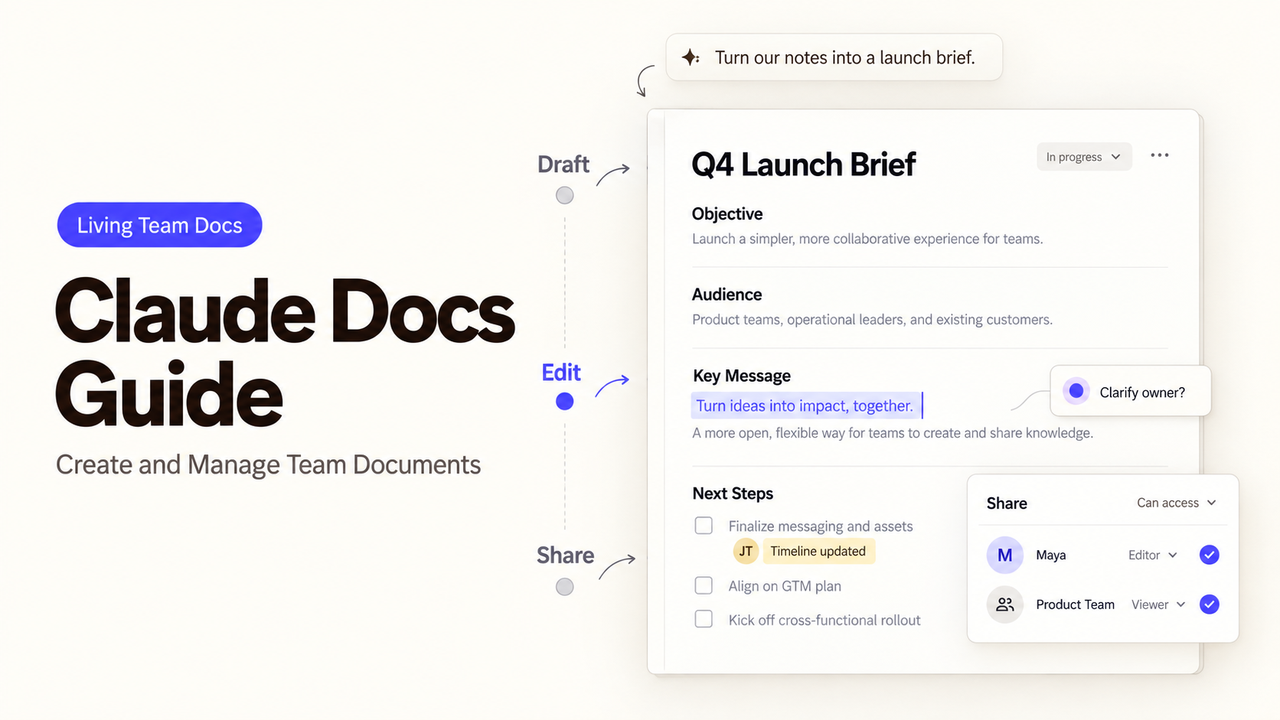
A campaign brief can be drafted in minutes, then stall because nobody knows which claims are approved. Claude Docs helps a team draft, revise, and share one document, but the marketing lead still owns those decisions. This guide follows the brief-to-handoff route. It is based on Anthropic's documentation, checked September 24, 2026; I did not test a live workspace or export.
What Do You Need Before Using Claude Docs?
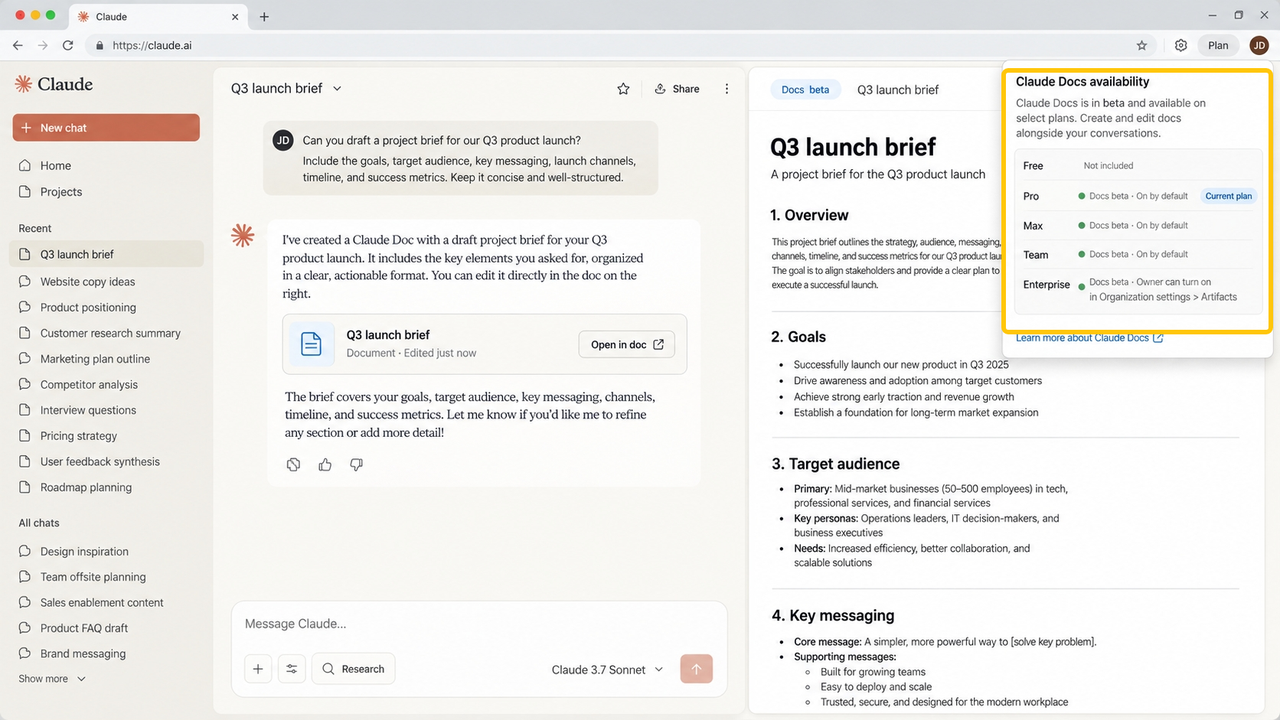
Claude Docs is in beta on Pro, Max, Team, and Enterprise plans, not Free. Pro, Max, and Team have it on by default; an Enterprise owner must enable Docs under Organization settings > Artifacts. It is unavailable for organizations using customer-managed encryption keys, zero data retention, or a HIPAA-ready configuration. Check your organization's settings before preparing a team rollout.
Pick one document with a clear owner: a launch brief the marketing lead will approve and sales will read. Gather the approved product description, campaign dates, audience, and sources. Follow your organization's policy for material entered into Claude.
How Do You Turn a Clear Brief Into a Working Document?
Start from a specific assignment, then inspect the draft against its sources. Claude creates docs from conversations and saves them in the Artifacts tab, according to Anthropic.
Define the Audience, Outcome, and Source Material
Name the reader, decision, required sections, and allowed sources. For a launch brief, use the product sheet for features and the calendar for dates. Mark missing prices or claims for human confirmation.
Create the First Draft in Claude Docs
In a Claude conversation on the web or desktop, try:
Create a one-page launch brief for our sales team from the attached approved product sheet and campaign calendar. Include the audience, offer, key dates, three approved talking points, and open questions. Mark anything the sources do not establish as “needs confirmation.”
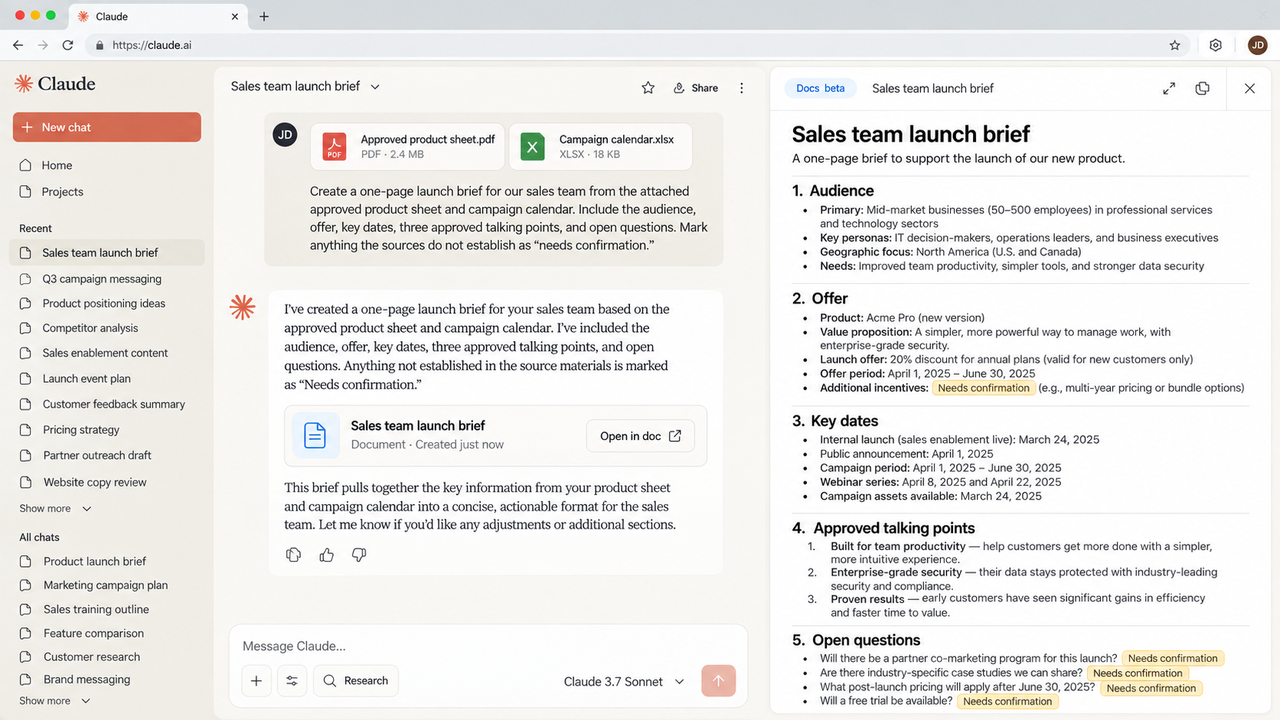
Claude may ask clarifying questions and comment on drafting choices. Resolve these with the source owner. Headings and tables do not verify product claims.
How Can Your Team Revise a Document in Claude Docs?
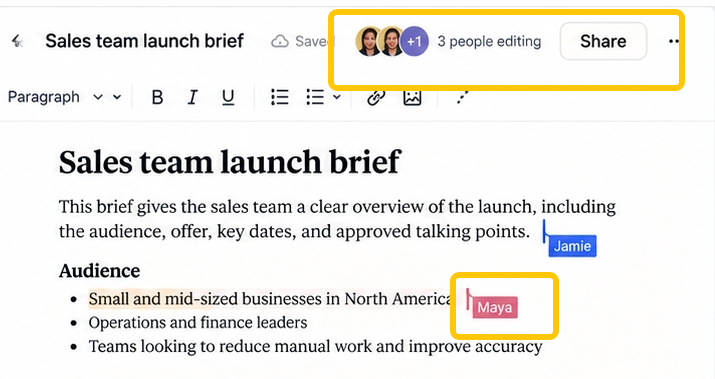
Editors can work in the same Claude Doc in real time. Claude acts only when asked by a signed-in person and within that person's permissions, according to Anthropic. Assign one person to approve factual changes.
Edit Directly and Request Targeted Changes
Editors type directly; changes save automatically. Ask Claude: “Shorten the opening, keep approved dates unchanged, and flag unsupported claims.” Compare the change with the brief, especially while colleagues also edit.
Use Comments Without Losing Decision Ownership
Select text to comment, or mention @Claude to request an edit. For a question such as whether the launch date is public, the marketing lead approves the answer. Changes are attributed, but version history is unavailable. Keep an approved copy when rollback matters.
How Do You Share and Hand Off the Finished Document?
Share after a reviewer checks claims, dates, and access. Docs starts private; sharing paths vary by plan. Apply your organization's policy to the material; this is not legal advice.
Choose Access and Export Options
On Team and Enterprise, the owner can invite people or groups or share within the organization; Docs cannot yet be shared outside it. Pro and Max support anyone-with-the-link sharing. Recipients need a Claude account. Viewers can read; editors can also edit, comment, and export. There is no comment-only role. Check the recipient's role before sending a link.
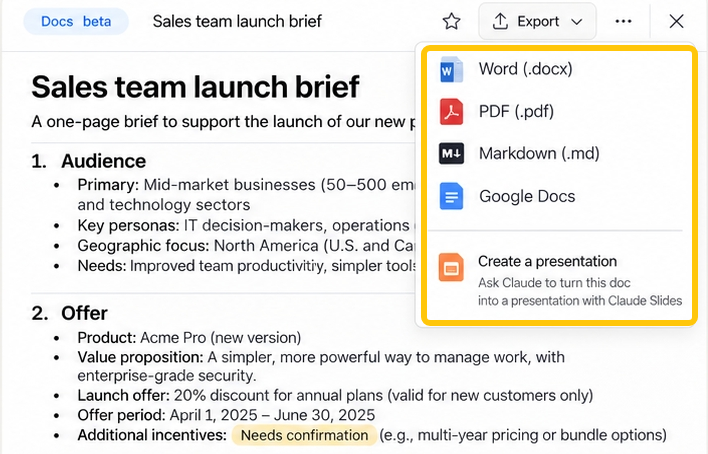
Export as Word, PDF, Markdown, or Google Docs. Open a sample in its destination app and check tables, comments, headings, and links; listed formats do not guarantee fidelity.
Check the Known Beta Limits Before Adoption
Anthropic's beta limitations include no version history, no comment-only access, and no external Docs sharing on Team or Enterprise. Mobile users can view Docs but cannot edit or change sharing settings. Doc-level events appear in the Compliance API activity feed, but edits and comments within a doc do not yet appear there. If your approval process needs a complete edit trail, establish a separate record before rollout.
Conclusion
Claude Docs fits a team brief when the source owner, approver, and sharing audience are clear. Export a checked copy if the team needs a durable handoff or rollback. For recurring GTM work around the brief, explore SpringBrand's current plugins as a separate workflow step; this is not a Claude Docs integration claim.
FAQ
Are Claude Docs searchable by title or document content across a workspace?
Anthropic says created docs are saved in the Artifacts tab, but its current Claude Docs guide does not document workspace-wide title or full-text search. Do not promise either search mode; test discovery with the team's own documents.
What happens to a shared doc when its owner leaves an organization?
Removing a member immediately removes that person's access, according to Artifacts admin guide. It does not specify whether a Claude Doc's ownership transfers or whether collaborators retain access afterward. Export important team documents and ask your admin to verify the offboarding behavior before relying on a personal owner.
Can administrators apply retention or eDiscovery policies to Claude Docs?
Anthropic documents Enterprise retention controls for chats, projects, and their artifacts, but the current Docs guide does not state how those controls apply to standalone Claude Docs. It also says doc events, not internal edits or comments, appear in the Compliance API. Have your admin confirm the specific retention and eDiscovery scope; this is not legal advice.
Does Claude Docs offer an API for creating or retrieving documents?
Anthropic's Claude Docs guide describes creation in conversations and export, but does not document a dedicated Claude Docs create-or-retrieve API. Do not treat the separate Claude model API as a Docs API. Use the documented interface unless Anthropic publishes the required endpoint.
Can Claude translate a doc while preserving comments and collaborator attribution?
Anthropic documents conversational editing and attributed changes, but its Docs guide does not guarantee comment or attribution preservation through translation. If multilingual handoff matters, translate a copy and compare its comments and author labels before sharing it.