Claude Docs vs Google Docs for AI Document Workflows
Compare Claude Docs vs Google Docs for one AI-assisted team document workflow across drafting, collaboration controls, and final handoff.
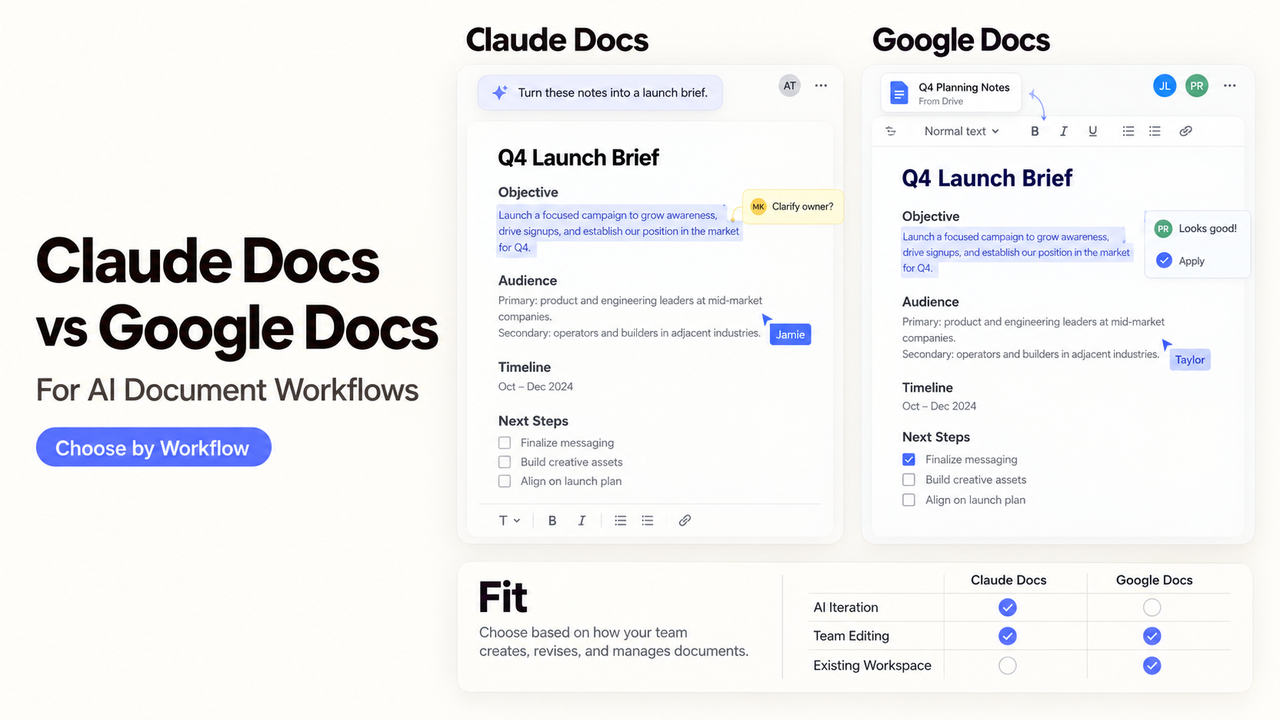
The first draft of a sales brief may look finished while its price claim awaits approval. Which editor makes that decision visible? Claude Docs vs Google Docs is a choice about drafting, review, and the file people will keep editing. This documentation-based comparison was checked October 5, 2026; I did not run a matched test or export.
Which Tool Fits an AI-Assisted Team Document First?
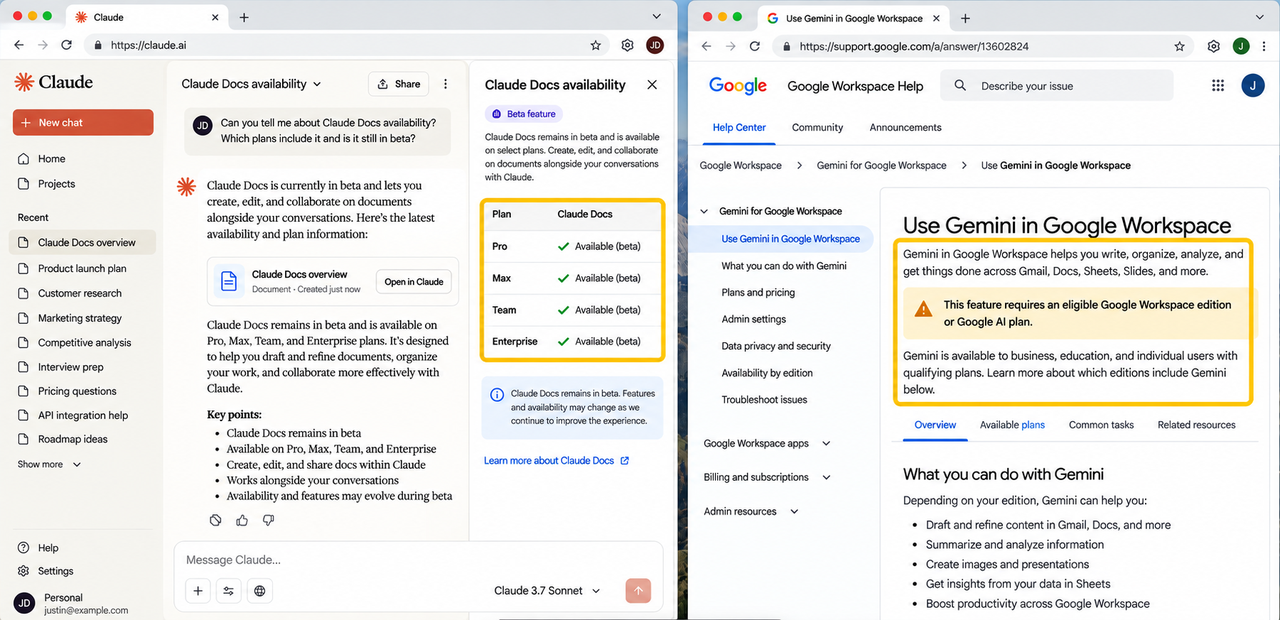
Choose Claude Docs if the source discussion already lives in Claude and its sharing limits fit. Choose Google Docs if the brief needs commenter access, suggestions, and version history. Gemini in Docs also drafts and revises, so this is not “AI or collaboration.” Claude Docs remains a beta on Pro, Max, Team, and Enterprise; Google's AI features require an eligible Workspace or Google AI plan. Check entitlement first.
How Does Each Tool Draft and Revise From a Brief?
Give both tools the same audience, product sheet, launch date, and claim needing sign-off. Compare source use and approval work.
Start From a Brief and Source Material
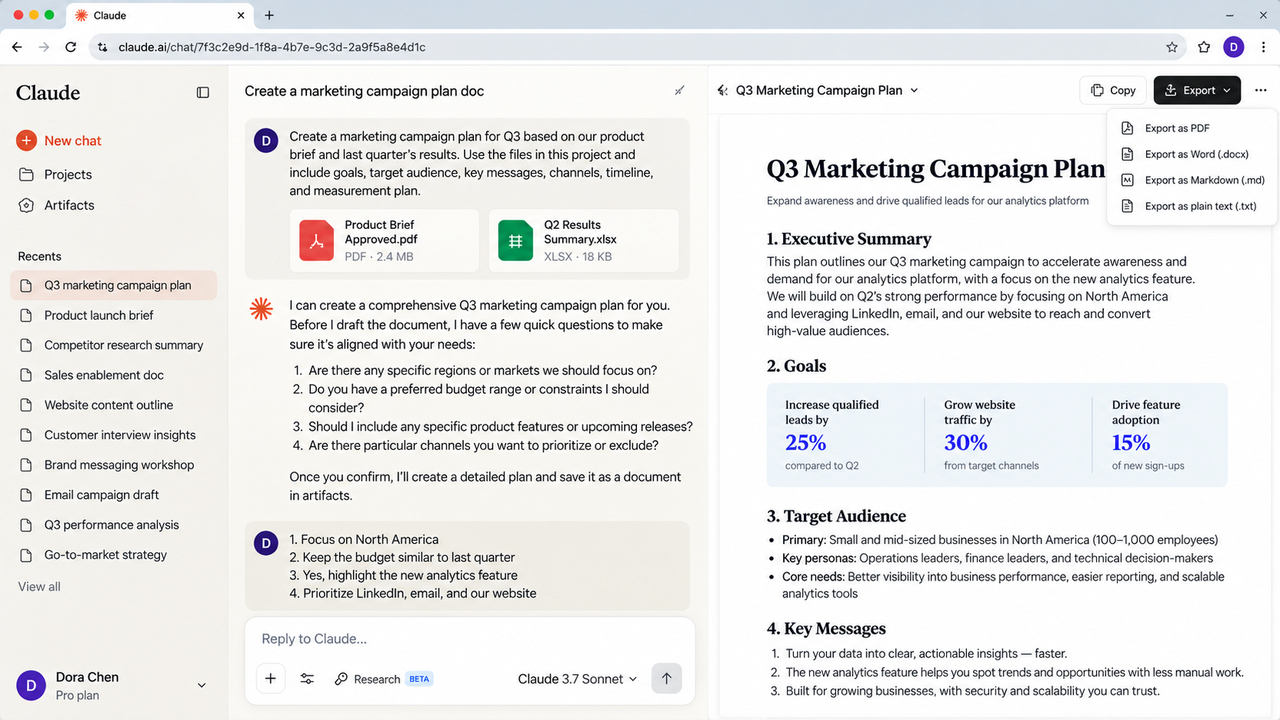
In Claude, ask for a doc in a conversation. It can use that discussion, files, projects, and connected apps, then ask clarifying questions. The doc is saved in artifacts. These documented behaviors do not validate its claims.
In Google Docs, Gemini can draft using Drive, Chat, Gmail, and web context on eligible plans. Name the sources. The product lead should check features and dates before sales reviews wording.
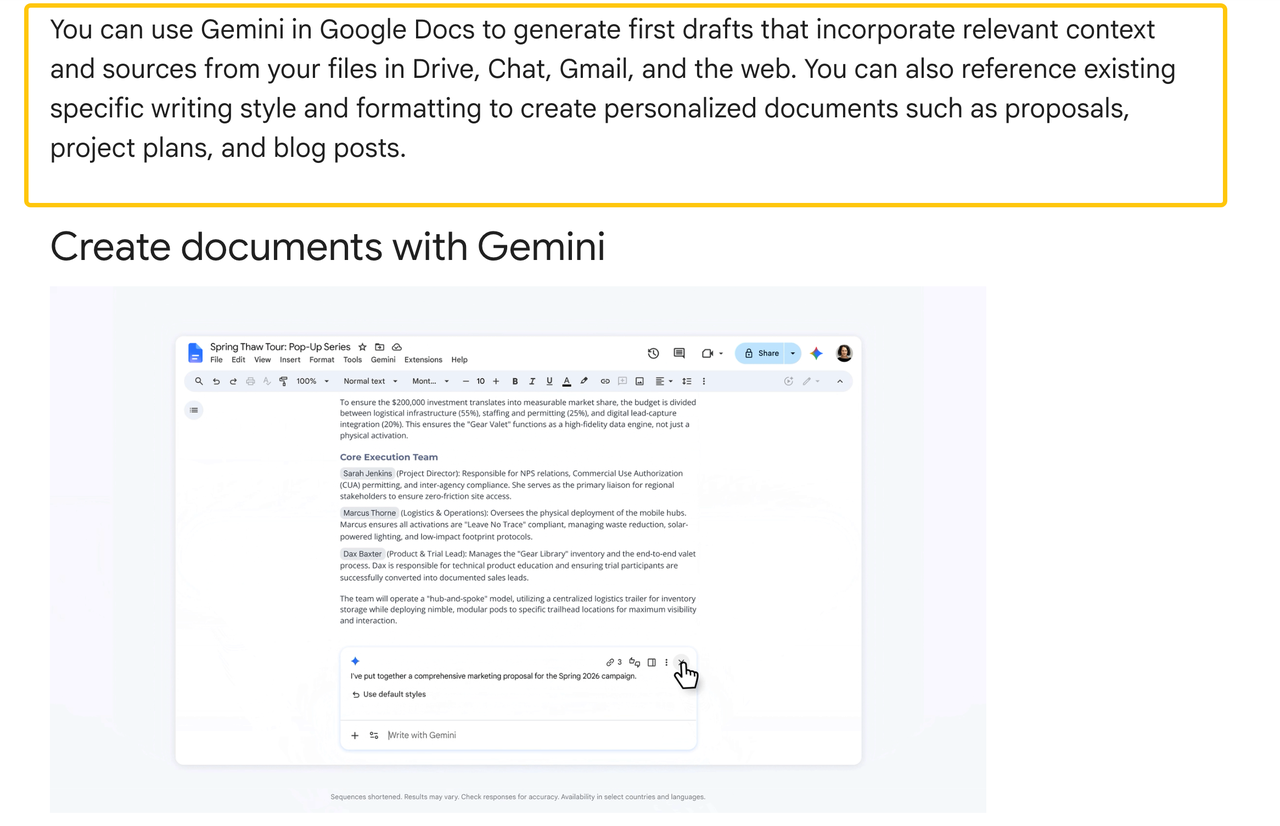
See how Gemini generates document drafts to easily compare features of claude docs vs google docs for your business.
Revise With AI Without Losing Human Control
Claude supports direct typing, conversational edits, and @Claude requests in comments. Changes are attributed to people or Claude. Ask: “Shorten the offer; keep the approved date and price.” Inspect the result.
Gemini in Docs proposes edits for individual or collective acceptance. Colleagues can also suggest changes. If a price conflicts with its source, ask the price owner before publishing.
How Do Collaboration and Governance Differ?
The split is what reviewers can do without editing and how they can reconstruct a change. Permissions are not a security or compliance guarantee; follow your organization's policy.
Editing, Comments, and Access Boundaries
Claude Docs offers viewer and editor access, but no comment-only role or version history yet. Editors can comment and co-edit in real time. Team and Enterprise Docs cannot currently be shared outside the organization; Pro and Max can use a link, and recipients need Claude accounts. Anthropic says doc events reach its Compliance API activity feed, but edits and comments within the doc do not yet appear there.
Google Drive sharing has viewer, commenter, and editor roles. Docs version history lets editors inspect and restore versions. It does not identify the author of every AI-assisted sentence. Drive logs cover file activity, but not all actions are logged.
What Happens at the Final Handoff?
Decide where the next edit will occur. A brief destined for Google Docs review needs inspection there, even if Claude drafted it.
Export Formats and the Next Editing Environment
Claude Docs exports to Word, PDF, Markdown, or Google Docs. Google Docs can download a file in a chosen available type or remain the shared file. Neither vendor's format list proves that comments, suggestions, tables, and attribution survive a round trip between editors.
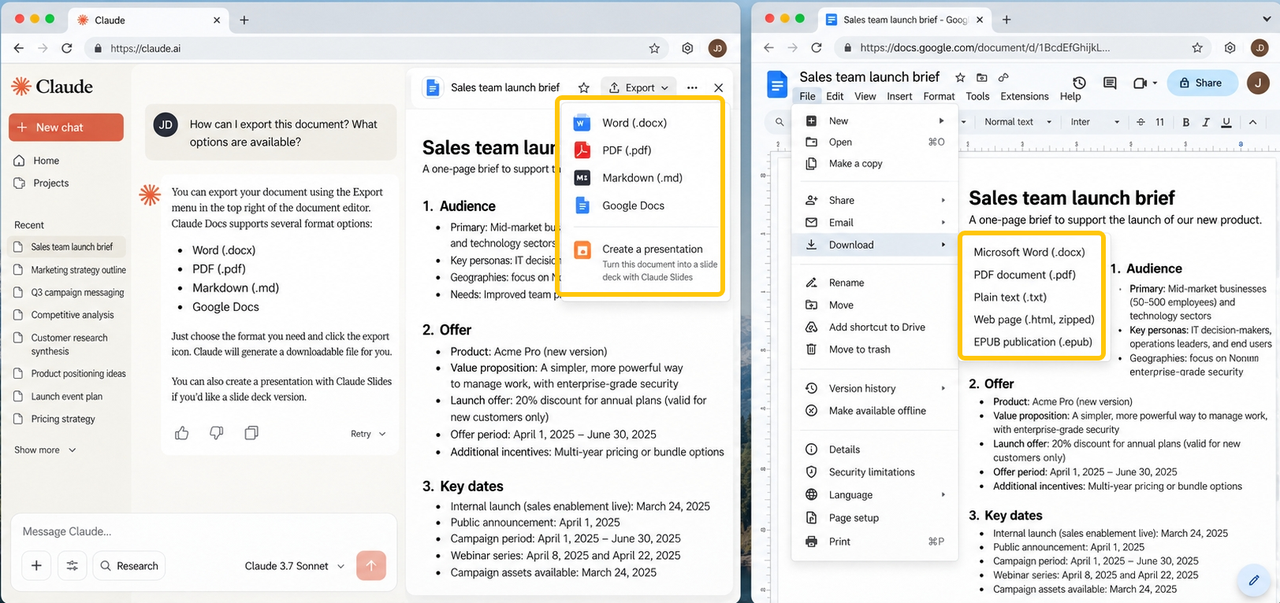
Export a sample with a table, comment, and disputed claim. Inspect it in the destination editor and assign one owner to the continuing file.
Which Document Workflow Fits Your Team?
Use Claude Docs when the team can stay within its sharing model and values working with Claude directly on the document. Use Google Docs when commenters, recoverable versions, or continued editing in Drive are decisive. If drafting starts in Claude but review finishes in Google, treat the export as a transition, not as proof of seamless compatibility. A Claude Docs creation guide covers the single-product steps separately.
Conclusion
The better starting point depends on the final review file. Claude Docs keeps AI drafting and team edits together if its beta limits fit; Google Docs gives reviewers established comments and recoverable versions, with Gemini available on eligible plans. Keep one approver and test one export before switching editors. For upstream GTM research, explore SpringBrand's current marketplace as a separate capability layer, not an integration with either document product.
FAQ
Can either product create a table of contents that stays updated after AI edits?
Google Docs has a table of contents, but Google says to refresh it after adding headings; automatic refresh is not promised. Anthropic's current Docs guide does not document an automatically updating table of contents. Check headings and refresh the final file after AI revisions.
Do tracked changes survive when a Claude Doc moves between formats?
Neither provider's cited export guidance guarantees tracked-change, suggestion, or comment fidelity across a Claude Docs–Word–Google Docs exchange. Claude Docs currently lacks version history; Google documents suggestions and version history within Docs. Test a marked-up sample before moving an approval workflow.
Can either product work offline for document editing?
Google Docs supports offline editing after setup, including an eligible browser, extension, and available-offline file. Anthropic's Claude Docs guide does not document offline editing inside Claude Docs. An exported Word file is a separate path, not offline Claude Docs.
Can either product link a document to live spreadsheet data for automatic updates?
Neither documented path guarantees unattended updates. Google Docs can link Sheets charts and tables, but users click Update or Update all when source data changes. Anthropic says charts in Claude Docs also do not refresh automatically; ask Claude to pull current data, then review the result.
Can administrators audit AI-generated edits separately from human edits?
The cited admin documentation does not establish a complete AI-versus-human edit log for either product. Anthropic records doc-level events but not internal edits or comments in its Compliance API feed. Google's Drive logs cover certain file events, while Docs version history shows changes. Ask each admin to verify the exact evidence your policy requires.