Day AI Review: CRM Context for Sales Workflows
Day AI review for teams evaluating context-aware sales workflows. Examine data capture, CRM updates, agent use, controls, and adoption trade-offs.
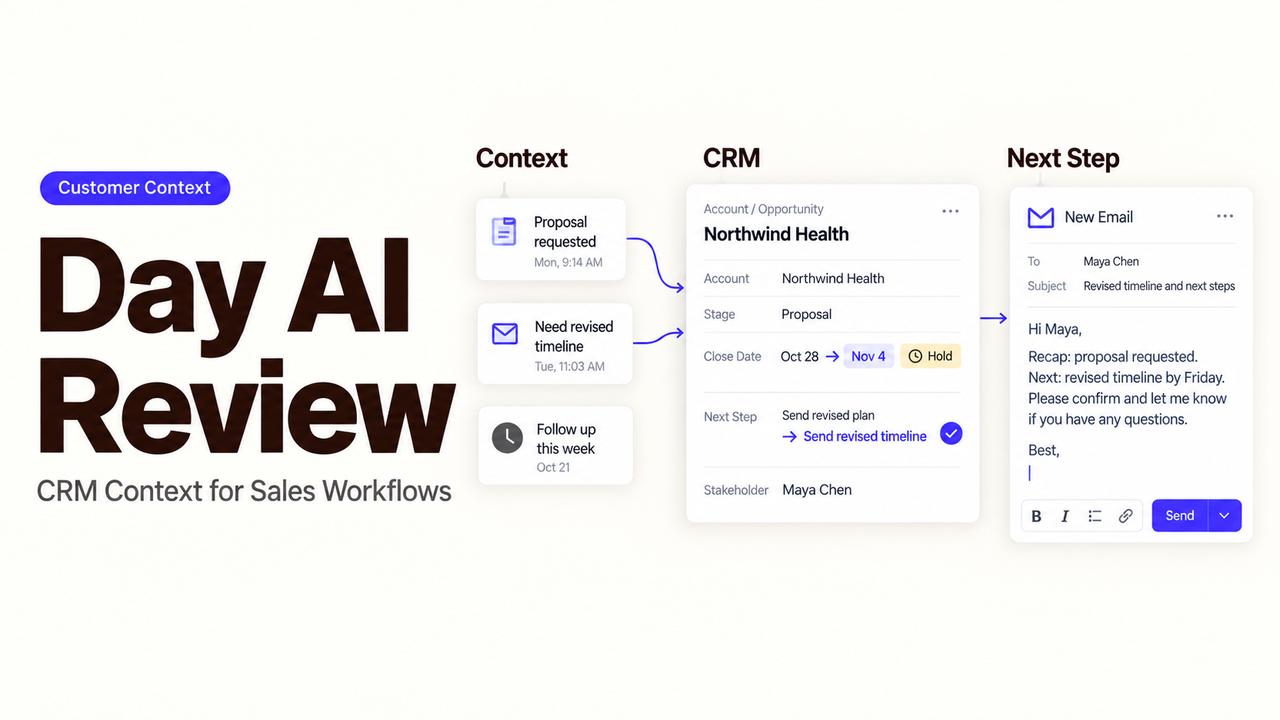
A salesperson joins a customer call with the latest email open, an old CRM record on screen, and no reliable account summary. The work is scattered before the conversation even begins.
That is the useful test for Day AI. I’m Alex, and I’ll examine one bounded workflow: meeting preparation, proposed record changes, and follow-up.
The findings use Day AI’s public product, pricing, integration, privacy, and security materials checked on September 20, 2026. I did not operate a paid workspace, so this is a documented-fit review rather than a hands-on product test.
Quick Verdict on Day AI for Sales Workflows
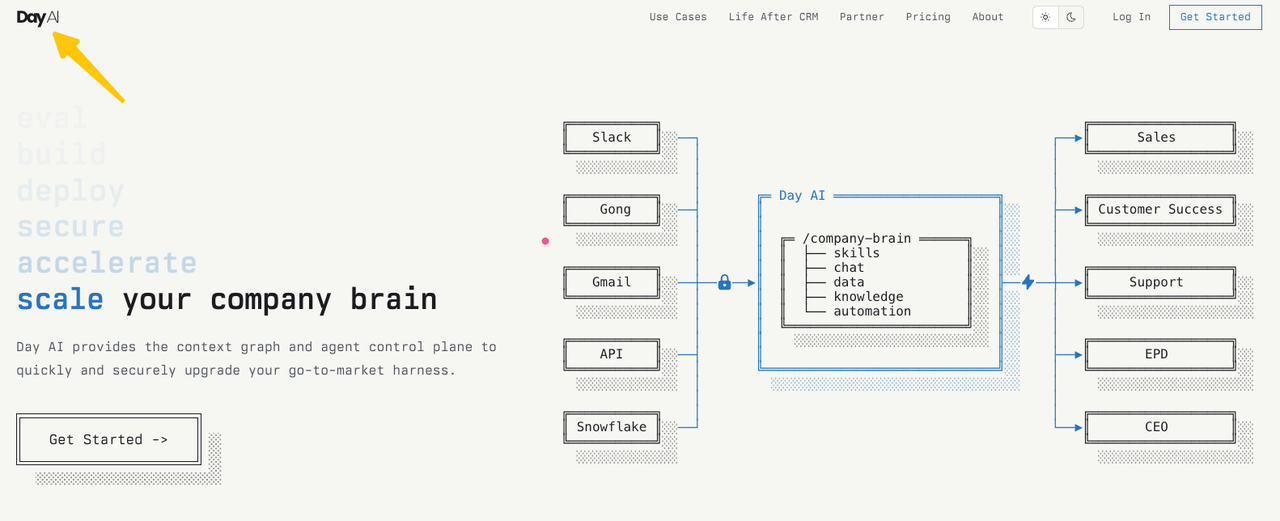
Day AI is worth evaluating when customer knowledge is scattered across Gmail, calendars, meetings, Slack, and sales records. Its current CRMx product combines a shared “Customer Memory” with agents that can search that context, cite source conversations, and run skills.
The caveat is that collecting context does not guarantee sound CRM judgment. A team must verify whether the proposed organization, opportunity, owner, and next step match its rules.
The product appears strongest for teams willing to make connected activity part of a shared context layer. It is a weaker fit when sources cannot be connected or updates cannot be reviewed.
How Does Day AI Build Context From Team Activity?
Day AI connects activity sources, organizes their contents around customer records, and makes that context available to people and agents. The value depends on what enters the workspace and who is allowed to use it.
Connect Conversations and Relationship Data
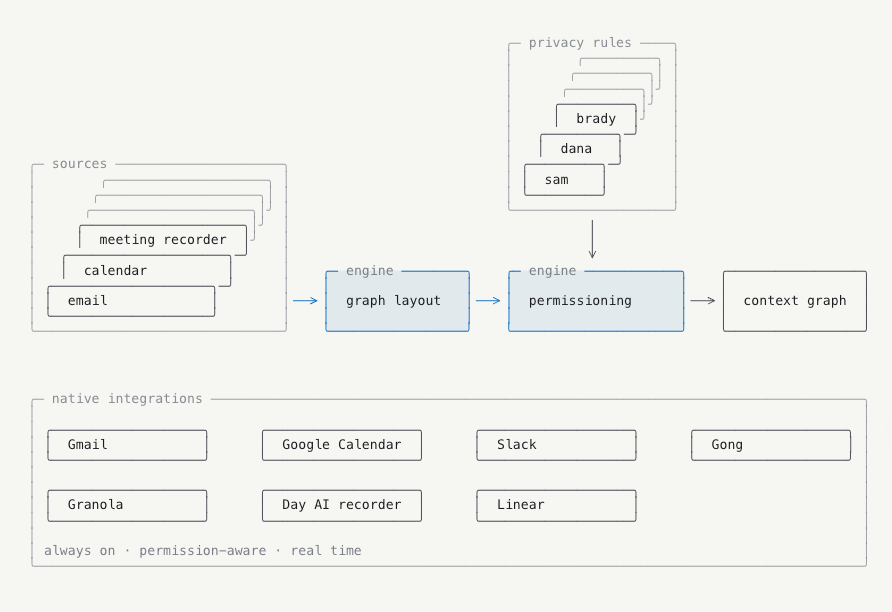
Day AI’s integration guide documents background sync for Gmail, Google Calendar, Slack, Gong, Granola, and inbound Zapier records. Gmail and Calendar connect per user; the other listed integrations operate at workspace level.
The same guide separates integrations from connectors. Integrations sync material into the workspace. MCP connectors let an agent call tools in Linear, Notion, HubSpot, or Affinity during a conversation, without continuously importing those systems.
An email may already be in Customer Memory, while a HubSpot object may be retrieved only when an agent calls the connector. Record where each fact came from.
Organize Records and Business Context
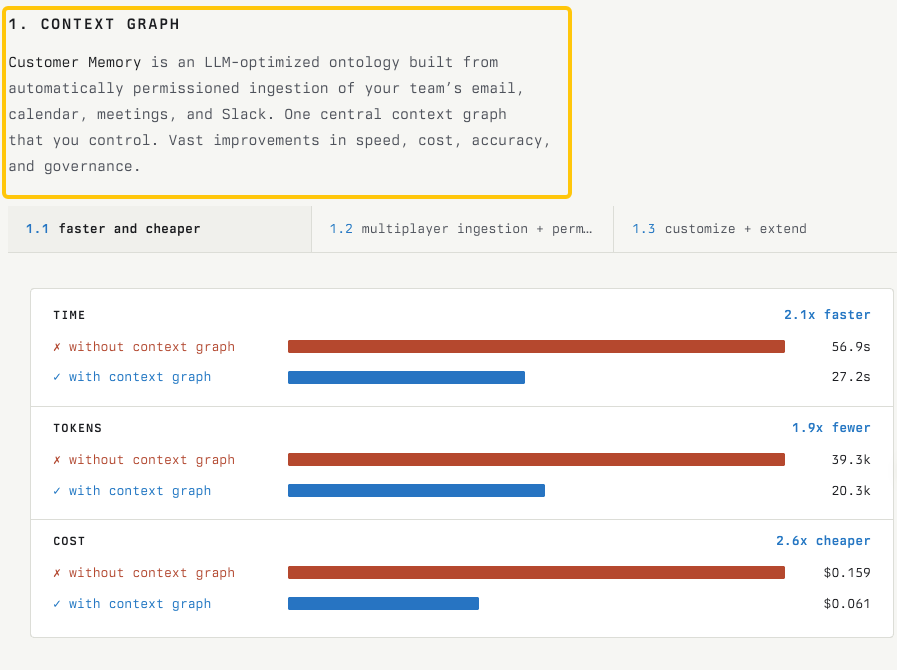
Day AI says Customer Memory is built from calls, emails, and threads, then organized around people, organizations, opportunities, and custom properties. Its current CRMx product page also says answers can link back to the call, email, or moment that produced them.
Custom properties extend that structure. Day AI documents AI backfill for Organization and Opportunity properties from workspace context and web research. That creates two evidence classes: what the team said and what an agent found elsewhere.
Require the source beside a consequential field. A stated renewal date, an inferred account risk, and a web-sourced company attribute should not carry the same confidence merely because they appear in adjacent columns.
Put Shared Context to Work
Agents can answer questions, draft messages, and run skills by schedule, event, or request. A 2026 product update says user-created skills can run after a meeting summary, including extracting actions or updating CRM records.
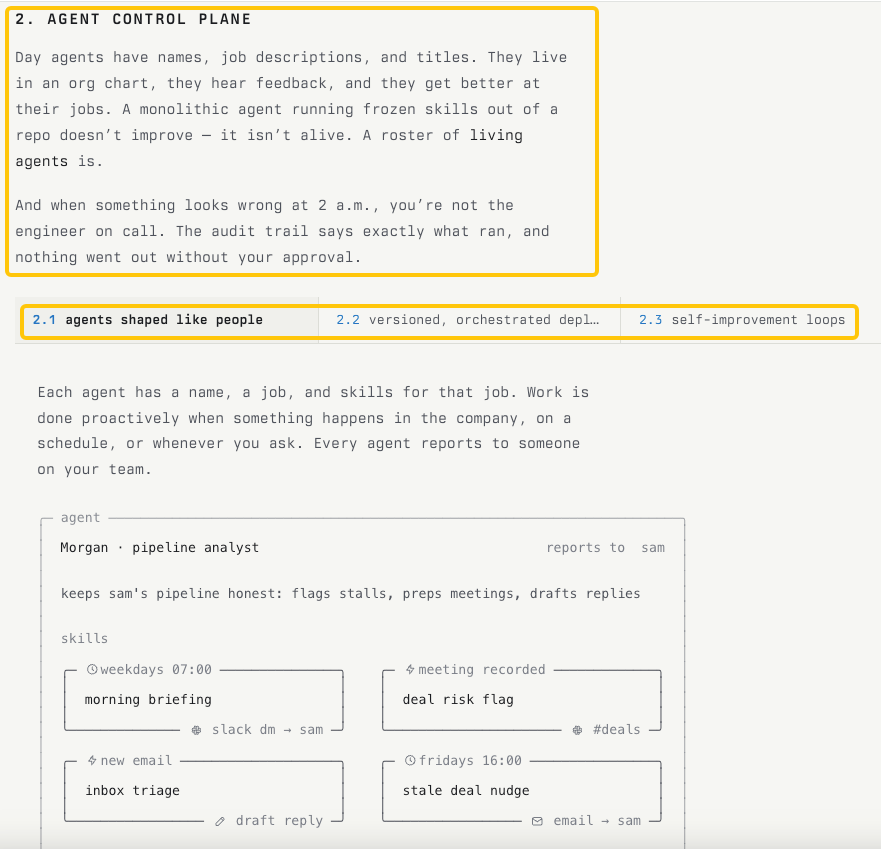
These are vendor-described capabilities, not proof that every team’s terminology will be interpreted correctly. The CRMx narrative does not establish greater accuracy than an incumbent CRM.
Start with a meeting brief, proposed field update, or follow-up task that a person can inspect.
What Should a Team Test in a Bounded Sales Workflow?
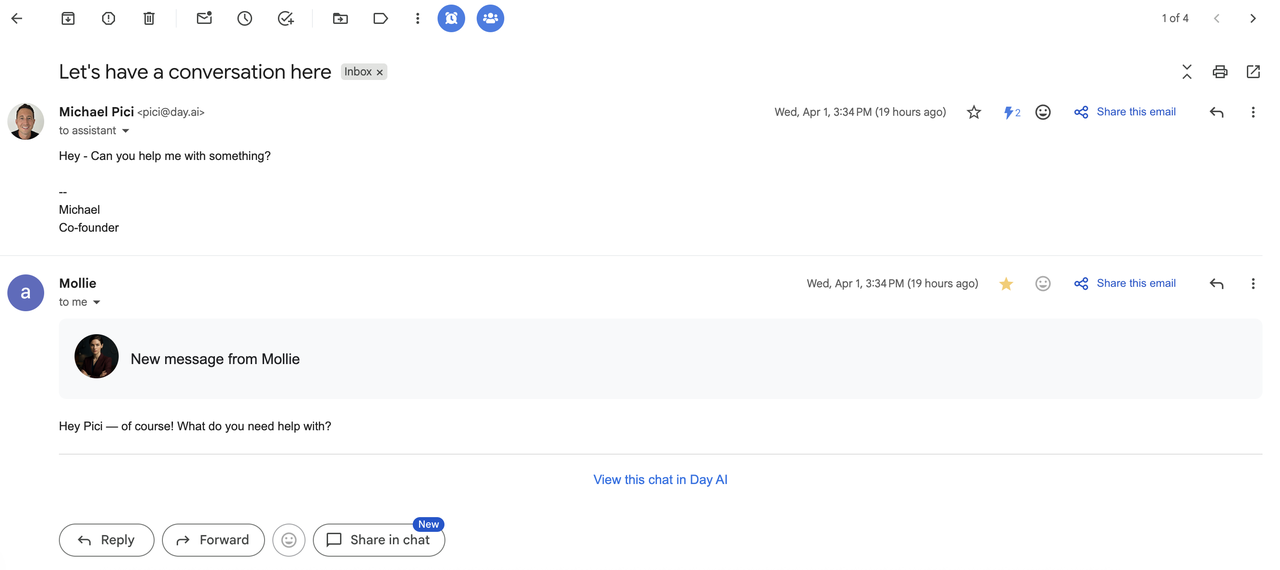
Test one real opportunity from meeting preparation through follow-up. Keep the customer message external to the automated path until the context and proposed actions have been checked.
Prepare for a Customer Meeting
Choose an account with a recent email thread, one earlier meeting, and a known open question. Before the call, ask Day AI for the latest commitments, unresolved objections, key contacts, and supporting sources.
Compare the brief with the originals. Check whether it separates customer statements, internal commentary, and web enrichment. Confirm that excluded material does not appear.
The brief succeeds when a salesperson can trace important claims and identify uncertainty.
Review Proposed Record Updates
After the meeting, ask for a small set of proposed changes: opportunity stage, next step, expected date, risk, and one custom property. Do not approve them as a batch at first.
For each field, record whether evidence was explicit, inferred, or missing. A request for security documents may support a task, but not a stage change.
Public materials do not establish update accuracy for your sales method. Use a reviewer who understands the account and field definitions.
Turn Context Into a Follow-Up Task
End the pilot with one internal task containing an owner, due date, destination, and source. If no owner or date was agreed, route the item for clarification rather than allowing the agent to supply one.
Can the assignee understand the task without reconstructing the meeting? Can a reviewer reject an update without losing the source note?
The agent should prepare a reviewable handoff; the salesperson decides what enters the record. SpringBrand’s research-to-CRM workflow guide covers qualification, exceptions, and controlled writes. The linked SpringBrand guide does not claim a Day AI integration.
Which Data-Control and Adoption Trade-Offs Matter?
Richer customer context requires access to more conversations, calendars, recordings, and relationship data. Decide what may be shared before testing output volume.
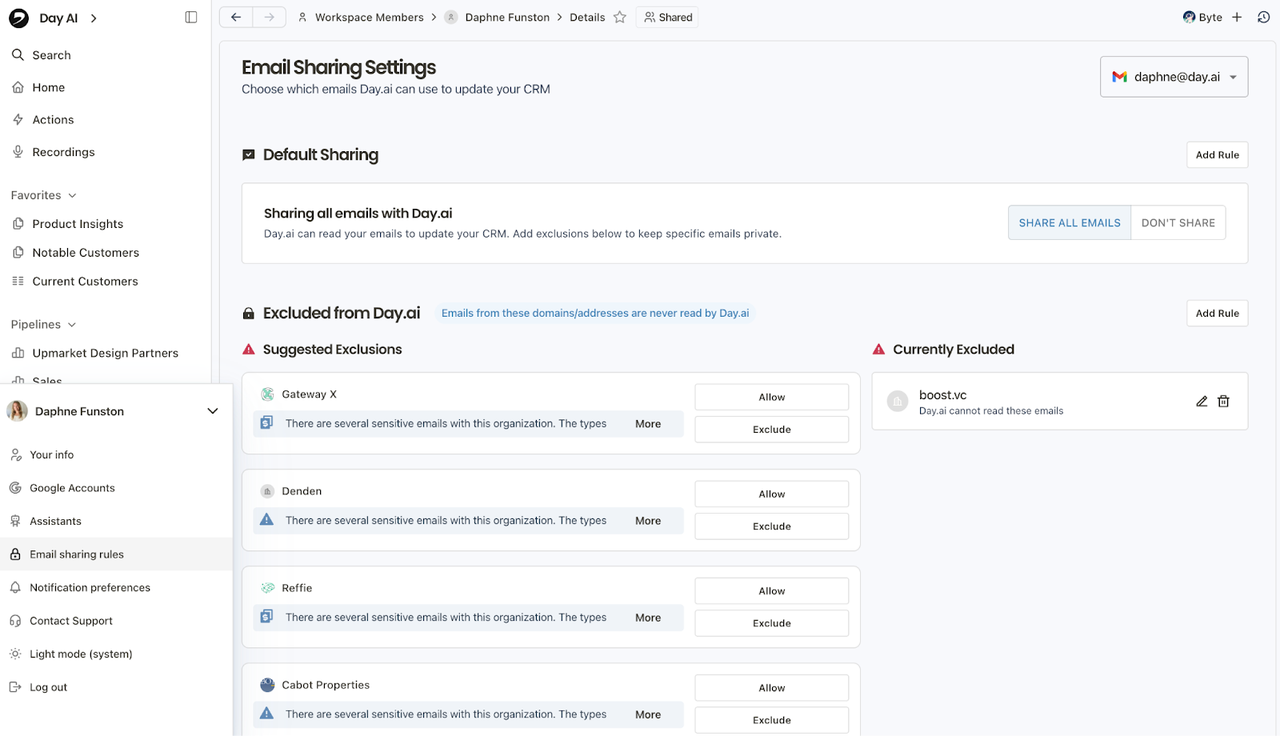
Day AI’s data-sharing guide distinguishes workspace-visible records from private user material. It says agents inherit the user’s permissions. Email can be set to Share All or Share None, with exclusions for addresses and domains. Meeting recordings have separate Invite Only and Shared to Workspace settings.
Share None blocks background skills from processing email, but a direct agent conversation may still read connected email. Disconnect the account if the inbox must not be touched. Rule changes apply going forward and do not remove previously shared email automatically.
Day AI’s Privacy Policy says customer data is not used to train AI or machine-learning models. Its Trust Center lists encryption at rest and in transit, access controls, and a SOC 2 Type II report available under NDA. Confirm contract, retention, subprocessor, recording, and regional requirements with the appropriate specialists. This is operational information, not legal advice.
Adoption also has a human cost. Every user must connect their own Gmail and Calendar account. Teams need shared definitions for stages and properties, plus an owner for incorrect merges, missing context, and disputed updates.
Where Does Day AI Fit—and Where Does It Not?
Day AI fits a team that wants an AI-native CRM organized around accumulated conversations. It is relevant when preparation and record maintenance suffer because context sits in several channels.
It does not remove RevOps ownership. Someone must define the pipeline, inspect sources, manage sharing, and approve external changes. It may be a poor fit when required objects or integrations are undocumented.
Cost should be tested against the intended role. On September 20, 2026, the Day AI pricing page listed Free, Turbo, Professional, and Executive agents. Annual prices shown were $0, $24, $60, and $200 per agent per month, respectively. Pipeline and opportunity management, custom properties, and backfill were listed from Professional; prospecting was listed under Executive. Verify the billing toggle, feature limits, and required number of agents before buying.
A Decision Checklist for Sales Teams
Use the pilot artifacts to answer these questions:
- Did the meeting brief identify its sources and preserve uncertainty?
- Did private or excluded material stay outside the shared result?
- Were people, organizations, and opportunities linked correctly?
- How many proposed field changes needed material correction?
- Did inferred data remain distinguishable from direct customer statements?
- Could a reviewer reject a change while keeping the source record intact?
- Did the follow-up task retain its owner, due date, and evidence?
- Which plan, connections, permissions, and admin work did the workflow require?
Adopt Day AI when the reviewed context saves more effort than connection, correction, and governance add. Extend permissions only after the bounded workflow behaves consistently with ordinary cases and known exceptions.
Conclusion
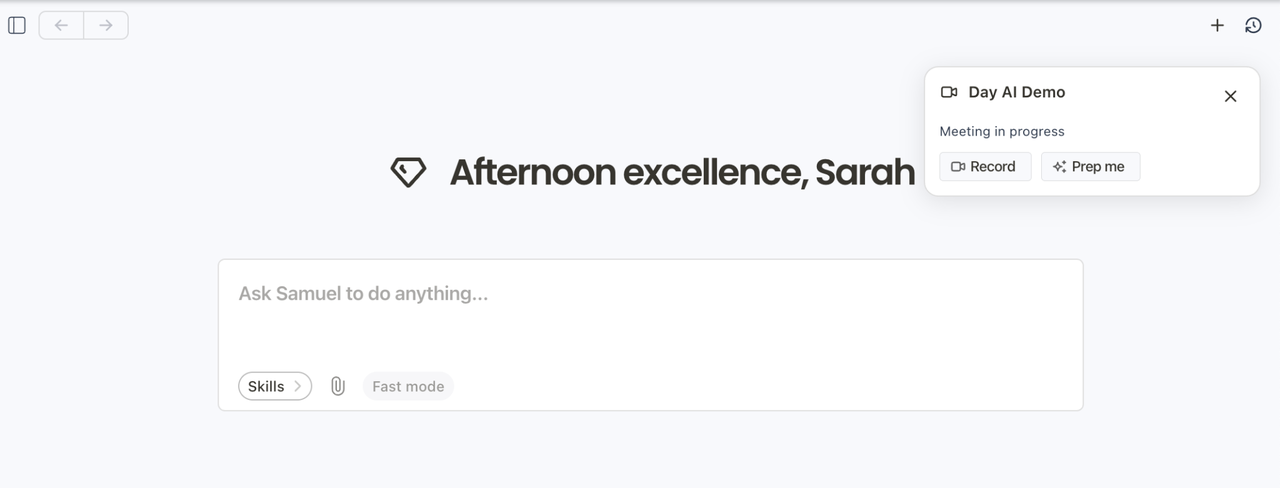
Day AI presents a coherent idea for context-aware sales work: collect conversations, organize them around customer relationships, and let agents prepare the next action from shared memory.
The buying decision should come from one traceable sales workflow, not the promise of life after CRM. Test meeting preparation, proposed record changes, and a follow-up handoff with real exceptions. Keep a person responsible for what enters the customer record and what leaves the company.
FAQ
How does Day AI treat email aliases that belong to one contact?
Public documentation does not say whether aliases merge into one person or remain separate. Because Zapier requires an email as the Person object ID, test two aliases and inspect their records and history before importing at scale.
Can one meeting be linked to more than one organization in Day AI?
Public guides do not say whether one meeting can link to several organizations. Test a partner-and-prospect call and confirm how search, summaries, and opportunity context treat it.
What happens to populated data when a custom property is renamed?
Day AI confirms property backfill, but public materials do not explain renaming. Rename a test property and verify its values, sources, filters, agent instructions, views, and history before changing a production field.
Can users stop selected email domains from creating Day AI records?
Yes. Day AI documents exclusions for specific addresses or entire domains under Email Sharing Rules. It says a domain exclusion also covers typical subdomains after normalization, although some Gmail views may handle subdomain matching inconsistently. Add the full set of sensitive domains and run a harmless message test before relying on the rule.
What happens when an archived organization appears in a new conversation?
Public documentation does not state whether new activity restores an archived organization, creates another record, or preserves the archive state. Test the case and inspect the organization, contact, opportunity, and history before live records encounter it.