Motion AI Review: Fit for Scheduling Workflow
Motion AI review for teams evaluating scheduling workflows. Assess task intake, auto-scheduling, shared work, costs, and operational limits.
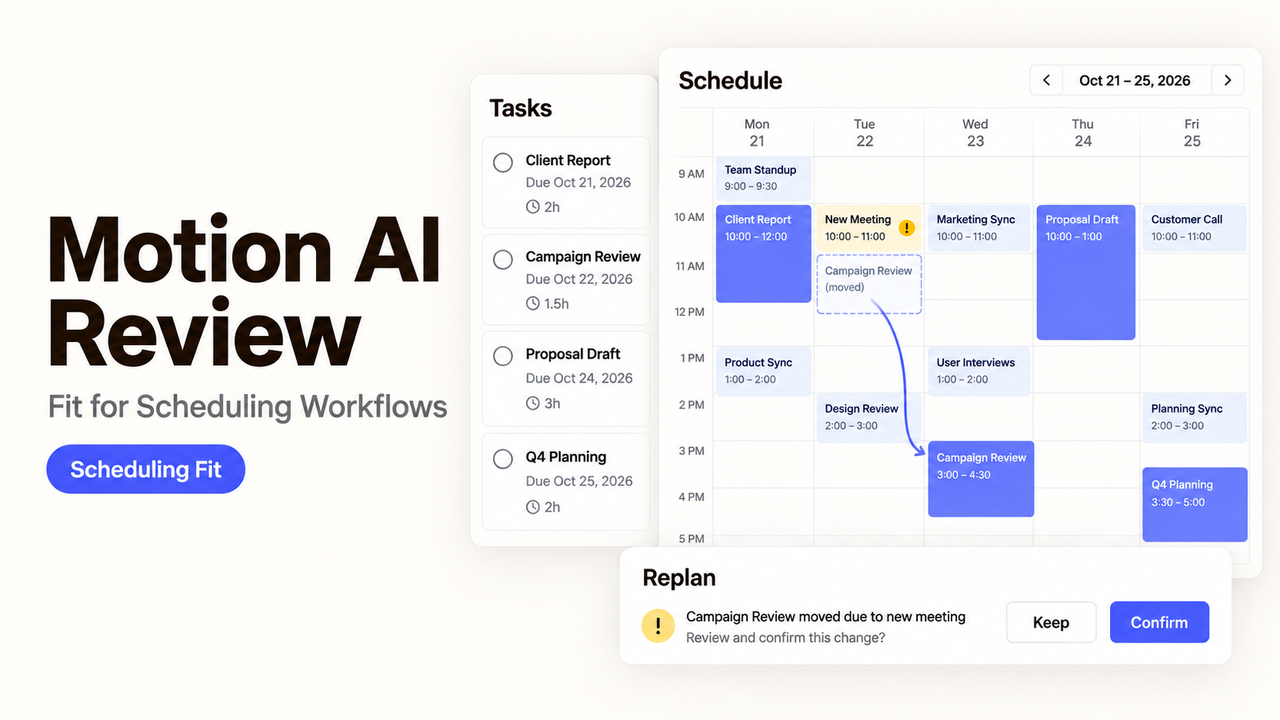
A task manager can tell a team what remains open. Motion goes one step further: it tries to place that work on each person’s calendar and move it when the day changes.
I’m Alex, and I would judge one complete route: intake, scheduling, changed priorities, handoff, and history.
This Motion AI review uses Motion’s public product, pricing, Help Center, and API documentation checked September 23, 2026. I did not run a team trial, so the verdict is conditional rather than a performance ranking.
Why Should Small Teams Consider Motion AI?
Motion is worth testing when a small team already knows what work it owns but repeatedly rebuilds the calendar around meetings and deadlines. Its distinction is the automated calendar that places tasks around availability, duration, priority, and existing events.
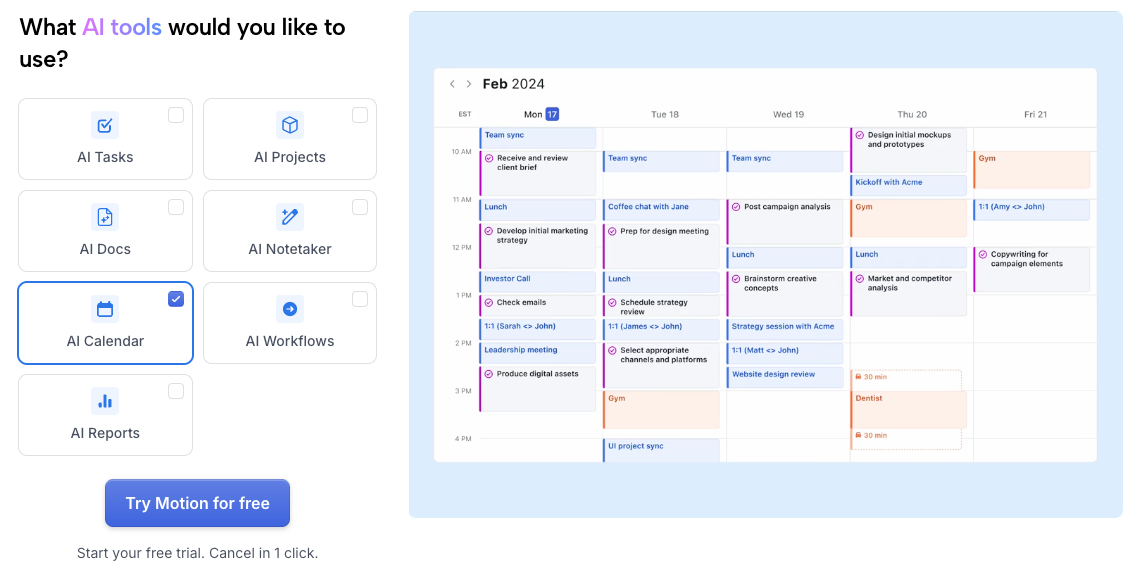
- Best fit: Defined tasks, accountable owners, and frequent schedule changes.
- Main test: Does a new meeting produce a workable plan for everyone affected?
- Poor fit: Unclear requests, unreliable estimates, or a team that needs to control every time block manually.
- Evidence: Current Motion documentation, not our hands-on team results.
Motion can rearrange a plan when its inputs change; it cannot decide whether every request deserves space in that plan.
How Does Motion AI Schedule Team Work?
Motion schedules eligible project tasks against connected calendars. Consider an illustrative weekly client report: an analyst drafts it, a lead reviews it, and the approved file is due Friday. This is a test scenario, not our Motion trial.
Add Tasks With Scheduling Details
A Motion task needs more than a title. Duration, deadline, priority, assignee, start date, and chunk size can affect placement.
Tasks can enter through the interface, project templates, Siri, or email. Motion’s native integration documentation says forwarded email can be parsed for a title, due date, and priority before a task appears in the workspace.
For the client report, the analyst would check the project, owner, estimated duration, Friday deadline, and source brief before trusting the first block. A parsed due date does not prove the request is ready for work.
Adjust the Schedule When Plans Change
Motion’s auto-scheduling documentation says it considers availability, duration, deadlines, priorities, changes, start dates, and recurrence. Meetings and busy events remove time from the schedule. New conflicts can cause tasks to move.
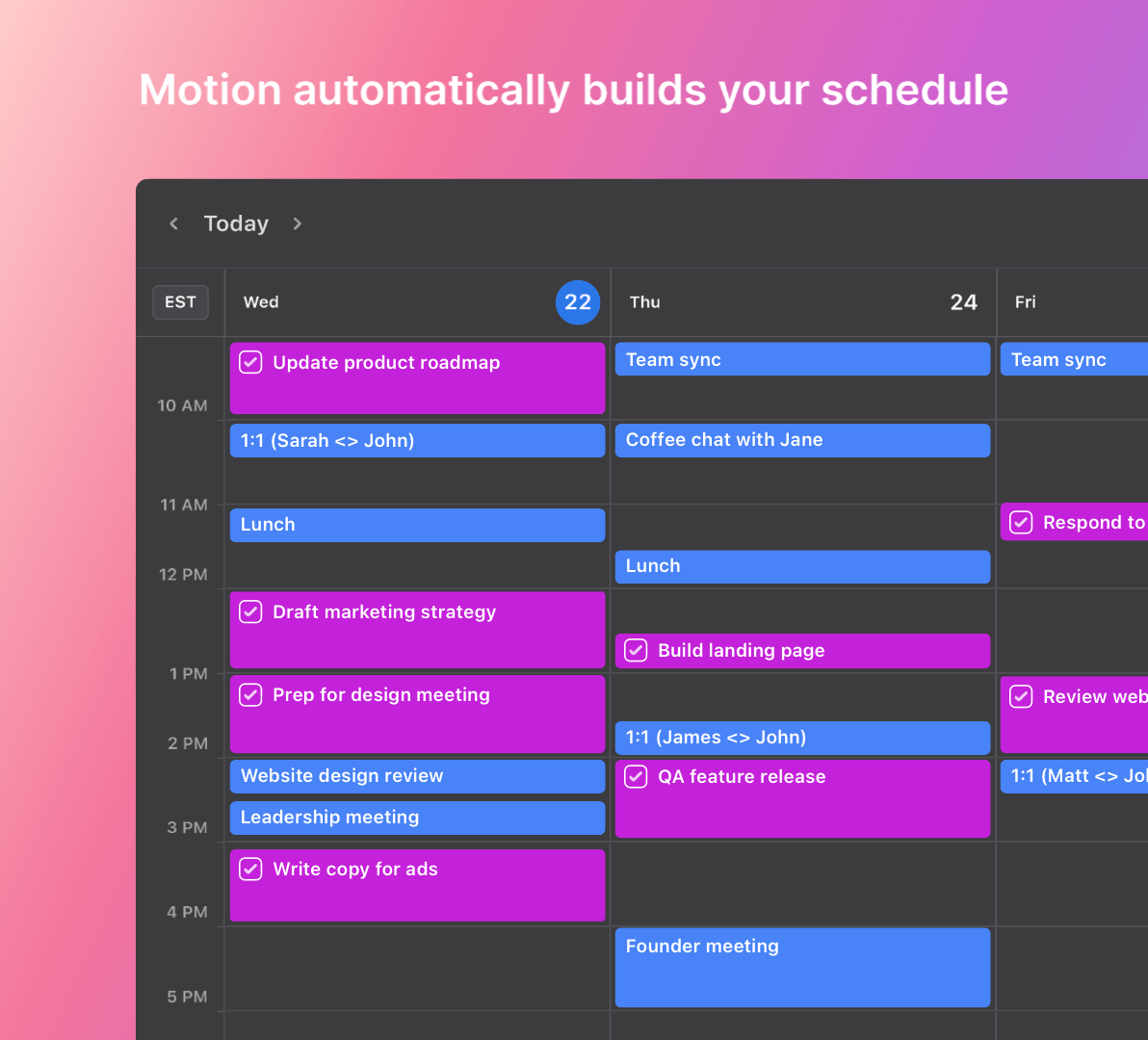
If the report draft takes several hours, chunking can place it across available sessions. Without chunk rules, Motion looks for one block that fits the full duration. A late client meeting could move those blocks, so the analyst still needs to inspect the revised plan.
The scheduler still depends on calendar setup. Motion connects with Google Calendar, Outlook, and iCloud, but provider behavior differs. Motion tasks can appear on Google and Outlook calendars for visibility; current Help Center pages describe more limited iCloud task support.
Hand Off Work Through Projects and Dependencies
Projects add owners, stages, statuses, deadlines, and dependencies. A dependent task waits for its prerequisite, while project templates can preserve a repeatable structure for future work.
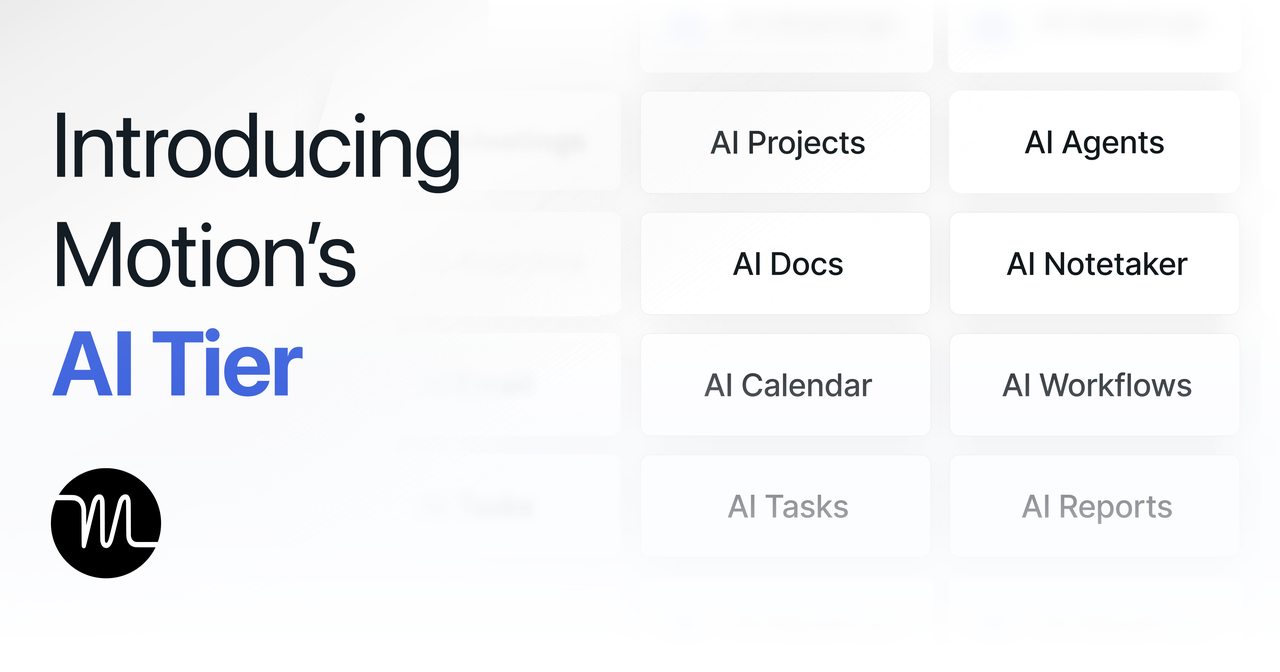
Motion also links meeting notes and documents to task creation. The company’s AI tier overview describes converting notes or selected text into tasks and projects. Those suggested details still need review before they affect a person’s day.
When the analyst finishes the draft, the lead needs the file, review criteria, due date, and any blocker—not just a new task on a calendar. A dependency should prevent review from starting before the draft is ready.
How Should a Small Team Test Motion AI?
Use the same client-report route from intake to approval in a real pilot. It reveals more than a collection of unrelated personal tasks.
Task Intake and Priority Changes
Create the report request through the interface, email, and a project template. Record which fields arrive, which are inferred, and which the analyst must correct.
Then add a genuinely urgent request before Friday. Note whether the draft or review moves, whose calendar changes, and whether both tasks still have a realistic path. Motion documents ASAP, High, Medium, and Low priorities; your team must define when each applies.
Rescheduling After Plans Change
Add a client meeting during the analyst’s draft block, shorten the lead’s review window, and move the deadline forward. Motion should recalculate eligible work; verify where each block lands and whether the handoff remains possible.
Look for tasks pushed outside normal hours, long work split too aggressively, or low-priority work that disappears beyond the review window. The scheduling troubleshooting guide identifies missing duration, future start dates, blocked calendars, and conflicting parameters as common causes of unexpected placement.
Shared Workload and Handoffs
Give the analyst and lead different availability. Complete the draft, check that the review task becomes eligible, then reassign it once. Record whether the new reviewer can find the file and deadline.
Review what the second person can see without opening several pages. Motion’s Activity Feed records changes to assignees, status, priority, dates, duration, dependencies, and other task details. That history is useful, but comments still need to explain why a consequential change occurred.
How Much Does Motion AI Cost for a Small Team?
The first cost question is whether automatic scheduling saves enough coordination to justify another paid seat and the work of maintaining task inputs.
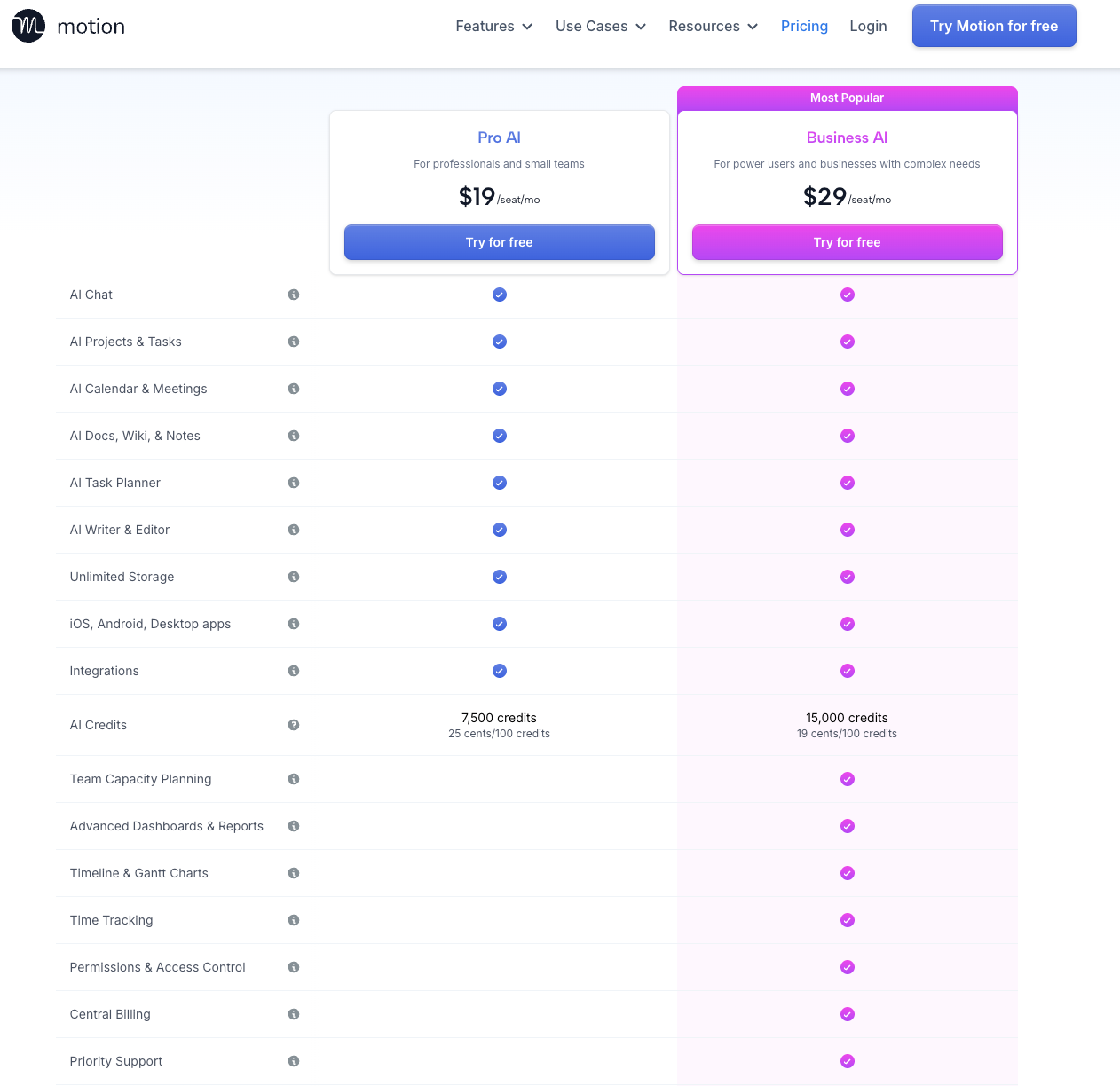
Seats, AI Credits, and Plan Differences
On September 23, 2026, Motion’s team pricing page displayed Pro AI at $19 per seat per month with 7,500 monthly credits per seat and Business AI at $29 with 15,000. The page offers monthly and annual billing controls; confirm the selected cadence and checkout total before using those figures in a budget.
The same page lists team capacity planning, advanced reports, Gantt charts, time tracking, permissions, central billing, and priority support under Business AI. It also displays additional-credit rates, so a team should identify which actions consume credits during the trial.
Recheck credits, overages, taxes, and trial terms at checkout. Count every active seat and the time spent correcting intake, priorities, and calendars.
Calendar Access and Admin Consent
Calendar permissions also matter. Motion’s integration and permissions page describes read access for displaying events and write access for creating or updating events. Microsoft 365 may require organizational admin consent. Decide which accounts and calendars the trial truly needs before granting access.
Who Should Use Motion AI—and Who Should Skip It?
Motion fits teams that already have definable tasks but still translate them into calendars by hand. It is especially relevant when meetings frequently disrupt planned work. A team that insists on manually placing every block may spend its time fighting the scheduler.
Motion is a weaker fit when requests arrive without scope or estimates, or when managers need controls the current plan does not provide. It cannot replace demand control or specialist judgment. External calendars can show Motion tasks, but those displays do not make the tasks editable outside Motion. Public documentation also does not prove that every field or historical record can be exported in the form your team needs.
SpringBrand does not claim a Motion integration. If one scheduling decision must coordinate several tools, people, and recovery paths, the broader workflow orchestration guide explains that separate design problem.
What Should Small Teams Know Before Choosing Motion AI?
Run one two-week workflow with representative exceptions, then answer these questions:
- Did tasks arrive with enough context to estimate duration and priority?
- Did calendar changes produce a plan the assignee could still follow?
- Did dependencies release work in the expected order?
- Could a teammate understand a reassignment from the task and activity history?
- Did Google, Outlook, or iCloud behave as required for the chosen setup?
- Which features required Business AI rather than Pro AI?
- How many credits, corrections, and manual schedule changes did the workflow require?
- Could the team retrieve completed work and explain major changes afterward?
Choose Motion only if the scheduling benefit survives the maintenance burden. A full calendar is not proof of a workable plan.

Conclusion
Motion AI is most compelling when a small team needs project tasks to become realistic calendar commitments—and to move when availability changes. Its value depends on accurate durations, priorities, calendar connections, and handoffs.
Use one shared workflow to test intake, rescheduling, dependencies, completion history, and cost. If the team spends more time correcting the plan than following it, the auto-scheduler is solving the wrong problem.
FAQ
Does Motion preserve dependencies when a project template is duplicated?
Motion documents dependencies inside projects and says template duplication preserves tasks, stages, and structures. Its current help page does not explicitly confirm that every dependency survives duplication. Duplicate one representative template and inspect each blocked-by relationship before relying on the copy.
Can a task created by email inherit a workspace's default status?
Motion says emailed tasks enter a workspace with parsed details, but its public email-integration page does not specify inheritance of a workspace’s default status. Treat the initial status as an open test and route one sample message into the intended workspace.
What happens to recurring tasks when the workspace timezone changes?
Motion says the default timezone applies to the task manager and does not update automatically when a user travels. It does not document how a timezone change rewrites existing recurring instances. Record the master task and two future instances before changing the timezone, then compare them afterward.
Can Motion split one task across several available time blocks?
Yes. Motion’s task-scheduling FAQ says chunking can divide a task into segments based on a chosen minimum chunk duration, availability, and schedule. Without chunking, the scheduler seeks one full block.
Does the Motion API expose completed-task history?
The List tasks API reference includes completed and completedTime in task responses. That supports identifying completed tasks returned by the endpoint. The page does not establish unlimited historical retention or a complete audit export, so verify pagination, retention, and workspace coverage for your account.