URL to Markdown API: Choose an Agent Data Pipeline
Choose a URL to Markdown API for an agent data pipeline by testing rendering, content fidelity, metadata, failure handling, and workflow controls.
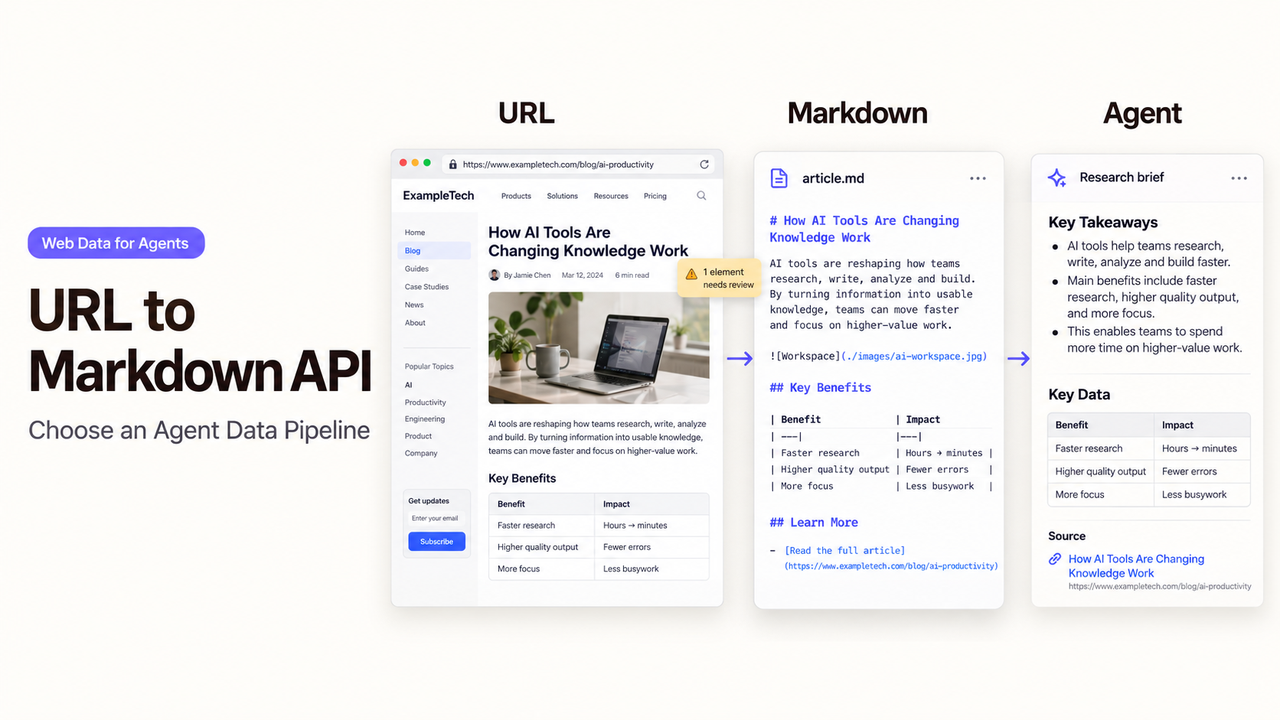
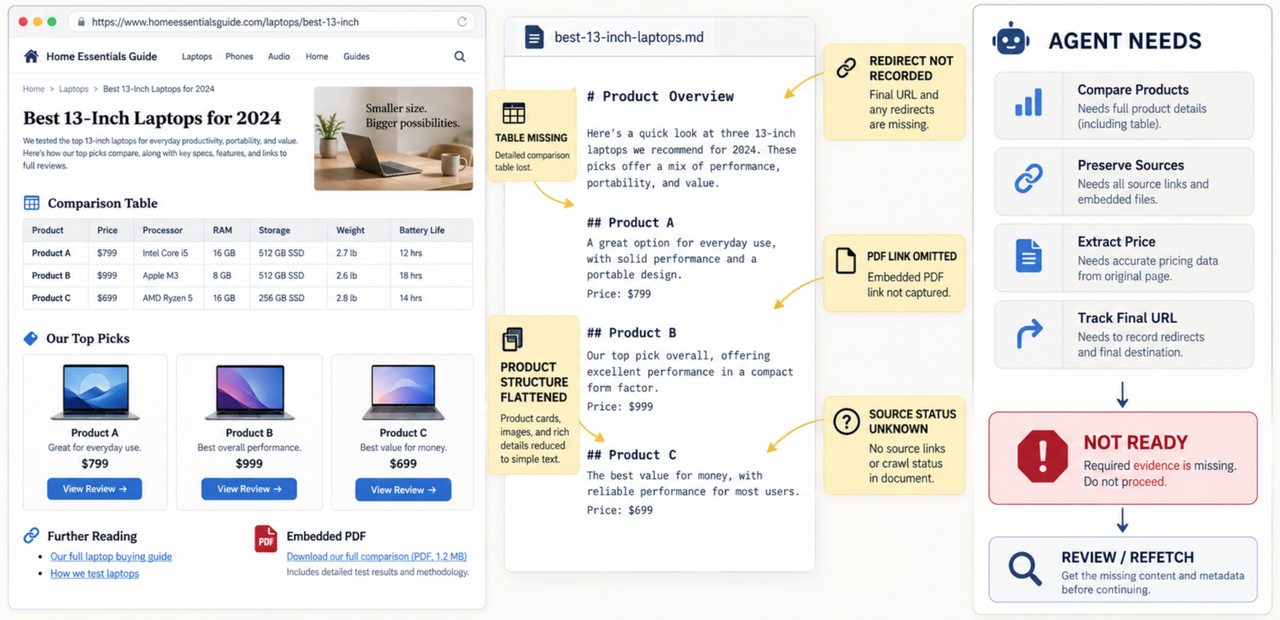
A clean Markdown response can still be the wrong input for an agent. It may omit a table, flatten a product list, hide a redirect, or return an error page as if it were useful content.
Choose the pipeline by the evidence your next step needs, not by the shortest demo request. This guide uses Firecrawl, Jina Reader, Tavily, Exa, and Apify as current examples. It is a documentation-based comparison, verified on September 21, 2026, rather than a hands-on performance ranking.
What Does a URL-to-Markdown API Do for an Agent?
A URL to Markdown API retrieves a web resource, removes some page chrome, and returns text that models can process. A useful response may also include the source URL, title, status, content type, links, or extraction metadata.The products do not all solve the same problem.
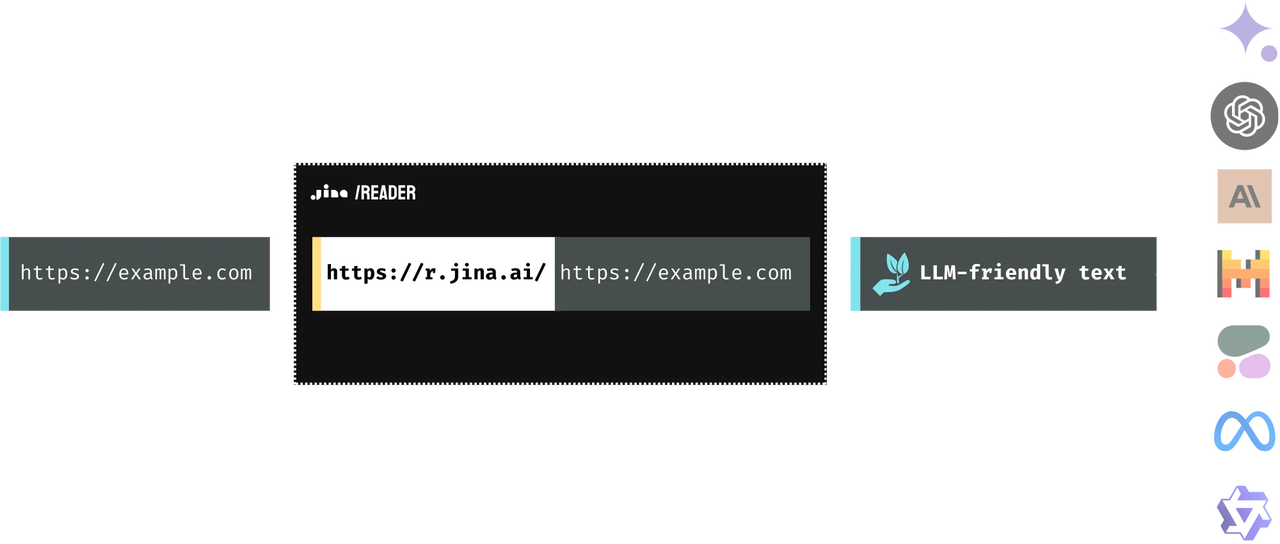
- Jina Reader focuses on converting a URL into LLM-friendly text.
- Firecrawl Scrape combines Markdown with several other output formats and can expand into crawling.
- Tavily Extract sits beside search and crawl endpoints.
- Exa Contents retrieves contents for URLs or search results.
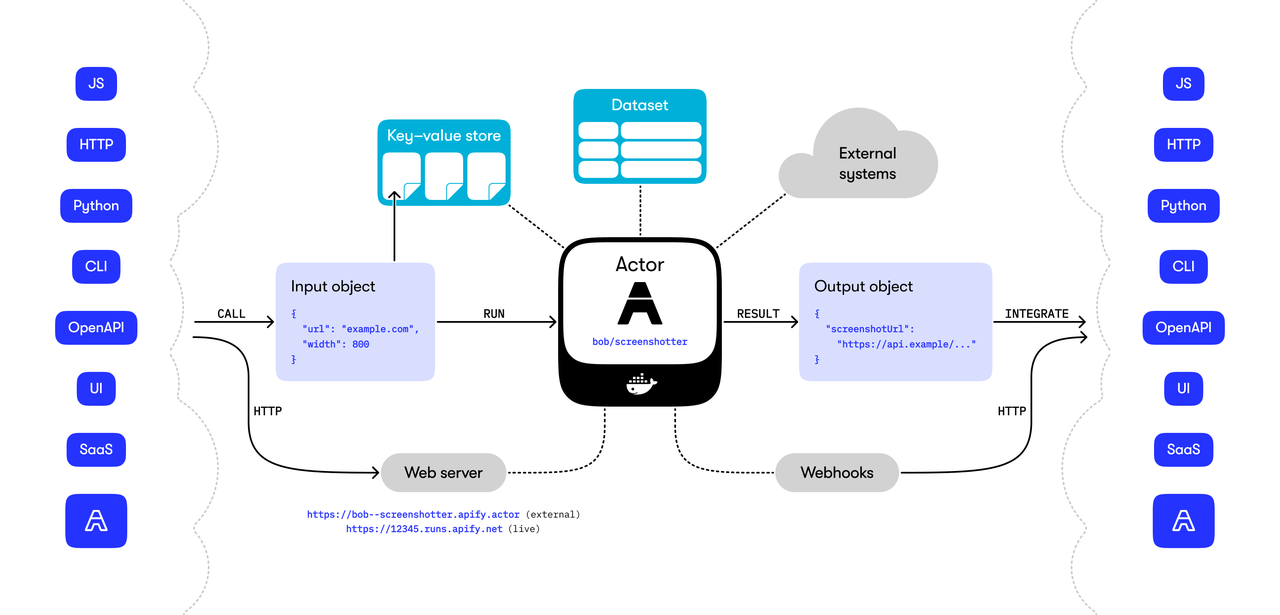
- Apify Actors provide task-specific collection programs with platform storage and execution controls.
That distinction matters. A reader is appropriate when the application already knows the URL. A web search API for LLM workflows is more useful when discovery is part of the job. A crawler is needed when the system must find related pages, while a browser layer is appropriate when page behavior must be controlled directly.
Define the Input and Output Contract
Write the contract before choosing the API. Specify accepted URL types, redirect policy, rendering requirement, required metadata, maximum response time, and the conditions that make an output unusable.
URLs, Redirects, and Rendered Content
The input should include a normalized URL and a unique request identifier. Record whether fragments, tracking parameters, locale variants, and trailing slashes represent the same resource in your system.
Ask the provider which URL appears in the response after redirects. Firecrawl’s documented metadata includes a source URL, content type, and target-page status code. Its documentation also separates API success from the status returned by the page. That prevents an HTTP 200 from the API wrapper from hiding a 404 or 403 at the source.
Rendering must match the sources you expect. Firecrawl documents JavaScript-rendered pages and documents. Jina Reader uses a managed browser-oriented reader and supports PDFs. Tavily offers extraction plus broader crawl capabilities. Exa supports retrieved page contents and content-freshness controls. Apify behavior depends on the selected Actor, so review that Actor’s input schema rather than treating the entire platform as one reader.
Markdown Cleanup, Metadata, and Source Links
“Clean Markdown” needs an acceptance definition. Decide whether navigation, cookie banners, footers, comments, captions, table structure, code blocks, and repeated cards should remain.
Require the final URL, page title, retrieval time, content type, and source status beside the Markdown. Keep source links intact when citations matter. If the API returns only prose, add these fields in your adapter rather than forcing downstream agents to infer them.
Markdown is not a verified fact set. Keep consequential claims traceable to the retrieved source. Mark later structured values as sourced or inferred.
Test Pipeline Quality With Representative Pages
Build a small evaluation set from the sites the application is authorized to access. Include a static article, a JavaScript-heavy page, a table, a PDF, a redirect, a missing page, and a page with little extractable text.
Measure Content Fidelity and Noise
Do not score quality by output length alone. Compare the visible source with the returned headings, paragraphs, lists, tables, links, and critical labels.
Measure required-section recall, broken tables, duplicate text, boilerplate, preserved links, and reviewer correction time. Short output may suit RAG; Fuller output may suit audit work.
Test the same pages through every candidate under the same settings. Jina Reader may be enough for direct reading. Firecrawl may fit when the workflow also needs other formats or multi-page collection. Tavily and Exa can reduce integration work when search precedes extraction. Apify can fit a specialized or scheduled collection job. These are conditional fits, not performance conclusions.
Check Failures, Timeouts, and Partial Results
A production pipeline needs more than a success boolean. Distinguish invalid input, DNS failure, timeout, unsupported content, source denial, rate limiting, empty extraction, and partial output.
Store the provider response and the target-page status separately when available. Mark a record incomplete when required sections or metadata are absent, even if the API call succeeded. Do not retry every error: an invalid URL needs correction, a 404 may be final, and a rate limit may require a delayed retry.
Set a maximum attempt count and a total time budget. Send repeated failures to review with the original URL, timestamps, error class, and attempt history. This prevents a stalled reader from creating an invisible agent loop.
Connect the API to a Reviewable Workflow
Treat fetched content as untrusted external input. Do not allow instructions inside a page to change the agent’s tools, permissions, destination, or review requirements.
Before storing or processing content, confirm that the collection is allowed under applicable site terms, access rules, contracts, privacy obligations, and law. Do not use a reader to bypass logins, paywalls, robots restrictions, or technical access controls.
Queue, Deduplicate, and Store Results
Place requests in a queue with the canonical URL, business purpose, priority, requested freshness, and owner. Deduplicate before calling the provider, but preserve separate requests when teams need different snapshots or output settings.
Store raw provider output separately from normalized Markdown. Add the provider name, endpoint version where known, request settings, final URL, status, timestamp, and content hash. A hash computed after consistent normalization gives the team a repeatable change signal even when the provider does not expose one.
Retention is a design choice, not merely a vendor default. Review current privacy, data-processing, subprocessor, and retention terms before sending sensitive context. Firecrawl, Tavily, Exa, and Apify publish private materials. Jina’s current legal page directs customers to Elastic’s data-processing terms.
Add Review, Retry, and Stop Rules
Review should be triggered by business risk, not a random sample alone. Route low-content responses, conflicting metadata, changed templates, missing citations, and sensitive destinations to a person.
Use bounded exponential backoff only for errors likely to clear. Stop when the page denies access, the retry budget is exhausted, or the content no longer serves the stated purpose. Give operators a way to cancel queued work and prevent downstream indexing.
For a broader migration comparison, see Firecrawl Alternatives for Agent Data Workflows. For a bounded research integration, see Exa MCP: Add Web Research to an AI Agent Workflow.
Choose a Reader, Crawler, or Browser Layer
Choose a reader when the input is one known public URL and the output is reviewable text. Jina Reader is the narrowest example here. Firecrawl Scrape offers a broader format and metadata surface.
Choose a search-and-extract layer when the agent starts with a question instead of a URL. Tavily and the Exa Search API can combine discovery with content retrieval, although the team must still preserve sources and handle empty results.
Choose a crawler when related pages must be discovered under explicit limits. Firecrawl Crawl, Tavily Crawl, and suitable Apify Actors are examples. A Firecrawl MCP server may expose these capabilities to an agent, but MCP access does not change the underlying data contract. Choose a browser layer only when precise interaction is essential.
An API aggregator can reduce credential and billing work, but it adds another contract. Verify which provider, model, or endpoint performs the request, which fields are preserved, how errors are translated, and where content is processed. A broad catalog of AI agent APIs does not prove that one action has the output and controls this pipeline requires.
Conclusion
The right URL-to-Markdown API is the one that preserves the evidence and failure information your next step needs. Start with one known URL, define acceptable Markdown and metadata, test difficult pages, and make incomplete results visible.
SpringBrand’s current site presents it as an AI-native plugin marketplace for agent capabilities. That positioning does not establish that Firecrawl, Exa, Tavily, Jina, Apify, or a particular action schema is available through SpringBrand. Verify the exact capability and data contract before connecting it to a production pipeline.
FAQ
Do providers publish subprocessor lists for fetched page content?
Some do, but disclosure locations and contractual scope differ. Apify publishes private information and points users to its Trust Center; review its current Trust Center, DPA, and contractual documents for subprocessor details. For Firecrawl, Tavily, and Exa, review the current policy, DPA or enterprise documents rather than assuming the public privacy page is a complete subprocessor register.
How does it report paywalled or login-only pages?
There is no universal response. A provider may return the public shell, a source status, an access error, or little extractable content. Treat any incomplete response as unavailable, preserve the status and error evidence, and never configure the pipeline to defeat the restriction.
How are usage credits counted when a URL returns no extractable content?
Billing depends on the provider, endpoint, and failure stage. Firecrawl currently documents one credit per scrape plus charges for certain formats, but that does not answer every empty-result case. Test known empty and denied pages in a small account, then confirm ambiguous billing with the provider before forecasting cost.
What happens when a page contains links to embedded PDFs?
A reader may preserve the PDF link without fetching the file. If the PDF is required, create a separate authorized job, record its content type and source URL, and validate the parsed result. Do not assume an embedded document is included in the parent page’s Markdown.
Which APIs return content hashes for change detection?
The reviewed documentation does not establish one comparable, stable hash field across all five products. Compute a hash from your own normalized content and retain the normalization version. Provider-native change tracking can supplement that value, but it should not silently redefine your change history.